
inFlow Inventory-anmeldelse: Fordele, ulemper, funktioner og priser
inFlow Inventory udmærker sig med sin brugervenlige grænseflade og robuste rapportering, hvilket gør løsningen til et oplagt valg for små og mellemstore virksomheder, der søger effektiv lager- og lagerstyring.

We review tools independently, and commissions help fund our testing. See our transparency policy, our methodology, or suggest a tool.
inFlow Inventory is an inventory accounting software built for small to mid-sized businesses that need to track stock levels, manage purchase orders, and keep inventory costs synced with their books. I'd consider it over something like Cin7 if your team needs a more approachable setup without the steep learning curve that comes with enterprise-grade systems—but still wants enough depth to support multi-location inventory and costing methods like FIFO and average cost.
inFlow Inventory Evaluation Summary
4.6/5
- From $129/month (billed annually)
- 14-day free trial + free demo available
Why Trust Our Software Recommendations
6,700+
Reviews
20
Industry experts
16+
Evaluation factors
14
Years
Our team has been testing and reviewing software since 2012. As finance leaders ourselves, we know how difficult—and important—it is to choose the right software.
For this guide, we evaluated tools using hands-on testing and independent research, scoring tools using our selection criteria.
Our reviews reflect our human editorial judgment, not a sales pitch.
inFlow Inventory Overview
In my opinion, inFlow Inventory is a solid choice for small and medium-sized businesses needing straightforward inventory management and order processing. Although it's recommended for its ease of use, its onboarding process could be improved. Compared to other providers, it offers a balance of functionality and value, making it suitable for teams with limited tech expertise. While it may not have the broadest range of modules or ERP capabilities, its user-friendly interface makes it accessible. If your team members value simplicity and effective stock management without a steep learning curve, inFlow Inventory is worth considering.
Pros
- It offers an easy-to-navigate interface with a centralized dashboard.
- You can efficiently track inventory levels, as well as orders via built-in reorder points.
- It provides solid customer support backed by positive user reviews.
Cons
- Generating customizable reports may take more time than you'd like.
- Your team may find the limited mobile app functionality restrictive.
- It lacks advanced forecasting and optimization tools that some competitors offer.
Is inFlow Inventory Right For Your Needs?
Who Would be a Good Fit for inFlow Inventory?
inFlow Inventory suits small to medium-sized retail and manufacturing businesses that need straightforward inventory management. This software is ideal if your team values an easy-to-use interface and solid customer support. It's great for businesses that need efficient stock tracking without complex on-premise systems, as well as teams with limited tech expertise seeking to improve order accuracy and inventory management.
- Small Retail StoresinFlow Inventory is ideal for small retail operations, as it can help you manage stock levels, POS, and orders efficiently.
- Manufacturing UnitsYour team can track raw materials and finished goods easily with inFlow Inventory’s user-friendly system, which includes work orders and component tracking.
- Wholesale DistributorsIf you're in wholesale, inFlow Inventory’s order tracking helps you maintain accurate inventories and fulfill orders promptly.
- E-commerce BusinessesinFlow Inventory offers features that integrate well with online sales platforms, making it a good choice for e-commerce.
- Food and BeverageFor food and beverage businesses, inFlow Inventory's traceability features, including lot and serial number tracking, can help you manage perishable goods effectively.
- Automotive Parts DealersYour dealership can benefit from inFlow Inventory's detailed inventory tracking for various automotive parts and accessories.
Who Would be a Bad Fit for inFlow Inventory?
inFlow Inventory isn't ideal for large enterprises requiring advanced forecasting and extensive customization. If your team needs complex reporting and high-level analytics, this software may not fit your needs. Enterprises with intricate supply chains and multiple warehouses will find inFlow's capabilities limiting.
- Large EnterprisesIf your enterprise needs advanced analytics, warehouse management, and forecasting capabilities, inFlow Inventory's current offerings are not ideal.
- Tech CompaniesIf your tech company relies on complex integrations, inFlow Inventory’s limited capabilities may slow down operations.
- Pharmaceutical CompaniesPharmaceutical companies needing precise tracking and forecasting may find that inFlow Inventory doesn't adequately support these requirements.
- International Retail ChainsGlobal chains needing multi-location management and inventory control may find inFlow Inventory’s features too basic.
- Supply Chain ManagementIf your team handles complex supply chains with high-volume work orders, inFlow Inventory’s lack of advanced features can be a drawback.
- Data-Driven OrganizationsOrganizations focused on data, analytics, and comprehensive optimization may find inFlow Inventory's reporting capabilities inadequate for their needs.
How We Test & Score Tools
We’ve spent years building, refining, and improving our software testing and scoring system. The rubric is designed to capture the nuances of software selection and what makes a tool effective, focusing on critical aspects of the decision-making process.
Below, you can see exactly how our testing and scoring works across seven criteria. It allows us to provide an unbiased evaluation of the software based on core functionality, standout features, ease of use, onboarding, customer support, integrations, customer reviews, and value for money.
Core Functionality (25% of final scoring)
The starting point of our evaluation is always the core functionality of the tool. Does it have the basic features and functions that a user would expect to see? Are any of those core features locked to higher-tiered pricing plans? At its core, we expect a tool to stand up against the baseline capabilities of its competitors.
Standout Features (25% of final scoring)
Next, we evaluate uncommon standout features that go above and beyond the core functionality typically found in tools of its kind. A high score reflects specialized or unique features that make the product faster, more efficient, or offer additional value to the user.
We also evaluate how easy it is to integrate with other tools typically found in the tech stack to expand the functionality and utility of the software. Tools offering plentiful native integrations, 3rd party connections, and API access to build custom integrations score best.
Ease of Use (10% of final scoring)
We consider how quick and easy it is to execute the tasks defined in the core functionality using the tool. High scoring software is well designed, intuitive to use, offers mobile apps, provides templates, and makes relatively complex tasks seem simple.
Onboarding (10% of final scoring)
We know how important rapid team adoption is for a new platform, so we evaluate how easy it is to learn and use a tool with minimal training. We evaluate how quickly a team member can get set up and start using the tool with no experience. High scoring solutions indicate little or no support is required.
Customer Support (10% of final scoring)
We review how quick and easy it is to get unstuck and find help by phone, live chat, or knowledge base. Tools and companies that provide real-time support score best, while chatbots score worst.
Customer Reviews (10% of final scoring)
Beyond our own testing and evaluation, we consider the net promoter score from current and past customers. We review their likelihood, given the option, to choose the tool again for the core functionality. A high scoring software reflects a high net promoter score from current or past customers.
Value for Money (10% of final scoring)
Lastly, in consideration of all the other criteria, we review the average price of entry level plans against the core features and consider the value of the other evaluation criteria. Software that delivers more, for less, will score higher.
Core Features
Inventory Tracking
You can monitor stock levels in real time, helping your team avoid overstocking or stockouts. It keeps everything updated automatically as sales and purchases happen.
Order Management
You can manage your sales and purchase orders in one place, allowing your team to process orders efficiently by simplifying tracking order status and history.
Barcoding
Barcode generation and scanning enables you to streamline inventory handling, accelerating stocktakes and reducing human error.
Reporting Tools
You can generate essential reports to gain insights into sales trends and stock levels, which aids decision-making.
Multi-Location Management
You can track inventory across multiple locations, which is useful if your business has several warehouses. It ensures that you know where your stock is at all times.
User Permissions
You can control access to the system, enhancing security. You can also assign roles and restrict access to sensitive information as needed.
Ease of Use
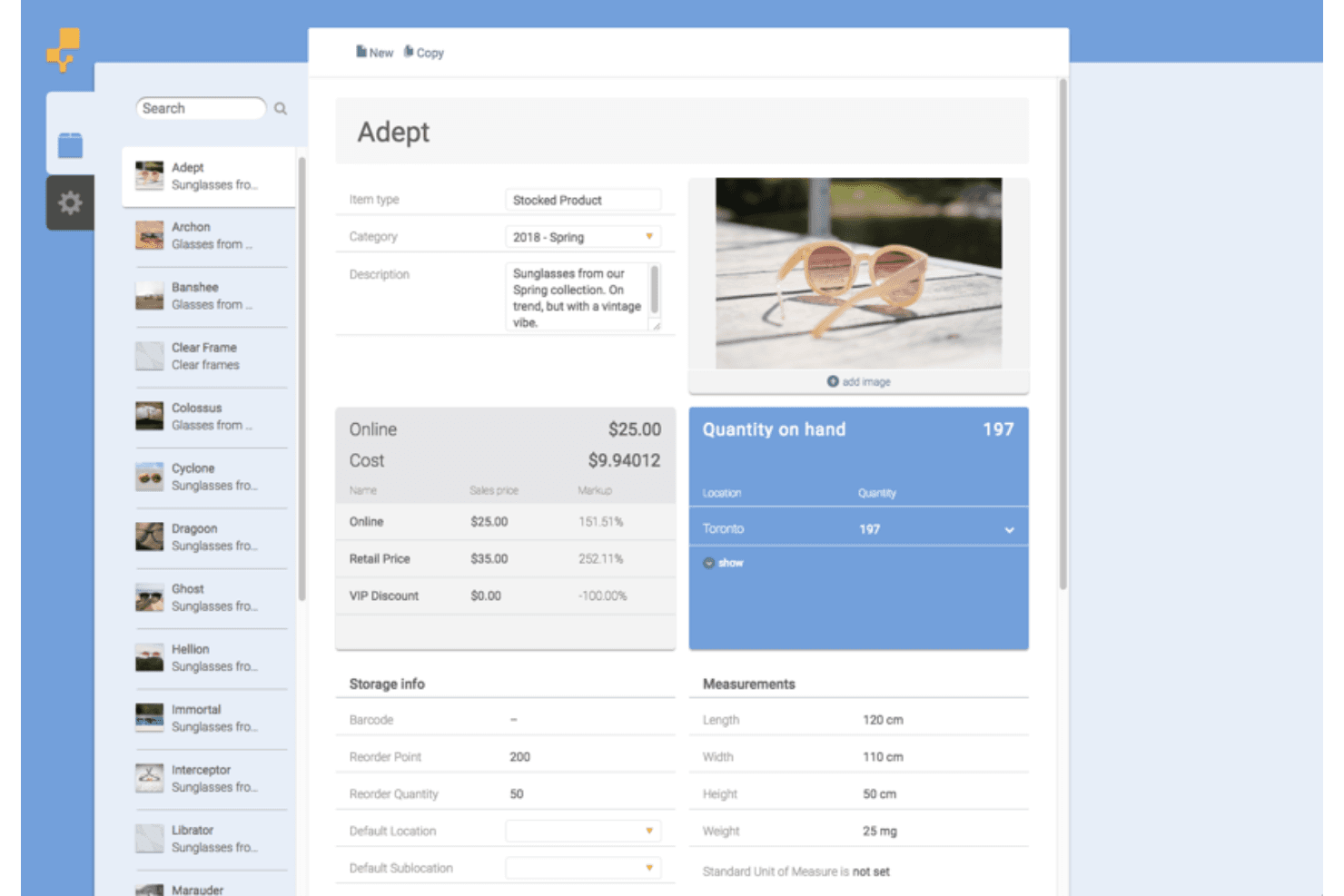
inFlow Inventory impresses with its straightforward interface that makes navigation easy for your team. Its intuitive design means you can quickly learn the system without extensive training. Features such as drag-and-drop and barcode scanning simplify your work, reducing time spent on mundane tasks. Compared to other software, inFlow's layout is more user-friendly, allowing you to focus on managing inventory rather than figuring out complex systems. It's a practical choice for businesses seeking simplicity and efficiency.
Integrations
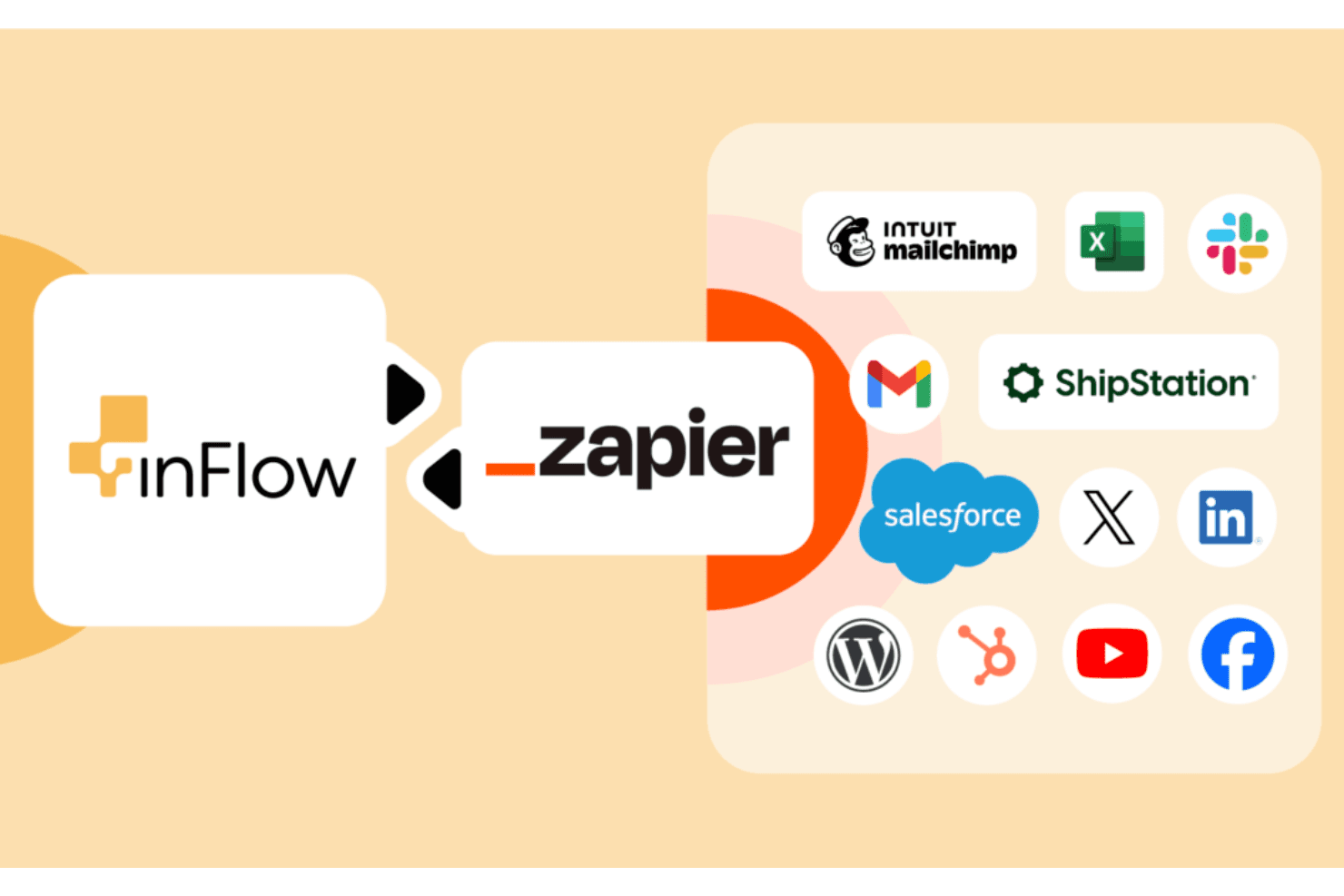
inFlow Inventory integrates with Amazon, BigCommerce, eBay, Etsy, Magento, Shopify, PayPal, Walmart, WooCommerce, and Squarespace. inFlow Inventory also offers an API and connects with third-party integration tools, such as Extensive Integration Manager and EasyPost, enhancing its flexibility for custom needs.
inFlow Inventory Specs
- API: Yes
- Barcode Scanning: Yes
- Budgeting: No
- Calendar Management: No
- Customer Management: Yes
- Dashboard: Yes
- Data Export: Yes
- Data Import: Yes
- Data Visualization: No
- External Integrations: Yes
- Forecasting: Yes
- Inventory Tracking: Yes
- Multi-User: Yes
- Notifications: Yes
- Order Management: Yes
- POS Integration: Yes
- Product Catalog: Yes
- Purchase Orders: Yes
- Reorder Automation: Yes
- SAP Integration: No
- Scheduling: No
- Shipping Management: Yes
- Status Notifications: No
- Stock Level Monitoring: Yes
- Supplier Management: Yes
- Third-Party Plugins/Add-Ons: No
- Warehouse Management: Yes


