

Paddle-anmeldelse: Fordele, ulemper, funktioner og priser
Paddle udmærker sig ved at forenkle overholdelsen af finansielle regler og tilbyder dit team en brugervenlig platform, der balancerer overkommelig pris med robuste funktioner.

We review tools independently, and commissions help fund our testing. See our transparency policy, our methodology, or suggest a tool.
Paddle is a financial compliance software built for SaaS businesses that need to sell globally without building internal tax and billing infrastructure. It acts as your Merchant of Record, handling VAT, sales tax, and GST collection, remittance, and reporting across jurisdictions. I'd consider it over Chargebee if you want tax liability off your plate entirely; Chargebee gives you subscription billing control, but Paddle takes on the compliance obligations itself, which matters a lot for lean finance teams expanding into new markets.
Paddle Evaluation Summary
4.7/5
- Pricing upon request
- Not available
Why Trust Our Software Recommendations
6,700+
Reviews
20
Industry experts
16+
Evaluation factors
14
Years
Our team has been testing and reviewing software since 2012. As finance leaders ourselves, we know how difficult—and important—it is to choose the right software.
For this guide, we evaluated tools using hands-on testing and independent research, scoring tools using our selection criteria.
Our reviews reflect our human editorial judgment, not a sales pitch.
Paddle Overview
In my opinion, Paddle is a solid choice for businesses needing financial compliance and automation. Its standout features, seamless checkout experience, and ease of use make it appealing, especially for digital product creators and startups. Paddle's pricing model and support team are commendable, providing transparency and scalability for business owners. However, onboarding could be smoother. Compared to competitors, Paddle excels in integration, subscription management, and overall user experience, though it may not be suitable for larger enterprises with complex workflows. If your team seeks to streamline compliance management with great functionality, Paddle is worth considering.
Pros
- Automates tax compliance, saving your team time and effort.
- Offers a user-friendly interface that simplifies your work.
- Provides robust reporting tools to enhance your financial analysis.
Cons
- Onboarding can be challenging for new users.
- Limited customization options may not meet all your team's needs.
- May not scale well for larger enterprises with complex structures.
Is Paddle Right For Your Needs?
Who Would be a Good Fit for Paddle?
Paddle is a great fit for small to medium SaaS companies, startups, and digital product creators. If your team needs to automate tax compliance, manage subscription billing, and streamline payment processing, Paddle’s user-friendly interface and reporting tools will ease your workload. It’s well-suited for software developers and online educators who want efficient financial operations without the complexity. Paddle’s adaptability makes it a strong choice for businesses aiming to simplify compliance and improve checkout workflows.
- SaaS CompaniesPaddle simplifies subscription billing, payment gateway management, and compliance, making it ideal for your SaaS business needs.
- Digital CreatorsDigital product creators benefit from Paddle’s efficient automation, subscription management, and verified reviews that highlight its ease of use.
- Software DevelopersPaddle’s user-friendly interface supports developers managing billing, payment methods, and compliance tasks with ease.
- Online EducatorsFor online educators, Paddle offers straightforward subscription billing and compliance management for digital courses and e-commerce transactions.
- Small BusinessesSmall businesses find value in Paddle’s automation and pricing model for their payment workflows.
- Finance TeamsFinance teams appreciate Paddle’s metrics and reporting tools that enhance financial analysis and decision-making.
Who Would be a Bad Fit for Paddle?
Paddle may not suit large enterprises with complex payment workflows or proprietary systems. If your team needs extensive customization or multi-layered payment processor integrations, Paddle’s flexibility could feel limited. Industries requiring deep ERP integrations or advanced e-commerce analytics might find Paddle lacking. For businesses with intricate compliance requirements, the limited custom functionality may pose challenges. Paddle’s onboarding process can also be a barrier for teams needing immediate deployment.
- Large EnterprisesLarge enterprises often require broader automation, integration, and ERP functionality than Paddle provides.
- Manufacturing CompaniesManufacturers with complex financial services or compliance needs may find Paddle’s tools insufficient.
- Financial InstitutionsFinancial institutions often require detailed reporting and advanced payment processor integrations beyond Paddle’s scope.
- Healthcare OrganizationsHealthcare companies require strict compliance customization, which Paddle’s all-in-one payment solution does not support.
- Retail ChainsRetail chains may need more advanced e-commerce and payment gateway integrations.
- Custom Software DevelopersCustom software developers might find Paddle’s limited configuration and automation options restrictive.
How We Test & Score Tools
We’ve spent years building, refining, and improving our software testing and scoring system. The rubric is designed to capture the nuances of software selection and what makes a tool effective, focusing on critical aspects of the decision-making process.
Below, you can see exactly how our testing and scoring works across seven criteria. It allows us to provide an unbiased evaluation of the software based on core functionality, standout features, ease of use, onboarding, customer support, integrations, customer reviews, and value for money.
Core Functionality (25% of final scoring)
The starting point of our evaluation is always the core functionality of the tool. Does it have the basic features and functions that a user would expect to see? Are any of those core features locked to higher-tiered pricing plans? At its core, we expect a tool to stand up against the baseline capabilities of its competitors.
Standout Features (25% of final scoring)
Next, we evaluate uncommon standout features that go above and beyond the core functionality typically found in tools of its kind. A high score reflects specialized or unique features that make the product faster, more efficient, or offer additional value to the user.
We also evaluate how easy it is to integrate with other tools typically found in the tech stack to expand the functionality and utility of the software. Tools offering plentiful native integrations, 3rd party connections, and API access to build custom integrations score best.
Ease of Use (10% of final scoring)
We consider how quick and easy it is to execute the tasks defined in the core functionality using the tool. High scoring software is well designed, intuitive to use, offers mobile apps, provides templates, and makes relatively complex tasks seem simple.
Onboarding (10% of final scoring)
We know how important rapid team adoption is for a new platform, so we evaluate how easy it is to learn and use a tool with minimal training. We evaluate how quickly a team member can get set up and start using the tool with no experience. High scoring solutions indicate little or no support is required.
Customer Support (10% of final scoring)
We review how quick and easy it is to get unstuck and find help by phone, live chat, or knowledge base. Tools and companies that provide real-time support score best, while chatbots score worst.
Customer Reviews (10% of final scoring)
Beyond our own testing and evaluation, we consider the net promoter score from current and past customers. We review their likelihood, given the option, to choose the tool again for the core functionality. A high scoring software reflects a high net promoter score from current or past customers.
Value for Money (10% of final scoring)
Lastly, in consideration of all the other criteria, we review the average price of entry level plans against the core features and consider the value of the other evaluation criteria. Software that delivers more, for less, will score higher.
Core Features
Automated Tax Compliance: Paddle handles tax calculations and filings automatically, reducing manual effort and errors. This ensures compliance with sales tax and international tax regulations.
Billing Management: You can manage subscriptions, invoices, and recurring payments effortlessly with Paddle’s subscription billing tools. It simplifies your workflow and keeps your revenue streams organized.
Reporting Tools: Paddle offers detailed reports on sales, taxes, and transactions, helping you analyze performance metrics. Your team can make informed decisions with these insights.
Revenue Recognition: Paddle supports automated revenue recognition, ensuring accuracy and compliance in your financial statements.
Fraud Protection: Paddle includes fraud prevention and fraud detection features to safeguard your transactions.
Multi-Currency Support: You can easily handle global payments and multiple payment methods. It makes international sales straightforward and efficient.
Ease of Use
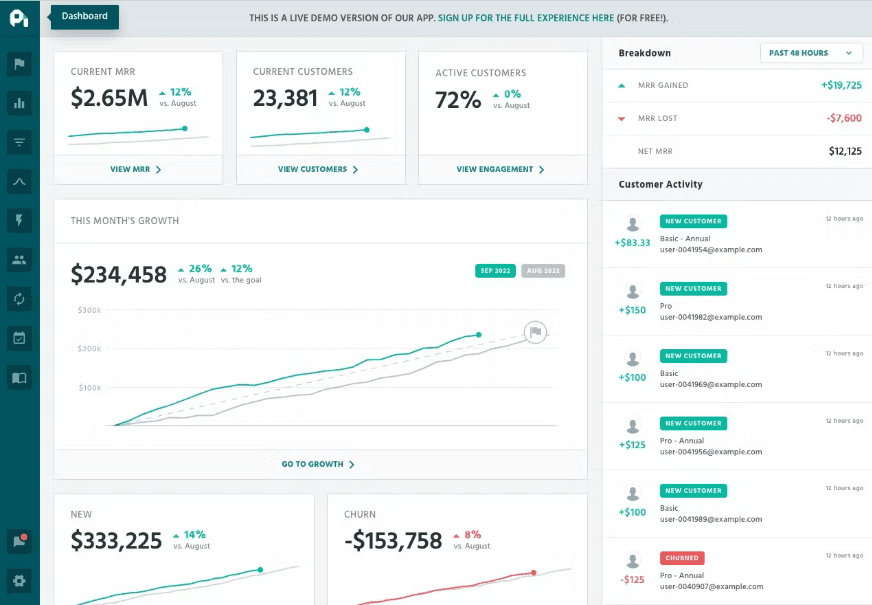
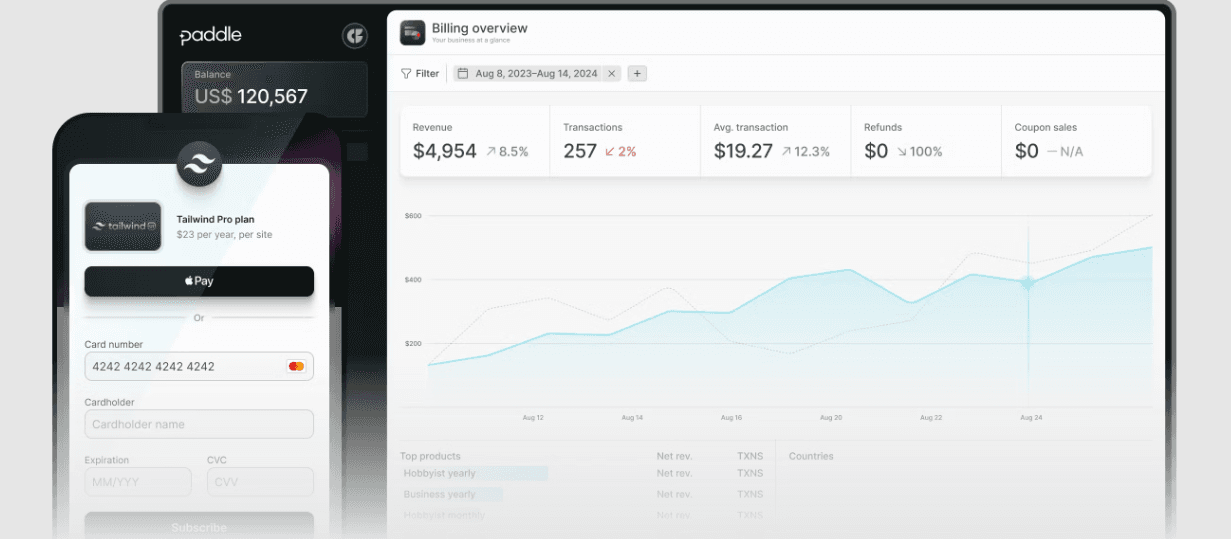
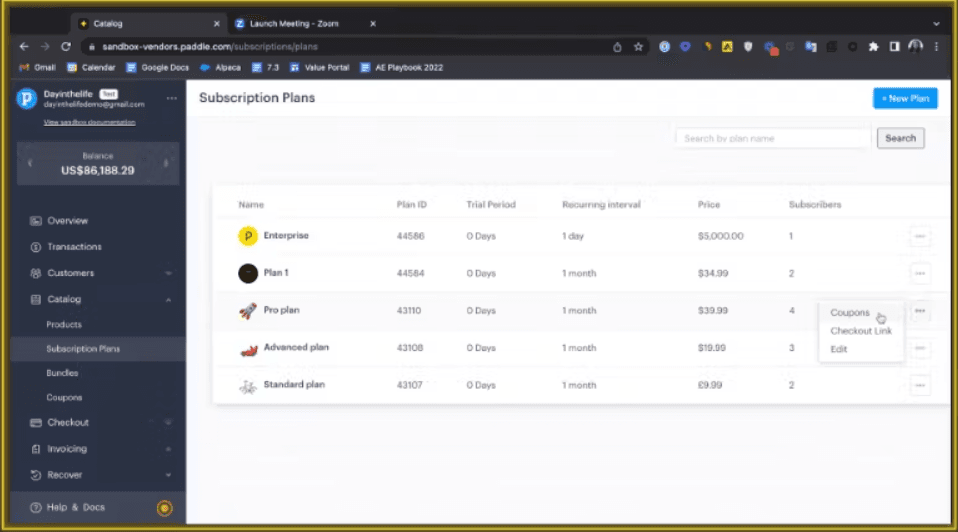
Paddle's user-friendly interface makes it accessible for your team, even if they're new to financial compliance software. Its intuitive design reduces the learning curve, allowing you to manage tasks like billing and tax compliance quickly. Compared to other software, Paddle stands out for its simplicity and ease of navigation, making your work more efficient. The clear layout and straightforward features ensure your team can focus on core tasks without getting bogged down in complexity.
Integrations
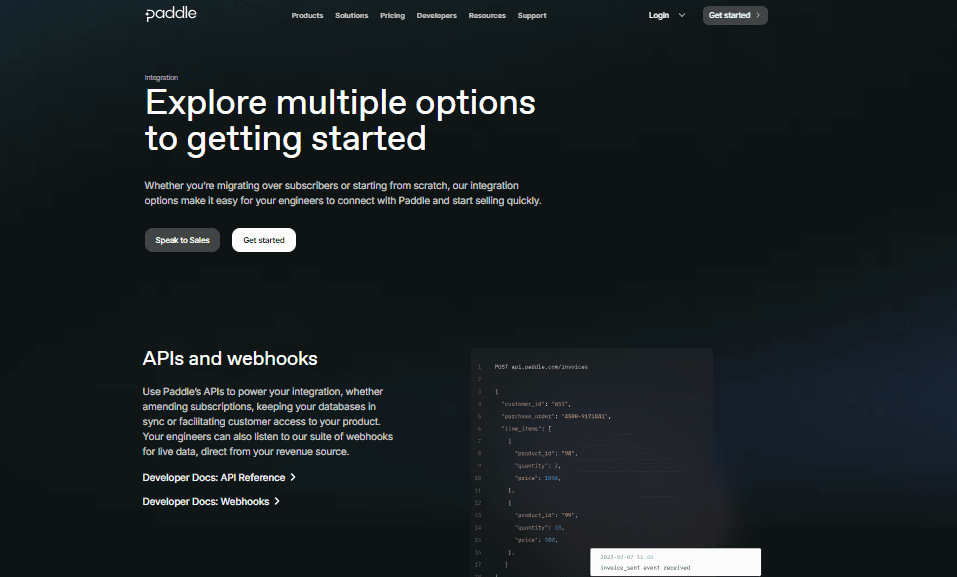
Paddle integrates with ProfitWell Metrics, Retain, Maxio, Recharge, Recurly, Stripe, Zuora, Uscreen, Hubspot, Intercom, and Databox.
Paddle also supports e-commerce platforms and leading CRMs via API and integrations, and connects with third-party integration tools for enhanced functionality.
Paddle Specs
- 2-Factor Authentication: Yes
- API: Yes
- Calendar Management: Yes
- Contact Management: Yes
- Customer Management: No
- Customer Service: Yes
- Dashboard: No
- Data Export: Yes
- Data Import: Yes
- Data Visualization: Yes
- Email Integration: Yes
- External Integrations: Yes
- Lead Management: Yes
- Lead Scoring: Yes
- Marketing Automation: Yes
- Multi-User: Yes
- Notifications: Yes
- Pipeline Management: Yes
- Sales Automation: No
- Scheduling: Yes
- Social Media Integration: Yes
- Social Media Monitoring: Yes
- Task Scheduling/Tracking: Yes
- Third-Party Plugins/Add-Ons: Yes