

ClickUp Review: Pros, Cons, Features, and Pricing
ClickUp excels in offering extensive features and value for money, making it a standout choice in work management and forecasting software for teams seeking adaptability.

We review tools independently, and commissions help fund our testing. See our transparency policy, our methodology, or suggest a tool.
ClickUp is a free forecasting software for finance and operations teams that need to track project timelines, resource capacity, and budget estimates without paying for a dedicated planning tool. I'd look at it closely if you want more depth than what monday.com's free plan offers—ClickUp's free tier includes dashboards, custom fields, and reporting views that most competitors reserve for paid tiers.
ClickUp Evaluation Summary

4.6/5
- From $7/user/month (billed annually)
- Free plan + demo available
Why Trust Our Software Recommendations
6,700+
Reviews
20
Industry experts
16+
Evaluation factors
14
Years
Our team has been testing and reviewing software since 2012. As finance leaders ourselves, we know how difficult—and important—it is to choose the right software.
For this guide, we evaluated tools using hands-on testing and independent research, scoring tools using our selection criteria.
Our reviews reflect our human editorial judgment, not a sales pitch.
ClickUp Overview
In my opinion, ClickUp is a solid choice for teams looking for a versatile forecasting tool. Its extensive feature set can make onboarding and the initial learning curve challenging, but its strong value for money and intuitive interface still make it an appealing option. ClickUp offers a wide range of functionality at competitive pricing, ideal for small to medium businesses and startups. Compared to competitors such as Asana, Trello, Monday.com, and Basecamp, ClickUp stands out in cost-effectiveness but might underperform in customer support responsiveness. If you're seeking a cost-effective solution with robust project management tools, ClickUp is likely worth it.
Pros
- You can customize dashboards to fit your team's unique needs.
- Task management features are streamlined, improving your team's productivity.
- The user interface is user-friendly, making it easy to navigate.
Cons
- The onboarding process can be overwhelming for new users.
- Customer support response times might not meet your expectations.
- The learning curve is steep for those unfamiliar with complex software.
Is ClickUp Right For Your Needs?
Who Would be a Good Fit for ClickUp?
ClickUp is great for small teams, small businesses, and startups that need a versatile tool to manage and forecast projects. With customizable dashboards and a user-friendly interface, you'll find it easy to adapt to your team's specific needs. Dynamic industries, such as tech or marketing, will love its task management features that help boost productivity. Finance teams can also benefit from its ability to handle complex data management efficiently using spreadsheets.
- Tech StartupsClickUp's customizable features help your team manage projects and tasks, even in fast-paced environments where priorities shift rapidly. Its AI tools and automations let you optimize processes and streamline operations.
- Marketing TeamsThe platform's task management features improve productivity and keep your campaigns organized and on track. Its collaboration tools make it easy for team members to stay aligned.
- Finance DepartmentsClickUp handles complex data easily, making it ideal for forecasting and financial planning tasks. Time tracking and reporting help teams maintain accurate budgets and resource management.
- Project ManagersYou can streamline workflows, manage dependencies, and track progress to ensure your projects stay on schedule. Project management tools, such as Gantt charts, milestones, and subtasks, improve planning accuracy.
- Creative AgenciesIts user-friendly interface, customizable dashboards, and whiteboards let your team manage creative projects with ease.
- Small BusinessesClickUp's flexibility and affordability make it perfect for managing various business operations. The all-in-one project management software reduces the need for multiple tools, including Notion, Wrike, and Jira.
Who Would be a Bad Fit for ClickUp?
ClickUp might not suit large enterprises or teams that require specialized forecasting features beyond basic task management. If your team needs highly specific industry tools or extensive customer support, ClickUp's offerings might fall short. Organizations with a low tolerance for a steep learning curve may find the platform challenging, especially if quick onboarding is a priority.
- Highly Regulated IndustriesClickUp might lack the specialized compliance features needed for industries with strict regulatory requirements.
- Customer Support TeamsIf your team relies on rapid, responsive support, ClickUp's slower response times could be a drawback.
- Financial InstitutionsThe platform's general forecasting tools might not meet the specific needs of complex financial analysis.
- Legal DepartmentsClickUp's features may not align with the specialized document management needs of legal teams.
- Healthcare OrganizationsThe lack of industry-specific features could make ClickUp less suitable for managing healthcare operations and compliance.
How We Test & Score Tools
We’ve spent years building, refining, and improving our software testing and scoring system. The rubric is designed to capture the nuances of software selection and what makes a tool effective, focusing on critical aspects of the decision-making process.
Below, you can see exactly how our testing and scoring works across seven criteria. It allows us to provide an unbiased evaluation of the software based on core functionality, standout features, ease of use, onboarding, customer support, integrations, customer reviews, and value for money.
Core Functionality (25% of final scoring)
The starting point of our evaluation is always the core functionality of the tool. Does it have the basic features and functions that a user would expect to see? Are any of those core features locked to higher-tiered pricing plans? At its core, we expect a tool to stand up against the baseline capabilities of its competitors.
Standout Features (25% of final scoring)
Next, we evaluate uncommon standout features that go above and beyond the core functionality typically found in tools of its kind. A high score reflects specialized or unique features that make the product faster, more efficient, or offer additional value to the user.
We also evaluate how easy it is to integrate with other tools typically found in the tech stack to expand the functionality and utility of the software. Tools offering plentiful native integrations, 3rd party connections, and API access to build custom integrations score best.
Ease of Use (10% of final scoring)
We consider how quick and easy it is to execute the tasks defined in the core functionality using the tool. High scoring software is well designed, intuitive to use, offers mobile apps, provides templates, and makes relatively complex tasks seem simple.
Onboarding (10% of final scoring)
We know how important rapid team adoption is for a new platform, so we evaluate how easy it is to learn and use a tool with minimal training. We evaluate how quickly a team member can get set up and start using the tool with no experience. High scoring solutions indicate little or no support is required.
Customer Support (10% of final scoring)
We review how quick and easy it is to get unstuck and find help by phone, live chat, or knowledge base. Tools and companies that provide real-time support score best, while chatbots score worst.
Customer Reviews (10% of final scoring)
Beyond our own testing and evaluation, we consider the net promoter score from current and past customers. We review their likelihood, given the option, to choose the tool again for the core functionality. A high scoring software reflects a high net promoter score from current or past customers.
Value for Money (10% of final scoring)
Lastly, in consideration of all the other criteria, we review the average price of entry level plans against the core features and consider the value of the other evaluation criteria. Software that delivers more, for less, will score higher.
Core Features
Task Management: ClickUp lets you assign and track new tasks, subtasks, and assignees easily, keeping your team organized and on schedule. You can prioritize tasks, set due dates, and use checklists to boost productivity.
Custom Dashboards: You can tailor dashboards to fit your team's needs, giving you a clear overview of projects and forecasts. This customizable setup allows you to focus on what's important.
Time Tracking: You can track time spent on tasks directly within ClickUp to help your team manage time efficiently. This feature also supports accurate project billing and time reporting.
Goal Tracking: Set and monitor your team's goals to ensure alignment with project objectives. This keeps everyone focused and accountable.
Reporting: Generate detailed reports to gain insights into your projects and team performance. Use these reports to make informed decisions and improve workflow.
Task Automation: Automate repetitive tasks with automations to save time and reduce errors. This feature lets your team focus on more strategic activities.

Standout Features
Mind Maps: Visualize your projects and ideas with mind maps, making planning more intuitive. With this feature, your team can brainstorm and organize thoughts effectively.
Gantt Charts: Use Gantt charts to plan and visualize project timelines, ensuring you meet deadlines. This tool gives you a clear picture of project progress and dependencies.

Ease of Use
ClickUp's user-friendly interface makes it easy for your team to navigate and manage tasks efficiently. While its extensive feature set can initially feel overwhelming, the intuitive design helps you quickly adapt and find what you need. Customizable dashboards and straightforward task management enhance usability, making it a solid choice for teams seeking an adaptable tool.

Onboarding
Getting started with ClickUp can be demanding and time-consuming, especially for teams new to an all-in-one project management platform. ClickUp offers tutorials, guides, and webinars to help you get started, but the learning curve is still significant. Once your team invests the time to understand the system, the value becomes apparent, but expect an initial period of adjustment.

Customer Support
ClickUp offers various support channels, including a chatbot and email, but response times can sometimes lag. Your team might find the available online resources, such as FAQs and tutorials, helpful for resolving common issues independently. However, if you need immediate assistance, the wait might be frustrating. Despite these delays, the support team is knowledgeable and capable once you get through. Consider using the knowledge base for quicker solutions to everyday problems.

Integrations
ClickUp integrates with over 1,000 third-party applications, including Dropbox, Figma, GitHub, Slack, Google Calendar, Discord, HubSpot, Microsoft Teams, Outlook, and Zoom. ClickUp even offers an API so you can embed web apps or build your own integration.

Value for Money
ClickUp offers strong value for money with its ClickUp pricing model, especially for small to medium teams. Its paid plans, starting at $7 per user per month, provide key features such as unlimited tasks and integrations. The Business plan at $12 per user per month includes several advanced features, such as automation integrations and custom exporting. In addition to its paid plans, ClickUp offers a free version and a 100% money-back guarantee, allowing your team to evaluate the software risk-free.
- Free Plan: Essential features such as unlimited tasks and 60MB of storage.
- Unlimited Plan: $7/month (billed annually); includes unlimited integrations and native time tracking.
- Business Plan: $12/month (billed annually); includes Google SSO and resource management.
- Enterprise Plan: Custom pricing; advanced features and custom options.

New Product Updates from ClickUp
ClickUp Adds Meetings Hub, Super Agent Templates, and ZoomInfo Integration
\ClickUp brings meeting notes and recordings into one searchable hub, adds cloning and reusable templates for Super Agents, and connects ZoomInfo data through MCP Templates in the App Center. These updates make it easier to find meeting context, reuse AI agents, and pull external sales data into workflows. Highlights include:
- Meetings Hub: Brings notes and recordings from SyncUps, Zoom, Google Meet, and Teams into one searchable location.
- Meeting Search: Lets users filter meetings and use Brain to find decisions, action items, and topics across past conversations.
- Super Agent Cloning: Creates editable copies of existing agents while preserving instructions, tools, knowledge, and Workspace connections.
- Agent Templates: Lets teams save and share reusable Super Agent templates across Workspaces.
- ZoomInfo Integration: Connects ZoomInfo through App Center MCP Templates for contacts, company records, intent signals, and other sales data.
- Brain and Super Agent Access: Lets users query connected ZoomInfo data directly through Brain or Super Agents.
Visit ClickUp’s official site for more details.
ClickUp Adds Custom Fields, Slack Imports, and AI Notes
ClickUp adds task-type Custom Fields, flexible Slack history imports, and chat capture in AI Notetaker. These updates help teams surface relevant fields, bring existing conversations into ClickUp, and include written meeting discussions in generated notes. Highlights include:
- Custom Fields by Task Type: Groups and assigns fields based on task types such as bugs, accounts, or campaigns.
- Slack History Imports: Lets users map Slack channels to existing ClickUp Channels, Spaces, Folders, or Lists.
- AI Notetaker Chat Capture: Adds Zoom, Google Meet, and Microsoft Teams chat messages to meeting notes with sender attribution.
Visit ClickUp’s official site for more details.
ClickUp Brain² Expands AI Creation and Automation
ClickUp Brain² adds artifact creation, access to multiple AI models, memory across conversations, autonomous Super Agents, and connected email and calendar actions. These updates expand how teams can create, automate, and complete work directly from Brain². Highlights include:
- AI Artifact Creation: Generates dashboards, slides, websites, apps, and prototypes using workspace context.
- Multi-Model Access: Supports models such as Claude, Gemini, and GPT, with automatic or manual model selection.
- Persistent Memory: Remembers preferences, writing style, and project context across conversations.
- Super Agents: Converts repeatable requests into reusable agents that can run autonomously.
- Email and Calendar Automation: Connects with Gmail, Google Calendar, Outlook, and other services for AI-assisted actions.
Visit ClickUp’s official site for more details.
 Opens new window
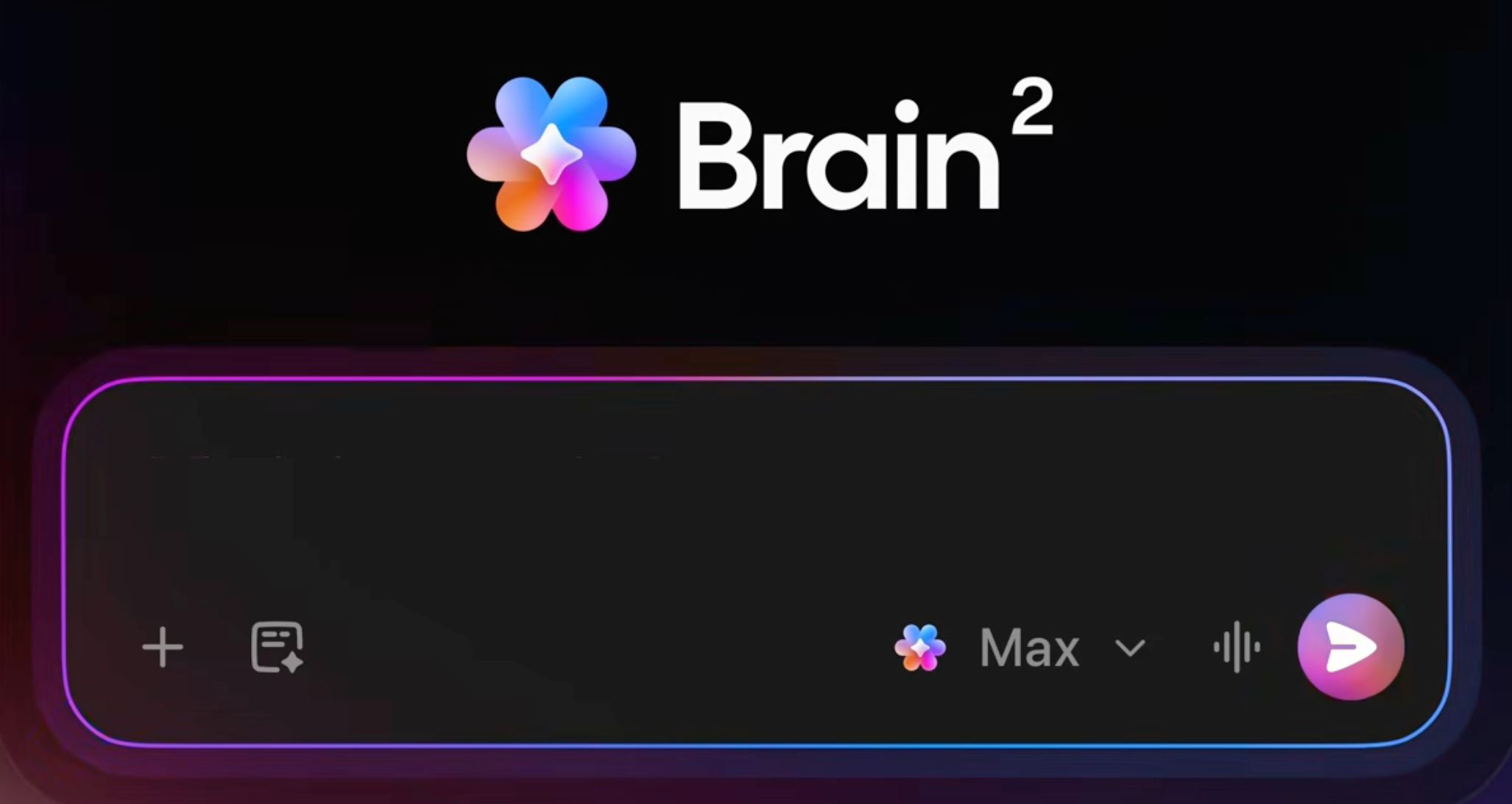
ClickUp Introduces Brain² Company AI
ClickUp has launched Brain², positioning it as a company AI that gets better over time and helps teams execute real work end-to-end. The release focuses on faster outputs, smarter model selection, and richer results by using your organization’s context. Highlights include:
- Brain² Company AI: Completes work such as creating websites, presentations, reports, and managing projects.
- Multi-Model AI Routing: Automatically selects the best AI model for each task from supported providers.
- Company Context: Uses workspace knowledge to provide more relevant responses and improve collaboration over time.
Visit ClickUp's official site for more details.
 Opens new window
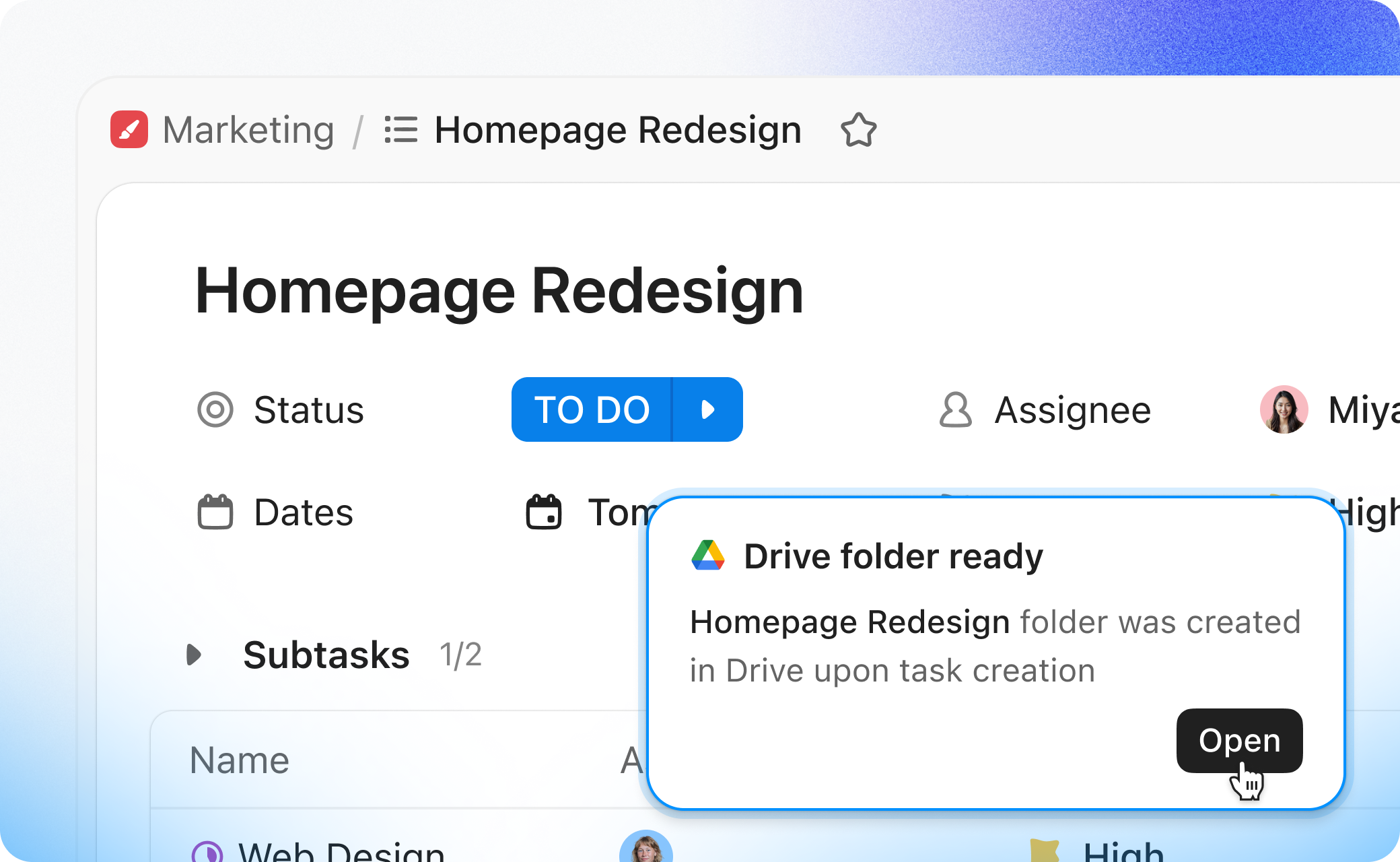
ClickUp Adds Google Drive Automations and Advanced Workload Planning
ClickUp introduces new automation, workload, onboarding, and AI improvements across the platform. The updates help teams reduce manual setup and improve planning visibility. Highlights include:
- Google Drive Automations: Teams can automatically create Google Drive folders and Docs from ClickUp workflows and trigger notifications when new Drive files are added.
- Advanced Workload Grouping: Workload View now supports a second grouping layer to break down team capacity by department, project, or assignee.
- Pre-Assign Invited Users: Admins can now add pending users to Teams before they join the Workspace.
- AI Workflow Improvements: Super Agents now support GPT-5.4, AI Hub workflow switching, and usage tracking from agent profiles.
Visit ClickUp’s official site for more details.
 Opens new window
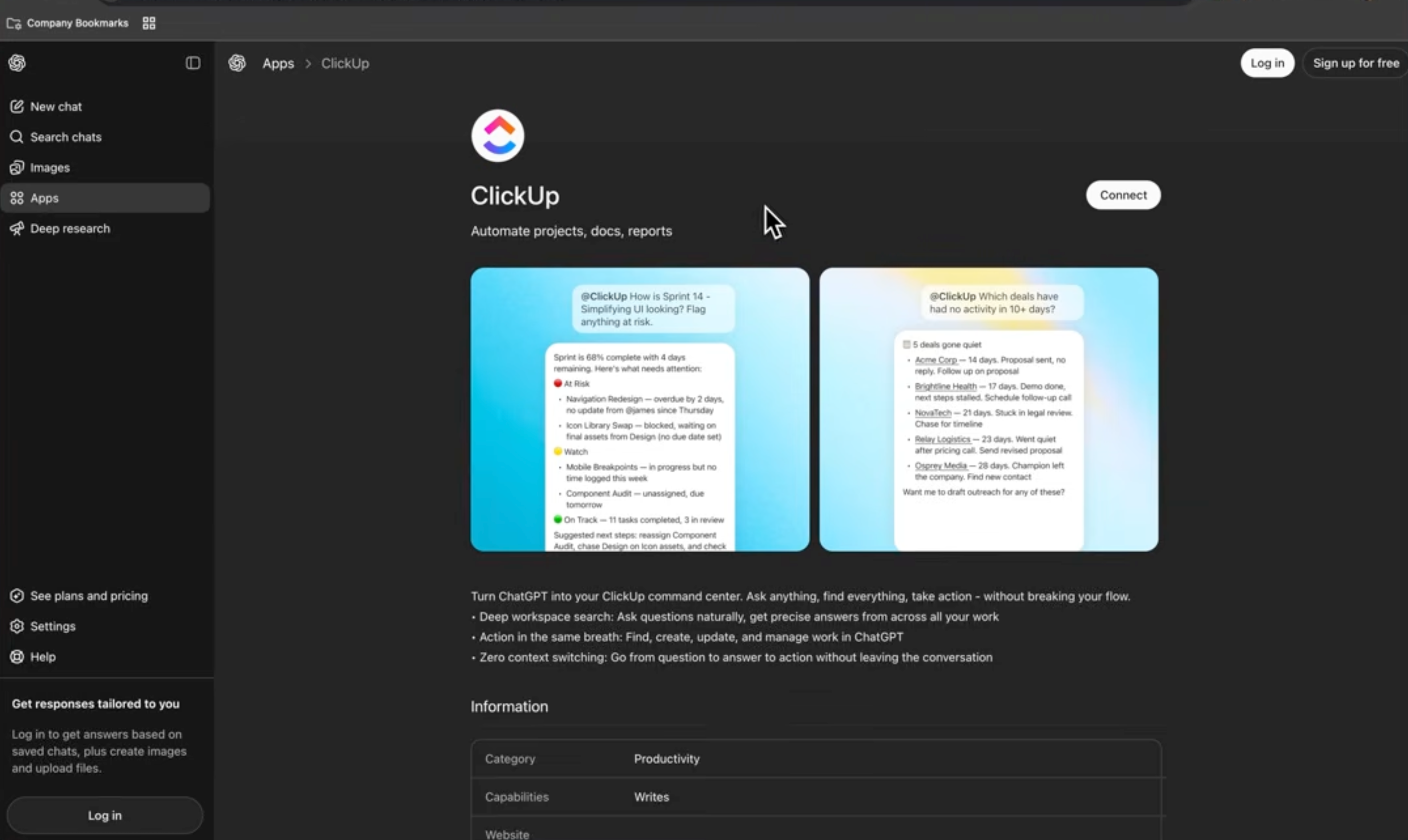
ClickUp Adds Gantt Baselines, Mobile Brain, and AI Integrations
ClickUp released new updates including Gantt Baselines, Brain for mobile, ChatGPT integration, enhanced Super Agents, and ClickUp support inside Cursor. These updates improve project visibility, streamline task management, and expand AI-powered workflows across desktop and mobile environments. Highlights include:
- Gantt Baselines: Compares original project schedules against live timelines to track delays and changes.
- Brain on Mobile: Brings ClickUp Brain features to iOS and Android with synced conversations and voice input support.
- ChatGPT Integration: Lets users access ClickUp tasks, updates, and priorities directly inside ChatGPT.
- Enhanced Super Agents: Adds reminder automation, hourly scheduling, and easier agent management workflows.
- Cursor Integration: Allows users to access ClickUp tasks, Docs, and comments directly within Cursor.
Visit ClickUp's official site for more details.
ClickUp Specs
- API: Yes
- Batch Permissions & Access: Yes
- Budgeting: No
- Calendar Management: Yes
- Collaboration Support: Yes
- Contact Management: No
- Contact Sharing: No
- Customer Management: Yes
- Dashboard: Yes
- Dashboards: No
- Data Export: Yes
- Data Import: Yes
- Data Visualization: Yes
- Dependency Tracking: No
- Document Sharing: No
- Expense Tracking: No
- External Integrations: Yes
- File Sharing: Yes
- Gantt Charts: Yes
- Kanban Boards: Yes
- Multi-User: Yes
- Notifications: Yes
- Project Management: Yes
- Resource Management: Yes
- Scheduling: Yes
- Task Scheduling/Tracking: Yes
- Third-Party Plugins/Add-Ons: Yes
- Time Management: Yes
- Travel Management: No
- Workflow Management: Yes
ClickUp FAQs
ClickUp Company Overview & History
ClickUp was founded by Zeb Evans and Alex Yurkowski in 2017 and is headquartered in San Diego, California. The company aims to increase productivity by providing an all-in-one project management platform. Though privately held, ClickUp has grown significantly, becoming a popular choice for companies looking to streamline workflows. Known for its flexible work culture, it continues to expand its workforce to meet growing demand.
ClickUp Major Milestones
- 2017: Founded by Zeb Evans and Alex Yurkowski.
- 2019: Relocated headquarters to San Diego, California.
- 2021: Achieved significant growth in user base and recruited more team members.
- 2023: Launched ClickUp 3.0 with enhanced features and capabilities.