

Addepar-arvostelu: hyvät puolet, huonot puolet, ominaisuudet ja hinnoittelu
Addepar on erinomainen tietojen yhdistämisessä ja asiakasraportoinnissa, mikä tekee siitä huippuvalinnan varallisuudenhoitajille ja rahoituspalveluyrityksille, jotka etsivät yksityiskohtaisia näkemyksiä.

We review tools independently, and commissions help fund our testing. See our transparency policy, our methodology, or suggest a tool.
Addepar is a portfolio management software built for wealth managers, RIAs, and family offices that need to aggregate and report on complex, multi-asset portfolios—including alternatives like private equity, hedge funds, and real assets. I'd consider it over a platform like Black Diamond if your clients hold significant illiquid or alternative investments. Black Diamond handles traditional portfolios well, but Addepar's data aggregation and reporting depth gives you a clearer picture when the asset mix gets complicated.
Addepar Evaluation Summary

4.1/5
- Pricing upon request
- Free demo available
Miksi luottaa ohjelmistosuosituksiimme
6,700+
Reviews
20
Industry experts
16+
Evaluation factors
14
Years
Tiimimme on testannut ja arvioinut ohjelmistoja vuodesta 2012 lähtien. Talousjohtajina tiedämme itse, kuinka vaikeaa — ja tärkeää — oikean ohjelmiston valitseminen on.
Tätä opasta varten arvioimme työkaluja käytännön testauksen ja itsenäisen tutkimuksen avulla, pisteyttäen työkalut valintakriteeriemme perusteella.
Arvostelumme perustuvat inhimilliseen toimitukselliseen harkintaamme, eivät myyntipuheeseen.
Addepar Overview
In my opinion, Addepar is a strong choice for wealth managers and investment firms dealing with large volumes of client data. Its standout feature is its exceptional onboarding process, which makes it easy for teams to get started. However, its pricing may be a barrier for smaller firms or startups. Addepar's intuitive interface, powerful automation, and robust data aggregation capabilities make it a top contender for those in need of detailed financial reporting. While it excels in reporting and performance metrics, the integrations could be more extensive. If you're managing large portfolios, Addepar's transparency, customizable dashboards, and client-focused workflows make it worth considering.
Pros
- It offers exceptional data aggregation for clear financial insights.
- The onboarding process is smooth and user-friendly for your team.
- Its client reporting capabilities are top-notch, enhancing your client interactions.
Cons
- The platform's learning curve can be steep for new users.
- Customization options are limited compared to some competitors.
- Some users find the customer support response time slower than expected.
Is Addepar Right For Your Needs?
Who Would be a Good Fit for Addepar?
Addepar is ideal for wealth management firms and financial services organizations handling large portfolios. Its data aggregation and reporting features provide detailed insights, crucial for making informed investment decisions. Financial advisors and account managers benefit from its transparency and ease of use during onboarding. Your team will find it valuable if you're managing complex client portfolios, as Addepar simplifies data, enhances workflows, and supports real-time visibility across assets.
- Wealth ManagementAddepar's data aggregation and automation help your team manage diverse assets and custodians efficiently.
- Family OfficesIts reporting and performance metrics strengthen communication for family offices managing multi-generational wealth
- Investment FirmsThe platform’s transparency and financial reporting aid your product manager in making data-driven investment decisions.
- Financial AdvisorsAddepar’s intuitive dashboard and client reporting tools support clear presentations for your clients.
- Private EquityThe detailed financial data and forecasting tools help your team evaluate investment decisions effectively.
- Institutional InvestorsIts robust analysis tools assist your team in managing substantial portfolios across multiple custodians and asset classes.
Who Would be a Bad Fit for Addepar?
Addepar isn’t ideal for small businesses or startups with limited resources. Its pricing can be a hurdle for smaller firms, and the platform’s complexity may overwhelm teams without dedicated financial analysts. If your team doesn’t require advanced analytics or financial planning tools, Addepar’s robust features might exceed your needs.
- Small StartupsAddepar’s cost and functionality can be excessive for your small team to manage.
- Solo AdvisorsIf you’re working alone, you might find Addepar’s enterprise-grade functionality unnecessary.
- Non-Profit OrganizationsThe platform’s pricing may not fit your budget constraints.
- Retail BusinessesYour operations might not need the advanced financial reporting Addepar offers.
- FreelancersAddepar’s detailed analytics are likely beyond what you need for client portfolios.
- Educational InstitutionsThe platform’s focus on wealth management won’t align with your institutional objectives.
How We Test & Score Tools
We’ve spent years building, refining, and improving our software testing and scoring system. The rubric is designed to capture the nuances of software selection and what makes a tool effective, focusing on critical aspects of the decision-making process.
Below, you can see exactly how our testing and scoring works across seven criteria. It allows us to provide an unbiased evaluation of the software based on core functionality, standout features, ease of use, onboarding, customer support, integrations, customer reviews, and value for money.
Core Functionality (25% of final scoring)
The starting point of our evaluation is always the core functionality of the tool. Does it have the basic features and functions that a user would expect to see? Are any of those core features locked to higher-tiered pricing plans? At its core, we expect a tool to stand up against the baseline capabilities of its competitors.
Standout Features (25% of final scoring)
Next, we evaluate uncommon standout features that go above and beyond the core functionality typically found in tools of its kind. A high score reflects specialized or unique features that make the product faster, more efficient, or offer additional value to the user.
We also evaluate how easy it is to integrate with other tools typically found in the tech stack to expand the functionality and utility of the software. Tools offering plentiful native integrations, 3rd party connections, and API access to build custom integrations score best.
Ease of Use (10% of final scoring)
We consider how quick and easy it is to execute the tasks defined in the core functionality using the tool. High scoring software is well designed, intuitive to use, offers mobile apps, provides templates, and makes relatively complex tasks seem simple.
Onboarding (10% of final scoring)
We know how important rapid team adoption is for a new platform, so we evaluate how easy it is to learn and use a tool with minimal training. We evaluate how quickly a team member can get set up and start using the tool with no experience. High scoring solutions indicate little or no support is required.
Customer Support (10% of final scoring)
We review how quick and easy it is to get unstuck and find help by phone, live chat, or knowledge base. Tools and companies that provide real-time support score best, while chatbots score worst.
Customer Reviews (10% of final scoring)
Beyond our own testing and evaluation, we consider the net promoter score from current and past customers. We review their likelihood, given the option, to choose the tool again for the core functionality. A high scoring software reflects a high net promoter score from current or past customers.
Value for Money (10% of final scoring)
Lastly, in consideration of all the other criteria, we review the average price of entry level plans against the core features and consider the value of the other evaluation criteria. Software that delivers more, for less, will score higher.
Core Features
Data Aggregation: Addepar aggregates data from multiple sources, giving you a comprehensive view of your assets across custodians. This helps your team make informed decisions quickly.
Client Reporting: Create detailed reports that are easy for clients to understand. This feature enhances client communication and builds trust.
Performance Analysis: Track and analyze performance metrics and trends in client portfolios. You can easily identify opportunities and optimize strategies.
Risk Assessment: Evaluate potential risks and market shifts using Addepar’s analytics. This feature supports smarter investment decisions.
Custom Dashboards: Tailor dashboards to display the data and financial metrics most important to your work. This personalized view streamlines analysis.
Scenario Modeling: Test various financial planning scenarios and strategies to anticipate outcomes and inform portfolio adjustments.
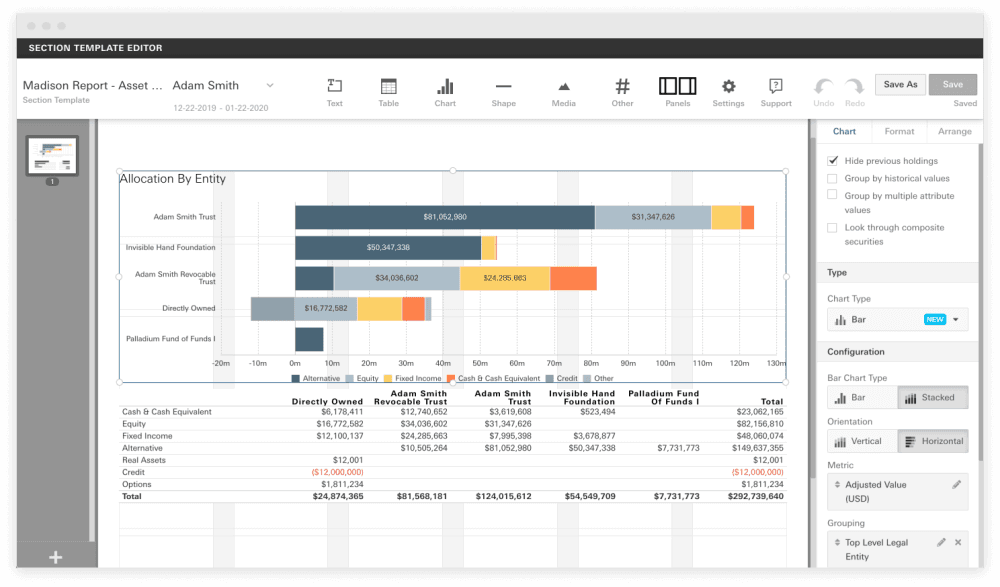
Ease of Use
Addepar’s user interface is intuitive but complex, given its enterprise-grade functionality. Your team will appreciate the clean layout, customizable dashboards, and automation that simplify tasks. While the initial learning curve is steep, the platform’s depth supports advanced analysis and real-time reporting for wealth management professionals.
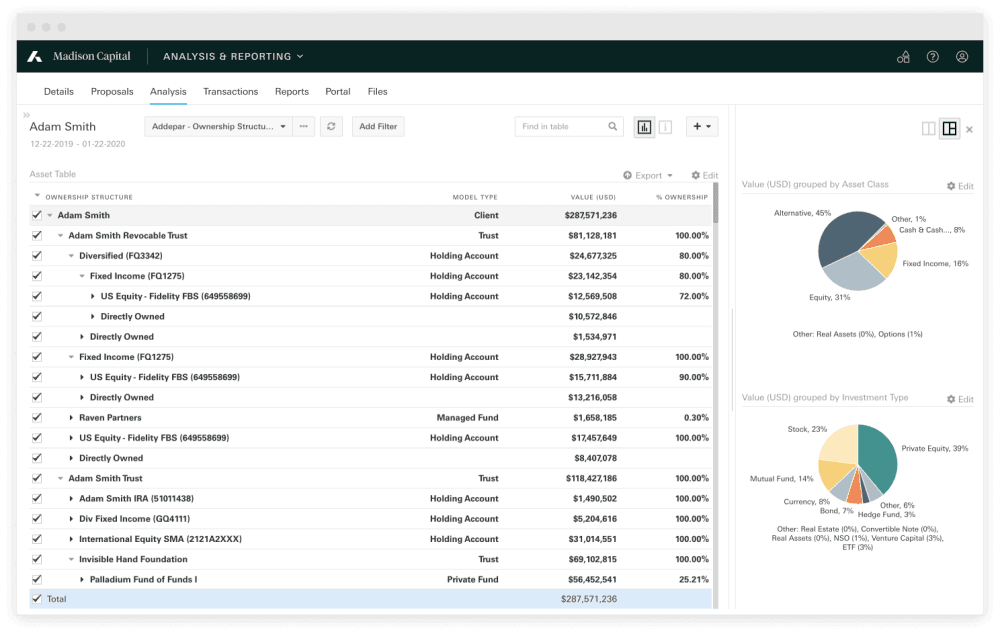
Integrations
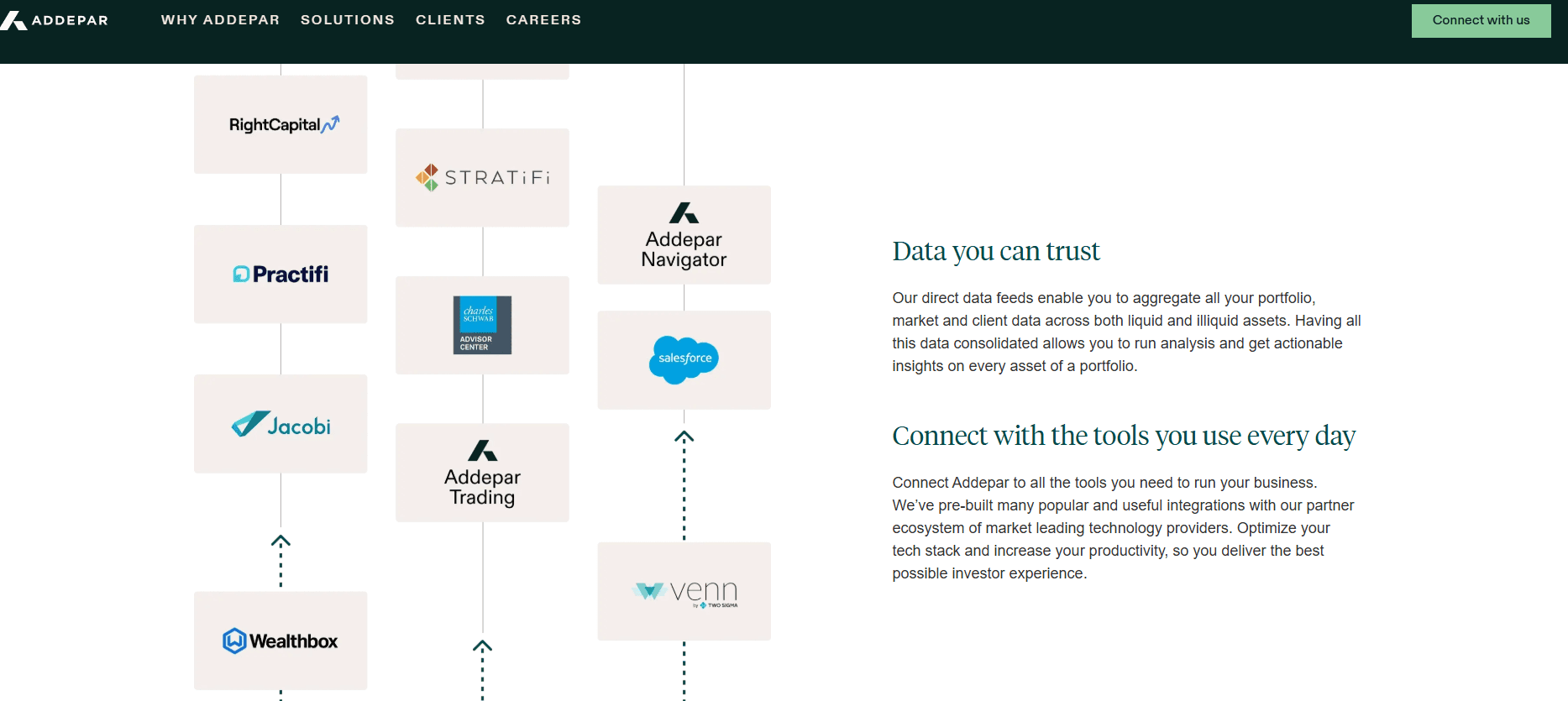
Addepar integrates with Salesforce, Sage Intacct, CloudQix, Practifi, RightCapital, HiddenLevers, MoneyGuidePro, AgilLink, and more. Addepar also offers flexible APIs for custom integrations and connects with third-party integration tools to enhance your workflow.
Addepar Specs
- API: Yes
- Batch Permissions & Access: No
- Calendar Management: No
- Collaboration Support: Yes
- Contact Management: No
- Contact Sharing: No
- Customer Management: No
- Data Export: Yes
- Data Import: Yes
- Data Visualization: Yes
- Database: Yes
- Email Integration: No
- External Integrations: Yes
- File Transfer: No
- Multi-Account: No
- Password & Access Management: No
- Project Management: No
- Report & Compliance: No
- Resource Management: No
- Software Integration: No
- Task Scheduling/Tracking: No
- Time Management: No
- Timesheets: No
- Workflow Management: No
Alternatives to Addepar


Addepar FAQs
Usein kysytyt kysymykset