

Rocket Matter -arvostelu: hyvät ja huonot puolet, ominaisuudet ja hinnoittelu selitettyinä
Rocket Matter erottuu intuitiivisella käyttöliittymällään ja kattavilla lakialan laskutustyökaluillaan, mikä tekee siitä ihanteellisen pienille ja keskisuurille asianajotoimistoille, jotka etsivät tehokasta pilvipohjaista asianhallintaa

We review tools independently, and commissions help fund our testing. See our transparency policy, our methodology, or suggest a tool.
Rocket Matter is a legal accounting software built for law firms that need time tracking, billing, and trust accounting managed in one place. I'd consider it most seriously if your firm needs legal-specific financial workflows and billing controls that a general tool like QuickBooks simply wasn't designed to support, without the implementation complexity that tends to come with larger platforms like Clio.
Rocket Matter Evaluation Summary
4.4/5
- From $59/user/month
- Free trial available
Miksi luottaa ohjelmistosuosituksiimme
6,700+
Reviews
20
Industry experts
16+
Evaluation factors
14
Years
Tiimimme on testannut ja arvioinut ohjelmistoja vuodesta 2012 lähtien. Talousjohtajina tiedämme itse, kuinka vaikeaa — ja tärkeää — oikean ohjelmiston valitseminen on.
Tätä opasta varten arvioimme työkaluja käytännön testauksen ja itsenäisen tutkimuksen avulla, pisteyttäen työkalut valintakriteeriemme perusteella.
Arvostelumme perustuvat inhimilliseen toimitukselliseen harkintaamme, eivät myyntipuheeseen.
Rocket Matter Overview
When judging Rocket Matter as a legal practice management software, its user-friendly interface and strong billing features set it apart, especially for firms new to cloud-based tools. The onboarding process is straightforward, and support is responsive, making it easy to get started. While its integrations and advanced reporting are less extensive than some competitors, its pricing is transparent and fair for small to mid-sized firms. If you're selecting software for a practice that values ease of use and reliable trust accounting, Rocket Matter is a strong contender, particularly for teams prioritizing quick adoption and day-to-day efficiency.
Pros
- Trust accounting features help maintain compliance with legal standards.
- Batch billing streamlines invoicing for multiple clients at once.
- Built-in time tracking links directly to client matters and billing.
Cons
- Reporting options are limited for advanced financial analysis needs.
- No native payroll processing for law firm staff.
- Mobile app functionality is less robust than the desktop version.
Is Rocket Matter Right For Your Needs?
Who Would be a Good Fit for Rocket Matter?
Rocket Matter is best suited for law firms and legal professionals who need reliable trust accounting, batch billing, and integrated time tracking in a cloud-based platform. Its straightforward onboarding and compliance-focused features make it a strong choice for small to mid-sized practices, boutique firms, and legal departments that prioritize billing accuracy and regulatory adherence. Teams with limited IT resources or those seeking to modernize their billing and accounting processes without heavy customization will find Rocket Matter's focused feature set especially valuable — whether that's a paralegal managing matter intake or a billing coordinator reconciling trust accounts.
- Small Law FirmsRocket Matter's pricing and features are tailored for firms with limited staff.
- Solo PractitionersThe platform's built-in time tracking and billing simplify solo practice management.
- Legal DepartmentsCentralized matter management and compliance tools support in-house legal teams.
- Family Law PracticesBatch billing and trust accounting help manage multiple client retainers.
- Estate Planning FirmsDocument management and client portal features support estate planning workflows.
- Remote Legal TeamsCloud-based access and responsive support suit distributed legal professionals.
Who Would be a Bad Fit for Rocket Matter?
Rocket Matter may not be the best choice for large firms, organizations with complex payroll needs, or those requiring deep financial analytics. Its reporting and mobile app capabilities are less advanced than some alternatives, and it lacks native payroll processing. Firms with highly specialized accounting requirements or those outside the legal industry will likely find Rocket Matter's feature set too limited for their needs.
- Large Law FirmsAdvanced reporting and workflow automation needs may exceed Rocket Matter's scope.
- Corporate Finance TeamsLack of general accounting and payroll features limits broader finance use.
- High-Volume LitigationLimited document automation and analytics may hinder large caseload management.
- Non-Legal BusinessesFeatures are tailored specifically for legal workflows and compliance.
- Firms Requiring PayrollNo built-in payroll processing for staff or contractors.
- Data-Driven PracticesReporting tools are not designed for deep financial analysis or forecasting.
How We Test & Score Tools
We’ve spent years building, refining, and improving our software testing and scoring system. The rubric is designed to capture the nuances of software selection and what makes a tool effective, focusing on critical aspects of the decision-making process.
Below, you can see exactly how our testing and scoring works across seven criteria. It allows us to provide an unbiased evaluation of the software based on core functionality, standout features, ease of use, onboarding, customer support, integrations, customer reviews, and value for money.
Core Functionality (25% of final scoring)
The starting point of our evaluation is always the core functionality of the tool. Does it have the basic features and functions that a user would expect to see? Are any of those core features locked to higher-tiered pricing plans? At its core, we expect a tool to stand up against the baseline capabilities of its competitors.
Standout Features (25% of final scoring)
Next, we evaluate uncommon standout features that go above and beyond the core functionality typically found in tools of its kind. A high score reflects specialized or unique features that make the product faster, more efficient, or offer additional value to the user.
We also evaluate how easy it is to integrate with other tools typically found in the tech stack to expand the functionality and utility of the software. Tools offering plentiful native integrations, 3rd party connections, and API access to build custom integrations score best.
Ease of Use (10% of final scoring)
We consider how quick and easy it is to execute the tasks defined in the core functionality using the tool. High scoring software is well designed, intuitive to use, offers mobile apps, provides templates, and makes relatively complex tasks seem simple.
Onboarding (10% of final scoring)
We know how important rapid team adoption is for a new platform, so we evaluate how easy it is to learn and use a tool with minimal training. We evaluate how quickly a team member can get set up and start using the tool with no experience. High scoring solutions indicate little or no support is required.
Customer Support (10% of final scoring)
We review how quick and easy it is to get unstuck and find help by phone, live chat, or knowledge base. Tools and companies that provide real-time support score best, while chatbots score worst.
Customer Reviews (10% of final scoring)
Beyond our own testing and evaluation, we consider the net promoter score from current and past customers. We review their likelihood, given the option, to choose the tool again for the core functionality. A high scoring software reflects a high net promoter score from current or past customers.
Value for Money (10% of final scoring)
Lastly, in consideration of all the other criteria, we review the average price of entry level plans against the core features and consider the value of the other evaluation criteria. Software that delivers more, for less, will score higher.
Core Features
Trust Accounting
Track client funds, manage retainers, and generate compliance-ready trust reports. Built-in safeguards help prevent commingling and ensure audit trails.
Batch Billing
Create and send invoices for multiple matters or clients in one step. This saves time for firms handling high volumes of cases.
Time Tracking
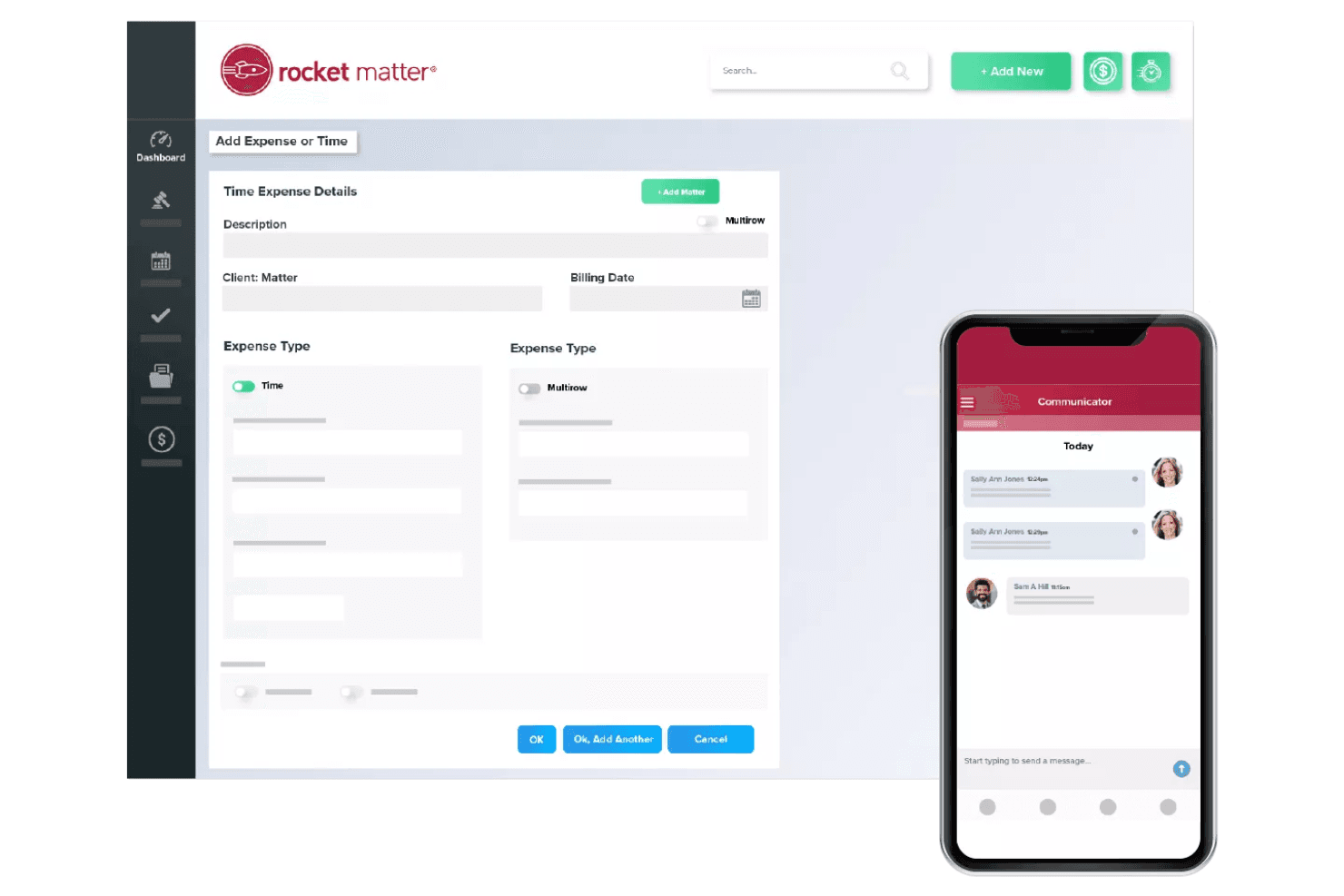
Log billable hours directly from tasks, calendar events, or the mobile app. Entries link automatically to client matters for accurate billing.
Expense Management
Record and allocate expenses to specific matters for reimbursement or client invoicing. Attach receipts and track costs in real time.
Custom Invoice Templates
Design branded invoices with custom fields and layouts. Tailor billing statements to meet client or jurisdictional requirements.
Reporting and Analytics
Generate financial, productivity, and compliance reports from a central dashboard. Access insights on billing, collections, and trust balances instantly.
Ease of Use
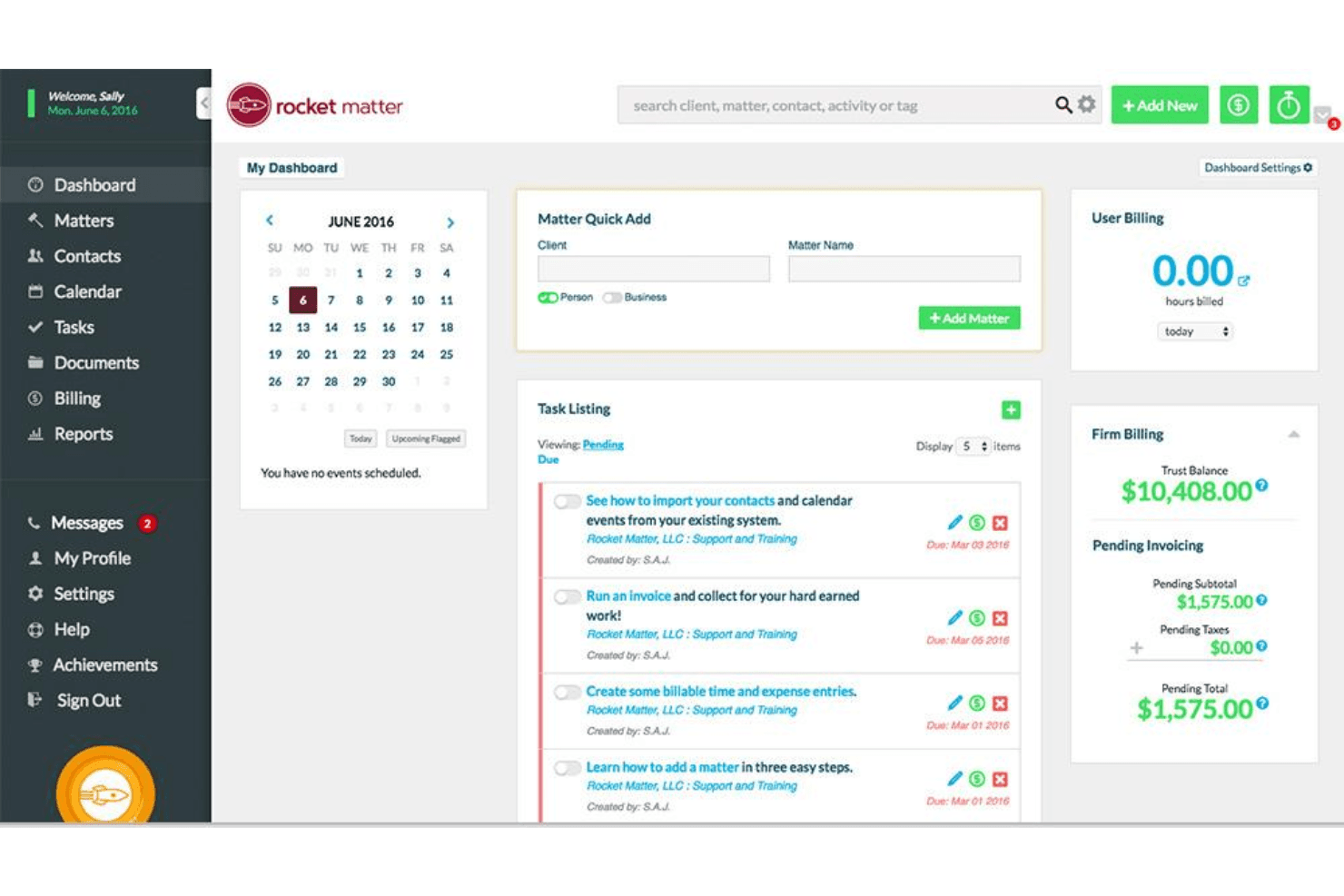
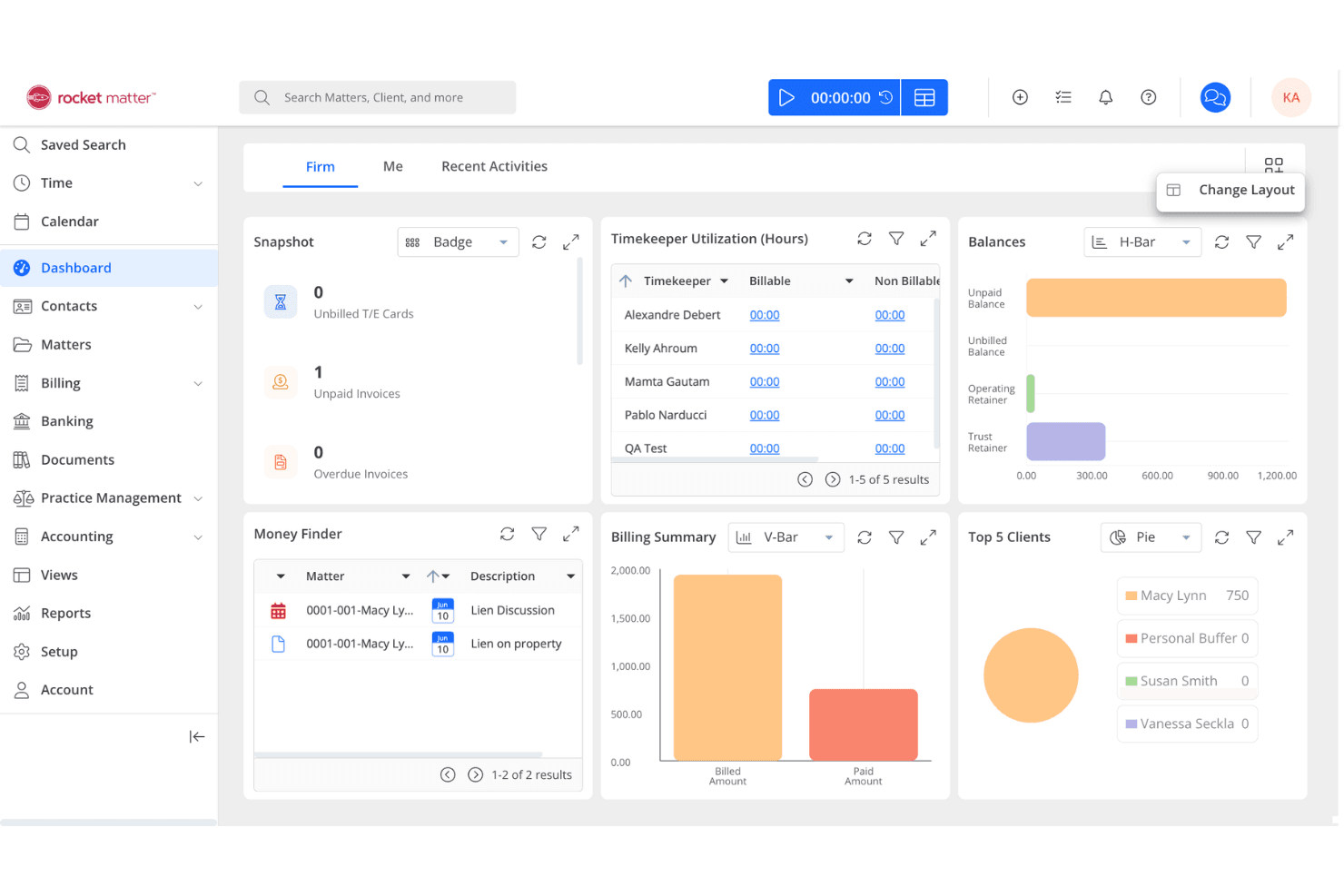
Rocket Matter is widely recognized for its intuitive user interface and clear navigation, making it approachable for users with varying technical backgrounds — from senior partners to paralegals handling day-to-day timekeeping. The dashboard organizes billing, trust accounting, and matter management in a logical flow, reducing the time needed to find key functions. Users often mention the helpful onboarding resources and responsive support, which further lower barriers to adoption. Its straightforward workflows help legal teams focus on client work rather than wrestling with software complexity, and the relatively shallow learning curve means most staff are productive within days.
Integrations
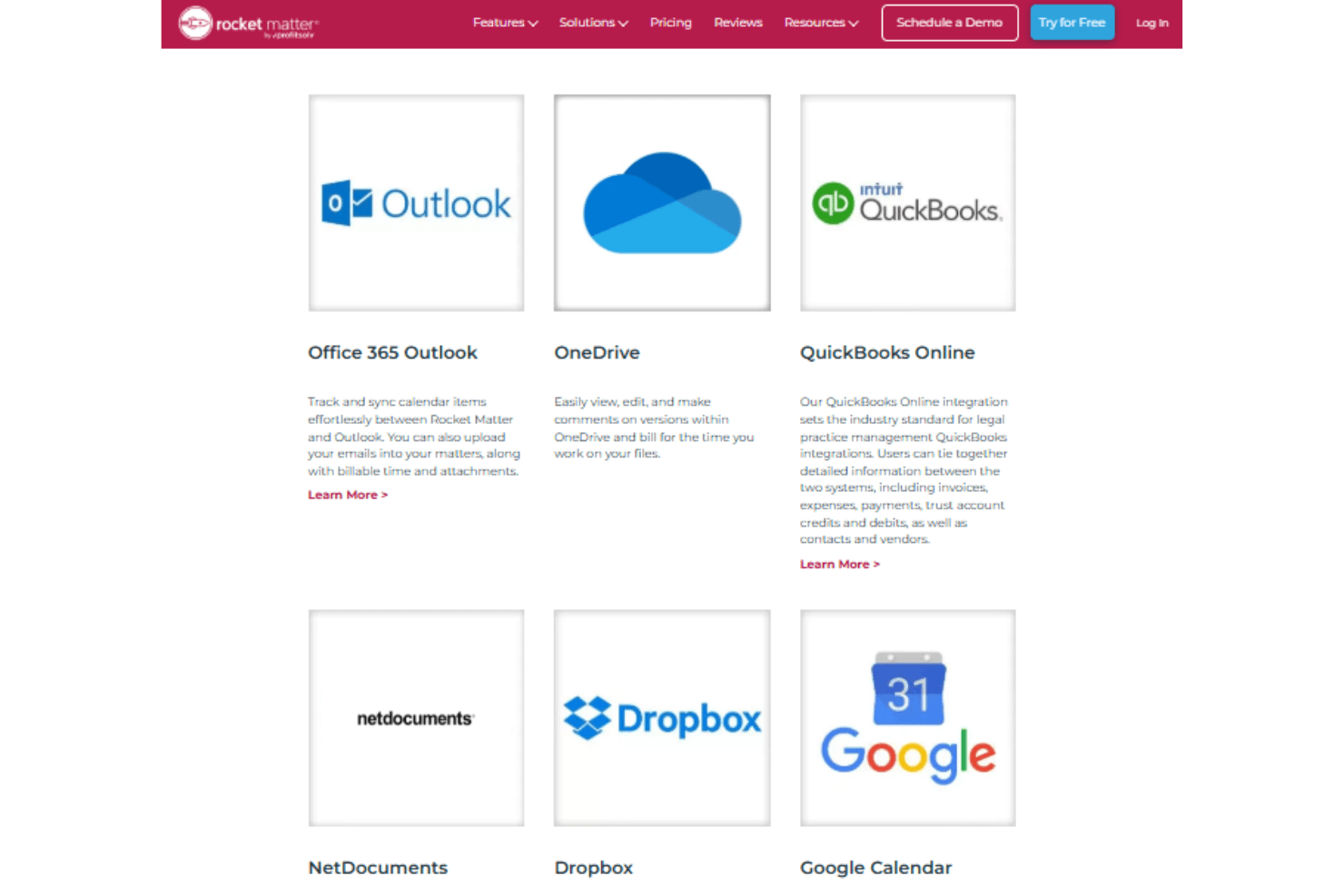
Rocket Matter integrates with QuickBooks Online, Net Documents, Dropbox, Microsoft Office 365 Outlook, Google Calendar, and Box.
Rocket Matter also offers an open API and connects with select third-party integration tools for expanded functionality.
Rocket Matter Specs
- 2-Factor Authentication: No
- API: Yes
- Approval Workflows: Yes
- Audit Trail: Yes
- Calendar Management: Yes
- Compliance Tracking: Yes
- Contract Management: No
- Custom Reports: Yes
- Customer Management: Yes
- Data Export: Yes
- Data Import: Yes
- Document Management: Yes
- External Integrations: Yes
- Multi-User: Yes
- NDA Management: No
- Notifications: Yes
- Policy Management: No
- Scheduling: Yes
- Workflow Management: Yes


