
BILL Review: Pros, Cons, Features and Pricing Explained
I dig into BILL to see how well its financial operations platform actually performs for modern finance teams across AP, AR, and spend management.

We review tools independently, and commissions help fund our testing. See our transparency policy, our methodology, or suggest a tool.
If your finance team is stuck juggling manual approvals, disconnected payment workflows, and limited visibility into company spending, BILL aims to simplify the chaos.
BILL is a financial management and operations platform designed to help businesses manage accounts payable, accounts receivable, spend, and expenses from one centralized system. It combines invoice automation, payment processing, approval workflows, corporate cards, and accounting integrations to reduce manual work and improve financial oversight.
In this review, I break down BILL’s core features, pricing, integrations, usability, and ideal use cases so you can decide whether it’s the right fit for your finance operations.
BILL Evaluation Summary
4.5/5
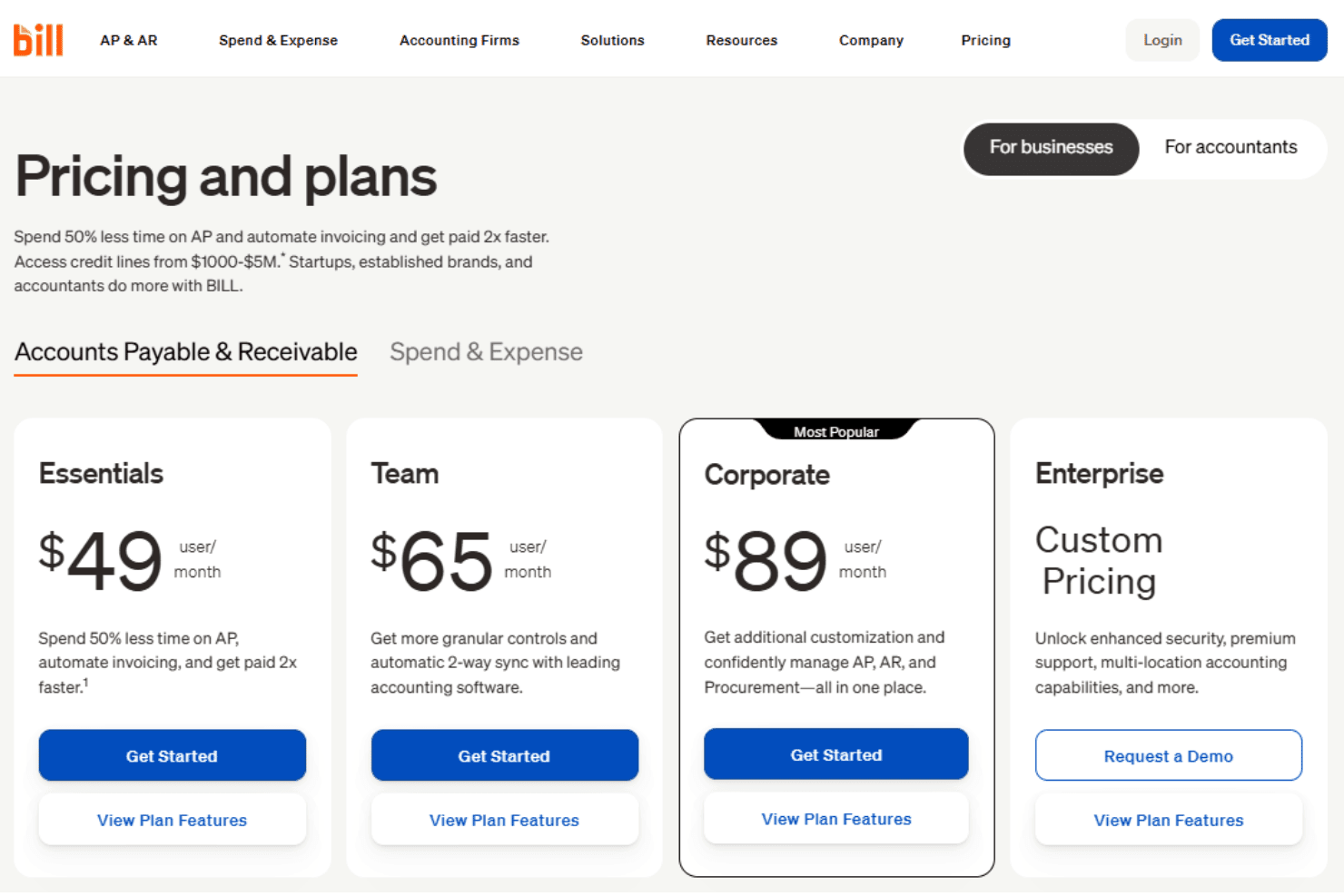
- From $49/user/month
- Free plan available
Why Trust Our Software Recommendations
6,700+
Reviews
20
Industry experts
16+
Evaluation factors
14
Years
Our team has been testing and reviewing software since 2012. As finance leaders ourselves, we know how difficult—and important—it is to choose the right software.
For this guide, we evaluated tools using hands-on testing and independent research, scoring tools using our selection criteria.
Our reviews reflect our human editorial judgment, not a sales pitch.
BILL Overview
What impresses me most about BILL is how effectively it connects AP, AR, and spend management into one unified workflow instead of treating them as disconnected tools. I especially like its strong accounting integrations, flexible approval controls, wide range of payment options, and automation features like invoice coding and receipt matching. For finance teams managing growing operational complexity, BILL strikes a smart balance between usability and control without feeling overly enterprise-heavy.
Pros
- Built for finance and accounting teams managing AP, AR, spend controls, and payment operations at scale.
- Combines approvals, payments, invoicing, expense management, and corporate cards in one centralized financial workflow.
- Strong accounting integrations streamline AP and AR financial workflows.
Cons
- ERP syncs sometimes require manual troubleshooting or cleanup.
- Reporting customization feels limited for complex organizational requirements.
- Transaction and international payment fees can be higher than others.
Is BILL Right For Your Needs?
Who Would be a Good Fit for BILL?
BILL is best for growing businesses and finance teams that need more automation, visibility, and control across AP, AR, and spend management workflows. I think it works especially well for organizations moving away from manual approvals, disconnected payment systems, or spreadsheet-heavy financial processes. Teams handling recurring vendor payments, multi-step approvals, or multi-entity operations will likely get the most value from BILL’s centralized workflows and accounting integrations.
- Midsize BusinessesBILL’s automation and approval workflows help growing companies scale financial operations without adopting a full ERP system.
- Accounting & Finance TeamsDeep accounting integrations and centralized workflows simplify reconciliations, approvals, and month-end financial management.
- NonprofitsAudit trails, approval controls, and digital payment workflows support stronger financial accountability and compliance oversight.
- Multi-Entity OrganizationsCentralized controls and shared workflows help finance teams manage subsidiaries, locations, or multiple business units more efficiently.
- Professional Service FirmsRecurring vendor payments, invoice management, and streamlined approvals help service-based businesses reduce administrative overhead.
- Businesses with Complex Approval WorkflowsCustom approval routing and role-based permissions improve oversight for organizations with layered financial approval structures.
Who Would be a Bad Fit for BILL?
BILL is a weaker fit for very small businesses that only process a limited number of invoices or payments each month, since the platform’s automation capabilities may outweigh the operational need. I also think organizations with highly customized enterprise workflows or deep reliance on niche industry systems may find BILL less flexible than specialized ERP platforms. Teams looking for lightweight invoicing software or highly specialized procurement functionality may end up paying for more platform than they actually use.
- MicrobusinessesThe software setup and per-transaction costs can outweigh the value for small companies with only a handful of monthly payables.
- Very Large Enterprise OrganizationsHighly customized workflows and complex ERP environments may require deeper enterprise-level configuration capabilities.
- Businesses Using Niche Vertical SystemsOrganizations relying on industry-specific software may encounter integration or workflow limitations.
- Low-Complexity Finance TeamsCompanies still managing simple financial operations may not need dedicated AP and AR automation.
- Procurement-Heavy EnterprisesBILL Procurement is designed primarily for mid-market procure-to-pay automation rather than enterprise sourcing or supplier lifecycle management.
- Businesses Seeking Low-Cost Invoicing ToolsTeams wanting lightweight invoicing or payment software may find BILL more robust than necessary.
How We Test & Score Tools
We’ve spent years building, refining, and improving our software testing and scoring system. The rubric is designed to capture the nuances of software selection and what makes a tool effective, focusing on critical aspects of the decision-making process.
Below, you can see exactly how our testing and scoring works across seven criteria. It allows us to provide an unbiased evaluation of the software based on core functionality, standout features, ease of use, onboarding, customer support, integrations, customer reviews, and value for money.
Core Functionality (25% of final scoring)
The starting point of our evaluation is always the core functionality of the tool. Does it have the basic features and functions that a user would expect to see? Are any of those core features locked to higher-tiered pricing plans? At its core, we expect a tool to stand up against the baseline capabilities of its competitors.
Standout Features (25% of final scoring)
Next, we evaluate uncommon standout features that go above and beyond the core functionality typically found in tools of its kind. A high score reflects specialized or unique features that make the product faster, more efficient, or offer additional value to the user.
We also evaluate how easy it is to integrate with other tools typically found in the tech stack to expand the functionality and utility of the software. Tools offering plentiful native integrations, 3rd party connections, and API access to build custom integrations score best.
Ease of Use (10% of final scoring)
We consider how quick and easy it is to execute the tasks defined in the core functionality using the tool. High scoring software is well designed, intuitive to use, offers mobile apps, provides templates, and makes relatively complex tasks seem simple.
Onboarding (10% of final scoring)
We know how important rapid team adoption is for a new platform, so we evaluate how easy it is to learn and use a tool with minimal training. We evaluate how quickly a team member can get set up and start using the tool with no experience. High scoring solutions indicate little or no support is required.
Customer Support (10% of final scoring)
We review how quick and easy it is to get unstuck and find help by phone, live chat, or knowledge base. Tools and companies that provide real-time support score best, while chatbots score worst.
Customer Reviews (10% of final scoring)
Beyond our own testing and evaluation, we consider the net promoter score from current and past customers. We review their likelihood, given the option, to choose the tool again for the core functionality. A high scoring software reflects a high net promoter score from current or past customers.
Value for Money (10% of final scoring)
Lastly, in consideration of all the other criteria, we review the average price of entry level plans against the core features and consider the value of the other evaluation criteria. Software that delivers more, for less, will score higher.
Core Features
Automated Invoice Capture
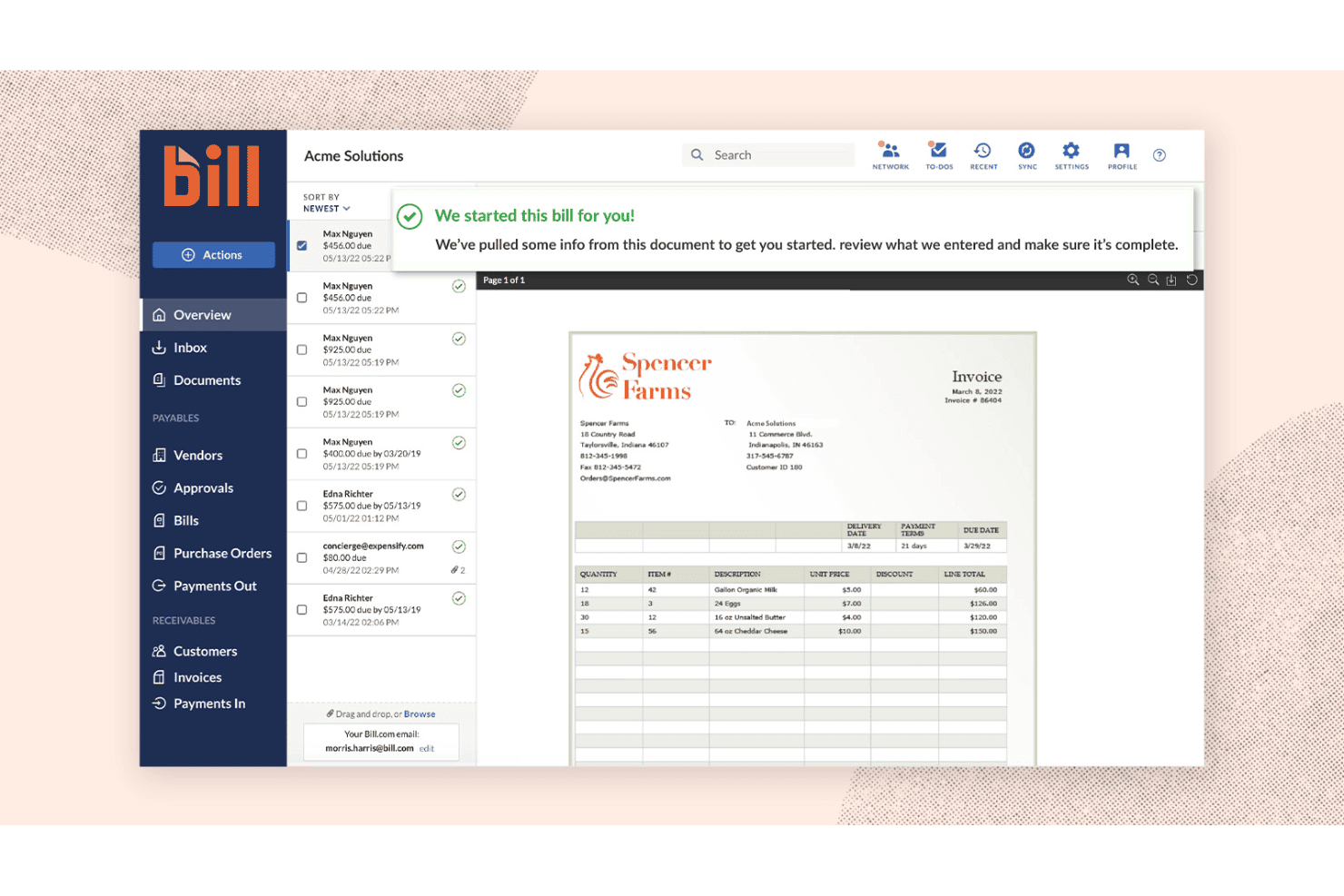
Automatically extracts invoice details using OCR and AI-powered data recognition. This reduces manual entry and speeds up accounts payable workflows.
Multi-Level Approval Workflows
Customizable approval routing ensures bills reach the right stakeholders before payment. This helps maintain stronger internal controls and financial accountability.
Digital Audit Trails
Tracks every bill change and approval with time-stamped records. You always know who did what and when.
ACH and International Payments
You can pay vendors through ACH, checks, virtual cards, or international transfers from one platform, which simplifies domestic and global payment operations. BILL supports international payments across more than 130 countries.
Vendor and Document Management
Stores vendor details, W-9s, invoices, and supporting documents in one place. Makes onboarding, compliance, and audit preparation easier to manage.
Accounting Software Synchronization
Automatically syncs payment, invoice, and expense data with major accounting systems. Reduces reconciliation work and keeps financial records accurate.
Corporate Cards and Spend Controls
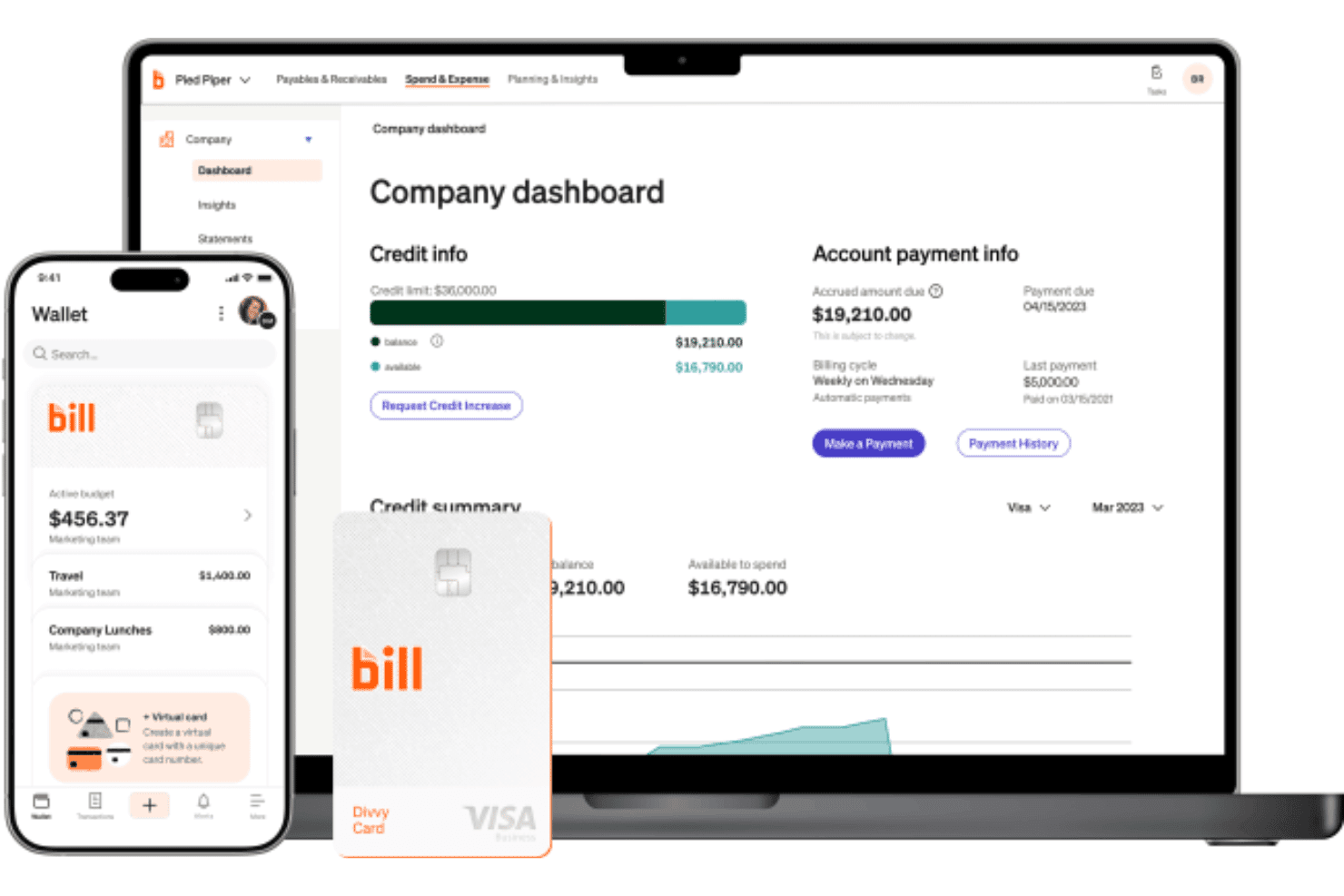
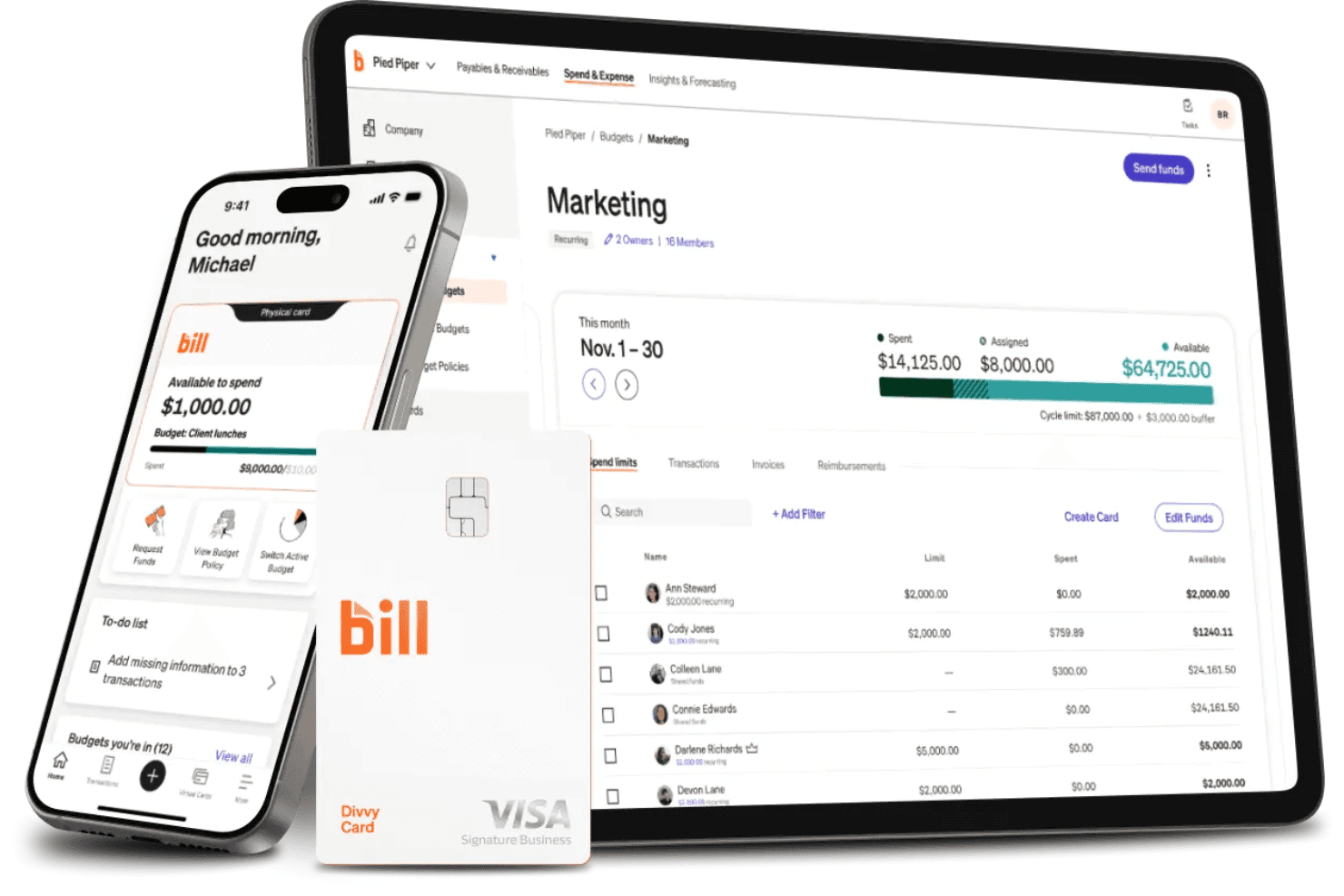
BILL Spend & Expense combines corporate cards, virtual cards, budgeting, and real-time spend controls in one centralized workflow. Teams can issue employee cards with built-in policies, approval flows, merchant restrictions, and automated receipt capture while maintaining full visibility into company spending.
Standout Features
Unified AP, AR, and Spend Management
Combines payables, receivables, expense management, and corporate card workflows in one platform, giving your finance team centralized control over financial operations.
AI-Powered Financial Automation
BILL uses AI-powered agents like the Invoice Coding Agent, W-9 Agent, and Transaction Agent to automate tasks such as invoice coding, vendor onboarding, receipt matching, transaction categorization, and fraud detection.
Travel Management
Extends the platform into business travel management with built-in booking, policy enforcement, travel budgets, automated receipt syncing, and centralized travel expense reporting.
Rewards and Cash Flow Management
BILL combines corporate cards, rewards, and payment flexibility to help businesses improve cash flow management. Businesses can earn cash back, statement credits, gift cards, and accelerated rewards based on repayment frequency while also extending cash flow through card-funded vendor payments and Pay By Card functionality.
Ease of Use
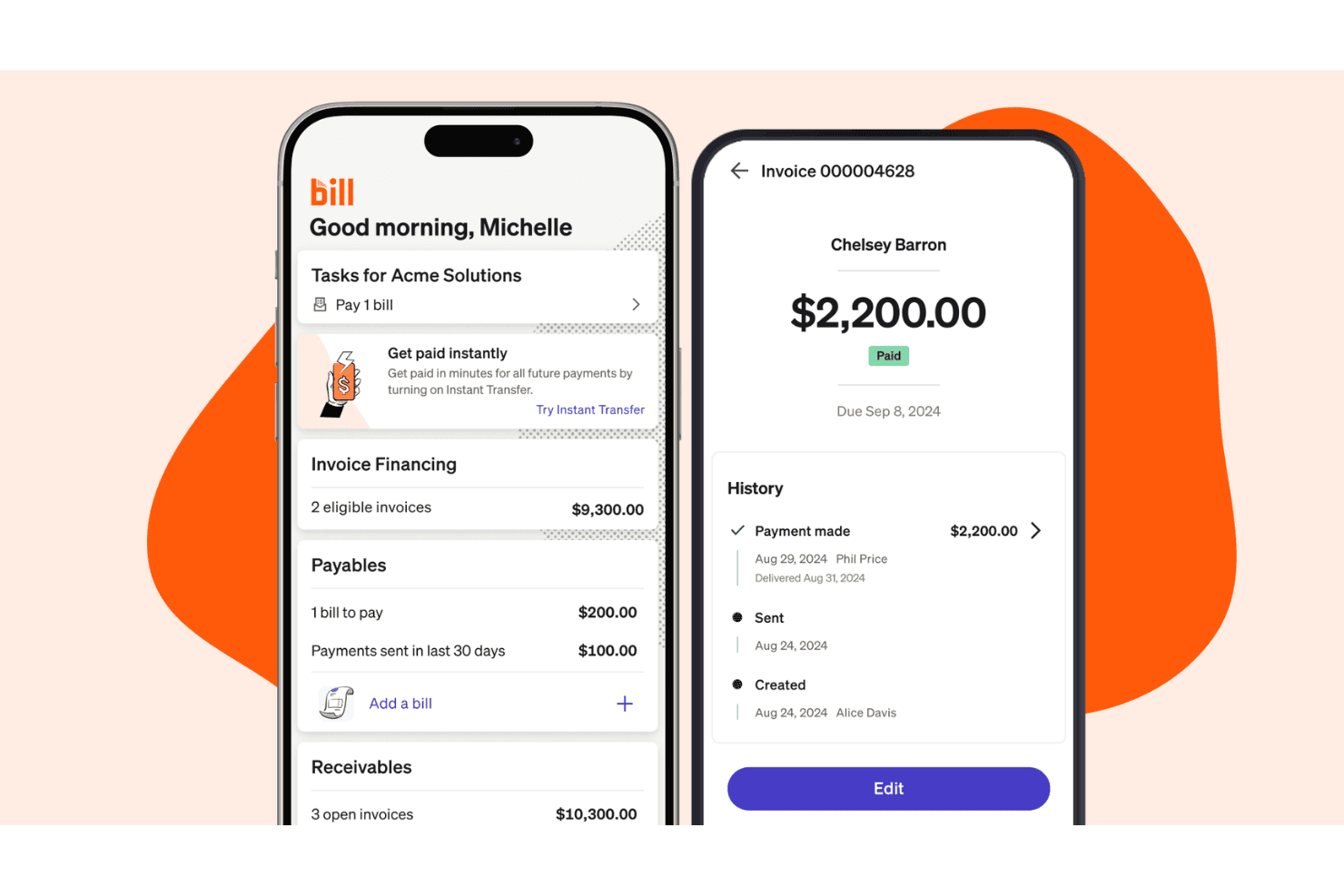
I find BILL relatively easy to navigate, with clean dashboards and straightforward workflows that simplify approvals, payments, and invoice management. Many users praise how approachable the automation tools feel, especially for day-to-day AP and AR tasks, though more complex ERP syncs and approval configurations can require extra setup effort. Its centralized workflows and real-time payment visibility help finance teams stay organized without adding unnecessary complexity.
Onboarding
I find BILL’s onboarding process approachable for small and mid-sized businesses with straightforward accounting workflows. The platform takes a self-serve-first approach, but also offers welcome sessions, implementation guidance, webinars, live chat, and phone support for teams that need additional help. Basic QuickBooks or Xero setups can move quickly, while more complex ERP integrations, approval structures, banking verification, or multi-entity enterprise configurations may require extra setup time and guided support.
Customer Support
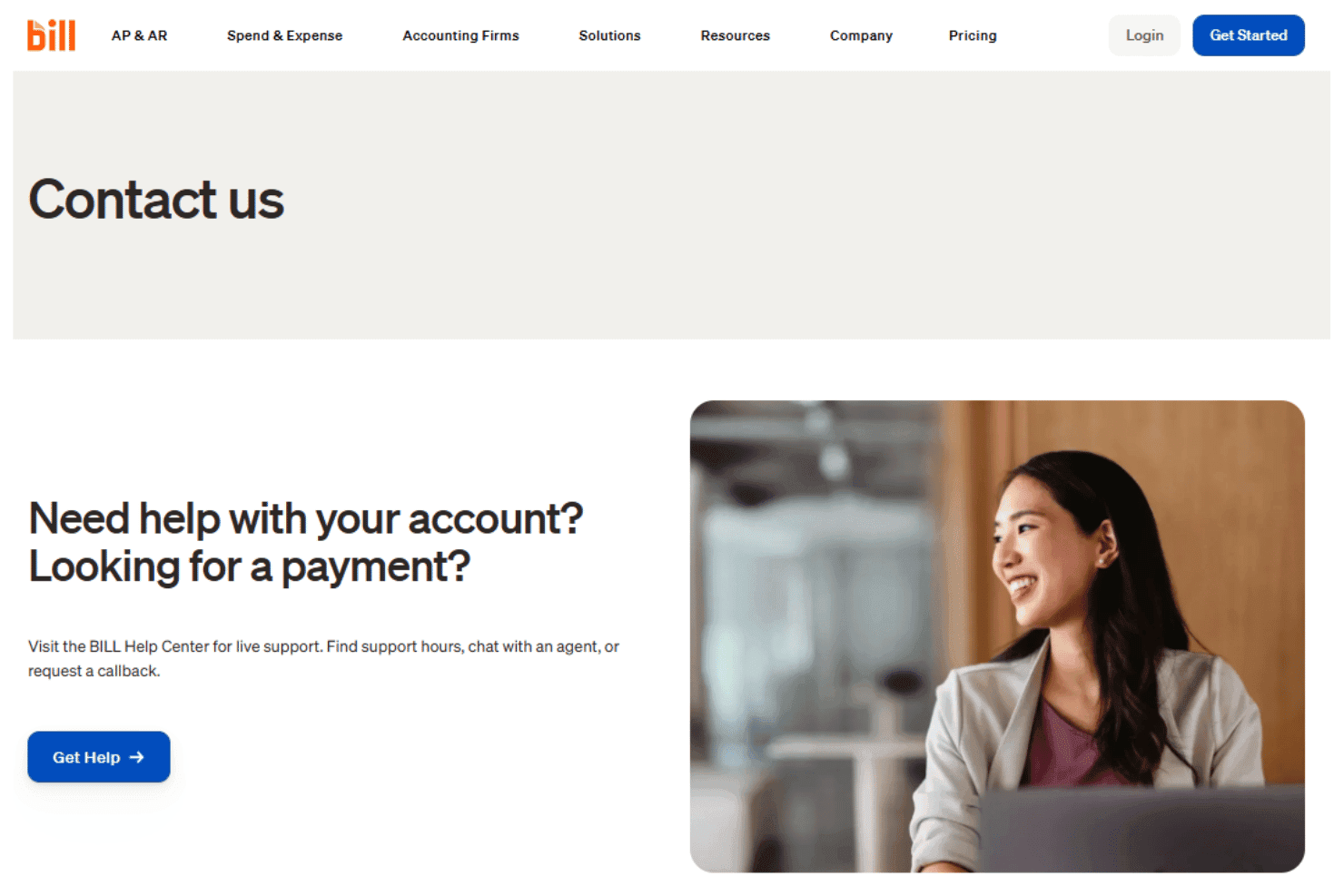
BILL offers a strong mix of support resources, including live chat, phone support, onboarding sessions, webinars, and a detailed help center. Many users appreciate the responsiveness of the support team for everyday questions and implementation guidance, especially during onboarding and initial setup. I also like that BILL provides multiple ways to get help depending on your workflow, whether that’s self-service documentation, scheduled onboarding assistance, or direct support from a live representative.
Integrations
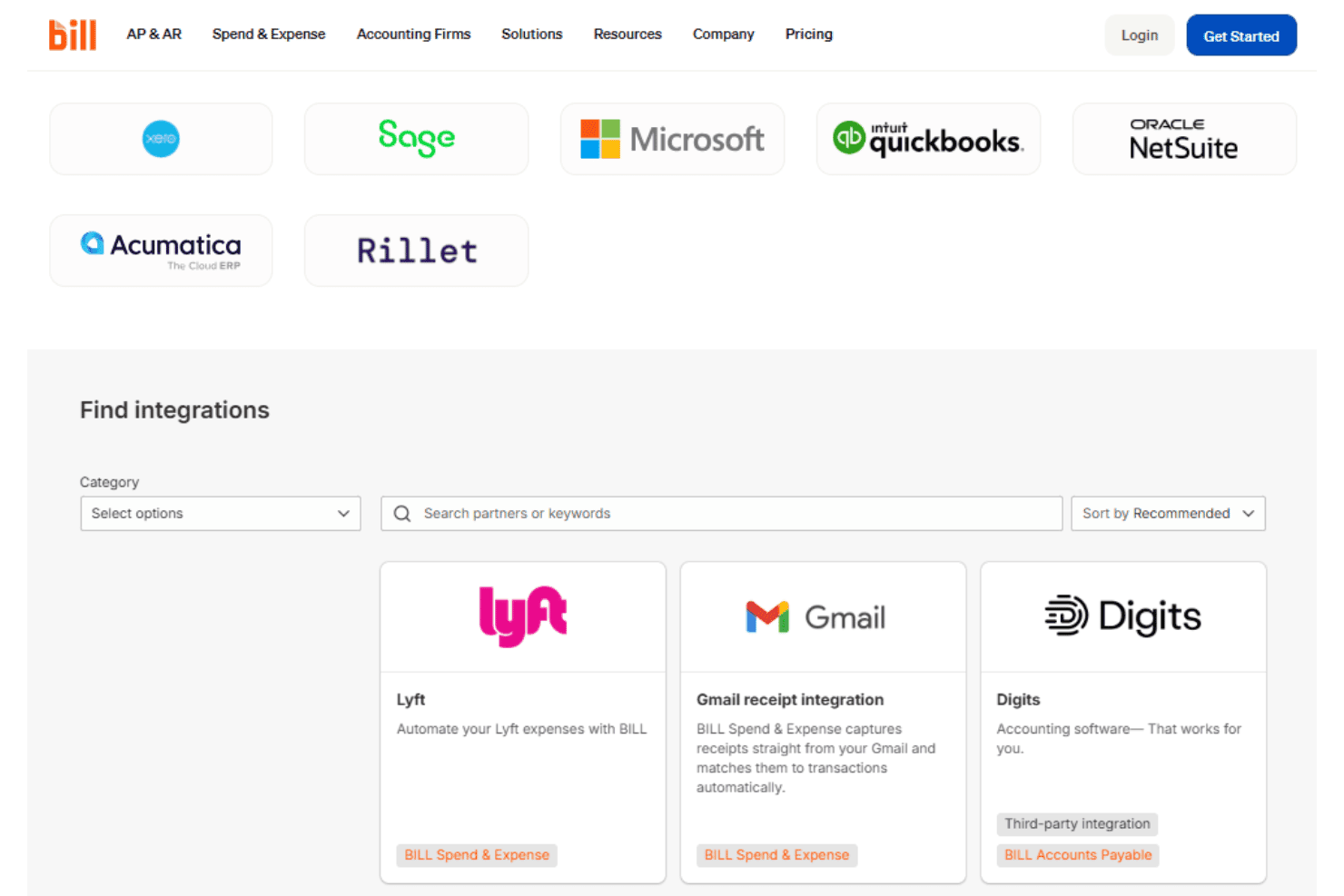
BILL integrates with major accounting platforms including QuickBooks, Xero, Sage Intacct, Oracle NetSuite, Microsoft Dynamics, and Acumatica. The platform also supports integrations with tools like Slack, Gmail, Lyft, and several HRIS systems, helping finance teams connect spend management with broader operational workflows.
For businesses with more advanced requirements, BILL offers an API platform and developer resources for building custom integrations and automations.
Value for Money
I think BILL offers strong value for finance teams that want to centralize AP, AR, and spend management while reducing manual financial workflows. Its pricing is relatively transparent, with tiered plans that scale alongside your approval controls, integrations, and operational complexity. That said, businesses processing high payment volumes should pay close attention to transaction-based fees for ACH payments, checks, card payments, and international transfers, since those costs can add up over time.
- Essentials: Core AP/AR automation with invoice capture, approvals, payments, and manual accounting imports/exports.
- Team: Adds automatic two-way accounting sync, custom roles, and more granular workflow controls.
- Corporate: Expands customization with advanced approvals, procurement capabilities, and stronger operational controls.
- Enterprise: Custom pricing designed for larger organizations needing multi-entity support, enhanced security, API access, and priority support.
- BILL Spend & Expense: Includes corporate cards, budgeting, expense management, and spend controls without per-user software fees. Payment processing and transaction-based fees may still apply across broader BILL workflows.
New Product Updates from BILL
BILL Adds Multi-Entity Spend and Vendor Credit Management
BILL introduces multi-entity Spend & Expense accounts and centralized vendor credit management for accounts payable. These updates simplify expense tracking, credit approvals, and financial oversight across related companies. Highlights include:
- Multi-Entity Spend & Expense: Lets businesses use a shared credit line while maintaining separate entity-level accounts, budgets, and reporting.
- Centralized Vendor Credits: Allows AP teams to view, create, manage, and approve vendor credits across entities from the parent organization.
- Consolidated Spend Visibility: Provides aggregated spending data across entities while preserving individual accounting records.
Visit BILL’s official site for more details.
BILL Adds Centralized Vendor Management for Multi-Entity Accounts
BILL now offers a single, parent-level vendor list for multi-entity customers, making it easier to manage vendor information consistently across all companies. This helps streamline oversight, reduce duplicate vendor maintenance, and simplify cross-entity vendor administration. Highlights include:
- Centralized Vendor List: View vendors across linked entities from the multi-entity parent account.
- Entity Filtering: Filter the vendor list by company to focus on a specific entity.
- Vendor Profiles: Open full vendor details from the parent-level list.
- Vendor Creation: Create a new vendor for any entity you have access to.
- Vendor Credits: Manage and approve vendor credits from the parent account.
- Permission Controls: Limit actions to entities where the user already has access.
Visit BILL's official site for more details.
BILL Adds Period Close and Smarter Coding Tools
BILL Spend & Expense introduces smarter coding controls and new close-focused tools to help teams reduce miscoding and speed up period-end workflows. These improvements make it easier to get transactions coded correctly the first time and keep approvals moving. Highlights include:
- Dynamic Coding Controls: Limit visible fields and dropdown options based on relevant transaction data.
- Custom Fields: Configure dynamic fields for workflows such as projects, cases, grants, and expense categories.
- Period Readiness View: Track transactions that need action, approval, syncing, or error resolution.
- Close Schedule: Select a period and monitor close progress from the Transactions page.
- Approver Reminders: Automatically follow up on approvals that are delaying the close.
Visit BILL’s official site for more details.
BILL Travel Adds Employee Booking Permissions
BILL Travel now lets admins and travel managers decide exactly which employees are allowed to book travel. This improves policy compliance by preventing unauthorized bookings and helps organizations maintain tighter control over travel spend. Highlights include:
- Booking Permissions: Controls which employees can book through BILL Travel.
- Everyone Access: Allows all company users to book travel.
- Selected Employee Access: Limits booking to specific people.
- Admin Controls: Gives administrators and travel managers permission management.
- Travel Governance: Helps teams align booking access with company travel policies.
Visit BILL’s official site for more details.
BILL Redesigns Reporting With Faster Filters and Sorting
BILL has redesigned the Reporting section to make it quicker to navigate and easier to use. The updated experience improves performance and reduces the number of steps needed to locate and run the reports you need. Highlights include:
- Redesigned Reporting: Updates the interface for easier report discovery.
- Filtering: Filters reports by vendor, date, and account.
- Sorting and Rearranging: Lets users organize reports around their workflow.
- Faster Performance: Speeds up report generation and loading.
- CSV and Excel Export: Exports report data for further analysis.
Visit BILL’s official site for more details.
BILL Expands Spend & Expense Sync and ERP Exports
BILL Spend & Expense adds reusable export templates, scheduled file delivery, and direct Rillet synchronization. These updates make it easier to move spend data into ERP and accounting systems. Highlights include:
- Custom Export Templates: Lets teams configure and reuse ERP-ready transaction export formats.
- Scheduled Delivery: Sends exports through SFTP, email, or in-product download.
- Rillet Integration: Syncs card spend and reimbursements directly from BILL to Rillet.
- Vendor Sync: Supports two-way vendor synchronization between BILL and Rillet.
- Custom Fields: Pulls Rillet custom fields into BILL for more accurate transaction coding.
Visit BILL’s official site for more details.
BILL Travel Adds Travel Profiles and Booking Policy Controls
BILL Travel now prefills traveler details from saved Travel Profiles and lets admins warn or block users when bookings fall outside company policy. Admins can also grant temporary or ongoing exemptions for specific travelers. Highlights include:
- Travel Profiles: Saves traveler details and prefills them during flight and hotel checkout.
- Policy Warnings: Alerts travelers when a selected booking falls outside company policy.
- Booking Blocks: Prevents out-of-policy reservations when stricter controls are enabled.
- Traveler Exemptions: Lets admins grant exceptions for specific travelers when needed.
Visit BILL’s official site for more details.
BILL Adds Itemized Details to Auto-Generated Receipts
BILL Transaction Agent can now create richer auto-generated receipts by including a full line-item breakdown when itemized merchant data is available. This improves transaction clarity and makes it easier to review what was purchased without needing extra documentation. Highlights include:
- Itemized Receipts: Adds full line-item details to auto-generated receipts when available.
- Automatic Updates: Applies itemized data without requiring additional setup.
- Existing Workflow Support: Keeps the current auto-generated receipt process unchanged.
- Merchant Data Coverage: Uses itemized information provided by supported merchants.
Visit BILL’s official site for more details.
BILL Adds AI Detection for Unusual Bill Amounts
BILL has introduced an AI-based check that highlights bills with amounts that look unusually high for a given vendor before they reach the approval step. This helps approvers spot potential errors or anomalies earlier and act before the bill progresses further. Highlights include:
- AI Bill Detection: Flags bill amounts that fall outside a vendor’s typical payment pattern.
- Approval Workflow Alerts: Surfaces unusual bills directly during approval.
- Review Controls: Lets approvers confirm expected amounts or deny bills that need correction.
- Vendor Payment History: Uses historical BILL payment data to identify unusual amounts.
Visit BILL’s official site for more details.
BILL Specs
- 2-Factor Authentication: Yes
- Accounts Payable: Yes
- Accounts Receivable: Yes
- API: Yes
- Balance Sheet: No
- Billing/Invoicing: Yes
- BitCoin: No
- Budgeting: Yes
- Calendar Management: No
- Contact Management: No
- CRM Integration: No
- Customer Management: No
- Dashboard: Yes
- Data Export: Yes
- Data Import: Yes
- Data Visualization: Yes
- Expense Tracking: Yes
- External Integrations: Yes
- Forecasting: Yes
- General Account Ledger: No
- Inventory Tracking: No
- Multi-Currency: Yes
- Multi-User: Yes
- Notifications: Yes
- P&L: No
- PayPal: Yes
- Payroll: No
- SAP Integration: No
- Stripe: No
- Supplier Management: Yes
- Tax Management: Yes
BILL FAQs
BILL Company Overview & History
BILL, formerly known as Bill.com, is a cloud-based financial operations company headquartered in San Jose, California. Founded by René Lacerte, BILL serves over 400,000 businesses and partners with leading financial institutions. The company is publicly traded on the NYSE under the ticker BILL and employs more than 2,600 people. BILL has also expanded its reach through acquisitions like Divvy, Invoice2go, and Finmark, strengthening its position in the spend management and financial automation space.
BILL Major Milestones
- 2006: Founded by René Lacerte in Palo Alto, California.
- 2008: Product launched with automated bill payment features.
- 2019: Completed IPO and began trading on NYSE as BILL.
- 2021: Acquired Divvy for $2.5 billion to expand into expense and spend management.
- 2021: Acquired Invoice2go and Finmark, broadening its platform for small business financial solutions.
- 2023: Rebranded from Bill.com to BILL, unifying company identity and suite of products.