

Avis sur Tiller Money : Avantages, inconvénients, fonctionnalités et tarifs expliqués
Tiller Money se distingue par son intégration fluide aux feuilles de calcul, offrant une personnalisation inégalée pour les budgétisateurs souhaitant un contrôle total.

Nous évaluons les outils indépendamment ; les commissions aident à financer nos tests. Consultez notre politique de transparence et notre méthodologie.
Tiller Money is a financial management software that automatically syncs your bank transactions into Google Sheets or Microsoft Excel. It's worth considering if you want full control over how you track and analyze your personal finances without building your own data connections. If you've looked at YNAB but find its fixed budgeting structure too prescriptive, Tiller Money gives you that same automated transaction feed with a completely customizable spreadsheet foundation you can shape however you need.
Tiller Money Evaluation Summary
4/5
- From $12/month
- 30-day free trial
Pourquoi faire confiance à nos recommandations de logiciels
6,700+
Reviews
20
Industry experts
16+
Evaluation factors
14
Years
Nos avis reflètent notre jugement indépendant — et non un argumentaire de vente. Découvrez comment nous restons transparents.
Pour ce guide, nous avons évalué les outils grâce à des tests pratiques et une recherche indépendante, en notant les outils selon nos critères de sélection.
Nos avis reflètent notre jugement éditorial humain, et non un argumentaire de vente.
Tiller Money Overview
If you’re comparing Tiller Money against other financial management software, you’ll notice its spreadsheet-driven approach offers unmatched customization and functionality for users who want to build their own reports and dashboards. I think its pricing is fair for the flexibility you get, though onboarding takes more effort than plug-and-play tools. The interface is familiar for spreadsheet users, and integrations with Google Sheets and Excel are a big plus. Support is responsive, but automation features are less advanced than some alternatives. Tiller Money is best for finance teams who want granular control and are comfortable working in spreadsheets.
Pros
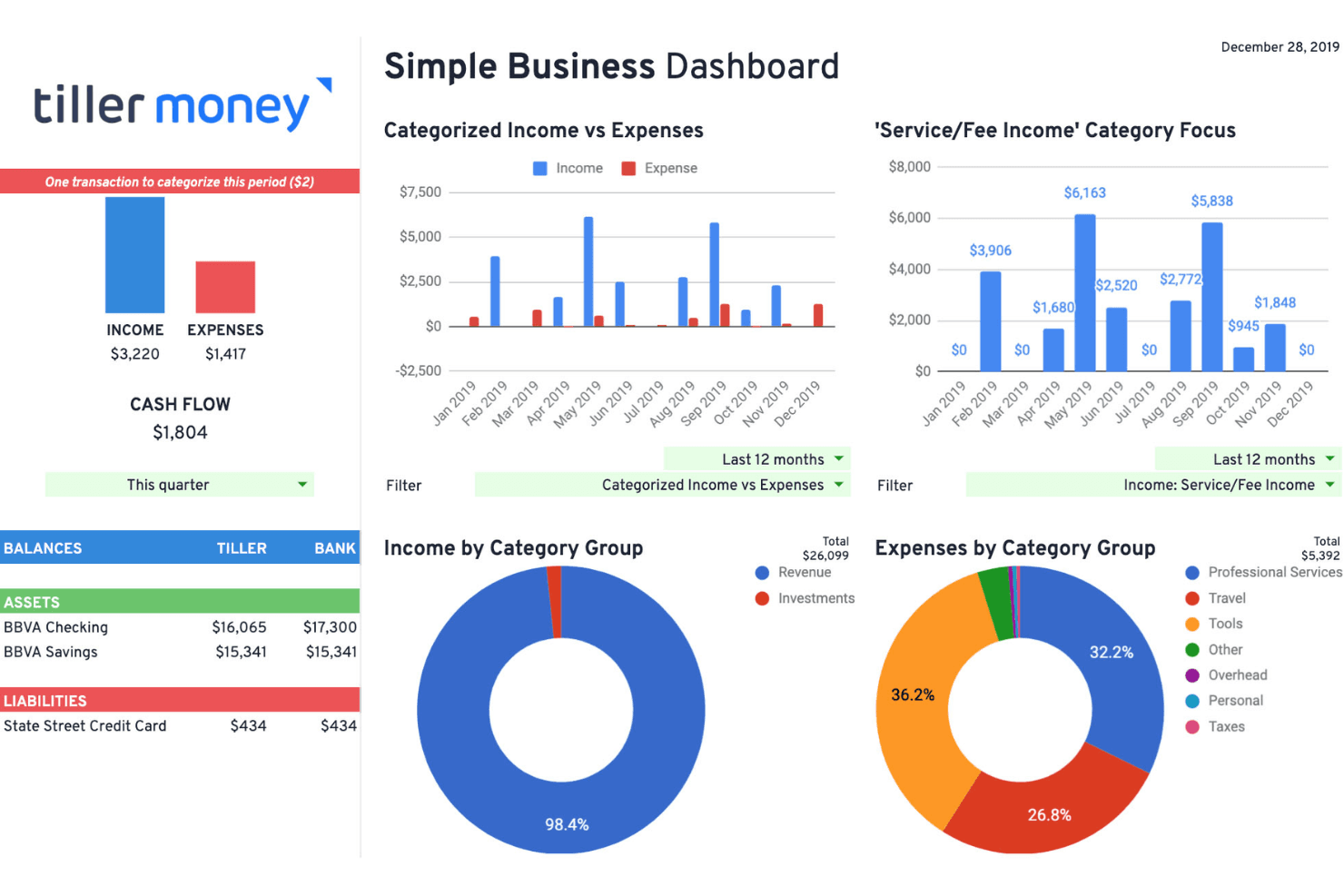
- Customizable spreadsheet templates for detailed financial tracking
- Daily automatic bank data feeds into Google Sheets or Excel
- No ads and strong data privacy policies
Cons
- No dedicated mobile app for on-the-go management
- Setup requires comfort with spreadsheets and manual adjustments
- Automation features are limited compared to some competitors
Is Tiller Money Right For Your Needs?
Who Would be a Good Fit for Tiller Money?
Tiller Money is a strong choice for teams and professionals who want granular control over their financial data and are comfortable working in spreadsheets. Its flexible templates and daily bank feeds make it ideal for those who need custom reporting, detailed tracking, and transparency. If your workflow relies on Google Sheets or Excel and you value privacy, Tiller Money can fit seamlessly into your process.
- Small BusinessesTiller Money’s customizable spreadsheets help small businesses track cash flow and expenses closely.
- FreelancersFreelancers can automate income and expense tracking without complex accounting software.
- NonprofitsNonprofits benefit from transparent, shareable spreadsheets for grant and donor reporting.
- Personal Finance EnthusiastsIndividuals who want to build custom budgets and dashboards will appreciate Tiller Money’s flexibility.
- Finance DepartmentsFinance teams needing tailored reporting and reconciliation can use Tiller Money’s templates and data feeds.
- Real Estate InvestorsReal estate investors can track multiple properties and rental income in one place.
Who Would be a Bad Fit for Tiller Money?
Tiller Money isn’t the best option for organizations that need advanced automation, built-in analytics, or mobile-first solutions. If your team prefers out-of-the-box dashboards, deep integrations, or requires strict audit controls, you may find Tiller Money’s spreadsheet-centric approach limiting.
- Large EnterprisesLarge enterprises may need more automation and audit controls than Tiller Money offers.
- Manufacturing CompaniesManufacturers often require inventory and job costing features not available in Tiller Money.
- Retail ChainsRetailers with high transaction volumes may find spreadsheet management too manual.
- Mobile-First TeamsTeams needing robust mobile apps will miss a dedicated Tiller Money app.
- Non-Finance DepartmentsDepartments without spreadsheet skills may struggle with setup and maintenance.
- Fast-Growth StartupsStartups scaling quickly may outgrow Tiller Money’s manual processes and limited automation.
Comment nous testons et évaluons les outils
Nous avons passé des années à construire, affiner et améliorer notre système de test et d’évaluation des logiciels. Notre grille vise à saisir toute la subtilité de la sélection logicielle et les facteurs déterminant l’efficacité d’un outil, en mettant l’accent sur les aspects essentiels du processus de décision. Ci-dessous, vous pouvez voir exactement comment notre test et notre notation fonctionnent selon sept critères. Cela nous permet de fournir une évaluation impartiale des logiciels sur la base des fonctionnalités principales, des fonctionnalités distinctives, de la facilité d’utilisation, de la prise en main, du service client, des intégrations, des avis clients et du rapport qualité/prix.
Fonctionnalité principale (25 % de la note finale)
Le point de départ de notre évaluation est toujours la fonctionnalité principale de l’outil. Dispose-t-il des caractéristiques de base attendues ? Certaines de ces fonctions de base sont-elles réservées aux plans tarifaires supérieurs ? Fondamentalement, nous attendons d’un outil qu’il soit au moins l’égal de ses concurrents en capacités essentielles.
Fonctionnalités Distinctives (25 % de la note finale)
Ensuite, nous évaluons les fonctionnalités rares ou uniques, allant au-delà de la fonctionnalité principale habituellement trouvée dans ce type d’outil. Un score élevé traduit des fonctionnalités spécialisées ou innovantes qui rendent le produit plus rapide, plus efficace, ou apportent une valeur supplémentaire à l’utilisateur. Nous évaluons aussi la facilité d’intégration avec d’autres outils courants de l’écosystème technologique pour étendre les capacités du logiciel. Les outils offrant de nombreuses intégrations natives, des connexions tierces et un accès API pour des intégrations personnalisées obtiennent le meilleur score.
Facilité d’utilisation (10 % de la note finale)
Nous considérons la rapidité et la facilité d’exécution des tâches essentielles avec l’outil. Un logiciel bien conçu, intuitif, proposant des applications mobiles, des modèles et permettant de simplifier des tâches complexes obtient la meilleure note.
Prise en Main (10 % de la note finale)
Nous savons combien il est important d’adopter rapidement une nouvelle plateforme, c’est pourquoi nous évaluons la facilité d’apprentissage et d’utilisation du logiciel avec un minimum de formation. Nous évaluons la rapidité de mise en place d’un nouveau membre d’équipe sans expérience. Un outil ayant un bon score requiert peu voire aucun support pour la prise en main.
Service Client (10 % de la note finale)
Nous évaluons s’il est rapide et facile d’obtenir de l’aide ou de dépanner par téléphone, chat en direct ou base de connaissances. Les outils et entreprises offrant une assistance en temps réel obtiennent le meilleur score, tandis que les chatbots sont moins bien notés.
Avis Clients (10 % de la note finale)
Au-delà de nos propres tests et évaluations, nous prenons en compte le net promoter score fourni par les clients actuels et passés. Nous vérifions leur probabilité de recommander l’outil et d’en refaire le choix pour ses fonctionnalités principales. Un logiciel bien noté se traduit par un net promoter score élevé.
Rapport Qualité/Prix (10 % de la note finale)
Enfin, en tenant compte de tous les autres critères, nous comparons le prix moyen des plans d’entrée de gamme avec les fonctionnalités principales, et le rapport de valeur avec les autres critères d’évaluation. Les logiciels offrant plus pour moins obtiennent la meilleure note.
Core Features
Daily Bank Data Feeds
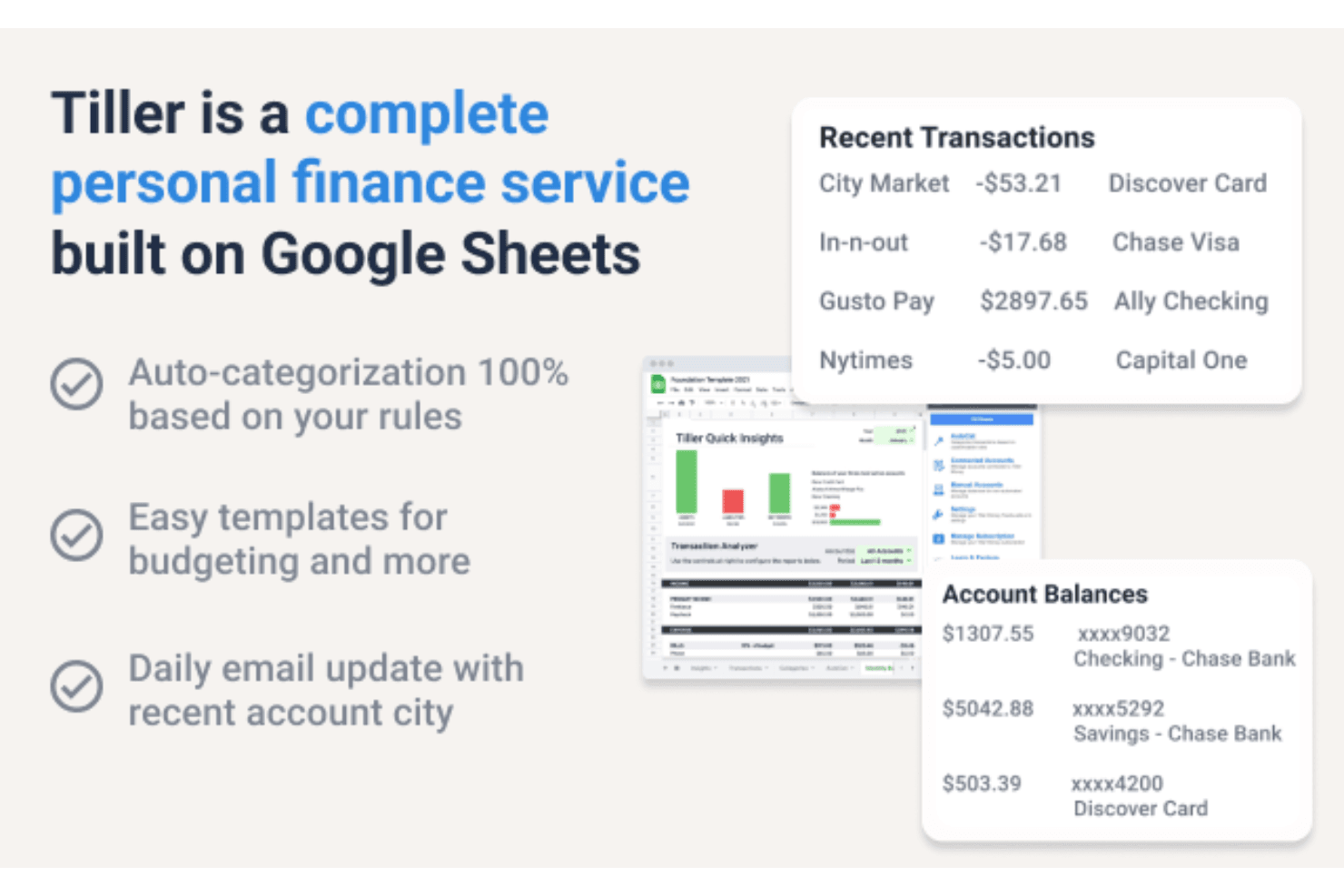
Tiller Money automatically imports transaction data and account balances from your bank accounts into your spreadsheets each day.
Customizable Spreadsheet Templates
Choose from prebuilt templates for budgets, net worth, and spending trends, or build your own to fit your workflow.
Automatic Transaction Categorization
Use AutoCat to set custom rules that categorize your transactions as they’re imported.
Unified Transactions Sheet
All your financial activity is organized in a single, searchable sheet for easy tracking and reconciliation.
Personal and Business Tracking
Track both personal and solo business finances in one subscription, with separate sheets for each.
Daily Email Summaries
Receive a daily email with your latest balances and recent transactions, so you can stay updated without opening a spreadsheet.
Ease of Use
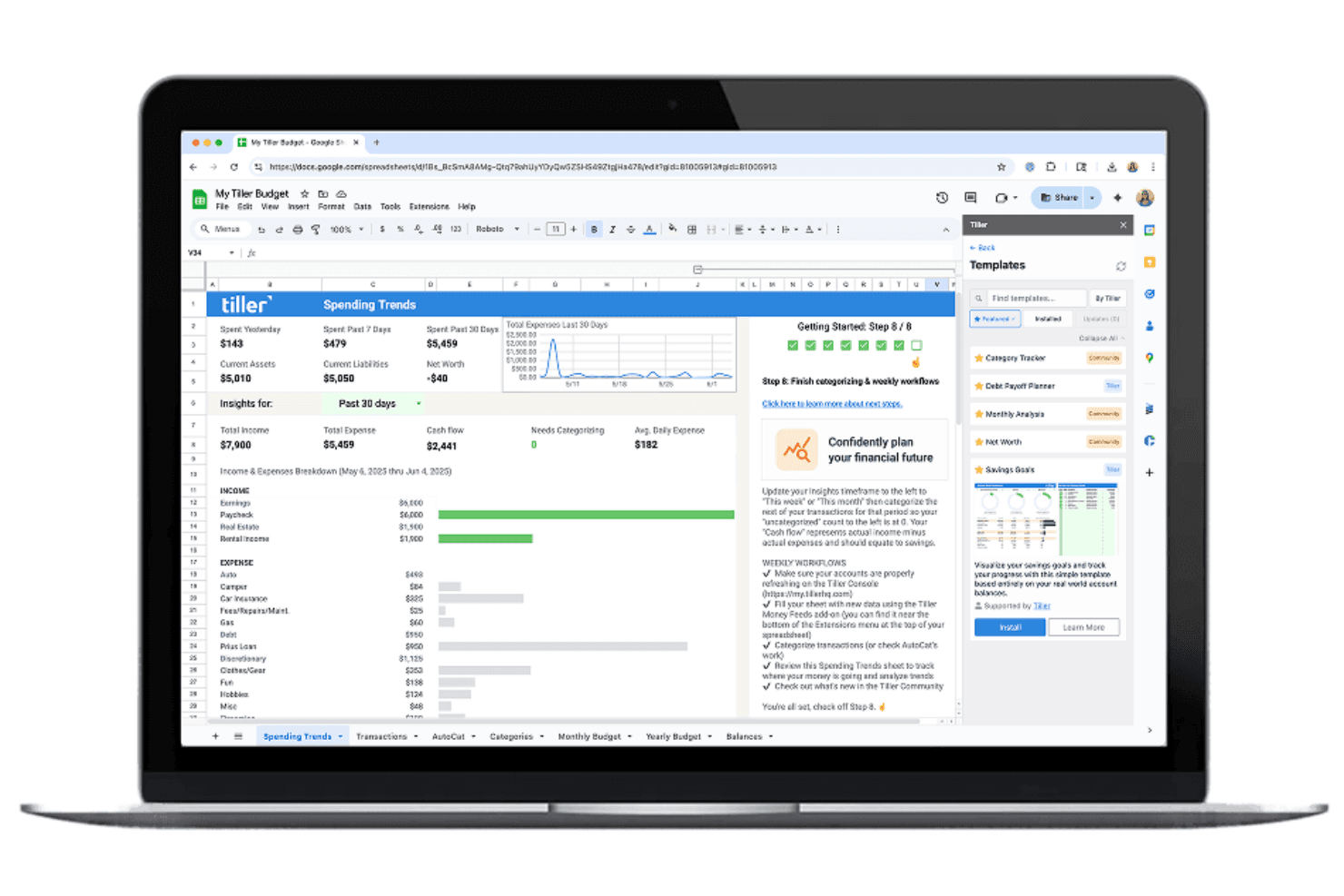
Tiller Money is user-friendly for anyone comfortable with spreadsheets, but less so for those who prefer guided workflows or visual dashboards. Users appreciate the familiar Google Sheets and Excel environment, which makes customization easy if you know your way around formulas. However, setup and ongoing management require more manual effort than most plug-and-play solutions. Many reviewers say the learning curve is worth it for the control and transparency Tiller Money provides.
Integrations
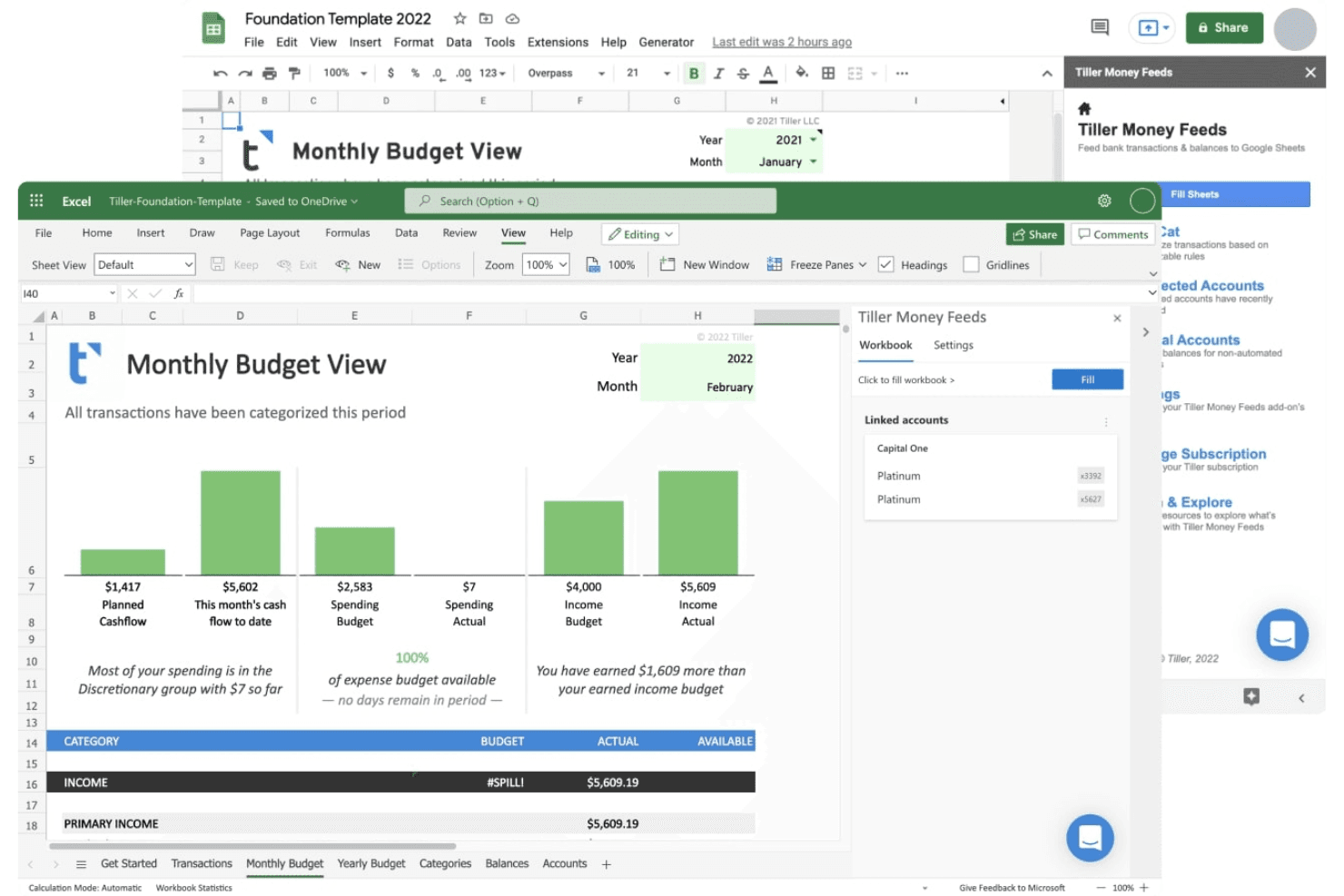
Tiller Money natively integrates with Google Sheets and Microsoft Excel, and also connects directly with your bank.
Tiller Money does not offer a public API or direct connections to third-party integration tools; its primary connections are through supported financial institutions and spreadsheet platforms.
Tiller Money Specs
- 2-Factor Authentication: Yes
- Accounts Payable: Yes
- Accounts Receivable: Yes
- API: Yes
- Balance Sheet: Yes
- Billing/Invoicing: Yes
- BitCoin: Yes
- Budgeting: Yes
- Calendar Management: Yes
- Contact Management: Yes
- CRM Integration: Yes
- Customer Management: Yes
- Dashboard: Yes
- Data Export: Yes
- Data Import: Yes
- Data Visualization: Yes
- Expense Tracking: Yes
- External Integrations: Yes
- Forecasting: Yes
- General Account Ledger: Yes
- Inventory Tracking: Yes
- Multi-Currency: Yes
- Multi-User: Yes
- Notifications: Yes
- P&L: Yes
- PayPal: Yes
- Payroll: Yes
- SAP Integration: Yes
- Stripe: Yes
- Supplier Management: Yes
- Tax Management: Yes


