

Recensione BILL: Pro, Contro, Caratteristiche e Prezzi Spiegati
Analizzo BILL per vedere quanto bene la sua piattaforma di operazioni finanziarie si comporta realmente per i team finanziari moderni tra Contabilità Fornitori, Contabilità Clienti e gestione delle spese.

Recensiamo gli strumenti in modo indipendente e le commissioni aiutano a finanziare i nostri test. Consulta la nostra politica sulla trasparenza, la nostra metodologia, oppure suggerisci uno strumento.
If your finance team is stuck juggling manual approvals, disconnected payment workflows, and limited visibility into company spending, BILL aims to simplify the chaos.
BILL is a financial management and operations platform designed to help businesses manage accounts payable, accounts receivable, spend, and expenses from one centralized system. It combines invoice automation, payment processing, approval workflows, corporate cards, and accounting integrations to reduce manual work and improve financial oversight.
In this review, I break down BILL’s core features, pricing, integrations, usability, and ideal use cases so you can decide whether it’s the right fit for your finance operations.
BILL Evaluation Summary
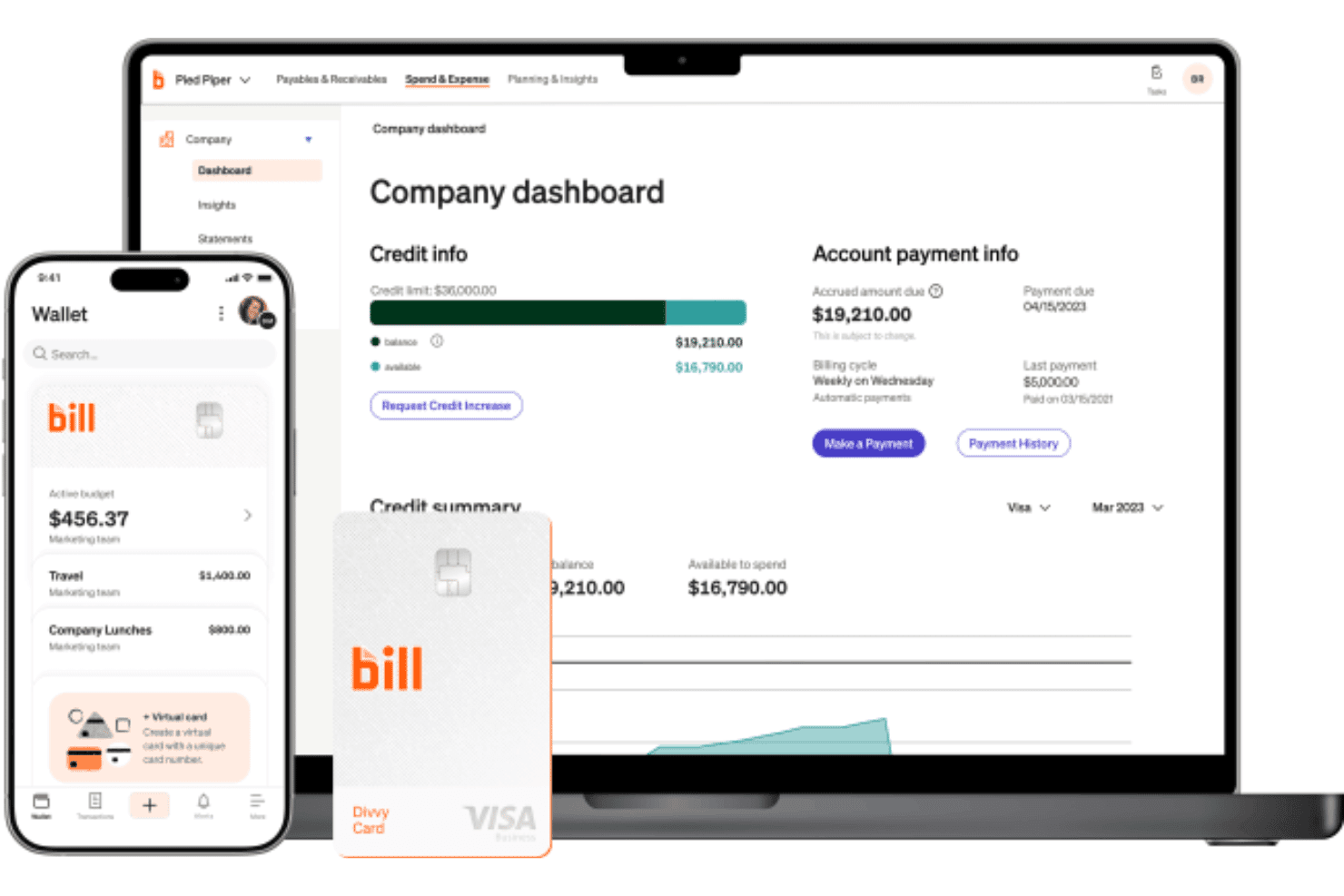
4.5/5
- From$49/user/month
- Free plan + free demo available
Perché fidarsi dei nostri consigli sui software
6,700+
Reviews
20
Industry experts
16+
Evaluation factors
14
Years
Le nostre recensioni riflettono il nostro giudizio indipendente, non un discorso di vendita. Scopri come manteniamo la trasparenza.
Per questa guida, abbiamo valutato gli strumenti attraverso test pratici e ricerche indipendenti, assegnando un punteggio agli strumenti in base ai nostri criteri di selezione.
Le nostre recensioni riflettono il nostro giudizio editoriale umano, non un discorso di vendita.
BILL Overview
What impresses me most about BILL is how effectively it connects AP, AR, and spend management into one unified workflow instead of treating them as disconnected tools. I especially like its strong accounting integrations, flexible approval controls, wide range of payment options, and automation features like invoice coding and receipt matching. For finance teams managing growing operational complexity, BILL strikes a smart balance between usability and control without feeling overly enterprise-heavy.
Pros
- Built for finance and accounting teams managing AP, AR, spend controls, and payment operations at scale.
- Combines approvals, payments, invoicing, expense management, and corporate cards in one centralized financial workflow.
- Strong accounting integrations streamline AP and AR financial workflows.
Cons
- ERP syncs sometimes require manual troubleshooting or cleanup.
- Reporting customization feels limited for complex organizational requirements.
- Transaction and international payment fees can be higher than others.
Is BILL Right For Your Needs?
Who Would be a Good Fit for BILL?
BILL is best for growing businesses and finance teams that need more automation, visibility, and control across AP, AR, and spend management workflows. I think it works especially well for organizations moving away from manual approvals, disconnected payment systems, or spreadsheet-heavy financial processes. Teams handling recurring vendor payments, multi-step approvals, or multi-entity operations will likely get the most value from BILL’s centralized workflows and accounting integrations.
- Midsize BusinessesBILL’s automation and approval workflows help growing companies scale financial operations without adopting a full ERP system.
- Accounting & Finance TeamsDeep accounting integrations and centralized workflows simplify reconciliations, approvals, and month-end financial management.
- NonprofitsAudit trails, approval controls, and digital payment workflows support stronger financial accountability and compliance oversight.
- Multi-Entity OrganizationsCentralized controls and shared workflows help finance teams manage subsidiaries, locations, or multiple business units more efficiently.
- Professional Service FirmsRecurring vendor payments, invoice management, and streamlined approvals help service-based businesses reduce administrative overhead.
- Businesses with Complex Approval WorkflowsCustom approval routing and role-based permissions improve oversight for organizations with layered financial approval structures.
Who Would be a Bad Fit for BILL?
BILL is a weaker fit for very small businesses that only process a limited number of invoices or payments each month, since the platform’s automation capabilities may outweigh the operational need. I also think organizations with highly customized enterprise workflows or deep reliance on niche industry systems may find BILL less flexible than specialized ERP platforms. Teams looking for lightweight invoicing software or highly specialized procurement functionality may end up paying for more platform than they actually use.
- MicrobusinessesThe software setup and per-transaction costs can outweigh the value for small companies with only a handful of monthly payables.
- Very Large Enterprise OrganizationsHighly customized workflows and complex ERP environments may require deeper enterprise-level configuration capabilities.
- Businesses Using Niche Vertical SystemsOrganizations relying on industry-specific software may encounter integration or workflow limitations.
- Low-Complexity Finance TeamsCompanies still managing simple financial operations may not need dedicated AP and AR automation.
- Procurement-Heavy EnterprisesBILL Procurement is designed primarily for mid-market procure-to-pay automation rather than enterprise sourcing or supplier lifecycle management.
- Businesses Seeking Low-Cost Invoicing ToolsTeams wanting lightweight invoicing or payment software may find BILL more robust than necessary.
Come testiamo e valutiamo gli strumenti
Abbiamo impiegato anni a costruire, perfezionare e migliorare il nostro sistema di test e valutazione dei software. Il nostro schema è progettato per cogliere le sfumature della scelta del software e ciò che rende uno strumento efficace, concentrandosi sugli aspetti critici del processo decisionale. Di seguito puoi vedere esattamente come funzionano i nostri test e le nostre valutazioni in base a sette criteri. Questo ci permette di offrire una valutazione imparziale del software basata su funzionalità di base, caratteristiche distintive, facilità d’uso, onboarding, assistenza clienti, integrazioni, recensioni dei clienti e rapporto qualità-prezzo.
Funzionalità principali (25% del punteggio finale)
Il punto di partenza della nostra valutazione è sempre la funzionalità principale dello strumento. Dispone delle funzionalità base che un utente si aspetterebbe di trovare? Alcune di queste funzionalità sono riservate ai piani a pagamento più elevati? In sostanza, ci aspettiamo che uno strumento sia all’altezza delle capacità minime dei concorrenti.
Caratteristiche distintive (25% del punteggio finale)
Successivamente, valutiamo le caratteristiche distintive che vanno oltre la funzionalità principale normalmente presente negli strumenti di questo tipo. Un punteggio elevato riflette funzionalità specializzate o uniche che rendono il prodotto più rapido, efficiente o offrono valore aggiunto all’utente. Valutiamo inoltre quanto sia semplice integrare il software con altri strumenti tipicamente presenti nello stack tecnologico, per estenderne la funzionalità e l’utilità. Gli strumenti che offrono numerose integrazioni native, connessioni di terze parti e accesso API per creare integrazioni personalizzate ottengono il punteggio migliore.
Facilità d’uso (10% del punteggio finale)
Consideriamo quanto sia rapido e semplice eseguire le attività fondamentali previste dallo strumento. Un software con punteggio elevato è ben progettato, intuitivo da usare, offre app mobile, modelli predefiniti e semplifica operazioni complesse.
Onboarding (10% del punteggio finale)
Sappiamo quanto sia importante l’adozione rapida da parte del team quando si introduce una nuova piattaforma: per questo valutiamo quanto sia facile imparare e utilizzare lo strumento con una formazione minima. Valutiamo la rapidità con cui un membro del team può impostare e iniziare a utilizzare lo strumento senza esperienza pregressa. Le soluzioni con punteggio alto richiedono poco o nessun supporto.
Assistenza clienti (10% del punteggio finale)
Analizziamo quanto sia semplice e veloce ottenere aiuto tramite telefono, live chat o knowledge base. Gli strumenti e le aziende che offrono supporto in tempo reale ottengono i punteggi migliori, mentre i chatbot ricevono i punteggi più bassi.
Recensioni dei clienti (10% del punteggio finale)
Oltre ai nostri test e valutazioni, consideriamo il net promoter score dei clienti attuali e passati. Verifichiamo la probabilità che i clienti scelgano nuovamente lo strumento per le funzionalità di base. Un software con punteggio elevato riflette un net promoter score alto da parte dei clienti vecchi e attuali.
Rapporto qualità-prezzo (10% del punteggio finale)
Infine, considerando tutti gli altri criteri, valutiamo il prezzo medio dei piani base rispetto alle funzionalità principali e agli altri criteri di valutazione. I software che offrono di più, a un costo inferiore, ottengono punteggi migliori.
Core Features
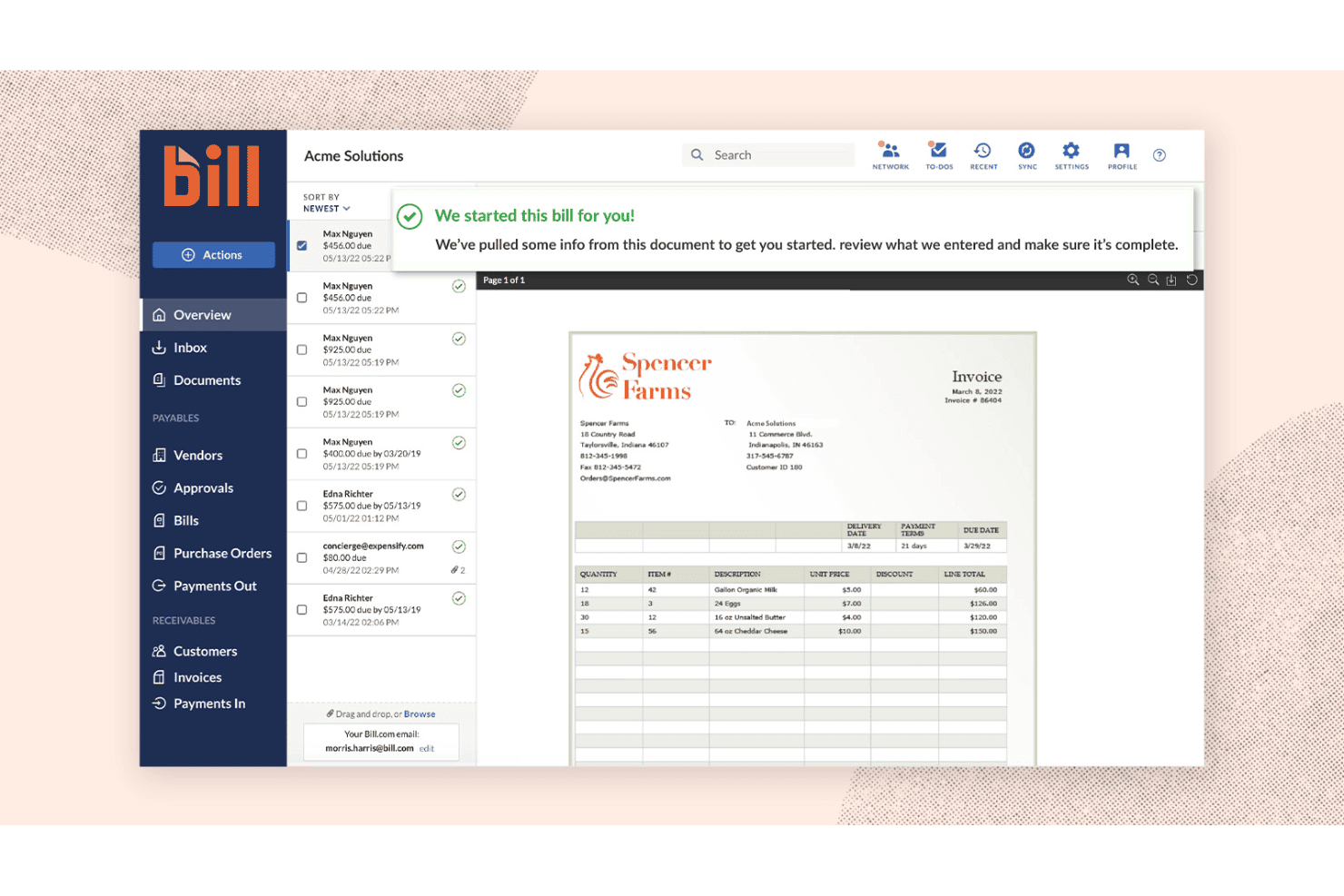
Automated Invoice Capture
Automatically extracts invoice details using OCR and AI-powered data recognition. This reduces manual entry and speeds up accounts payable workflows.
Multi-Level Approval Workflows
Customizable approval routing ensures bills reach the right stakeholders before payment. This helps maintain stronger internal controls and financial accountability.
Digital Audit Trails
Tracks every bill change and approval with time-stamped records. You always know who did what and when.
ACH and International Payments
You can pay vendors through ACH, checks, virtual cards, or international transfers from one platform, which simplifies domestic and global payment operations. BILL supports international payments across more than 130 countries.
Vendor and Document Management
Stores vendor details, W-9s, invoices, and supporting documents in one place. Makes onboarding, compliance, and audit preparation easier to manage.
Accounting Software Synchronization
Automatically syncs payment, invoice, and expense data with major accounting systems. Reduces reconciliation work and keeps financial records accurate.
Corporate Cards and Spend Controls
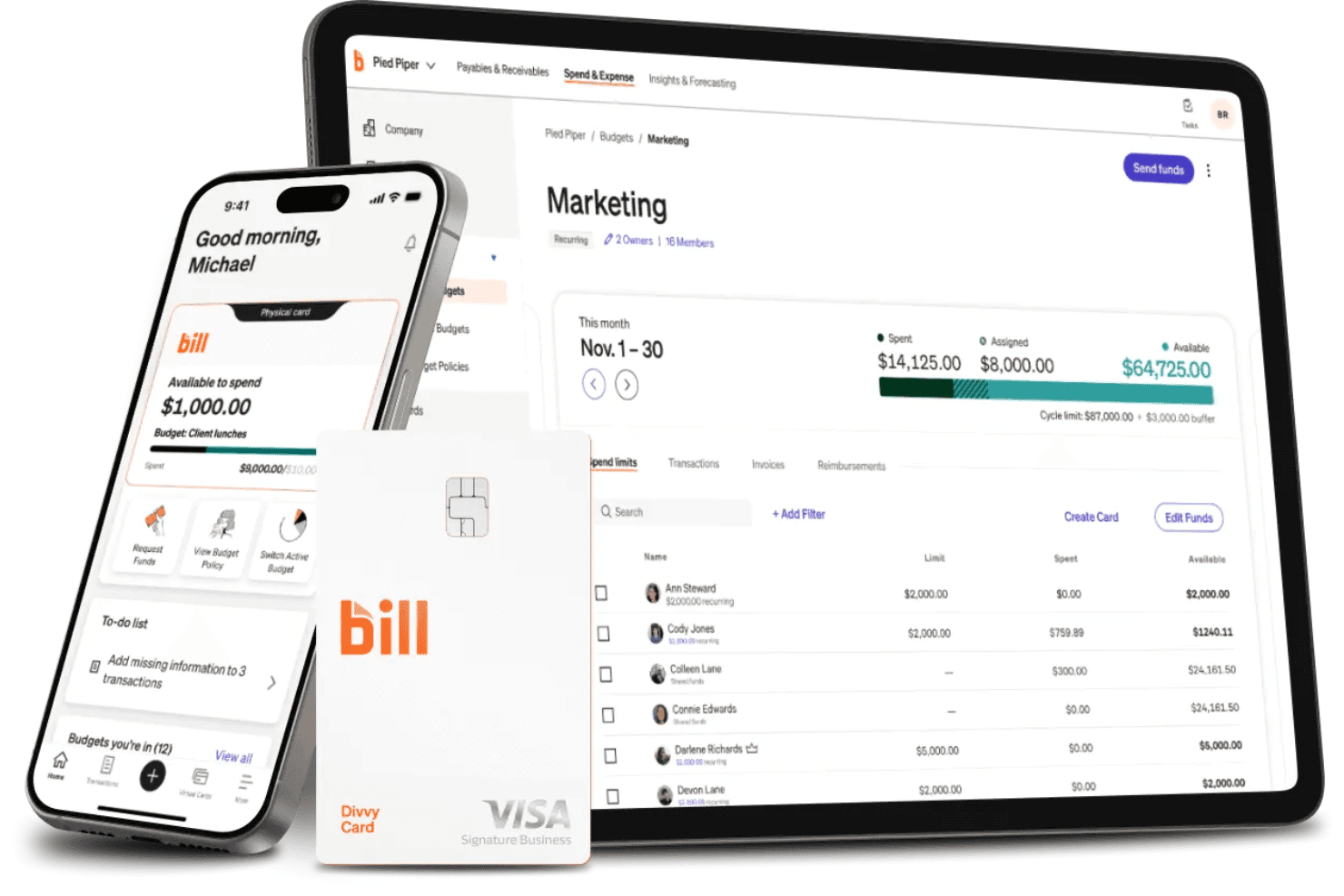
BILL Spend & Expense combines corporate cards, virtual cards, budgeting, and real-time spend controls in one centralized workflow. Teams can issue employee cards with built-in policies, approval flows, merchant restrictions, and automated receipt capture while maintaining full visibility into company spending.
Standout Features
Unified AP, AR, and Spend Management
Combines payables, receivables, expense management, and corporate card workflows in one platform, giving your finance team centralized control over financial operations.
AI-Powered Financial Automation
BILL uses AI-powered agents like the Invoice Coding Agent, W-9 Agent, and Transaction Agent to automate tasks such as invoice coding, vendor onboarding, receipt matching, transaction categorization, and fraud detection.
Travel Management
Extends the platform into business travel management with built-in booking, policy enforcement, travel budgets, automated receipt syncing, and centralized travel expense reporting.
Rewards and Cash Flow Management
BILL combines corporate cards, rewards, and payment flexibility to help businesses improve cash flow management. Businesses can earn cash back, statement credits, gift cards, and accelerated rewards based on repayment frequency while also extending cash flow through card-funded vendor payments and Pay By Card functionality.
Ease of Use
I find BILL relatively easy to navigate, with clean dashboards and straightforward workflows that simplify approvals, payments, and invoice management. Many users praise how approachable the automation tools feel, especially for day-to-day AP and AR tasks, though more complex ERP syncs and approval configurations can require extra setup effort. Its centralized workflows and real-time payment visibility help finance teams stay organized without adding unnecessary complexity.
Onboarding
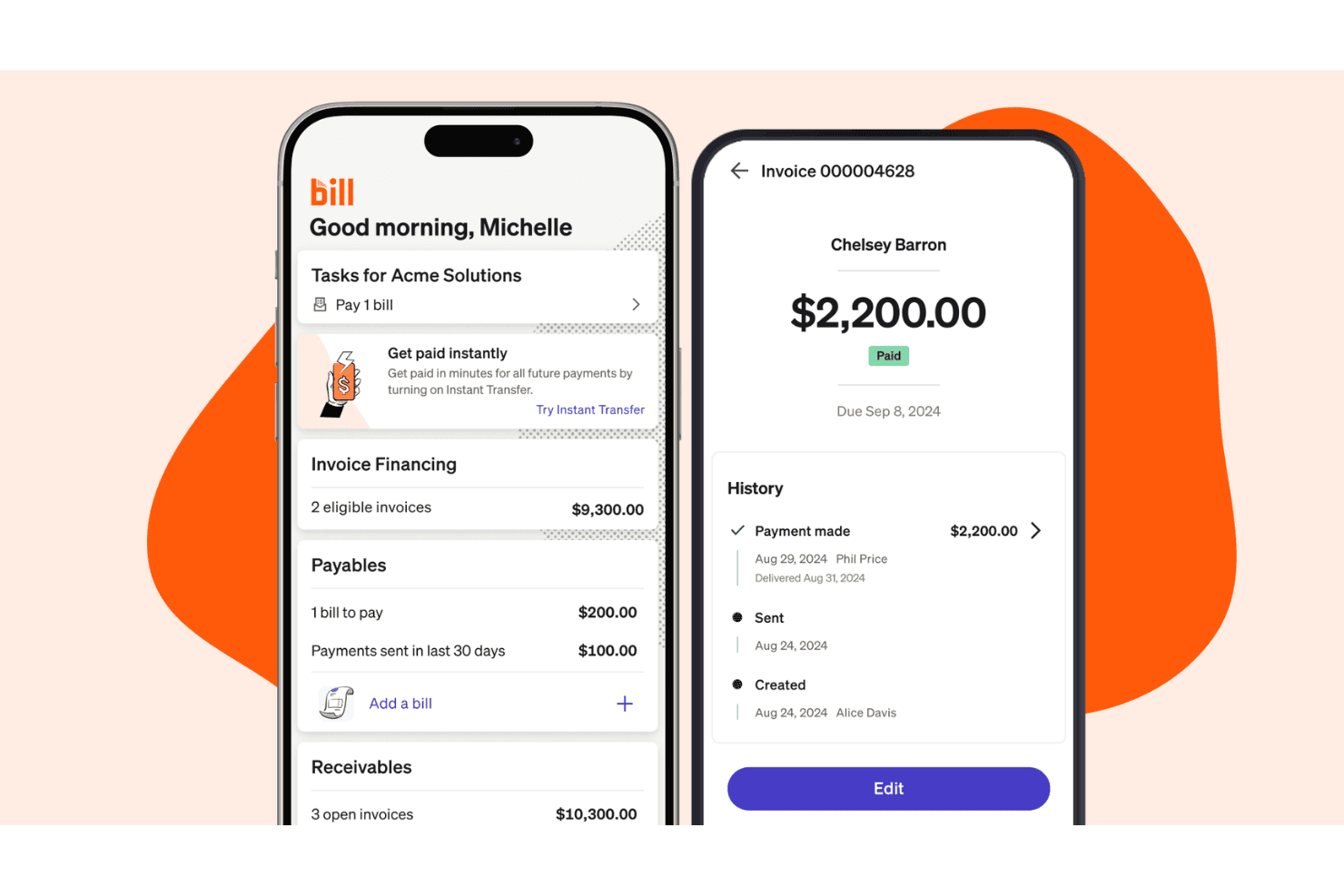
I find BILL’s onboarding process approachable for small and mid-sized businesses with straightforward accounting workflows. The platform takes a self-serve-first approach, but also offers welcome sessions, implementation guidance, webinars, live chat, and phone support for teams that need additional help. Basic QuickBooks or Xero setups can move quickly, while more complex ERP integrations, approval structures, banking verification, or multi-entity enterprise configurations may require extra setup time and guided support.
Customer Support
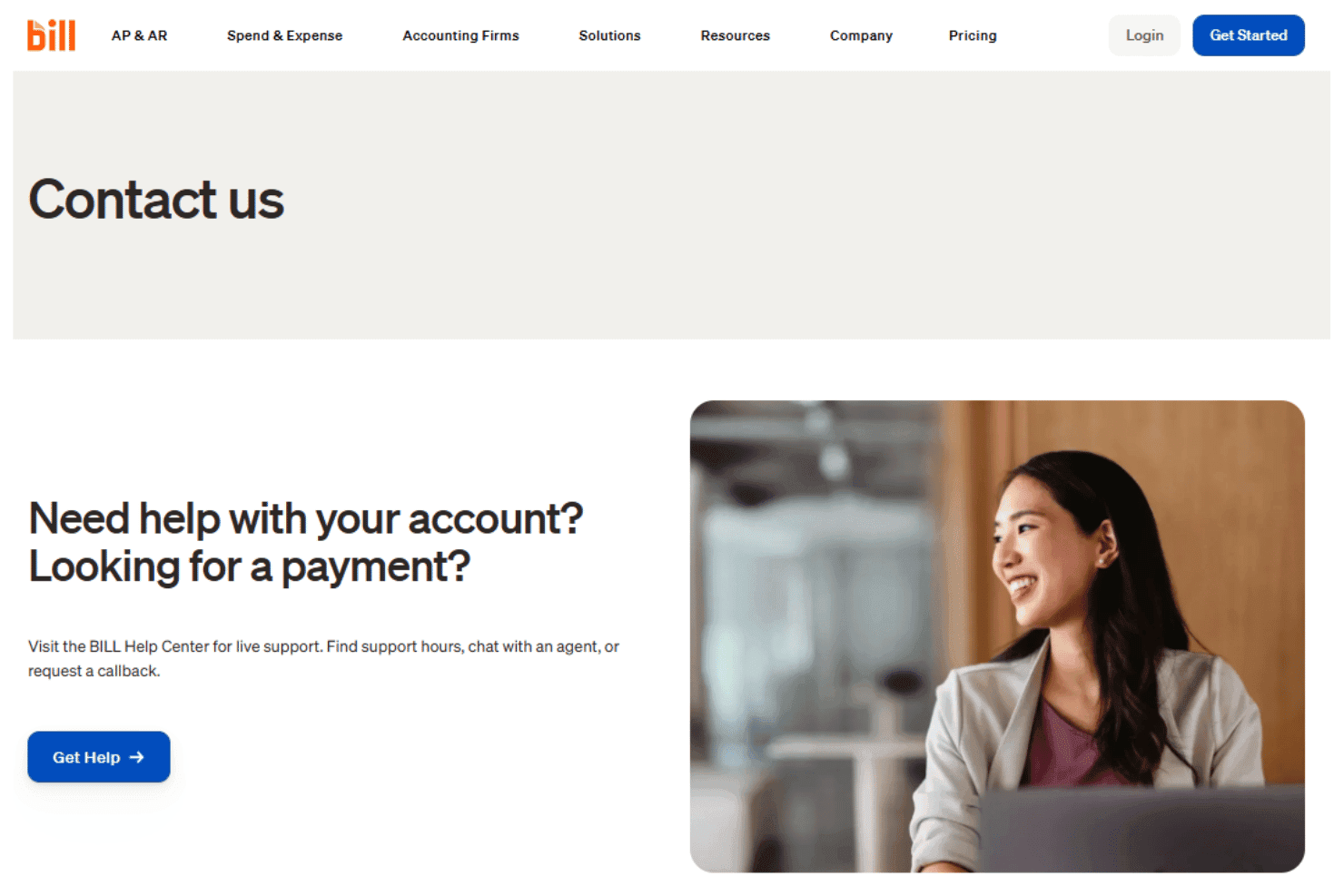
BILL offers a strong mix of support resources, including live chat, phone support, onboarding sessions, webinars, and a detailed help center. Many users appreciate the responsiveness of the support team for everyday questions and implementation guidance, especially during onboarding and initial setup. I also like that BILL provides multiple ways to get help depending on your workflow, whether that’s self-service documentation, scheduled onboarding assistance, or direct support from a live representative.
Integrations
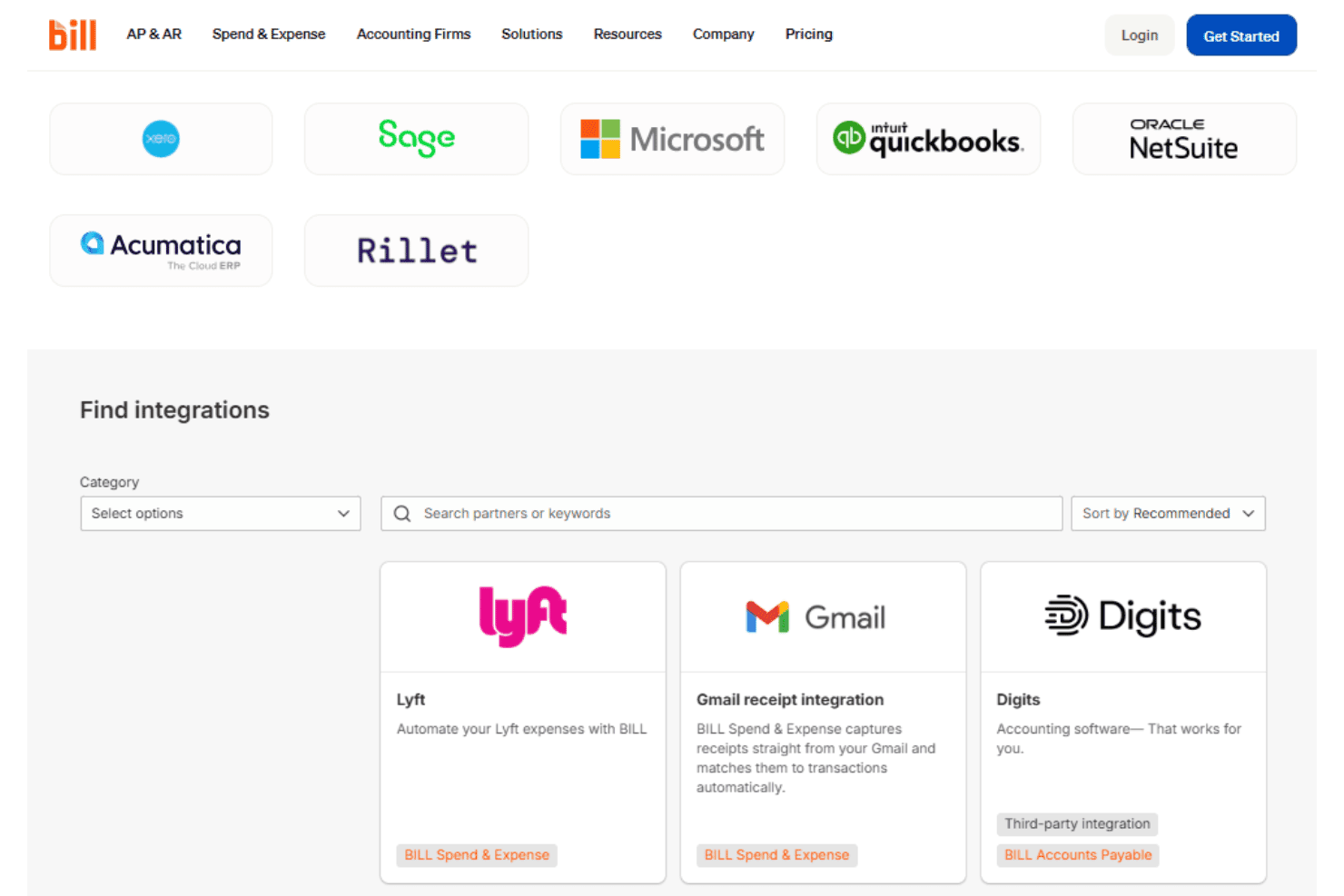
BILL integrates with major accounting platforms including QuickBooks, Xero, Sage Intacct, Oracle NetSuite, Microsoft Dynamics, and Acumatica. The platform also supports integrations with tools like Slack, Gmail, Lyft, and several HRIS systems, helping finance teams connect spend management with broader operational workflows.
For businesses with more advanced requirements, BILL offers an API platform and developer resources for building custom integrations and automations.
Value for Money
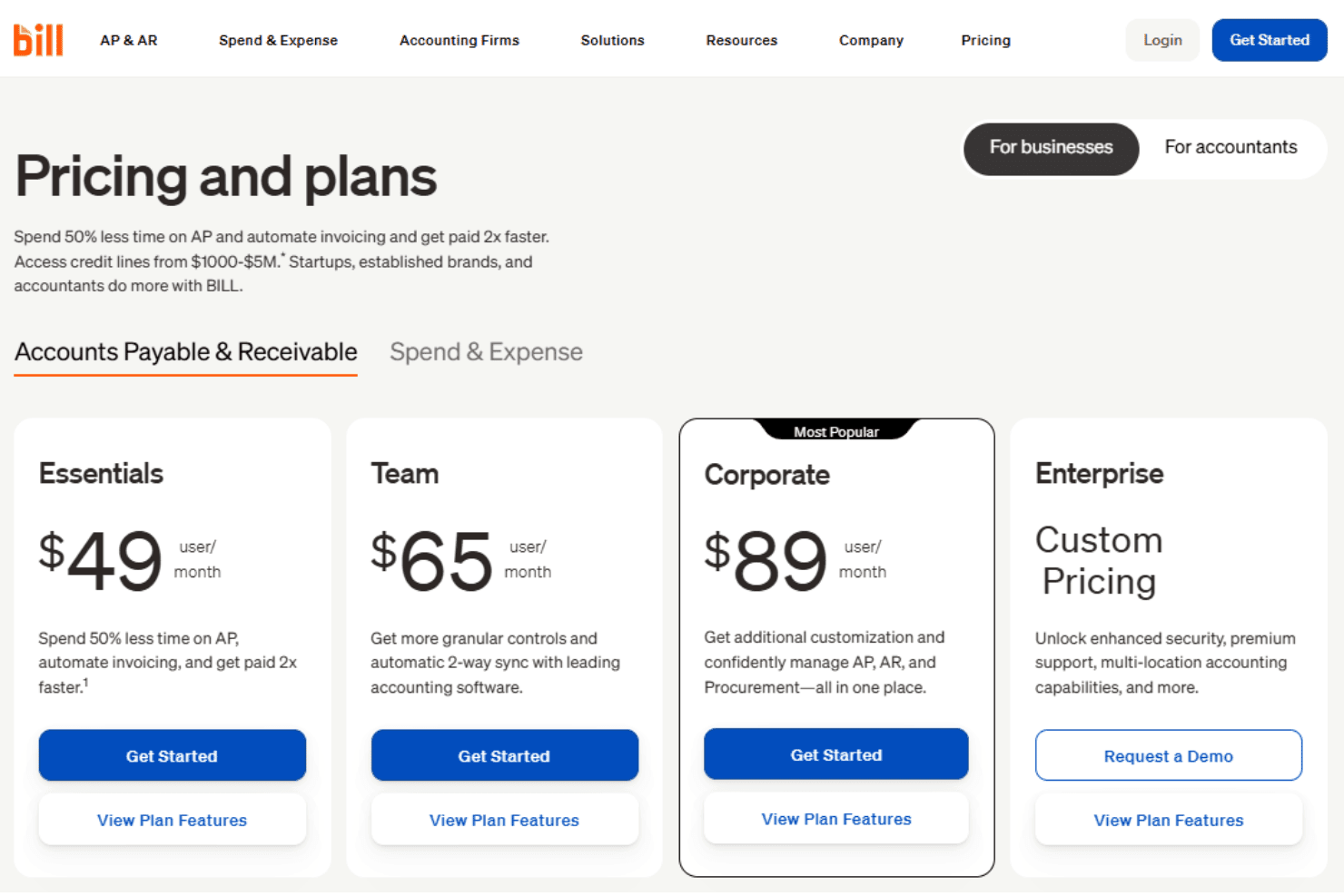
I think BILL offers strong value for finance teams that want to centralize AP, AR, and spend management while reducing manual financial workflows. Its pricing is relatively transparent, with tiered plans that scale alongside your approval controls, integrations, and operational complexity. That said, businesses processing high payment volumes should pay close attention to transaction-based fees for ACH payments, checks, card payments, and international transfers, since those costs can add up over time.
- Essentials: Core AP/AR automation with invoice capture, approvals, payments, and manual accounting imports/exports.
- Team: Adds automatic two-way accounting sync, custom roles, and more granular workflow controls.
- Corporate: Expands customization with advanced approvals, procurement capabilities, and stronger operational controls.
- Enterprise: Custom pricing designed for larger organizations needing multi-entity support, enhanced security, API access, and priority support.
- BILL Spend & Expense: Includes corporate cards, budgeting, expense management, and spend controls without per-user software fees. Payment processing and transaction-based fees may still apply across broader BILL workflows.
BILL Specs
- 2-Factor Authentication: Yes
- Accounts Payable: Yes
- Accounts Receivable: Yes
- API: Yes
- Balance Sheet: No
- Billing/Invoicing: Yes
- BitCoin: No
- Budgeting: Yes
- Calendar Management: No
- Contact Management: No
- CRM Integration: No
- Customer Management: No
- Dashboard: Yes
- Data Export: Yes
- Data Import: Yes
- Data Visualization: Yes
- Expense Tracking: Yes
- External Integrations: Yes
- Forecasting: Yes
- General Account Ledger: No
- Inventory Tracking: No
- Multi-Currency: Yes
- Multi-User: Yes
- Notifications: Yes
- P&L: No
- PayPal: Yes
- Payroll: No
- SAP Integration: No
- Stripe: No
- Supplier Management: Yes
- Tax Management: Yes
BILL FAQs
BILL Company Overview & History
BILL, formerly known as Bill.com, is a cloud-based financial operations company headquartered in San Jose, California. Founded by René Lacerte, BILL serves over 400,000 businesses and partners with leading financial institutions. The company is publicly traded on the NYSE under the ticker BILL and employs more than 2,600 people. BILL has also expanded its reach through acquisitions like Divvy, Invoice2go, and Finmark, strengthening its position in the spend management and financial automation space.
BILL Major Milestones
- 2006: Founded by René Lacerte in Palo Alto, California.
- 2008: Product launched with automated bill payment features.
- 2019: Completed IPO and began trading on NYSE as BILL.
- 2021: Acquired Divvy for $2.5 billion to expand into expense and spend management.
- 2021: Acquired Invoice2go and Finmark, broadening its platform for small business financial solutions.
- 2023: Rebranded from Bill.com to BILL, unifying company identity and suite of products.