

Recensione TaxAct: Pro, Contro, Caratteristiche e Prezzi
TaxAct offre un'interfaccia facile da usare e prezzi competitivi, rendendolo una scelta ideale per chi cerca una dichiarazione dei redditi semplice.

Recensiamo gli strumenti in modo indipendente e le commissioni aiutano a finanziare i nostri test. Consulta la nostra politica sulla trasparenza, la nostra metodologia, oppure suggerisci uno strumento.
TaxAct is a tax software for individuals, freelancers, and small business owners who need to file federal and state returns accurately without paying a premium for extra hand-holding. I'd consider it over TurboTax if you're comfortable working through your own return and want a lower-cost option that still handles complex situations like self-employment income, investment activity, and pass-through deductions without cutting corners on coverage.
TaxAct Evaluation Summary
4.4/5
- From $29.99/filing
- Free plan available
Perché fidarsi dei nostri consigli sui software
6,700+
Reviews
20
Industry experts
16+
Evaluation factors
14
Years
Le nostre recensioni riflettono il nostro giudizio indipendente, non un discorso di vendita. Scopri come manteniamo la trasparenza.
Per questa guida, abbiamo valutato gli strumenti attraverso test pratici e ricerche indipendenti, assegnando un punteggio agli strumenti in base ai nostri criteri di selezione.
Le nostre recensioni riflettono il nostro giudizio editoriale umano, non un discorso di vendita.
TaxAct Overview
TaxAct is a solid choice for those seeking reliable tax software. Its core features are competitive, making it a viable option for individuals and small businesses. The standout features, like its deduction maximizer, provide additional value, although they don't significantly outshine competitors. You'll find its ease of use quite satisfactory, especially if you're familiar with similar platforms.
Onboarding is straightforward, although it may not be the most intuitive for complete beginners. Customer support is commendable, offering timely assistance. Where TaxAct truly shines is in its affordability, striking a balance between comprehensive features and budget-friendly pricing.
However, if you require extensive integrations or advanced functionalities, other options may be more compelling.
Pros
- Easily import data from previous returns
- Provides a comprehensive deduction finder
- Free phone support for all users
Cons
- Interface is less intuitive than some competitors
- Slow during peak tax season
- Lacks some advanced features found in other tax software
Is TaxAct Right For Your Needs?
Who Would be a Good Fit for TaxAct?
TaxAct is ideal for small businesses and independent tax professionals who need a reliable and cost-effective solution for tax preparation. With features like customizable tax planning tools and easy data import options, it simplifies the tax filing process. The software's ability to handle both business and personal tax returns makes it versatile, and its track record of e-filing over 65 million federal returns since 2000 underscores its reliability.
- Small businessesTaxAct's affordable pay-per-return model and customizable tools make it perfect for small businesses managing their own taxes.
- Independent tax professionalsFor professionals and tax service providers handling multiple clients, TaxAct's Client Manager and multi-user networking are invaluable.
- FreelancersFreelancers benefit from TaxAct's flexibility in managing both business and personal tax prep efficiently. Freelancers can use TaxAct to plan the tax aspect of their personal finance, including business and capital gains. It’s also helpful in managing taxes on retirement income for any senior dependents.
- StartupsStartups can take advantage of TaxAct's low-cost e-filing and access to current tax forms to manage tight budgets.
- Accounting departmentsFor accounting teams, TaxAct offers professional templates and report generation to streamline workflow.
- ConsultantsConsultants, tax experts, and CPAs find value in TaxAct's ability to easily import data and track e-filed returns, saving time and effort when filing business and income taxes and offering tax advice to clients.
Who Would be a Bad Fit for TaxAct?
TaxAct might not be the best choice for large corporations or businesses with complex tax needs. If your company requires intricate tax planning and detailed analytics, TaxAct’s offerings might fall short. The software is primarily tailored for individual filers and small- to medium-sized businesses, so if your work involves extensive financial operations or international tax compliance, you may find its capabilities lacking.
- Large corporationsTaxAct lacks the advanced features needed for the extensive tax planning required by large corporations.
- International businessesIf your business deals with international tax compliance, TaxAct’s feature set doesn’t support multi-currency transactions or foreign tax credits efficiently.
- High-volume accounting firmsFirms handling numerous clients with complex tax situations might find TaxAct inadequate due to its limitations in managing large volumes of data.
- Non-profit organizationsTaxAct doesn’t cater well to the specific tax filing needs of nonprofits, such as Form 990 preparation.
- Manufacturing industriesThe software doesn’t offer the specific tax deductions and credits applicable to manufacturing operations.
- Government agenciesTaxAct isn’t designed for the unique tax requirements and regulations that government agencies must adhere to.
Come testiamo e valutiamo gli strumenti
Abbiamo impiegato anni a costruire, perfezionare e migliorare il nostro sistema di test e valutazione dei software. Il nostro schema è progettato per cogliere le sfumature della scelta del software e ciò che rende uno strumento efficace, concentrandosi sugli aspetti critici del processo decisionale. Di seguito puoi vedere esattamente come funzionano i nostri test e le nostre valutazioni in base a sette criteri. Questo ci permette di offrire una valutazione imparziale del software basata su funzionalità di base, caratteristiche distintive, facilità d’uso, onboarding, assistenza clienti, integrazioni, recensioni dei clienti e rapporto qualità-prezzo.
Funzionalità principali (25% del punteggio finale)
Il punto di partenza della nostra valutazione è sempre la funzionalità principale dello strumento. Dispone delle funzionalità base che un utente si aspetterebbe di trovare? Alcune di queste funzionalità sono riservate ai piani a pagamento più elevati? In sostanza, ci aspettiamo che uno strumento sia all’altezza delle capacità minime dei concorrenti.
Caratteristiche distintive (25% del punteggio finale)
Successivamente, valutiamo le caratteristiche distintive che vanno oltre la funzionalità principale normalmente presente negli strumenti di questo tipo. Un punteggio elevato riflette funzionalità specializzate o uniche che rendono il prodotto più rapido, efficiente o offrono valore aggiunto all’utente. Valutiamo inoltre quanto sia semplice integrare il software con altri strumenti tipicamente presenti nello stack tecnologico, per estenderne la funzionalità e l’utilità. Gli strumenti che offrono numerose integrazioni native, connessioni di terze parti e accesso API per creare integrazioni personalizzate ottengono il punteggio migliore.
Facilità d’uso (10% del punteggio finale)
Consideriamo quanto sia rapido e semplice eseguire le attività fondamentali previste dallo strumento. Un software con punteggio elevato è ben progettato, intuitivo da usare, offre app mobile, modelli predefiniti e semplifica operazioni complesse.
Onboarding (10% del punteggio finale)
Sappiamo quanto sia importante l’adozione rapida da parte del team quando si introduce una nuova piattaforma: per questo valutiamo quanto sia facile imparare e utilizzare lo strumento con una formazione minima. Valutiamo la rapidità con cui un membro del team può impostare e iniziare a utilizzare lo strumento senza esperienza pregressa. Le soluzioni con punteggio alto richiedono poco o nessun supporto.
Assistenza clienti (10% del punteggio finale)
Analizziamo quanto sia semplice e veloce ottenere aiuto tramite telefono, live chat o knowledge base. Gli strumenti e le aziende che offrono supporto in tempo reale ottengono i punteggi migliori, mentre i chatbot ricevono i punteggi più bassi.
Recensioni dei clienti (10% del punteggio finale)
Oltre ai nostri test e valutazioni, consideriamo il net promoter score dei clienti attuali e passati. Verifichiamo la probabilità che i clienti scelgano nuovamente lo strumento per le funzionalità di base. Un software con punteggio elevato riflette un net promoter score alto da parte dei clienti vecchi e attuali.
Rapporto qualità-prezzo (10% del punteggio finale)
Infine, considerando tutti gli altri criteri, valutiamo il prezzo medio dei piani base rispetto alle funzionalità principali e agli altri criteri di valutazione. I software che offrono di più, a un costo inferiore, ottengono punteggi migliori.
Core Features
Comprehensive tax forms
With access to all major tax forms, TaxAct ensures you can manage both federal and state taxes efficiently. Whether you're filing a 1040 or dealing with more complex forms, everything's covered.
Deduction and credit maximization
The software helps identify deductions and credits you might qualify for (like child tax credits), potentially increasing your refund. It’s like having a tax advisor who ensures you don’t leave money on the table.
Audit assistance
TaxAct provides audit support tools, helping you understand what to expect if the IRS contacts you. You get peace of mind knowing there’s guidance available during a stressful situation.
Import capabilities
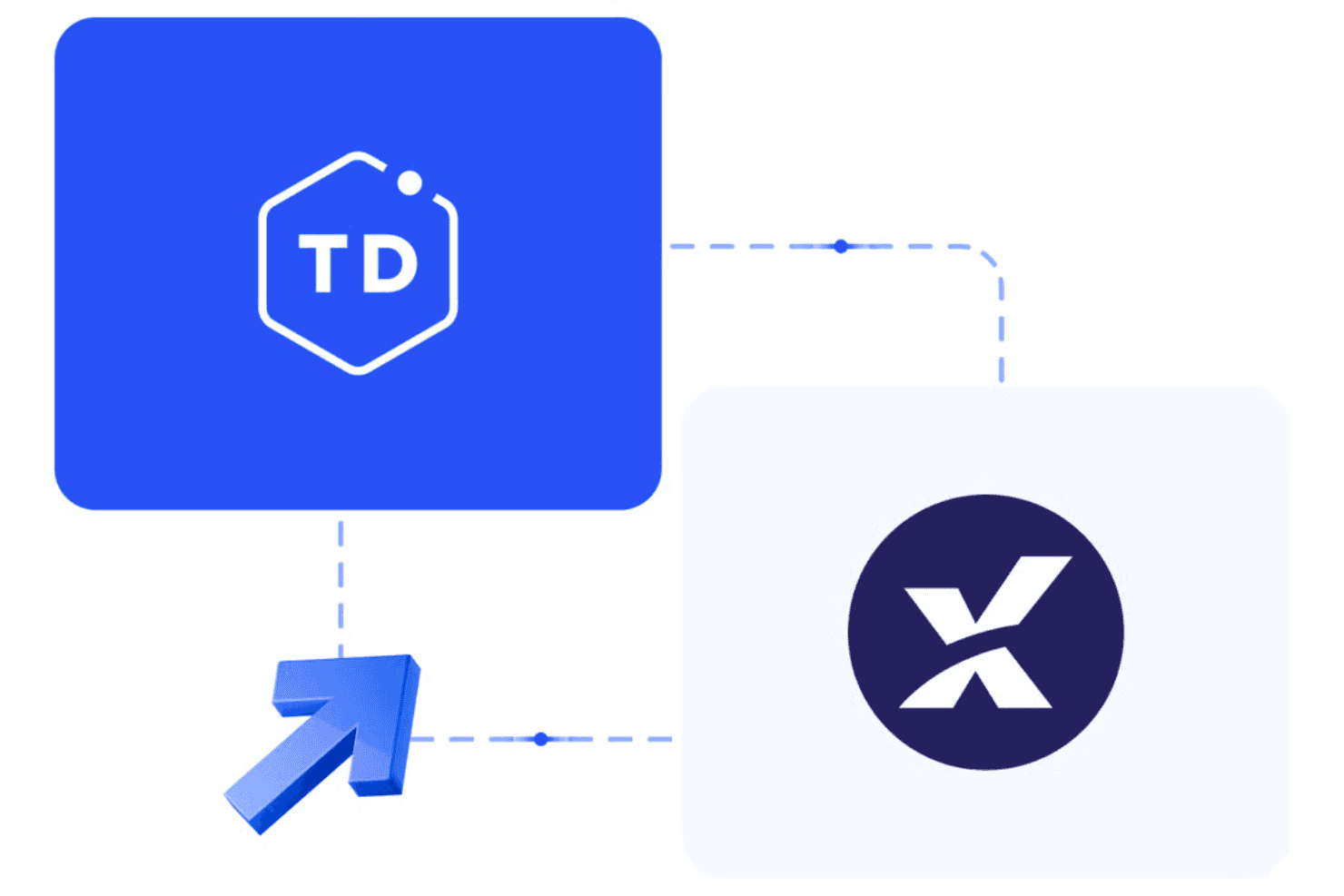
You can import previous tax returns and financial data, simplifying the data entry process. This feature saves you time and minimizes manual entry errors.
Real-time refund status
As you enter your information, see your refund status update in real time. It keeps you informed about how your entries impact your overall tax picture.
Ease of Use
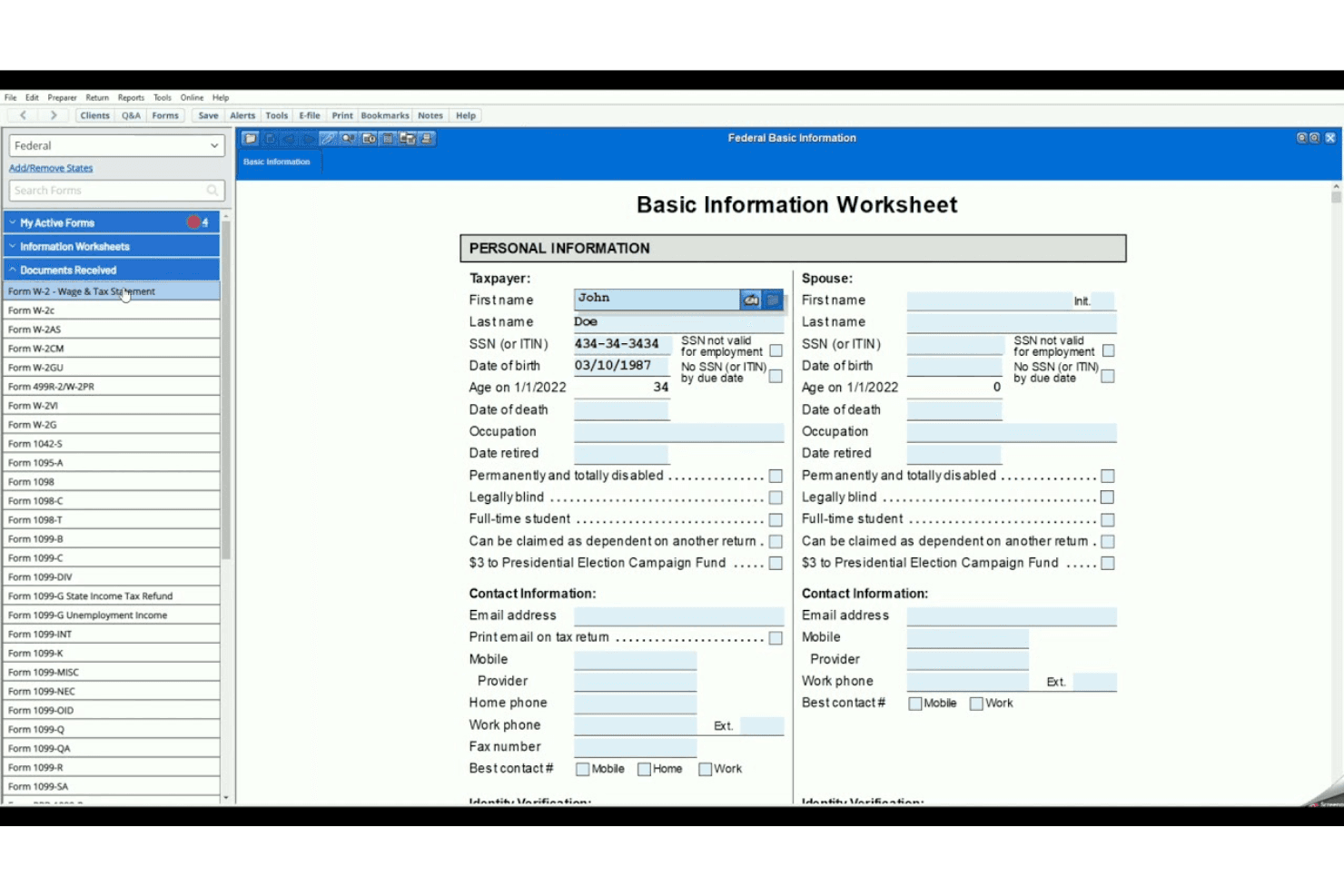
TaxAct is generally user-friendly, making it accessible for most filers. Its straightforward data-entry process and minimal use of tax jargon simplify the experience. You can easily import previous returns and documents, which saves time. The interface is designed to be intuitive, though it lacks some advanced features that competitors offer. Users appreciate the affordability and the option to consult professionals via Xpert Assist. While it doesn't have a mobile app, multi-device access compensates for this limitation.
Integrations
TaxAct offers API solutions to enhance tax preparation efficiency, allowing connections with various third-party tools through cloud applications.
TaxAct Specs
- Accounts Payable: Yes
- Accounts Receivable: Yes
- API: No
- Balance Sheet: Yes
- Billing/Invoicing: Yes
- Budgeting: Yes
- Calendar Management: Yes
- CRM Integration: Yes
- Dashboard: Yes
- Data Export: No
- Data Import: Yes
- Data Visualization: Yes
- Expense Tracking: Yes
- External Integrations: No
- Forecasting: Yes
- General Account Ledger: Yes
- Multi-Currency: Yes
- Multi-User: Yes
- Notifications: No
- P&L: No
- Payroll: No
- Scheduling: Yes
- Tax Management: Yes


