

Recensione di YNAB: Pro, Contro, Caratteristiche e Prezzi
YNAB eccelle nel promuovere la disciplina finanziaria grazie alla sua filosofia di budgeting unica, rendendolo una scelta eccezionale per chi desidera avere il controllo della propria vita finanziaria.

Recensiamo gli strumenti in modo indipendente e le commissioni aiutano a finanziare i nostri test. Consulta la nostra politica sulla trasparenza, la nostra metodologia, oppure suggerisci uno strumento.
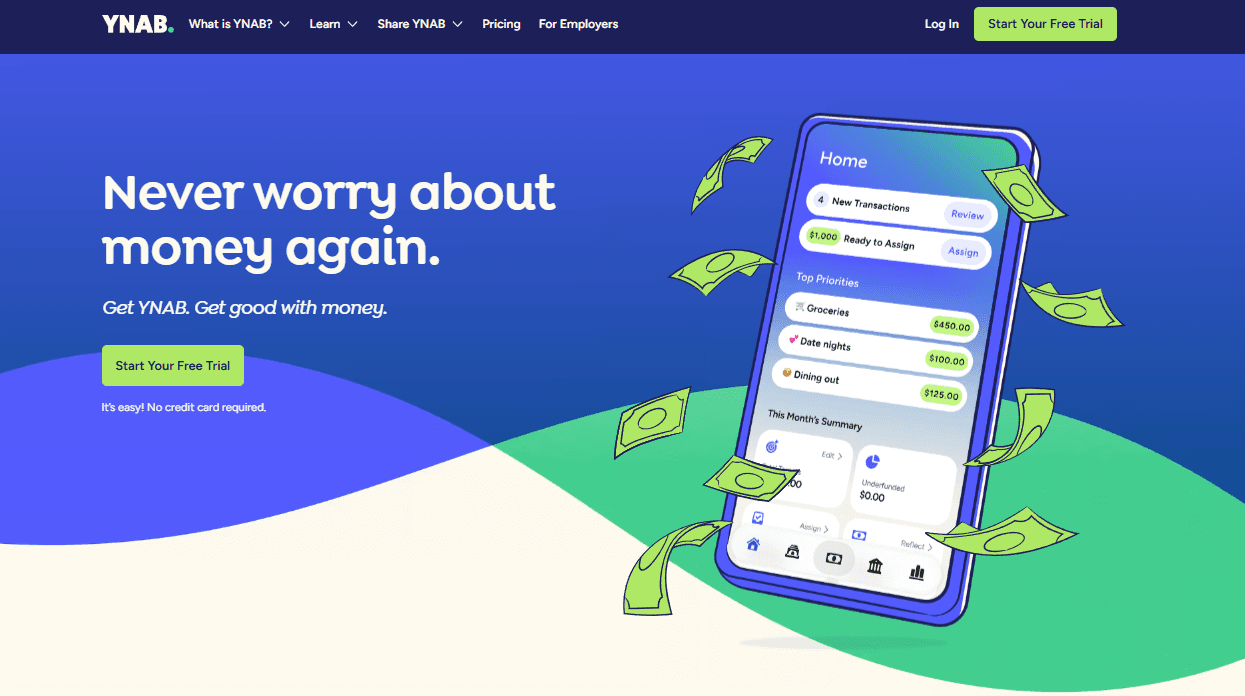
YNAB is a budgeting and planning software built around a zero-based budgeting method, where every dollar gets assigned to a specific category before you spend it. It's worth considering if you want to move from tracking spending after the fact to actively planning ahead. Compared to Monarch Money, which leans toward passive spending tracking and net worth monitoring, YNAB focuses on intentional budget management—making it a stronger fit if you want a tool that changes how you allocate money, not just reports on it.
YNAB Evaluation Summary
4.5/5
- From $14.99/month
- 34-day free trial
Perché fidarsi dei nostri consigli sui software
6,700+
Reviews
20
Industry experts
16+
Evaluation factors
14
Years
Le nostre recensioni riflettono il nostro giudizio indipendente, non un discorso di vendita. Scopri come manteniamo la trasparenza.
Per questa guida, abbiamo valutato gli strumenti attraverso test pratici e ricerche indipendenti, assegnando un punteggio agli strumenti in base ai nostri criteri di selezione.
Le nostre recensioni riflettono il nostro giudizio editoriale umano, non un discorso di vendita.
YNAB Overview
In my opinion, YNAB is a solid choice for budgeting and planning. It excels with its core and standout features, offering a unique envelope budgeting system that helps you manage your finances, including your credit card, savings account, and checking account, by effectively using structured budget categories and planning for true expenses. However, the onboarding process could be more intuitive. Compared to rivals such as Mint or Quicken, YNAB's interface is cleaner, but it lacks some advanced reporting features. Its value for money is decent, though it may not suit everyone due to its subscription model. If your team prioritizes straightforward budgeting tools and real-time financial insights, YNAB works well and is worth considering.
Pros
- You can gain better control over your finances with a clear budgeting framework.
- It helps you prioritize your spending and saving goals effectively.
- The software encourages mindful spending by making you think about each purchase.
Cons
- It may require a learning curve to fully understand its budgeting method.
- Some users may find the manual entry process time-consuming compared to other budgeting apps.
- It lacks some advanced investment-tracking features that others may offer.
Is YNAB Right For Your Needs?
Who Would be a Good Fit for YNAB?
YNAB is ideal for individuals and small businesses focused on personal finance and simple budgeting. If you're looking for a popular budgeting app that emphasizes control over your money with a hands-on approach, the YNAB method is a strong fit. It allows you to allocate funds to specific expenses, helping manage your cash flow and monthly budget effectively. The software’s educational resources and community support are also beneficial for new users, making it an excellent choice for those looking for the best budgeting app to enhance their financial management skills.
- Personal FinanceYNAB is perfect for managing your personal budget, thanks to its envelope system that helps you allocate funds to every expense category.
- Small Business OwnersIf you run a small business, YNAB can help keep your business expenses in check by tracking every dollar that comes in and goes out.
- FreelancersYNAB helps freelancers save money, manage irregular income, and plan for taxes, ensuring you always know where your money is going.
- NonprofitsFor nonprofits, YNAB provides a clear overview of donations and expenses, ensuring funds are used effectively.
- Young AdultsYoung adults and college students can benefit from YNAB's educational resources, which teach essential budgeting skills and financial discipline.
- FamiliesFamilies can use YNAB to manage monthly income, create household budgets, track spending, and save for future goals, all while involving everyone in the financial planning process.
Who Would be a Bad Fit for YNAB?
YNAB isn't ideal for businesses or teams that need comprehensive financial reporting and integration with other financial systems. It lacks advanced features such as time tracking, resource management, and extensive integration capabilities, making it unsuitable for complex financial environments. If your work relies on detailed financial projections or requires integration with other software, YNAB may not meet your needs.
- Large CorporationsYNAB's simplicity makes it a poor choice for large corporations that need complex financial account management.
- Project Management TeamsWithout time tracking or resource management, YNAB won't suit project management needs.
- Accounting DepartmentsYNAB lacks the advanced accounting features needed for detailed financial analysis.
- Financial AnalystsYNAB doesn't offer the in-depth financial reporting that analysts require.
- Retail BusinessesRetailers needing inventory management won't find YNAB suitable.
- Consulting FirmsThe lack of advanced billing and integration features makes YNAB unsuitable for consulting firms.
Come testiamo e valutiamo gli strumenti
Abbiamo impiegato anni a costruire, perfezionare e migliorare il nostro sistema di test e valutazione dei software. Il nostro schema è progettato per cogliere le sfumature della scelta del software e ciò che rende uno strumento efficace, concentrandosi sugli aspetti critici del processo decisionale. Di seguito puoi vedere esattamente come funzionano i nostri test e le nostre valutazioni in base a sette criteri. Questo ci permette di offrire una valutazione imparziale del software basata su funzionalità di base, caratteristiche distintive, facilità d’uso, onboarding, assistenza clienti, integrazioni, recensioni dei clienti e rapporto qualità-prezzo.
Funzionalità principali (25% del punteggio finale)
Il punto di partenza della nostra valutazione è sempre la funzionalità principale dello strumento. Dispone delle funzionalità base che un utente si aspetterebbe di trovare? Alcune di queste funzionalità sono riservate ai piani a pagamento più elevati? In sostanza, ci aspettiamo che uno strumento sia all’altezza delle capacità minime dei concorrenti.
Caratteristiche distintive (25% del punteggio finale)
Successivamente, valutiamo le caratteristiche distintive che vanno oltre la funzionalità principale normalmente presente negli strumenti di questo tipo. Un punteggio elevato riflette funzionalità specializzate o uniche che rendono il prodotto più rapido, efficiente o offrono valore aggiunto all’utente. Valutiamo inoltre quanto sia semplice integrare il software con altri strumenti tipicamente presenti nello stack tecnologico, per estenderne la funzionalità e l’utilità. Gli strumenti che offrono numerose integrazioni native, connessioni di terze parti e accesso API per creare integrazioni personalizzate ottengono il punteggio migliore.
Facilità d’uso (10% del punteggio finale)
Consideriamo quanto sia rapido e semplice eseguire le attività fondamentali previste dallo strumento. Un software con punteggio elevato è ben progettato, intuitivo da usare, offre app mobile, modelli predefiniti e semplifica operazioni complesse.
Onboarding (10% del punteggio finale)
Sappiamo quanto sia importante l’adozione rapida da parte del team quando si introduce una nuova piattaforma: per questo valutiamo quanto sia facile imparare e utilizzare lo strumento con una formazione minima. Valutiamo la rapidità con cui un membro del team può impostare e iniziare a utilizzare lo strumento senza esperienza pregressa. Le soluzioni con punteggio alto richiedono poco o nessun supporto.
Assistenza clienti (10% del punteggio finale)
Analizziamo quanto sia semplice e veloce ottenere aiuto tramite telefono, live chat o knowledge base. Gli strumenti e le aziende che offrono supporto in tempo reale ottengono i punteggi migliori, mentre i chatbot ricevono i punteggi più bassi.
Recensioni dei clienti (10% del punteggio finale)
Oltre ai nostri test e valutazioni, consideriamo il net promoter score dei clienti attuali e passati. Verifichiamo la probabilità che i clienti scelgano nuovamente lo strumento per le funzionalità di base. Un software con punteggio elevato riflette un net promoter score alto da parte dei clienti vecchi e attuali.
Rapporto qualità-prezzo (10% del punteggio finale)
Infine, considerando tutti gli altri criteri, valutiamo il prezzo medio dei piani base rispetto alle funzionalità principali e agli altri criteri di valutazione. I software che offrono di più, a un costo inferiore, ottengono punteggi migliori.
Core Features
Budgeting Methodology: The YNAB method encourages users to allocate every dollar to a specific purpose, helping you to maintain a consistent monthly budget. This promotes proactive financial planning and reduces unnecessary spending.
Real-Time Sync: You can connect multiple devices, including Apple Watches, allowing family members to stay updated on their budget at the same time.
Goal Tracking: You can set and monitor financial goals directly within the app. This helps you visualize progress, motivating you to save more efficiently for things such as vacations or emergency funds.
Debt Payoff Planner: YNAB provides tools to create a comprehensive debt payoff strategy, helping users prioritize and manage their debt repayments. This is valuable if you want to reduce your debt systematically and track your progress over time.
Reports and Visualizations: Access to detailed spending and financial reports helps you understand where your money is going, empowering you to make informed decisions and adjust your budget as needed.
Custom Categories: You can create custom budget categories to fit your unique financial situation. This flexibility allows you to manage your budget according to your personal or family priorities.

Ease of Use
YNAB is generally user-friendly, offering a clean, intuitive interface that simplifies budgeting. Although some appreciate its hands-on approach to managing finances, first-time users may find the learning curve steep due to its unique methodology. The app's design helps you to easily track your expenses and adjust your budget. Compared to other tools, YNAB's focus on proactive planning sets it apart, even if it requires some initial effort to master.

Integrations
YNAB integrates with Plaid, Splitwise, Stripe, Wave, and Undebt.it.
YNAB also provides an API for integrating with third-party tools, enabling developers to create custom applications that interact with the platform's budgeting data. Official integrations include Zapier, with various community-developed third-party tools available.
For more information, refer to the YNAB API documentation.

YNAB Specs
- 2-Factor Authentication: Yes
- Accounts Payable: No
- Accounts Receivable: No
- API: Yes
- Audit Trail: No
- Balance Sheet: No
- Billing/Invoicing: No
- Budgeting: Yes
- Calendar Management: No
- Comparative Reporting: No
- Compliance Tracking: No
- CRM Integration: No
- Custom Reports: No
- Dashboard: Yes
- Dashboards: Yes
- Data Export: Yes
- Data Import: No
- Data Mining: No
- Data Visualization: Yes
- Document Comparison: No
- Expense Tracking: Yes
- External Integrations: Yes
- Financial Analysis: Yes
- Forecasting: No
- General Account Ledger: No
- Multi-Currency: Yes
- Multi-User: Yes
- Notifications: Yes
- P&L: No
- Payroll: No
- Process Reporting: No
- Risk Assessment: No
- SAP Integration: No
- Scenario Planning: No
- Scheduling: No
- Tax Management: No
- Visualization: No
- Workflow Management: No


