

În calitate de director financiar, gestionarea abonamentelor poate fi o provocare. Probabil că trebuie să te ocupi de sisteme complexe de facturare, probleme de conformitate și nevoia constantă de a te adapta la cerințele în schimbare ale pieței. Software-ul de gestionare a abonamentelor este conceput pentru a te ajuta, dar nu toate soluțiile se potrivesc nevoilor tale unice.
Poate că Chargebee nu este potrivit pentru echipa ta. Cauți alternative care să abordeze provocări specifice, cum ar fi asistența pentru plăți internaționale sau o gestionare mai bună a renunțării la abonamente. Din experiența mea, instrumentul potrivit poate face o diferență semnificativă.
În acest articol, îți voi prezenta recenziile mele imparțiale despre cele mai bune alternative la Chargebee. Vei găsi informații despre funcții, prețuri și modul în care fiecare instrument poate rezolva provocările afacerii tale. Să găsim soluția potrivită pentru echipa ta.
Ce este Chargebee?
Chargebee este un software de gestionare a abonamentelor care ajută companiile să automatizeze operațiunile de facturare și venituri. Este utilizat în mod obișnuit de profesioniști din domeniul financiar, contabili și companii bazate pe abonamente pentru a îmbunătăți eficiența facturării și a gestiona relațiile cu clienții. Funcții precum facturarea automată, ciclurile de facturare personalizabile și analizele detaliate contribuie la reducerea muncii manuale și la îmbunătățirea supravegherii financiare. Chargebee oferă valoare prin simplificarea proceselor complexe de facturare și îmbunătățirea acurateței financiare.
Tabel comparativ al alternativelor la Chargebee
Acest tabel comparativ rezumă detaliile privind prețurile pentru principalele mele alternative la Chargebee.
Score legend (out of 5)
- Excellent4.5–5
- Good4–4.4
- Average3–3.9
- Below average2–2.9
- Poor1–1.9
Sorted by: Default
| Tool | Starting Price | Website | |||||||
|---|---|---|---|---|---|---|---|---|---|
Best for complex B2B subscription billing | 4.0 out of 5 | 5 | 4 | 5 | 3 | 4 | 3 | Pricing upon request Free demo available | Book Demo |
Best for guided sales proposal creation | 3.0 out of 5 | 5 | 3 | 4 | 2 | 3 | 1 | Pricing upon request Free demo available | Website |
Best for automated workflows | 3.7 out of 5 | 4 | 4 | 4 | 3 | 3 | 4 | $229/month Free plan + free trial + free demo available | Website |
Best for digital commerce | 3.8 out of 5 | 3 | 4 | 3 | 4 | 4 | 5 | Pricing upon request Free demo available | Website |
Best for SaaS revenue management | 3.5 out of 5 | 2 | 4 | 3 | 4 | 4 | 4 | $0.50 per transaction Free plan + Free demo available | Website |
Best for usage-based billing | 4.3 out of 5 | 5 | 4 | 5 | 4 | 4 | 4 | $599/month Free demo available | Website |
Best for churn reduction | 3.8 out of 5 | 4 | 4 | 3 | 4 | 4 | 4 | Pricing upon request Free demo available | Website |
Best for small businesses | 3.5 out of 5 | 3 | 4 | 3 | 3 | 4 | 4 | $50/month 14-day free trial + demo available | Website |
Best for complex pricing models | 3.8 out of 5 | 5 | 4 | 3 | 3 | 4 | 4 | Pricing upon request Free demo available | Website |
Best for AI-driven insights | 4.2 out of 5 | 5 | 4 | 5 | 4 | 3 | 4 | Pricing upon request Free demo available | Website |


Why Trust Our Software Recommendations
6,700+
Reviews
20
Industry experts
16+
Evaluation factors
14
Years
Our team has been testing and reviewing software since 2012. As finance leaders ourselves, we know how difficult—and important—it is to choose the right software.
For this guide, we evaluated tools using hands-on testing and independent research, scoring tools using our selection criteria.
Our reviews reflect our human editorial judgment, not a sales pitch.
Recenzii despre cele mai bune alternative la Chargebee
Mai jos sunt rezumatele mele detaliate ale celor mai bune alternative la Chargebee care au ajuns pe lista mea scurtă. Recenziile mele oferă o privire detaliată asupra funcțiilor principale, avantajelor și dezavantajelor, integrărilor și cazurilor de utilizare ideale pentru fiecare instrument, pentru a te ajuta să îl găsești pe cel mai potrivit pentru tine.
 Best for complex B2B subscription billing
- Free demo available
- Pricing upon request
Visit WebsiteCustomer Rating:4.2/5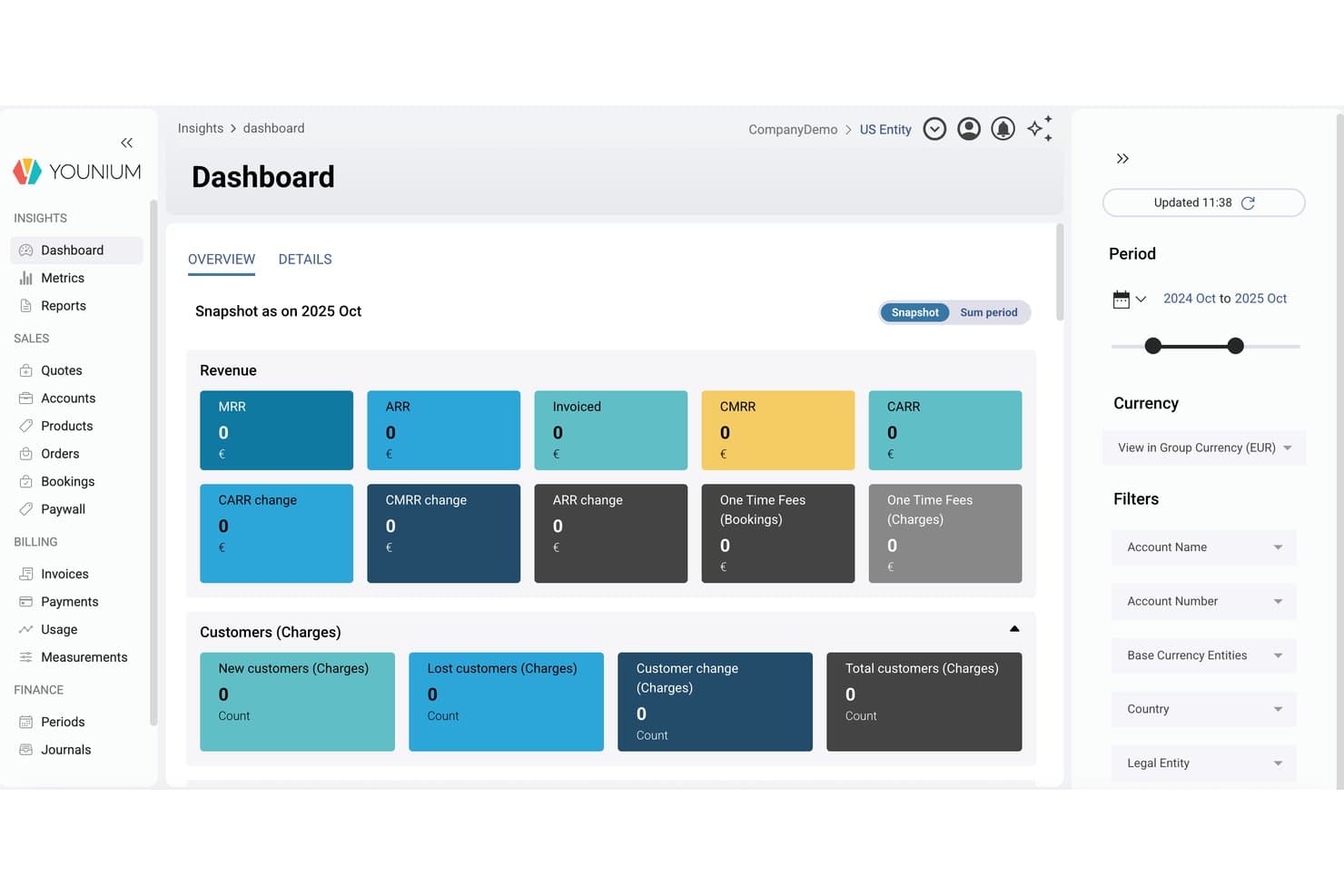
Younium's Insights dashboard showing recurring revenue metrics and customer counts at a glance. Younium is a subscription management and billing platform built for B2B SaaS and technology companies that need to handle complex subscription lifecycles, revenue recognition, and financial reporting in one place.
Who Is Younium Best For?
Younium is a strong fit for B2B SaaS finance teams that need revenue recognition, multi-entity billing, and subscription lifecycle management in one platform.
Why I Picked Younium
Younium earns its spot on my shortlist because its revenue recognition engine is built for the complexity that B2B SaaS billing actually creates. I appreciate that it handles both invoice-based and order-based recognition schedules, tracks deferred and unbilled revenue simultaneously, and generates journal entries ready to sync with NetSuite or Xero. When a mid-term amendment hits, Younium automatically reprices and updates the recognition schedule in one motion, which is exactly the kind of workflow that breaks in simpler tools.
Younium Key Features
- CPQ with built-in approval routing: Creates quotes directly from live subscription data and product catalog, then routes them for conditional approval based on rules like discount thresholds or total contract value.
- Multi-entity billing management: Manages subscriptions, invoices, and financial data across separate legal entities, each with its own base currency and scoped data environment.
- Subscription lifecycle versioning: Records every subscription change with timestamps and version history, keeping a full audit trail of amendments, upgrades, and cancellations.
- Subscription metrics dashboard: Calculates and surfaces SaaS KPIs including MRR, ARR, NRR, churn, ACV, and retention directly from live billing and subscription data.
Younium Integrations
Younium lists 30+ native integrations, including NetSuite, Xero, QuickBooks Online, Salesforce, HubSpot, Stripe, and GoCardless. It also offers REST, Data Export, and Insights APIs, webhooks, and Zapier.
Pros and Cons
Pros:
- CPQ carries approved quotes into billing
- Reviewers praise flexible invoicing and payment visibility
- Revenue schedules support complex B2B contracts
Cons:
- Reviewers report limited reporting detail and confidence
- Reviewers find date-sensitive subscription changes difficult
Learn more about Younium: Best for guided sales proposal creation
- Free demo available
- Pricing upon request
Visit WebsiteCustomer Rating:4.7/5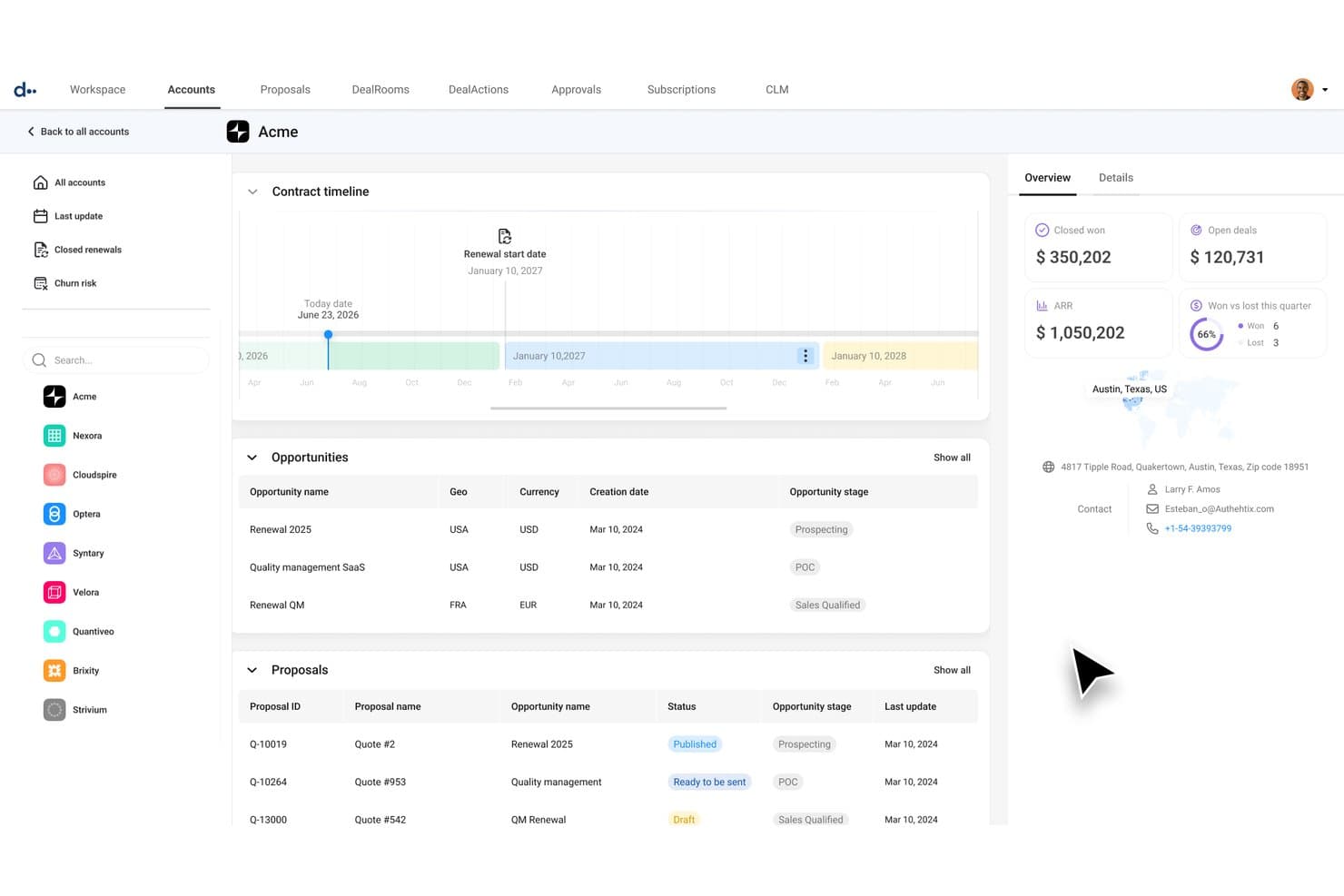
DealHub AI account view showing contract timeline, opportunities, proposals, and deal metrics for a customer. DealHub AI is a quote-to-revenue platform that connects CPQ, subscription management, and billing in one place—making it a strong fit for revenue operations and finance teams that need pricing flexibility, approval governance, and revenue recognition built into the same workflow.
Who Is DealHub AI Best For?
DealHub AI is a strong fit for revenue operations and sales teams that need structured, approval-governed quoting connected to subscription billing and revenue recognition.
Why I Picked DealHub AI
I picked DealHub AI as one of the best because its guided CPQ engine makes it genuinely distinct for teams where proposals go through multiple approval layers before anything gets invoiced. I appreciate how the AI Conversational Quoting agent builds context-aware quotes in natural language while applying pricing rules, discount thresholds, and approval policies automatically. That architecture connects directly to subscription billing, so a sales-led quote doesn't have to be re-entered downstream to trigger invoicing or revenue recognition.
DealHub AI Key Features
- Revenue recognition reporting: Tracks deferred revenue, runs a two-step period close, and syncs recognition data to your ERP as structured journal entries under ASC 606 and IFRS 15.
- Multi-model billing support: Handles recurring, usage-based, tiered, consumption-based, prepaid, and hybrid billing models from a single subscription record.
- Automated dunning and collections: Triggers failed-payment retries, dunning sequences, and accounts receivable workflows directly from subscription billing events.
- Multi-entity and multi-currency billing: Runs invoicing, tax calculations, and payment scheduling across multiple entities, currencies, and languages in one platform.
DealHub AI Integrations
DealHub AI offers native integrations with Salesforce, HubSpot, and Microsoft Dynamics 365, plus integrations with Stripe, Avalara, NetSuite, Sage Intacct, QuickBooks, and Xero. Its headless quote APIs, webhooks, and other API endpoints support custom connectivity.
Pros and Cons
Pros:
- Deferred revenue and period-close controls support finance teams
- Supports complex usage-based and hybrid billing
- Guided quotes apply pricing and approval rules
Cons:
- Reviewers report missed invoice line items
- Payment processor coverage appears limited
Learn more about DealHub AI: Best for automated workflows
- Free plan + free trial + free demo available
- From $229/month
Visit WebsiteCustomer Rating:4.7/5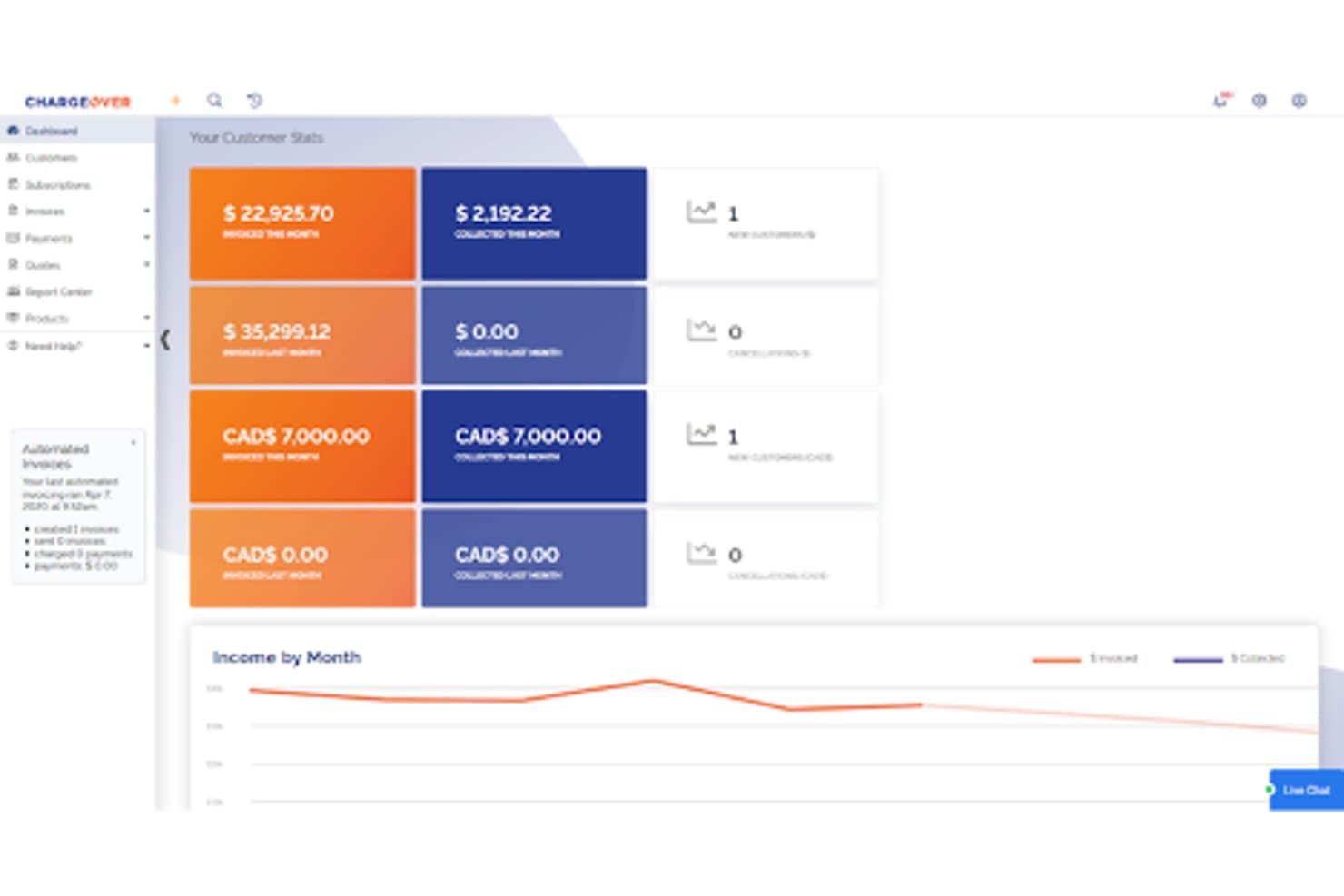
The ChargeOver dashboard displaying customer statistics, invoiced and collected revenue, and monthly income trends. ChargeOver is a recurring billing and payment automation platform built for subscription businesses that need to handle invoicing, collections, and revenue reporting without manual follow-up at every step.
Who Is ChargeOver Best For?
ChargeOver is a strong fit for subscription businesses that want billing, collections, and accounting sync to run without manual intervention at every step.
Why I Picked ChargeOver
I picked ChargeOver because automated workflows are genuinely where it earns its place on this list. Once billing is configured, ChargeOver handles the full collection cycle without manual prompting: it generates invoices on schedule, retries declined payments, fires off dunning emails with payment-update links, and can suspend or cancel subscriptions automatically based on rules you define. I especially like that you can configure dunning actions at the invoice, subscription, or customer level, so a failed ACH payment on an annual contract follows a different path than a declined card on a monthly plan.
ChargeOver Key Features
- ASC 606 revenue recognition: Calculates deferred and recognized revenue using GAAP- and ASC 606-compliant methods, configurable per product.
- Usage-based billing: Accepts metered usage data via REST API or CSV and invoices it alongside flat fees on the next billing date.
- 50+ payment gateway connections: Connects to more than 50 gateways, including Stripe, Adyen, Braintree, and Authorize.net, using your existing merchant account.
- QuickBooks and Xero sync: Automatically syncs customers, invoices, and payments to QuickBooks Online or Xero without manual data entry.
ChargeOver Integrations
ChargeOver offers more than 60 integrations, including QuickBooks Online, QuickBooks Desktop, Xero, Salesforce, HubSpot CRM, Stripe, PayPal, Adyen, and Braintree. It also provides a REST API, webhooks, and Zapier for custom connectivity.
Pros and Cons
Pros:
- Configurable dunning supports targeted follow-ups
- Handles subscriptions alongside usage charges
- Scheduled billing reduces manual collection work
Cons:
- Subscription and contract workflows need manual work
- Reporting filters and scheduled exports feel limited
Learn more about ChargeOver:
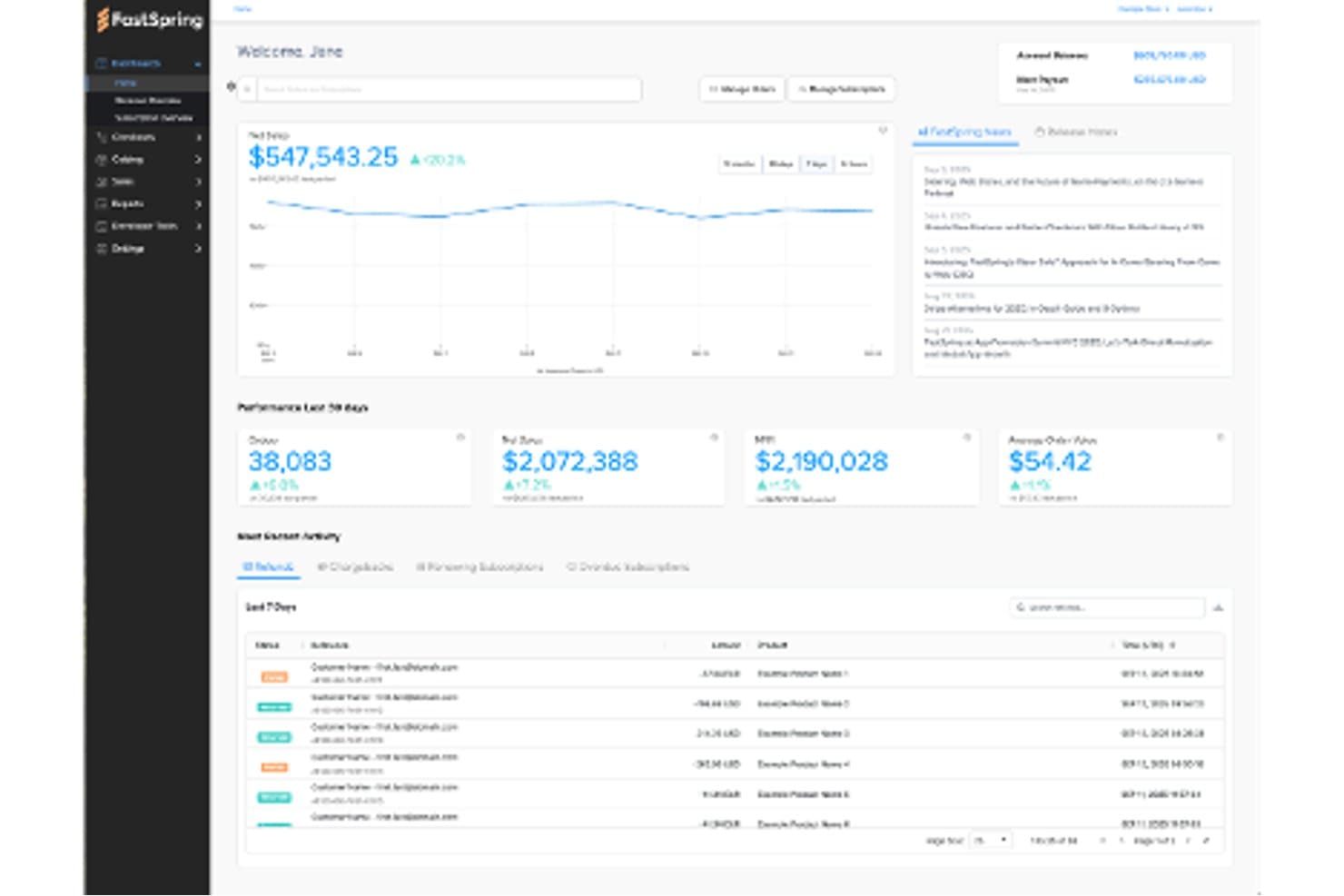
FastSpring merchant dashboard showing revenue, 30-day performance metrics and recent account activity. FastSpring is a merchant-of-record platform built for software and SaaS companies that want to sell globally without managing tax compliance, payment processing, or subscription billing infrastructure themselves.
Who Is FastSpring Best For?
FastSpring is a strong fit for software and SaaS companies that need a single platform to handle global payments, subscription billing, and tax compliance without building that infrastructure themselves.
Why I Picked FastSpring
FastSpring earns its spot on my shortlist because it's a true merchant of record, meaning it takes on the legal and financial responsibility for every transaction your software or SaaS business processes globally. I appreciate how it handles VAT, GST, and sales tax collection and remittance across 200+ regions automatically, so there's no need to register local tax entities as you expand. The built-in subscription lifecycle tools, including mid-cycle proration, smart dunning, and self-service customer portals, cover what most Chargebee users need without requiring a separate payments layer.
FastSpring Key Features
- Embedded and popup checkout: Display a fully branded checkout directly on your webpage or in a modal overlay, with localized currency, language, and payment methods for each buyer's location.
- Interactive B2B quoting: Build configurable quotes with per-unit, volume, or tiered pricing, e-signatures, and direct payment collection through FastSpring IQ.
- Role-based store access: Assign company-wide or store-level roles, including Accountant, Store Administrator, and reporting roles, to control what each team member can view or manage.
- Developer API and webhooks: Access REST and GraphQL APIs for subscriptions, orders, invoices, and reports, with JSON webhooks for real-time event delivery to connected systems.
FastSpring Integrations
FastSpring offers native integrations with HubSpot, Salesforce, Google Analytics, and Google Tag Manager. It also supports REST and GraphQL APIs, webhooks, and Zapier.
Pros and Cons
Pros:
- Automated dunning reduces renewal-recovery work
- Chargebee subscriptions can be imported
- Merchant-of-record handles global tax obligations
Cons:
- No automated usage-event metering pipeline
- Dashboard reporting draws usability complaints
Learn more about FastSpring: Best for SaaS revenue management
- Free plan + Free demo available
- From 5% + $0.50 per transaction
Visit WebsiteCustomer Rating:4.6/5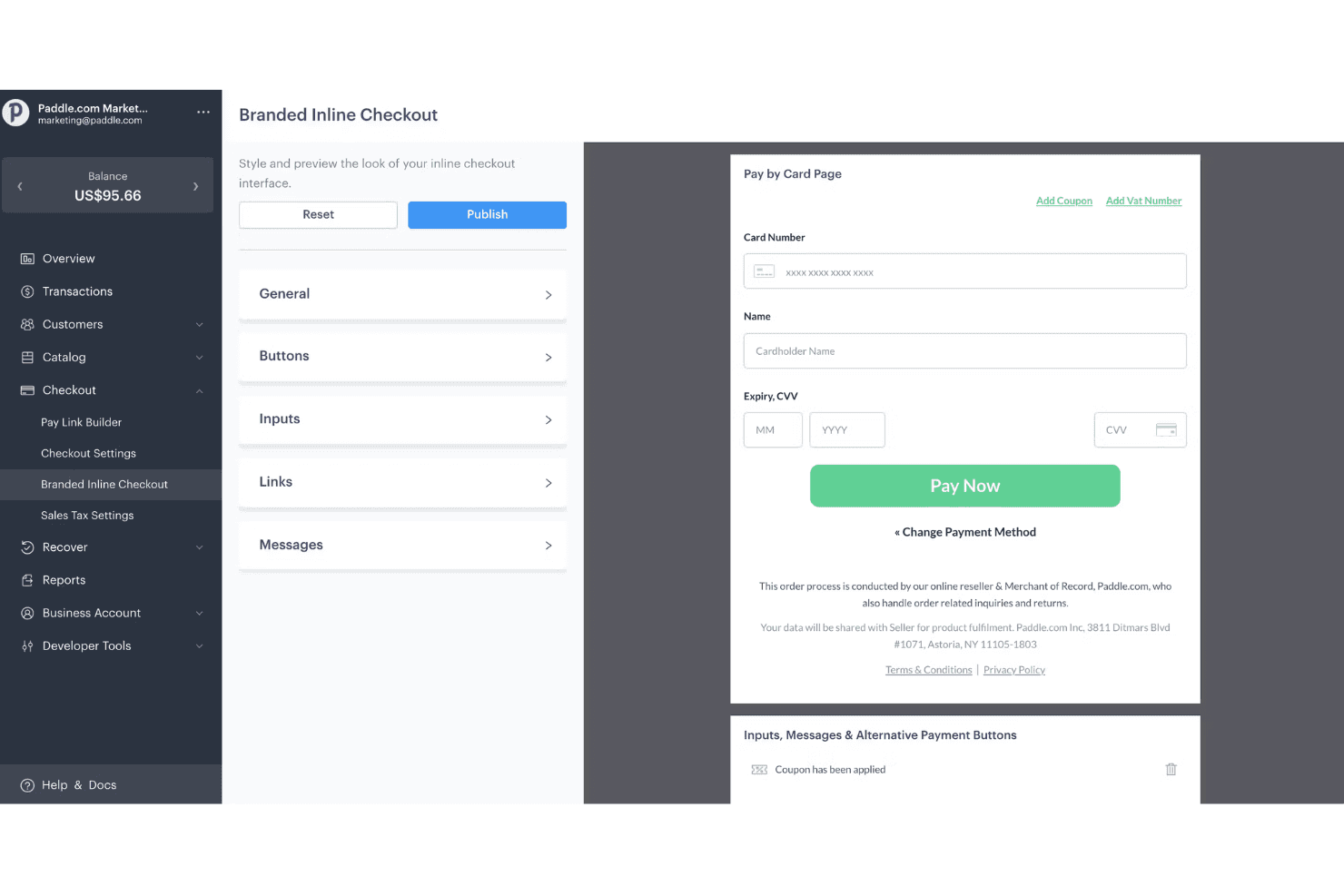
Paddle's Branded Inline Checkout lets merchants style and preview the payment form before publishing. Paddle is a Merchant of Record billing platform built for SaaS businesses that need to manage subscriptions, automate recurring payments, and handle global tax compliance without stitching together separate tools.
Who Is Paddle Best For?
Paddle is a strong fit for SaaS founders and CFOs who want payments, subscriptions, and global tax compliance handled through a single Merchant of Record platform.
Why I Picked Paddle
Paddle earns its spot on my shortlist because it's one of the few platforms that acts as a true Merchant of Record, taking on tax liability, payment processing, and compliance across 180+ countries in a single system. I particularly like that subscription lifecycle management, including proration, pause and reactivate, and self-service plan changes, runs through the same platform that handles global VAT and sales tax remittance. Paddle also offers a structured 12-day migration program from Chargebee, covering setup, testing, and live cutover in parallel, which removes the guesswork from switching.
Paddle Key Features
- Localized checkout: Checkout displays local currencies, languages, and region-specific payment methods based on the buyer's location and device.
- Fraud protection and chargeback management: Paddle screens transactions for fraud, assists with chargeback disputes, and submits evidence to card issuers on your behalf.
- Customer self-service portal: Buyers can update payment details, pause or cancel subscriptions, change quantities, and retrieve invoices without contacting support.
- Sandbox environment: A full-featured test environment mirrors the live account's APIs and features, letting your team build and test integrations without affecting real transactions.
Paddle Integrations
Native integrations are not clearly documented. Paddle provides a RESTful API, SDKs, Paddle.js, and webhooks for custom integrations with accounting, CRM, and revenue recognition systems.
Pros and Cons
Pros:
- Reviewers praise API documentation and setup
- Subscription renewals and prorated changes stay together
- Global tax handling accompanies recurring billing
Cons:
- Reporting dashboards can feel too basic
- Account verification can interrupt seller continuity
Learn more about Paddle: Best for usage-based billing
- Free demo available
- From $599/month (billed annually)
Visit WebsiteCustomer Rating:4.3/5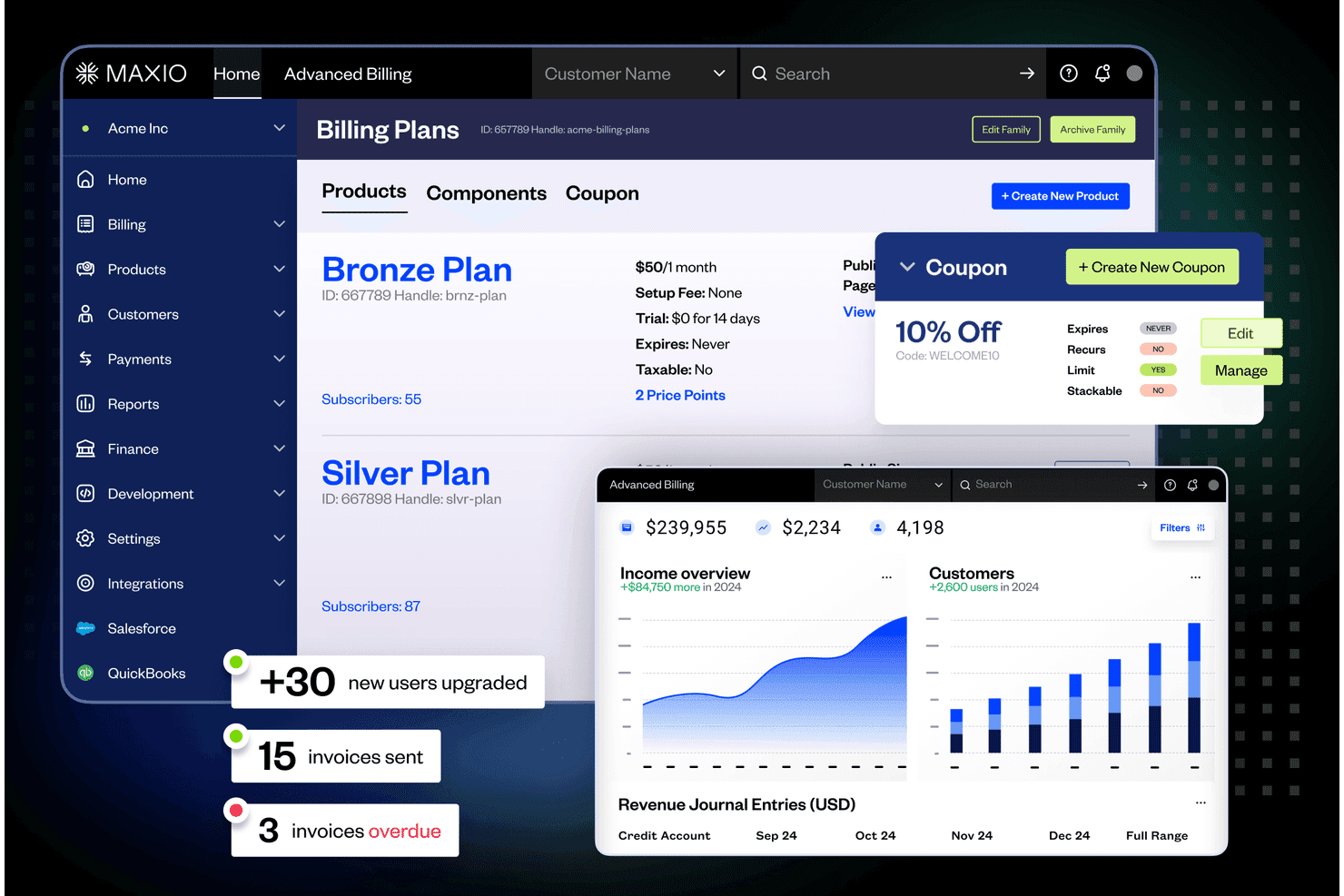
Maxio Advanced Billing lets teams manage subscription plans, coupons, and revenue dashboards in one place. Maxio is a subscription billing and revenue operations platform built for SaaS finance teams that need to handle usage-based pricing, automate revenue recognition, and keep billing data in sync with accounting systems like NetSuite and QuickBooks.
Who Is Maxio Best For?
Maxio is a strong fit for SaaS finance teams that bill on consumption or hybrid models and need revenue recognition built into the same platform as billing.
Why I Picked Maxio
I picked Maxio as one of the best because it handles usage-based billing in ways most platforms can't match out of the box. You can stream raw usage events in real time, rate them across multiple pricing dimensions, and combine them with subscriptions, minimum commitments, and overages in a single billing model. I've seen this matter most when a SaaS business charges on seat count plus consumption, since Maxio calculates and invoices both without manual intervention.
Maxio Key Features
- Revenue recognition automation: Maxio generates revenue schedules and waterfall reports automatically, with support for ASC 606 and IFRS 15 compliance across multiple revenue books.
- Configurable dunning workflows: Set up separate retry cadences, communication sequences, and final actions by payment method, plan, or plan family.
- Native accounting integrations: Sync billing data bi-directionally with NetSuite, QuickBooks Online, Xero, and Sage Intacct, including invoices, payments, and journal entries.
- SaaS metrics reporting: Access over 150 subscription and revenue metrics—including ARR, MRR, NDR, and cohort analysis—with drill-down by customer, contract, or product.
Maxio Integrations
Maxio lists 23 native integrations, 52 partner-ecosystem integrations, and 21 payment gateways, including NetSuite, QuickBooks Online, Salesforce, HubSpot, Xero, Sage Intacct, Avalara, and TaxJar. It also offers a REST API, SDKs, webhooks, and Zapier.
Pros and Cons
Pros:
- Configurable dunning adapts retries by payment type
- Built-in revenue recognition reduces reconciliation work
- Automates complex usage and hybrid billing
Cons:
- Reporting filters can make analysis harder
- Historical-data migration can demand substantial effort
Learn more about Maxio:
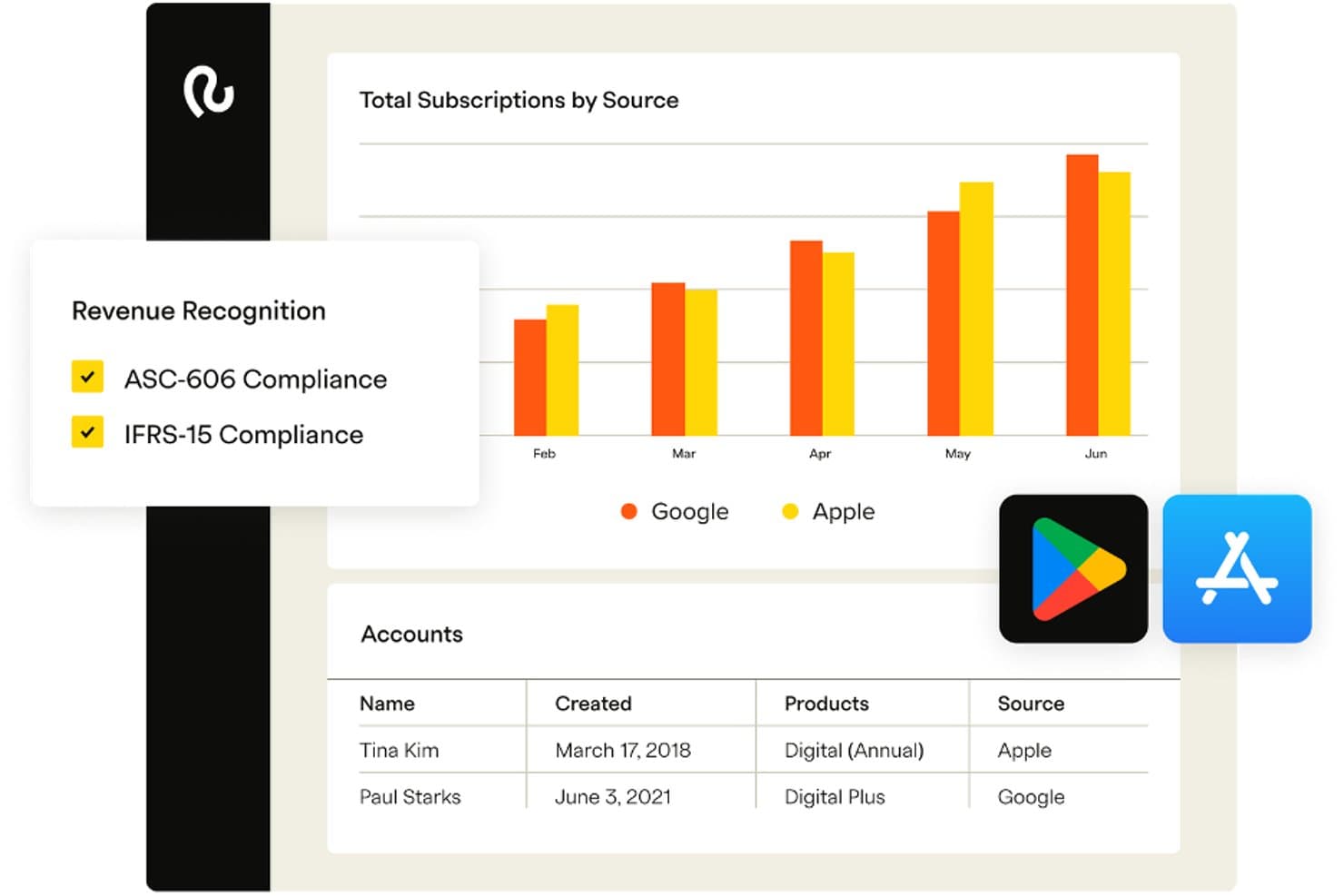
Recurly's dashboard tracks subscriptions by source, such as Google and Apple, alongside account details. Recurly is a subscription billing and recurring revenue platform that handles automated invoicing, flexible pricing models, and failed-payment recovery for SaaS companies, direct-to-consumer subscription businesses, and finance teams managing complex billing operations.
Who Is Recurly Best For?
Recurly is a strong fit for subscription businesses—particularly mid-market SaaS companies and direct-to-consumer brands—that need reliable recurring billing paired with proactive churn recovery tools.
Why I Picked Recurly
I've included Recurly in my top picks because its Intelligent Retries feature is genuinely one of the best involuntary churn recovery tools I've seen: it uses ML-driven retry timing trained on actual decline data to decide exactly when to retry a failed credit card charge, rather than following a fixed schedule. Pair that with an automatic account updater that refreshes expired card details without any manual intervention, and you get a platform that quietly recovers revenue that most billing tools would simply write off.
Recurly Key Features
- Subscription lifecycle management: Administrators can modify plans, prices, quantities, add-ons, and collection methods through the UI or API, with changes taking effect immediately, at the next bill date, or at term renewal.
- Multi-entity support: Multiple business entities can be configured on a single Recurly site, each with its own invoice display, email identity, tax configuration, and analytics.
- Recurly Checkout: A PCI-compliant, hosted checkout experience that auto-detects customer location to display the appropriate language, currency, and payment method.
- Subscription analytics and KPIs: Built-in reporting dashboards surface subscription performance metrics, revenue data, and plan-level insights for financial oversight.
Recurly Integrations
Recurly lists 40+ integrations, including Oracle NetSuite, Xero, Intuit QuickBooks Online, Salesforce, Stripe, Adyen, PayPal, and Worldpay. API v3, client libraries, and mobile SDKs support custom integrations.
Pros and Cons
Pros:
- Reviewers describe recurring billing as reliable
- Reviewers credit dunning with reducing churn
- Intelligent retries tailor failed-payment recovery
Cons:
- Usage corrections exclude volume and stairstep pricing
- Advanced retries require higher-tier access
Learn more about Recurly: Best for small businesses
- 14-day free trial + demo available
- From $50/month
Visit WebsiteCustomer Rating:4.2/5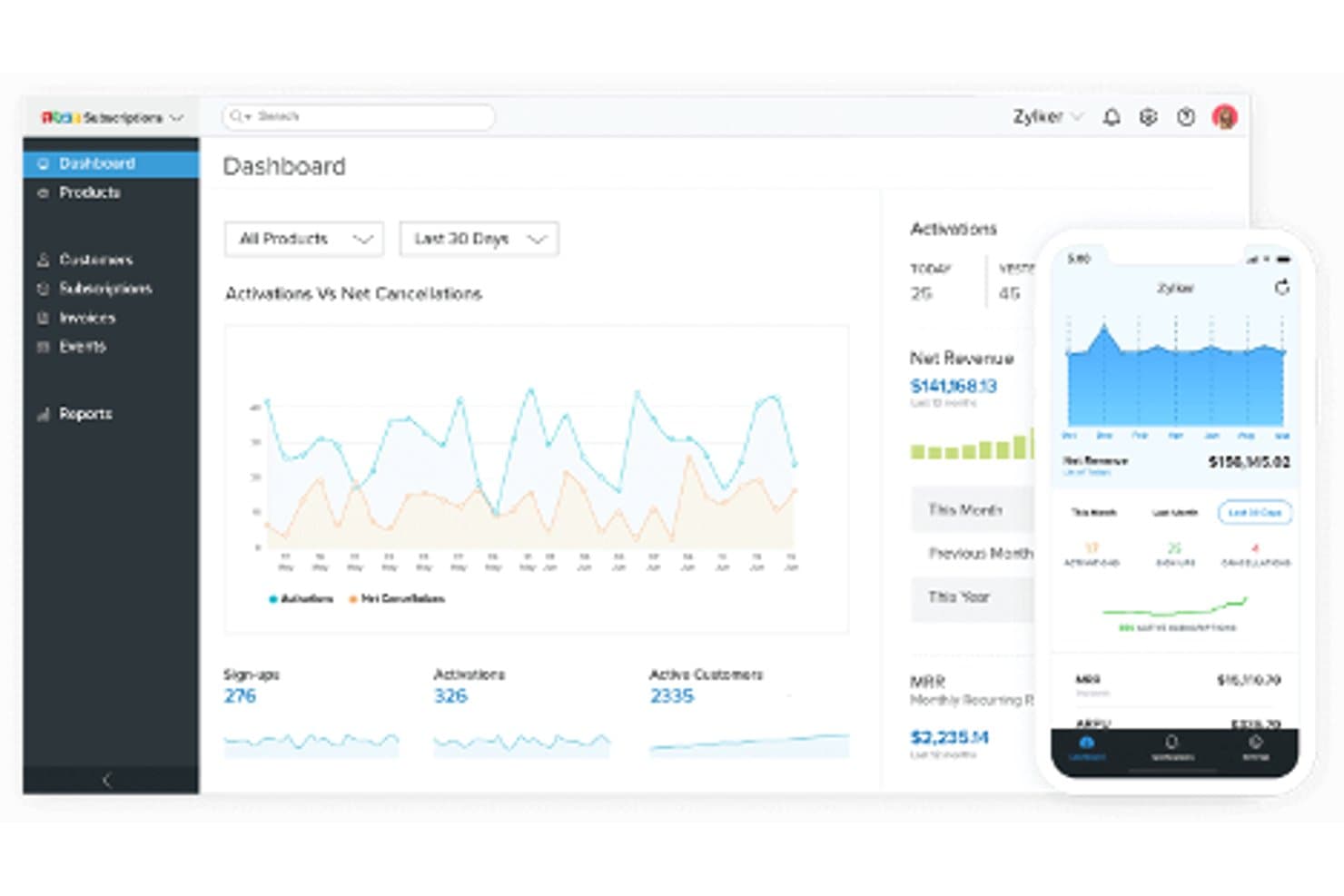
Zoho Billing's subscriptions dashboard tracks activations, cancellations, revenue, and MRR, with a mobile view. Zoho Billing is a subscription and invoicing platform that suits small businesses already in the Zoho ecosystem, handling recurring billing, automated invoicing, payment collection, and dunning from one place.
Who Is Zoho Billing Best For?
Zoho Billing is a strong fit for small businesses already using other Zoho products that want to manage recurring billing and invoicing without paying for a dedicated enterprise billing platform.
Why I Picked Zoho Billing
I've included Zoho Billing in my top picks because it's the most budget-friendly path for small businesses that want Chargebee-level recurring billing without the enterprise price tag. I particularly like how it handles the full subscription lifecycle, covering trials, upgrades, proration, and cancellations, all within one workflow. The bidirectional Zoho Books sync means invoices, payments, and taxes stay reconciled automatically, which removes a real pain point for small finance teams managing billing alongside their books.
Zoho Billing Key Features
- Hosted payment pages: PCI-compliant, branded checkout pages that can be shared as a URL, embedded as an iframe, or added as a QR code or HTML button.
- Customer self-service portal: Lets customers view and accept quotes, manage subscriptions, update payment methods, and access invoices directly.
- Zoho Books bidirectional sync: Automatically syncs invoices, payments, taxes, expenses, and customer records between Zoho Billing and Zoho Books in real time.
- Role-based access controls: Lets administrators create custom roles, assign users, and set permissions to limit access to specific billing data and functions.
Zoho Billing Integrations
Zoho Billing offers native integrations with Zoho Books, Zoho CRM, QuickBooks, Xero, Stripe, PayPal, and GoCardless, plus marketplace integrations with Shopify. It also provides REST APIs, webhooks, Zoho Flow, and Zapier for custom connectivity.
Pros and Cons
Pros:
- Built-in retries prompt payment updates
- Flexible plans cover varied subscription cycles
- Recurring invoices reduce spreadsheet tracking
Cons:
- Chargebee migration excludes subscriptions and payment methods
- Usage renewals need manual line items
Learn more about Zoho Billing: Best for complex pricing models
- Free demo available
- Pricing upon request
Visit WebsiteCustomer Rating:3.8/5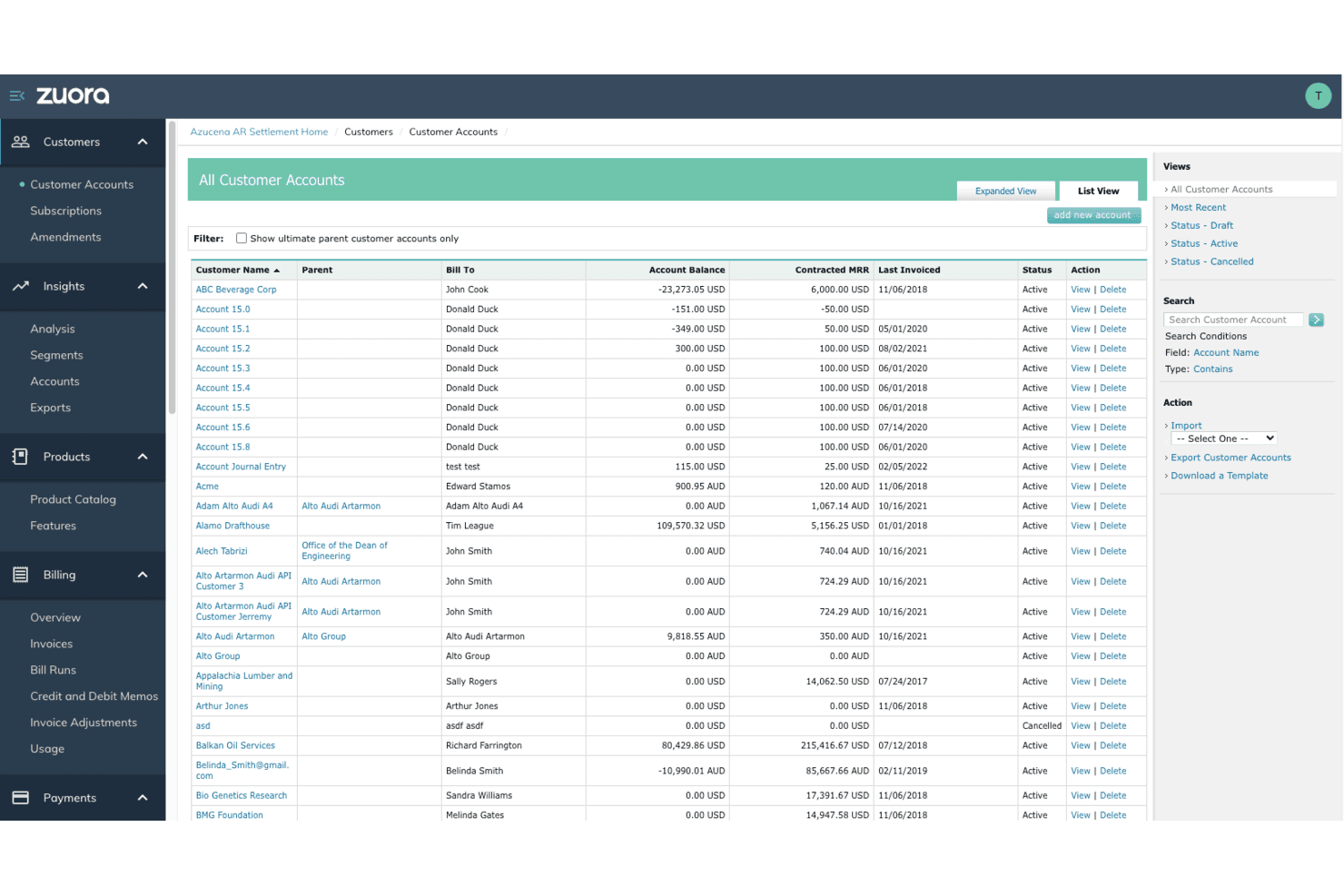
Zuora's All Customer Accounts list view, showing balances, contracted MRR and account status. Zuora is an enterprise subscription billing platform built for finance and revenue operations teams that need to manage sophisticated recurring billing, usage-based pricing, and quote-to-cash workflows at scale.
Who Is Zuora Best For?
Zuora is a strong fit for enterprise finance and revenue operations teams managing sophisticated pricing structures, usage-based billing, and high-volume recurring invoicing at scale.
Why I Picked Zuora
I picked Zuora as one of the best Chargebee alternatives because it handles pricing complexity that Chargebee simply can't match at scale. I'm particularly impressed by its low-code pricing designer, which lets you configure attribute-based pricing, prepaid credits, tiered overages, and hybrid models without engineering support. Its native mediation engine can stream up to 200,000 usage events per second, so when billing is tied to consumption at high volume, Zuora keeps up without workarounds.
Zuora Key Features
- Subscription lifecycle management: Manage upgrades, downgrades, renewals, cancellations, suspensions, and resumptions through the Orders API, with multi-action orders processed atomically.
- Multi-entity support: Run separate billing, payment, and journal operations per entity, each with its own currency, pricing, tax rules, and time zone settings.
- Smart Retry payment recovery: Analyze more than 15 transaction characteristics—including gateway, response code, and account MRR—to optimize retry timing for failed payments.
- NetSuite connector: Sync billing transactions bidirectionally and map subscription revenue-recognition fields directly to NetSuite revenue-recognition templates.
Zuora Integrations
Zuora offers documented pre-built integrations with Salesforce, HubSpot, NetSuite, Workday Financials, SAP, Snowflake, Avalara, Sovos, and 40+ payment gateways. Its APIs, webhooks, and Java, Node.js, Python, and C# SDKs support custom integrations.
Pros and Cons
Pros:
- Subscription changes support complex deal structures
- Automated billing cuts manual invoice work
- Handles complex usage-based pricing at scale
Cons:
- Implementation can demand substantial developer effort
- Cross-entity reporting requires separate reports
Learn more about Zuora: Best for AI-driven insights
- Free demo available
- Pricing upon request
Visit WebsiteCustomer Rating:4.8/5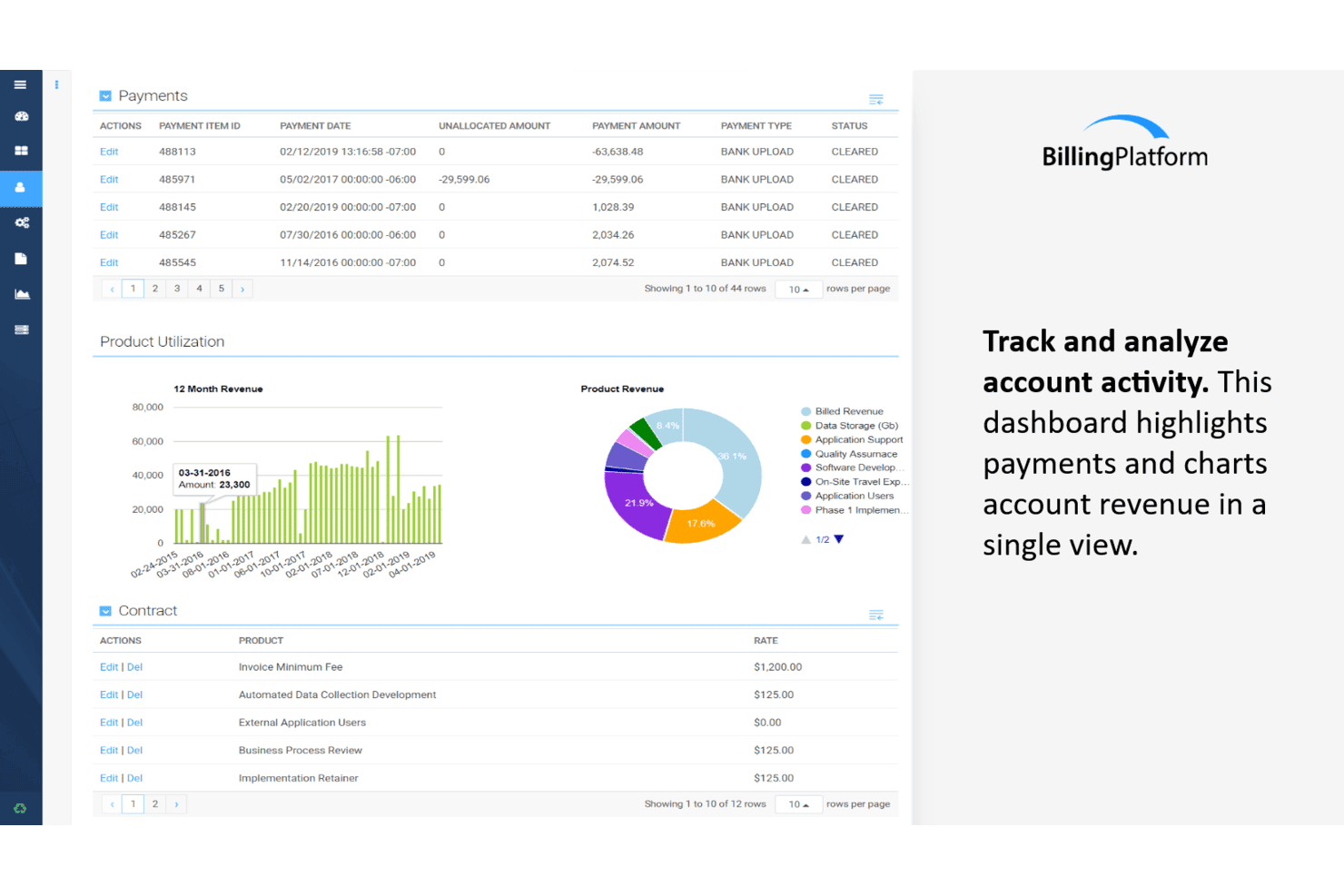
BillingPlatform dashboard summarizing payments, 12-month revenue, product revenue mix and contracts in one view. BillingPlatform is an enterprise billing and revenue management platform built for finance and revenue operations teams that need to handle complex usage-based, hybrid, and subscription pricing models alongside automated invoicing, collections, and ASC 606/IFRS 15-compliant revenue recognition.
Who Is BillingPlatform Best For?
BillingPlatform is a strong fit for enterprise finance and revenue operations teams managing complex, multi-model billing environments that require ASC 606/IFRS 15-compliant revenue recognition at scale.
Why I Picked BillingPlatform
I picked BillingPlatform as one of the best Chargebee alternatives because its AI capabilities go well beyond surface-level dashboards. The Revenue Operations Workspace uses AI to actively flag recognition inconsistencies, classify contract modifications, and recalculate revenue allocation in real time. I especially like that the AI drafts SSP estimates and bundle allocations for controller approval, so your team gets actionable intelligence with built-in controls rather than just raw data to interpret manually.
BillingPlatform Key Features
- Usage metering infrastructure: Collects, normalizes, deduplicates, and validates raw usage data from multiple sources, with event-level traceability across tokens, API calls, compute hours, and data volume.
- Risk-based dunning and smart retries: Segments accounts by payment risk and applies configurable dunning strategies with automated smart retries for failed payments.
- Multi-entity revenue close: Runs independent period close and reporting currencies for each legal entity, with configurable general-ledger mapping and automated journal entries.
- Quote-to-cash via CPQ: Translates quotes into billing using a shared product catalog, with support for subscription and usage-based pricing, approval routing, and electronic acceptance.
BillingPlatform Integrations
BillingPlatform offers marketplace integrations with Salesforce, Oracle NetSuite, Microsoft Dynamics, Stripe, Adyen, GoCardless, and Avalara. REST, bulk extract, and bulk load APIs support custom connections with accounting, CRM, tax, and data systems.
Pros and Cons
Pros:
- Usage reports clarify account-level charges
- Automated invoicing and dunning cut manual work
- Configurable usage pricing handles complex contracts
Cons:
- Invoice closing can slow period-end work
- Implementation can require lengthy expert support
Learn more about BillingPlatform:
Alte alternative la Chargebee
Iată câteva alternative suplimentare la Chargebee care nu au ajuns pe lista mea scurtă, dar merită totuși analizate:
- 11Stripe BillingBest for global payment support
- 12LagoBest for flexible API management
- 13OrbBest for billing cycle flexibility
- 14sticky.ioBest for e-commerce subscriptions
- 15Sage IntacctBest for financial reporting
- 16UniBeeBest for developer flexibility
- 17Stax PaymentsBest for integrated payment processing
- 18AlgunaBest for AI-driven billing insights
- 19Agentforce Revenue ManagementBest for CRM integration
- 20ZoneBillingBest for NetSuite users
Related Reviews
How I Evaluate Chargebee Alternatives
I look for two things in any billing tool: the core capabilities—subscription management, RevRec, dunning—that every platform must nail, and the differentiators that set the best apart.
Core Functionality (Table Stakes For This List)
When I'm selecting tools for my list, I rank each one on a scale from 0 (does not offer the functionality) to 5 (excels in this area) for each core functionality listed below. Then, I calculate the tool's total score into a percentage. Each tool needs to achieve a minimum total score of 65% to be considered for inclusion.
- Subscription Lifecycle Management: I evaluate how each tool handles mid-cycle plan changes, like a customer upgrading from monthly to annual billing with prorated credits applied automatically.
- Recurring Billing & Invoicing: Whether a platform supports hybrid pricing models matters here—think flat-rate base fees combined with metered API usage charges on a single invoice.
- Payment Gateway Integrations: I check how many gateways each tool connects to and whether it supports region-specific payment methods like SEPA direct debit or ACH transfers alongside card processing.
- Revenue Recognition Automation: ASC 606 and IFRS 15 compliance is what I look for, especially around how a platform handles contract modifications and deferred revenue waterfall schedules at month-end.
- Dunning & Payment Retry Logic: Smart retry timing based on decline reason codes is a real differentiator here, along with customizable email sequences that escalate before a subscription lapses.
- Tax & Compliance Automation: I look at whether the tool can calculate and apply the correct VAT, GST, or sales tax rates across jurisdictions automatically, rather than requiring manual tax rule configuration per region.
Once I have a list of tools that meet this criteria, I consider what sets each platform apart.
Differentiating Factors (What Sets Vendors Apart)
Here's how I compare and contrast different vendors:
Standout Features
SaaS metrics dashboards that track MRR, churn, and LTV in real time save finance teams from stitching together spreadsheet exports every month. I also evaluate whether a platform offers quote-to-cash workflows—sales-led deals with custom contracts need approval routing and automated order-to-invoice conversion. A self-service customer portal is another factor I weigh, since letting customers swap plans or update payment details on their own reduces the volume of manual billing requests your team handles.
Beyond Features
ERP and accounting integrations matter a lot here. I check whether a platform syncs journal entries and GL mappings directly into tools like NetSuite or Sage Intacct, since manual reconciliation at month-end is a real pain point. Business model fit is another thing I evaluate—a tool built for B2C subscription boxes may not handle multi-entity B2B billing with custom contracts well. I also look at migration support, because moving subscriber data and billing histories from one platform to another without disrupting active renewals requires dedicated onboarding resources.
De ce să cauți o alternativă la Chargebee?
Deși Chargebee sprijină companiile ca software de gestionare a abonamentelor, există mai multe motive pentru care unii utilizatori caută soluții alternative. Este posibil să cauți o alternativă la Chargebee din următoarele motive:
- Ai nevoie de funcții mai avansate de raportare.
- Echipa ta are nevoie de opțiuni de integrare mai bune.
- Te confrunți cu limitări în ceea ce privește scalabilitatea Chargebee.
- Compania ta are nevoie de un model de prețuri mai flexibil.
- Consideri că interfața Chargebee este prea complexă.
- Regiunea ta geografică nu este acceptată în totalitate.
Dacă te regăsești în oricare dintre aceste situații, ai ajuns în locul potrivit. Lista mea conține mai multe opțiuni de software pentru gestionarea abonamentelor, mai potrivite pentru echipele care se confruntă cu aceste provocări legate de Chargebee și caută soluții alternative.
Funcțiile principale ale Chargebee
Iată câteva dintre funcțiile principale ale Chargebee, pentru a te ajuta să compari ceea ce oferă soluțiile alternative:
- Automatizarea facturării: Automatizează facturarea și raportarea, reducând sarcinile manuale ale echipei tale.
- Gestionarea abonamentelor: Gestionează întregul ciclu de viață al abonamentului, inclusiv prețurile și drepturile de acces.
- Soluții de plată: Oferă suport pentru peste 30 de gateway-uri de plată și automatizează reîncercările pentru plățile eșuate.
- Fidelizarea clienților: Oferă instrumente pentru a prezice renunțarea la abonamente și a îmbunătăți interacțiunea cu clienții.
- Recunoașterea veniturilor: Asigură conformitatea cu standardele GAAP pentru raportarea exactă a veniturilor.
- Analiză și raportare: Oferă informații despre facturare și comportamentul clienților pentru a sprijini luarea deciziilor.
- Asistență internațională: Oferă funcții pentru mai multe monede și limbi, destinate tranzacțiilor internaționale.
- Integrări: Oferă peste 60 de integrări pentru a îmbunătăți funcționalitatea și a se conecta cu alte instrumente.
- Securitate și conformitate: Asigură certificarea PCI-DSS de nivel 1 pentru procesarea securizată a plăților.
- Soluții pentru finalizarea plății: Includ funcții precum finalizarea plății de pe dispozitive mobile și portaluri cu autoservire pentru confortul clienților.