

Avalara-recension: fördelar, nackdelar, funktioner och priser
Avalara utmärker sig genom att automatisera skatteefterlevnad och ge ditt team en pålitlig lösning som förenklar komplexa skatteberäkningar och rapportering.

We review tools independently, and commissions help fund our testing. See our transparency policy, our methodology, or suggest a tool.
Avalara is tax software built for businesses that need to automate sales tax, VAT, and excise tax calculations across multiple jurisdictions. If your organization sells across state or country lines, manual compliance gets complicated fast. I'd consider Avalara over TaxJar when your tax obligations span many jurisdictions or include international VAT, since Avalara's filing coverage and compliance automation go significantly deeper than what TaxJar can handle at scale.
Avalara Evaluation Summary
4/5
- Pricing upon request
- Free demo available
Varför du kan lita på våra programvarurekommendationer
6,700+
Reviews
20
Industry experts
16+
Evaluation factors
14
Years
Våra recensioner speglar vårt oberoende omdöme — inte ett säljbudskap. Läs mer om hur vi förblir transparenta.
För den här guiden utvärderade vi verktyg genom praktisk testning och oberoende research, och betygsatte verktygen enligt våra urvalskriterier.
Våra recensioner speglar vårt mänskliga redaktionella omdöme, inte ett säljbudskap.
Avalara Overview
In my opinion, Avalara is a solid choice for businesses needing reliable tax compliance solutions. It excels with its automation capabilities, making tax calculations and reporting easier. While some users find the onboarding a bit challenging, the overall ease of use and integration with other tools make up for it. Compared to others, Avalara's standout features and customer support may not be top-tier, but the software still offers good value for money. It's well-suited for e-commerce and retail businesses that handle complex tax scenarios. If your team values automation and accuracy, Avalara should be on your shortlist.
Pros
- Avalara automates complex tax calculations, saving your team time and resources.
- It provides accurate tax compliance, reducing manual errors in your work.
- Avalara simplifies reporting, making it easier for your team to manage tax obligations.
Cons
- Some users find the onboarding process challenging.
- Avalara's customer support might not meet all your expectations.
- The user interface could be more intuitive for your work.
Is Avalara Right For Your Needs?
Who Would be a Good Fit for Avalara?
Avalara is an excellent fit for e-commerce businesses and retail chains that handle complex tax scenarios. It automates tax calculations, making your work easier and more accurate. Finance departments and accounting teams benefit from its accurate compliance features, reducing manual errors. If your team struggles with time-consuming tax reporting, Avalara’s streamlined process can save businesses of all sizes time and headaches.
- E-commerce BusinessesAvalara tax and compliance automates tax calculations for multiple jurisdictions, saving your team time and reducing errors.
- Retail ChainsYour retail operations will benefit from Avalara’s accurate sales tax calculations across different locations.
- Finance DepartmentsAvalara simplifies tax compliance, making your department’s reporting more efficient and accurate.
- Accounting TeamsAccount managers can focus on more strategic tasks and reduce manual errors with Avalara’s automated tax compliance features.
- International CompaniesAvalara handles complex international tax scenarios, helping your business comply with global regulations.
- Manufacturing FirmsYour manufacturing firm can benefit from Avalara’s ability to manage product-specific tax rates and exemptions.
Who Would be a Bad Fit for Avalara?
Avalara might not be a good fit for small businesses with simple tax needs, as its robust features may be unnecessary. If your team doesn’t deal with complex tax scenarios or multiple jurisdictions, the software's capabilities could be too much. Additionally, startups with limited budgets may find the onboarding process and customer support less accommodating, making it more challenging for your team to get the most out of Avalara.
- Small BusinessesYour small business might find Avalara too complex for straightforward tax needs.
- StartupsThe onboarding process may be overwhelming for your startup with limited resources.
- FreelancersIf you’re a freelancer, you likely don’t need Avalara’s advanced tax features.
- Local RetailersYour local store might not benefit from Avalara if you only deal with single-location sales tax.
- NonprofitsNonprofits with specific tax exemptions might find Avalara’s features overly complex for their needs.
- Sole ProprietorsAs a sole proprietor, you probably don’t require Avalara’s extensive tax compliance capabilities.
Core Features
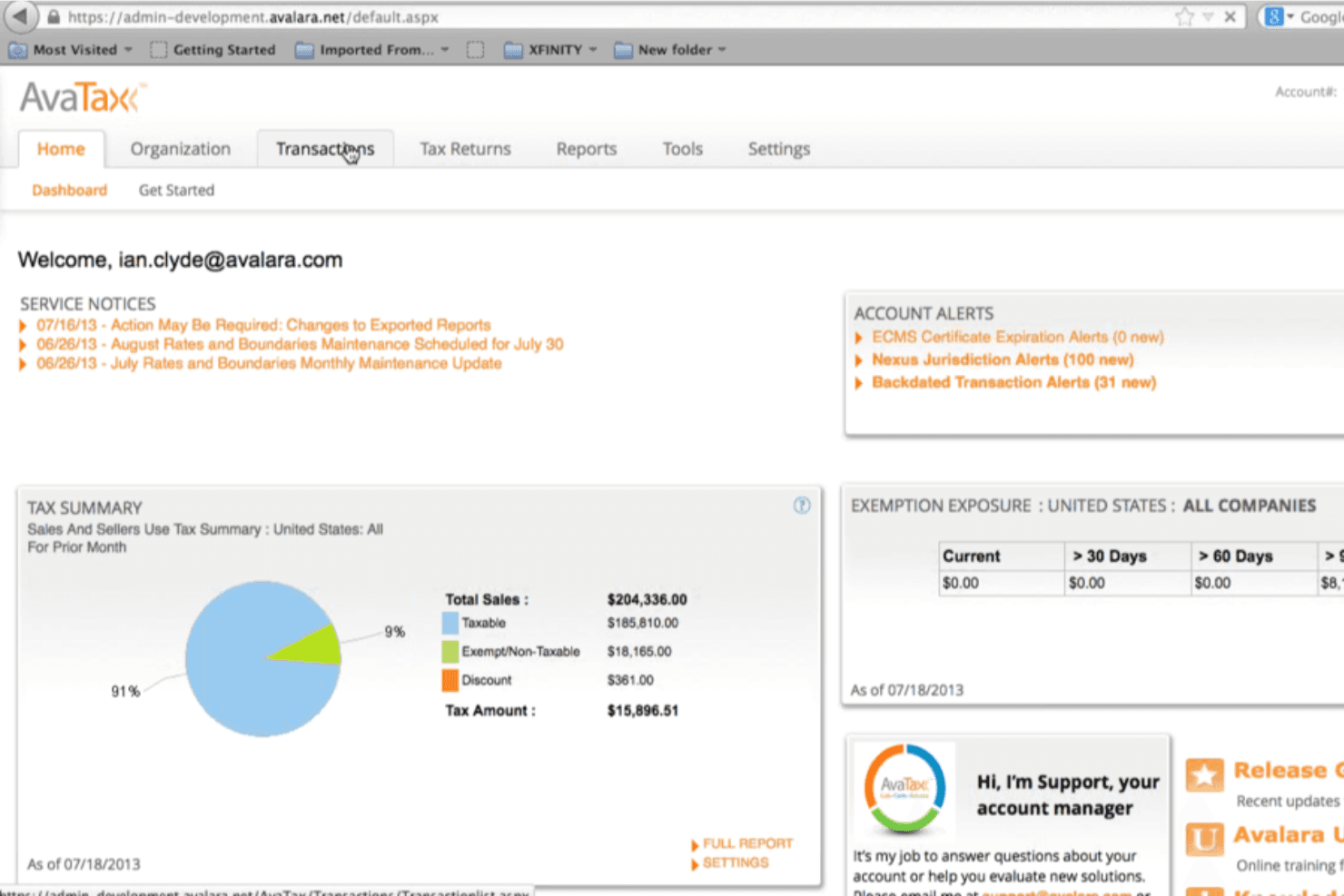
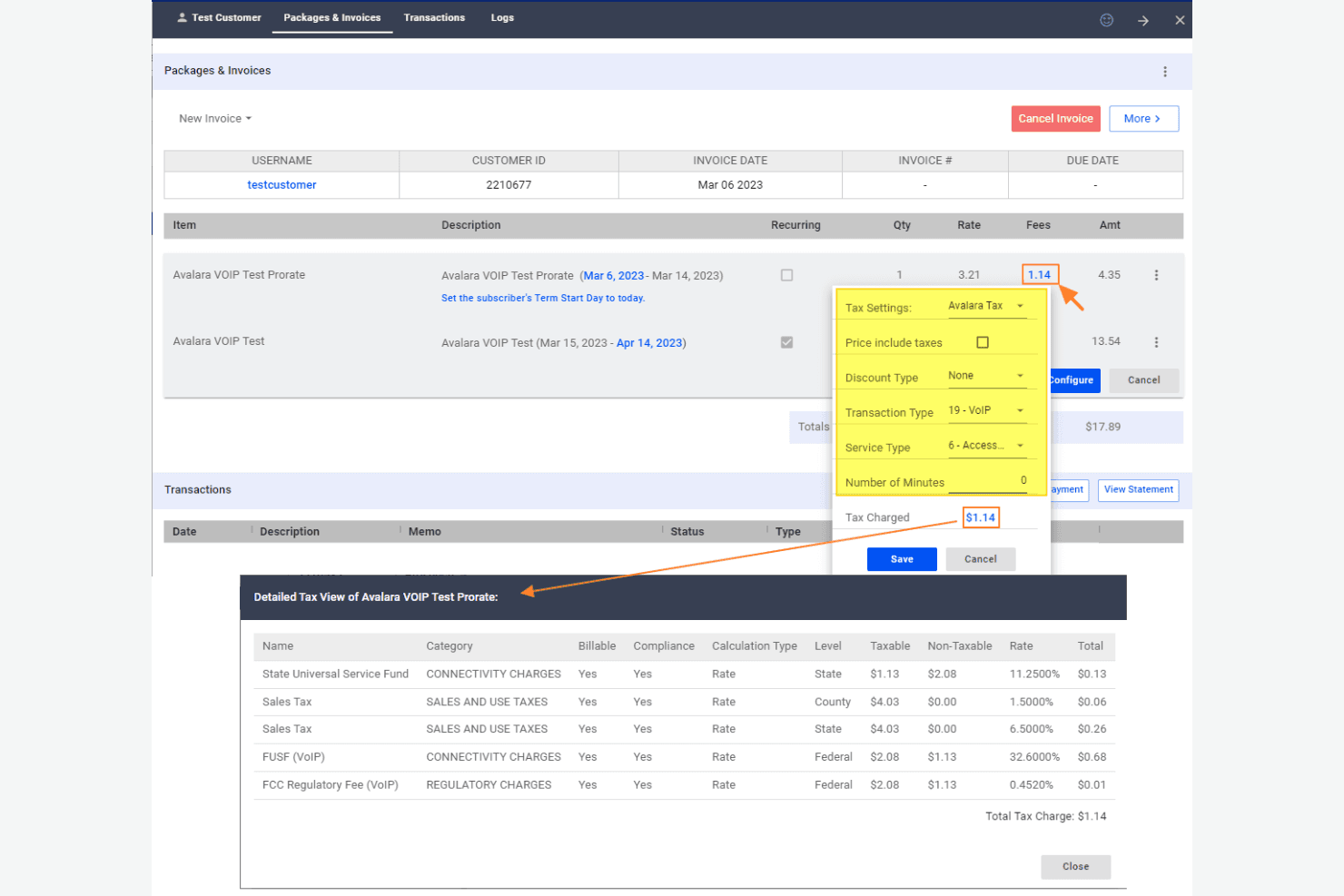
Automated Tax Calculation: Avalara automatically calculates taxes for your transactions, ensuring accuracy and saving you time on manual entries.
Tax Filing: Avalara handles your tax filing, taking care of paperwork and deadlines so your team can focus on other tasks.
Sales Tax Management: It manages sales tax rates and rules for different jurisdictions, making it easier for your business to comply.
Tax Reporting: Avalara provides detailed tax reports, offering insights into your tax obligations and supporting audits.
Exemption Certificate Management: This feature enables you to manage exemption certificates effectively, ensuring your business remains compliant and error-free.
Address Validation: Avalara verifies addresses for tax purposes, reducing errors in tax rates and saving your team from compliance issues.
Ease of Use
Avalara is fairly user-friendly, but there’s a learning curve that might challenge your team initially. Its interface is straightforward, but some users find navigating through complex tax scenarios a bit daunting. Once your team gets accustomed to its functionalities, managing tax compliance becomes easier and more efficient. Avalara's automated features help reduce manual work, making your day-to-day tasks more manageable. Overall, it strikes a solid balance between functionality and ease of use, although the onboarding process could be smoother.
Integrations
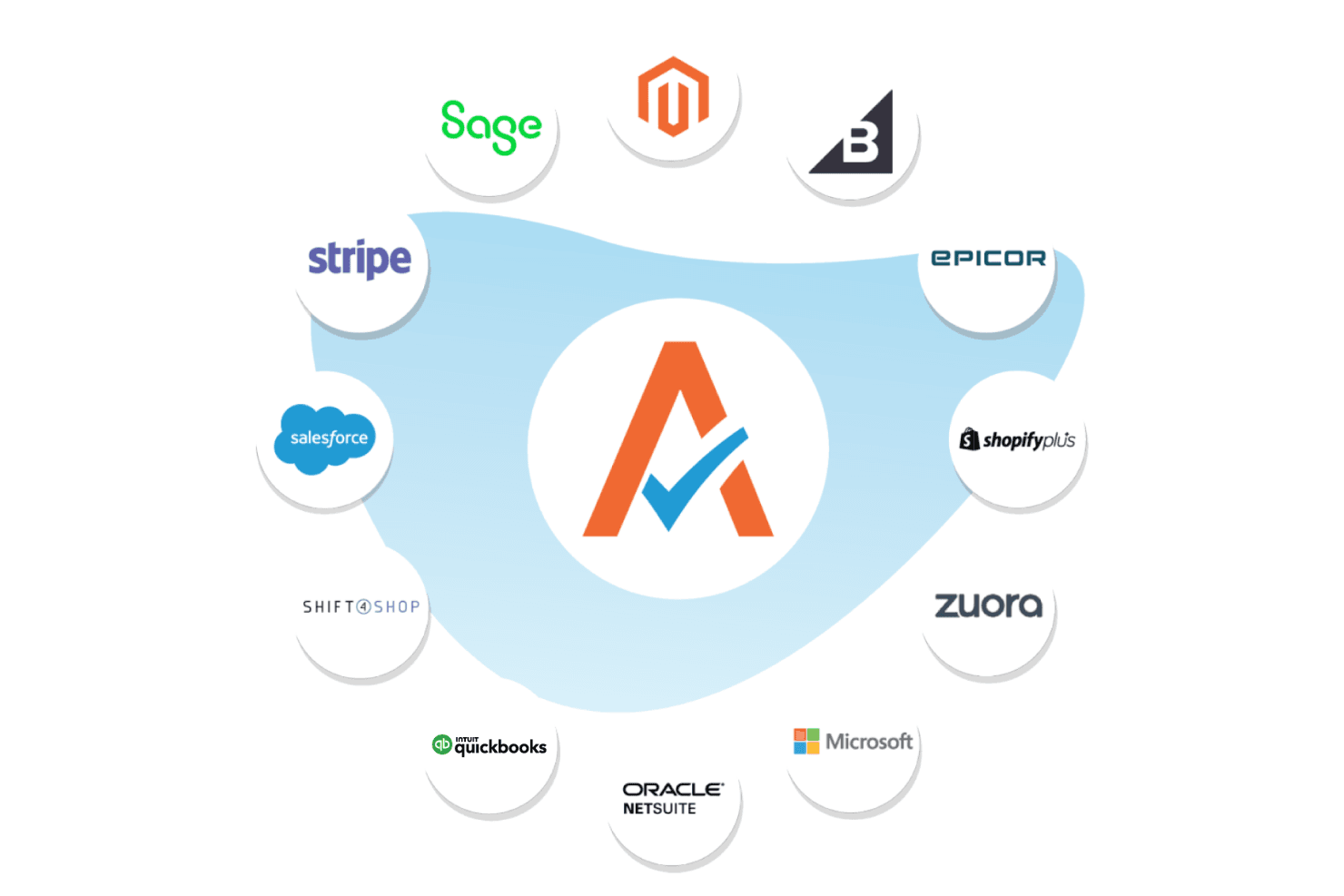
Avalara integrates with Shopify, NetSuite, SAP, QuickBooks, Sage, BigCommerce, WooCommerce, Salesforce, Zuora, Adobe Commerce, and more.
Avalara also provides an API for custom integrations and connects with 1,400 partner integrations across ERP, ecommerce, procurement, and POS platforms.
Avalara Specs
- 2-Factor Authentication: Yes
- Cloud Deployment: Yes
- Dashboard: Yes
- Data Export: Yes
- Data Import: Yes
- External Integrations: Yes
- Inventory Tracking: No
- Multi-User: Yes
- Network Device Performance Monitoring: No
- Notifications: Yes
- Password & Access Management: Yes
- Remote Access: No