

Sage Intacct Review: Pros, Cons, Features, and Pricing
Sage Intacct stands out for its robust financial management tools and scalability, making it ideal for growing businesses seeking advanced automation and real-time insights.

We review tools independently, and commissions help fund our testing. See our transparency policy, our methodology, or suggest a tool.
Finance teams often hit a point where basic accounting tools stop giving them enough visibility, but a full ERP feels like overkill. The sweet spot is a system that adds deeper reporting and multi-entity control without piling on unnecessary complexity.
Sage Intacct is a cloud-based financial management software built for teams that need multi-entity consolidations, dimensional reporting, and automated core accounting without the overhead of a full ERP implementation. I’d reach for it if you’ve outgrown basic accounting software and need real-time visibility across entities, locations, or departments, but also aren’t willing to commit to a legacy enterprise ERP. Sage Intacct keeps its focus on accounting depth rather than trying to run your entire business, which makes close cycles faster and reporting more flexible for finance-led organizations.
Sage Intacct Evaluation Summary
4.3/5
- From £1,200/month
- Free demo available
Why Trust Our Software Recommendations
6,700+
Reviews
20
Industry experts
16+
Evaluation factors
14
Years
Our team has been testing and reviewing software since 2012. As finance leaders ourselves, we know how difficult—and important—it is to choose the right software.
For this guide, we evaluated tools using hands-on testing and independent research, scoring tools using our selection criteria.
Our reviews reflect our human editorial judgment, not a sales pitch.
Sage Intacct Overview
If you’re judging financial management software for multi-entity businesses, Sage Intacct should be on your shortlist. I think its dimensional reporting, easy consolidation, and industry-tuned accounting features outperform most others for organizations juggling multiple locations or entities. Its pricing can be steep, and learning how to use the software can be a bit of a curve, but support is solid and integrations are broad. Onboarding isn’t instant, yet the added capability, from custom workflows and automated approvals to AI assistance in payables and close work, brings real value as you scale. I’d choose it for finance teams who want advanced controls and visibility without jumping into a full ERP system.
Pros
- Handles multi-entity consolidations without ERP-level complexity
- Offers granular dimensional reporting for detailed financial analysis
- Automates approvals, invoice coding, and close tasks for stricter financial controls
Cons
- Advanced reporting and workflow setup usually needs partner or admin help
- Not built for manufacturing, warehousing, or supply chain operations
- No on-premises option for teams with local hosting requirements
Is Sage Intacct Right For Your Needs?
Who Would be a Good Fit for Sage Intacct?
I think Sage Intacct is a smart fit for organizations needing multi-entity accounting, complex financial controls, and advanced reporting in regulated or high-growth sectors. Companies with dedicated finance teams, especially those navigating consolidations, dimensional analysis, and compliance demands, tend to get the most from its customizable workflows and granular user permissions. Sage also points to its standing as the accounting profession’s preferred financial management solution, which helps if your board wants outside validation. Sage Intacct’s modular structure, API capabilities, and deep audit trail make it a good choice for those who want tailored controls and integration with other core business tools.
- Multi-Entity OrganizationsSage Intacct simplifies consolidations, intercompany transactions, and multi-currency workflows for businesses operating across subsidiaries or global entities.
- Healthcare ProvidersAudit-ready tracking, dimensional reporting, and support for strict HIPAA-eligible configurationss help healthcare finance teams uphold regulatory requirements and control costs.
- SaaS CompaniesYou can automate revenue recognition, manage complex contracts, and integrate with Salesforce for clear, GAAP-compliant SaaS reporting.
- Nonprofit OrganizationsDimensional chart of accounts, strong fund accounting, and grant tracking features make it much easier for nonprofits to manage restricted funds and donor reporting.
- Professional Services FirmsProject accounting, expense management, and real-time dashboards help project-based teams bill accurately and keep a close eye on profitability.
- Fast-Growth Mid-MarketsRapidly scaling companies with layered structures and evolving systems benefit from Sage Intacct’s flexible modules, integrations, and scalable user-based pricing.
- Nonprofit OrganizationsDimensional chart of accounts, strong fund accounting, grant tracking, and prebuilt FASB-compliant statements make it much easier for nonprofits to manage restricted funds.
Who Would be a Bad Fit for Sage Intacct?
Sage Intacct won’t be a fit for small businesses wanting instant setup or those who need only basic accounting without custom workflows or complex controls. Teams lacking dedicated finance staff, or organizations with budget constraints and simple needs, will likely struggle to justify the value. It is also cloud-only, so local hosting requirements rule it out, and companies whose core problem is production or warehouse execution will want an operations-first system instead. The learning curve also means it doesn’t work for teams wanting “out of the box” simplicity.
- Small StartupsThe cost, complexity, and onboarding requirements are overkill for startups seeking a simple, plug-and-play accounting solution.
- Sole ProprietorsSage Intacct’s extensive modules and advanced workflows are unnecessary for single-person businesses handling straightforward transactions.
- Light Transaction RetailersRetail companies managing low transaction volumes or relying on simple inventory needs will find Intacct’s features excessive and hard to justify.
- Manufacturing And DistributionThis is a financial platform rather than an operational ERP, so production scheduling, materials planning, and complex multi-warehouse fulfillment sit outside what it handles well.
How We Test & Score Tools
We’ve spent years building, refining, and improving our software testing and scoring system. The rubric is designed to capture the nuances of software selection and what makes a tool effective, focusing on critical aspects of the decision-making process.
Below, you can see exactly how our testing and scoring works across seven criteria. It allows us to provide an unbiased evaluation of the software based on core functionality, standout features, ease of use, onboarding, customer support, integrations, customer reviews, and value for money.
Core Functionality (25% of final scoring)
The starting point of our evaluation is always the core functionality of the tool. Does it have the basic features and functions that a user would expect to see? Are any of those core features locked to higher-tiered pricing plans? At its core, we expect a tool to stand up against the baseline capabilities of its competitors.
Standout Features (25% of final scoring)
Next, we evaluate uncommon standout features that go above and beyond the core functionality typically found in tools of its kind. A high score reflects specialized or unique features that make the product faster, more efficient, or offer additional value to the user.
We also evaluate how easy it is to integrate with other tools typically found in the tech stack to expand the functionality and utility of the software. Tools offering plentiful native integrations, 3rd party connections, and API access to build custom integrations score best.
Ease of Use (10% of final scoring)
We consider how quick and easy it is to execute the tasks defined in the core functionality using the tool. High scoring software is well designed, intuitive to use, offers mobile apps, provides templates, and makes relatively complex tasks seem simple.
Onboarding (10% of final scoring)
We know how important rapid team adoption is for a new platform, so we evaluate how easy it is to learn and use a tool with minimal training. We evaluate how quickly a team member can get set up and start using the tool with no experience. High scoring solutions indicate little or no support is required.
Customer Support (10% of final scoring)
We review how quick and easy it is to get unstuck and find help by phone, live chat, or knowledge base. Tools and companies that provide real-time support score best, while chatbots score worst.
Customer Reviews (10% of final scoring)
Beyond our own testing and evaluation, we consider the net promoter score from current and past customers. We review their likelihood, given the option, to choose the tool again for the core functionality. A high scoring software reflects a high net promoter score from current or past customers.
Value for Money (10% of final scoring)
Lastly, in consideration of all the other criteria, we review the average price of entry level plans against the core features and consider the value of the other evaluation criteria. Software that delivers more, for less, will score higher.
Core Features
Multi-Entity Consolidation
Combine financial data from multiple entities, currencies, or locations within a single ledger and run automated consolidations. Sage says groups can roll up entities across currencies and geographies in minutes rather than days, which is the difference between closing on time and chasing spreadsheets when ownership structures get complicated.
Dimensional Reporting
Tag every transaction with user-defined dimensions such as department, location, project, customer, vendor, program, fund, or grant, then report on any combination of them without adding a new account for every reporting need. You can view results from several angles and drill straight down to the underlying transactions, documentation, and audit trail.
Accounts Payable Automation
Process vendor invoices, manage approvals, and schedule payments with workflow rules that keep coding and compliance consistent. Sage’s payables automation handles vendor and purchase order matching, account and dimension coding, and duplicate detection, and newer anomaly checks flag unusual invoice activity earlier in the payment process.
General Ledger With Custom Workflows
Build tailored workflows for journal entries, approvals, and recurring transactions right within the general ledger. Custom rules give teams tighter control over posting and review processes.
Real-Time Dashboards and Reports
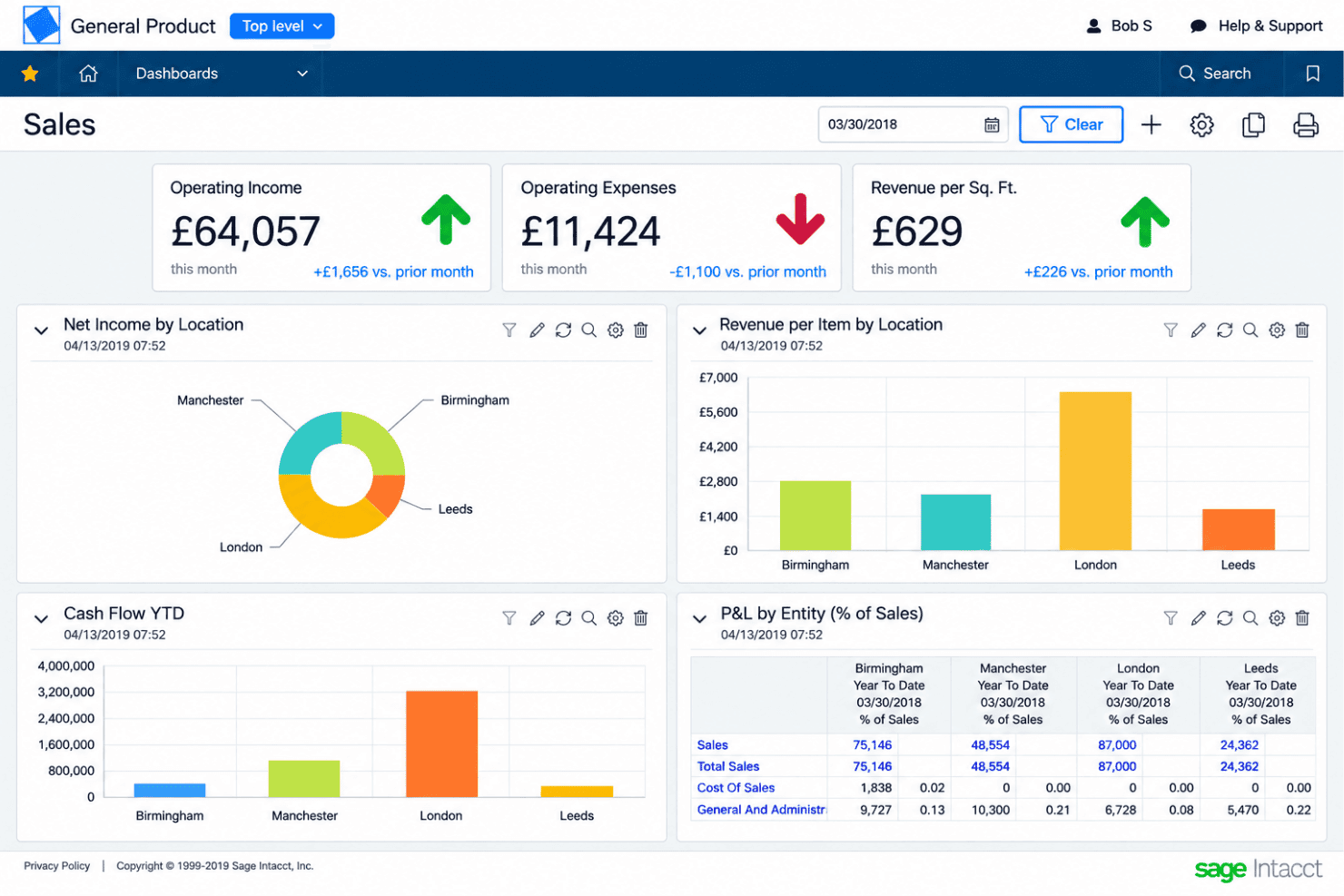
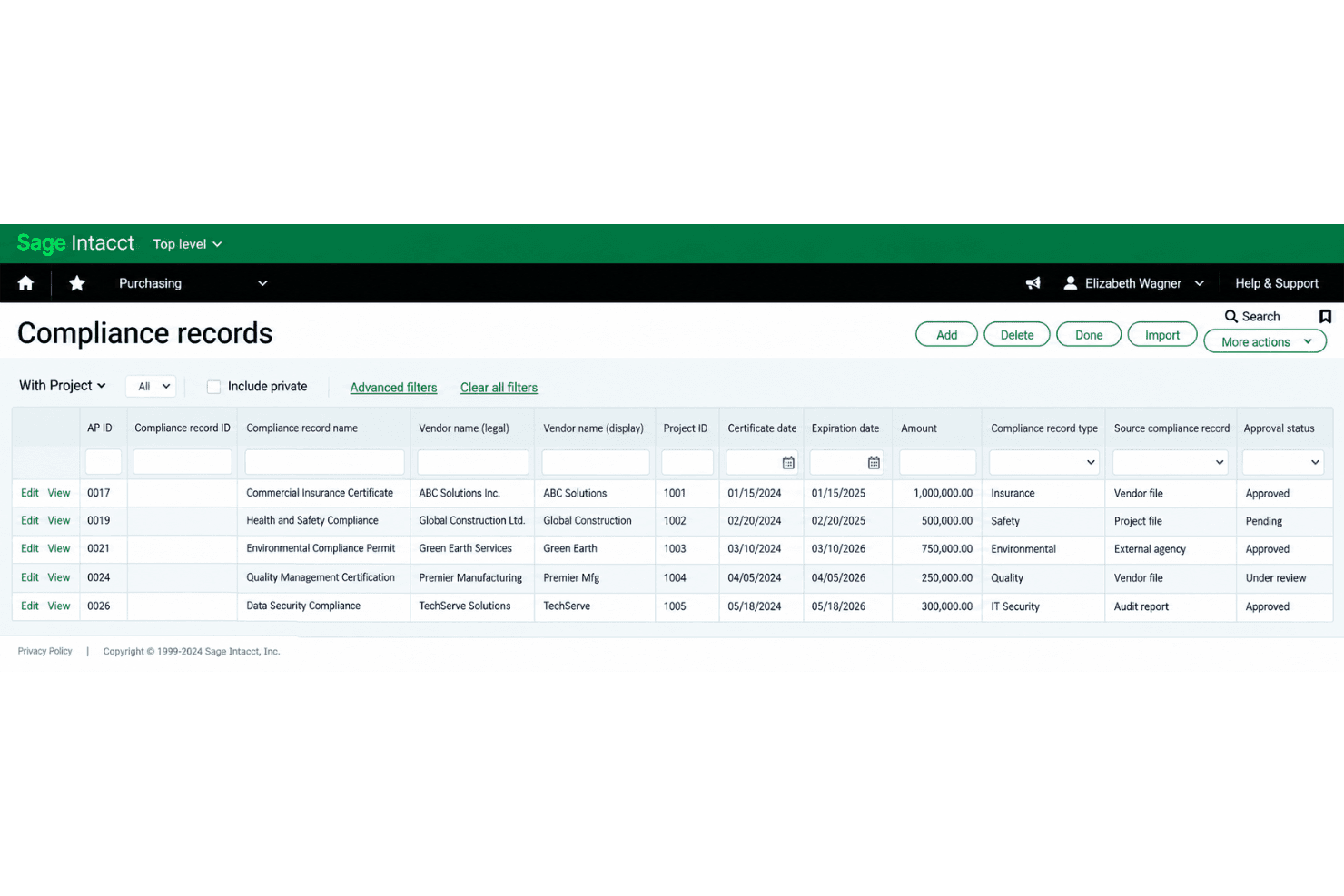
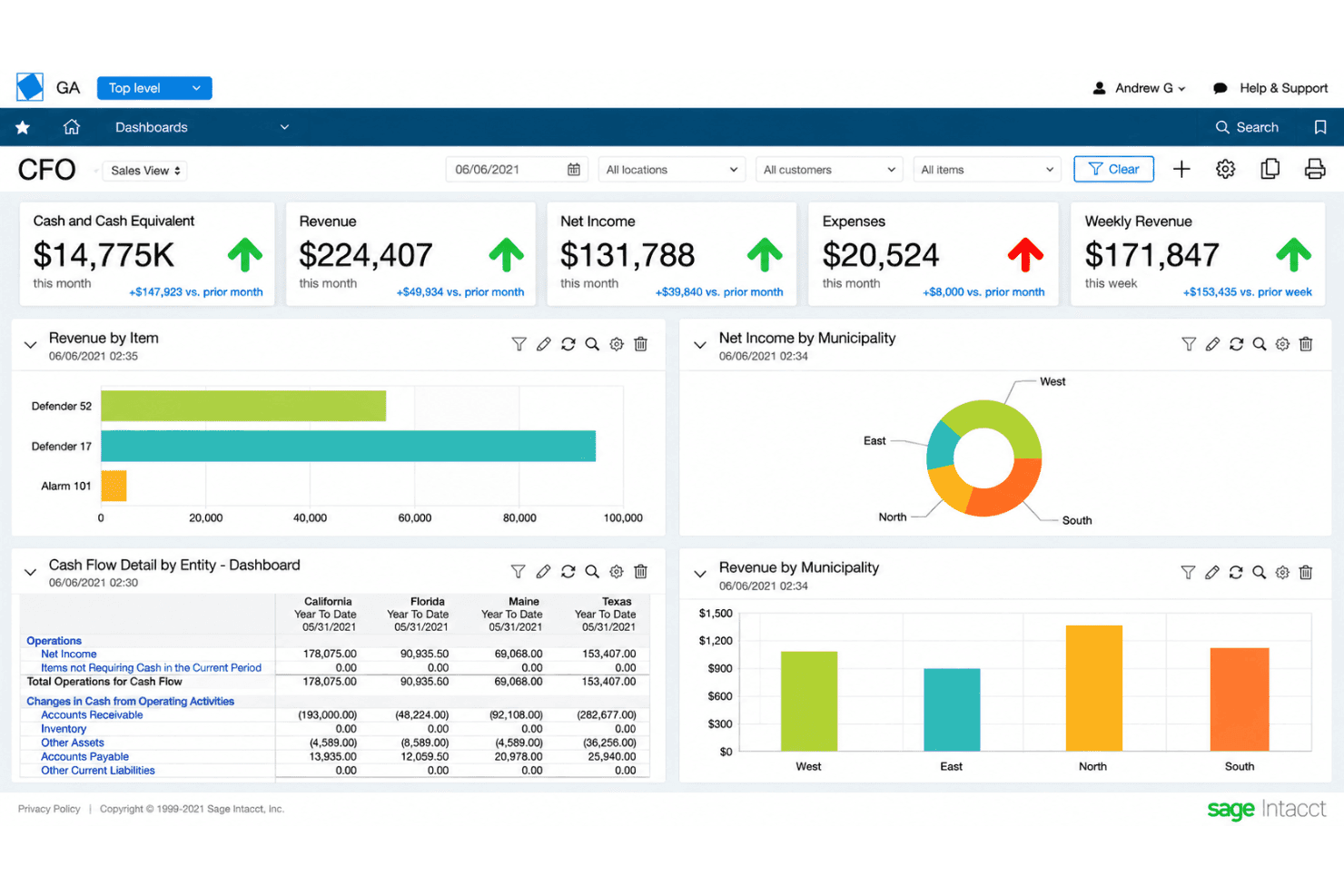
Access dashboards and prebuilt reports that update instantly as transactions post, delivering up-to-the-minute visibility. Finance teams can monitor cash, revenues, expenses, and KPIs without manual exports.
Automated Intercompany Transactions
Create, document, and balance intercompany transactions between business units automatically, cutting manual entry and reconciliation time. The system enforces accounting rules so eliminations and allocations are always accurate.
Standout Features
Audit-Ready Compliance Tracking
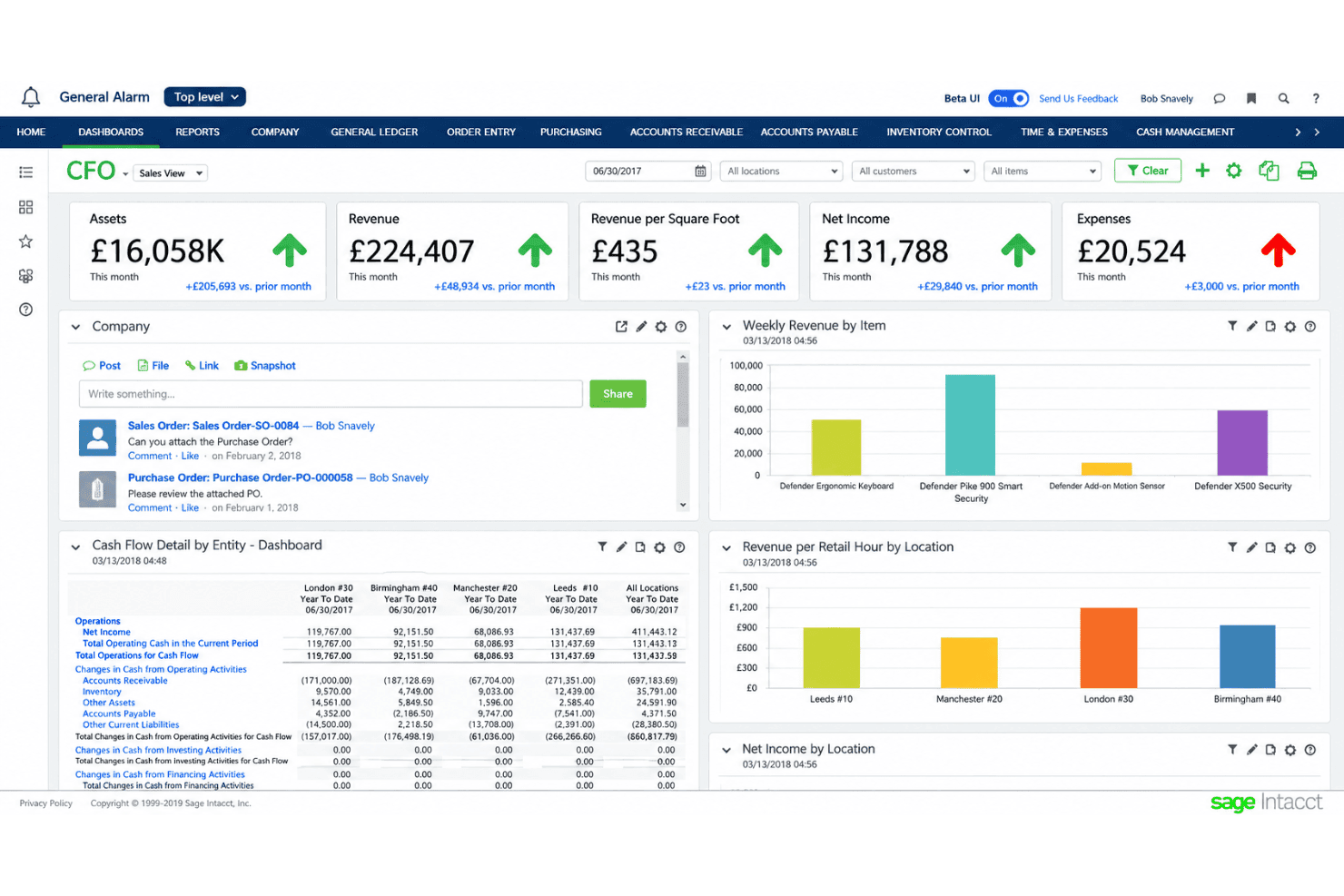
Sage Intacct tracks every action taken in the system with detailed audit logs and pre-built compliance reports, making audits and regulatory checks faster. You can spot who made changes, when they did it, and pull instant documentation for SOX, GAAP, or IFRS requirements.
Built-In Spend Management Controls
Sage Intacct lets you set purchasing limits, budget thresholds, and approval workflows directly within purchasing and accounts payable modules. This means teams can enforce spend policies in real time, such as blocking invoices that exceed a project budget or flagging off-policy vendor requests automatically.
AI Agents Built Into Finance Workflows
Rather than a general assistant bolted on top, Sage Intacct puts AI inside named finance jobs. A financial assurance agent compares journal entries against historical patterns and materiality thresholds to surface unusual entries before they post, a close agent tracks month-end tasks and flags issues as they come up, and a financial intelligence agent answers plain-language questions against your own transactions and reports.
Ease of Use
Sage Intacct isn’t the most intuitive option out of the box, so expect a learning curve, especially with advanced features and multi-entity setup. The navigation can feel dense, though verified user feedback still places it near the top of its category for satisfaction. Once you’re familiar, tasks like consolidations or dimensional reporting are much faster and easier than with most finance tools. I think finance teams wanting deep controls and flexible workflows will get the most from this system.
Onboarding
Sage Intacct’s onboarding is guided rather than self-serve, and vendor or partner involvement is the norm, especially for tailoring multi-entity setups and workflows. You get a dedicated implementation team that helps with configuration, data migration, and connecting the applications your finance function depends on. How long it takes scales with the number of entities, integrations, and custom reports in scope, so a contained rollout can go live in a couple of months while complex ones run longer. Many users mention a steep learning curve, but appreciate the guided setup, training sessions, and extensive documentation that help teams ramp up for complex accounting needs.
Customer Support
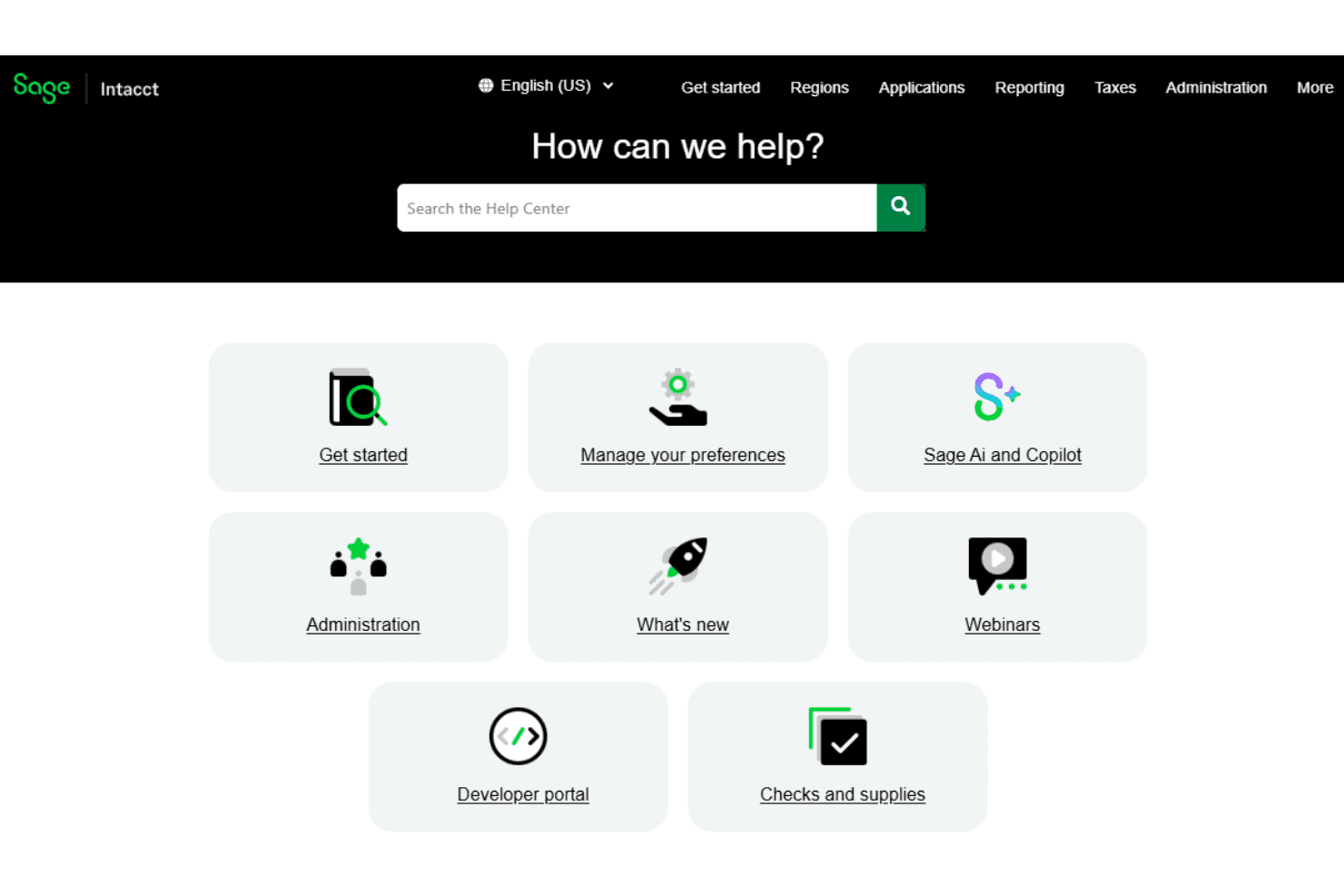
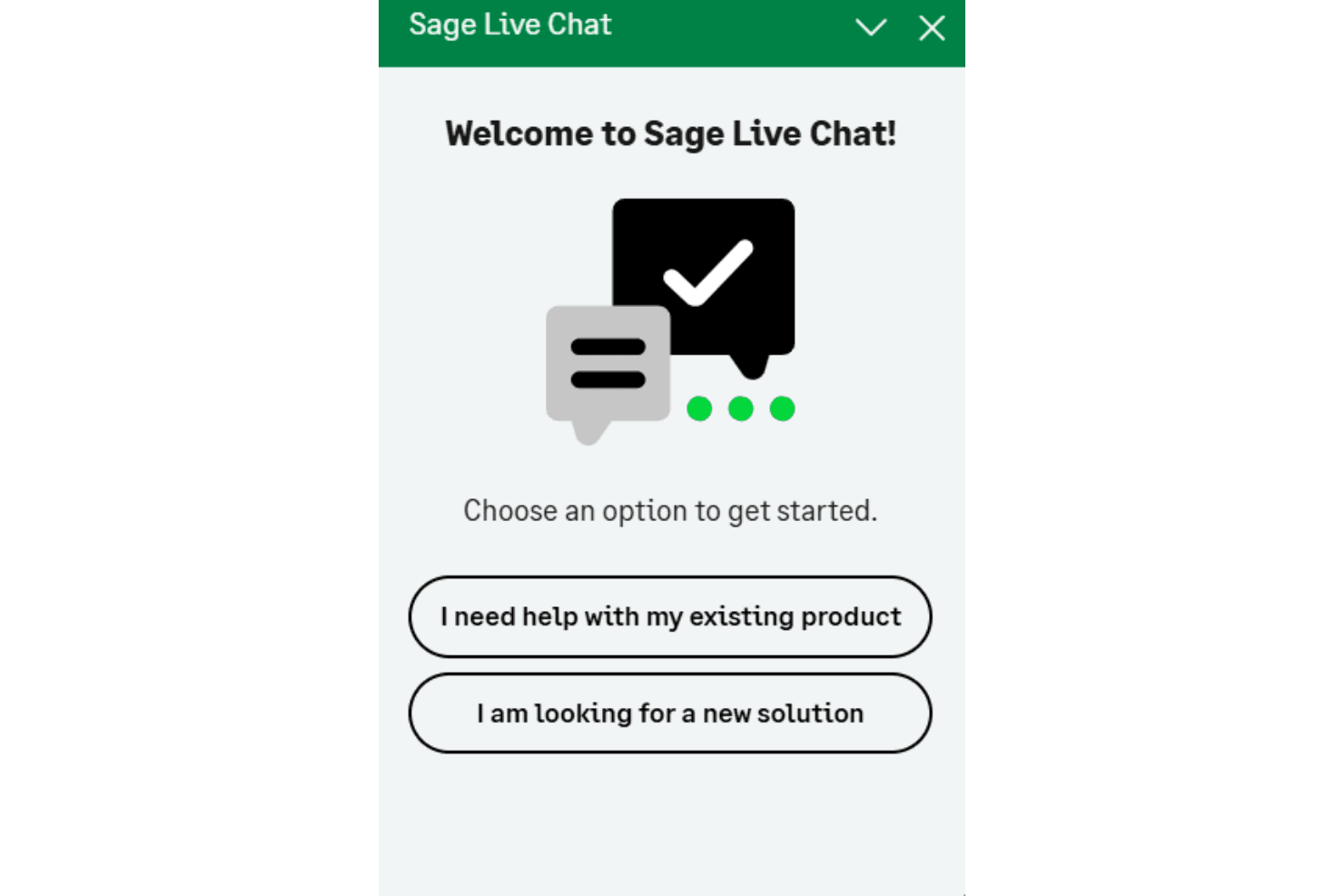
Sage Intacct’s customer support gives you direct access to a knowledgeable implementation team, helpful chat, and a deep online knowledge base. I think you’ll appreciate the guided onboarding and training sessions, especially for teams dealing with complex accounting needs. Training resources and documentation carry on after go-live, and users often highlight quick response times, but some wish for more out-of-the-box configuration help and more intuitive resources as they get started.
Integrations
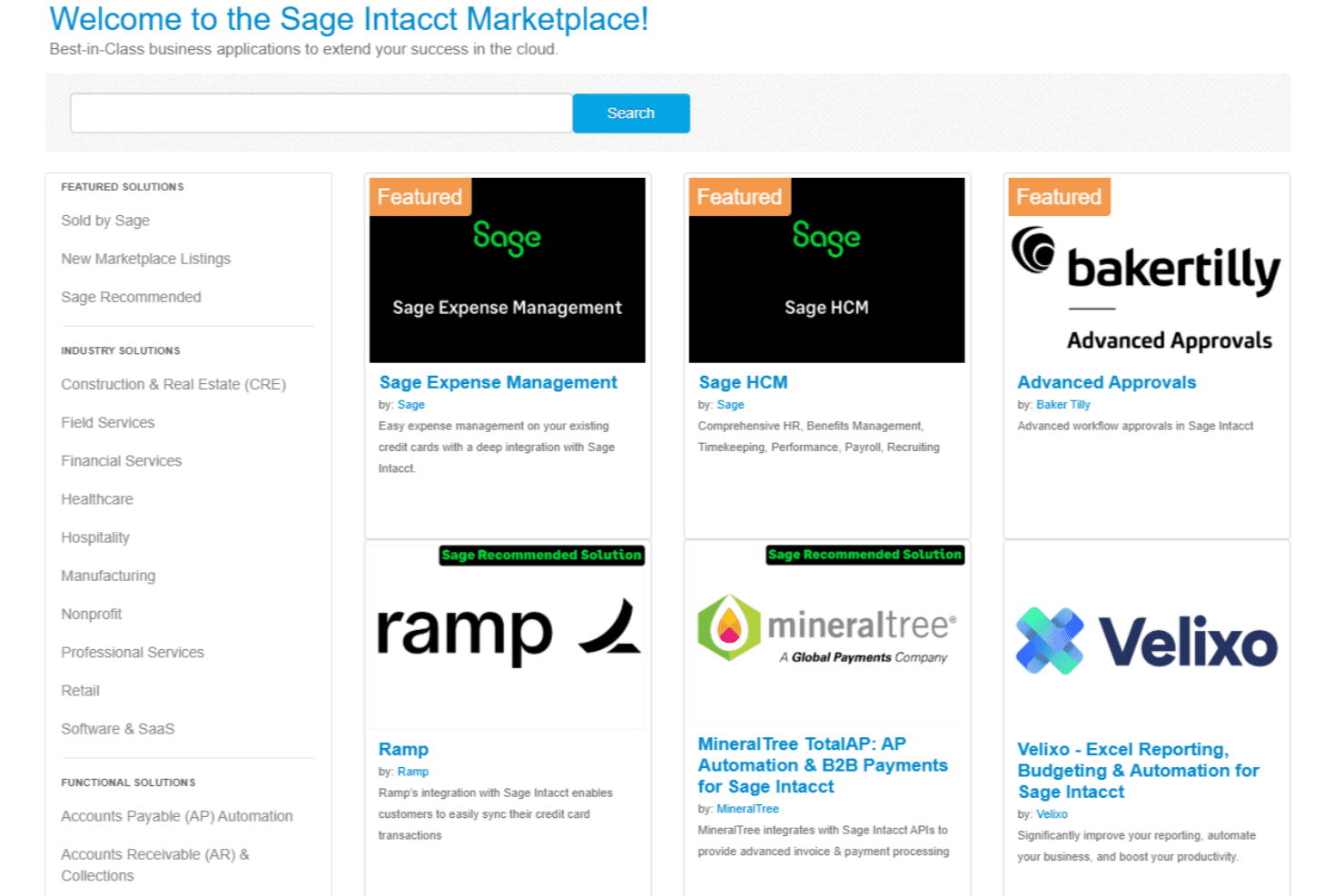
Sage Intacct integrates with DataBlend, Ramp, Yooz, Versapay, BILL, Deel, ADP Workforce Now, FISPAN, and many other platforms available through its application marketplace.
You can also connect Sage Intacct with other tools using its API and through third-party integration platforms.
Value for Money
Sage Intacct is priced at a premium, and users agree it can be a significant investment. Pricing is quote-based rather than publicly listed, so costs depend on your organization’s needs and configuration. You’re paying for granular controls, audit-ready tracking, and flexible integration options, which many reviewers say justify the cost for multi-entity organizations or companies handling complex compliance. Smaller teams, however, may find the investment harder to justify for basic needs.
Sage Intacct Specs
- 2-Factor Authentication: Yes
- Accounts Payable: Yes
- Accounts Receivable: Yes
- API: Yes
- Balance Sheet: Yes
- Billing/Invoicing: Yes
- BitCoin: Yes
- Budgeting: Yes
- Calendar Management: No
- Contact Management: Yes
- CRM Integration: Yes
- Customer Management: Yes
- Dashboard: Yes
- Data Export: Yes
- Data Import: Yes
- Data Visualization: Yes
- Expense Tracking: Yes
- External Integrations: Yes
- Forecasting: Yes
- General Account Ledger: Yes
- Inventory Tracking: Yes
- Multi-Currency: Yes
- Multi-User: Yes
- Notifications: Yes
- P&L: Yes
- PayPal: Yes
- Payroll: Yes
- SAP Integration: Yes
- Stripe: Yes
- Supplier Management: Yes
- Tax Management: Yes
Sage Intacct FAQs
Sage Intacct Company Overview & History
Sage Intacct is a cloud-based financial management platform that was founded in 1999 and is headquartered in San Jose, California. The company became part of Sage Group plc, a global enterprise software provider headquartered in Newcastle upon Tyne, UK, after being acquired in 2017. Sage Group, which owns a range of accounting, payroll, and HR software solutions for businesses, supports Sage Intacct alongside other products such as Sage 50, Sage 100, and Sage X3. Sage Group is a publicly traded company on the London Stock Exchange (SGE) and is known for its sizable workforce and significant presence in global financial technology markets.
Sage Intacct Major Milestones
- 1999: Founded in San Jose, California, as one of the first cloud-only accounting software providers
- 2017: Acquired by Sage Group plc in a deal valued at $850 million
- 2019: Sage Intacct launches internationally, expanding outside North America
- 2023: Celebrated continued growth, cited by Sage Group as a key driver in cloud-native software adoption and revenue expansion
- 2026: Expanded embedded AI across payables automation, financial controls, and month-end close, alongside industry updates for construction, lending, and hospitality