

BUSINESSNEXT Review 2026: Pros, Cons, Features, and Pricing
I look beyond BUSINESSNEXT’s feature list to weigh its strengths and trade-offs as a finance CRM—and whether its approach is worth the fit and price for your team.

We review tools independently, and commissions help fund our testing. See our transparency policy, our methodology, or suggest a tool.
BUSINESSNEXT is a finance CRM for banks and insurers, with industry editions for retail banking, corporate banking, and insurance. I’d choose it over Salesforce Financial Services Cloud when your team needs customer relationship management built around financial-sector workflows, including personalized cross-selling and customer service.
BUSINESSNEXT Evaluation Summary
4/5
- Pricing upon request
- Free demo available
Why Trust Our Software Recommendations
6,700+
Reviews
20
Industry experts
16+
Evaluation factors
14
Years reviewing software
Our team has been testing and reviewing software since 2012. As finance leaders ourselves, we know how difficult—and important—it is to choose the right software.
For this guide, we evaluated tools using hands-on testing and independent research, scoring tools using our selection criteria.
Our reviews reflect our human editorial judgment, not a sales pitch.
BUSINESSNEXT Overview
I’d choose BUSINESSNEXT when your bank or insurer needs CRM workflows for relationship sales, service, and marketing in one platform. Customer 360 views, next-best-action prompts, case routing, and event-triggered campaigns are useful examples; digital account and lending products also advertise 150-plus and 100-plus ecosystem connectors, respectively. Compared with general-purpose CRMs, its financial-sector focus is an advantage, though smaller teams may find the scope and setup more than they need. Pricing isn’t publicly listed, and support terms, implementation effort, and interface fit should be judged in a tailored demo before you select it.
Pros
- Banking-specific customer 360 connects holdings, interactions, and service cases.
- Users praise omnichannel service tools, bots, and voice assistants.
- AI lead scoring and next-best-action prompts support tailored cross-selling.
Cons
- Some users flag interface usability and performance limitations.
- Implementation can require skilled resources and lengthy configuration.
- Users say quotation and proposal tools need improvement.


How We Test & Score Tools
We’ve spent years building, refining, and improving our software testing and scoring system. The rubric is designed to capture the nuances of software selection and what makes a tool effective, focusing on critical aspects of the decision-making process.
Below, you can see exactly how our testing and scoring works across seven criteria. It allows us to provide an unbiased evaluation of the software based on core functionality, standout features, ease of use, onboarding, customer support, integrations, customer reviews, and value for money.
Core Functionality (25% of final scoring)
The starting point of our evaluation is always the core functionality of the tool. Does it have the basic features and functions that a user would expect to see? Are any of those core features locked to higher-tiered pricing plans? At its core, we expect a tool to stand up against the baseline capabilities of its competitors.
Standout Features (25% of final scoring)
Next, we evaluate uncommon standout features that go above and beyond the core functionality typically found in tools of its kind. A high score reflects specialized or unique features that make the product faster, more efficient, or offer additional value to the user.
We also evaluate how easy it is to integrate with other tools typically found in the tech stack to expand the functionality and utility of the software. Tools offering plentiful native integrations, 3rd party connections, and API access to build custom integrations score best.
Ease of Use (10% of final scoring)
We consider how quick and easy it is to execute the tasks defined in the core functionality using the tool. High scoring software is well designed, intuitive to use, offers mobile apps, provides templates, and makes relatively complex tasks seem simple.
Onboarding (10% of final scoring)
We know how important rapid team adoption is for a new platform, so we evaluate how easy it is to learn and use a tool with minimal training. We evaluate how quickly a team member can get set up and start using the tool with no experience. High scoring solutions indicate little or no support is required.
Customer Support (10% of final scoring)
We review how quick and easy it is to get unstuck and find help by phone, live chat, or knowledge base. Tools and companies that provide real-time support score best, while chatbots score worst.
Customer Reviews (10% of final scoring)
Beyond our own testing and evaluation, we consider the net promoter score from current and past customers. We review their likelihood, given the option, to choose the tool again for the core functionality. A high scoring software reflects a high net promoter score from current or past customers.
Value for Money (10% of final scoring)
Lastly, in consideration of all the other criteria, we review the average price of entry level plans against the core features and consider the value of the other evaluation criteria. Software that delivers more, for less, will score higher.
Core Features
Customer 360
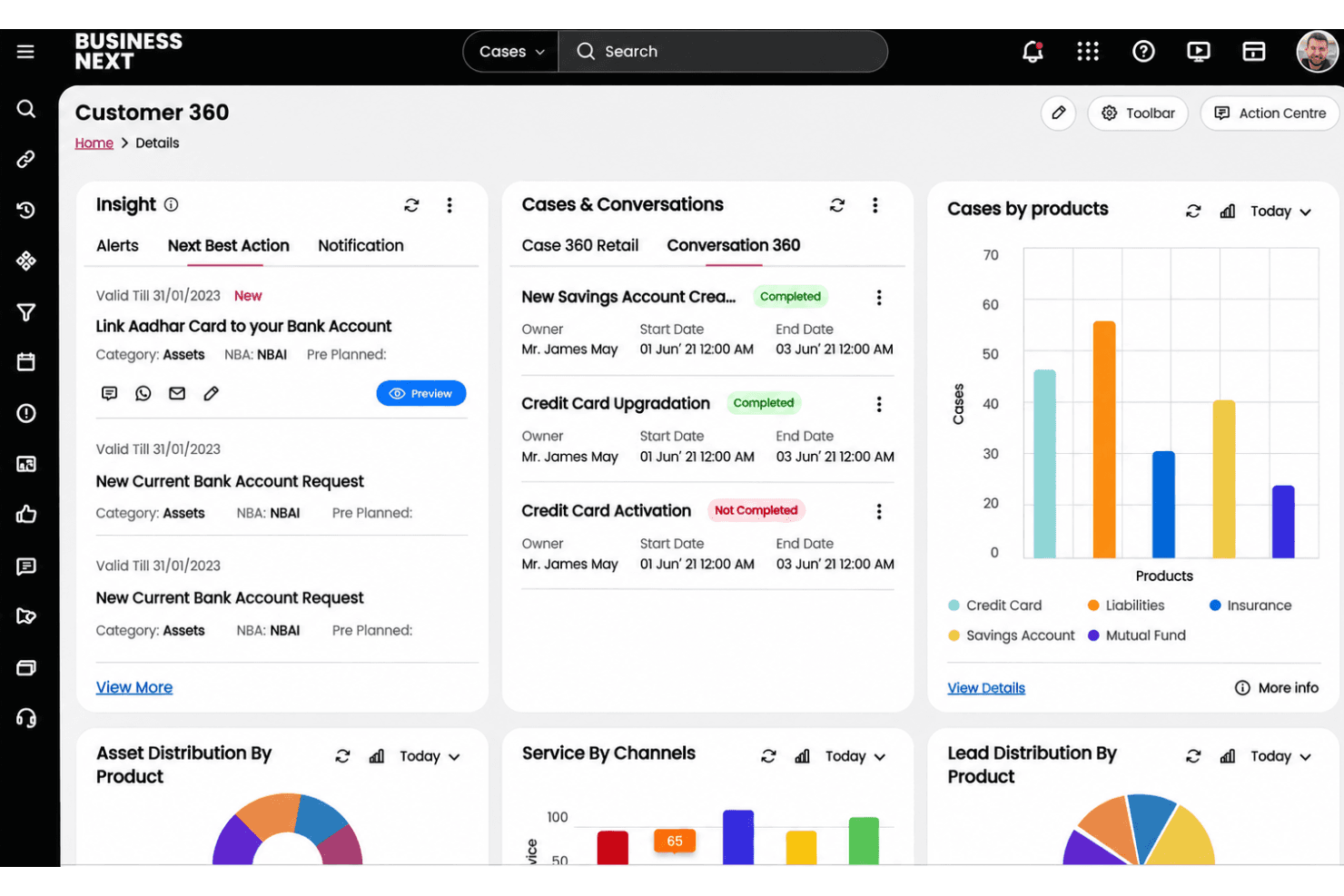
BUSINESSNEXT brings customer holdings, transactions, product use, preferences, interactions, and service cases into a real-time view. Relationship managers can review that context before a customer conversation or tailored offer.
Lead and Opportunity Management
The CRM scores and routes leads using configurable parameters and AI models, then tracks opportunities with insights and next-best actions. Your team can prioritize a loan inquiry and guide the relationship manager toward a relevant follow-up.
Omnichannel Case Management
BUSINESSNEXT captures service cases from channels such as email, SMS, web, social media, messaging apps, call centers, and branches. Automatic customer details and case categories give agents context, while parent and child cases help track related requests.
Marketing Automation
Teams can build multistep, multiwave campaigns across email, SMS, and WhatsApp, including event-triggered outreach. A/B testing and campaign analytics help compare messages and review results.
Workflow Automation
Visual journey and process designers support assignment rules, parallel workflows, and straight-through processing for service requests. For example, a request can be categorized and routed to the right team without manual handoffs at each step.
Analytics and Dashboards
Custom reports and dashboards show trends, campaign results, and performance across roles, with scheduled reporting options. Teams can use lead-conversion views or service trends to decide where to focus follow-up.
Ease of Use
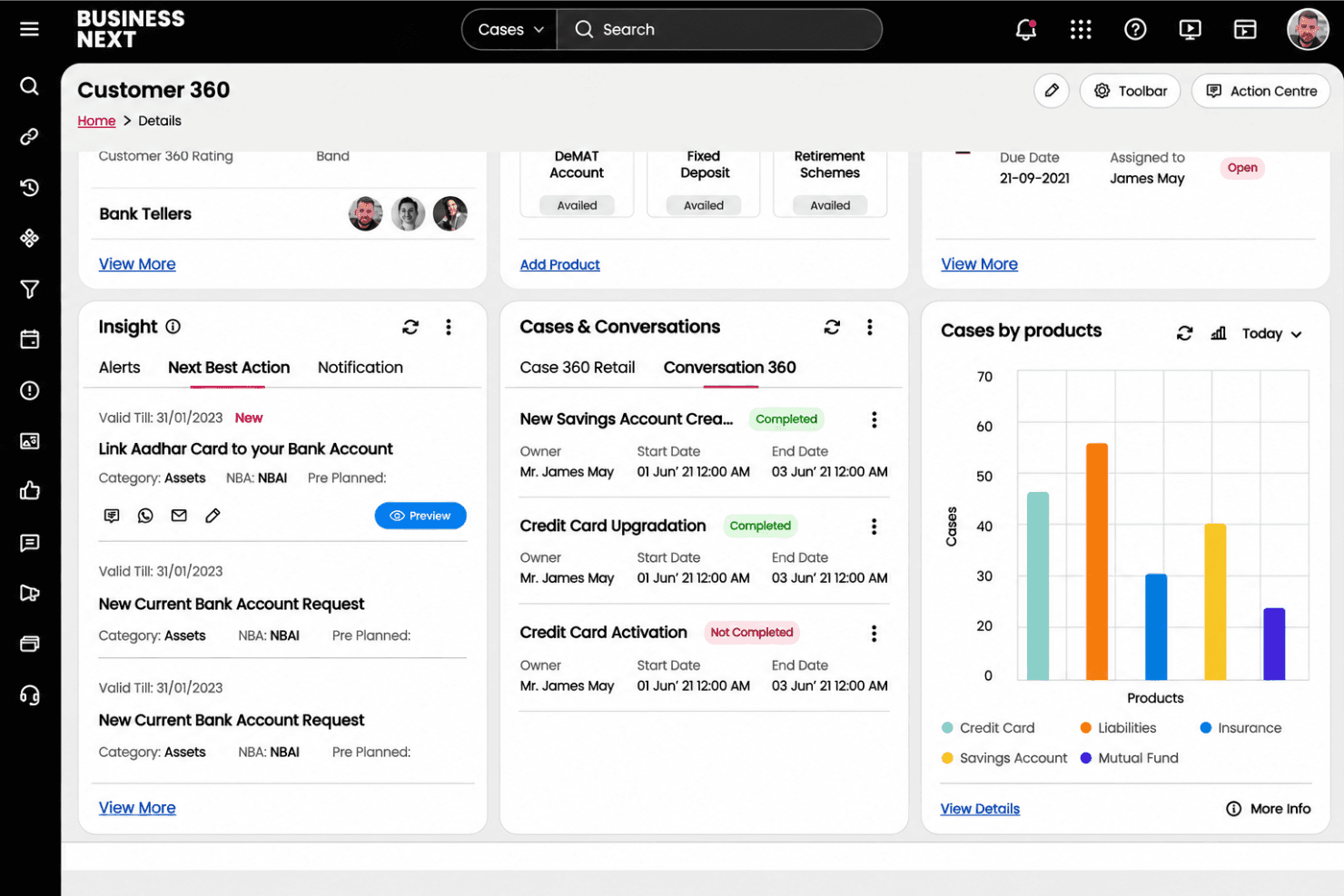
BUSINESSNEXT is capable but can feel demanding to use: its customer 360, omnichannel case routing, campaign builder, and visual workflow designer cover many finance CRM tasks, but configuring them takes effort. Users praise its omnichannel service tools, bots, and voice assistants, while some report interface usability and performance issues. I’d expect teams to need skilled implementation support and time to configure the platform before its broad feature set feels manageable.
Integrations
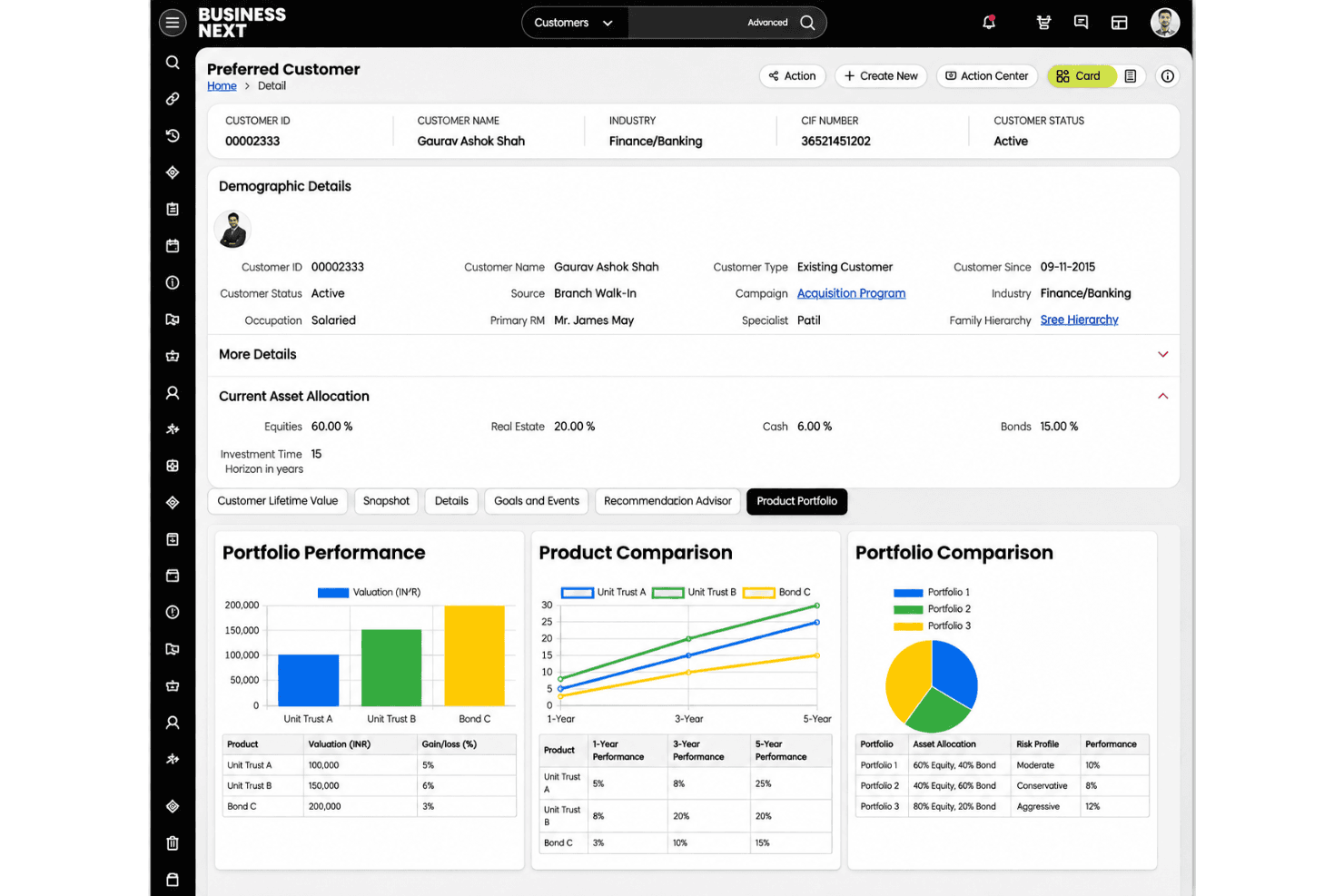
BUSINESSNEXT supports integrations with national ID systems, tax systems, loan origination systems, credit card platforms, core banking systems, credit bureaus, social platforms, payment gateways, and eKYC/Video KYC providers.
BUSINESSNEXT also supports RESTful web services, bidirectional data exchange, and more than 50 predefined integration patterns for connecting external applications.
BUSINESSNEXT Specs
- 2-Factor Authentication: Yes
- Accounts Payable: No
- Accounts Receivable: No
- API: Yes
- Audit Trail: Yes
- Balance Sheet: No
- Billing/Invoicing: No
- Budgeting: No
- Calendar Management: Yes
- Comparative Reporting: Yes
- Compliance Tracking: Yes
- CRM Integration: Yes
- Custom Reports: Yes
- Dashboard: Yes
- Dashboards: Yes
- Data Export: Yes
- Data Import: Yes
- Data Mining: Yes
- Data Visualization: Yes
- Document Comparison: No
- Expense Tracking: No
- External Integrations: Yes
- Financial Analysis: Yes
- Forecasting: Yes
- General Account Ledger: No
- Multi-Currency: Yes
- Multi-User: Yes
- Notifications: Yes
- P&L: No
- Payroll: No
- Process Reporting: Yes
- Risk Assessment: Yes
- SAP Integration: Yes
- Scenario Planning: No
- Scheduling: Yes
- Tax Management: No
- Visualization: Yes
- Workflow Management: Yes


