


EZO vs. Asset Panda: Comparison & Expert Reviews For 2026

We review tools independently, and commissions help fund our testing. See our transparency policy, our methodology, or suggest a tool.
Losing track of equipment costs organizations thousands per item, with some mobile assets going missing during their lifetime. If you’re comparing EZO vs. Asset Panda to finally get control of your physical inventory, you’re looking at two asset management platforms that approach tracking from very different angles—and choosing the wrong one could mean wasting months adapting your workflows.
I’ll walk you through the real differences in pricing structures, feature sets, and use cases so you can confidently pick the platform that fits how your team operates. Both tools promise to eliminate spreadsheet chaos, but EZO leans into operational workflows with GPS tracking and maintenance automation, while Asset Panda bets on infinite customization with unlimited users.
Ezo
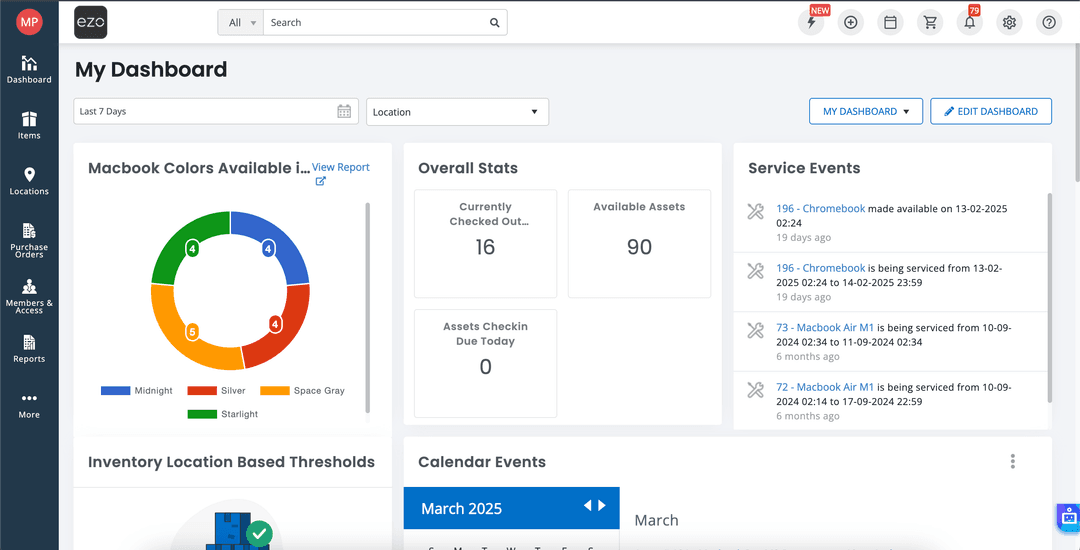
4.6/5
- 15-day free trial
- From $63.55/month (billed annually)
Asset Panda
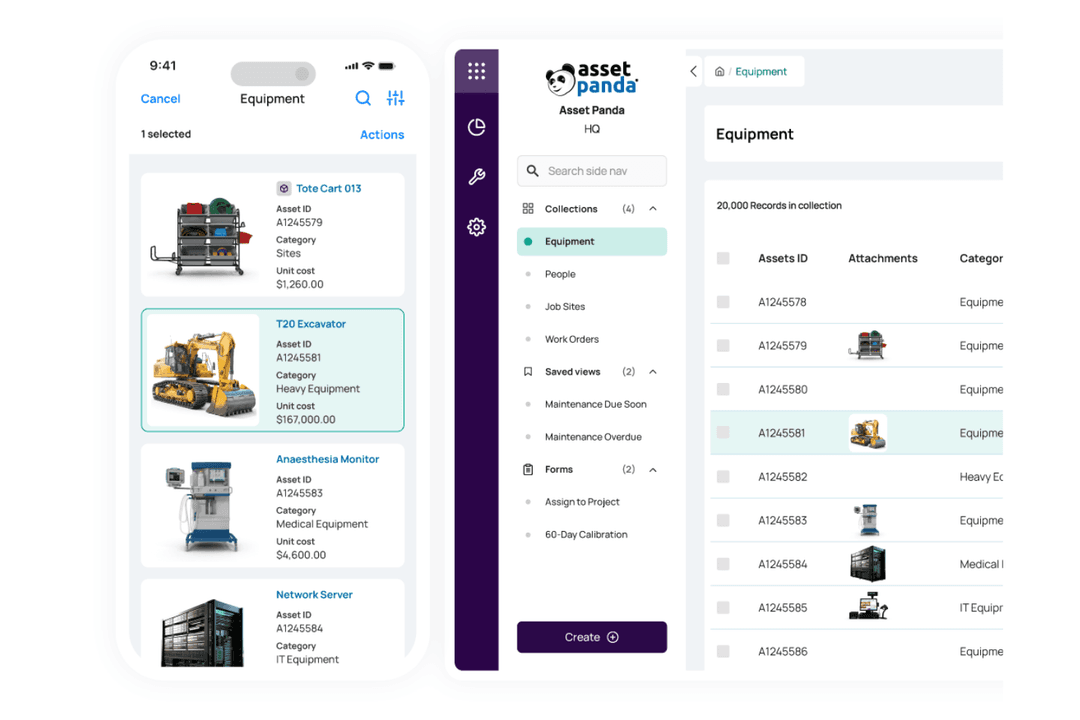
4.6/5
- 7-day free trial
- Pricing upon request
Why Trust Our Software Recommendations
6,700+
Reviews
20
Industry experts
16+
Evaluation factors
14
Years
Our team has been testing and reviewing software since 2012. As finance leaders ourselves, we know how difficult—and important—it is to choose the right software.
For this guide, we evaluated tools using hands-on testing and independent research, scoring tools using our selection criteria.
Our reviews reflect our human editorial judgment, not a sales pitch.
| Ezo | Asset Panda | |
|---|---|---|
| Free Trial | 15-day free trial | 7-day free trial |
| Pricing | From $63.55/month (billed annually) | Pricing upon request |
EZO vs. Asset Panda Hidden Costs
EZO’s pricing starts with its Essentials plan for 250 items and goes up for premium features like GPA and automations. The CMMS add-on is the most expensive hidden cost—the ability to schedule maintenance will cost extra per month, and the final price depends on your tier. Asset plans include unlimited users, but fast inventory growth can push costs higher before you’re ready. API integrations and custom workflows can have you paying Premium or Enterprise rates. Before signing up, estimate your asset growth over the next year.
Asset Panda offers flexible pricing billed annually, and you can expect costs to increase when you add users. Unlisted costs tend to pop up during implementation—especially when you’re building complex workflows or integrating legacy systems. When considering Asset Panda, nail down your budget upfront for training, onboarding, and add-on modules to avoid surprises mid-rollout.
EZO tracks assets from purchase to disposal using GPS and RFID—great if you’ve got field crews moving gear around job sites and need to know where everything is, right now. Multi-tier approvals, self-service portals, and automated maintenance reminders cut out the back-and-forth emails and spreadsheet hunting—especially useful when you’re managing hundreds of items across sites. This means audits happen faster, and you’ll know which assets are sitting idle without having to micromanage your team.
Asset Panda lets you customize everything—unlimited fields, AI-backed audit trails, barcode and QR scanning on any device. It’s built for teams tracking wildly different assets, from IT equipment one day and retail inventory the next. Action logs, alerts, and integrations keep everything in one place, so you’re not scrambling when gear goes missing or gets damaged. If cookie-cutter templates don’t cut it, you can tweak Asset Panda to match your compliance rules or job-costing quirks without the help of a developer.
| Ezo | Asset Panda | |
|---|---|---|
| API | Yes | Yes |
| Calendar Management | Yes | Yes |
| Data Export | Yes | Yes |
| Data Import | Yes | Yes |
| External Integrations | Yes | No |
| Inventory Tracking | Yes | No |
| Multi-User | Yes | Yes |
| Notifications | Yes | Yes |
| Project Management | Yes | No |
| Scheduling | No | No |
| Supplier Management | Yes | No |
| Task Scheduling/Tracking | Yes | No |
| Tool | EZO | Asset Panda |
|---|---|---|
| ToolZendesk | EZO✅ | Asset Panda✅ |
| ToolJira | EZO✅ | Asset Panda✅ |
| ToolGoogle Workspace | EZO✅ | Asset Panda✅ |
| ToolOkta | EZO✅ | Asset Panda✅ |
| ToolOneLogin | EZO✅ | Asset Panda❌ |
| ToolDropbox | EZO✅ | Asset Panda❌ |
| ToolOneDrive | EZO✅ | Asset Panda❌ |
| ToolZapier | EZO✅ | Asset Panda❌ |
| ToolServiceNow | EZO❌ | Asset Panda✅ |
| ToolQuickBooks | EZO✅ | Asset Panda✅ |
| ToolMicrosoft Intune | EZO❌ | Asset Panda✅ |
| ToolJamf Pro | EZO❌ | Asset Panda✅ |
| ToolSlack | EZO❌ | Asset Panda✅ |
| ToolMicrosoft Teams | EZO❌ | Asset Panda✅ |
Both platforms connect to service desks, identity providers, and productivity tools, so your asset data syncs across IT, CRM, and storage apps automatically. EZO lets you import and export data for maintenance and backups. Asset Panda takes it a step further with bidirectional syncing across MDM and ITSM systems, which matters if you’re pulling device data from multiple sources. You’ll save time on manual updates, but check whether your current stack can support the custom automations or enterprise-scale features these platforms need.
| Factor | EZO | Asset Panda |
| Security Certifications | SOC 2 Type 2 and ISO 27001 certified, demonstrating comprehensive security controls across availability, confidentiality, and privacy. | SOC 2 Type II compliant as of February 2023, focusing on security criteria with third-party auditing. |
| Data Encryption | Encrypts data at rest and in transit with industry-standard protocols to protect asset information and user data. | Utilizes AWS Key Management Service for encryption at rest and in transit, following industry best practices with SSL encryption. |
| Compliance Standards | Fully GDPR compliant with standard Data Processing Agreements available, plus supports ISO/IEC 19770 for asset management workflows. | GDPR compliant with documented breach protocols and sub-processor consent mechanisms; supports 21 CFR Part 11 compliance for regulated industries. |
| Application Security | Regular security audits and penetration testing to maintain control effectiveness and address emerging vulnerabilities. | Periodic third-party penetration tests evaluate source code, application, and infrastructure against industry best practices. |
| Reliability and Uptime | No publicly published SLA, but infrastructure is designed for high availability with cloud-based redundancy. | Cloud-based on AWS infrastructure; no specific uptime SLA disclosed publicly, but 24/7 email support available for continuity. |
Both platforms meet SOC 2 standards and use encryption, so they’ll handle sensitive asset data without issue. EZO’s ISO 27001 certification matters if you’re operating internationally, while Asset Panda targets regulated industries with its 21 CFR Part 11 compliance. If you need international compliance, go with EZO. If you’re in a regulated industry and want clear security docs, Asset Panda is right for you.
| Factor | EZO | Asset Panda |
| Interface and Navigation | Features an intuitive, straightforward interface that users can navigate easily, even without prior asset management experience, though some find the layout could be more modern. | Offers a clean, modern interface with logical navigation and helpful tooltips, though extensive customization options can initially overwhelm new users. |
| Setup and Implementation | Initial setup can be intricate and time-consuming, requiring substantial effort to fully understand available features and customizations before deployment. | Relatively easy to deploy and configure without extensive technical support, making it attractive for teams wanting quick implementation. |
| Onboarding and Training | Includes onboarding assistance with product feature walkthroughs and team training as part of each license, plus optional one-to-many or individualized training sessions. | Provides comprehensive implementation support with configuration experts who help customize workflows, set up integrations, and train entire teams on timelines. |
| Mobile Experience | Mobile app enables QR code scanning and asset updates on the go, though occasional glitches and performance inconsistencies can happen. | Mobile app allows barcode scanning and real-time updates while in the field, though it could benefit from improved functionality and faster syncing. |
| Customer Support | Offers email and phone support to customers throughout trials and active use, with dedicated assistance for troubleshooting and best practices. | Provides 24/7 email support with guaranteed 24-hour response times, plus phone support during business hours and live chat options. |
Both platforms are easy to use, but they handle onboarding differently. EZO’s simpler interface gets teams tracking assets in minutes, though you’ll need extra time if you want deep customizations. Asset Panda takes longer to set up, but once you’re done, the workflows match your process—not the other way around. Asset Panda offers 24/7 support, a real advantage if you've got teams across time zones, while EZO guides you through setup so your team’s productive from day one.
Ezo
- The EZO app’s barcode and QR code work on iOS and Android, so you can audit inventory quickly.
- Automate approvals, bundles, and maintenance schedules so you’re not stuck managing every request manually.
- Choose from different pre-made reports or build your own to track usage and costs.
- Custom or unlimited tiers can get expensive if you’re managing a large inventory.
- Heavy scan volumes slow down real-time updates.
- Non-technical admins can struggle with custom fields, labels, and API setups.
Asset Panda
- You can customize it to fit your team's specific needs.
- The interface is easy for your team to navigate.
- It offers detailed reporting that enhances your asset tracking.
- It may not offer the integration depth some users want.
- Some users find the setup process lengthy.
- Advanced features can mean a steep learning curve for your team.
Ezo
- Education ITUniversities use EZO to check out loaner laptops and gear across departments with easy mobile tracking.
- Healthcare FacilitiesHealthcare providers manage medical equipment inventory with alerts and audits to ensure availability during patient care.
- Construction FirmsField teams track tools and machinery locations in real-time, preventing losses on job sites.
- Photography StudiosTrack shared cameras and lenses across teams with bundles and reservations.
- Office ManagementMonitor furniture, computers, and supplies with custom labels and low-stock purchase orders.
- Government AgenciesHandle diverse assets like vehicles and tech with access controls and compliance reports.
Asset Panda
- Manufacturing CompaniesAsset Panda's detailed tracking helps you manage asset records of equipment and machinery efficiently.
- Logistics FirmsYour team can benefit from its easy asset tracking for vehicles and shipping containers.
- Finance DepartmentsIt offers customizable asset management software reporting that fits your specific financial tracking needs.
- IT Asset ManagementYou can track hardware and software assets across multiple locations.
- Educational InstitutionsIt's great for managing asset data inventory like computers and lab equipment.
- Facility ManagementYour team can efficiently track and optimize maintenance schedules and asset locations.
Who Should Use EZO, and Who Should Use Asset Panda?
EZO is perfect for construction, education, or engineering teams that typically require GPS tracking, equipment reservations, and CMMS connections to keep field operations and maintenance moving smoothly. It has self-service request portals and multi-tier approvals that are perfect for teams who distribute tools to numerous sites, since they cut down on downtime without having a lot of customization. It was created for asset-heavy organizations, like schools that have to deal with laptops and AV equipment simultaneously.
Asset Panda is perfect for teams in IT, retail, or education who need to change their demands often, such as university inventories or non-profits that need to keep track of computers, equipment, and other items. You may change processes for task costing or compliance in whatever way you choose, which is perfect for teams that work from home or in different departments. Asset Panda allows you to expand without having to change platforms later if strict systems slow you down.
| Ezo | Asset Panda | |
|---|---|---|
| Core Focus | Ezo Emphasizes operational workflows like GPS tracking, reservations, and maintenance scheduling tailored for field-heavy industries. | Asset Panda Prioritizes full customization and lifecycle tracking with infinite fields for diverse, compliance-driven industries. |
| Integrations | Ezo Offers native connections to storage tools like Dropbox and OneDrive, plus Zapier for flexible data import and export. | Asset Panda Provides bidirectional syncing with MDM like Jamf Pro and ITSM like ServiceNow for enterprise device management. |
| Pricing Model | Ezo Charges a monthly fee based on asset amount, starting at 250 items, with unlimited users included and add-ons like CMMS priced separately. | Asset Panda Operates on a per-user, per-month basis with a minimum of 5 users tracking up to 1,000 assets; however, the platform offers a free 14-day trial with unlimited users and assets and all features enabled. |
| Security | Ezo Holds ISO 27001 alongside SOC Type II for broader international compliance standards. | Asset Panda Features SOC 2 Type II and supports 21 CFR Part 11 specifically for regulated sectors like healthcare. |
| Setup Complexity | Ezo Requires more initial effort for configuration due to operational depth, but provides structured onboarding training. | Asset Panda Enables quicker deployment with expert implementation support, though customization can extend learning curves. |
| Cloud-Based | Both EZO and Asset Panda deliver fully cloud-hosted solutions accessible through web and mobile apps, eliminating on-premise hardware needs. This ensures straightforward updates and scalability for growing asset inventories without infrastructure management. |
|---|---|
| Customer Support | Both maintain responsive support channels, including email assistance and phone support during business hours. This minimizes disruptions for critical asset management operations worldwide. |
| Mobile Usability | Both platforms support barcode, QR code, and RFID scanning through intuitive mobile apps for on-the-go audits and updates. Field teams gain real-time asset visibility regardless of location, reducing manual entry mistakes. |
| Reporting | Both offer customizable reports and dashboards with utilization metrics, audit trails, and export options for data-driven decisions. Users can schedule and share insights to optimize asset performance across teams. |
| Role-Based Access | Both tools provide granular role-based permissions and access controls, allowing admins to restrict views and actions by user type. This protects sensitive asset data while empowering staff with relevant information only. |