
Tabs Review 2026: Pros, Cons, Features and Pricing
I judge Tabs not just as a collections tool, but as a way to connect contracts, billing and cash collection—and weigh whether its features and pricing suit complex B2B teams.

We review tools independently, and commissions help fund our testing. See our transparency policy, our methodology, or suggest a tool.
Tabs is accounts receivable software for B2B teams that need to connect contract terms with billing and collections. I’d choose it over BILL when your team invoices for usage-based or hybrid contracts, because Tabs builds billing workflows around contract details rather than focusing on standard invoicing and payment reminders.
Tabs Evaluation Summary
4.6/5
- From $2000/month
- Free demo available
Why Trust Our Software Recommendations
6,700+
Reviews
20
Industry experts
16+
Evaluation factors
14
Years
Our team has been testing and reviewing software since 2012. As finance leaders ourselves, we know how difficult—and important—it is to choose the right software.
For this guide, we evaluated tools using hands-on testing and independent research, scoring tools using our selection criteria.
Our reviews reflect our human editorial judgment, not a sales pitch.
Tabs Overview
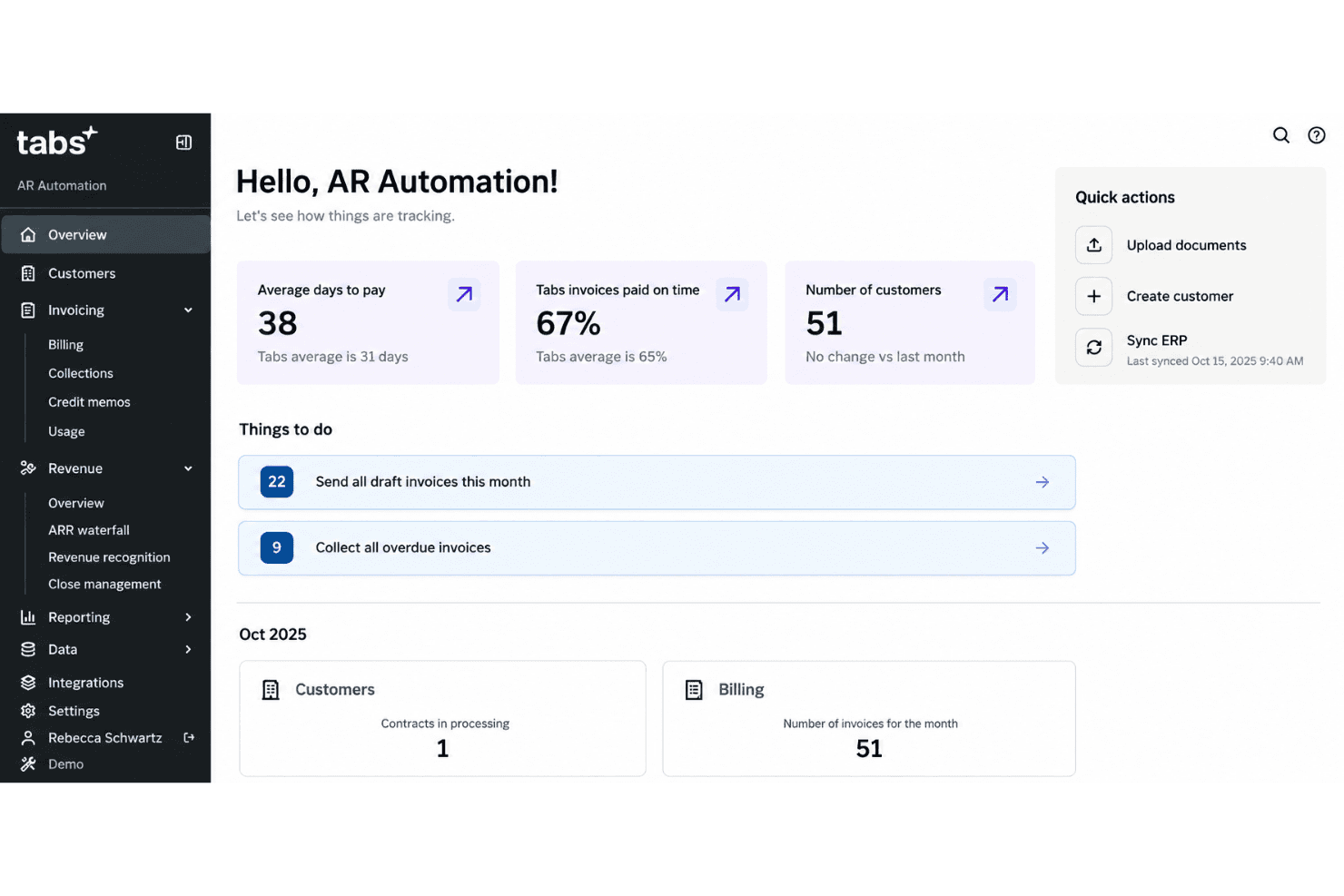
I’d choose Tabs when contract complexity drives receivables: it turns usage, ramps, and overages into billing workflows, then connects invoices with collections and revenue schedules. Compared with simpler AR tools, that contract-to-cash scope suits B2B teams managing hybrid pricing; QuickBooks, DocuSign, and HubSpot integrations also help connect existing workflows. Reviewers praise its intuitive interface, responsive support, and quick onboarding, though setup still deserves scrutiny against your contract data and processes.
Pros
- Contract parsing supports usage-based and bundled invoice generation.
- Automated dunning and cash application support invoice follow-up.
- Users praise responsive support and clear invoicing workflows.
Cons
- Partial payments require manual tracking instead of invoice application.
- Users report onboarding delays and longer-than-expected implementations.
- Contract processing and automation sometimes need manual follow-up.


How We Test & Score Tools
We’ve spent years building, refining, and improving our software testing and scoring system. The rubric is designed to capture the nuances of software selection and what makes a tool effective, focusing on critical aspects of the decision-making process.
Below, you can see exactly how our testing and scoring works across seven criteria. It allows us to provide an unbiased evaluation of the software based on core functionality, standout features, ease of use, onboarding, customer support, integrations, customer reviews, and value for money.
Core Functionality (25% of final scoring)
The starting point of our evaluation is always the core functionality of the tool. Does it have the basic features and functions that a user would expect to see? Are any of those core features locked to higher-tiered pricing plans? At its core, we expect a tool to stand up against the baseline capabilities of its competitors.
Standout Features (25% of final scoring)
Next, we evaluate uncommon standout features that go above and beyond the core functionality typically found in tools of its kind. A high score reflects specialized or unique features that make the product faster, more efficient, or offer additional value to the user.
We also evaluate how easy it is to integrate with other tools typically found in the tech stack to expand the functionality and utility of the software. Tools offering plentiful native integrations, 3rd party connections, and API access to build custom integrations score best.
Ease of Use (10% of final scoring)
We consider how quick and easy it is to execute the tasks defined in the core functionality using the tool. High scoring software is well designed, intuitive to use, offers mobile apps, provides templates, and makes relatively complex tasks seem simple.
Onboarding (10% of final scoring)
We know how important rapid team adoption is for a new platform, so we evaluate how easy it is to learn and use a tool with minimal training. We evaluate how quickly a team member can get set up and start using the tool with no experience. High scoring solutions indicate little or no support is required.
Customer Support (10% of final scoring)
We review how quick and easy it is to get unstuck and find help by phone, live chat, or knowledge base. Tools and companies that provide real-time support score best, while chatbots score worst.
Customer Reviews (10% of final scoring)
Beyond our own testing and evaluation, we consider the net promoter score from current and past customers. We review their likelihood, given the option, to choose the tool again for the core functionality. A high scoring software reflects a high net promoter score from current or past customers.
Value for Money (10% of final scoring)
Lastly, in consideration of all the other criteria, we review the average price of entry level plans against the core features and consider the value of the other evaluation criteria. Software that delivers more, for less, will score higher.
Core Features
Contract Parsing and Billing Schedules
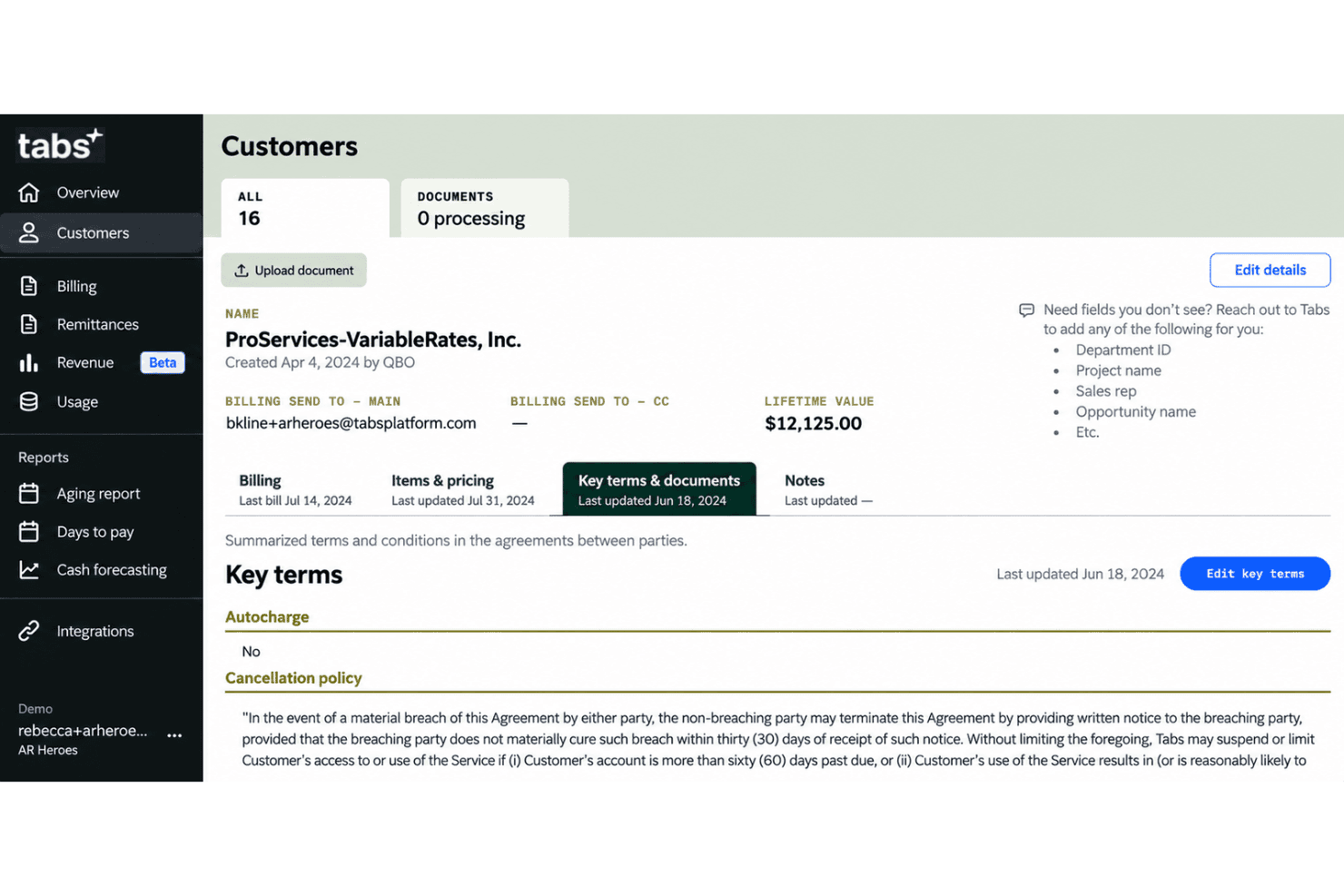
Tabs extracts billing terms from signed contracts and turns them into billing schedules. Your team can base invoice timing and amounts on contract clauses instead of re-entering terms manually.
Usage-Based and Hybrid Billing
Tabs ingests usage data and calculates charges for models such as tiered, seat-based, or subscription-plus-usage pricing. For example, it can combine a recurring platform fee with charges for usage above a customer’s commitment.
Automated Invoicing
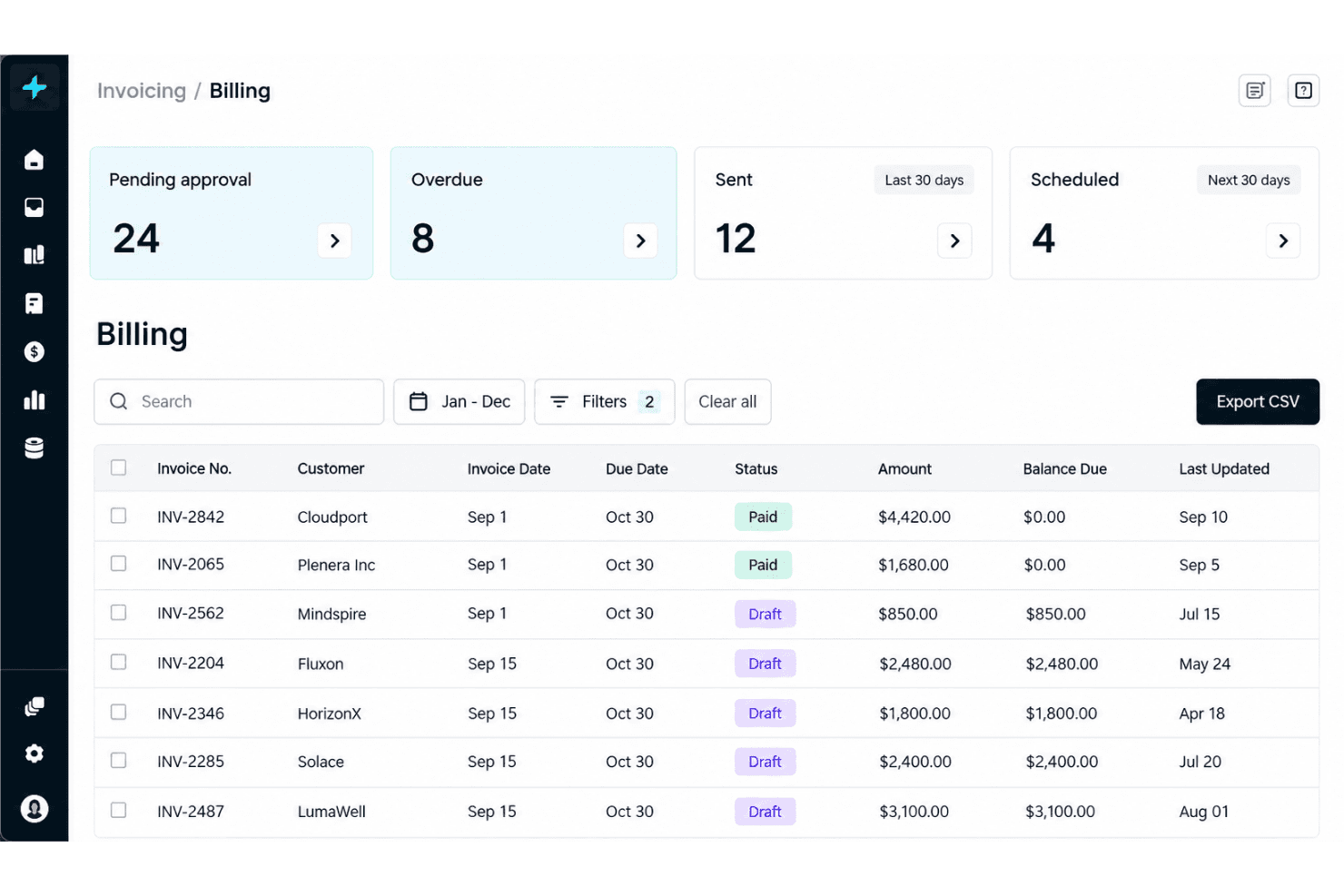
Tabs creates and delivers invoices from billing schedules, contract terms, and usage calculations. That gives finance teams a consistent way to invoice recurring fees, usage charges, and contract changes.
Automated Collections
Tabs sends personalized reminders and follow-ups through configurable dunning sequences, with messages informed by customer context. Your team can use these workflows to follow up on overdue invoices and identify when an account needs escalation.
Customer Payment Portal
Tabs lets customers pay from an invoice by credit card, ACH, wire, or check, and supports autocharge with a saved payment method. This gives customers multiple ways to settle an invoice without requiring your team to coordinate each payment manually.
Cash Application and AR Reporting
Tabs matches payments to open invoices, flags duplicate or erroneous matches, and provides customer-level AR views with invoice status, payment behavior, and DSO. Finance teams can use those views to spot at-risk accounts and prioritize collection follow-up.
Ease of Use
Tabs feels intuitive once your contract and billing data are in place, and reviewers praise its clean interface, easy invoice editing, and responsive support. I’d choose it over basic AR software when you need contract parsing, usage billing, invoicing, and collections in one workflow. That broader scope adds setup work, though: reviewers report confusing or delayed onboarding, and partial payments still require manual tracking. The interface is approachable, but implementation isn’t always.
Integrations
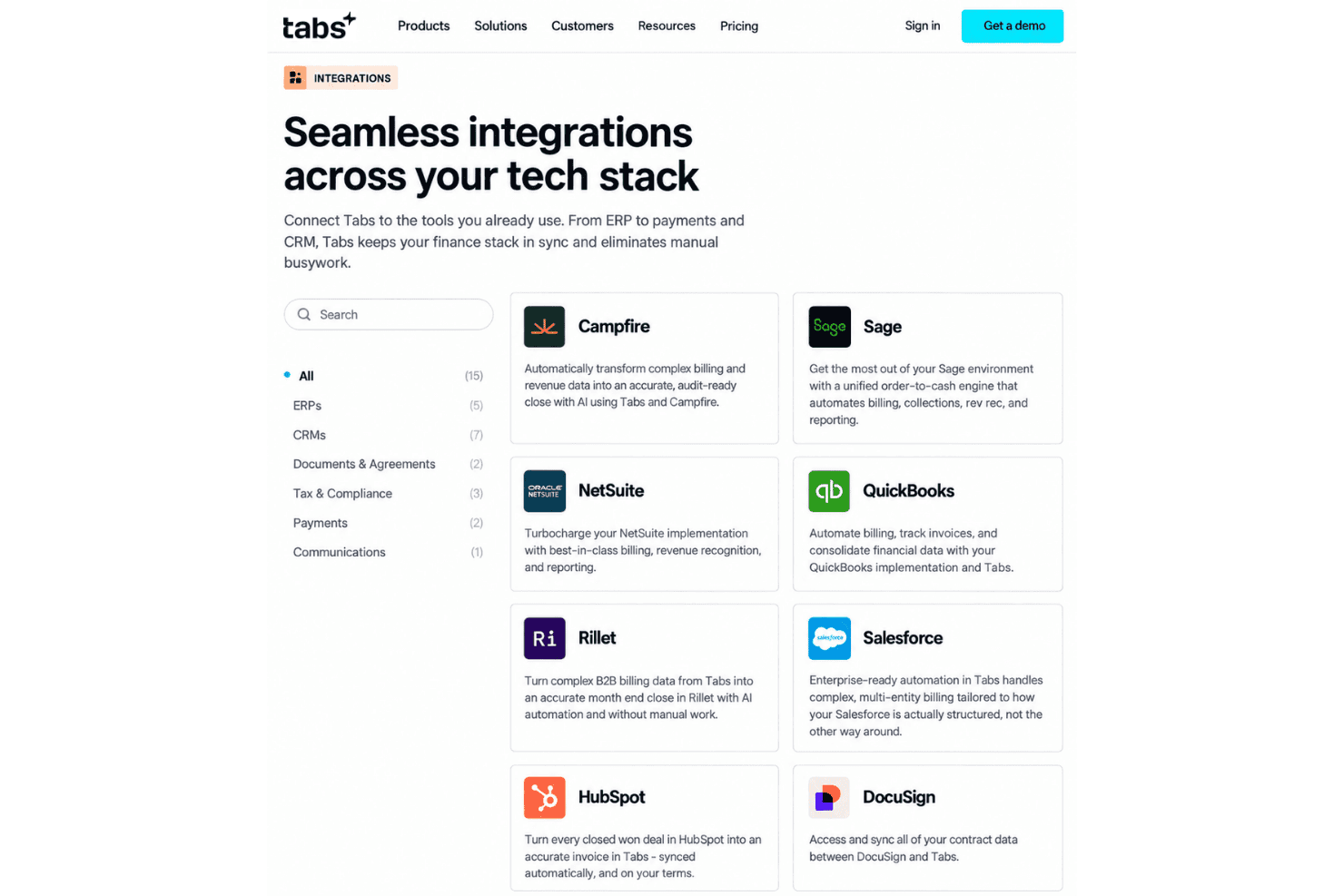
Tabs integrates with QuickBooks Online, NetSuite, Sage Intacct, Salesforce, HubSpot, DocuSign, PandaDoc, Stripe, Plaid, and Slack, among others.
It also provides APIs for custom integrations and automated workflows, alongside native connectors for synchronizing data with external systems.
Tabs Specs
- 2-Factor Authentication: Yes
- Accounts Receivable: Yes
- API: Yes
- Balance Sheet: No
- Billing/Invoicing: Yes
- BitCoin: No
- Budgeting: No
- Calendar Management: No
- Contact Management: Yes
- CRM Integration: Yes
- Customer Management: Yes
- Dashboard: Yes
- Data Export: Yes
- Data Import: Yes
- Data Visualization: Yes
- Expense Tracking: No
- External Integrations: Yes
- Forecasting: Yes
- Inventory Tracking: No
- Multi-Currency: Yes
- Multi-User: Yes
- Notifications: Yes
- P&L: No
- Payment Gateway Integration: Yes
- Payment Processor: Yes
- PayPal: No
- Payroll: No
- SAP Integration: No
- Scheduling: No
- Stripe: Yes
- Supplier Management: No
- Tax Management: No


