

Anmeldelse af Fulcrum Pro: Fordele, ulemper, funktioner og priser
Jeg testede de omfattende integrationer og den direkte support fra projektledere i Fulcrum Pro. Find ud af, hvorfor det er et så værdifuldt aktiv for effektivitetsorienterede producenter som dig.

We review tools independently, and commissions help fund our testing. See our transparency policy, our methodology, or suggest a tool.
Fulcrum Pro is a CFO ERP software for finance teams that need consolidated control over planning, reporting, and financial operations. I'd look at it if you want more financial depth than Sage Intacct offers out of the box, but without the lengthy rollout that Oracle NetSuite typically requires.
Fulcrum Pro Evaluation Summary
4.9/5
- Pricing upon request
- Free demo available
Why Trust Our Software Recommendations
6,700+
Reviews
20
Industry experts
16+
Evaluation factors
14
Years
Our team has been testing and reviewing software since 2012. As finance leaders ourselves, we know how difficult—and important—it is to choose the right software.
For this guide, we evaluated tools using hands-on testing and independent research, scoring tools using our selection criteria.
Our reviews reflect our human editorial judgment, not a sales pitch.
Fulcrum Pro Overview
In my opinion, Fulcrum Pro is a solid choice for mid-sized manufacturers looking for tailored ERP solutions. It excels in customer support and offers a wide range of modules, making it a good fit for teams needing flexibility and scalability. Its onboarding is efficient as it is handled by an in-house Fulcrum team rather than third-party providers. Fulcrum Pro's pricing is reasonable, and it provides value for money through its comprehensive functionality. If your team appreciates strong support and scalable features, this software should be on your shortlist.
Pros
- It offers excellent customer support to help your team members when needed.
- The software provides extensive customization options for your specific needs.
- Its user-friendly interface makes it easy for your team to navigate, even during data entry tasks.
Cons
- The onboarding process can feel lengthy for some.
- It may lack some advanced features found in other ERP solutions.
Is Fulcrum Pro Right For Your Needs?
Who Would be a Good Fit for Fulcrum Pro?
Fulcrum Pro is a great fit for manufacturing teams because it offers extensive customization and project manager features. If your team needs strong support and a user-friendly interface, this software is ideal. Its ability to improve workflow efficiency makes it a valuable tool for manufacturers looking to streamline operations and enhance productivity.
- Manufacturing TeamsFulcrum Pro’s project management tools help your team stay organized and efficient, particularly on the shop floor, where automation and real-time data improve throughput.
- Operations ManagersIt simplifies your workflow by centralizing data points, making it easier to oversee operations and ensure quality control.
- Finance DepartmentsThe software’s reporting features integrate easily with Excel and spreadsheets, giving your team clear insights into financial performance.
- Project ManagersFulcrum Pro’s customization options let you tailor the software to your project needs while managing notifications through its dashboard.
- Production SupervisorsIts user-friendly interface allows your team to quickly adapt and manage production tasks with minimal workarounds.
- Inventory ManagersThe software’s tracking capabilities help your team maintain optimal inventory management levels, supported by barcode scanning and templates for faster setup.
Who Would be a Bad Fit for Fulcrum Pro?
It may not be the best choice for very large, multi-site manufacturers that need a heavily customized, global ERP replacement fast. It can also be too much for very small shops with simple operations that don’t need a full manufacturing system. Additionally, industries outside manufacturing, like retail or hospitality, may not benefit from its specialized functionalities.
- Small RetailersFulcrum Pro's manufacturing-focused features won't align with your retail operations.
- Hospitality IndustryYour team won't find its manufacturing tools relevant to hospitality needs.
- FreelancersYou likely won't need the extensive features designed for larger teams.
- Non-Manufacturing SectorsIndustries outside manufacturing might not benefit from its specialized tools.
How We Test & Score Tools
We’ve spent years building, refining, and improving our software testing and scoring system. The rubric is designed to capture the nuances of software selection and what makes a tool effective, focusing on critical aspects of the decision-making process.
Below, you can see exactly how our testing and scoring works across seven criteria. It allows us to provide an unbiased evaluation of the software based on core functionality, standout features, ease of use, onboarding, customer support, integrations, customer reviews, and value for money.
Core Functionality (25% of final scoring)
The starting point of our evaluation is always the core functionality of the tool. Does it have the basic features and functions that a user would expect to see? Are any of those core features locked to higher-tiered pricing plans? At its core, we expect a tool to stand up against the baseline capabilities of its competitors.
Standout Features (25% of final scoring)
Next, we evaluate uncommon standout features that go above and beyond the core functionality typically found in tools of its kind. A high score reflects specialized or unique features that make the product faster, more efficient, or offer additional value to the user.
We also evaluate how easy it is to integrate with other tools typically found in the tech stack to expand the functionality and utility of the software. Tools offering plentiful native integrations, 3rd party connections, and API access to build custom integrations score best.
Ease of Use (10% of final scoring)
We consider how quick and easy it is to execute the tasks defined in the core functionality using the tool. High scoring software is well designed, intuitive to use, offers mobile apps, provides templates, and makes relatively complex tasks seem simple.
Onboarding (10% of final scoring)
We know how important rapid team adoption is for a new platform, so we evaluate how easy it is to learn and use a tool with minimal training. We evaluate how quickly a team member can get set up and start using the tool with no experience. High scoring solutions indicate little or no support is required.
Customer Support (10% of final scoring)
We review how quick and easy it is to get unstuck and find help by phone, live chat, or knowledge base. Tools and companies that provide real-time support score best, while chatbots score worst.
Customer Reviews (10% of final scoring)
Beyond our own testing and evaluation, we consider the net promoter score from current and past customers. We review their likelihood, given the option, to choose the tool again for the core functionality. A high scoring software reflects a high net promoter score from current or past customers.
Value for Money (10% of final scoring)
Lastly, in consideration of all the other criteria, we review the average price of entry level plans against the core features and consider the value of the other evaluation criteria. Software that delivers more, for less, will score higher.
Core Features
Inventory Management
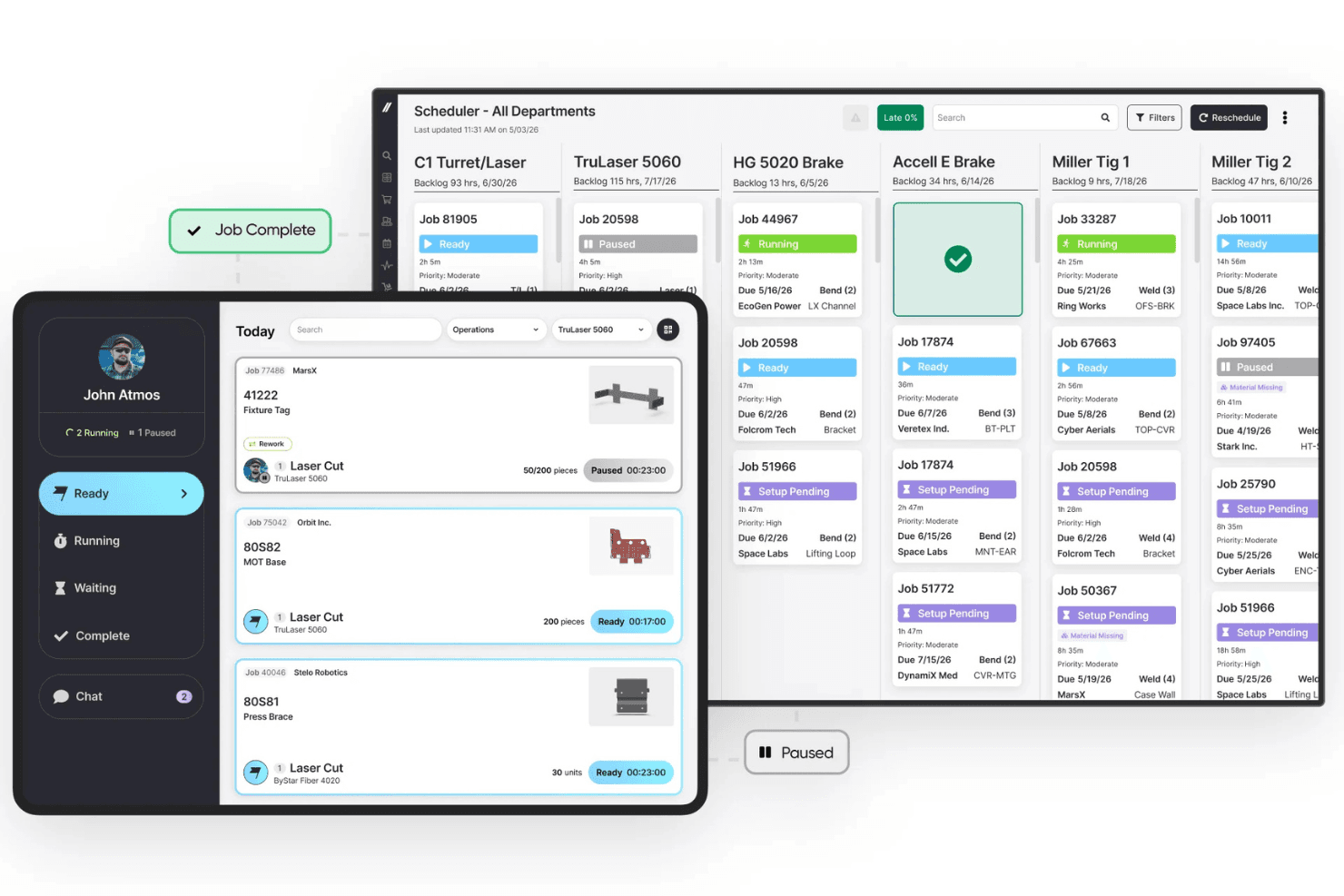
Fulcrum Pro tracks your inventory levels in real time, helping you avoid stockouts. Its intuitive dashboard gives easy access to critical inventory data and data management tools.
Production Scheduling
Your team can easily manage schedules with Fulcrum Pro's flexible production planning tools, ideal for field data collection and optimization of capacity.
Financial Reporting
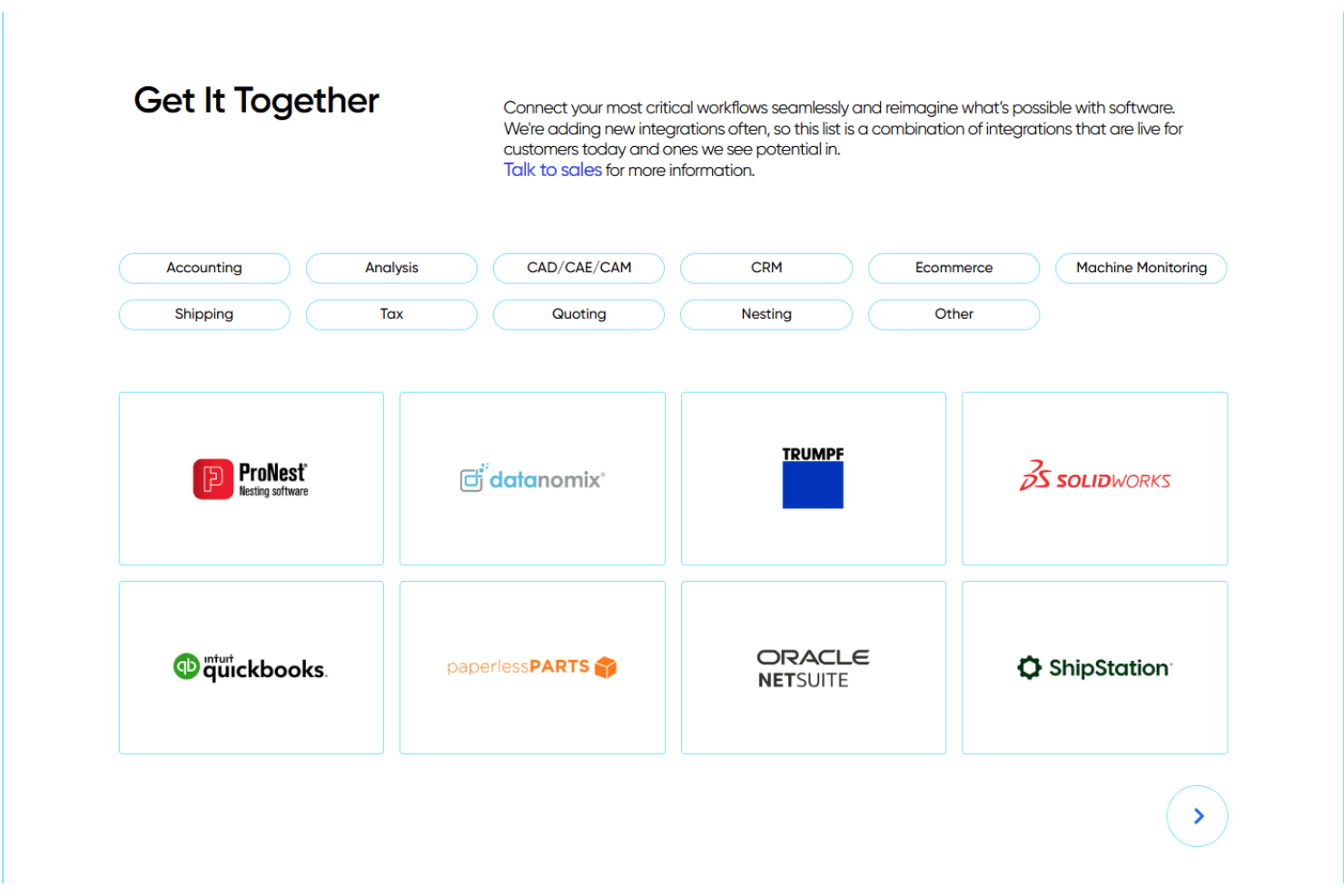
Fulcrum Pro provides detailed financial reports to help your team make informed decisions. Customize reports to focus on what matters most to your business.
Quality Control
With built-in quality checks, you can ensure your products meet standards before they reach customers.
Project Management
Keep your projects organized with Fulcrum Pro's project management tools, accessible through the Fulcrum app, mobile app, or desktop.
Ease of Use
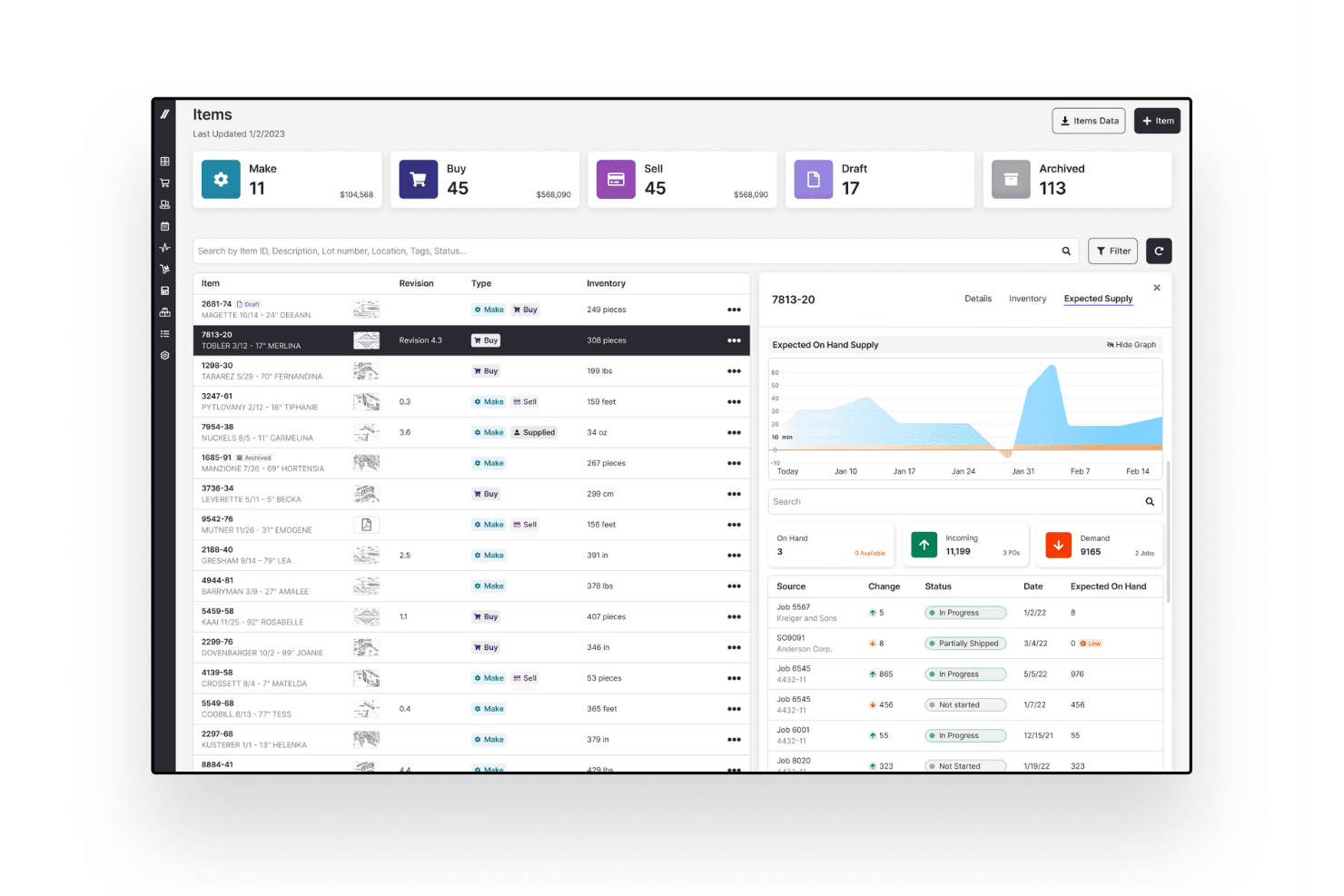
Fulcrum Pro offers a user-friendly, cloud-based design that makes navigating its features straightforward for your team. Its intuitive interface reduces the learning curve and streamlines setup. Users appreciate how easily they can adjust workflows and dashboards for optimization.
Integrations
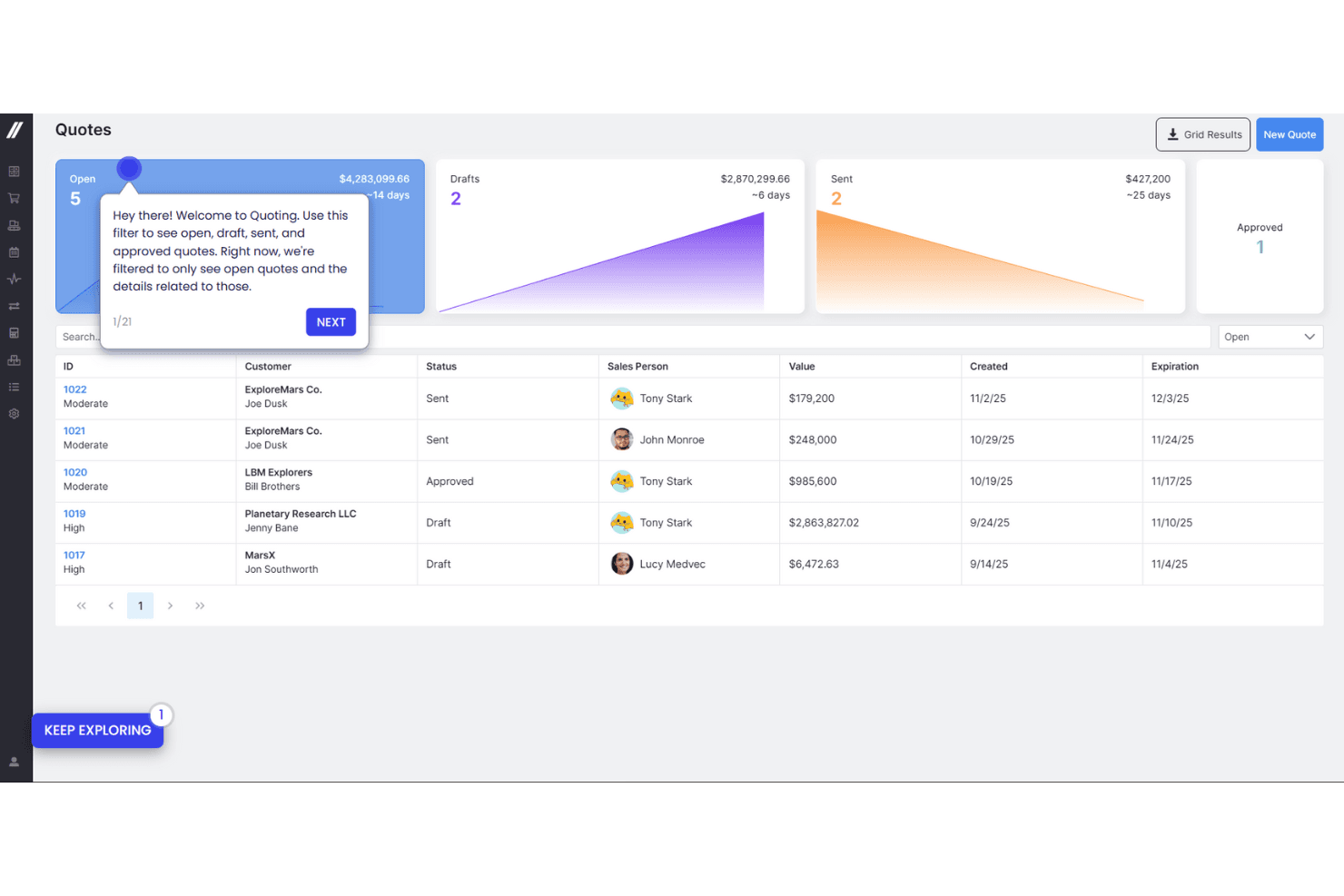
Fulcrum Pro integrates natively with ProNest, Datanomix, Trumpf TruTop Boost, Solidworks, QuickBooks Online, Paperless Parts, NetSuite, ShipStation, and more. It also offers an open API for custom integration with CRM, ERP software, and other third-party systems.
Fulcrum Pro Specs
- API: Yes
- Calendar Management: Yes
- Customer Management: Yes
- Dashboard: Yes
- Data Export: Yes
- Data Import: Yes
- Data Visualization: Yes
- External Integrations: Yes
- Inventory Tracking: Yes
- Multi-User: Yes
- Natural Resources: No
- Notifications: Yes
- Order Management: Yes
- Project Management: Yes
- Scheduling: Yes
- Shipping Management: Yes
- Supplier Management: Yes


