

Zoho Books-anmeldelse 2026: Fordele, ulemper, funktioner og priser
Jeg gennemgår, hvor Zoho Books skiller sig ud – og hvor programmet ikke gør – så du kan vurdere, om balancen mellem automatisering, prisvenlighed og brugervenlighed passer til dine regnskabsbehov.

We review tools independently, and commissions help fund our testing. See our transparency policy, our methodology, or suggest a tool.
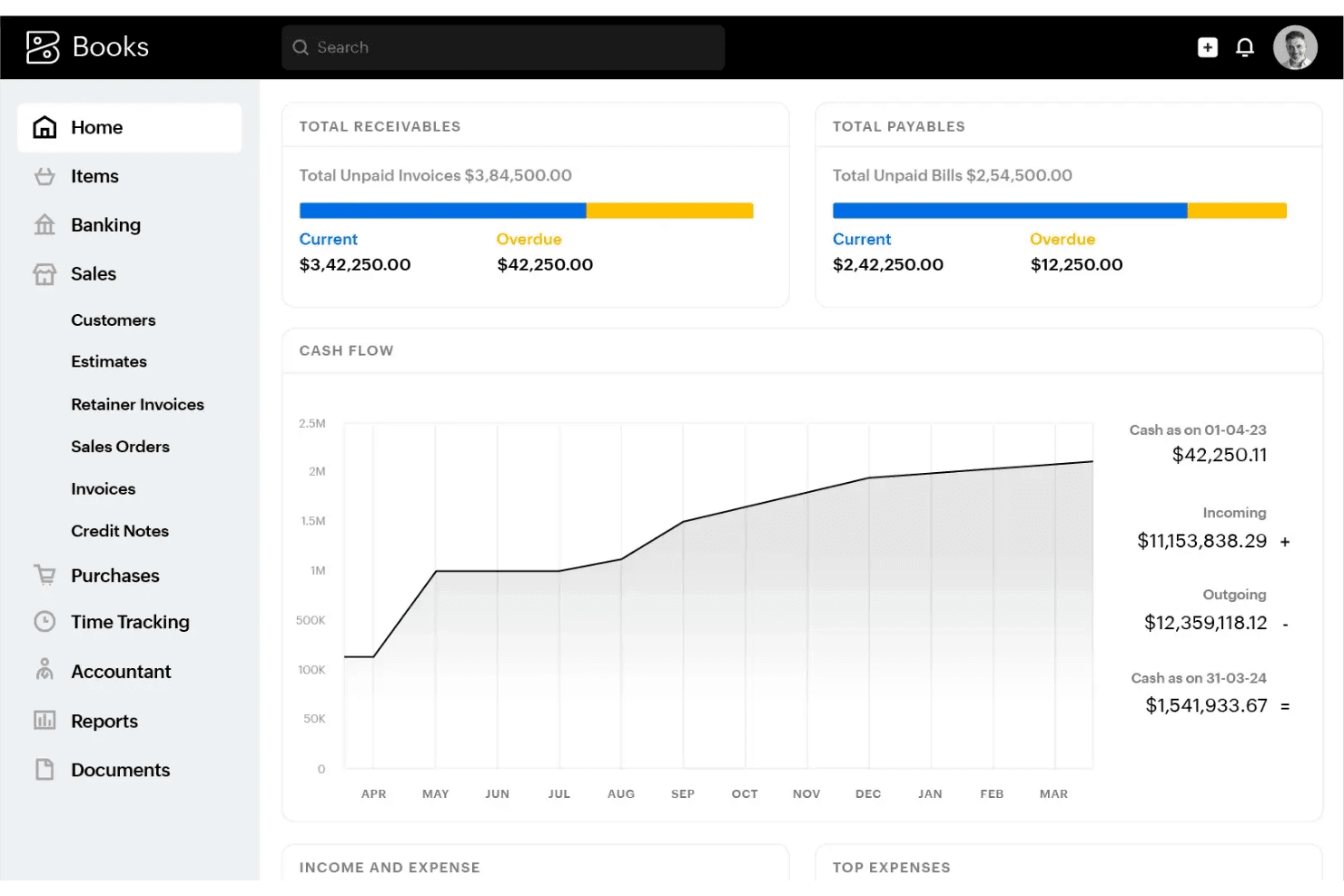
Zoho Books is an accounting software built for small and mid-sized businesses managing invoicing, expense tracking, bank reconciliation, and tax compliance. I'd especially consider it if your team is already working within the Zoho ecosystem—the native integrations across Zoho's suite give it a clear advantage over QuickBooks, which relies on third-party connectors to achieve the same level of cross-platform financial visibility.
Zoho Books Evaluation Summary
4.3/5
- From $15/month (billed annually)
- Free plan + free demo available
Why Trust Our Software Recommendations
6,700+
Reviews
20
Industry experts
16+
Evaluation factors
14
Years
Our team has been testing and reviewing software since 2012. As finance leaders ourselves, we know how difficult—and important—it is to choose the right software.
For this guide, we evaluated tools using hands-on testing and independent research, scoring tools using our selection criteria.
Our reviews reflect our human editorial judgment, not a sales pitch.
Zoho Books Overview
In my opinion, Zoho Books offers an impressive combination of automation, budgeting, and multi-currency support for the price. I find its interface easier to navigate than many competitors, and the setup process is quick even for non-experts. While integrations aren’t as extensive as some software, its built-in workflow tools and strong customer support more than make up for it.
I’d suggest Zoho Books is a great fit if you want a cost-effective, scalable solution for a small to midsize business, especially when your team values simple onboarding and reliable compliance features over specialized integrations.
Pros
- Automated bank feeds save time on manual data entry
- Canadian and international compliance tools are built-in
- Role-based user permissions support audit and review workflows
Cons
- Project accounting features are limited compared to peers
- Inventory tracking lacks advanced automation options
- Payroll is only available through third-party add-ons
Is Zoho Books Right For Your Needs?
Who Would be a Good Fit for Zoho Books?
Zoho Books is a great choice for small to mid-sized businesses that want modern automation, have straightforward finances, or already use other Zoho apps. Service firms, consultants, and sales teams appreciate its project tracking and online payment tools. Startups and nonprofits looking for affordable but feature-rich accounting, solid compliance, and real-time insights regularly find Zoho Books meets their needs without adding complexity.
- Small BusinessesThe clean interface and affordable pricing make accounting and invoicing simple for smaller teams with limited resources.
- Agencies and ConsultantsProject-based billing, time tracking, and client portals help agencies and consultants manage clients and hours efficiently.
- NonprofitsDonation tracking, expense management, and simple reporting help nonprofits stay compliant without paying for enterprise platforms.
- Retailers With Basic InventoryZoho Books supports sales, inventory tracking, and order management for retailers who don’t need advanced warehousing.
- SaaS and Service ProvidersSubscription billing and recurring invoice automation are built-in, making it easy for SaaS firms to manage contracts and renewals.
- International BusinessesMulti-currency support, localized tax handling, and global banking integrations make it a fit for companies working across borders.
Who Would be a Bad Fit for Zoho Books?
Zoho Books is not well-suited to large enterprises, complex manufacturers, or companies with heavy regulatory and payroll needs as some advanced features are limited or only available through add-ons. High-volume distributors and businesses needing deep third-party integrations with non-Zoho tools may also struggle. Public companies or those requiring advanced audit and consolidation tools will likely find Zoho Books lacking compared to specialist alternatives.
- Large EnterprisesAdvanced consolidation, approval workflows, and deep analytics needed by large enterprises aren’t fully supported.
- Manufacturers With Complex OperationsManufacturers needing advanced BOM, shop floor controls, or production management won’t find the detailed automation tools they require.
- High-Volume DistributorsLimited inventory automation and warehouse features make it hard for large-volume distributors to meet operational needs.
- Companies With In-House PayrollFull-service integrated payroll is not natively available, requiring a separate add-on or tool.
- Regulated Financial ServicesFirms needing specialized compliance, audit trails, and reporting for financial regulations will find the options too basic.
- Publicly Traded CompaniesZoho Books lacks built-in tools for SEC reporting, SOX compliance, or advanced group consolidation features required by public firms.
How We Test & Score Tools
We’ve spent years building, refining, and improving our software testing and scoring system. The rubric is designed to capture the nuances of software selection and what makes a tool effective, focusing on critical aspects of the decision-making process.
Below, you can see exactly how our testing and scoring works across seven criteria. It allows us to provide an unbiased evaluation of the software based on core functionality, standout features, ease of use, onboarding, customer support, integrations, customer reviews, and value for money.
Core Functionality (25% of final scoring)
The starting point of our evaluation is always the core functionality of the tool. Does it have the basic features and functions that a user would expect to see? Are any of those core features locked to higher-tiered pricing plans? At its core, we expect a tool to stand up against the baseline capabilities of its competitors.
Standout Features (25% of final scoring)
Next, we evaluate uncommon standout features that go above and beyond the core functionality typically found in tools of its kind. A high score reflects specialized or unique features that make the product faster, more efficient, or offer additional value to the user.
We also evaluate how easy it is to integrate with other tools typically found in the tech stack to expand the functionality and utility of the software. Tools offering plentiful native integrations, 3rd party connections, and API access to build custom integrations score best.
Ease of Use (10% of final scoring)
We consider how quick and easy it is to execute the tasks defined in the core functionality using the tool. High scoring software is well designed, intuitive to use, offers mobile apps, provides templates, and makes relatively complex tasks seem simple.
Onboarding (10% of final scoring)
We know how important rapid team adoption is for a new platform, so we evaluate how easy it is to learn and use a tool with minimal training. We evaluate how quickly a team member can get set up and start using the tool with no experience. High scoring solutions indicate little or no support is required.
Customer Support (10% of final scoring)
We review how quick and easy it is to get unstuck and find help by phone, live chat, or knowledge base. Tools and companies that provide real-time support score best, while chatbots score worst.
Customer Reviews (10% of final scoring)
Beyond our own testing and evaluation, we consider the net promoter score from current and past customers. We review their likelihood, given the option, to choose the tool again for the core functionality. A high scoring software reflects a high net promoter score from current or past customers.
Value for Money (10% of final scoring)
Lastly, in consideration of all the other criteria, we review the average price of entry level plans against the core features and consider the value of the other evaluation criteria. Software that delivers more, for less, will score higher.
Core Features
Invoicing and Billing
Generate and send customized invoices with automated payment reminders. Users can accept payments online and track status in real time.
Expense Tracking
Capture, categorize, and attach receipts to expenses on desktop or mobile. Real-time dashboard gives visibility into spending with built-in expense reports.
Bank Reconciliation
Connect bank accounts for automatic import and reconciliation of transactions. Quick-match suggestions minimize manual effort and speed up month-end close.
Tax Compliance and Filing
Configure tax rules by jurisdiction, automate tax calculations, and generate region-specific returns. Users can track sales taxes or VAT/QST/GST with audit-ready reports.
Inventory Management
Track inventory levels, item movements, and reorder points with real-time updates. Users can create composite items and manage stock across multiple locations.
Financial Reporting
Generate standard and custom reports for profit and loss, balance sheet, cash flows, and aging. Drill down into transactions from reports for fast audits and review.
Ease of Use
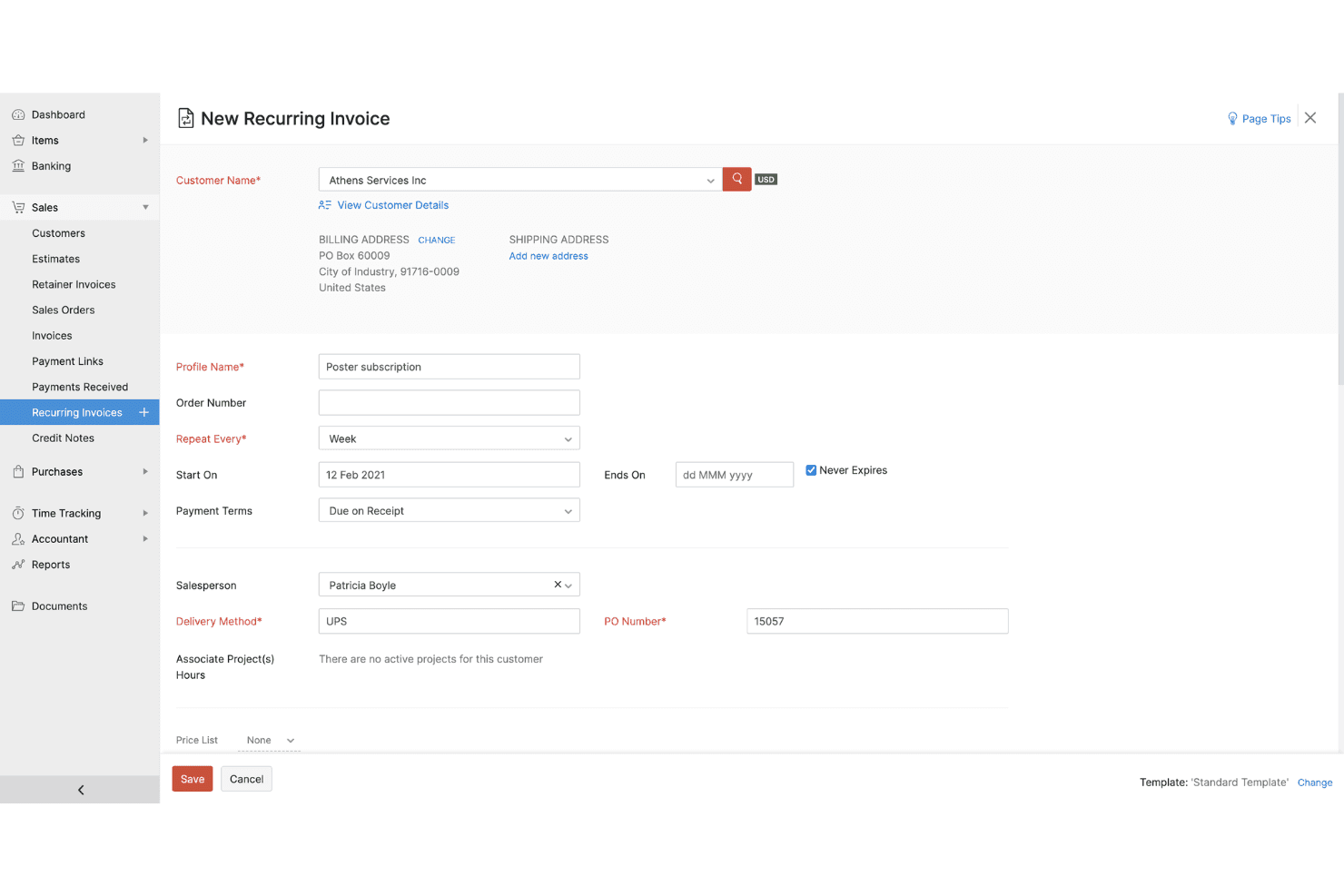
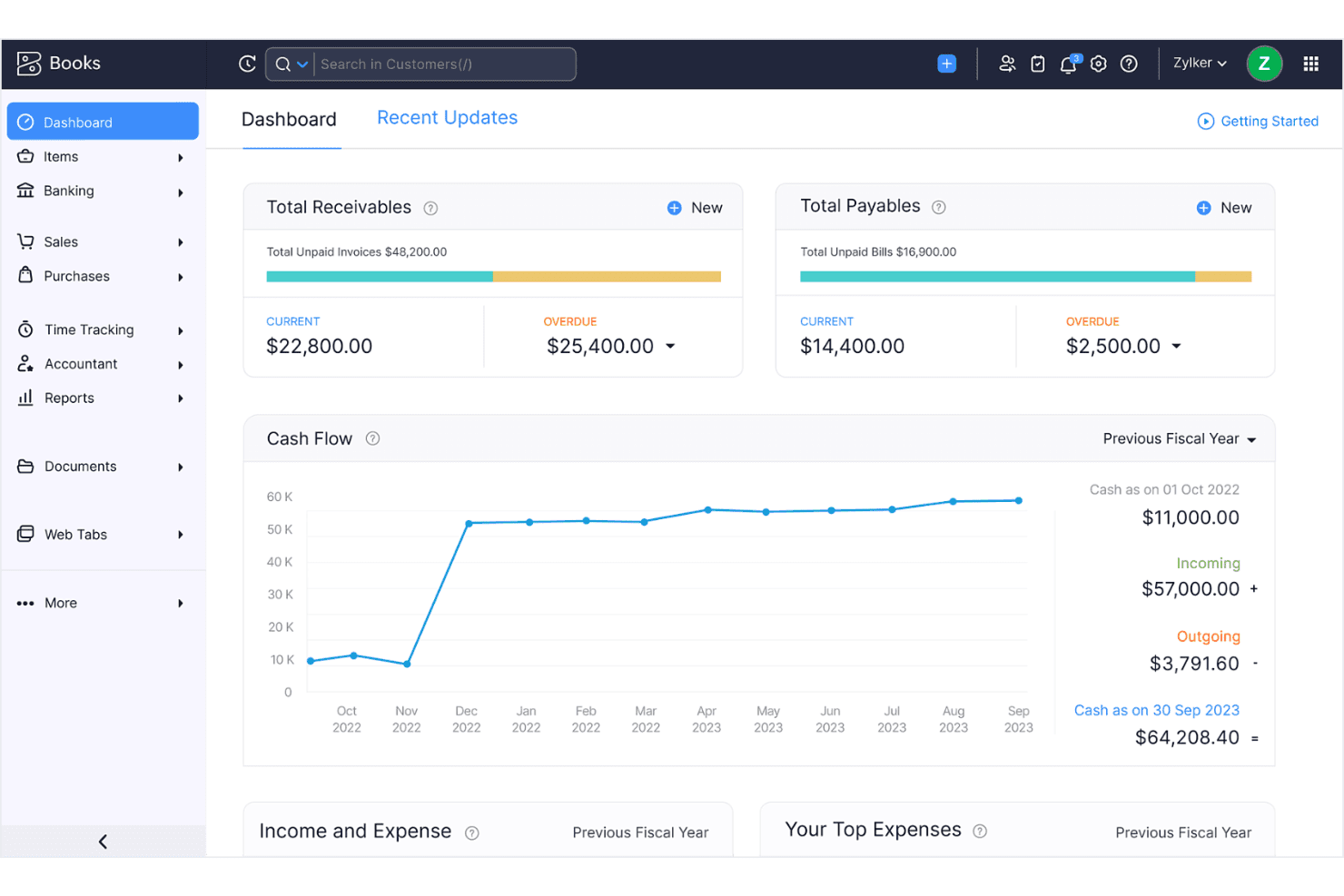
Zoho Books stands out for its clean dashboard and intuitive navigation, letting users automate tasks or customize templates with minimal effort.
In my experience and from user feedback, onboarding is painless, and even non-accountants can quickly handle invoicing, reconciliations, and compliance reports without getting lost in menus.
Integrations
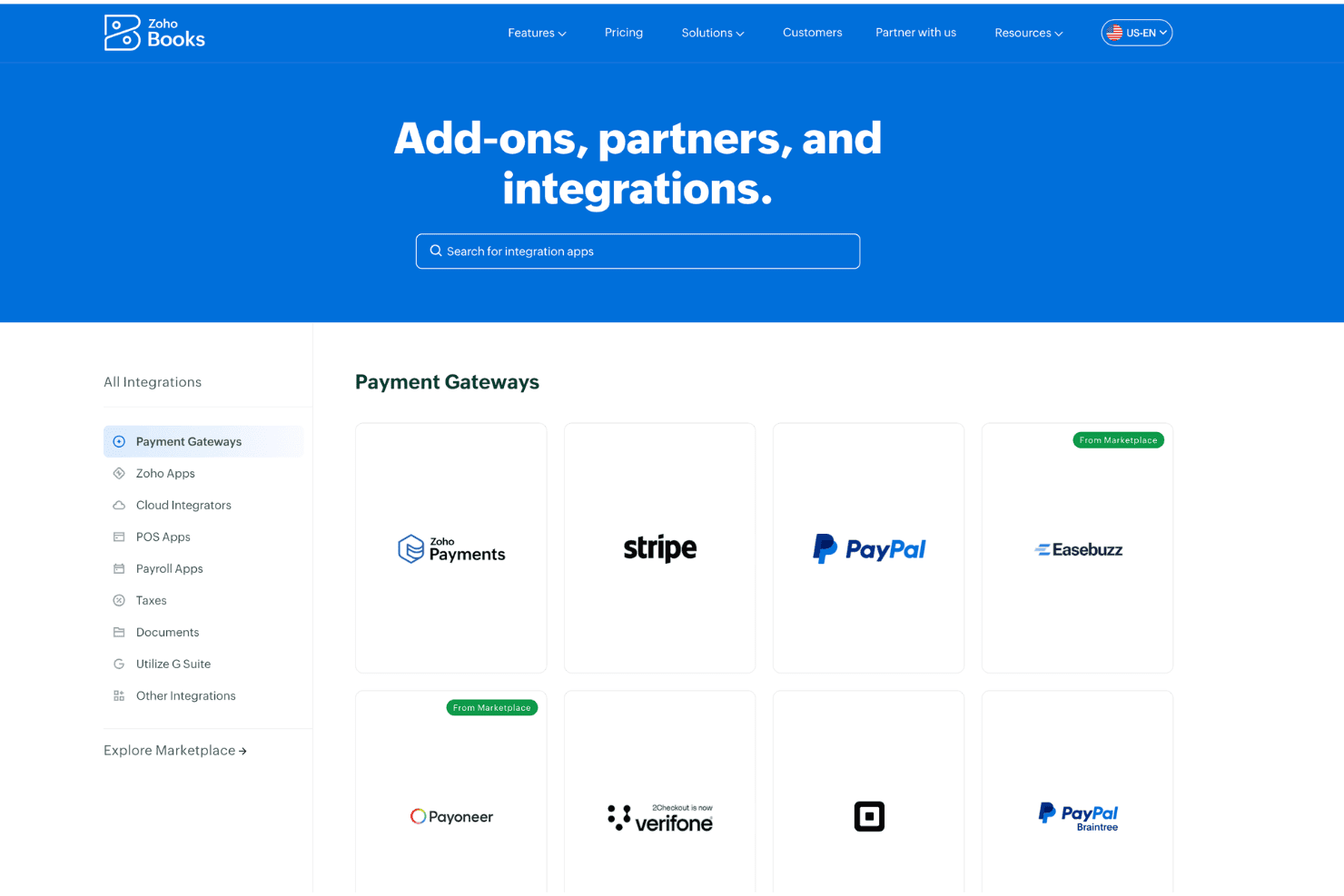
Zoho Books integrates with Zoho CRM, Zoho Inventory, Zoho Analytics, PayPal, Stripe, Razorpay, Google Drive, G Suite, Office 365, and Avalara, among others.
Zoho Books also offers an API and connects with third-party integration tools like Zapier.
Zoho Books Specs
- 2-Factor Authentication: Yes
- Accounts Payable: Yes
- Accounts Receivable: Yes
- API: Yes
- Balance Sheet: Yes
- Billing/Invoicing: Yes
- BitCoin: Yes
- Budgeting: Yes
- Calendar Management: Yes
- Contact Management: Yes
- CRM Integration: Yes
- Customer Management: Yes
- Dashboard: Yes
- Data Export: Yes
- Data Import: Yes
- Data Visualization: Yes
- Expense Tracking: Yes
- External Integrations: Yes
- Forecasting: Yes
- General Account Ledger: Yes
- Inventory Tracking: Yes
- Multi-Currency: Yes
- Multi-User: Yes
- Notifications: Yes
- P&L: Yes
- PayPal: Yes
- Payroll: Yes
- SAP Integration: Yes
- Stripe: Yes
- Supplier Management: Yes
- Tax Management: Yes


