

Avalara Testbericht: Vorteile, Nachteile, Funktionen und Preise
Avalara ist führend in der Automatisierung der Steuer-Compliance und bietet Ihrem Team eine zuverlässige Lösung, die komplexe Steuerberechnungen und -berichte vereinfacht.

Wir bewerten Tools unabhängig; Provisionen helfen, unsere Tests zu finanzieren. Siehe unsere Transparenzrichtlinie und unsere Methodik.
Avalara is tax software built for businesses that need to automate sales tax, VAT, and excise tax calculations across multiple jurisdictions. If your organization sells across state or country lines, manual compliance gets complicated fast. I'd consider Avalara over TaxJar when your tax obligations span many jurisdictions or include international VAT, since Avalara's filing coverage and compliance automation go significantly deeper than what TaxJar can handle at scale.
Avalara Evaluation Summary
4/5
- Pricing upon request
- Free demo available
Warum Sie unseren Software-Empfehlungen vertrauen können
6,700+
Reviews
20
Industry experts
16+
Evaluation factors
14
Years
Unsere Bewertungen spiegeln unser unabhängiges Urteilsvermögen wider – keine Verkaufsstrategie. Erfahren Sie, wie wir transparent bleiben.
Für diesen Leitfaden haben wir Tools mithilfe von praktischen Tests und unabhängiger Recherche bewertet und dabei unsere Bewertungskriterien angewendet.
Unsere Bewertungen spiegeln unser menschliches redaktionelles Urteilsvermögen wider, keine Verkaufsstrategie.
Avalara Overview
In my opinion, Avalara is a solid choice for businesses needing reliable tax compliance solutions. It excels with its automation capabilities, making tax calculations and reporting easier. While some users find the onboarding a bit challenging, the overall ease of use and integration with other tools make up for it. Compared to others, Avalara's standout features and customer support may not be top-tier, but the software still offers good value for money. It's well-suited for e-commerce and retail businesses that handle complex tax scenarios. If your team values automation and accuracy, Avalara should be on your shortlist.
Pros
- Avalara automates complex tax calculations, saving your team time and resources.
- It provides accurate tax compliance, reducing manual errors in your work.
- Avalara simplifies reporting, making it easier for your team to manage tax obligations.
Cons
- Some users find the onboarding process challenging.
- Avalara's customer support might not meet all your expectations.
- The user interface could be more intuitive for your work.
Is Avalara Right For Your Needs?
Who Would be a Good Fit for Avalara?
Avalara is an excellent fit for e-commerce businesses and retail chains that handle complex tax scenarios. It automates tax calculations, making your work easier and more accurate. Finance departments and accounting teams benefit from its accurate compliance features, reducing manual errors. If your team struggles with time-consuming tax reporting, Avalara’s streamlined process can save businesses of all sizes time and headaches.
- E-commerce BusinessesAvalara tax and compliance automates tax calculations for multiple jurisdictions, saving your team time and reducing errors.
- Retail ChainsYour retail operations will benefit from Avalara’s accurate sales tax calculations across different locations.
- Finance DepartmentsAvalara simplifies tax compliance, making your department’s reporting more efficient and accurate.
- Accounting TeamsAccount managers can focus on more strategic tasks and reduce manual errors with Avalara’s automated tax compliance features.
- International CompaniesAvalara handles complex international tax scenarios, helping your business comply with global regulations.
- Manufacturing FirmsYour manufacturing firm can benefit from Avalara’s ability to manage product-specific tax rates and exemptions.
Who Would be a Bad Fit for Avalara?
Avalara might not be a good fit for small businesses with simple tax needs, as its robust features may be unnecessary. If your team doesn’t deal with complex tax scenarios or multiple jurisdictions, the software's capabilities could be too much. Additionally, startups with limited budgets may find the onboarding process and customer support less accommodating, making it more challenging for your team to get the most out of Avalara.
- Small BusinessesYour small business might find Avalara too complex for straightforward tax needs.
- StartupsThe onboarding process may be overwhelming for your startup with limited resources.
- FreelancersIf you’re a freelancer, you likely don’t need Avalara’s advanced tax features.
- Local RetailersYour local store might not benefit from Avalara if you only deal with single-location sales tax.
- NonprofitsNonprofits with specific tax exemptions might find Avalara’s features overly complex for their needs.
- Sole ProprietorsAs a sole proprietor, you probably don’t require Avalara’s extensive tax compliance capabilities.
Wie wir Tools testen und bewerten
Wir haben jahrelang daran gearbeitet, unser System zur Softwarebewertung zu entwickeln, zu verfeinern und stetig zu verbessern. Der Bewertungsleitfaden wurde entworfen, um die Feinheiten der Softwareauswahl und die Qualitätskriterien eines effektiven Tools präzise zu erfassen, mit Fokus auf entscheidende Aspekte im Auswahlprozess. Im Folgenden sehen Sie genau, wie unsere Prüfungen und Bewertungen nach sieben Kriterien funktioniert. So können wir eine objektive Bewertung der Software auf Grundlage der Kernfunktionalitäten, herausragenden Eigenschaften, Benutzerfreundlichkeit, Einführung, Kundensupport, Integrationen, Kundenbewertungen sowie Preis-Leistungs-Verhältnis bieten.
Kernfunktionalität (25 % der Gesamtbewertung)
Der Ausgangspunkt unserer Bewertung ist immer die Kernfunktionalität des Tools. Verfügt es über die grundlegenden Features und Funktionen, die ein Nutzer erwarten würde? Sind einige dieser Kernfunktionen auf höherpreisige Tarife beschränkt? Im Kern erwarten wir, dass ein Tool mit den Basisfunktionen seiner Wettbewerber mithalten kann.
Herausragende Funktionen (25 % der Gesamtbewertung)
Im nächsten Schritt bewerten wir ungewöhnliche, herausragende Funktionen, die über die üblichen Kernfunktionen vergleichbarer Tools hinausgehen. Eine hohe Punktzahl erhält, wer spezialisierte oder einzigartige Funktionen bietet, die das Produkt schneller, effizienter oder besonders wertvoll für den Nutzer machen. Wir prüfen auch, wie einfach sich das Tool mit anderen Programmen des typischen Tech-Stacks integrieren lässt, um den Funktionsumfang und die Nützlichkeit der Software zu erweitern. Vielseitige native Integrationen, Drittanbieter-Anbindungen sowie API-Zugänge für individuelle Integrationen schneiden am besten ab.
Benutzerfreundlichkeit (10 % der Gesamtbewertung)
Wir bewerten, wie schnell und einfach sich die wichtigsten Aufgaben im Tool erledigen lassen. Hoch bewertete Software ist gut gestaltet, intuitiv bedienbar, bietet mobile Apps, Vorlagen und macht selbst komplexere Aufgaben handhabbar.
Einführung (10 % der Gesamtbewertung)
Wir wissen, wie wichtig eine rasche Teamakzeptanz bei neuen Plattformen ist. Deshalb prüfen wir, wie einfach sich ein Tool mit minimalem Trainingsaufwand erlernen und bedienen lässt. Wir bewerten auch, wie schnell ein Teammitglied ohne vorherige Erfahrung startklar ist. Hoch bewertete Lösungen benötigen wenig oder gar keinen Support.
Kundensupport (10 % der Gesamtbewertung)
Wir prüfen, wie leicht und schnell Sie mit Telefon, Live-Chat oder Wissensdatenbank Hilfe erhalten können. Tools und Unternehmen, die Echtzeit-Support bieten, erzielen die besten Ergebnisse, während Chatbots am schlechtesten abschneiden.
Kundenbewertungen (10 % der Gesamtbewertung)
Neben unseren eigenen Tests berücksichtigen wir den Net-Promoter-Score aktueller und ehemaliger Kunden. Wir prüfen, wie wahrscheinlich sie sich erneut für das Tool entscheiden würden, basierend auf der Kernfunktionalität. Hoch bewertete Software spiegelt einen hohen Net-Promoter-Score wider.
Preis-Leistungs-Verhältnis (10 % der Gesamtbewertung)
Abschließend vergleichen wir alle Kriterien und bewerten den Durchschnittspreis der Einstiegstarife im Verhältnis zu den Kernfunktionen und dem Nutzen der weiteren Bewertungskriterien. Software, die mehr für weniger bietet, erhält die besten Bewertungen.
Core Features
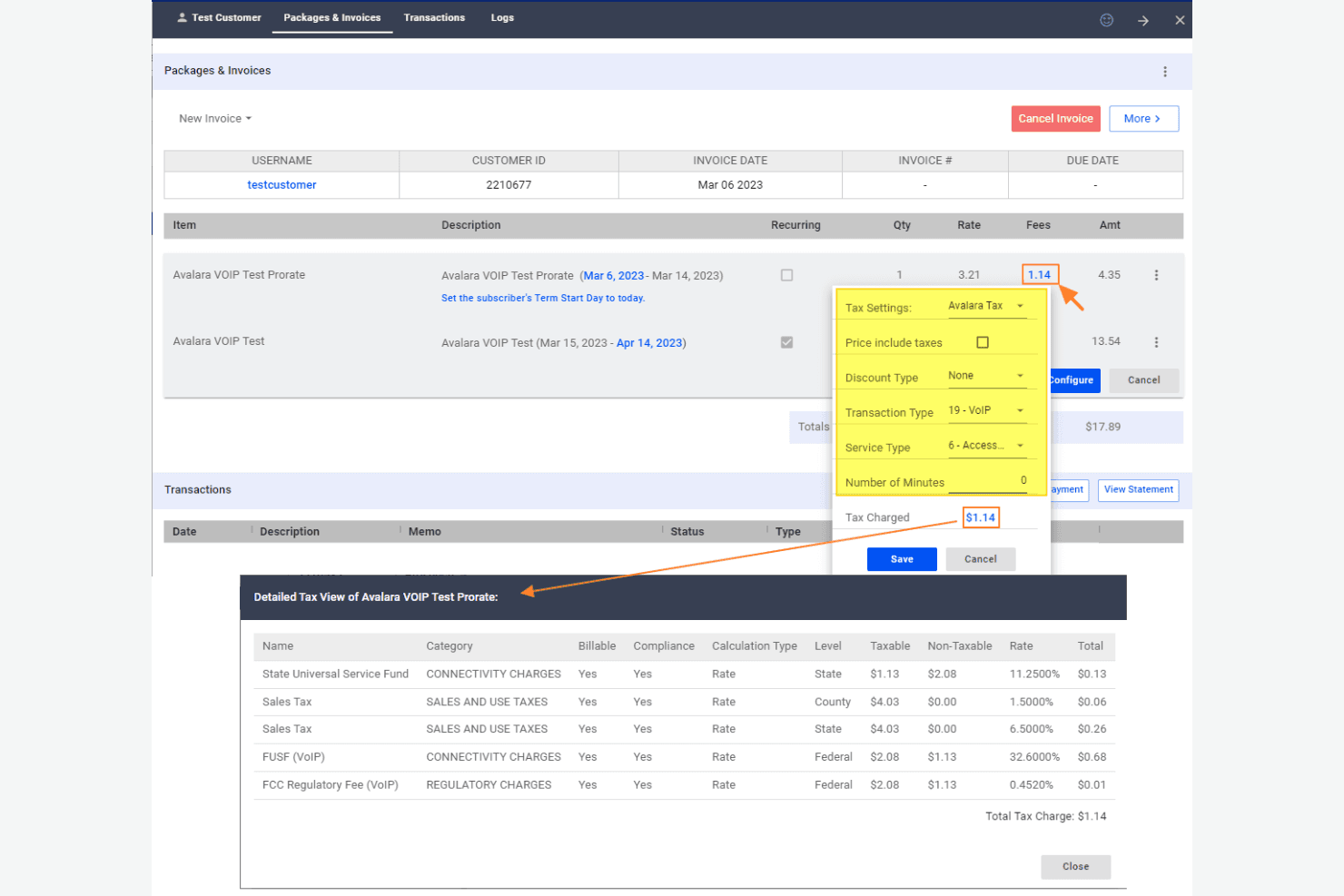
Automated Tax Calculation: Avalara automatically calculates taxes for your transactions, ensuring accuracy and saving you time on manual entries.
Tax Filing: Avalara handles your tax filing, taking care of paperwork and deadlines so your team can focus on other tasks.
Sales Tax Management: It manages sales tax rates and rules for different jurisdictions, making it easier for your business to comply.
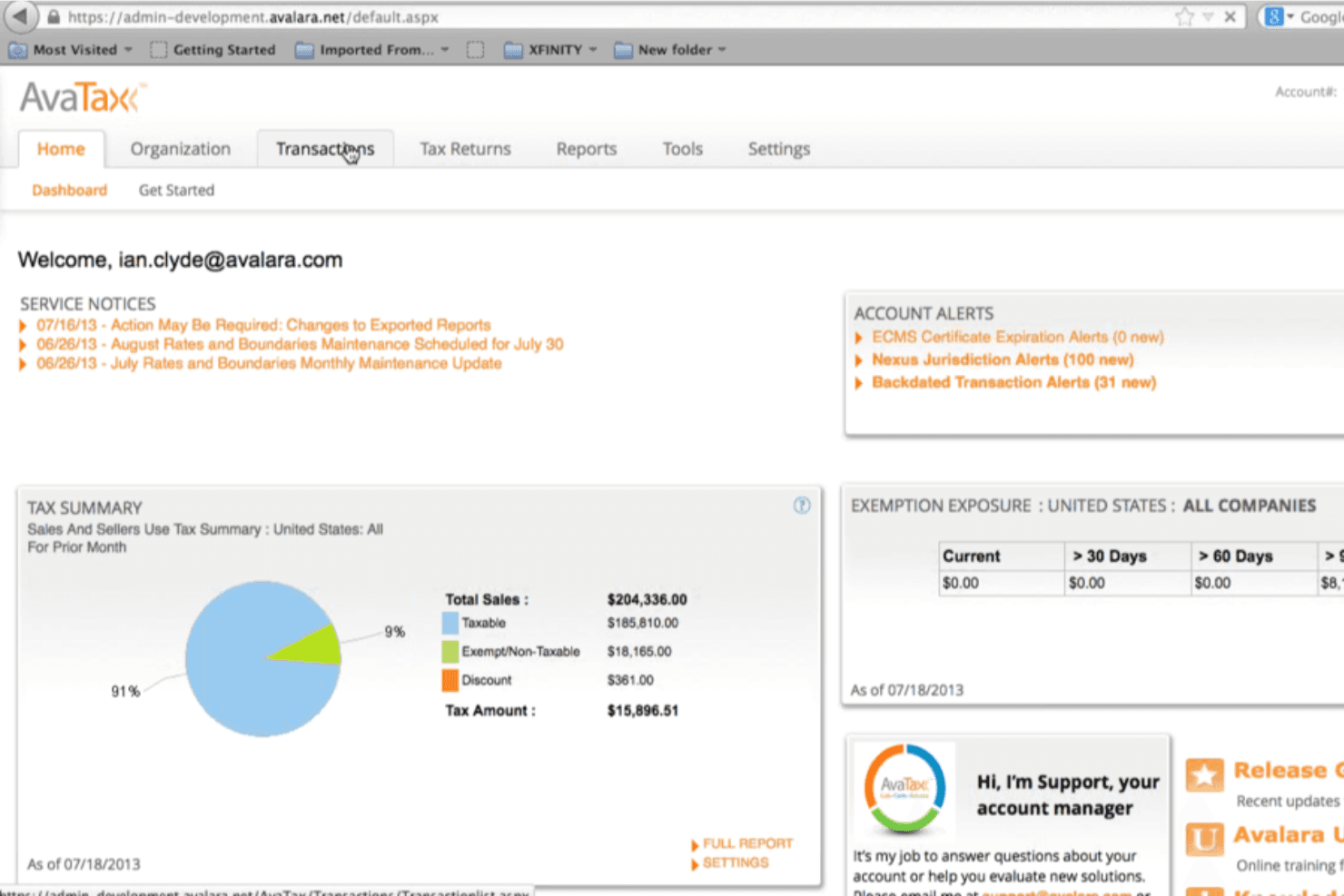
Tax Reporting: Avalara provides detailed tax reports, offering insights into your tax obligations and supporting audits.
Exemption Certificate Management: This feature enables you to manage exemption certificates effectively, ensuring your business remains compliant and error-free.
Address Validation: Avalara verifies addresses for tax purposes, reducing errors in tax rates and saving your team from compliance issues.
Ease of Use
Avalara is fairly user-friendly, but there’s a learning curve that might challenge your team initially. Its interface is straightforward, but some users find navigating through complex tax scenarios a bit daunting. Once your team gets accustomed to its functionalities, managing tax compliance becomes easier and more efficient. Avalara's automated features help reduce manual work, making your day-to-day tasks more manageable. Overall, it strikes a solid balance between functionality and ease of use, although the onboarding process could be smoother.
Integrations
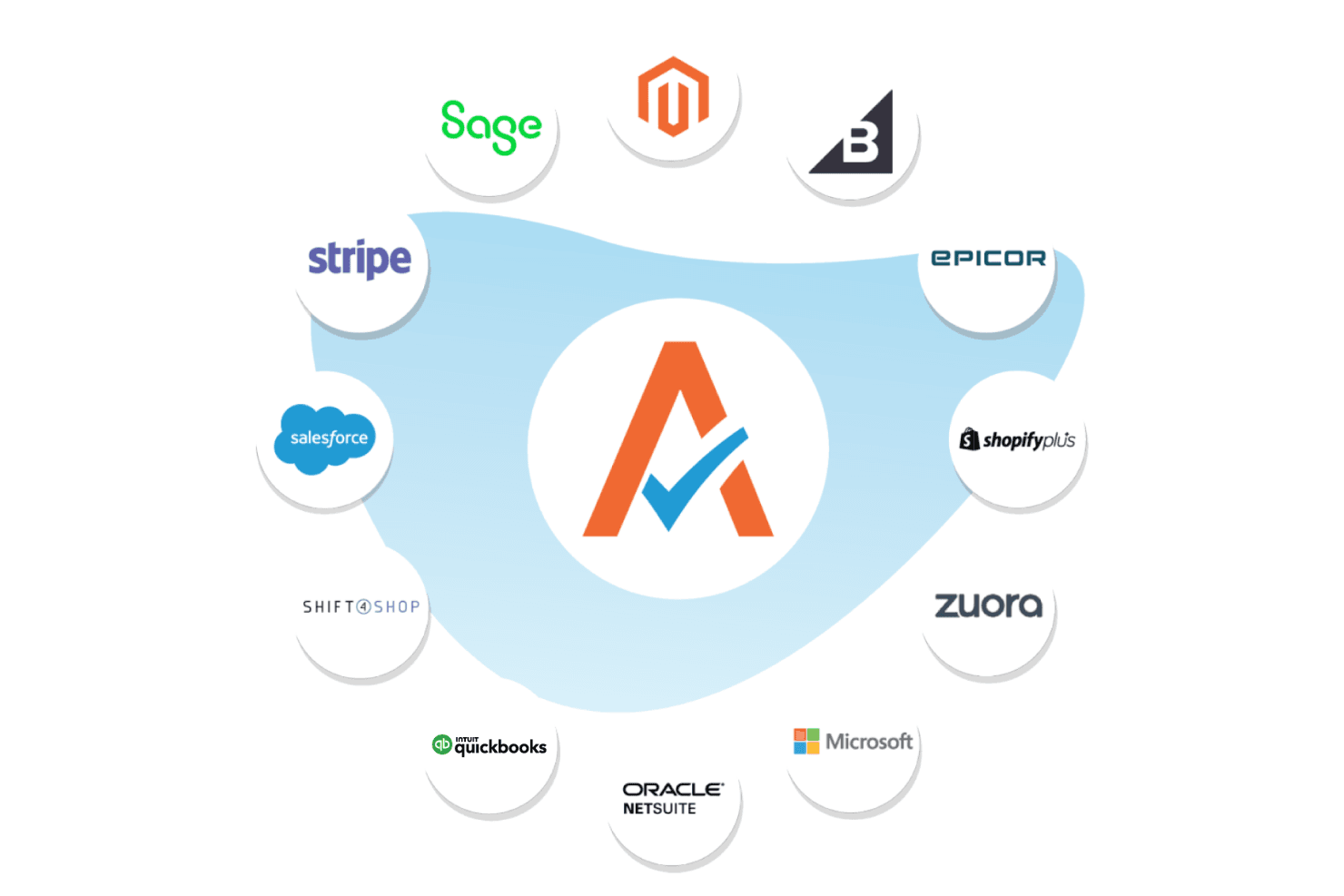
Avalara integrates with Shopify, NetSuite, SAP, QuickBooks, Sage, BigCommerce, WooCommerce, Salesforce, Zuora, Adobe Commerce, and more.
Avalara also provides an API for custom integrations and connects with 1,400 partner integrations across ERP, ecommerce, procurement, and POS platforms.
Avalara Specs
- 2-Factor Authentication: Yes
- Cloud Deployment: Yes
- Dashboard: Yes
- Data Export: Yes
- Data Import: Yes
- External Integrations: Yes
- Inventory Tracking: No
- Multi-User: Yes
- Network Device Performance Monitoring: No
- Notifications: Yes
- Password & Access Management: Yes
- Remote Access: No