

Sage Intacct im Test: Vor- und Nachteile, Funktionen und Preise
Sage Intacct zeichnet sich durch leistungsstarke Finanzmanagement-Tools und Skalierbarkeit aus und ist daher ideal für wachsende Unternehmen, die fortschrittliche Automatisierung und Einblicke in Echtzeit suchen.

Wir bewerten Tools unabhängig; Provisionen helfen, unsere Tests zu finanzieren. Siehe unsere Transparenzrichtlinie und unsere Methodik.
Finance teams often hit a point where basic accounting tools stop giving them enough visibility, but a full ERP feels like overkill. The sweet spot is a system that adds deeper reporting and multi-entity control without piling on unnecessary complexity.
Sage Intacct is a cloud-based financial management software built for teams that need multi-entity consolidations, dimensional reporting, and automated core accounting without the overhead of a full ERP implementation. I’d reach for it if you’ve outgrown basic accounting software and need real-time visibility across entities, locations, or departments, but also aren’t willing to commit to a legacy enterprise ERP. Sage Intacct keeps its focus on accounting depth rather than trying to run your entire business, which makes close cycles faster and reporting more flexible for finance-led organizations.
Sage Intacct Evaluation Summary
4.3/5
- Pricing upon request
- Free demo available
Warum Sie unseren Software-Empfehlungen vertrauen können
6,700+
Reviews
20
Industry experts
16+
Evaluation factors
14
Years
Unsere Bewertungen spiegeln unser unabhängiges Urteilsvermögen wider – keine Verkaufsstrategie. Erfahren Sie, wie wir transparent bleiben.
Für diesen Leitfaden haben wir Tools mithilfe von praktischen Tests und unabhängiger Recherche bewertet und dabei unsere Bewertungskriterien angewendet.
Unsere Bewertungen spiegeln unser menschliches redaktionelles Urteilsvermögen wider, keine Verkaufsstrategie.
Sage Intacct Overview
If you’re judging financial management software for multi-entity businesses, Sage Intacct should be on your shortlist. I think its dimensional reporting, easy consolidation, and industry-tuned accounting features outperform most others for organizations juggling multiple locations or entities. Its pricing can be steep, and learning how to use the software can be a bit of a curve, but support is solid and integrations are broad. Onboarding isn’t instant, yet the added capability, from custom workflows and automated approvals to AI assistance in payables and close work, brings real value as you scale. I’d choose it for finance teams who want advanced controls and visibility without jumping into a full ERP system.
Pros
- Handles multi-entity consolidations without ERP-level complexity
- Offers granular dimensional reporting for detailed financial analysis
- Automates approvals, invoice coding, and close tasks for stricter financial controls
Cons
- Advanced reporting and workflow setup usually needs partner or admin help
- Not built for manufacturing, warehousing, or supply chain operations
- No on-premises option for teams with local hosting requirements
Is Sage Intacct Right For Your Needs?
Who Would be a Good Fit for Sage Intacct?
I think Sage Intacct is a smart fit for organizations needing multi-entity accounting, complex financial controls, and advanced reporting in regulated or high-growth sectors. Companies with dedicated finance teams, especially those navigating consolidations, dimensional analysis, and compliance demands, tend to get the most from its customizable workflows and granular user permissions. Sage also points to its standing as the accounting profession’s preferred financial management solution, which helps if your board wants outside validation. Sage Intacct’s modular structure, API capabilities, and deep audit trail make it a good choice for those who want tailored controls and integration with other core business tools.
- Multi-Entity OrganizationsSage Intacct simplifies consolidations, intercompany transactions, and multi-currency workflows for businesses operating across subsidiaries or global entities.
- Healthcare ProvidersAudit-ready tracking, dimensional reporting, and support for strict HIPAA-eligible configurationss help healthcare finance teams uphold regulatory requirements and control costs.
- SaaS CompaniesYou can automate revenue recognition, manage complex contracts, and integrate with Salesforce for clear, GAAP-compliant SaaS reporting.
- Nonprofit OrganizationsDimensional chart of accounts, strong fund accounting, and grant tracking features make it much easier for nonprofits to manage restricted funds and donor reporting.
- Professional Services FirmsProject accounting, expense management, and real-time dashboards help project-based teams bill accurately and keep a close eye on profitability.
- Fast-Growth Mid-MarketsRapidly scaling companies with layered structures and evolving systems benefit from Sage Intacct’s flexible modules, integrations, and scalable user-based pricing.
- Nonprofit OrganizationsDimensional chart of accounts, strong fund accounting, grant tracking, and prebuilt FASB-compliant statements make it much easier for nonprofits to manage restricted funds.
Who Would be a Bad Fit for Sage Intacct?
Sage Intacct won’t be a fit for small businesses wanting instant setup or those who need only basic accounting without custom workflows or complex controls. Teams lacking dedicated finance staff, or organizations with budget constraints and simple needs, will likely struggle to justify the value. It is also cloud-only, so local hosting requirements rule it out, and companies whose core problem is production or warehouse execution will want an operations-first system instead. The learning curve also means it doesn’t work for teams wanting “out of the box” simplicity.
- Small StartupsThe cost, complexity, and onboarding requirements are overkill for startups seeking a simple, plug-and-play accounting solution.
- Sole ProprietorsSage Intacct’s extensive modules and advanced workflows are unnecessary for single-person businesses handling straightforward transactions.
- Light Transaction RetailersRetail companies managing low transaction volumes or relying on simple inventory needs will find Intacct’s features excessive and hard to justify.
- Manufacturing And DistributionThis is a financial platform rather than an operational ERP, so production scheduling, materials planning, and complex multi-warehouse fulfillment sit outside what it handles well.
Wie wir Tools testen und bewerten
Wir haben jahrelang daran gearbeitet, unser System zur Softwarebewertung zu entwickeln, zu verfeinern und stetig zu verbessern. Der Bewertungsleitfaden wurde entworfen, um die Feinheiten der Softwareauswahl und die Qualitätskriterien eines effektiven Tools präzise zu erfassen, mit Fokus auf entscheidende Aspekte im Auswahlprozess. Im Folgenden sehen Sie genau, wie unsere Prüfungen und Bewertungen nach sieben Kriterien funktioniert. So können wir eine objektive Bewertung der Software auf Grundlage der Kernfunktionalitäten, herausragenden Eigenschaften, Benutzerfreundlichkeit, Einführung, Kundensupport, Integrationen, Kundenbewertungen sowie Preis-Leistungs-Verhältnis bieten.
Kernfunktionalität (25 % der Gesamtbewertung)
Der Ausgangspunkt unserer Bewertung ist immer die Kernfunktionalität des Tools. Verfügt es über die grundlegenden Features und Funktionen, die ein Nutzer erwarten würde? Sind einige dieser Kernfunktionen auf höherpreisige Tarife beschränkt? Im Kern erwarten wir, dass ein Tool mit den Basisfunktionen seiner Wettbewerber mithalten kann.
Herausragende Funktionen (25 % der Gesamtbewertung)
Im nächsten Schritt bewerten wir ungewöhnliche, herausragende Funktionen, die über die üblichen Kernfunktionen vergleichbarer Tools hinausgehen. Eine hohe Punktzahl erhält, wer spezialisierte oder einzigartige Funktionen bietet, die das Produkt schneller, effizienter oder besonders wertvoll für den Nutzer machen. Wir prüfen auch, wie einfach sich das Tool mit anderen Programmen des typischen Tech-Stacks integrieren lässt, um den Funktionsumfang und die Nützlichkeit der Software zu erweitern. Vielseitige native Integrationen, Drittanbieter-Anbindungen sowie API-Zugänge für individuelle Integrationen schneiden am besten ab.
Benutzerfreundlichkeit (10 % der Gesamtbewertung)
Wir bewerten, wie schnell und einfach sich die wichtigsten Aufgaben im Tool erledigen lassen. Hoch bewertete Software ist gut gestaltet, intuitiv bedienbar, bietet mobile Apps, Vorlagen und macht selbst komplexere Aufgaben handhabbar.
Einführung (10 % der Gesamtbewertung)
Wir wissen, wie wichtig eine rasche Teamakzeptanz bei neuen Plattformen ist. Deshalb prüfen wir, wie einfach sich ein Tool mit minimalem Trainingsaufwand erlernen und bedienen lässt. Wir bewerten auch, wie schnell ein Teammitglied ohne vorherige Erfahrung startklar ist. Hoch bewertete Lösungen benötigen wenig oder gar keinen Support.
Kundensupport (10 % der Gesamtbewertung)
Wir prüfen, wie leicht und schnell Sie mit Telefon, Live-Chat oder Wissensdatenbank Hilfe erhalten können. Tools und Unternehmen, die Echtzeit-Support bieten, erzielen die besten Ergebnisse, während Chatbots am schlechtesten abschneiden.
Kundenbewertungen (10 % der Gesamtbewertung)
Neben unseren eigenen Tests berücksichtigen wir den Net-Promoter-Score aktueller und ehemaliger Kunden. Wir prüfen, wie wahrscheinlich sie sich erneut für das Tool entscheiden würden, basierend auf der Kernfunktionalität. Hoch bewertete Software spiegelt einen hohen Net-Promoter-Score wider.
Preis-Leistungs-Verhältnis (10 % der Gesamtbewertung)
Abschließend vergleichen wir alle Kriterien und bewerten den Durchschnittspreis der Einstiegstarife im Verhältnis zu den Kernfunktionen und dem Nutzen der weiteren Bewertungskriterien. Software, die mehr für weniger bietet, erhält die besten Bewertungen.
Core Features
Multi-Entity Consolidation
Combine financial data from multiple entities, currencies, or locations within a single ledger and run automated consolidations. Sage says groups can roll up entities across currencies and geographies in minutes rather than days, which is the difference between closing on time and chasing spreadsheets when ownership structures get complicated.
Dimensional Reporting
Tag every transaction with user-defined dimensions such as department, location, project, customer, vendor, program, fund, or grant, then report on any combination of them without adding a new account for every reporting need. You can view results from several angles and drill straight down to the underlying transactions, documentation, and audit trail.
Accounts Payable Automation
Process vendor invoices, manage approvals, and schedule payments with workflow rules that keep coding and compliance consistent. Sage’s payables automation handles vendor and purchase order matching, account and dimension coding, and duplicate detection, and newer anomaly checks flag unusual invoice activity earlier in the payment process.
General Ledger With Custom Workflows
Build tailored workflows for journal entries, approvals, and recurring transactions right within the general ledger. Custom rules give teams tighter control over posting and review processes.
Real-Time Dashboards and Reports
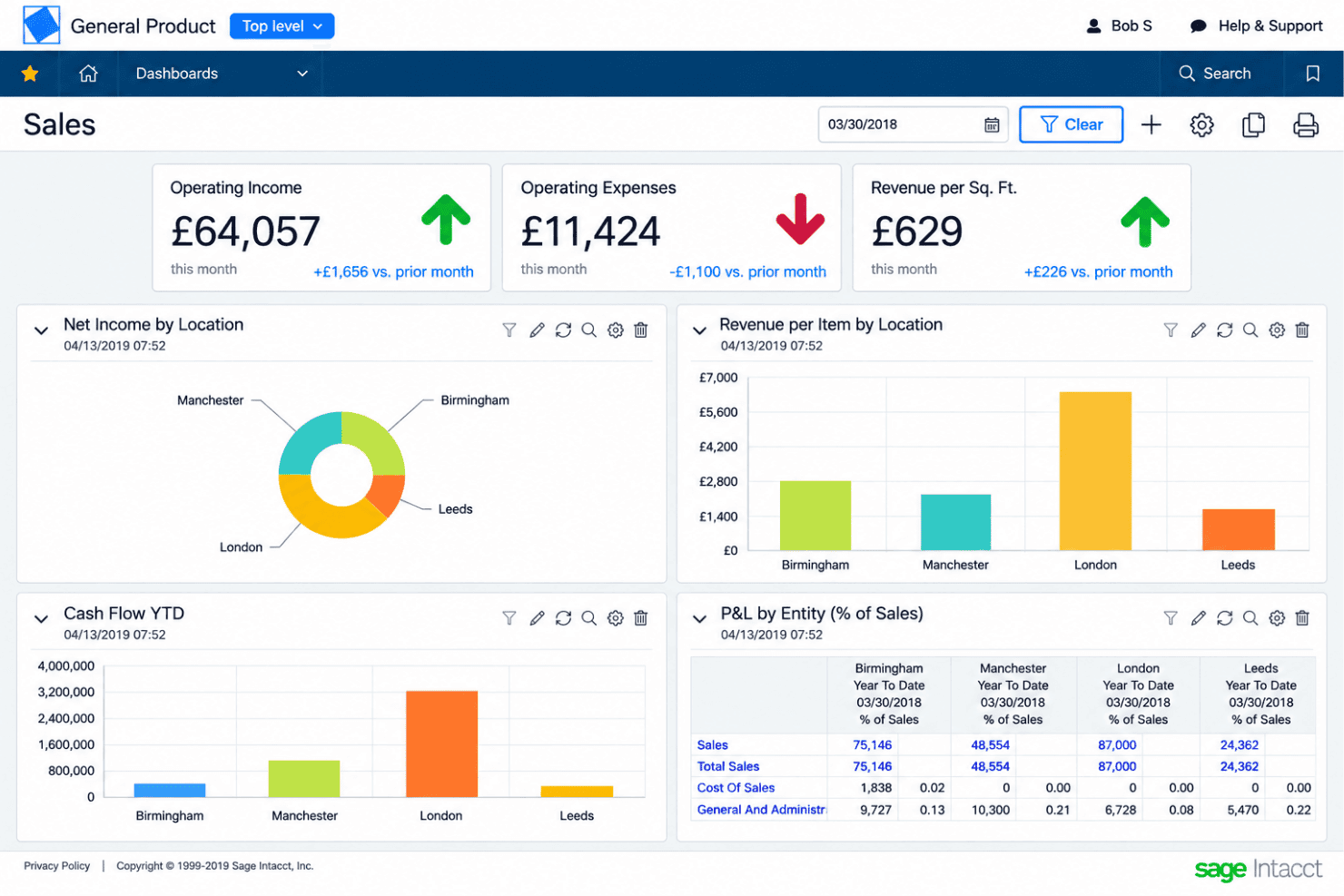
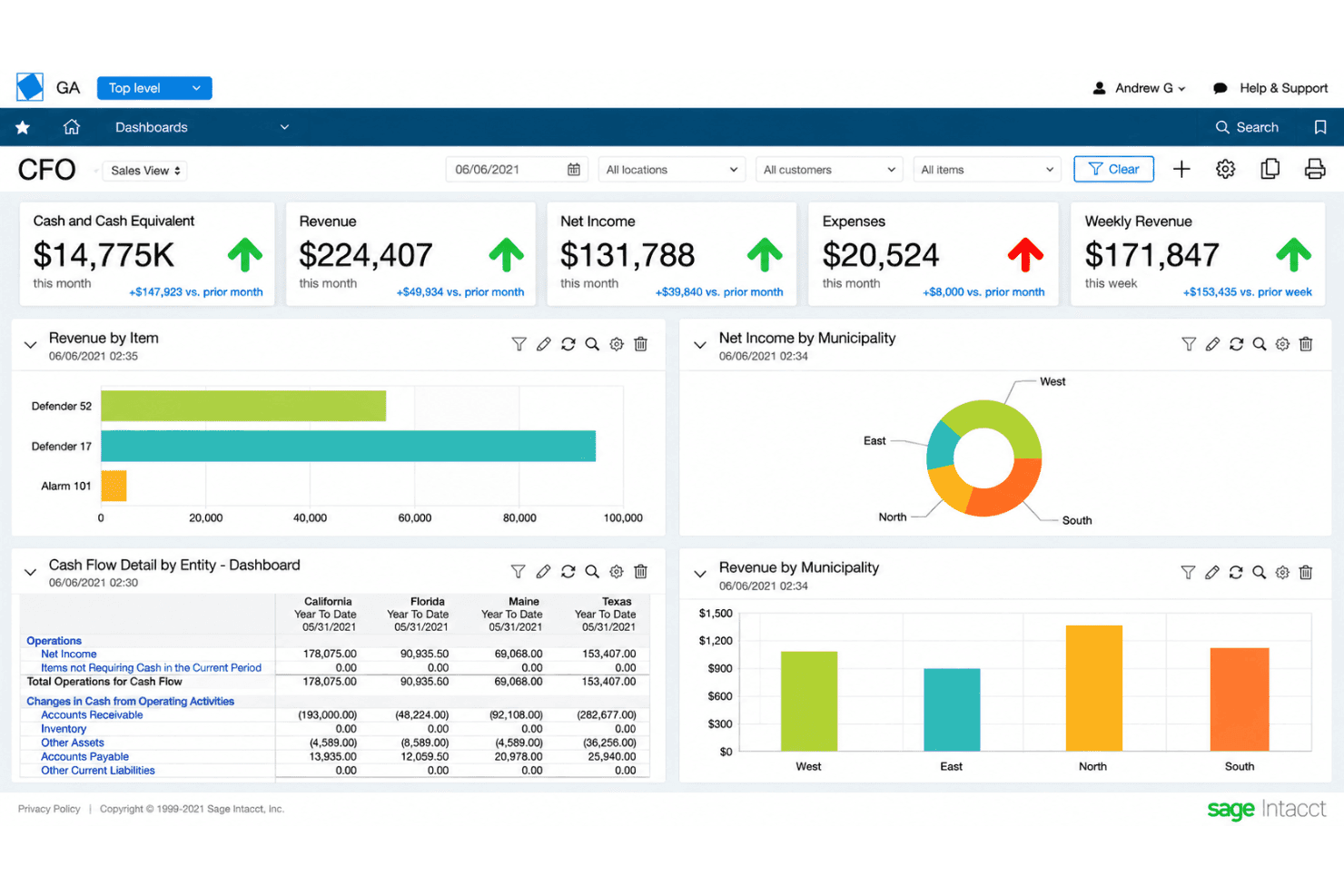
Access dashboards and prebuilt reports that update instantly as transactions post, delivering up-to-the-minute visibility. Finance teams can monitor cash, revenues, expenses, and KPIs without manual exports.
Automated Intercompany Transactions
Create, document, and balance intercompany transactions between business units automatically, cutting manual entry and reconciliation time. The system enforces accounting rules so eliminations and allocations are always accurate.
Standout Features
Audit-Ready Compliance Tracking
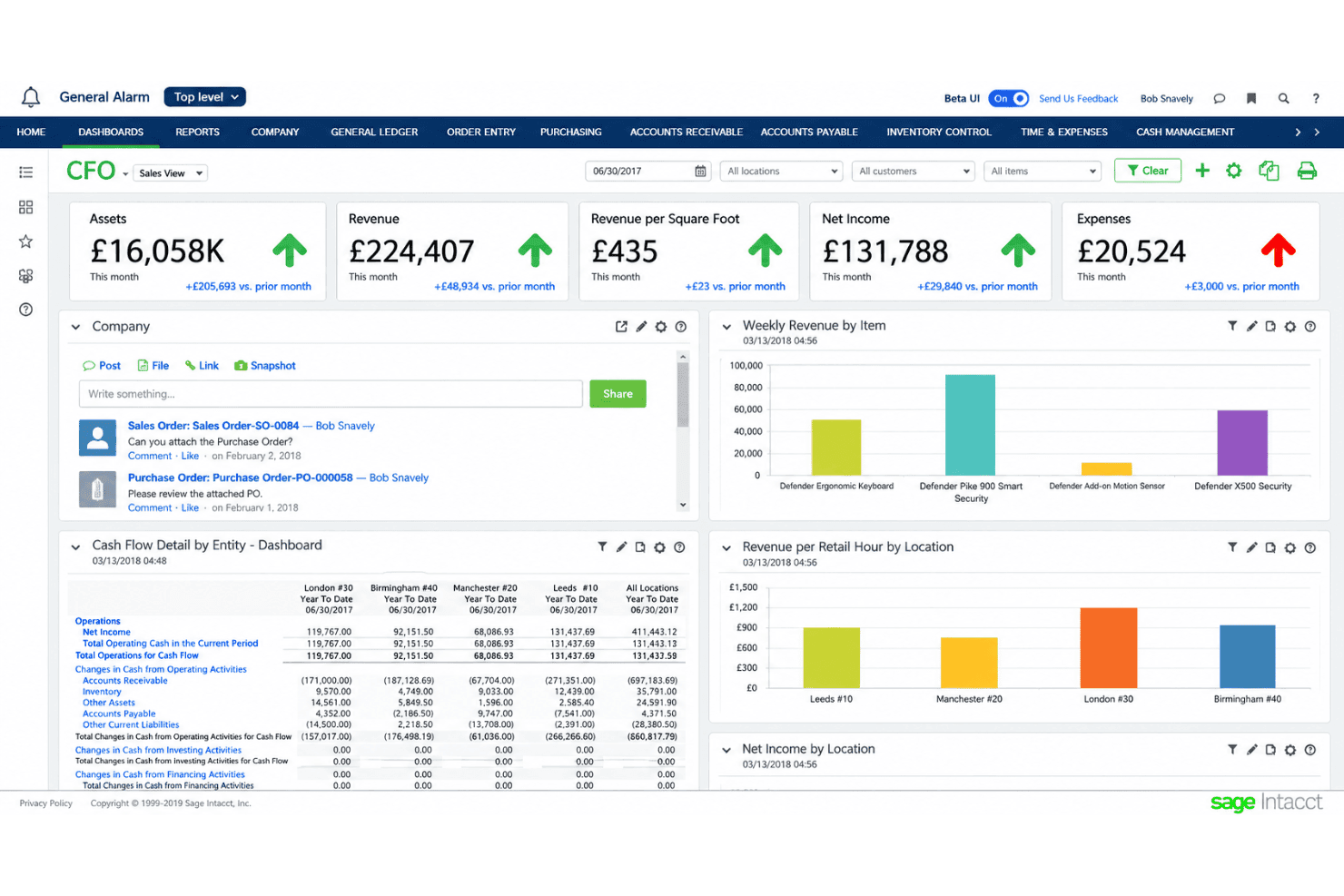
Sage Intacct tracks every action taken in the system with detailed audit logs and pre-built compliance reports, making audits and regulatory checks faster. You can spot who made changes, when they did it, and pull instant documentation for SOX, GAAP, or IFRS requirements.
Built-In Spend Management Controls
Sage Intacct lets you set purchasing limits, budget thresholds, and approval workflows directly within purchasing and accounts payable modules. This means teams can enforce spend policies in real time, such as blocking invoices that exceed a project budget or flagging off-policy vendor requests automatically.
AI Agents Built Into Finance Workflows
Rather than a general assistant bolted on top, Sage Intacct puts AI inside named finance jobs. A financial assurance agent compares journal entries against historical patterns and materiality thresholds to surface unusual entries before they post, a close agent tracks month-end tasks and flags issues as they come up, and a financial intelligence agent answers plain-language questions against your own transactions and reports.
Ease of Use
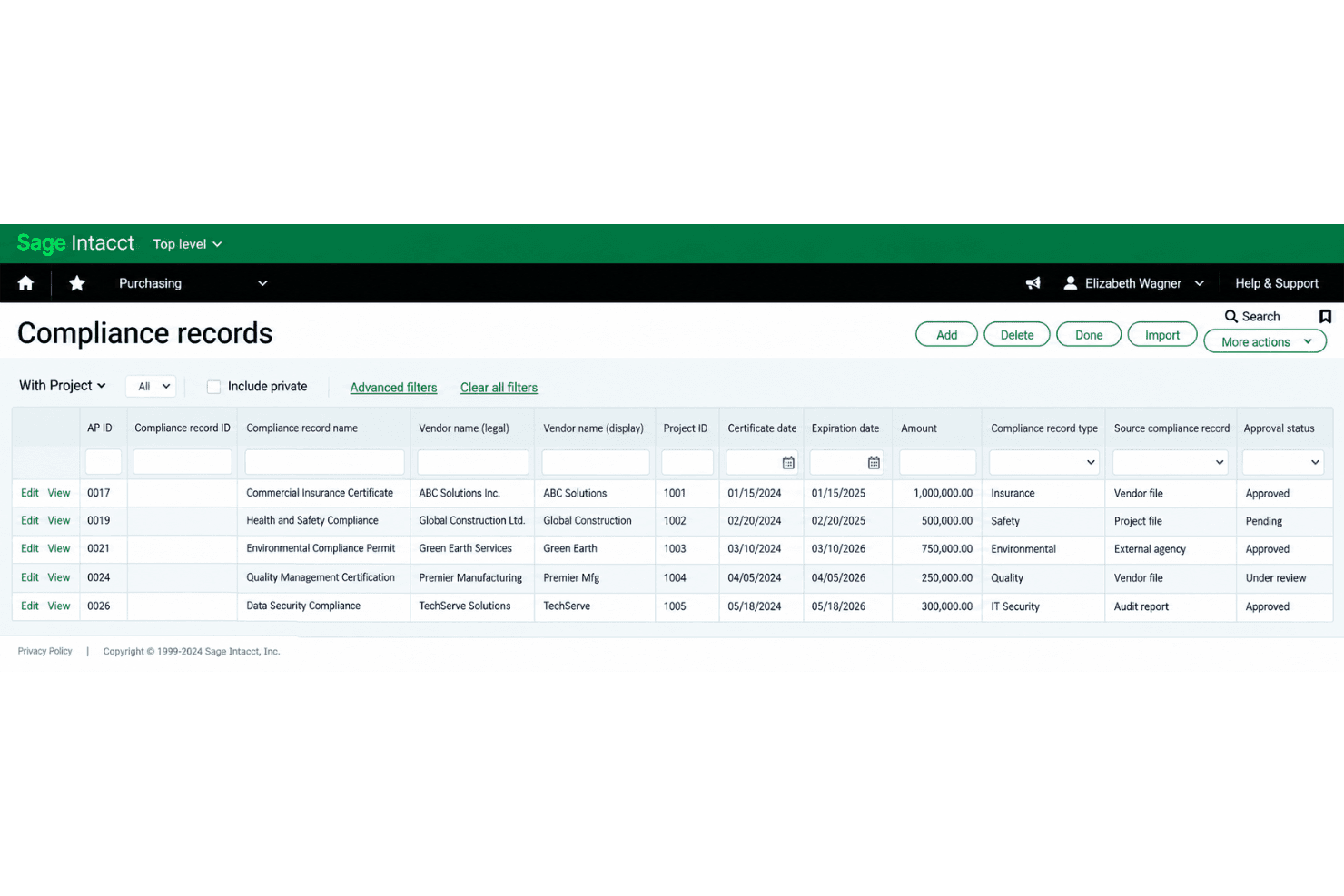
Sage Intacct isn’t the most intuitive option out of the box, so expect a learning curve, especially with advanced features and multi-entity setup. The navigation can feel dense, though verified user feedback still places it near the top of its category for satisfaction. Once you’re familiar, tasks like consolidations or dimensional reporting are much faster and easier than with most finance tools. I think finance teams wanting deep controls and flexible workflows will get the most from this system.
Onboarding
Sage Intacct’s onboarding is guided rather than self-serve, and vendor or partner involvement is the norm, especially for tailoring multi-entity setups and workflows. You get a dedicated implementation team that helps with configuration, data migration, and connecting the applications your finance function depends on. How long it takes scales with the number of entities, integrations, and custom reports in scope, so a contained rollout can go live in a couple of months while complex ones run longer. Many users mention a steep learning curve, but appreciate the guided setup, training sessions, and extensive documentation that help teams ramp up for complex accounting needs.
Customer Support
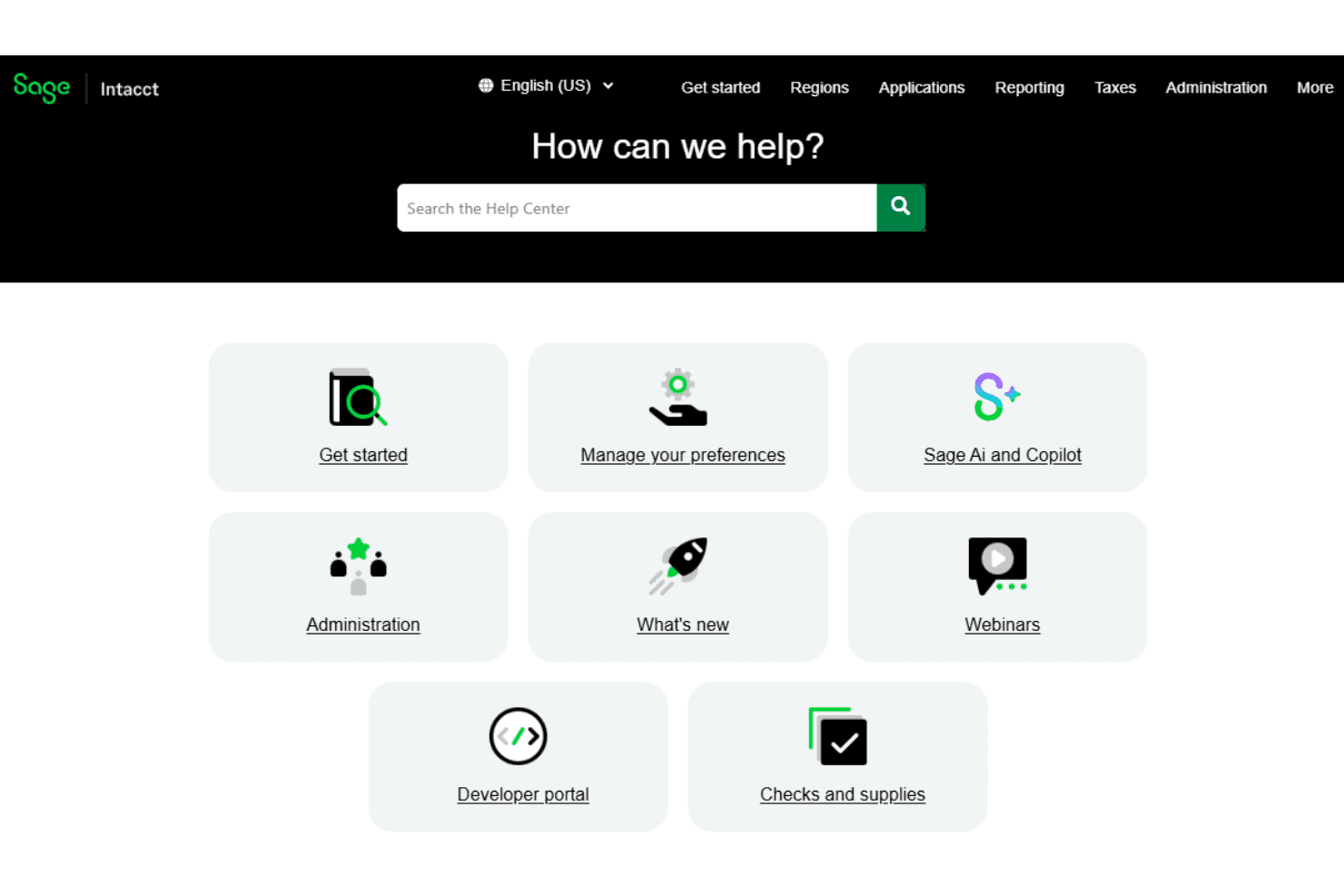
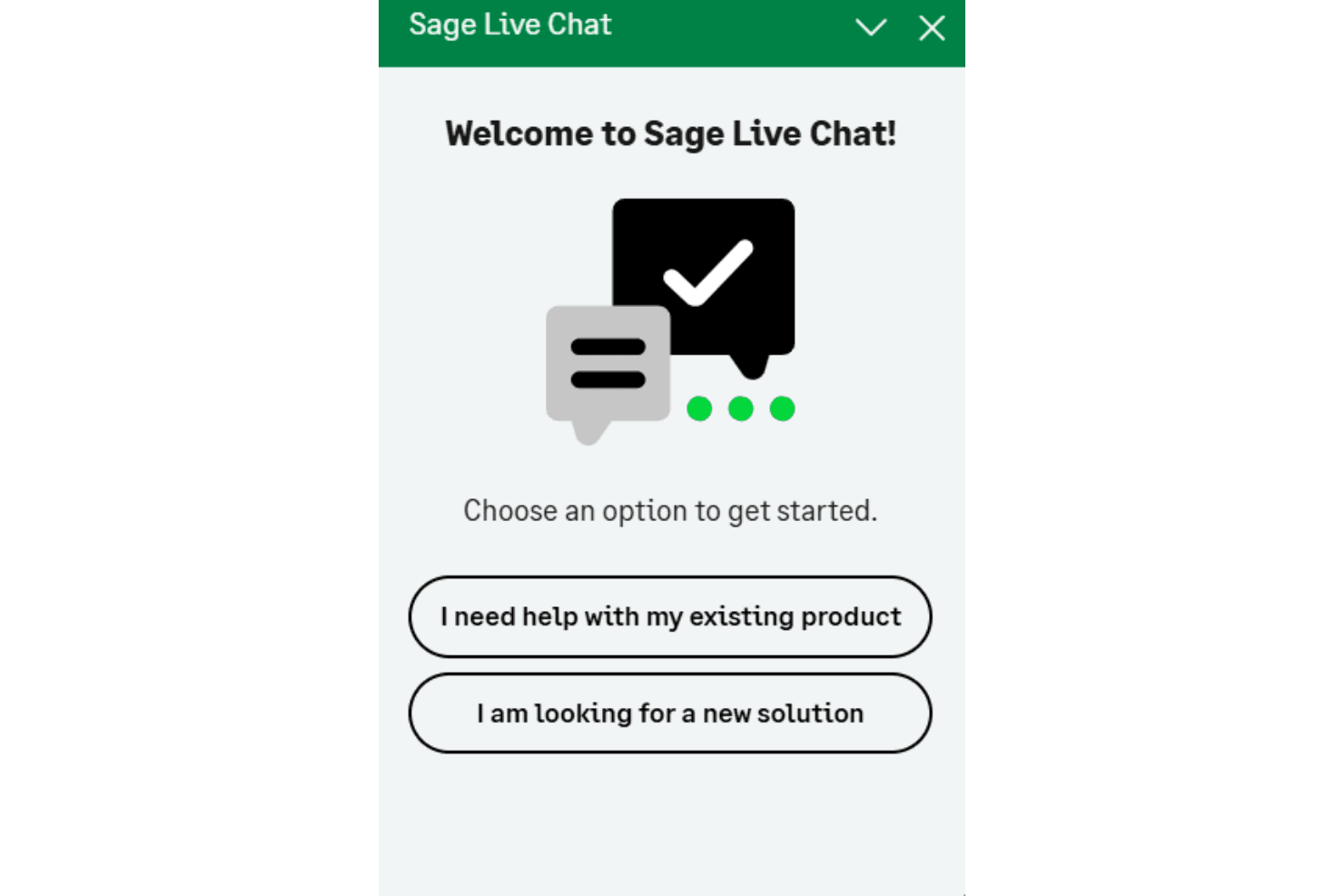
Sage Intacct’s customer support gives you direct access to a knowledgeable implementation team, helpful chat, and a deep online knowledge base. I think you’ll appreciate the guided onboarding and training sessions, especially for teams dealing with complex accounting needs. Training resources and documentation carry on after go-live, and users often highlight quick response times, but some wish for more out-of-the-box configuration help and more intuitive resources as they get started.
Integrations
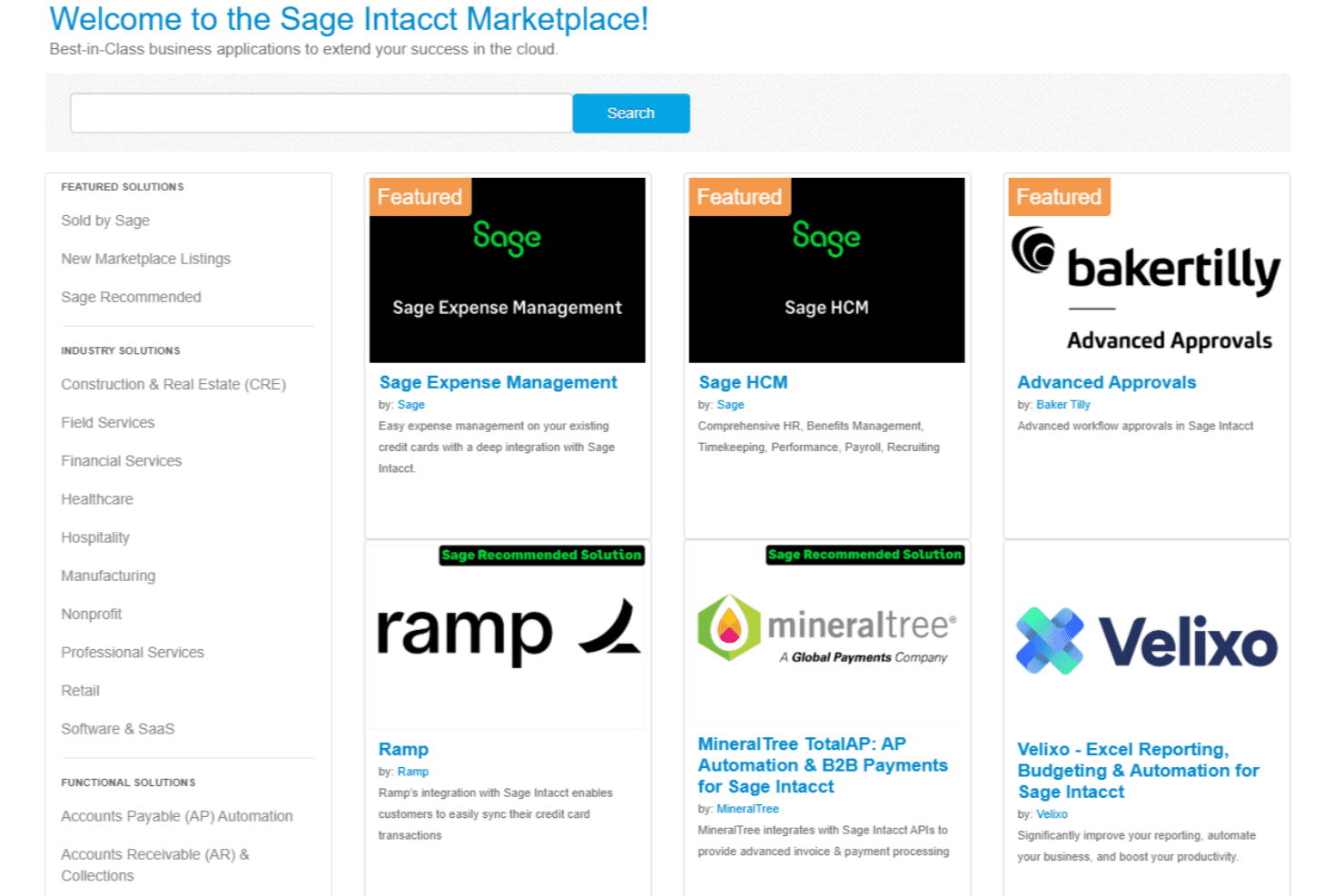
Sage Intacct integrates with DataBlend, Ramp, Yooz, Versapay, BILL, Deel, ADP Workforce Now, FISPAN, and many other platforms available through its application marketplace.
You can also connect Sage Intacct with other tools using its API and through third-party integration platforms.
Value for Money
Sage Intacct is priced at a premium, and users agree it can be a significant investment. Pricing is quote-based rather than publicly listed, so costs depend on your organization’s needs and configuration. You’re paying for granular controls, audit-ready tracking, and flexible integration options, which many reviewers say justify the cost for multi-entity organizations or companies handling complex compliance. Smaller teams, however, may find the investment harder to justify for basic needs.
Sage Intacct Specs
- 2-Factor Authentication: Yes
- Accounts Payable: Yes
- Accounts Receivable: Yes
- API: Yes
- Balance Sheet: Yes
- Billing/Invoicing: Yes
- BitCoin: Yes
- Budgeting: Yes
- Calendar Management: No
- Contact Management: Yes
- CRM Integration: Yes
- Customer Management: Yes
- Dashboard: Yes
- Data Export: Yes
- Data Import: Yes
- Data Visualization: Yes
- Expense Tracking: Yes
- External Integrations: Yes
- Forecasting: Yes
- General Account Ledger: Yes
- Inventory Tracking: Yes
- Multi-Currency: Yes
- Multi-User: Yes
- Notifications: Yes
- P&L: Yes
- PayPal: Yes
- Payroll: Yes
- SAP Integration: Yes
- Stripe: Yes
- Supplier Management: Yes
- Tax Management: Yes
Sage Intacct FAQs
Sage Intacct Company Overview & History
Sage Intacct is a cloud-based financial management platform that was founded in 1999 and is headquartered in San Jose, California. The company became part of Sage Group plc, a global enterprise software provider headquartered in Newcastle upon Tyne, UK, after being acquired in 2017. Sage Group, which owns a range of accounting, payroll, and HR software solutions for businesses, supports Sage Intacct alongside other products such as Sage 50, Sage 100, and Sage X3. Sage Group is a publicly traded company on the London Stock Exchange (SGE) and is known for its sizable workforce and significant presence in global financial technology markets.
Sage Intacct Major Milestones
- 1999: Founded in San Jose, California, as one of the first cloud-only accounting software providers
- 2017: Acquired by Sage Group plc in a deal valued at $850 million
- 2019: Sage Intacct launches internationally, expanding outside North America
- 2023: Celebrated continued growth, cited by Sage Group as a key driver in cloud-native software adoption and revenue expansion
- 2026: Expanded embedded AI across payables automation, financial controls, and month-end close, alongside industry updates for construction, lending, and hospitality