
Unit4-Bewertung: Vor- und Nachteile, Funktionen und Preise erklärt
Here’s my candid take: If you’re evaluating ERP systems, Unit4 stands out for flexibility and people focus—but is it right for your organization's evolving needs? Let’s find out.

Wir bewerten Tools unabhängig; Provisionen helfen, unsere Tests zu finanzieren. Siehe unsere Transparenzrichtlinie und unsere Methodik.
Unit4 is an ERP software built for people-centric, services-led organizations like professional services firms, higher education institutions, non-profit groups, and public sector agencies. I'd reach for it when your team needs financials, procurement, project accounting, and HR on one platform, but doesn't want the implementation weight of a tier-one suite. Compared with tier-one enterprise resource planning suites, Unit4 is a friendlier fit for mid-market finance teams that value faster configuration and a project-driven data model over deep manufacturing and supply chain coverage.
Unit4 Evaluation Summary
4/5
- Pricing upon request
Warum Sie unseren Software-Empfehlungen vertrauen können
6,700+
Reviews
20
Industry experts
16+
Evaluation factors
14
Years
Unsere Bewertungen spiegeln unser unabhängiges Urteilsvermögen wider – keine Verkaufsstrategie. Erfahren Sie, wie wir transparent bleiben.
Für diesen Leitfaden haben wir Tools mithilfe von praktischen Tests und unabhängiger Recherche bewertet und dabei unsere Bewertungskriterien angewendet.
Unsere Bewertungen spiegeln unser menschliches redaktionelles Urteilsvermögen wider, keine Verkaufsstrategie.
Unit4 Overview
If you’re judging Unit4 against other options, I think you'll find the flexibility and people-first data model a strong advantage, especially for professional services, nonprofits, and higher education. Its interface is approachable and configuration is far less of a project than most enterprise ERPs. Pricing can be a hurdle for smaller organizations and reporting features sometimes feel basic for complex FP&A needs. Across Unit4 reviews the same two themes recur: fast configuration, thin advanced reporting. Still, the onboarding is smoother than most, support is responsive, and integrations cover the main platforms your team will need. I’d suggest Unit4 for teams prioritizing agility and user experience over manufacturing or deep supply chain capabilities.
Pros
- Project-centric data model fits services and nonprofit organizations
- Flexible reporting tools and dimensional accounting options are included
- Modern interface simplifies configuration and daily finance workflows
Cons
- Reporting features are basic for complex FP&A scenarios
- Pricing is expensive for smaller organizations with tight budgets
- Limited manufacturing and supply chain management depth compared to peers
Is Unit4 Right For Your Needs?
Who Would be a Good Fit for Unit4?
Unit4 is a good fit for organizations with people-focused operations that need to customize workflows and quickly onboard new team members. If you deal with complex finance, HR, or multi-entity requirements, the platform’s modular design, guided onboarding, strong support, and broad integration library help your teams adapt fast. I think Unit4’s drag-and-drop reporting, rapid personalizations, and prebuilt integrations with mainstream productivity, BI, and CRM platforms make it ideal for growing businesses or those with evolving processes.
- Nonprofit OrganizationsUnit4 supports multi-entity finance, budget control, and grant tracking that non-profit teams need for accountability and compliance.
- Mid-Sized EnterprisesYou’ll get value from customizable modules and fast onboarding that scale easily for teams outgrowing entry-level ERPs.
- Higher EducationColleges and universities appreciate Unit4’s robust HR, finance, and people management features that work across faculties and schools.
- Professional ServicesConsultancies benefit from workflow automation, fast user training, and real-time project financial tracking.
- Global Finance TeamsUnit4’s advanced reporting, API access, and integration options fit complex, multi-location finance environments.
- HR DepartmentsHR staff can tailor dashboards, automate workflows, and connect Unit4 directly to other HCM and productivity tools.
Who Would be a Bad Fit for Unit4?
Unit4 is often not a great match if you want an ERP that works straight away for narrow industries or if your needs center around high-volume manufacturing or deeply industry-specific logistics. You may find Unit4’s pricing high for very small teams or that its deep configuration options are more than what’s needed for basic accounting or inventory management. Teams with highly technical, product-centric requirements or ultra-lean budgets may get more value elsewhere.
- Small Retail StoresThese businesses usually need simpler inventory and sales modules than what Unit4 provides.
- High-Volume ManufacturingUnit4 doesn’t focus on the granular production controls or engineering integrations manufacturers often require.
- Early-Stage StartupsStartups with basic finance or HR needs may find Unit4’s cost and capabilities excessive.
- E-commerce Pure PlayersPure-play ecommerce teams often prefer ERPs with turnkey marketplace and inventory integrations.
- Construction FirmsConstruction usually needs specialized project costing and field management tools not included in Unit4’s core modules.
- Basic Accounting TeamsSmall organizations seeking only core bookkeeping features will likely find Unit4 more complex than necessary.
Wie wir Tools testen und bewerten
Wir haben jahrelang daran gearbeitet, unser System zur Softwarebewertung zu entwickeln, zu verfeinern und stetig zu verbessern. Der Bewertungsleitfaden wurde entworfen, um die Feinheiten der Softwareauswahl und die Qualitätskriterien eines effektiven Tools präzise zu erfassen, mit Fokus auf entscheidende Aspekte im Auswahlprozess. Im Folgenden sehen Sie genau, wie unsere Prüfungen und Bewertungen nach sieben Kriterien funktioniert. So können wir eine objektive Bewertung der Software auf Grundlage der Kernfunktionalitäten, herausragenden Eigenschaften, Benutzerfreundlichkeit, Einführung, Kundensupport, Integrationen, Kundenbewertungen sowie Preis-Leistungs-Verhältnis bieten.
Kernfunktionalität (25 % der Gesamtbewertung)
Der Ausgangspunkt unserer Bewertung ist immer die Kernfunktionalität des Tools. Verfügt es über die grundlegenden Features und Funktionen, die ein Nutzer erwarten würde? Sind einige dieser Kernfunktionen auf höherpreisige Tarife beschränkt? Im Kern erwarten wir, dass ein Tool mit den Basisfunktionen seiner Wettbewerber mithalten kann.
Herausragende Funktionen (25 % der Gesamtbewertung)
Im nächsten Schritt bewerten wir ungewöhnliche, herausragende Funktionen, die über die üblichen Kernfunktionen vergleichbarer Tools hinausgehen. Eine hohe Punktzahl erhält, wer spezialisierte oder einzigartige Funktionen bietet, die das Produkt schneller, effizienter oder besonders wertvoll für den Nutzer machen. Wir prüfen auch, wie einfach sich das Tool mit anderen Programmen des typischen Tech-Stacks integrieren lässt, um den Funktionsumfang und die Nützlichkeit der Software zu erweitern. Vielseitige native Integrationen, Drittanbieter-Anbindungen sowie API-Zugänge für individuelle Integrationen schneiden am besten ab.
Benutzerfreundlichkeit (10 % der Gesamtbewertung)
Wir bewerten, wie schnell und einfach sich die wichtigsten Aufgaben im Tool erledigen lassen. Hoch bewertete Software ist gut gestaltet, intuitiv bedienbar, bietet mobile Apps, Vorlagen und macht selbst komplexere Aufgaben handhabbar.
Einführung (10 % der Gesamtbewertung)
Wir wissen, wie wichtig eine rasche Teamakzeptanz bei neuen Plattformen ist. Deshalb prüfen wir, wie einfach sich ein Tool mit minimalem Trainingsaufwand erlernen und bedienen lässt. Wir bewerten auch, wie schnell ein Teammitglied ohne vorherige Erfahrung startklar ist. Hoch bewertete Lösungen benötigen wenig oder gar keinen Support.
Kundensupport (10 % der Gesamtbewertung)
Wir prüfen, wie leicht und schnell Sie mit Telefon, Live-Chat oder Wissensdatenbank Hilfe erhalten können. Tools und Unternehmen, die Echtzeit-Support bieten, erzielen die besten Ergebnisse, während Chatbots am schlechtesten abschneiden.
Kundenbewertungen (10 % der Gesamtbewertung)
Neben unseren eigenen Tests berücksichtigen wir den Net-Promoter-Score aktueller und ehemaliger Kunden. Wir prüfen, wie wahrscheinlich sie sich erneut für das Tool entscheiden würden, basierend auf der Kernfunktionalität. Hoch bewertete Software spiegelt einen hohen Net-Promoter-Score wider.
Preis-Leistungs-Verhältnis (10 % der Gesamtbewertung)
Abschließend vergleichen wir alle Kriterien und bewerten den Durchschnittspreis der Einstiegstarife im Verhältnis zu den Kernfunktionen und dem Nutzen der weiteren Bewertungskriterien. Software, die mehr für weniger bietet, erhält die besten Bewertungen.
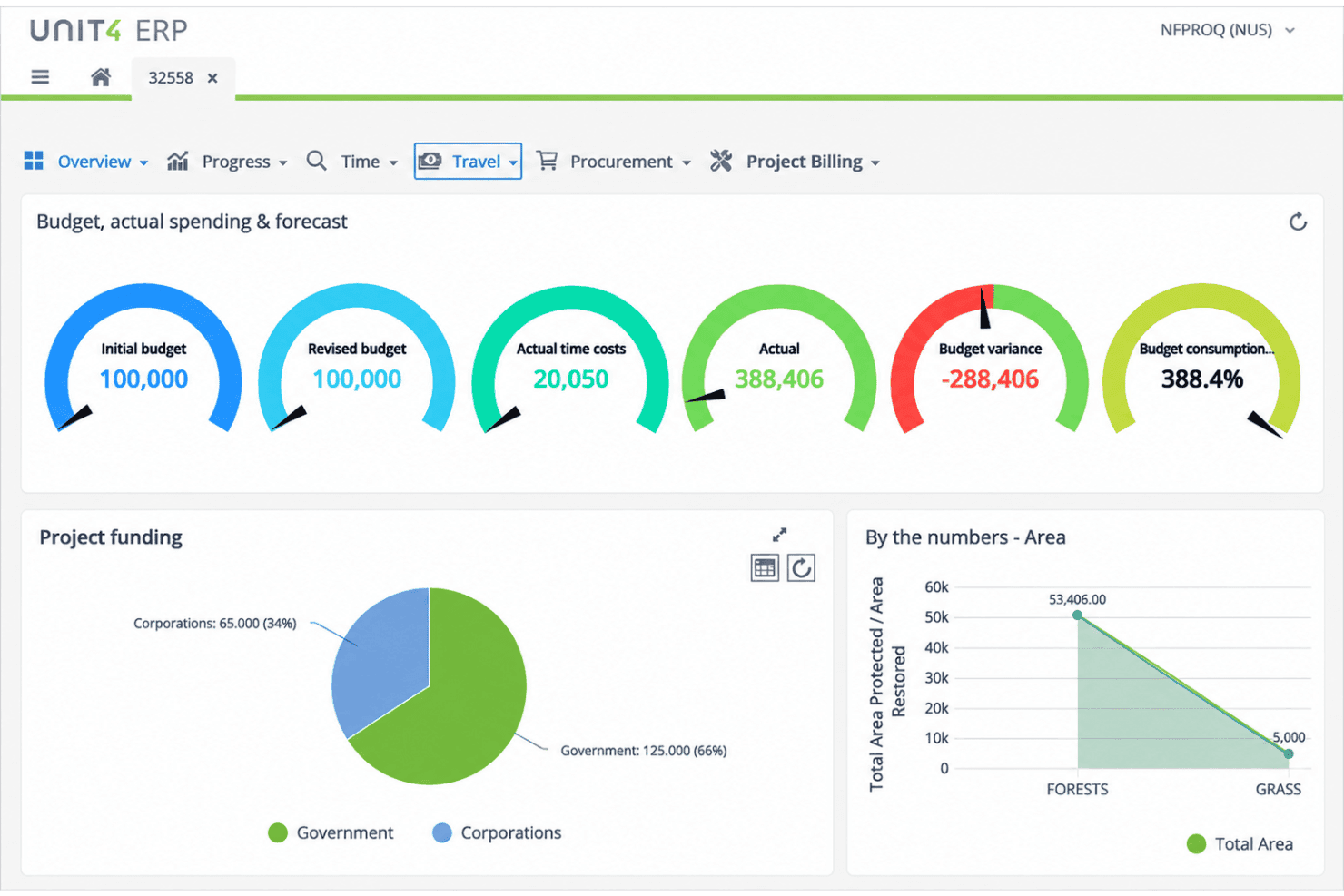
Core Features
Financial Management
General ledger, accounts payable, accounts receivable, and fixed assets in one place. Multi-dimensional reports give real-time visibility into your financial position.
Project Management and Accounting
Track project budgets, time, billing, and resources in one system. Live data on project profitability and resource utilization, without the side spreadsheets.
Procurement Management
Manage requisition, purchase orders, supplier catalogs, and approvals end-to-end. Automated workflows tie procurement to budget controls and contract management.
Human Resources and Payroll
Employee records, HR tasks, and payroll in one HCM suite. Self-service covers time off, benefits, and personal data, with talent management alongside it.
Planning, Budgeting, and Forecasting
Rolling budgets, forecasts, and scenario plans update as your data changes. Integrated financial planning lets finance and operations build and approve together.
Reporting and Analytics
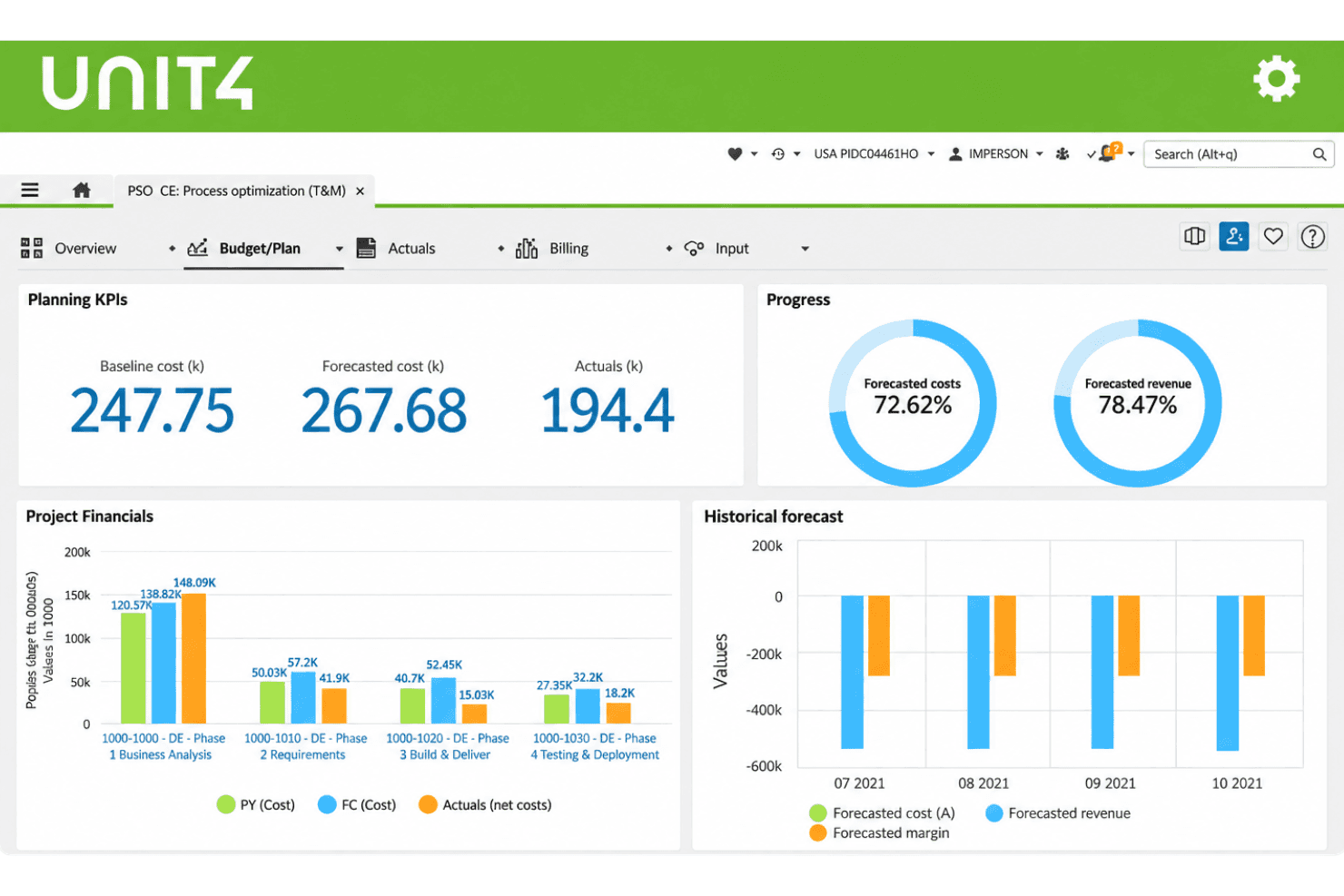
Pre-built and custom financial, operational, and project reports via drag-and-drop. Slice by cost center, project, or region to match how your team reports.
Ease of Use
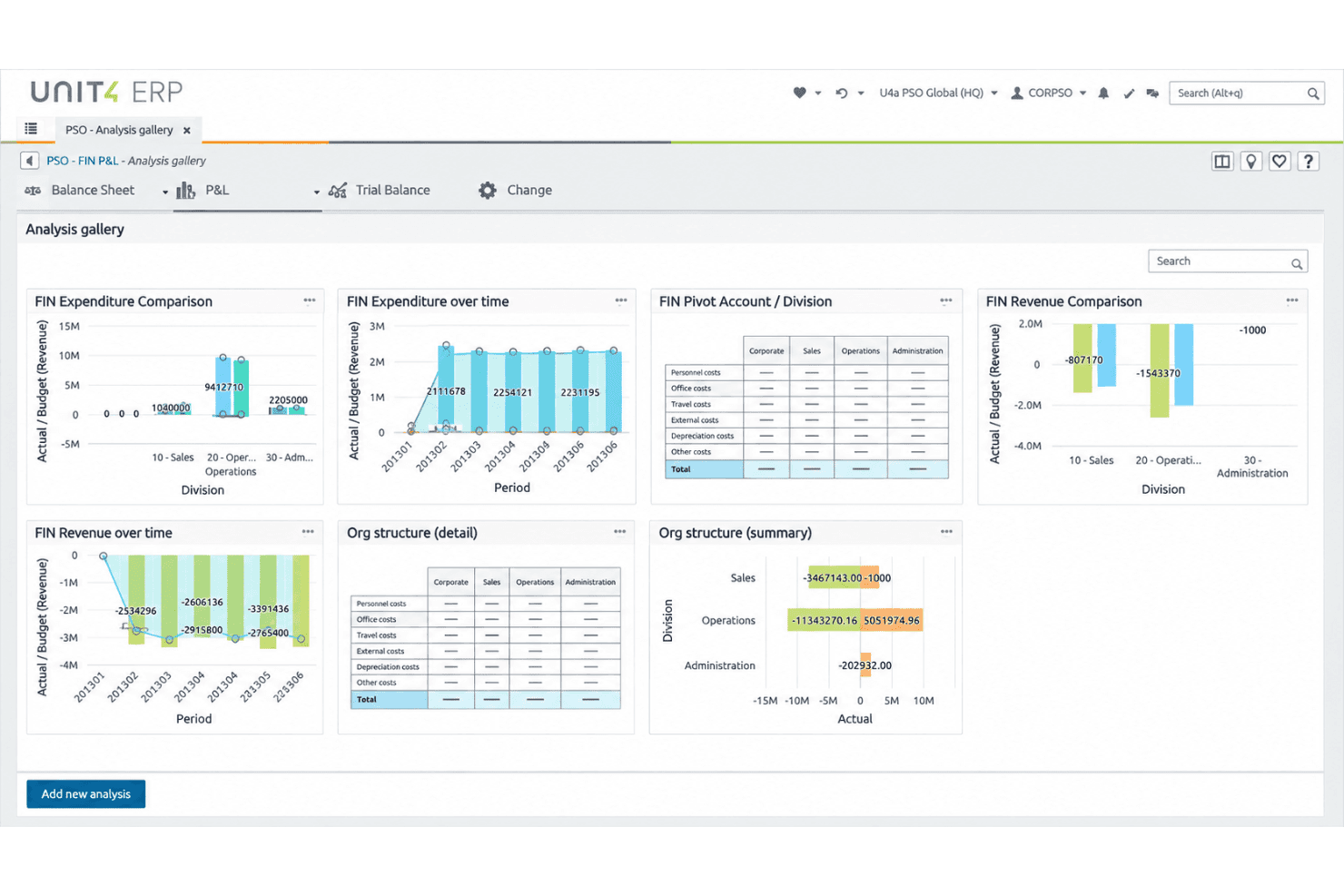
Unit4 feels approachable from the first login, thanks to a clean, modern interface that doesn’t overwhelm new users. Configuring workflows and personalizing dashboards takes less time than many ERP options, so most teams find onboarding easier. Drag-and-drop reporting tools and guided process prompts keep day-to-day tasks simple, though some finance pros mention complex reporting can take extra steps. Overall, Unit4’s usability makes routine work faster for people-focused teams.
Integrations
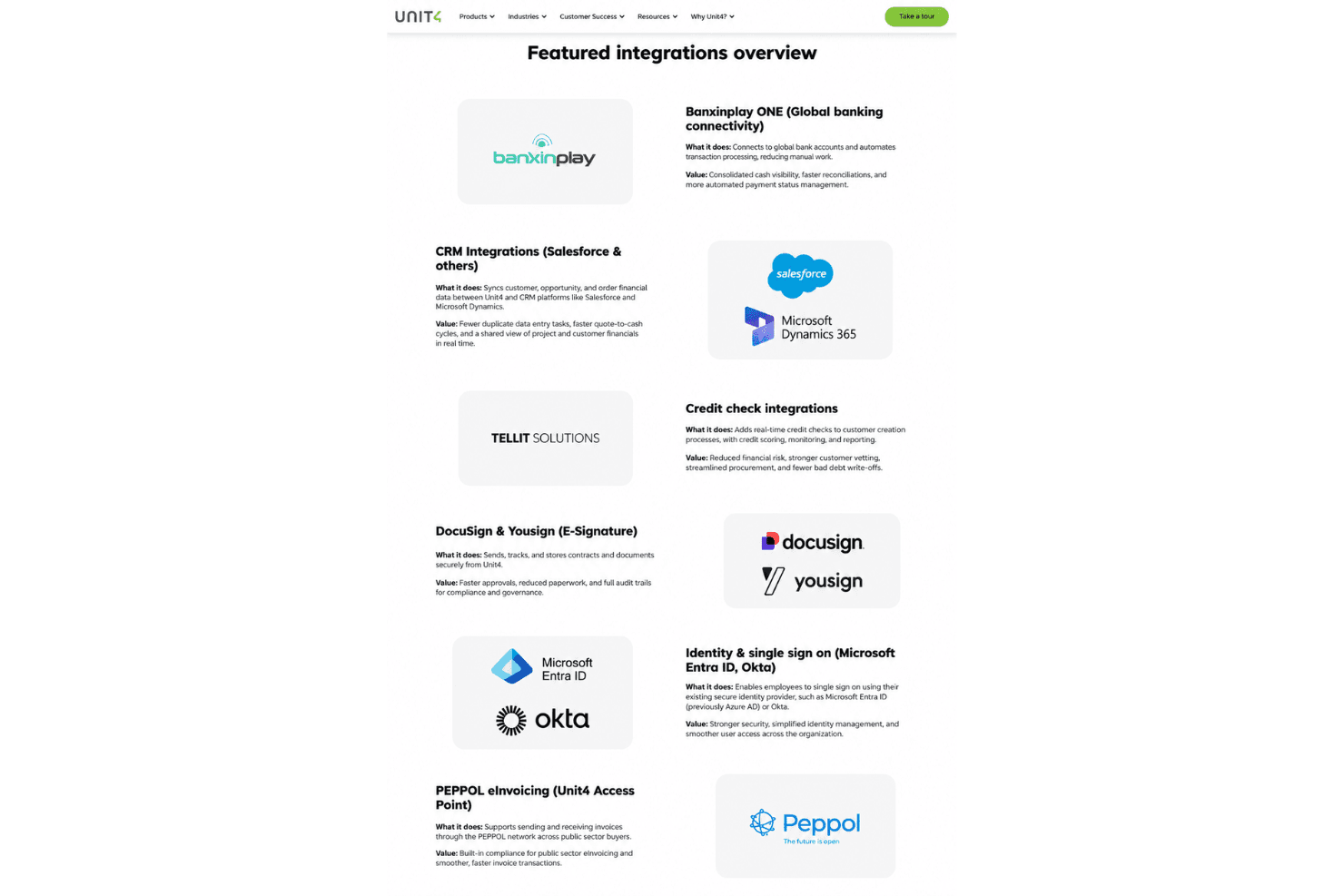
Unit4 integrates with Microsoft Office 365, Microsoft Teams, Salesforce, SAP, Workday, Oracle, Power BI, Google Workspace, Adobe Sign, and DocuSign, among others.
Unit4 also offers an API and connects with third-party integration tools.
Unit4 Specs
- Accounts Payable: Yes
- Accounts Receivable: Yes
- API: Yes
- Budgeting: Yes
- Calendar Management: Yes
- Compliance Tracking: Yes
- Customer Management: Yes
- Dashboard: Yes
- Data Export: Yes
- Data Import: Yes
- Data Visualization: Yes
- Expense Tracking: Yes
- External Integrations: Yes
- Financial Analysis: Yes
- Forecasting: Yes
- Inventory Tracking: Yes
- Multi-Currency: Yes
- Multi-User: Yes
- Notifications: Yes
- Order Management: Yes
- Payroll: Yes
- Project Management: Yes
- Purchase Orders: Yes
- Resource Management: Yes
- Scheduling: Yes
- Supplier Management: Yes
- Task Scheduling/Tracking: Yes
- Third-Party Plugins/Add-Ons: Yes
- Warehouse Management: Yes
- Workflow Management: Yes


