

Rocket Money Review: Pros, Cons, Features, and Pricing
Productive excels in offering a user-friendly interface and powerful integrations, making it a standout choice for teams seeking efficient expense management all in one place.

We review tools independently, and commissions help fund our testing. See our transparency policy, our methodology, or suggest a tool.
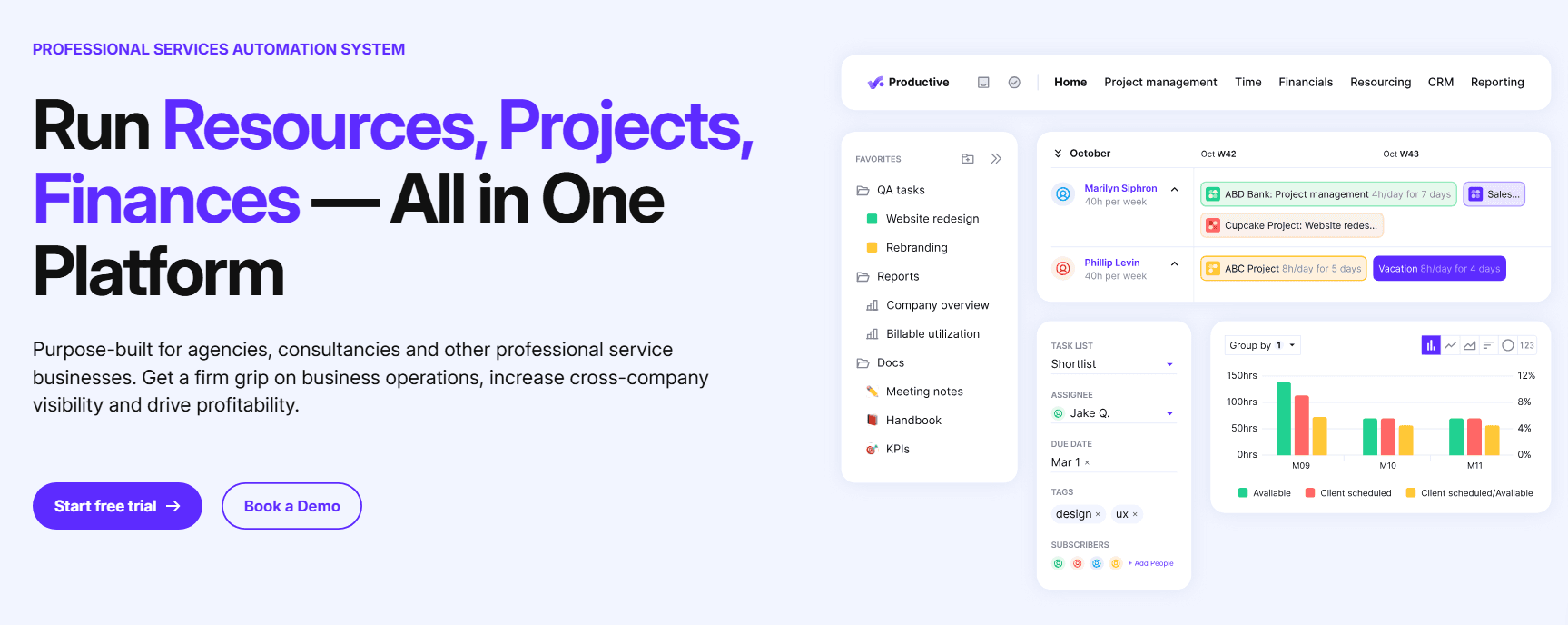
Productive is a cloud-based expense management software that helps businesses track and manage their spending with the aim of improving overall profitability. It’s best suited to finance teams in tech startups and midsized companies looking to streamline agency management, project tracking, and financial operations. Productive offers intuitive financial tracking, real-time insights, and smooth integrations for improved efficiency.
Productive addresses common issues, such as expense tracking errors, approval delays, and inaccurate forecasting, for finance departments. In this article, I'll cover Productive's features, pros and cons, use cases, pricing, and more, so you can decide if this software aligns with your financial management and resource management needs and goals.
Productive Evaluation Summary
4.6/5
- From $10/user/month (billed annually)
- 14-day free trial
Why Trust Our Software Recommendations
6,700+
Reviews
20
Industry experts
16+
Evaluation factors
14
Years
Our team has been testing and reviewing software since 2012. As finance leaders ourselves, we know how difficult—and important—it is to choose the right software.
For this guide, we evaluated tools using hands-on testing and independent research, scoring tools using our selection criteria.
Our reviews reflect our human editorial judgment, not a sales pitch.
Productive Overview
In my opinion, Productive is a solid choice for managing project budgets and other expenses, especially for tech startups and mid-sized companies. It offers strong financial tracking, billable hours monitoring, and integration capabilities, which are great for teams looking to streamline financial operations and time management. However, the onboarding process can be a bit complex, and the intuitiveness of the user interface could be improved. Productive excels in handling project financials, but some features of this project management software require multiple steps, which could prove cumbersome. If you're considering an all-in-one tool with strong financial modules and don't mind a bit of a learning curve, Productive might be worth a look.
Pros
- Easily track and manage project expenses and billable hours.
- Get detailed financial insights to support better forecasting and profitability.
- Customize reports and other templates to fit your needs.
Cons
- Clunky user interface.
- Challenging onboarding process.
- Some tasks require multiple steps, which can be cumbersome.
Is Productive Right For Your Needs?
Who Would be a Good Fit for Productive?
Productive is a good fit for tech startups and mid-sized companies in need of detailed financial tracking and resource planning. If your team handles multiple projects and requires precise expense management, Productive's customizable reports, real-time notifications, and financial insights will benefit you. Its ability to manage project expenses efficiently alongside project management workflows makes it ideal for finance departments in dynamic environments.
- Tech StartupsProductive helps tech startups manage expenses, project budgets, and resource management with detailed insights and customizable reports, keeping their finances in check.
- Creative AgenciesCreative agencies can track project expenses, manage budgets, and improve team collaboration with Productive's intuitive financial and project tracking tools.
- Midsized CompaniesProductive's features are ideal for mid-sized companies that need precise expense management and resource allocation across various departments.
- Finance DepartmentsFinance teams can benefit from Productive's detailed financial insights, forecasting, and tracking capabilities for accurate budgeting and reporting.
- Project ManagersProductive's tools can help project managers monitor project expenses easily, ensuring financial accuracy.
- Marketing TeamsProductive allows teams handling multiple campaigns to track expenses and manage budgets all in one place.
Who Would be a Bad Fit for Productive?
Productive might not suit large enterprises or businesses with simple financial needs. If your team relies on a straightforward, intuitive interface, Productive's complex features and methodology may overwhelm users. Companies needing quick onboarding might struggle with its learning curve. Additionally, if you don't need in-depth project management and financial tracking, Productive's capabilities could be excessive.
- Large EnterprisesCompared to other providers, such as monday.com or Wrike, large enterprises might find Productive's features too limited for their complex, large-scale financial operations.
- Small BusinessesFor businesses needing basic expense tracking features, Productive's range of tools may be more than they need.
- Simple OperationsProductive's detailed features might complicate workflows for teams with straightforward financial processes.
- FreelancersFor those working solo, Productive's multiuser features and expense tracking software might be excessive.
- Nonproject-Based TeamsTeams that don't handle projects won't benefit from Productive's project-focused financial and task management tools.
- Retail BusinessesRetail operations might find Productive's project-oriented tracking less useful for daily expense management.
How We Test & Score Tools
We’ve spent years building, refining, and improving our software testing and scoring system. The rubric is designed to capture the nuances of software selection and what makes a tool effective, focusing on critical aspects of the decision-making process.
Below, you can see exactly how our testing and scoring works across seven criteria. It allows us to provide an unbiased evaluation of the software based on core functionality, standout features, ease of use, onboarding, customer support, integrations, customer reviews, and value for money.
Core Functionality (25% of final scoring)
The starting point of our evaluation is always the core functionality of the tool. Does it have the basic features and functions that a user would expect to see? Are any of those core features locked to higher-tiered pricing plans? At its core, we expect a tool to stand up against the baseline capabilities of its competitors.
Standout Features (25% of final scoring)
Next, we evaluate uncommon standout features that go above and beyond the core functionality typically found in tools of its kind. A high score reflects specialized or unique features that make the product faster, more efficient, or offer additional value to the user.
We also evaluate how easy it is to integrate with other tools typically found in the tech stack to expand the functionality and utility of the software. Tools offering plentiful native integrations, 3rd party connections, and API access to build custom integrations score best.
Ease of Use (10% of final scoring)
We consider how quick and easy it is to execute the tasks defined in the core functionality using the tool. High scoring software is well designed, intuitive to use, offers mobile apps, provides templates, and makes relatively complex tasks seem simple.
Onboarding (10% of final scoring)
We know how important rapid team adoption is for a new platform, so we evaluate how easy it is to learn and use a tool with minimal training. We evaluate how quickly a team member can get set up and start using the tool with no experience. High scoring solutions indicate little or no support is required.
Customer Support (10% of final scoring)
We review how quick and easy it is to get unstuck and find help by phone, live chat, or knowledge base. Tools and companies that provide real-time support score best, while chatbots score worst.
Customer Reviews (10% of final scoring)
Beyond our own testing and evaluation, we consider the net promoter score from current and past customers. We review their likelihood, given the option, to choose the tool again for the core functionality. A high scoring software reflects a high net promoter score from current or past customers.
Value for Money (10% of final scoring)
Lastly, in consideration of all the other criteria, we review the average price of entry level plans against the core features and consider the value of the other evaluation criteria. Software that delivers more, for less, will score higher.
Core Features
Expense Tracking: You can easily track and categorize expenses, giving your team clear visibility on where money is going. This feature helps you manage budgets effectively.
Budget Management: Productive lets you set and monitor budgets, ensuring your projects stay on track. It also alerts you via notifications when you're nearing limits.
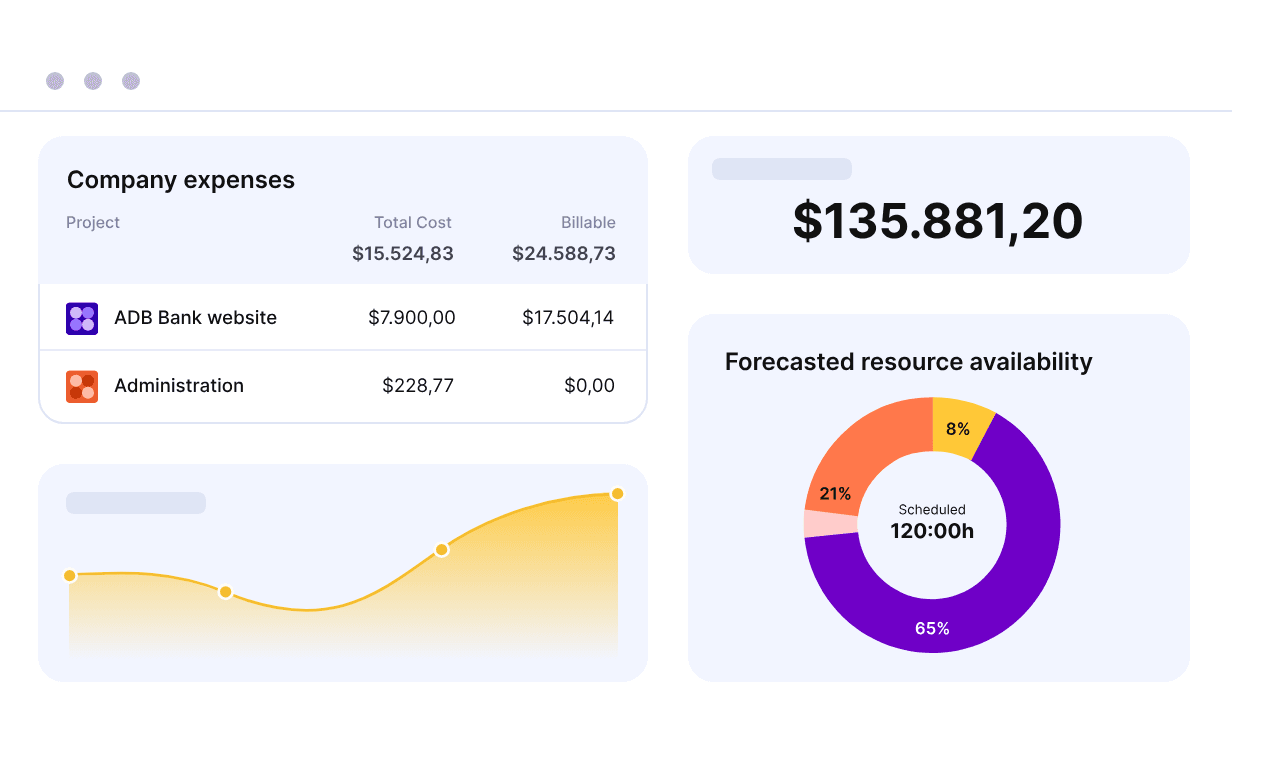
Financial Reporting: With Productive, you can generate detailed financial reports that help your team analyze spending patterns. This feature aids in making informed financial decisions.
Project Financials: The software lets you keep tabs on project-specific expenses with ease, and your team will appreciate the ability to link costs directly to projects.
Approval Workflows: Productive streamlines the approval process for expenses, reducing delays. You can also customize workflows to fit your team's needs.
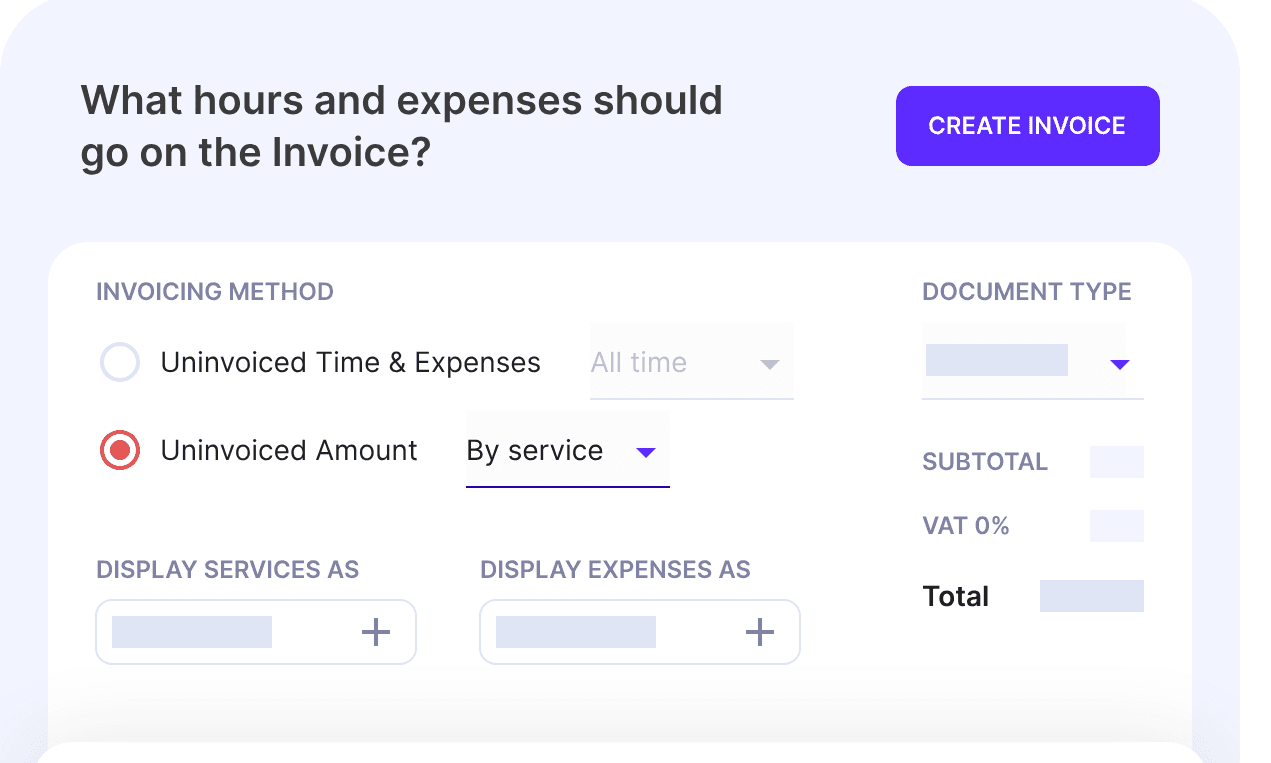
Invoicing: You can create and send invoices directly from Productive, simplifying your billing process.
Standout Features
Customizable Dashboards: You can tailor dashboards to show the financial metrics that matter most to your team. This personalization ensures you focus on key data.
Time Tracking: With Productive, you can track time spent on projects and link it to expenses, improving budget accuracy. Your team can then ensure that labor costs align with project goals.
Ease of Use
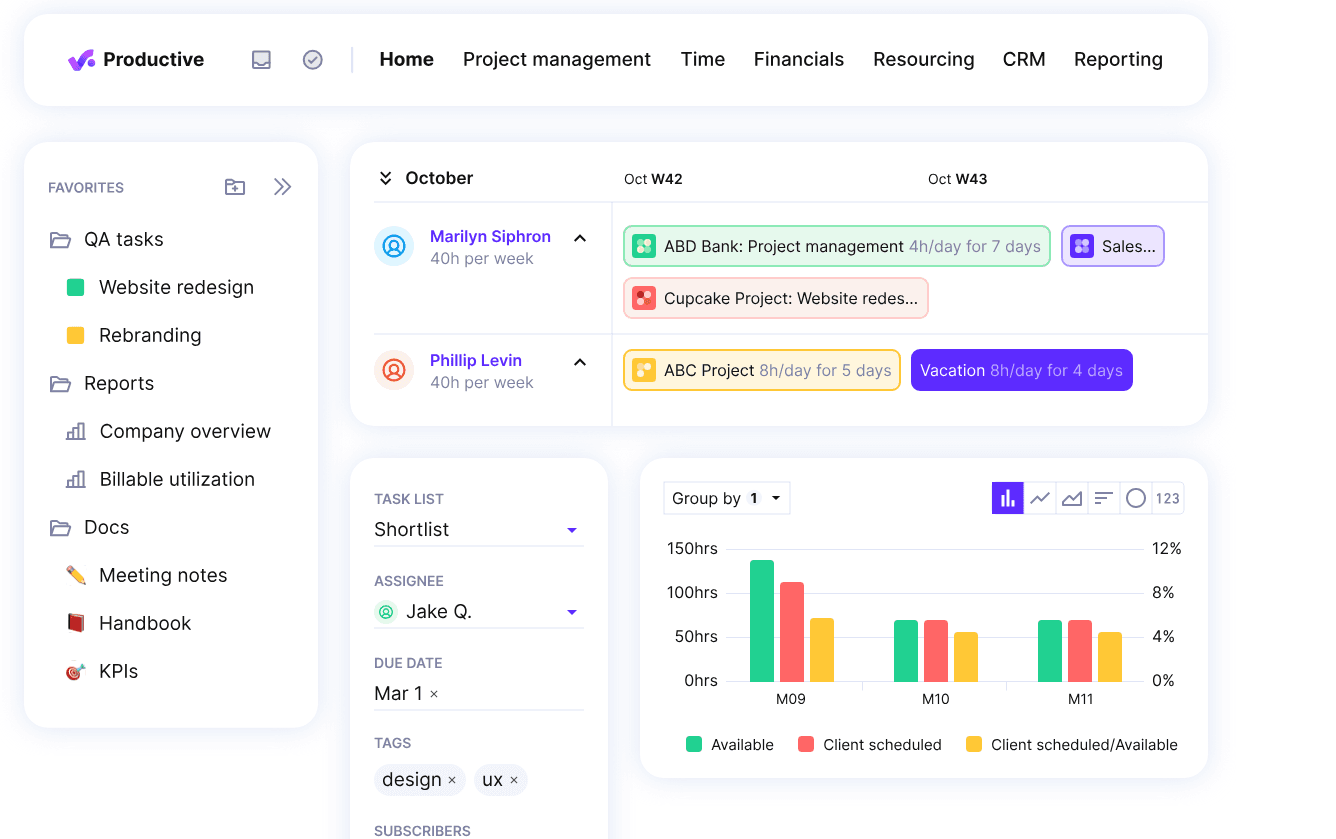
Productive's user interface might feel a little clunky to some users, especially if your team values simplicity. Navigating through its features can require a bit of a learning curve, making it less intuitive compared to some other options. While it offers detailed financial tools, the multiple steps needed for certain tasks might slow you down. However, once you get familiar with its functionalities, Productive provides you with powerful insight and control over your expenses.
Onboarding
Productive's onboarding process can be challenging for new users, and your team might find the initial setup and navigation a bit overwhelming. While Productive offers support resources, such as tutorials and guides, the complexity of its features means it takes time to get up to speed. However, with persistence, you can unlock its full potential.
Customer Support
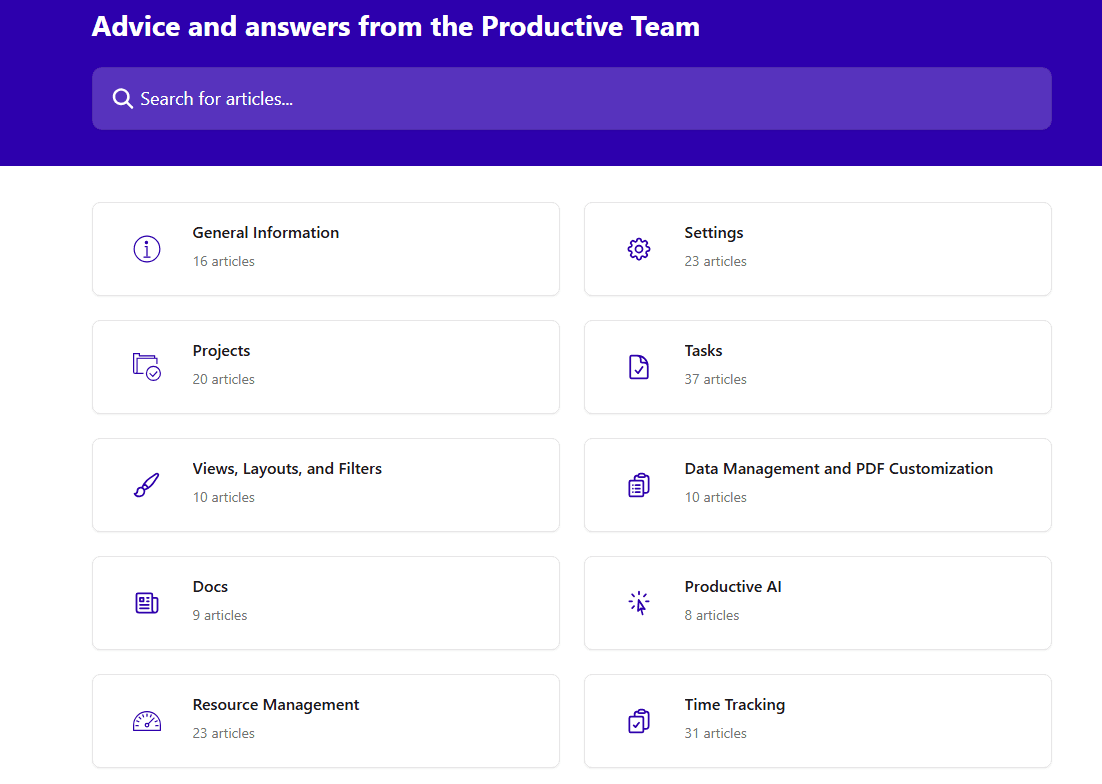
Productive's customer support is generally reliable, but it might not always be the quickest. Your team can reach out through various channels, yet response times may vary. While support is knowledgeable, the complexity of Productive's features means you might need to follow up for detailed guidance.
Integrations
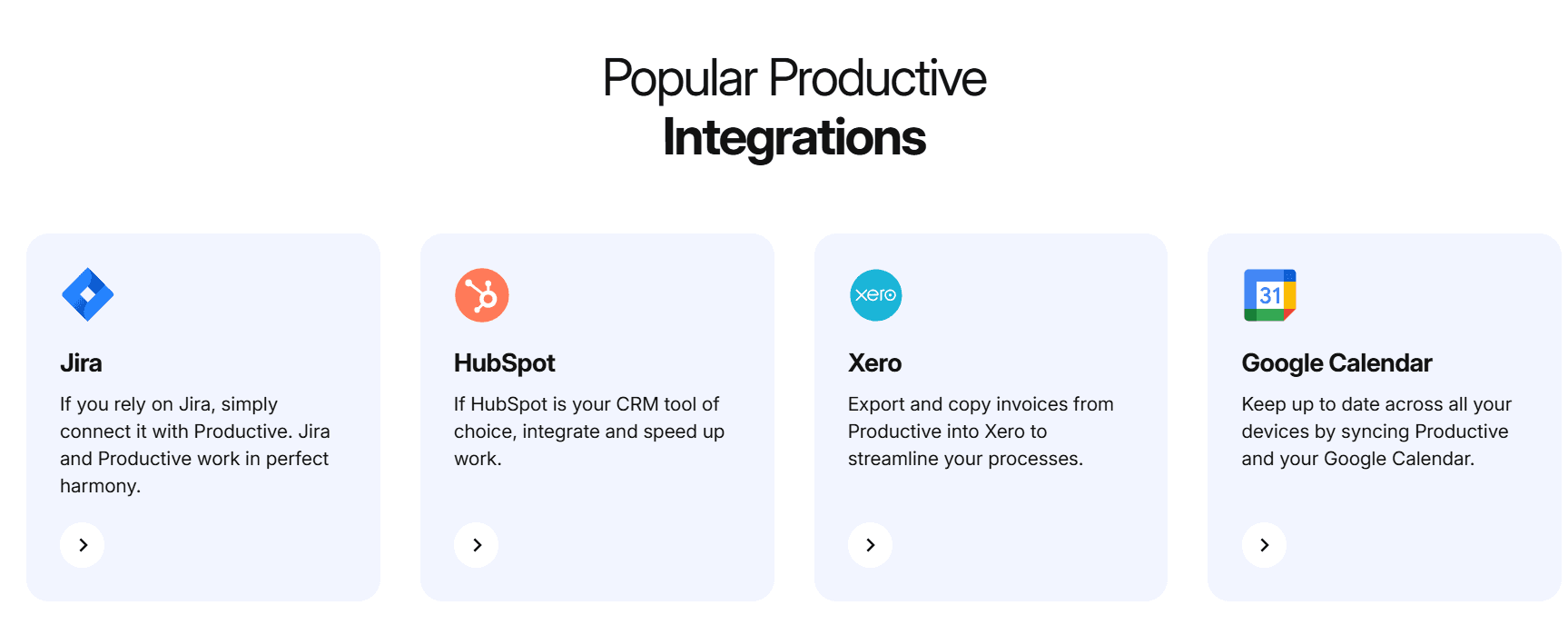
Productive integrates with BambooHR, Exact, Factorial, Fortnox, Google Calendar, Jira, QuickBooks, and Sage.
Productive also provides an open API and connects with Zapier, allowing you to integrate with hundreds of additional apps.
Value for Money
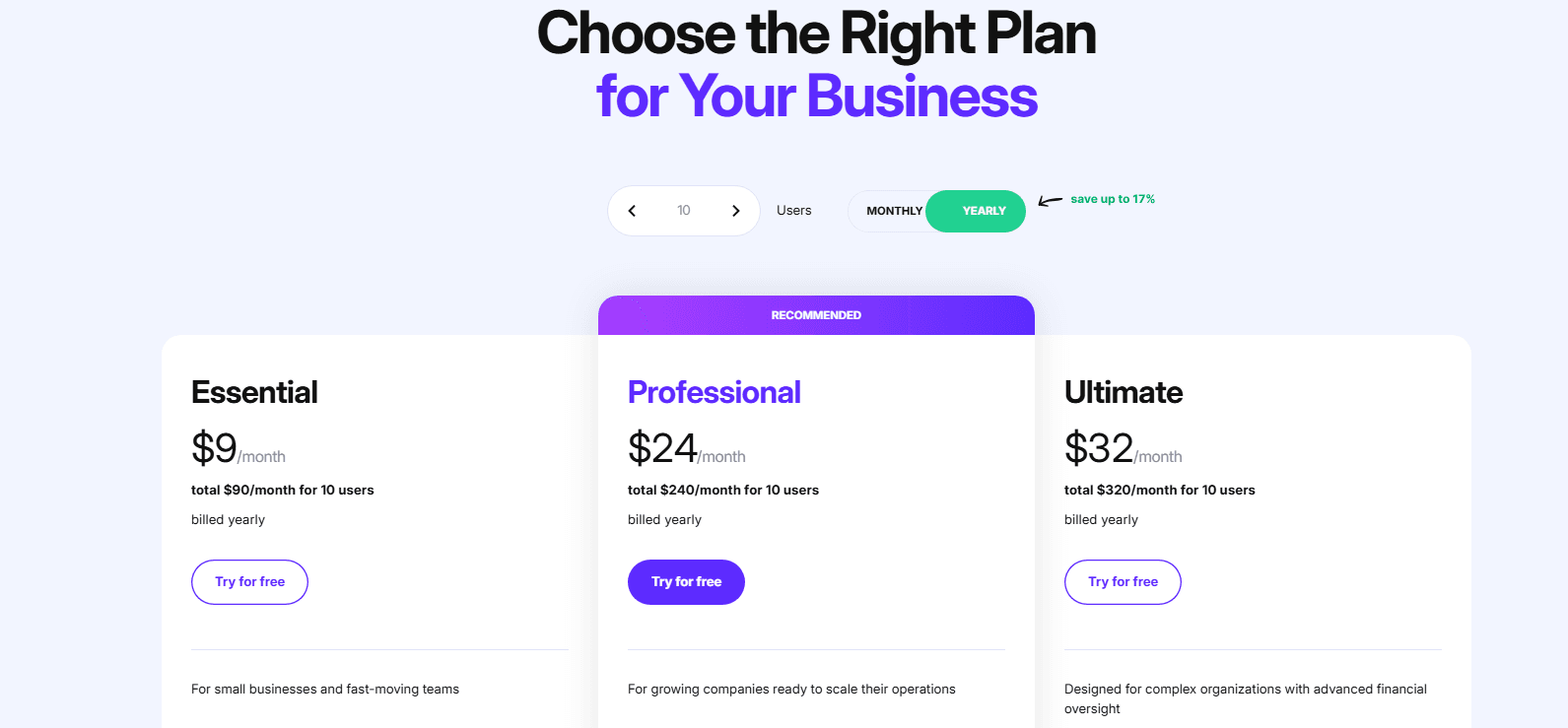
Productive's pricing offers good value for teams looking for detailed financial tracking and project management features. Its different tiers provide flexibility, catering to both small teams and larger organizations that require more extensive tools. A 14-day free trial is available, allowing you to test its features before committing.
- Essential Plan: $9/user per month (billed annually); suitable for small businesses and teams.
- Professional Plan: $24/user per month (billed annually); for growing companies looking to scale their operations.
- Ultimate Plan: $32/user per month (billed annually); offers advanced financial oversight and in-depth project management tools for complex organizations.
New Product Updates from Productive
Productive Adds Voice Dictation, Slack Connector, Proposals, and Overtime
Productive adds voice-to-text for AI and comments, an AI-powered Slack Connector, expanded proposal creation and security options, and overtime controls in Time Tracking Policies. These updates give teams more ways to work with AI, manage proposals, and track regular and overtime hours. Highlights include:
- Voice Dictation: Dictate messages in the AI Assistant, task comments, and document comments.
- Slack Connector: Search files, post messages, summarize channel activity, and interact with Agents from Slack.
- Proposal Controls: Create proposals from Scenarios or uploaded PDFs, track declines, and add link security and unique numbering.
- Overtime Tracking: Set overtime coefficients, control who can log overtime, and report regular versus overtime hours.
Visit Productive’s official site for more details.
 Opens new window
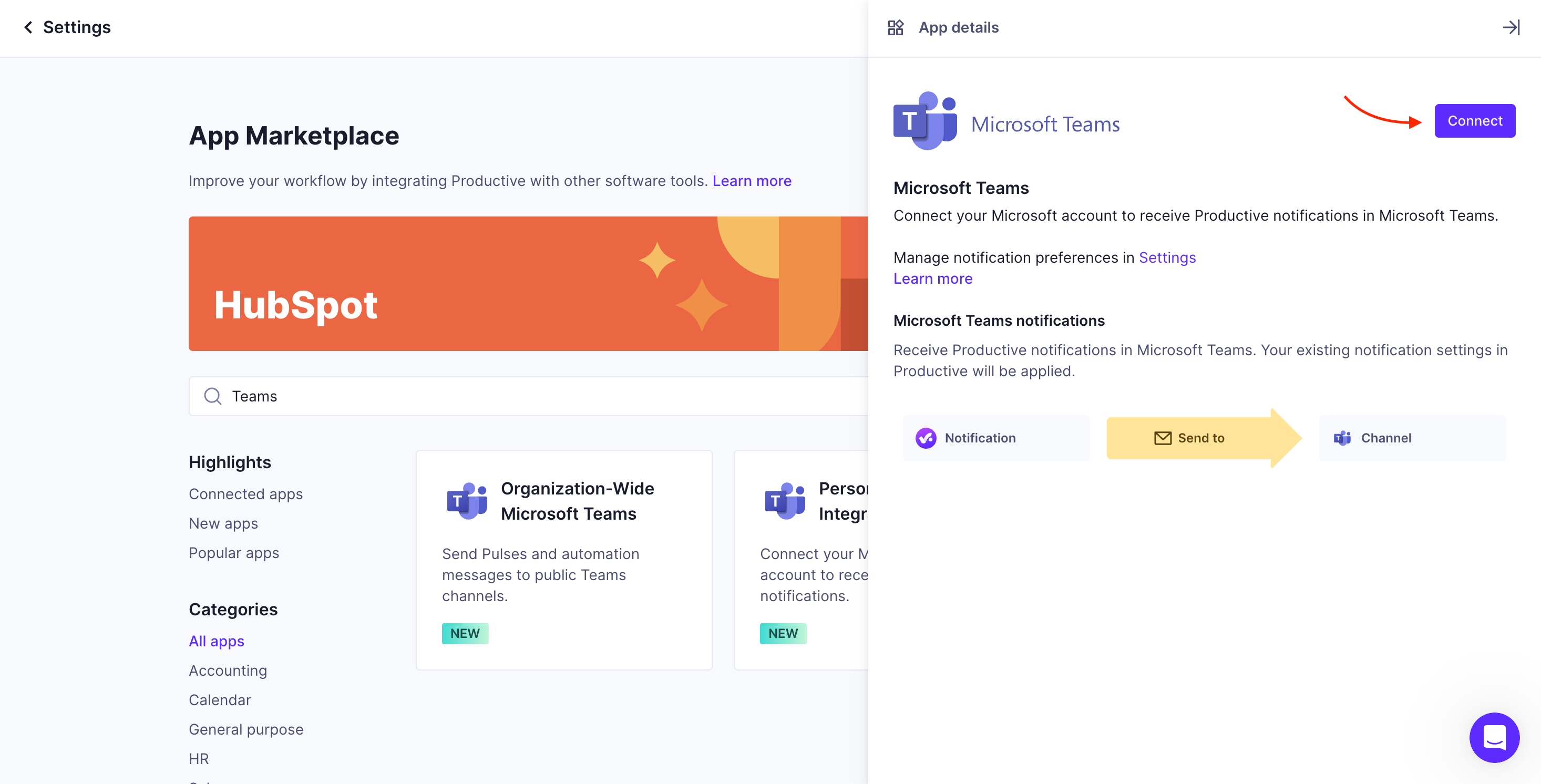
Productive Adds Agent Triggers, Teams Integration, and Time Controls
Productive adds agent action triggers, expanded AI file support, Microsoft Teams integration, new resourcing tools, and time entry requirements and auditing. These updates help teams automate workflows, plan resources, and maintain more complete time records. Highlights include:
- Agent Action Triggers: Automatically starts agents when events such as budget creation or task updates occur.
- Expanded AI File Support: Lets AI read images, PDFs, Word, Excel, CSV, TXT, and RTF files.
- Microsoft Teams Integration: Sends notifications, reports, and automated messages to Microsoft Teams.
- Resource Planning: Adds an editable Resourcing Panel and Planning tab for viewing schedules and capacity.
- Time Entry Controls: Makes tasks or notes mandatory for selected Budgets and Deals and tracks time entry changes in the Audit log.
Visit Productive’s official site for more details.
 Opens new window
Productive 5.0 Introduces AI Agents and Workflow Automation
Productive 5.0 introduces autonomous AI features and expanded workflow automation capabilities across project management, CRM, reporting, and collaboration tools. These updates help teams automate repetitive work, centralize AI-driven operations, and streamline task management, meeting follow-ups, and reporting workflows. Highlights include:
- Agents: Custom-built virtual assistants handle repetitive tasks across your workspace, increasing efficiency and reducing manual workload.
- Skills: Reusable AI workflows allow you to capture complex business procedures in a single prompt, simplifying task automation.
- AI Notetaker: Automatically records and transcribes calls, converting discussions into actionable tasks seamlessly.
- Connectors: Prebuilt and custom integrations let AI work fluidly with your tool stack, improving interconnectivity.
- MCP Server: Seamlessly connect Productive to any LLM client to ask questions and take actions without switching tabs, enhancing workflow fluidity.
- AI Time Tracking: Converts calendar events into timesheet entries with one click, complete with automated suggestions based on historical data.
Visit Productive's official site for more details.
Productive Specs
- API: Yes
- Billing/Invoicing: Yes
- Budgeting: Yes
- CRM Integration: Yes
- Dashboards: Yes
- Data Export: Yes
- Data Import: Yes
- Document Management: Yes
- Expense Tracking: Yes
- External Integrations: Yes
- Financial Analysis: Yes
- Forecasting: Yes
- Gantt Charts: Yes
- Inventory Tracking: No
- Multi-Currency: Yes
- Multi-User: Yes
- Notifications: Yes
- Project Management: Yes
- Resource Management: Yes
- Scheduling: Yes
- Status Notifications: Yes
- Task Scheduling/Tracking: Yes
- Time Management: Yes
- Workflow Management: Yes
Productive FAQs
Productive Company Overview & History
Productive was founded in 2014 by industry veterans and is focused on providing project management solutions for professional service businesses, such as agencies and consultancies. Known for its commitment to innovation, Productive offers tools that improve project management and financial operations. The company prioritizes long-term growth, delivering over 300 updates annually to improve its platform.
Productive Major Milestones
- 2014: Productive was founded by industry veterans.
- 2014: The first version of the Productive platform was launched.