

QuickBooks Workforce Review: Key Features, Pros, Cons, and Pricing Explained
Payroll is due, tax filings are piling up, and the numbers in your books need to match what just went out to employees. You want payroll and accounting software that works together without extra spreadsheets or manual fixes. That’s where this QuickBooks Workforce review comes in. I break down how it handles payroll, taxes, pricing, and integrations […]

We review tools independently, and commissions help fund our testing. See our transparency policy, our methodology, or suggest a tool.
Payroll is due, tax filings are piling up, and the numbers in your books need to match what just went out to employees. You want payroll and accounting software that works together without extra spreadsheets or manual fixes.
That’s where this QuickBooks Workforce review comes in. I break down how it handles payroll, taxes, pricing, and integrations so you can see if it truly simplifies your workflow or adds another layer of complexity.
QuickBooks Workforce Evaluation Summary
4.4/5
- From $88/month
- 30-day free trial
Why Trust Our Software Recommendations
6,700+
Reviews
20
Industry experts
16+
Evaluation factors
14
Years
Our team has been testing and reviewing software since 2012. As finance leaders ourselves, we know how difficult—and important—it is to choose the right software.
For this guide, we evaluated tools using hands-on testing and independent research, scoring tools using our selection criteria.
Our reviews reflect our human editorial judgment, not a sales pitch.
QuickBooks Workforce Overview
Pros
- User-friendly interface designed for easy setup and management, even without extensive accounting experience.
- Automated payroll calculations and tax filings help reduce manual work.
- Clear payroll workflows and task tracking make pay runs easier to manage.
Cons
- Customer support experiences can vary, particularly during complex payroll issues.
- Best suited for those already using QuickBooks Online; otherwise, it may feel restrictive.
- May not suit complex payroll scenarios that require high customization.
Is QuickBooks Workforce Right For Your Needs?
Who Would be a Good Fit for QuickBooks Workforce?
QuickBooks Workforce works best for small to mid-sized businesses that want automated payroll inside the QuickBooks ecosystem. It is especially suitable for companies that value tax compliance automation, streamlined workflows, contractor support, and direct deposit flexibility without needing a full accounting platform.
- Small Businesses Using QuickBooks OnlineIf you’re already running your books in QuickBooks Online, adding payroll keeps everything synced in one system. Payroll expenses, tax payments, and reports flow directly into your accounting without manual reconciliation.
- Businesses Without a Dedicated HR TeamQuickBooks Workforce’s guided setup, automated tax filings, and employee self-service tools make it manageable for small teams that don’t have in-house payroll or HR specialists.
- Employers Who Want Automated Tax HandlingCompanies that prefer payroll taxes calculated, filed, and paid automatically will benefit from full-service payroll options and tax penalty protection on higher tiers.
- Companies With Employees and ContractorsBusinesses with mixed workforces can pay W-2 employees and 1099 contractors in the same system, with built-in 1099 e-file support.
- Growing Businesses That Need Faster PayrollCompanies with tighter payroll timelines can take advantage of next-day or same-day direct deposit options to ensure employees are paid on time.
- QuickBooks Desktop Users Who Want Payroll Add-OnBusinesses using QuickBooks Desktop can add payroll services designed specifically for that environment.
Who Would be a Bad Fit for QuickBooks Workforce?
QuickBooks Workforce may not be ideal for large enterprises, globally distributed teams, or organizations that require advanced HR and accounting systems, complex compensation logic, or deep workforce analytics. Businesses operating outside the QuickBooks accounting environment may also find less value in its integrated structure.
- Large Enterprises With Complex Global PayrollQuickBooks Workforce has separate products for the US, Canada, UK, and Australia, designed to align with each of those countries’ compliance requirements. It doesn’t have a native global payroll system to enable paying multiple countries in one place.
- Companies Needing a Full HR SuiteIf you require advanced HR features like performance management, talent development, and structured onboarding workflows, this platform may feel limited.
- Highly Complex Compensation StructuresOrganizations with intricate pay rules, union requirements, or advanced labor costing may outgrow their standard payroll framework.
- Businesses Not Using QuickBooks for AccountingIf your accounting system is not QuickBooks, you lose the main integration advantage and may face additional reconciliation work.
- Organizations Requiring Advanced Workforce AnalyticsIf your strategy depends on deep people analytics and predictive reporting, QuickBooks Workforce’s reporting capabilities may not be robust enough.
- Very Small Businesses Seeking the Lowest Cost OptionCompanies with only one or two employees and very simple payroll needs may find lower cost payroll tools more suitable, especially if they don’t need automated tax handling or additional payroll features.
How We Test & Score Tools
We’ve spent years building, refining, and improving our software testing and scoring system. The rubric is designed to capture the nuances of software selection and what makes a tool effective, focusing on critical aspects of the decision-making process.
Below, you can see exactly how our testing and scoring works across seven criteria. It allows us to provide an unbiased evaluation of the software based on core functionality, standout features, ease of use, onboarding, customer support, integrations, customer reviews, and value for money.
Core Functionality (25% of final scoring)
The starting point of our evaluation is always the core functionality of the tool. Does it have the basic features and functions that a user would expect to see? Are any of those core features locked to higher-tiered pricing plans? At its core, we expect a tool to stand up against the baseline capabilities of its competitors.
Standout Features (25% of final scoring)
Next, we evaluate uncommon standout features that go above and beyond the core functionality typically found in tools of its kind. A high score reflects specialized or unique features that make the product faster, more efficient, or offer additional value to the user.
We also evaluate how easy it is to integrate with other tools typically found in the tech stack to expand the functionality and utility of the software. Tools offering plentiful native integrations, 3rd party connections, and API access to build custom integrations score best.
Ease of Use (10% of final scoring)
We consider how quick and easy it is to execute the tasks defined in the core functionality using the tool. High scoring software is well designed, intuitive to use, offers mobile apps, provides templates, and makes relatively complex tasks seem simple.
Onboarding (10% of final scoring)
We know how important rapid team adoption is for a new platform, so we evaluate how easy it is to learn and use a tool with minimal training. We evaluate how quickly a team member can get set up and start using the tool with no experience. High scoring solutions indicate little or no support is required.
Customer Support (10% of final scoring)
We review how quick and easy it is to get unstuck and find help by phone, live chat, or knowledge base. Tools and companies that provide real-time support score best, while chatbots score worst.
Customer Reviews (10% of final scoring)
Beyond our own testing and evaluation, we consider the net promoter score from current and past customers. We review their likelihood, given the option, to choose the tool again for the core functionality. A high scoring software reflects a high net promoter score from current or past customers.
Value for Money (10% of final scoring)
Lastly, in consideration of all the other criteria, we review the average price of entry level plans against the core features and consider the value of the other evaluation criteria. Software that delivers more, for less, will score higher.
Core Features
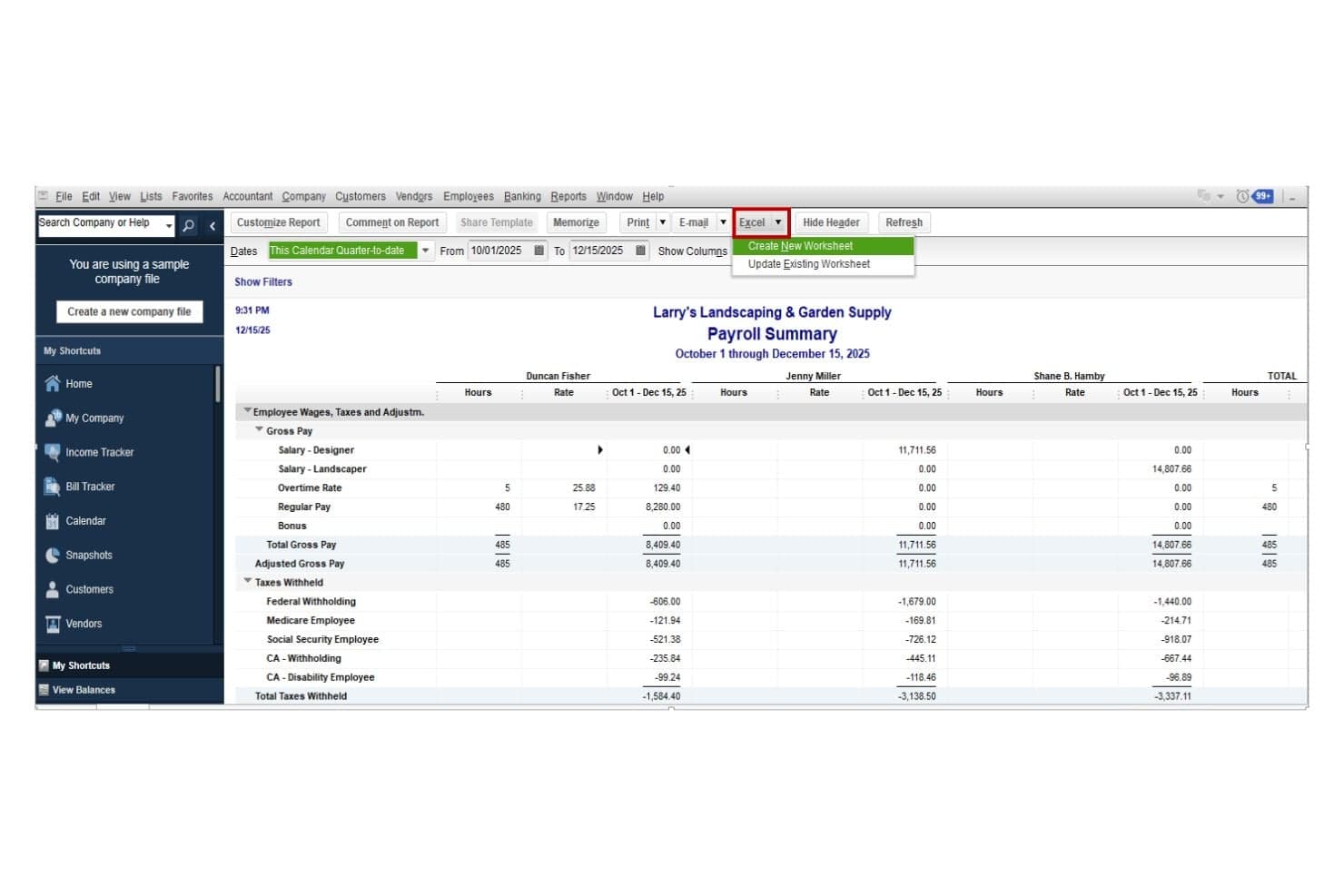
Full-Service Payroll
Handles payroll runs, tax calculations, and payments in one place so you don’t have to manually manage each step.
Direct Deposit Options
Lets you pay employees directly into their bank accounts with fast next-day processing included on most plans.
Employee Self-Service (Workforce App)
Employees can access pay stubs, tax forms, and payroll information online, reducing administrative workload.
1099 E-File
Allows you to generate and electronically file 1099 forms for contractors directly through the payroll system.
Contractor Payments
Supports paying contractors and managing contractor tax documentation within the platform.
Paycheck Calculator
Estimate take-home pay after taxes and deductions before running payroll to help avoid errors.
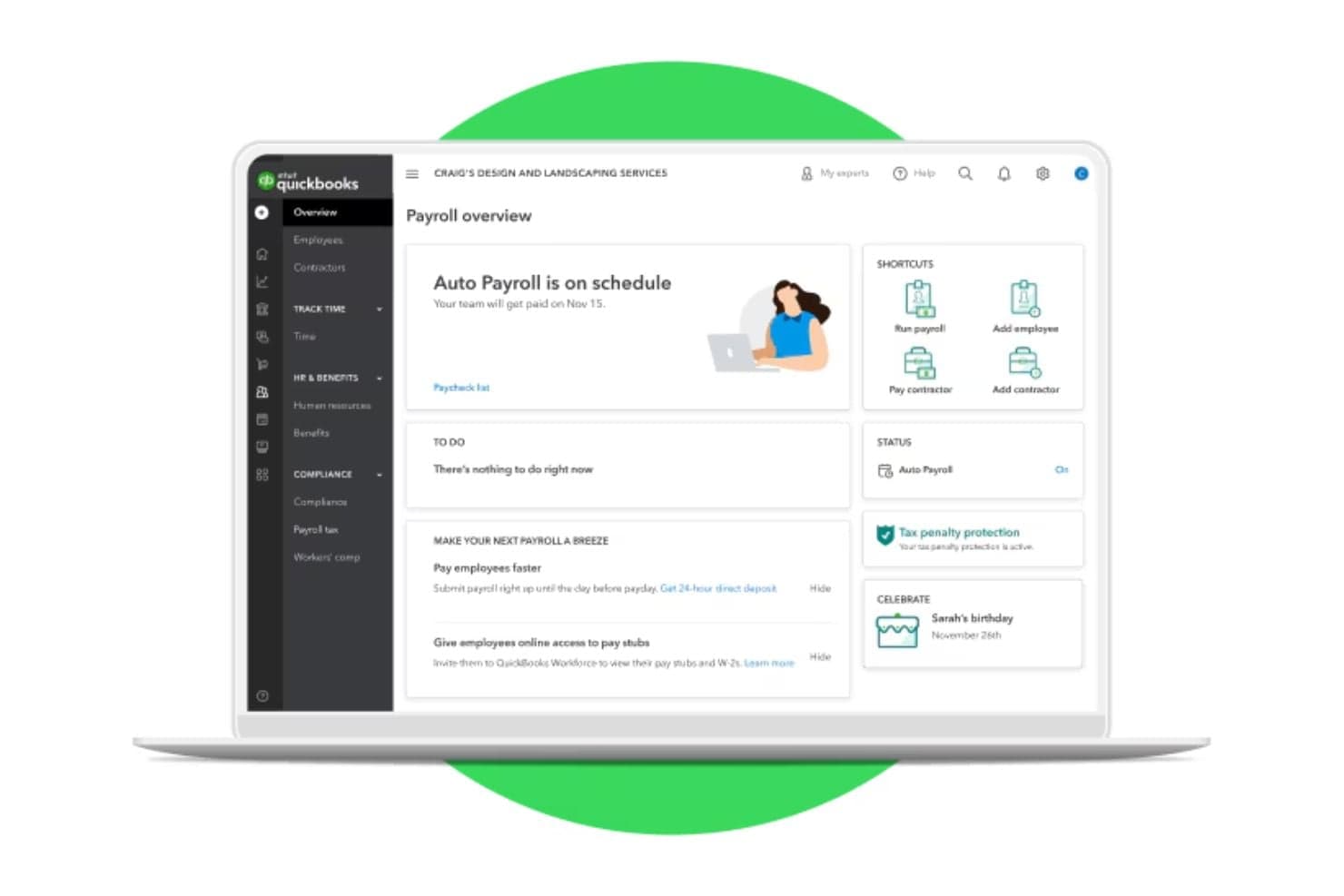
Standout Features
Tax Penalty Protection
Provides coverage if certain payroll tax filing errors occur, offering peace of mind for compliance risk.
Intuit Assist
QuickBooks’ AI-powered Payroll Agent that proactively collects employee time and attendance, flags inconsistencies, and alerts admins so payroll can be run quickly and confidently from anywhere.
Ease of Use
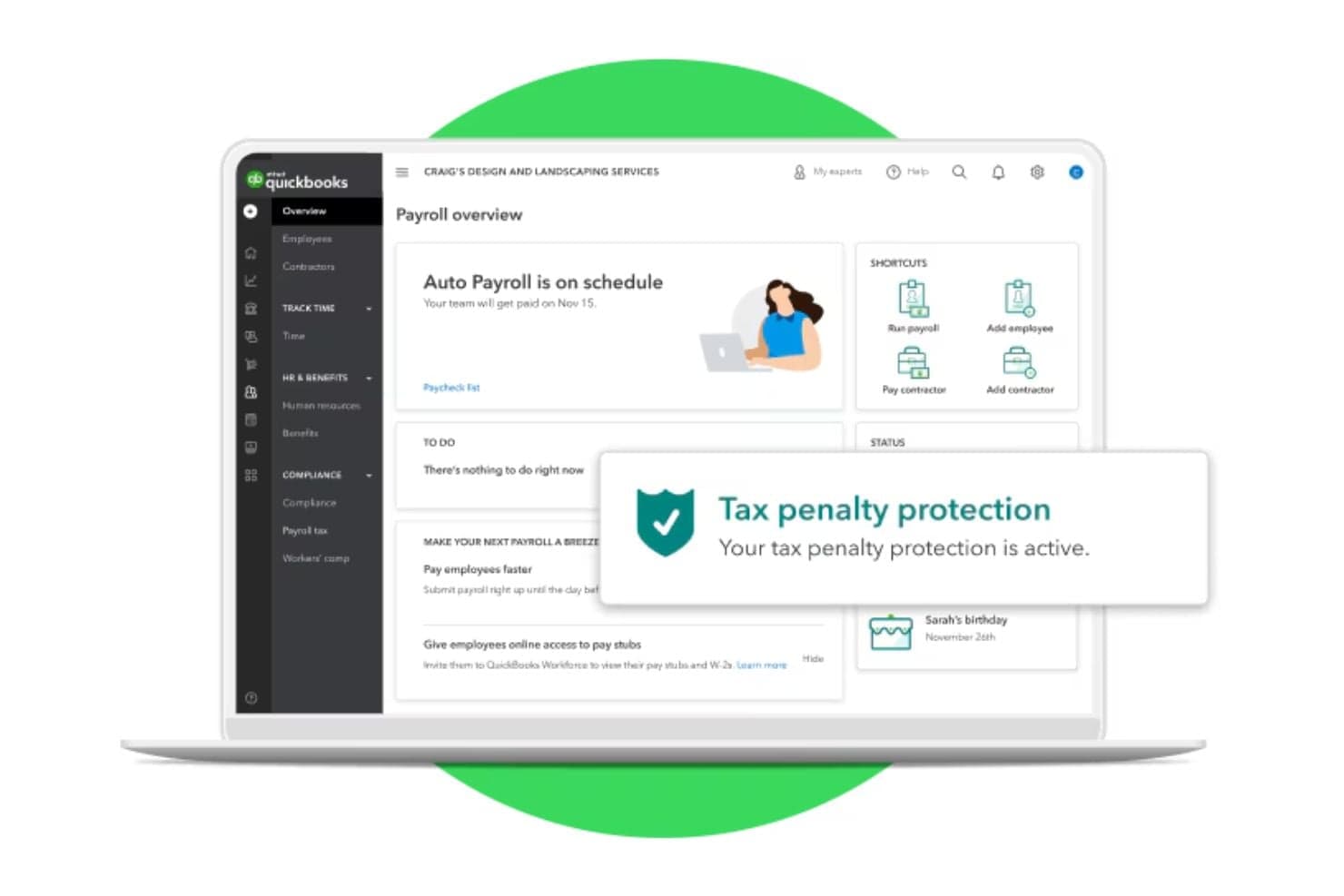
QuickBooks Workforce offers an intuitive interface for running and tracking payroll, with automated calculations that simplify each pay cycle.
Navigation is customizable, allowing users to prioritize frequently used tools, and role-based permissions help control access for administrators and staff. Reporting is organized within a dedicated dashboard, making payroll summaries and tax records easy to locate.
Onboarding
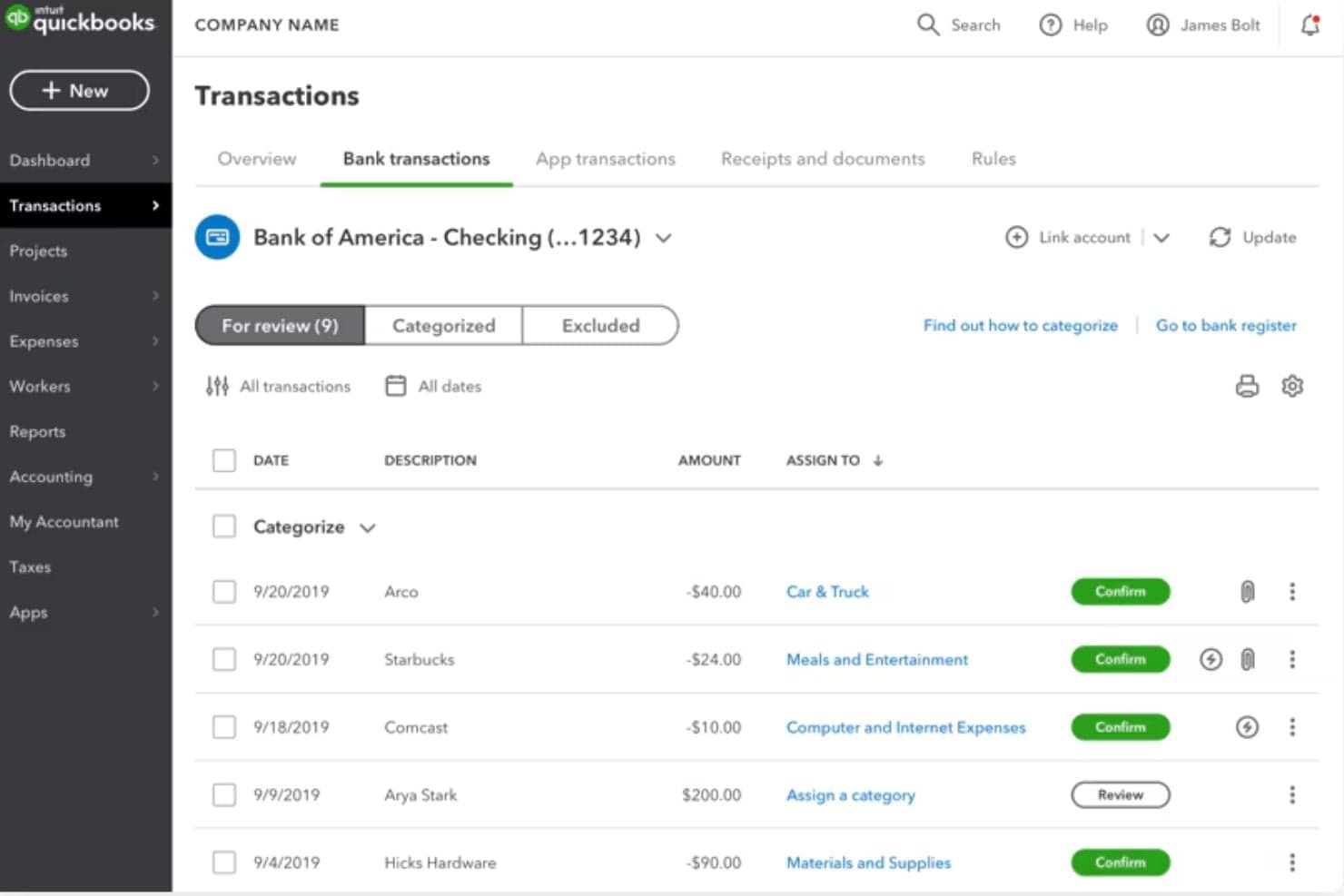
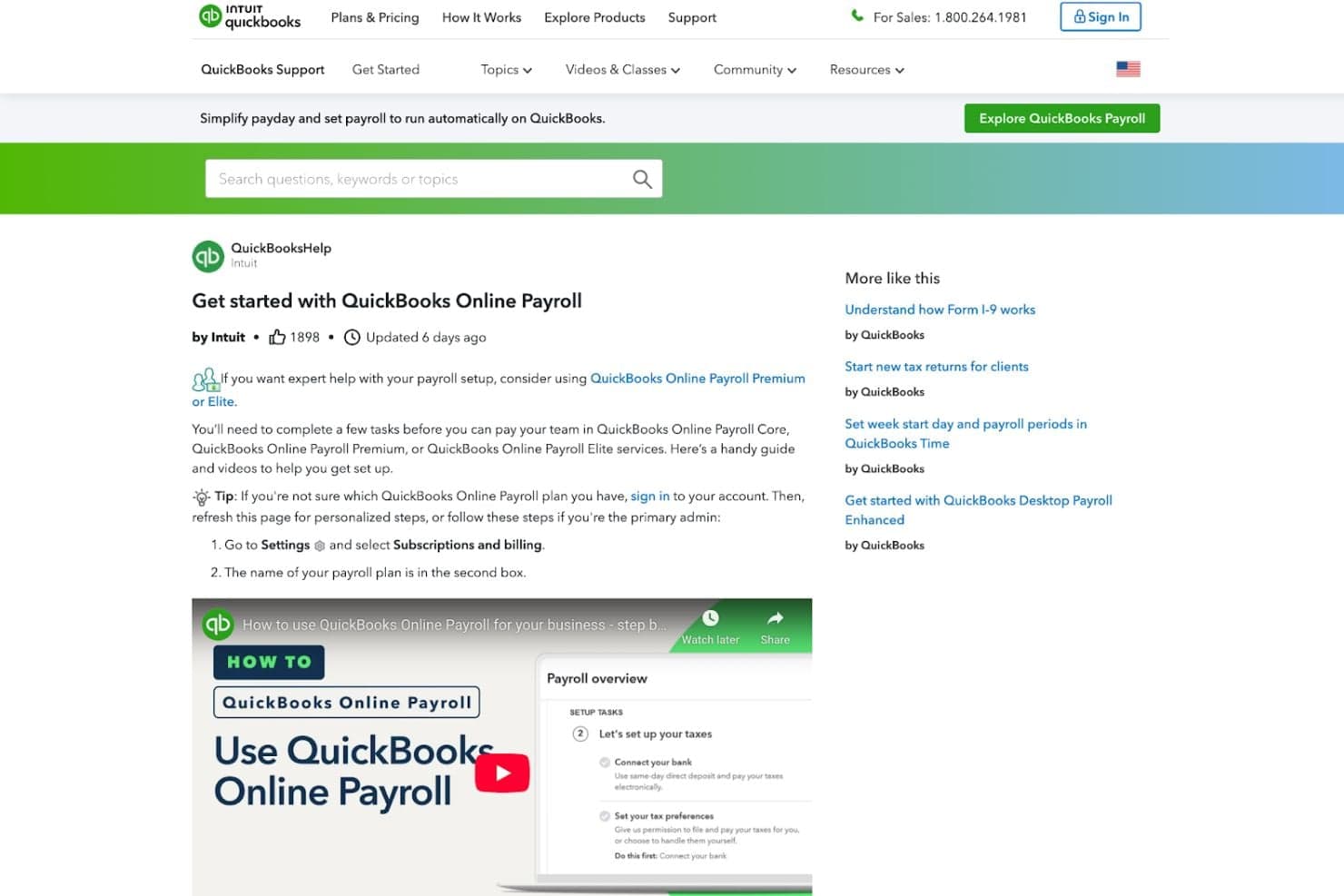
You’ll start by signing in as the primary admin and following a guided setup that walks you through entering your business details, choosing your first payroll date, and confirming whether you’ve already paid employees this year. You’ll then add your employees and their pay and tax information, connect your bank account for direct deposit, and set up your federal and state tax details — with the option to get help from a QuickBooks expert to ensure you’re ready to confidently run your first payroll.
Customer Support
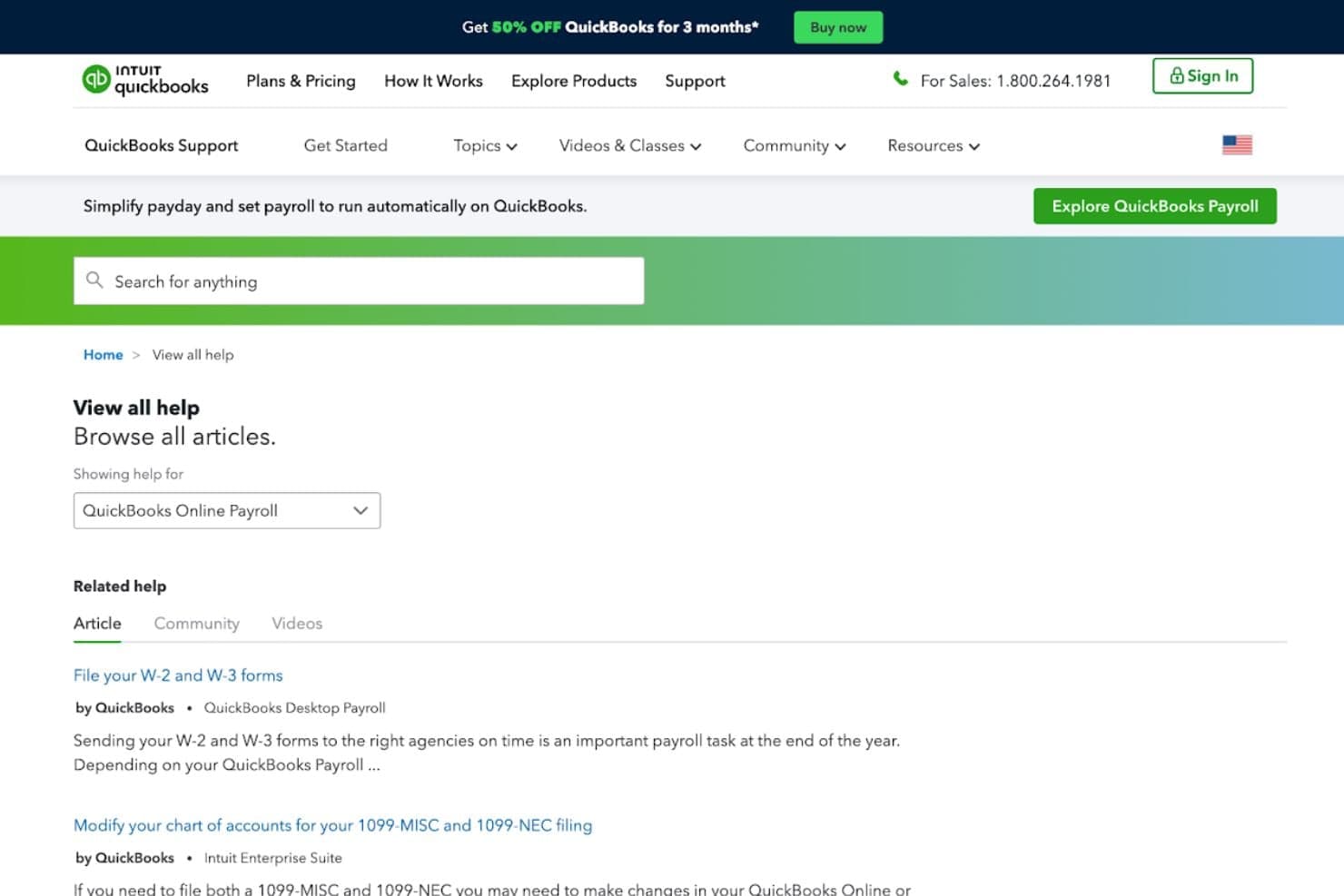
You can access a dedicated QuickBooks Online Payroll help hub as well as payroll troubleshooting resources for urgent issues. Higher-tier plans also include HR advisory services, while broader account-related concerns are handled through the general QuickBooks support portal.
Together, these resources provide structured self-service guidance with access to live support when needed.
Integrations
Payroll data syncs directly with QuickBooks Online, keeping wages, taxes, and expenses aligned with your accounting records.
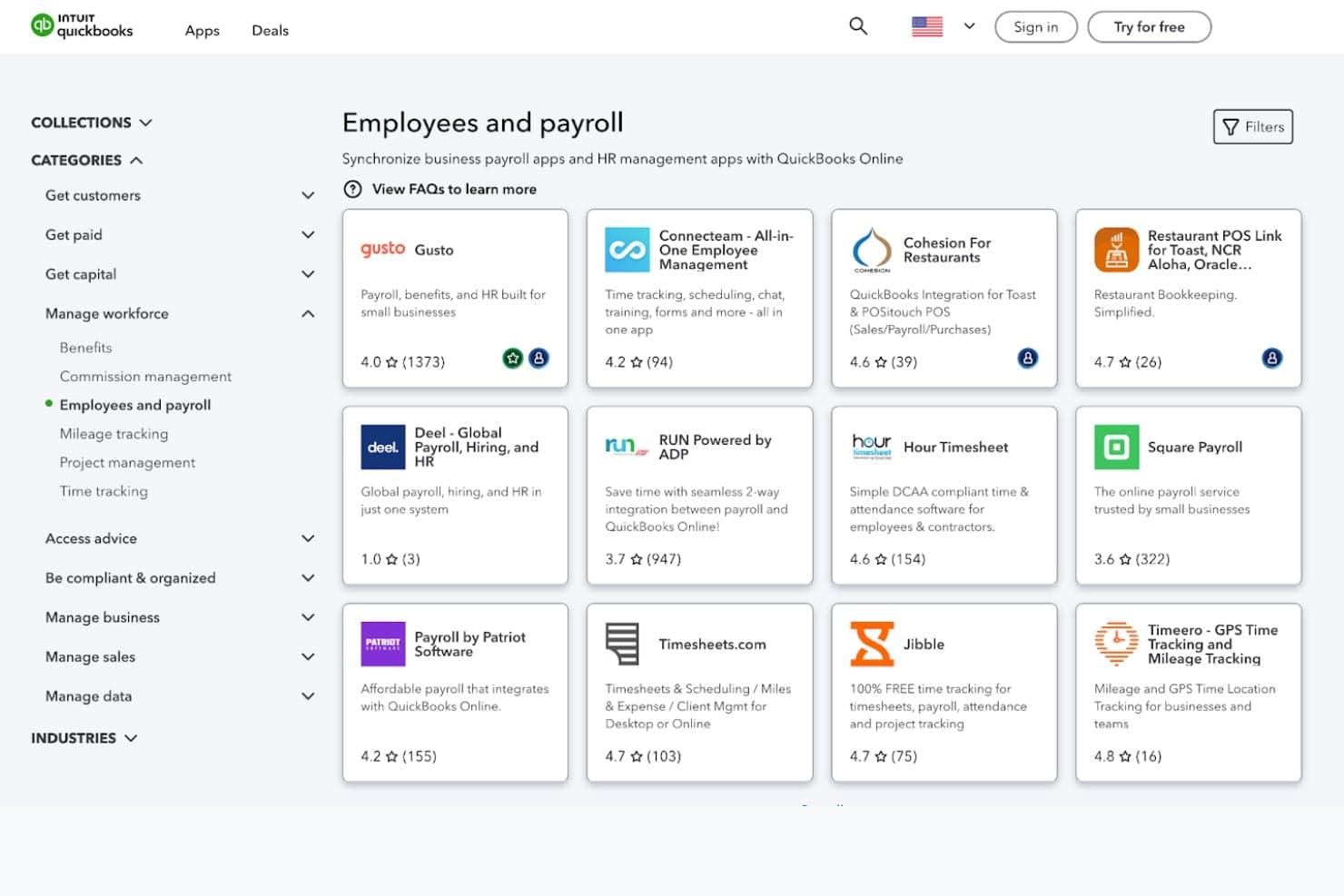
It also connects with payroll and workforce apps through the QuickBooks App Store, including tools like RUN Powered by ADP, Square Payroll, Patriot Payroll, Hour Timesheet, and Jibble.
Value for Money
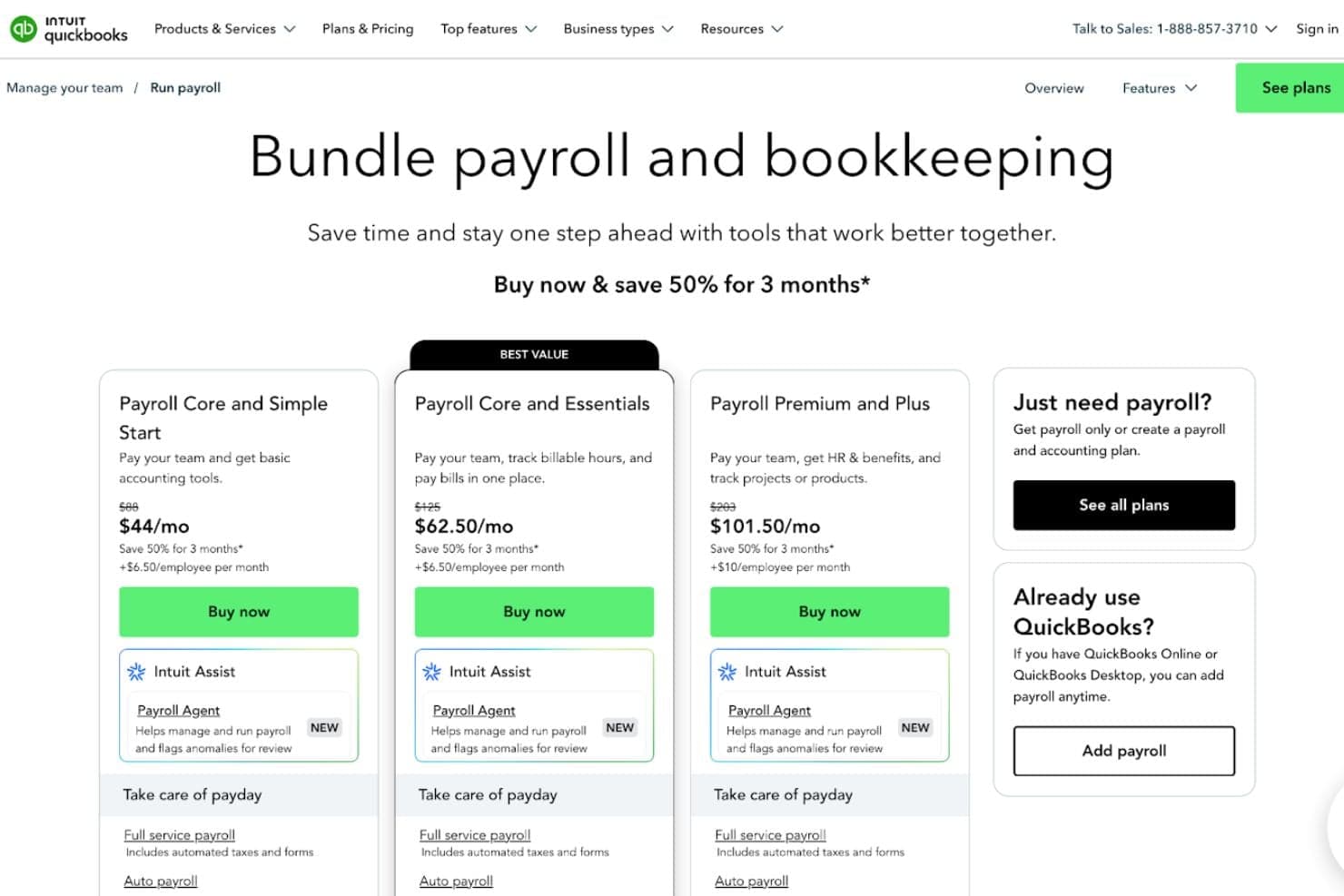
QuickBooks Workforce is offered in tiered plans that bundle payroll features with bookkeeping, with additional options for businesses that only need payroll.
- Payroll Core and Simple Start: Combines payroll with basic bookkeeping features, including automated payroll, tax calculations and filings, employee self-service, and standard reporting.
- Payroll Core and Essentials: Includes everything in the Core bundle, with expanded bookkeeping capabilities such as bill management and additional reporting tools.
- Payroll Premium and Plus: Adds enhanced payroll features such as faster direct deposit options, time tracking, workers’ comp administration support, and access to HR resources and compliance tools.
- Just Payroll: A standalone payroll option for businesses that already use QuickBooks and want to add payroll without switching accounting plans.
Plans scale based on the level of bookkeeping features, payroll speed options, and HR support included.
QuickBooks Workforce Specs
- API: Yes
- Application Tracking: Yes
- Approval Workflows: Yes
- Attendance Tracking: Yes
- Budgeting: Yes
- Calendar Management: Yes
- Compliance Tracking: Yes
- Dashboard: Yes
- Data Export: Yes
- Data Import: Yes
- Data Visualization: Yes
- Employee Database: Yes
- Employee Incentive Management: Yes
- Employee Onboarding: Yes
- Expense Tracking: Yes
- External Integrations: Yes
- Feedback Management: Yes
- Forecasting: Yes
- Multi-Currency: Yes
- Multi-User: Yes
- Notifications: Yes
- Payroll: Yes
- Scheduling: Yes
- Tax Management: Yes
- Time Management: Yes
- Timesheets: Yes
- Travel Management: Yes
- Vacation & Absence Calendar: Yes
QuickBooks Workforce FAQs
QuickBooks Workforce Company Overview & History
QuickBooks Workforce is part of the broader QuickBooks product family developed by Intuit Inc., a financial software company founded in 1983 by Scott Cook and Tom Proulx in Mountain View, California. QuickBooks itself was later introduced in the early 1990s as an easy-to-use accounting solution for small and midsize businesses.
QuickBooks Workforce Major Milestones
- 1983: Intuit Inc. is founded, eventually becoming known for financial and business software.
- 1992: QuickBooks accounting software is launched, bringing accessible bookkeeping and payroll functions to small businesses.
- 1999: Intuit introduces the QuickBooks Online Payroll service, which allowed QuickBooks users to connect with banks and tax agencies for online payroll processing.
- 2005: QuickBooks Online Payroll Edition is launched as an integrated payroll solution tied to QuickBooks Online, expanding payroll capabilities for cloud users.
- 2019: Intuit expands QuickBooks Payroll with automated tax penalty protection and on-demand HR services.
- 2020: Enhanced automation features and faster direct deposit options are introduced to support small businesses.
- 2021–2022: Payroll plans are structured into Core, Premium, and Elite tiers, adding expanded HR support and compliance services.
- 2026: QuickBooks Payroll gets rebranded as QuickBooks Workforce.