

Reseña de TaxAct: Ventajas, desventajas, características y precios
TaxAct ofrece una interfaz fácil de usar y precios competitivos, lo que la convierte en una excelente opción para quienes buscan una declaración de impuestos sencilla.

Revisamos las herramientas de forma independiente, y las comisiones ayudan a financiar nuestras pruebas. Consulta nuestra política de transparencia, nuestra metodología o sugiere una herramienta.
TaxAct is a tax software for individuals, freelancers, and small business owners who need to file federal and state returns accurately without paying a premium for extra hand-holding. I'd consider it over TurboTax if you're comfortable working through your own return and want a lower-cost option that still handles complex situations like self-employment income, investment activity, and pass-through deductions without cutting corners on coverage.
TaxAct Evaluation Summary
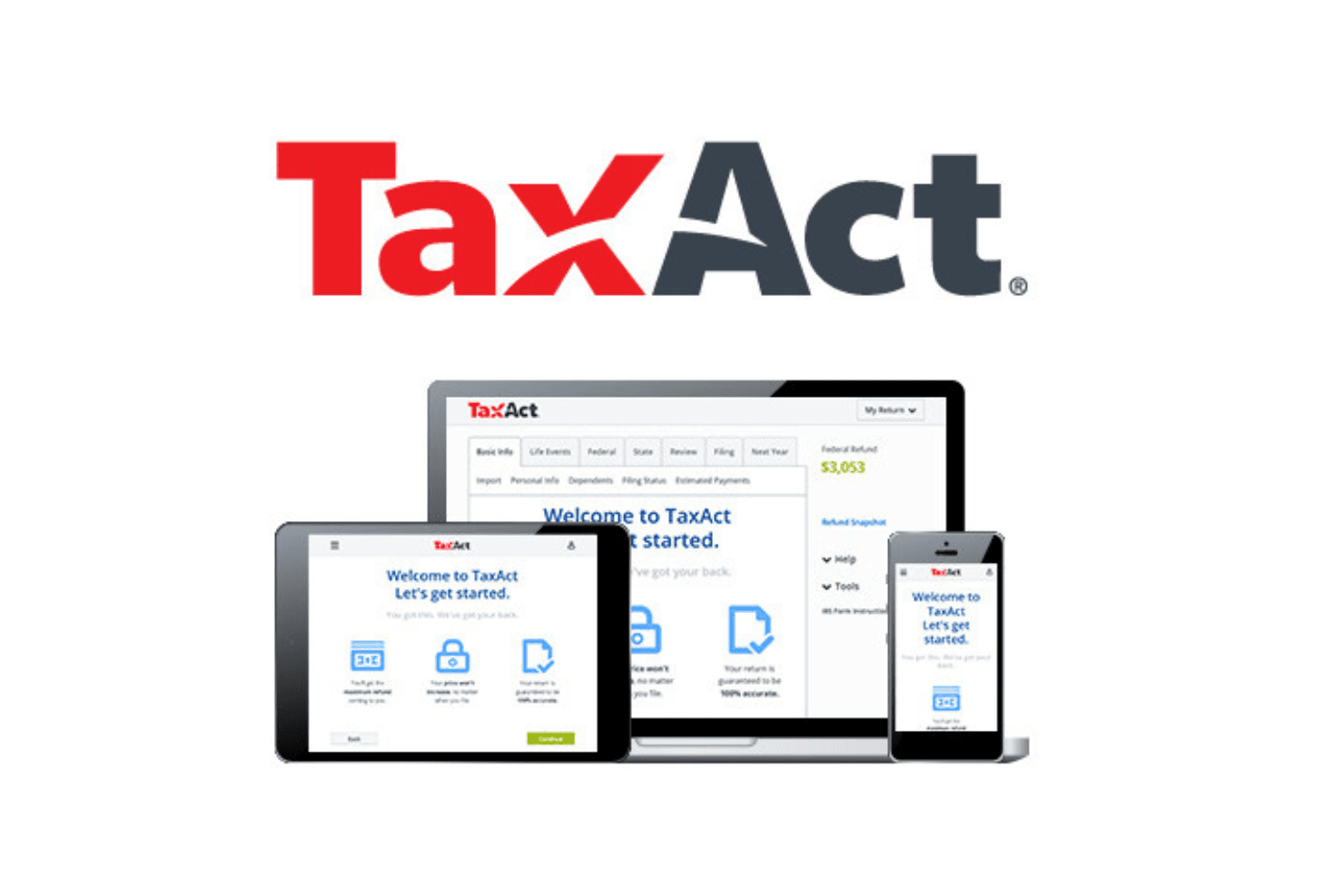
4.4/5
- From $29.99/filing
- Free plan available
Por qué confiar en nuestras recomendaciones de software
6,700+
Reviews
20
Industry experts
16+
Evaluation factors
14
Years
Nuestras reseñas reflejan nuestro criterio independiente, no un discurso de ventas. Descubra cómo mantenemos la transparencia.
Para esta guía, evaluamos las herramientas mediante pruebas prácticas e investigación independiente, puntuando las herramientas según nuestros criterios de selección.
Nuestras reseñas reflejan nuestro criterio editorial humano, no un discurso de ventas.
TaxAct Overview
TaxAct is a solid choice for those seeking reliable tax software. Its core features are competitive, making it a viable option for individuals and small businesses. The standout features, like its deduction maximizer, provide additional value, although they don't significantly outshine competitors. You'll find its ease of use quite satisfactory, especially if you're familiar with similar platforms.
Onboarding is straightforward, although it may not be the most intuitive for complete beginners. Customer support is commendable, offering timely assistance. Where TaxAct truly shines is in its affordability, striking a balance between comprehensive features and budget-friendly pricing.
However, if you require extensive integrations or advanced functionalities, other options may be more compelling.
Pros
- Easily import data from previous returns
- Provides a comprehensive deduction finder
- Free phone support for all users
Cons
- Interface is less intuitive than some competitors
- Slow during peak tax season
- Lacks some advanced features found in other tax software
Is TaxAct Right For Your Needs?
Who Would be a Good Fit for TaxAct?
TaxAct is ideal for small businesses and independent tax professionals who need a reliable and cost-effective solution for tax preparation. With features like customizable tax planning tools and easy data import options, it simplifies the tax filing process. The software's ability to handle both business and personal tax returns makes it versatile, and its track record of e-filing over 65 million federal returns since 2000 underscores its reliability.
- Small businessesTaxAct's affordable pay-per-return model and customizable tools make it perfect for small businesses managing their own taxes.
- Independent tax professionalsFor professionals and tax service providers handling multiple clients, TaxAct's Client Manager and multi-user networking are invaluable.
- FreelancersFreelancers benefit from TaxAct's flexibility in managing both business and personal tax prep efficiently. Freelancers can use TaxAct to plan the tax aspect of their personal finance, including business and capital gains. It’s also helpful in managing taxes on retirement income for any senior dependents.
- StartupsStartups can take advantage of TaxAct's low-cost e-filing and access to current tax forms to manage tight budgets.
- Accounting departmentsFor accounting teams, TaxAct offers professional templates and report generation to streamline workflow.
- ConsultantsConsultants, tax experts, and CPAs find value in TaxAct's ability to easily import data and track e-filed returns, saving time and effort when filing business and income taxes and offering tax advice to clients.
Who Would be a Bad Fit for TaxAct?
TaxAct might not be the best choice for large corporations or businesses with complex tax needs. If your company requires intricate tax planning and detailed analytics, TaxAct’s offerings might fall short. The software is primarily tailored for individual filers and small- to medium-sized businesses, so if your work involves extensive financial operations or international tax compliance, you may find its capabilities lacking.
- Large corporationsTaxAct lacks the advanced features needed for the extensive tax planning required by large corporations.
- International businessesIf your business deals with international tax compliance, TaxAct’s feature set doesn’t support multi-currency transactions or foreign tax credits efficiently.
- High-volume accounting firmsFirms handling numerous clients with complex tax situations might find TaxAct inadequate due to its limitations in managing large volumes of data.
- Non-profit organizationsTaxAct doesn’t cater well to the specific tax filing needs of nonprofits, such as Form 990 preparation.
- Manufacturing industriesThe software doesn’t offer the specific tax deductions and credits applicable to manufacturing operations.
- Government agenciesTaxAct isn’t designed for the unique tax requirements and regulations that government agencies must adhere to.
Cómo probamos y puntuamos las herramientas
Hemos dedicado años a construir, perfeccionar y mejorar nuestro sistema de evaluación y puntuación de software. La rúbrica está diseñada para capturar los matices de la selección de software y lo que hace que una herramienta sea efectiva, enfocándose en los aspectos críticos del proceso de toma de decisiones. A continuación, puedes ver exactamente cómo funcionan nuestras pruebas y puntuación en siete criterios. Esto nos permite proporcionar una evaluación imparcial del software basada en la funcionalidad principal, características destacadas, facilidad de uso, onboarding, atención al cliente, integraciones, opiniones de clientes y relación calidad-precio.
Funcionalidad principal (25% de la puntuación final)
Nuestro punto de partida siempre es la funcionalidad principal de la herramienta. ¿Tiene las funciones básicas que un usuario esperaría ver? ¿Alguna de estas características principales está limitada a planes de precios superiores? En esencia, esperamos que una herramienta esté a la altura de las capacidades básicas de sus competidores.
Características destacadas (25% de la puntuación final)
A continuación, evaluamos las características únicas y sobresalientes que van más allá de la funcionalidad principal normalmente encontrada en herramientas de este tipo. Una puntuación alta refleja funciones especializadas o únicas que hacen el producto más rápido, eficiente o que aportan valor adicional al usuario. También evaluamos lo fácil que es integrarse con otras herramientas que normalmente forman parte del stack tecnológico para ampliar la funcionalidad y utilidad del software. Las herramientas que ofrecen numerosas integraciones nativas, conexiones con terceros y acceso API para crear integraciones personalizadas obtienen la mejor puntuación.
Facilidad de uso (10% de la puntuación final)
Consideramos cuán rápido y fácil es ejecutar las tareas definidas en la funcionalidad principal usando la herramienta. El software que obtiene la puntuación más alta está bien diseñado, es intuitivo, ofrece aplicaciones móviles, proporciona plantillas y hace que tareas relativamente complejas parezcan simples.
Onboarding (10% de la puntuación final)
Sabemos lo importante que es una adopción rápida del equipo para una nueva plataforma, por lo que evaluamos cuán sencillo es aprender y utilizar una herramienta con una formación mínima. Analizamos lo rápido que un miembro del equipo puede configurarse y empezar a usar la herramienta sin experiencia previa. Las soluciones con alta puntuación indican que se requiere poco o ningún soporte.
Atención al cliente (10% de la puntuación final)
Revisamos cuán rápido y sencillo es salir de un atasco y encontrar ayuda por teléfono, chat en vivo o base de conocimiento. Las herramientas y empresas que proporcionan soporte en tiempo real obtienen la mejor puntuación, mientras que los chatbots obtienen la peor.
Opiniones de clientes (10% de la puntuación final)
Además de nuestras propias pruebas y evaluaciones, consideramos el net promoter score de clientes actuales y anteriores. Revisamos la probabilidad de que, de tener la opción, elijan nuevamente la herramienta por su funcionalidad principal. Un software con alta puntuación refleja un alto net promoter score de clientes presentes o pasados.
Relación calidad-precio (10% de la puntuación final)
Por último, considerando todos los demás criterios, revisamos el precio medio de los planes de entrada frente a las funciones principales y analizamos el valor de los demás criterios de evaluación. El software que ofrece más por menos obtiene una puntuación superior.
Core Features
Comprehensive tax forms
With access to all major tax forms, TaxAct ensures you can manage both federal and state taxes efficiently. Whether you're filing a 1040 or dealing with more complex forms, everything's covered.
Deduction and credit maximization
The software helps identify deductions and credits you might qualify for (like child tax credits), potentially increasing your refund. It’s like having a tax advisor who ensures you don’t leave money on the table.
Audit assistance
TaxAct provides audit support tools, helping you understand what to expect if the IRS contacts you. You get peace of mind knowing there’s guidance available during a stressful situation.
Import capabilities
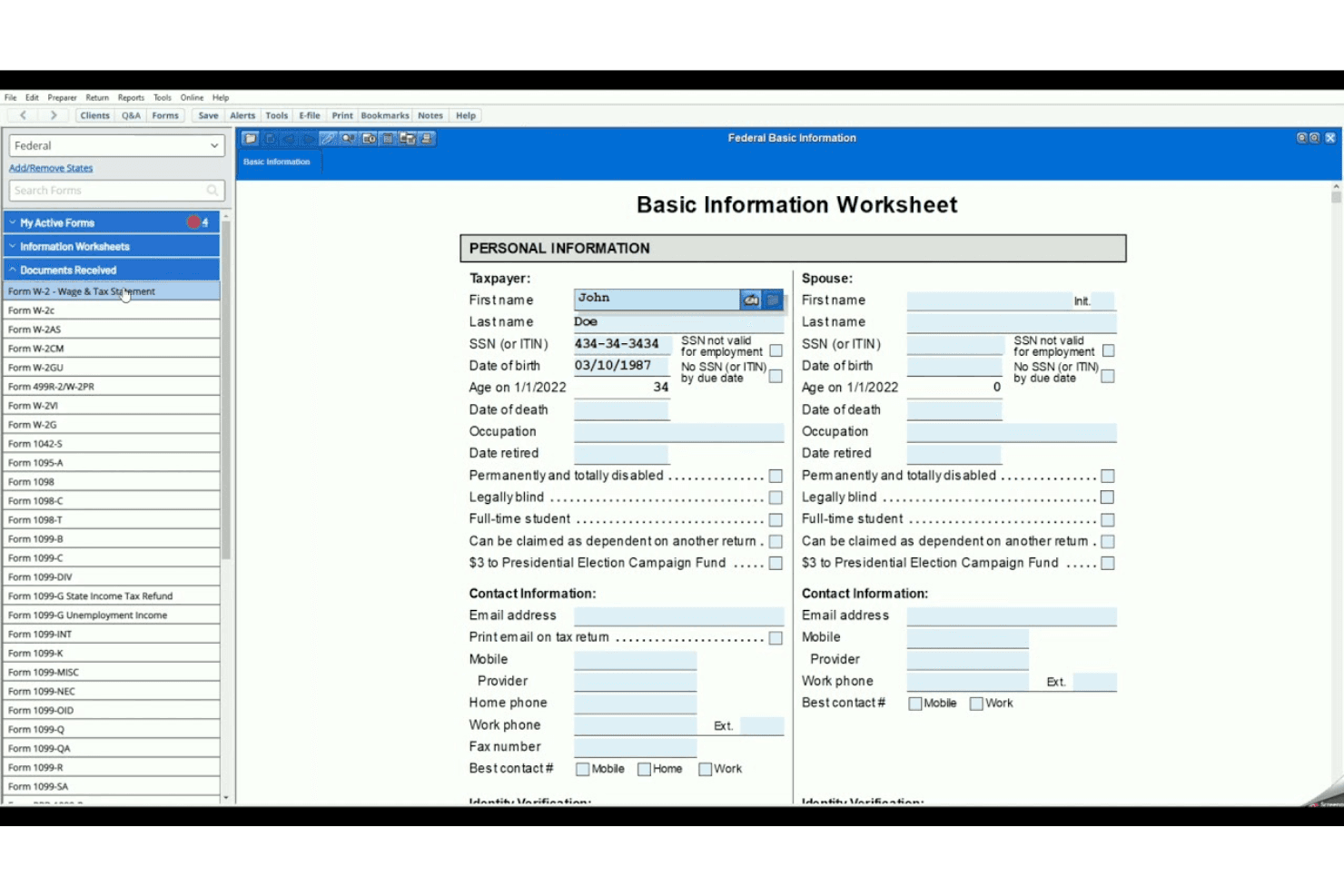
You can import previous tax returns and financial data, simplifying the data entry process. This feature saves you time and minimizes manual entry errors.
Real-time refund status
As you enter your information, see your refund status update in real time. It keeps you informed about how your entries impact your overall tax picture.
Ease of Use
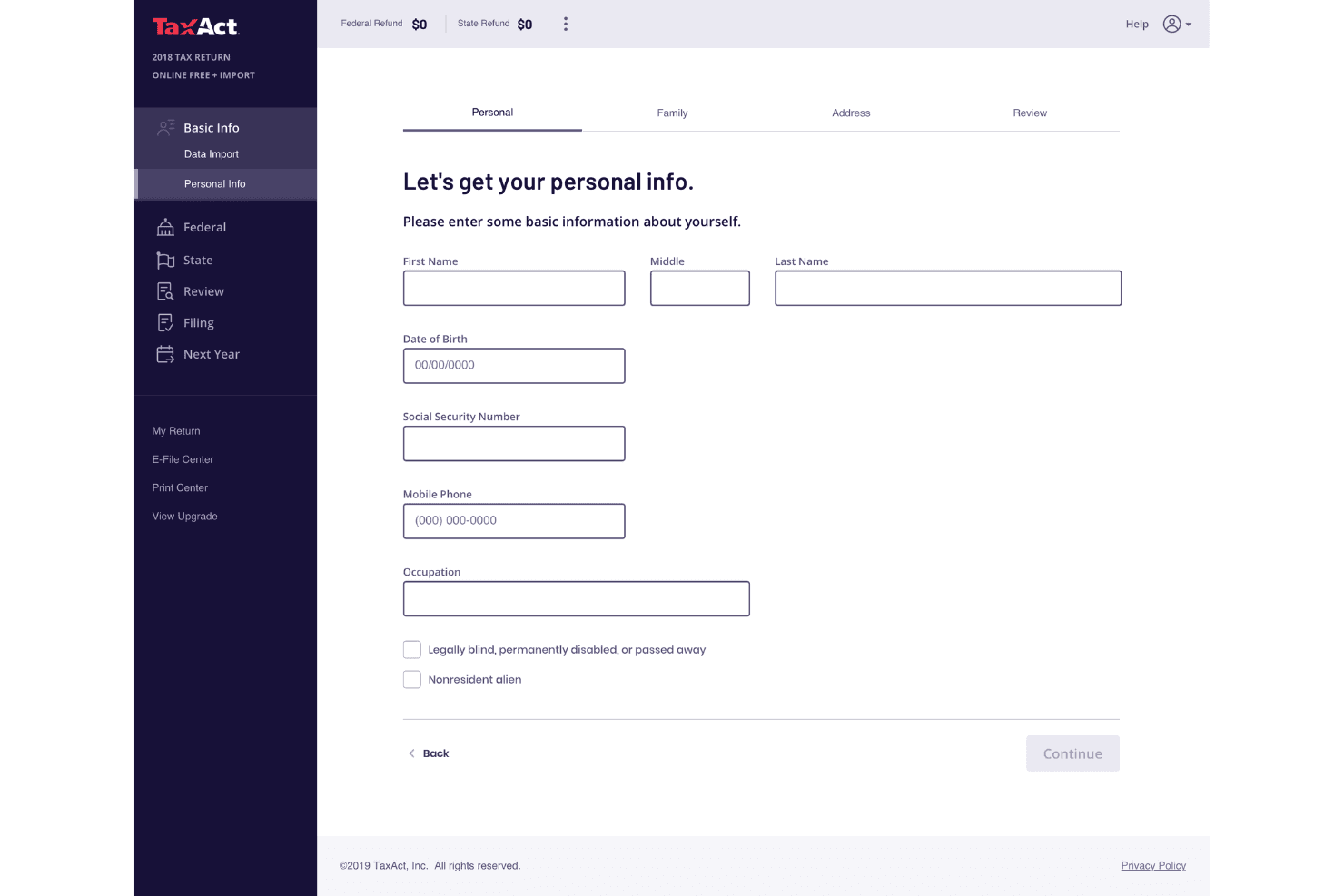
TaxAct is generally user-friendly, making it accessible for most filers. Its straightforward data-entry process and minimal use of tax jargon simplify the experience. You can easily import previous returns and documents, which saves time. The interface is designed to be intuitive, though it lacks some advanced features that competitors offer. Users appreciate the affordability and the option to consult professionals via Xpert Assist. While it doesn't have a mobile app, multi-device access compensates for this limitation.
Integrations
TaxAct offers API solutions to enhance tax preparation efficiency, allowing connections with various third-party tools through cloud applications.
TaxAct Specs
- Accounts Payable: Yes
- Accounts Receivable: Yes
- API: No
- Balance Sheet: Yes
- Billing/Invoicing: Yes
- Budgeting: Yes
- Calendar Management: Yes
- CRM Integration: Yes
- Dashboard: Yes
- Data Export: No
- Data Import: Yes
- Data Visualization: Yes
- Expense Tracking: Yes
- External Integrations: No
- Forecasting: Yes
- General Account Ledger: Yes
- Multi-Currency: Yes
- Multi-User: Yes
- Notifications: No
- P&L: No
- Payroll: No
- Scheduling: Yes
- Tax Management: Yes


