
TaxAct Review: Pros, Cons, Features, and Pricing
TaxAct offers a user-friendly interface and competitive pricing, making it a great choice for individuals seeking straightforward tax filing.

We review tools independently, and commissions help fund our testing. See our transparency policy, our methodology, or suggest a tool.
TaxAct is a tax software for individuals, freelancers, and small business owners who need to file federal and state returns accurately without paying a premium for extra hand-holding. I'd consider it over TurboTax if you're comfortable working through your own return and want a lower-cost option that still handles complex situations like self-employment income, investment activity, and pass-through deductions without cutting corners on coverage.
TaxAct Evaluation Summary
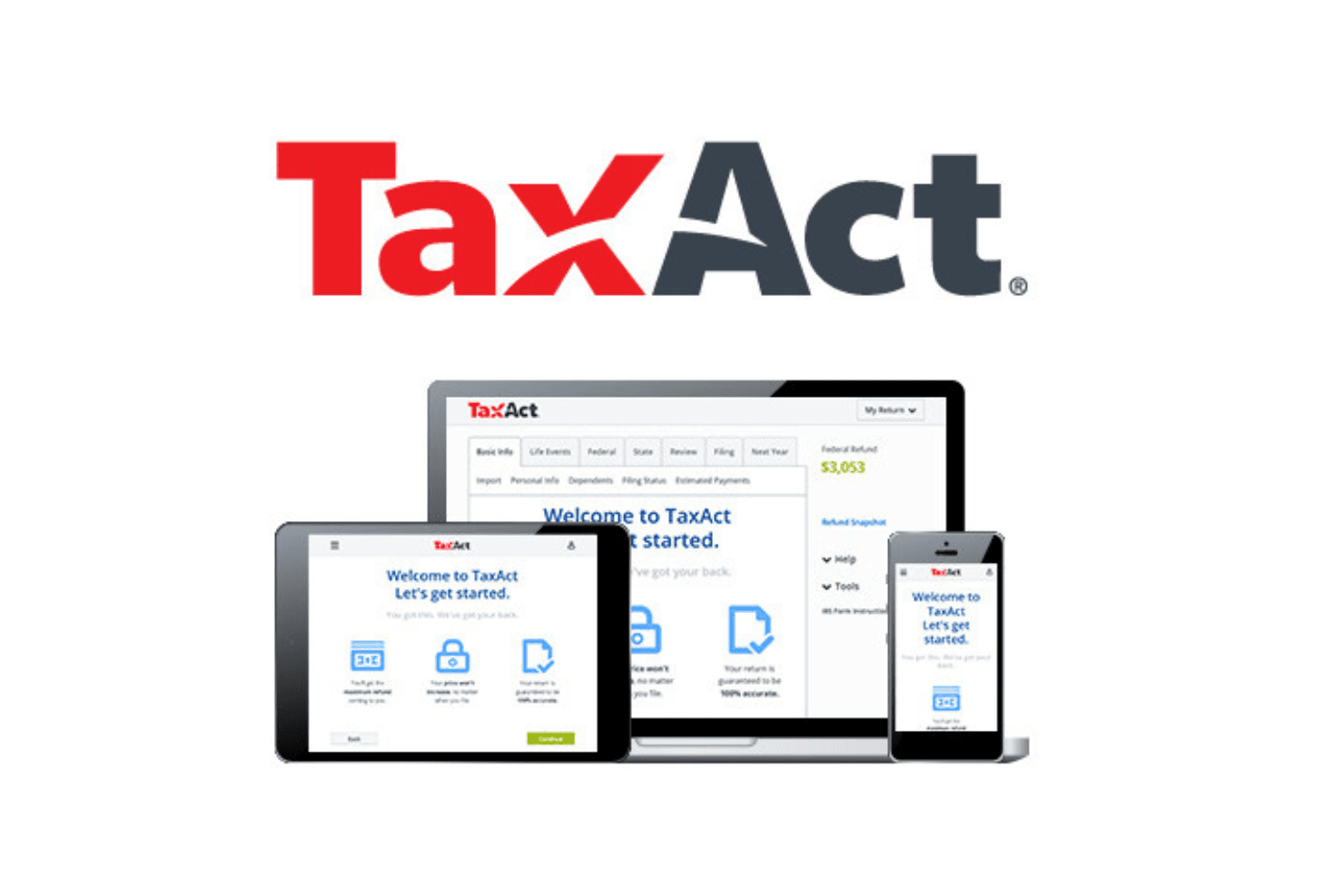
4.4/5
- From $29.99/filing
- Free plan available
Why Trust Our Software Recommendations
6,700+
Reviews
20
Industry experts
16+
Evaluation factors
14
Years
Our team has been testing and reviewing software since 2012. As finance leaders ourselves, we know how difficult—and important—it is to choose the right software.
For this guide, we evaluated tools using hands-on testing and independent research, scoring tools using our selection criteria.
Our reviews reflect our human editorial judgment, not a sales pitch.
TaxAct Overview
TaxAct is a solid choice for those seeking reliable tax software. Its core features are competitive, making it a viable option for individuals and small businesses. The standout features, like its deduction maximizer, provide additional value, although they don't significantly outshine competitors. You'll find its ease of use quite satisfactory, especially if you're familiar with similar platforms.
Onboarding is straightforward, although it may not be the most intuitive for complete beginners. Customer support is commendable, offering timely assistance. Where TaxAct truly shines is in its affordability, striking a balance between comprehensive features and budget-friendly pricing.
However, if you require extensive integrations or advanced functionalities, other options may be more compelling.
Pros
- Easily import data from previous returns
- Provides a comprehensive deduction finder
- Free phone support for all users
Cons
- Interface is less intuitive than some competitors
- Slow during peak tax season
- Lacks some advanced features found in other tax software
Is TaxAct Right For Your Needs?
Who Would be a Good Fit for TaxAct?
TaxAct is ideal for small businesses and independent tax professionals who need a reliable and cost-effective solution for tax preparation. With features like customizable tax planning tools and easy data import options, it simplifies the tax filing process. The software's ability to handle both business and personal tax returns makes it versatile, and its track record of e-filing over 65 million federal returns since 2000 underscores its reliability.
- Small businessesTaxAct's affordable pay-per-return model and customizable tools make it perfect for small businesses managing their own taxes.
- Independent tax professionalsFor professionals and tax service providers handling multiple clients, TaxAct's Client Manager and multi-user networking are invaluable.
- FreelancersFreelancers benefit from TaxAct's flexibility in managing both business and personal tax prep efficiently. Freelancers can use TaxAct to plan the tax aspect of their personal finance, including business and capital gains. It’s also helpful in managing taxes on retirement income for any senior dependents.
- StartupsStartups can take advantage of TaxAct's low-cost e-filing and access to current tax forms to manage tight budgets.
- Accounting departmentsFor accounting teams, TaxAct offers professional templates and report generation to streamline workflow.
- ConsultantsConsultants, tax experts, and CPAs find value in TaxAct's ability to easily import data and track e-filed returns, saving time and effort when filing business and income taxes and offering tax advice to clients.
Who Would be a Bad Fit for TaxAct?
TaxAct might not be the best choice for large corporations or businesses with complex tax needs. If your company requires intricate tax planning and detailed analytics, TaxAct’s offerings might fall short. The software is primarily tailored for individual filers and small- to medium-sized businesses, so if your work involves extensive financial operations or international tax compliance, you may find its capabilities lacking.
- Large corporationsTaxAct lacks the advanced features needed for the extensive tax planning required by large corporations.
- International businessesIf your business deals with international tax compliance, TaxAct’s feature set doesn’t support multi-currency transactions or foreign tax credits efficiently.
- High-volume accounting firmsFirms handling numerous clients with complex tax situations might find TaxAct inadequate due to its limitations in managing large volumes of data.
- Non-profit organizationsTaxAct doesn’t cater well to the specific tax filing needs of nonprofits, such as Form 990 preparation.
- Manufacturing industriesThe software doesn’t offer the specific tax deductions and credits applicable to manufacturing operations.
- Government agenciesTaxAct isn’t designed for the unique tax requirements and regulations that government agencies must adhere to.
How We Test & Score Tools
We’ve spent years building, refining, and improving our software testing and scoring system. The rubric is designed to capture the nuances of software selection and what makes a tool effective, focusing on critical aspects of the decision-making process.
Below, you can see exactly how our testing and scoring works across seven criteria. It allows us to provide an unbiased evaluation of the software based on core functionality, standout features, ease of use, onboarding, customer support, integrations, customer reviews, and value for money.
Core Functionality (25% of final scoring)
The starting point of our evaluation is always the core functionality of the tool. Does it have the basic features and functions that a user would expect to see? Are any of those core features locked to higher-tiered pricing plans? At its core, we expect a tool to stand up against the baseline capabilities of its competitors.
Standout Features (25% of final scoring)
Next, we evaluate uncommon standout features that go above and beyond the core functionality typically found in tools of its kind. A high score reflects specialized or unique features that make the product faster, more efficient, or offer additional value to the user.
We also evaluate how easy it is to integrate with other tools typically found in the tech stack to expand the functionality and utility of the software. Tools offering plentiful native integrations, 3rd party connections, and API access to build custom integrations score best.
Ease of Use (10% of final scoring)
We consider how quick and easy it is to execute the tasks defined in the core functionality using the tool. High scoring software is well designed, intuitive to use, offers mobile apps, provides templates, and makes relatively complex tasks seem simple.
Onboarding (10% of final scoring)
We know how important rapid team adoption is for a new platform, so we evaluate how easy it is to learn and use a tool with minimal training. We evaluate how quickly a team member can get set up and start using the tool with no experience. High scoring solutions indicate little or no support is required.
Customer Support (10% of final scoring)
We review how quick and easy it is to get unstuck and find help by phone, live chat, or knowledge base. Tools and companies that provide real-time support score best, while chatbots score worst.
Customer Reviews (10% of final scoring)
Beyond our own testing and evaluation, we consider the net promoter score from current and past customers. We review their likelihood, given the option, to choose the tool again for the core functionality. A high scoring software reflects a high net promoter score from current or past customers.
Value for Money (10% of final scoring)
Lastly, in consideration of all the other criteria, we review the average price of entry level plans against the core features and consider the value of the other evaluation criteria. Software that delivers more, for less, will score higher.
Core Features
Comprehensive tax forms
With access to all major tax forms, TaxAct ensures you can manage both federal and state taxes efficiently. Whether you're filing a 1040 or dealing with more complex forms, everything's covered.
Deduction and credit maximization
The software helps identify deductions and credits you might qualify for (like child tax credits), potentially increasing your refund. It’s like having a tax advisor who ensures you don’t leave money on the table.
Audit assistance
TaxAct provides audit support tools, helping you understand what to expect if the IRS contacts you. You get peace of mind knowing there’s guidance available during a stressful situation.
Import capabilities
You can import previous tax returns and financial data, simplifying the data entry process. This feature saves you time and minimizes manual entry errors.
Real-time refund status
As you enter your information, see your refund status update in real time. It keeps you informed about how your entries impact your overall tax picture.
Ease of Use
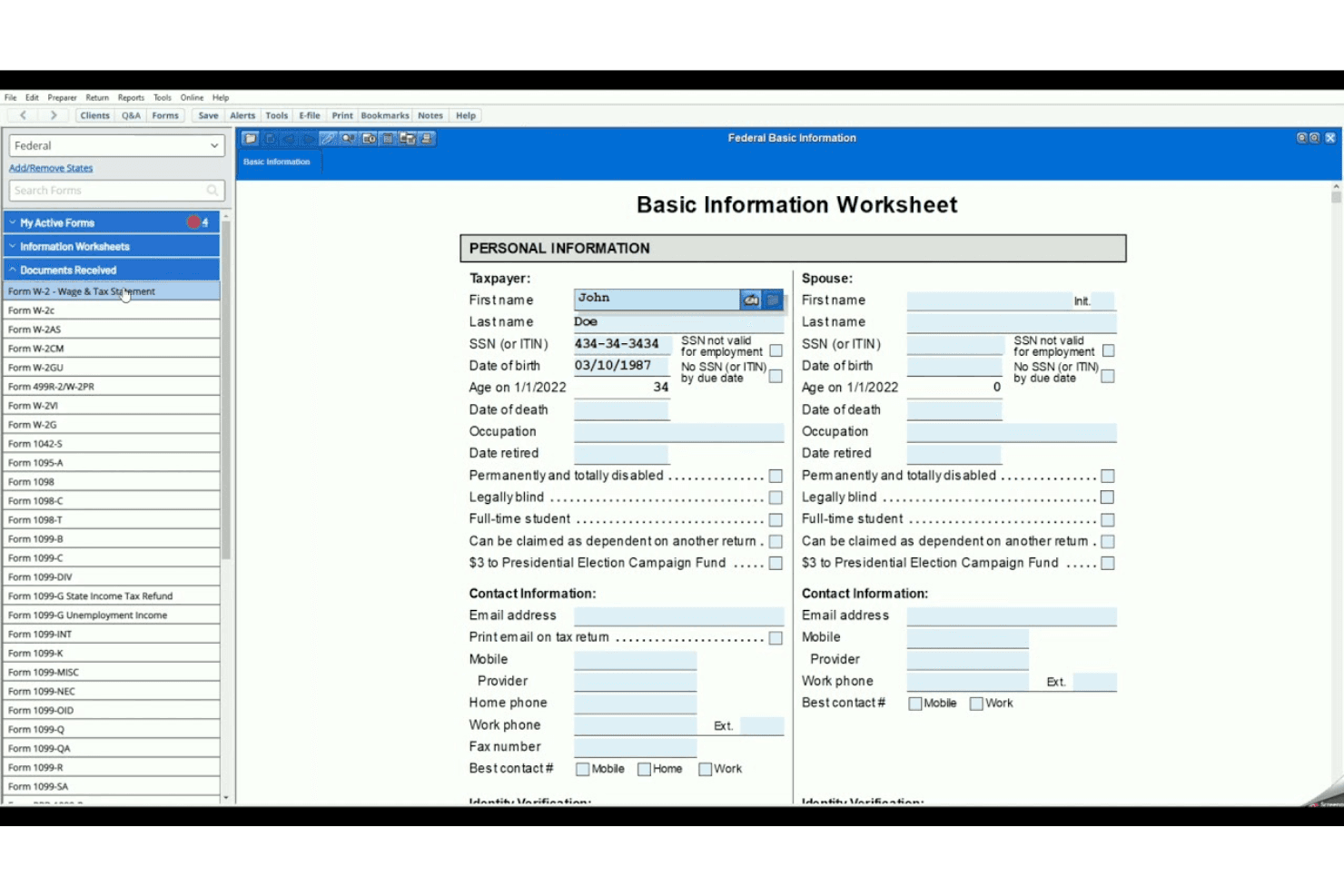
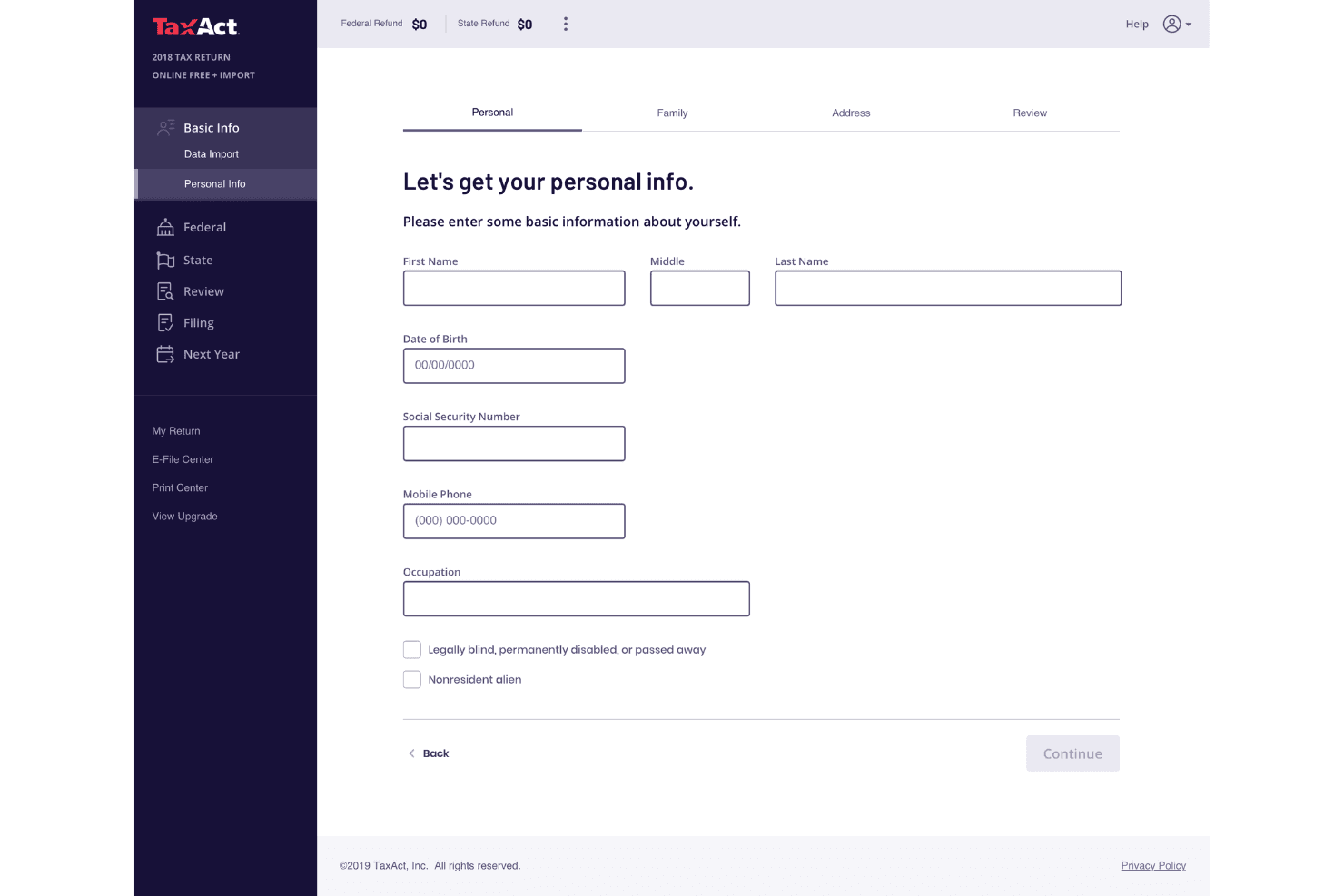
TaxAct is generally user-friendly, making it accessible for most filers. Its straightforward data-entry process and minimal use of tax jargon simplify the experience. You can easily import previous returns and documents, which saves time. The interface is designed to be intuitive, though it lacks some advanced features that competitors offer. Users appreciate the affordability and the option to consult professionals via Xpert Assist. While it doesn't have a mobile app, multi-device access compensates for this limitation.
Integrations
TaxAct offers API solutions to enhance tax preparation efficiency, allowing connections with various third-party tools through cloud applications.
TaxAct Specs
- Accounts Payable: Yes
- Accounts Receivable: Yes
- API: No
- Balance Sheet: Yes
- Billing/Invoicing: Yes
- Budgeting: Yes
- Calendar Management: Yes
- CRM Integration: Yes
- Dashboard: Yes
- Data Export: No
- Data Import: Yes
- Data Visualization: Yes
- Expense Tracking: Yes
- External Integrations: No
- Forecasting: Yes
- General Account Ledger: Yes
- Multi-Currency: Yes
- Multi-User: Yes
- Notifications: No
- P&L: No
- Payroll: No
- Scheduling: Yes
- Tax Management: Yes


