

Kantatan arvio: hyvät ja huonot puolet, ominaisuudet ja hinnoittelu
Kantata loistaa tarjoamalla kokonaisvaltaisen ratkaisun ja erottuu edukseen yhdistämällä monipuoliset toiminnot yhteen alustaan tiimisi kulujenhallinnan tarpeita varten.

We review tools independently, and commissions help fund our testing. See our transparency policy, our methodology, or suggest a tool.
Kantata is an expense management software built for professional services firms that need to track project and client-related costs alongside time, resources, and billing. I'd mainly consider it if your team manages billable expenses across multiple client engagements and needs those costs tied directly to project financials—rather than a standalone tool like Expensify, which handles employee spend well but doesn't connect expenses to project profitability or client invoicing the way Kantata does.
Kantata Evaluation Summary
4.2/5
- Pricing upon request
- Free demo available
Miksi luottaa ohjelmistosuosituksiimme
6,700+
Reviews
20
Industry experts
16+
Evaluation factors
14
Years
Tiimimme on testannut ja arvioinut ohjelmistoja vuodesta 2012 lähtien. Talousjohtajina tiedämme itse, kuinka vaikeaa — ja tärkeää — oikean ohjelmiston valitseminen on.
Tätä opasta varten arvioimme työkaluja käytännön testauksen ja itsenäisen tutkimuksen avulla, pisteyttäen työkalut valintakriteeriemme perusteella.
Arvostelumme perustuvat inhimilliseen toimitukselliseen harkintaamme, eivät myyntipuheeseen.
Kantata Overview
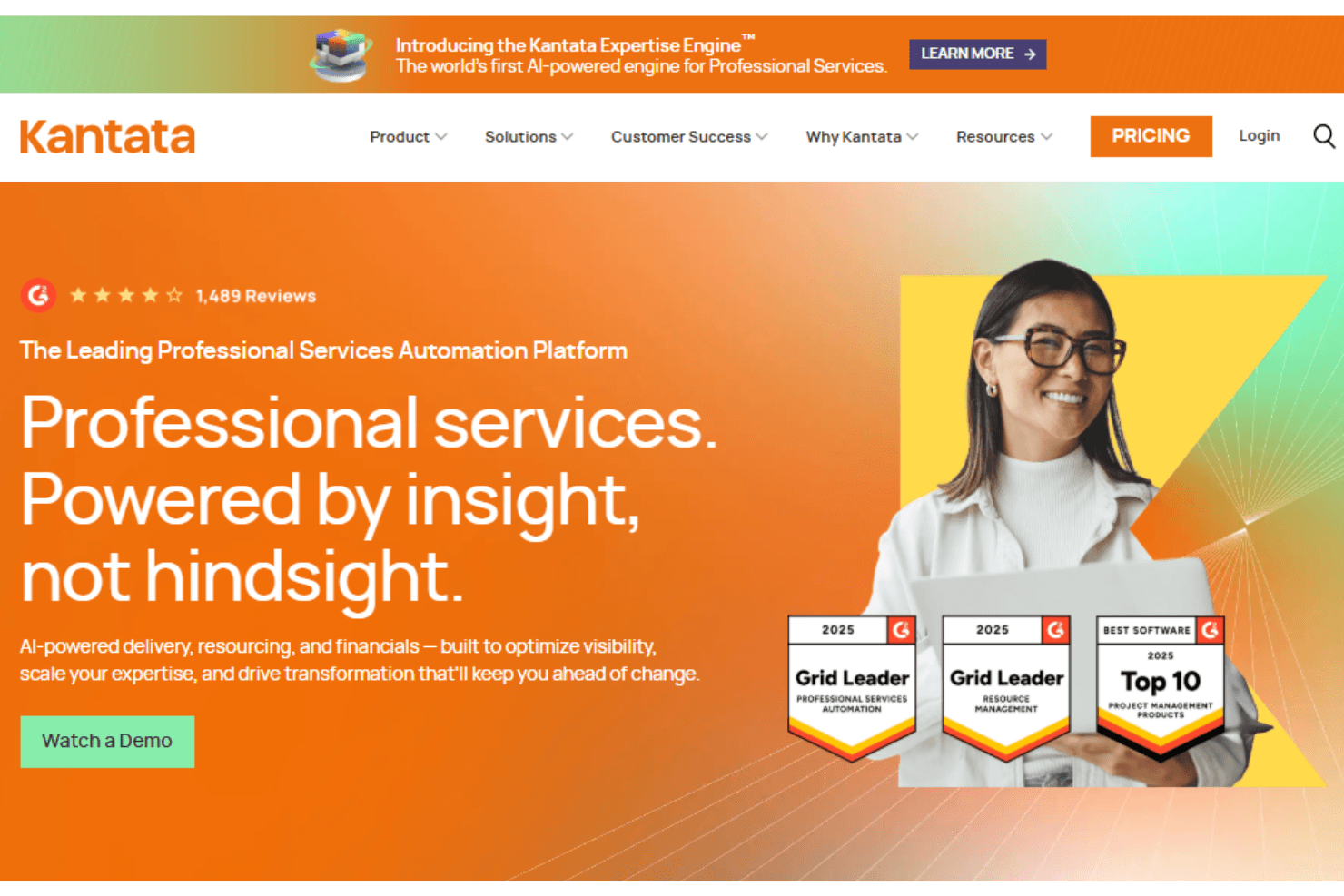
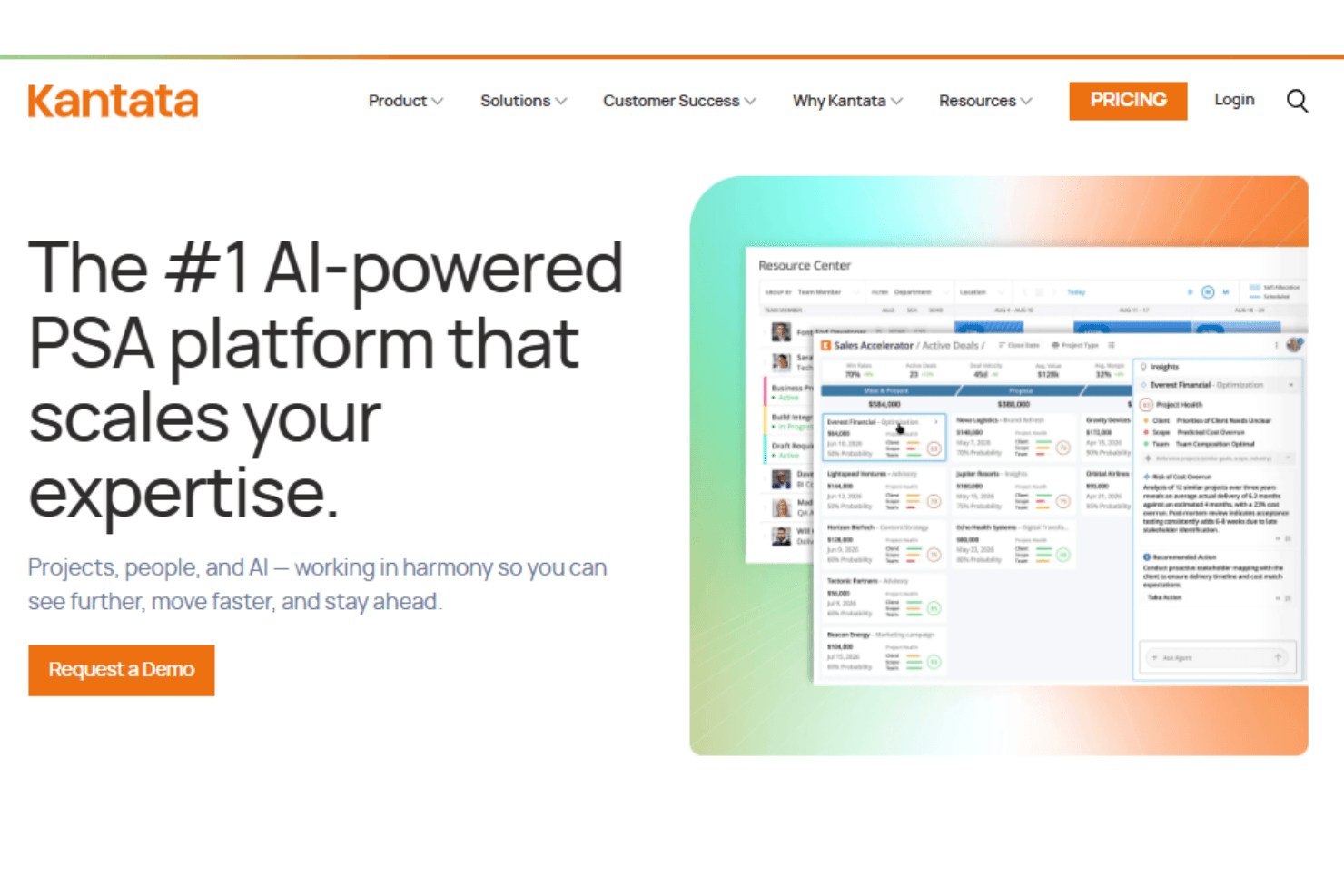
In my opinion, Kantata stands out as a comprehensive PSA software solution for organizations that require strong resource management, time management, and financial oversight. Its user-friendly interface, structured onboarding, and rich templates help teams get started quickly despite the platform’s breadth. While Kantata offers extensive automation, metrics, and forecasting capabilities, some users note that integrations with tools like QuickBooks and Jira may require careful configuration. Overall, Kantata is well-suited to mid-sized and enterprise teams seeking a single platform to streamline project delivery, allocation, and financial control.
Pros
- You can easily manage resources with its intuitive interface.
- The software provides valuable insights from sales and operations reports.
- The onboarding process is excellent for your team.
Cons
- You might find it challenging to reduce the number of tools you use.
- Integrations can sometimes fail or not update.
- The software may not suit teams looking for extensive customization.
Is Kantata Right For Your Needs?
Who Would be a Good Fit for Kantata?
Kantata is a strong fit for professional services organizations that manage complex projects, dependencies, and financials across distributed project teams. If your organization needs resource planning, task management, project tracking, and invoicing in one system, Kantata’s methodology-driven workflows, milestones, and gantt chart capabilities help streamline delivery. Its Salesforce integration and origins from Mavenlink make it particularly relevant for services firms scaling their operations.
- Project Management TeamsKantata supports detailed project planning, dependencies, and milestone tracking for delivery teams.
- Sales and Operations DepartmentsIts forecasting and financial metrics help align pipeline, delivery, and revenue performance.
- Mid-sized CompaniesThe platform scales well for growing organizations managing multiple projects and resources.
- Resource Management ProfessionalsAdvanced allocation, workload visibility, and forecasting tools support strategic staffing decisions.
- Financial AnalystsKantata’s financial dashboards and reporting support accurate invoicing and margin analysis.
- IT DepartmentsAPIs and integrations with Jira, QuickBooks, and Salesforce help streamline workflows.
Who Would be a Bad Fit for Kantata?
Kantata may not suit very small teams or startups that need basic task tracking without advanced resource planning. The breadth of functionality, permissions, and workflows can introduce a learning curve for teams without dedicated project or delivery managers.
- Small StartupsThe platform’s scope and pricing may exceed basic needs.
- FreelancersSolo users may not need advanced PSA capabilities.
- Retail IndustryRetail-focused inventory workflows are outside Kantata’s core focus.
- Non-Profit OrganizationsBudget constraints may limit adoption of enterprise PSA tools.
- Human Resources DepartmentsHR-specific tools may be more appropriate than a delivery-focused platform.
- Education SectorAcademic project structures may not align with PSA methodologies.
How We Test & Score Tools
We’ve spent years building, refining, and improving our software testing and scoring system. The rubric is designed to capture the nuances of software selection and what makes a tool effective, focusing on critical aspects of the decision-making process.
Below, you can see exactly how our testing and scoring works across seven criteria. It allows us to provide an unbiased evaluation of the software based on core functionality, standout features, ease of use, onboarding, customer support, integrations, customer reviews, and value for money.
Core Functionality (25% of final scoring)
The starting point of our evaluation is always the core functionality of the tool. Does it have the basic features and functions that a user would expect to see? Are any of those core features locked to higher-tiered pricing plans? At its core, we expect a tool to stand up against the baseline capabilities of its competitors.
Standout Features (25% of final scoring)
Next, we evaluate uncommon standout features that go above and beyond the core functionality typically found in tools of its kind. A high score reflects specialized or unique features that make the product faster, more efficient, or offer additional value to the user.
We also evaluate how easy it is to integrate with other tools typically found in the tech stack to expand the functionality and utility of the software. Tools offering plentiful native integrations, 3rd party connections, and API access to build custom integrations score best.
Ease of Use (10% of final scoring)
We consider how quick and easy it is to execute the tasks defined in the core functionality using the tool. High scoring software is well designed, intuitive to use, offers mobile apps, provides templates, and makes relatively complex tasks seem simple.
Onboarding (10% of final scoring)
We know how important rapid team adoption is for a new platform, so we evaluate how easy it is to learn and use a tool with minimal training. We evaluate how quickly a team member can get set up and start using the tool with no experience. High scoring solutions indicate little or no support is required.
Customer Support (10% of final scoring)
We review how quick and easy it is to get unstuck and find help by phone, live chat, or knowledge base. Tools and companies that provide real-time support score best, while chatbots score worst.
Customer Reviews (10% of final scoring)
Beyond our own testing and evaluation, we consider the net promoter score from current and past customers. We review their likelihood, given the option, to choose the tool again for the core functionality. A high scoring software reflects a high net promoter score from current or past customers.
Value for Money (10% of final scoring)
Lastly, in consideration of all the other criteria, we review the average price of entry level plans against the core features and consider the value of the other evaluation criteria. Software that delivers more, for less, will score higher.
Core Features
Expense Tracking: Assign expenses to projects and budgets to maintain financial accuracy.
Budget Management: Plan and monitor project budgets to control spend.
Time Tracking: Capture billable and non-billable time using timers or manual entries.
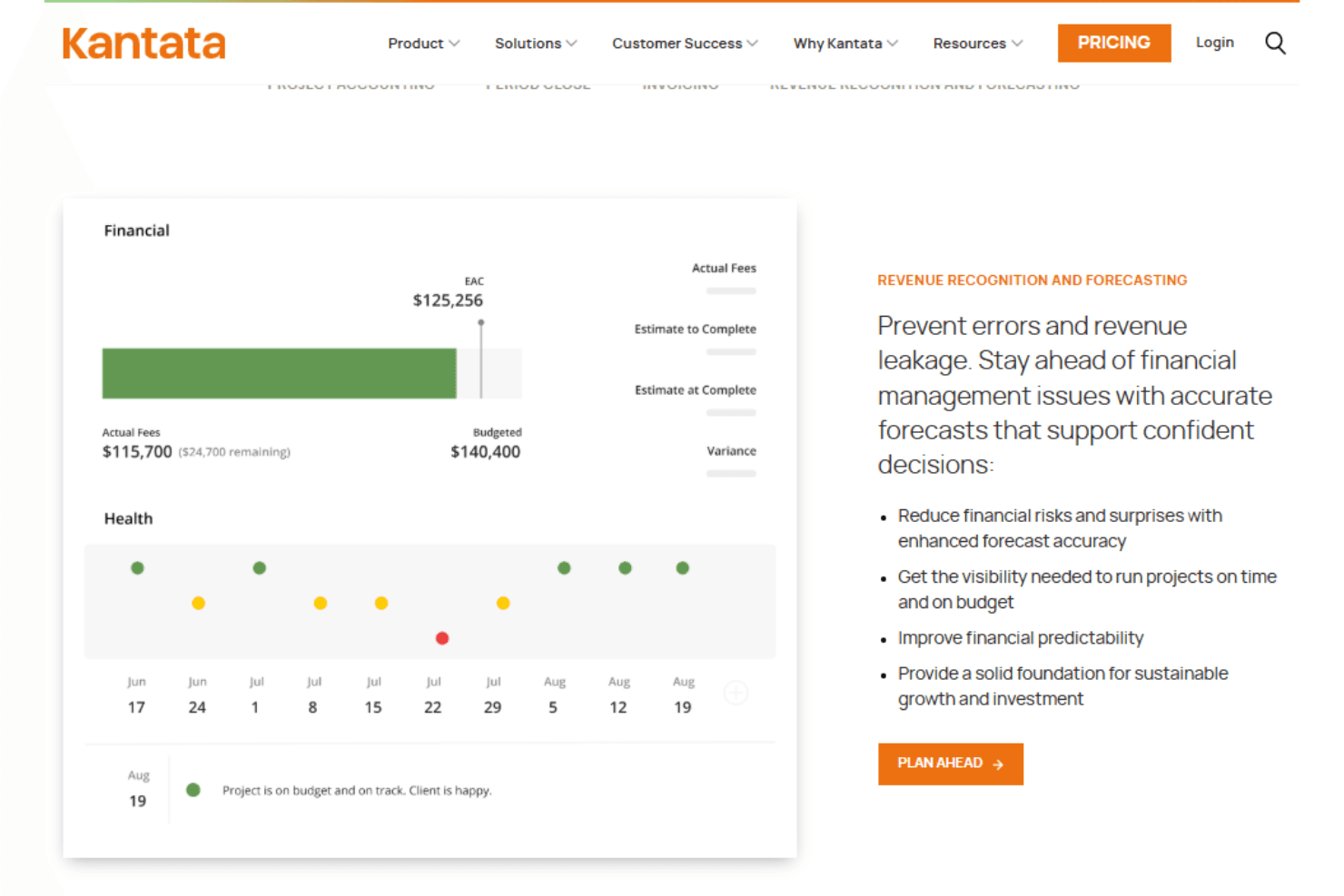
Financial Reporting: Analyze profitability, revenue, and cost data using real-time metrics.
Approval Workflows: Automate approvals to maintain governance and compliance.
User Permissions: Control access levels across team members and stakeholders.
Ease of Use
Kantata balances powerful automation with a relatively intuitive interface. While setup requires planning, particularly around resource allocation and workflows, users report that daily project tracking and time management become efficient once configured.
Integrations
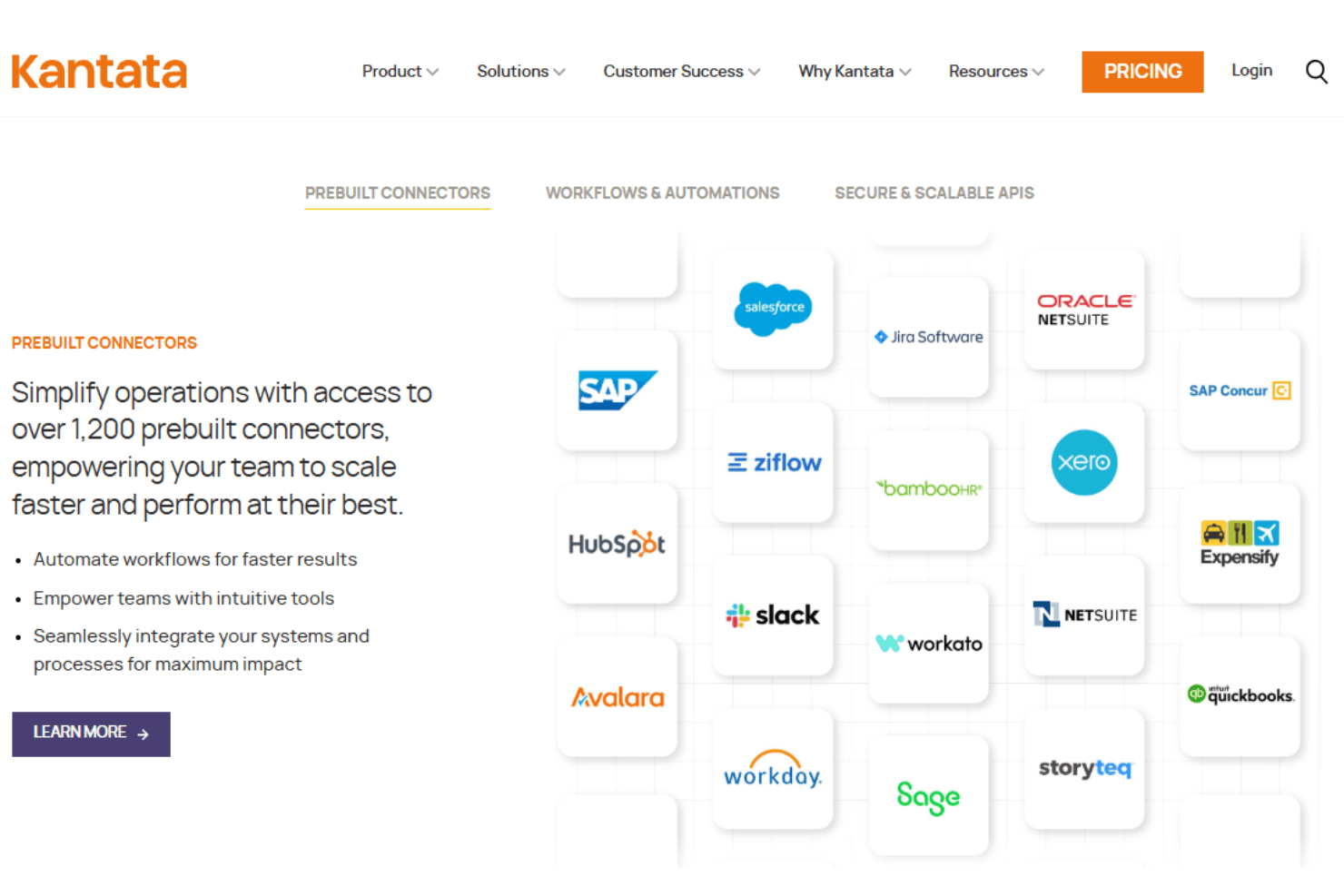
Kantata integrates with popular systems like Salesforce, NetSuite, QuickBooks, Oracle, SAP, Workday, Slack, and Jira.
Kantata also offers secure APIs for real-time data flow and connects with middleware tools like MuleSoft for enhanced integration capabilities.
Kantata Specs
- API: Yes
- Billing/Invoicing: Yes
- Budgeting: Yes
- CRM Integration: Yes
- Dashboards: Yes
- Data Export: Yes
- Data Import: Yes
- Document Management: Yes
- Expense Tracking: Yes
- External Integrations: Yes
- Financial Analysis: Yes
- Forecasting: Yes
- Gantt Charts: Yes
- Inventory Tracking: Yes
- Multi-Currency: Yes
- Multi-User: Yes
- Notifications: Yes
- Project Management: Yes
- Resource Management: Yes
- Scheduling: Yes
- Status Notifications: Yes
- Task Scheduling/Tracking: Yes
- Time Management: Yes
- Workflow Management: Yes


