

Kashoo-arvostelu: hyvät ja huonot puolet, ominaisuudet ja hinnoittelu
Kashoo tarjoaa yksinkertaisuutta ja helppokäyttöisyyttä, joten se sopii erinomaisesti pienyrityksille, jotka tarvitsevat suoraviivaisia kirjanpitoratkaisuja.

We review tools independently, and commissions help fund our testing. See our transparency policy, our methodology, or suggest a tool.
Kashoo is an accounting software built for small business owners and freelancers who need straightforward income and expense tracking without a steep learning curve. I'd consider it if you want something more capable than a basic spreadsheet setup but far less overwhelming than QuickBooks—especially if you're running a lean operation and don't need built-in payroll or inventory management.
Kashoo Evaluation Summary

4.5/5
- From $30/month
- 14-day free trial available
Miksi luottaa ohjelmistosuosituksiimme
6,700+
Reviews
20
Industry experts
16+
Evaluation factors
14
Years
Tiimimme on testannut ja arvioinut ohjelmistoja vuodesta 2012 lähtien. Talousjohtajina tiedämme itse, kuinka vaikeaa — ja tärkeää — oikean ohjelmiston valitseminen on.
Tätä opasta varten arvioimme työkaluja käytännön testauksen ja itsenäisen tutkimuksen avulla, pisteyttäen työkalut valintakriteeriemme perusteella.
Arvostelumme perustuvat inhimilliseen toimitukselliseen harkintaamme, eivät myyntipuheeseen.
Kashoo Overview
In my opinion, Kashoo is a solid accounting software choice for small businesses and freelancers who value ease of use and a minimal learning curve. It delivers strong value for money through simple automation, real-time transaction categorization, and an intuitive dashboard. While Kashoo may lack advanced functionality such as inventory management or deep integrations found in tools like QuickBooks Online or Zoho, it performs well as a lightweight accounting system for users who prioritize clarity over complexity. Kashoo accounting is best for those who want a straightforward bookkeeping tool without unnecessary features.
Pros
- You can quickly get started with its easy setup.
- The interface is intuitive and user-friendly.
- It offers strong invoicing and expense tracking features.
Cons
- It may lack some advanced features larger businesses need.
- Customization options are limited compared to others.
- Reporting capabilities might not meet complex needs.
Is Kashoo Right For Your Needs?
Who Would be a Good Fit for Kashoo?
Kashoo is ideal for freelancers and small business owners who want a simple, cloud-based accounting solution. If ease of use, real-time visibility into bank accounts, and basic automation matter more than advanced integrations or multi-currency support, Kashoo is a strong option. It works well for users managing business accounts, credit card transactions, and everyday bookkeeping without a steep learning curve.
- FreelancersKashoo supports simple invoicing, expense categorization, and cash flow tracking.
- Small BusinessesSmall business owners can manage bookkeeping, bank reconciliation, and receivables efficiently.
- ConsultantsConsultants benefit from Kashoo’s streamlined accounting workflow and reporting tools.
- ArtistsArtists can track income and expenses without complex accounting features.
- NonprofitsNonprofits can manage basic financial reporting and expense tracking.
- StartupsStartups benefit from Kashoo’s affordable pricing and ease of use.
Who Would be a Bad Fit for Kashoo?
Kashoo is not ideal for large businesses or organizations with complex accounting requirements. If you need advanced financial reporting, inventory management, multi-currency accounting, or deep integrations with platforms like Xero or QuickBooks, Kashoo may fall short. Businesses with international operations or complex accounts payable workflows may outgrow their capabilities.
- Large CorporationsKashoo lacks the advanced automation and scalability that large enterprises require.
- Manufacturing CompaniesInventory management and cost accounting are not supported.
- International BusinessesMulti-currency functionality is limited for global operations.
- Financial ServicesAdvanced reporting and general ledger controls may be insufficient.
- Retail ChainsComplex inventory and POS integrations are not supported.
- Real Estate FirmsSpecialized accounting workflows are not available.
Core Features
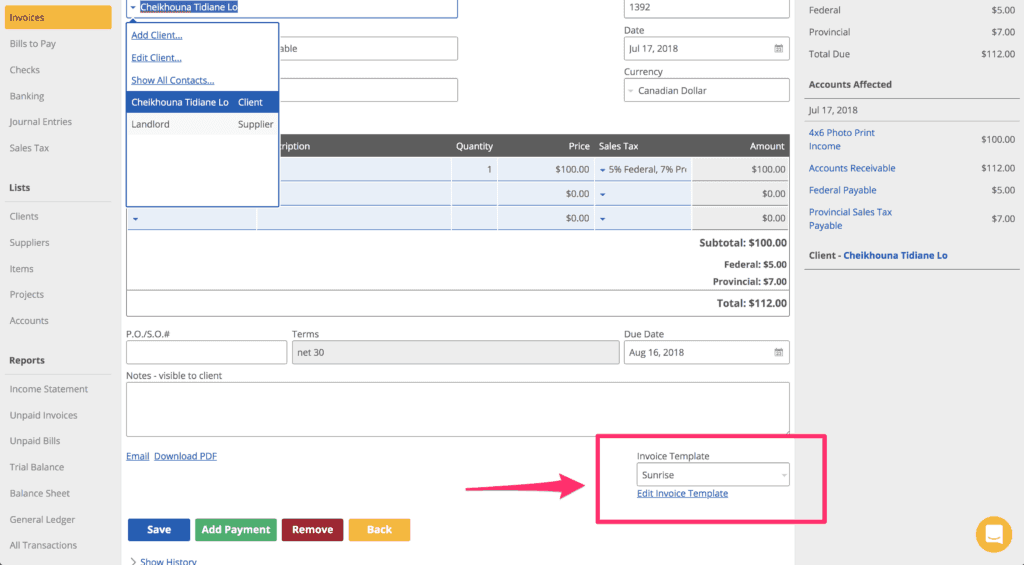
Invoicing: Create and send professional invoices using customizable templates with automatic reminders.
Expense Tracking: Track expenses and credit card transactions efficiently for accurate bookkeeping.
Reporting: Generate basic financial reporting to monitor business performance and cash flow.
Bank Reconciliation: Automatically reconcile bank feeds from connected bank accounts.
Tax Tracking: Monitor tax-related transactions to stay prepared for filing requirements.
Client Management: Manage client billing, receivables, and payment history in one workspace.
Ease of Use
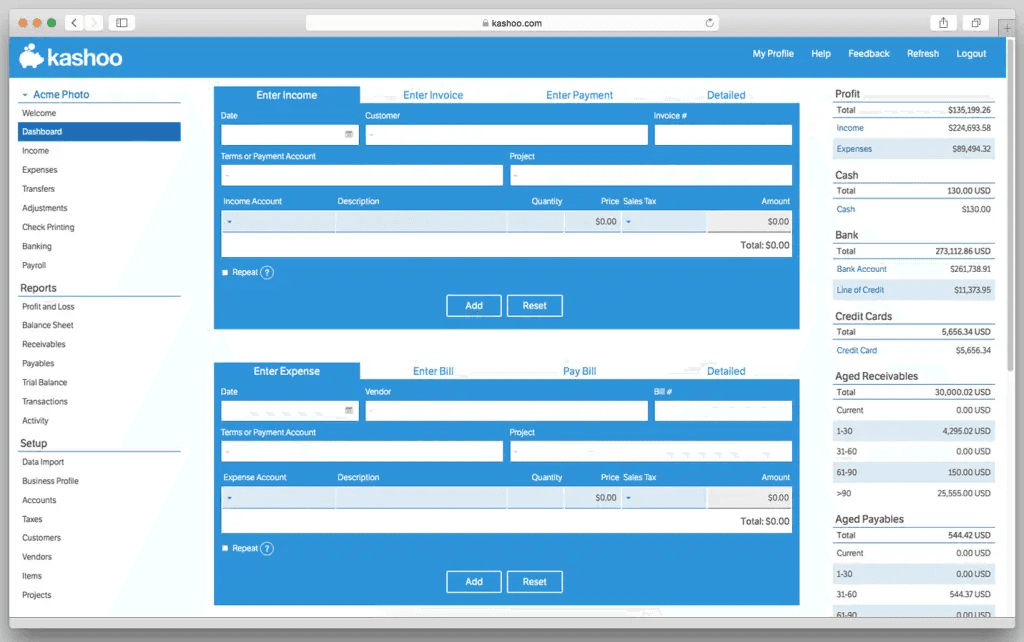
Kashoo is widely regarded as user-friendly accounting software with a clean user experience. Its simple dashboard and intuitive navigation make it accessible even for users new to accounting systems. Tasks like expense tracking, categorization, and bank reconciliation are streamlined to reduce friction and improve productivity for small business owners.
Integrations
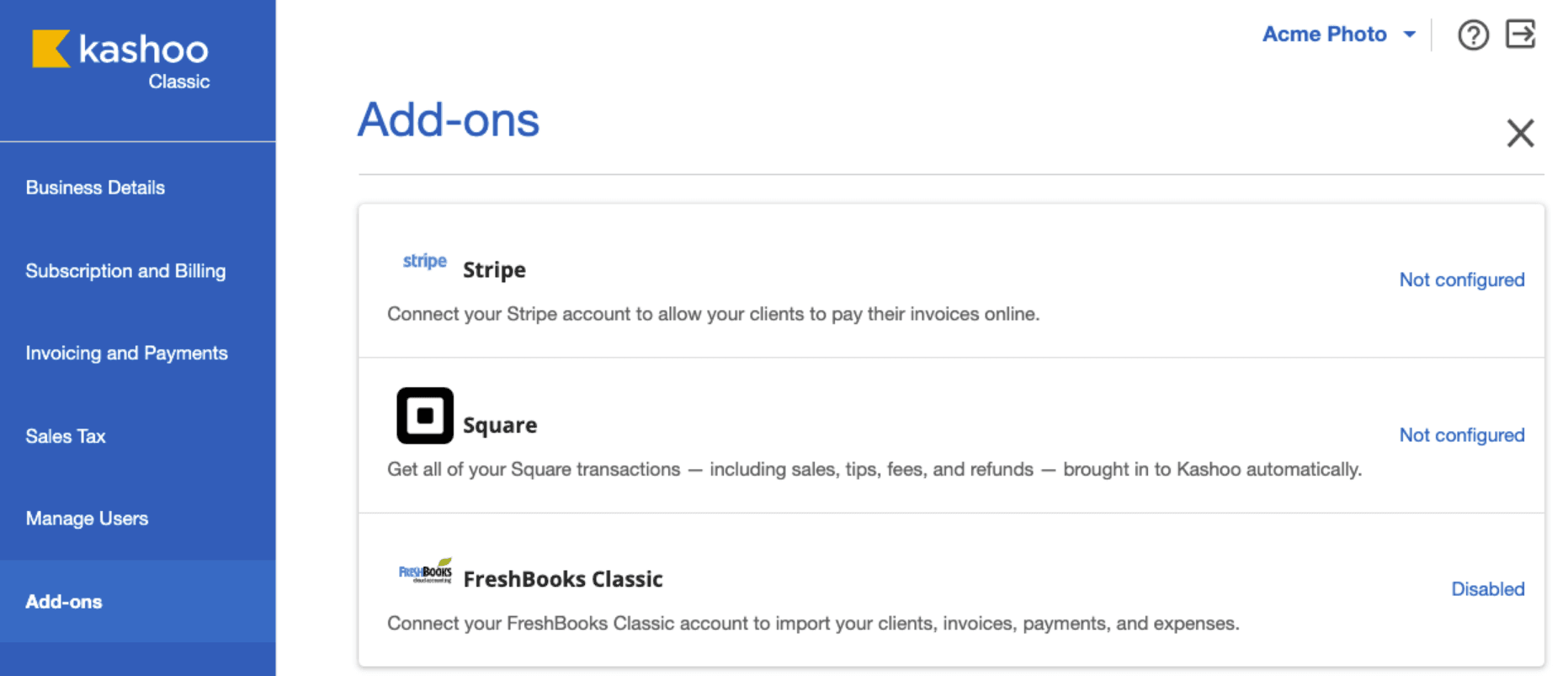
Kashoo integrates with Square, Stripe, PaymentEvolution, SurePayroll, Paychex, FreshBooks, and others.
Kashoo also offers an API for custom integrations and connects with third-party integration tools.
Kashoo Specs
- 2-Factor Authentication: No
- 360 Degree Feedback: No
- API: Yes
- Application Tracking: No
- Attendance Tracking: No
- Batch Permissions & Access: No
- Compliance Tracking: Yes
- Dashboard: Yes
- Data Export: Yes
- Data Import: Yes
- Data Visualization: Yes
- Employee Database: No
- Employee Engagement: No
- Employee Incentive Management: No
- Employee Onboarding: No
- Employee Training: No
- Expense Tracking: Yes
- External Integrations: Yes
- Feedback Management: No
- Multi-User: Yes
- Notifications: Yes
- Payroll: No
- Performance Appraisal: No
- Scheduling: No
- Time Management: No
- Timesheets: No
- Travel Management: No
- Vacation & Absence Calendar: No


