

ServiceTitan-arvostelu: hyvät ja huonot puolet, ominaisuudet ja hinnoittelu
ServiceTitan loistaa kenttähuollon toiminnanohjauksessa tarjoamalla intuitiivisia ominaisuuksia, jotka tehostavat tiimisi työskentelyä, mikä tekee siitä erinomaisen vaihtoehdon yrityksille.

We review tools independently, and commissions help fund our testing. See our transparency policy, our methodology, or suggest a tool.
ServiceTitan is a field service ERP built for trades contractors who need to connect scheduling, dispatching, invoicing, and financial reporting under one roof. I'd consider it if your operation has outgrown lighter tools like Jobber. ServiceTitan goes deeper on the financial side—job costing, revenue tracking, and multi-location reporting that Jobber doesn't match at scale.
ServiceTitan Evaluation Summary

4.4/5
- Pricing upon request
- Free demo available
Miksi luottaa ohjelmistosuosituksiimme
6,700+
Reviews
20
Industry experts
16+
Evaluation factors
14
Years
Tiimimme on testannut ja arvioinut ohjelmistoja vuodesta 2012 lähtien. Talousjohtajina tiedämme itse, kuinka vaikeaa — ja tärkeää — oikean ohjelmiston valitseminen on.
Tätä opasta varten arvioimme työkaluja käytännön testauksen ja itsenäisen tutkimuksen avulla, pisteyttäen työkalut valintakriteeriemme perusteella.
Arvostelumme perustuvat inhimilliseen toimitukselliseen harkintaamme, eivät myyntipuheeseen.
ServiceTitan Overview
In my opinion, ServiceTitan is a solid choice for field service software solution, especially for plumbing, HVAC, and electrical companies. It excels with its user-friendly interface and support, although its cost might be high for smaller businesses. Compared to competitors, its standout features and support team make it a worthwhile investment. However, the price might deter small operations without a need for its full range of features. If your team needs a reliable and feature-rich ERP system, ServiceTitan is worth considering.
Pros
- Your team will appreciate the intuitive interface that makes daily tasks simpler.
- The support team is responsive and helps resolve issues quickly.
- Onboarding is smooth, so your team can start using it fast.
Cons
- Your team may find the reporting features less customizable than expected.
- Some users report occasional glitches that can disrupt your workflow.
- You might find the learning curve steep for non-technical staff.
Is ServiceTitan Right For Your Needs?
Who Would be a Good Fit for ServiceTitan?
ServiceTitan is great for plumbing, HVAC, and electrical service companies that need efficient scheduling, follow-up, and invoicing. If your work involves dispatching teams and tracking jobs in real time, ServiceTitan's intuitive interface helps your team manage operations smoothly. The onboarding process is quick, so you can get started without much fuss. Its responsive support team ensures that any issues you face are resolved swiftly, keeping your operations running smoothly. If your team values these features, ServiceTitan is worth considering.
- Plumbing ServicesYour team can benefit from streamlined scheduling and dispatching features that simplify job management.
- HVAC CompaniesServiceTitan's robust invoicing and payment processing help you manage customer billing efficiently.
- Electrical ContractorsThe software's reporting features let you track job progress and improve your team's productivity.
- Mid-Sized BusinessesYou’ll find the onboarding process easy, allowing your team to adapt quickly to the new system.
- Operations TeamsServiceTitan’s intuitive interface allows your team to handle daily tasks with ease and efficiency.
- Finance DepartmentsThe invoicing and payment features ensure your team can manage billing processes without hassle.
Who Would be a Bad Fit for ServiceTitan?
ServiceTitan is great for plumbing, HVAC, and electrical service companies that need efficient scheduling, follow-up, and invoicing. If your work involves dispatching teams and tracking jobs in real time, ServiceTitan's intuitive interface helps your team manage operations smoothly. The onboarding process is quick, so you can get started without much fuss. Its responsive support team ensures that any issues you face are resolved swiftly, keeping your operations running smoothly. If your team values these features, ServiceTitan is worth considering.
- Small StartupsThe cost may not justify the features if your team doesn’t need complex scheduling or invoicing.
- Retail ShopsServiceTitan's features focus on field services, which don't align with retail needs.
- Food ServicesYour team won’t benefit from field service-specific functionalities.
- Tech CompaniesThe platform lacks features relevant to tech industry operations.
- Creative AgenciesYour work likely requires different project management tools than what ServiceTitan offers.
- Non-Technical TeamsThe learning curve might be steep if your team isn't tech-savvy.
How We Test & Score Tools
We’ve spent years building, refining, and improving our software testing and scoring system. The rubric is designed to capture the nuances of software selection and what makes a tool effective, focusing on critical aspects of the decision-making process.
Below, you can see exactly how our testing and scoring works across seven criteria. It allows us to provide an unbiased evaluation of the software based on core functionality, standout features, ease of use, onboarding, customer support, integrations, customer reviews, and value for money.
Core Functionality (25% of final scoring)
The starting point of our evaluation is always the core functionality of the tool. Does it have the basic features and functions that a user would expect to see? Are any of those core features locked to higher-tiered pricing plans? At its core, we expect a tool to stand up against the baseline capabilities of its competitors.
Standout Features (25% of final scoring)
Next, we evaluate uncommon standout features that go above and beyond the core functionality typically found in tools of its kind. A high score reflects specialized or unique features that make the product faster, more efficient, or offer additional value to the user.
We also evaluate how easy it is to integrate with other tools typically found in the tech stack to expand the functionality and utility of the software. Tools offering plentiful native integrations, 3rd party connections, and API access to build custom integrations score best.
Ease of Use (10% of final scoring)
We consider how quick and easy it is to execute the tasks defined in the core functionality using the tool. High scoring software is well designed, intuitive to use, offers mobile apps, provides templates, and makes relatively complex tasks seem simple.
Onboarding (10% of final scoring)
We know how important rapid team adoption is for a new platform, so we evaluate how easy it is to learn and use a tool with minimal training. We evaluate how quickly a team member can get set up and start using the tool with no experience. High scoring solutions indicate little or no support is required.
Customer Support (10% of final scoring)
We review how quick and easy it is to get unstuck and find help by phone, live chat, or knowledge base. Tools and companies that provide real-time support score best, while chatbots score worst.
Customer Reviews (10% of final scoring)
Beyond our own testing and evaluation, we consider the net promoter score from current and past customers. We review their likelihood, given the option, to choose the tool again for the core functionality. A high scoring software reflects a high net promoter score from current or past customers.
Value for Money (10% of final scoring)
Lastly, in consideration of all the other criteria, we review the average price of entry level plans against the core features and consider the value of the other evaluation criteria. Software that delivers more, for less, will score higher.
Core Features
Scheduling and Dispatching: ServiceTitan lets your team schedule and assign jobs with ease, reducing downtime. Its drag-and-drop calendar makes it simple to adjust appointments on the fly.
Invoicing and Payment Processing: You can manage billing and payments efficiently with automated invoicing. This feature helps ensure your team gets paid promptly and accurately.
Customer Management: Store and access service agreements and customer details quickly, making it easy for your team to offer personalized service. Keep track of past jobs and preferences to improve customer satisfaction.
Reporting and Analytics: Generate detailed reports to track your team's performance and make data-driven decisions. While customization may be limited, the insights provided are valuable for operations.
Mobile Access: Your team can access job details and update status on the go, enhancing field communication. The mobile app ensures everyone stays connected, no matter where they are.
Inventory Management: Keep track of stock levels and order supplies directly through the platform. This feature helps your team avoid delays due to missing parts or materials.

Ease of Use
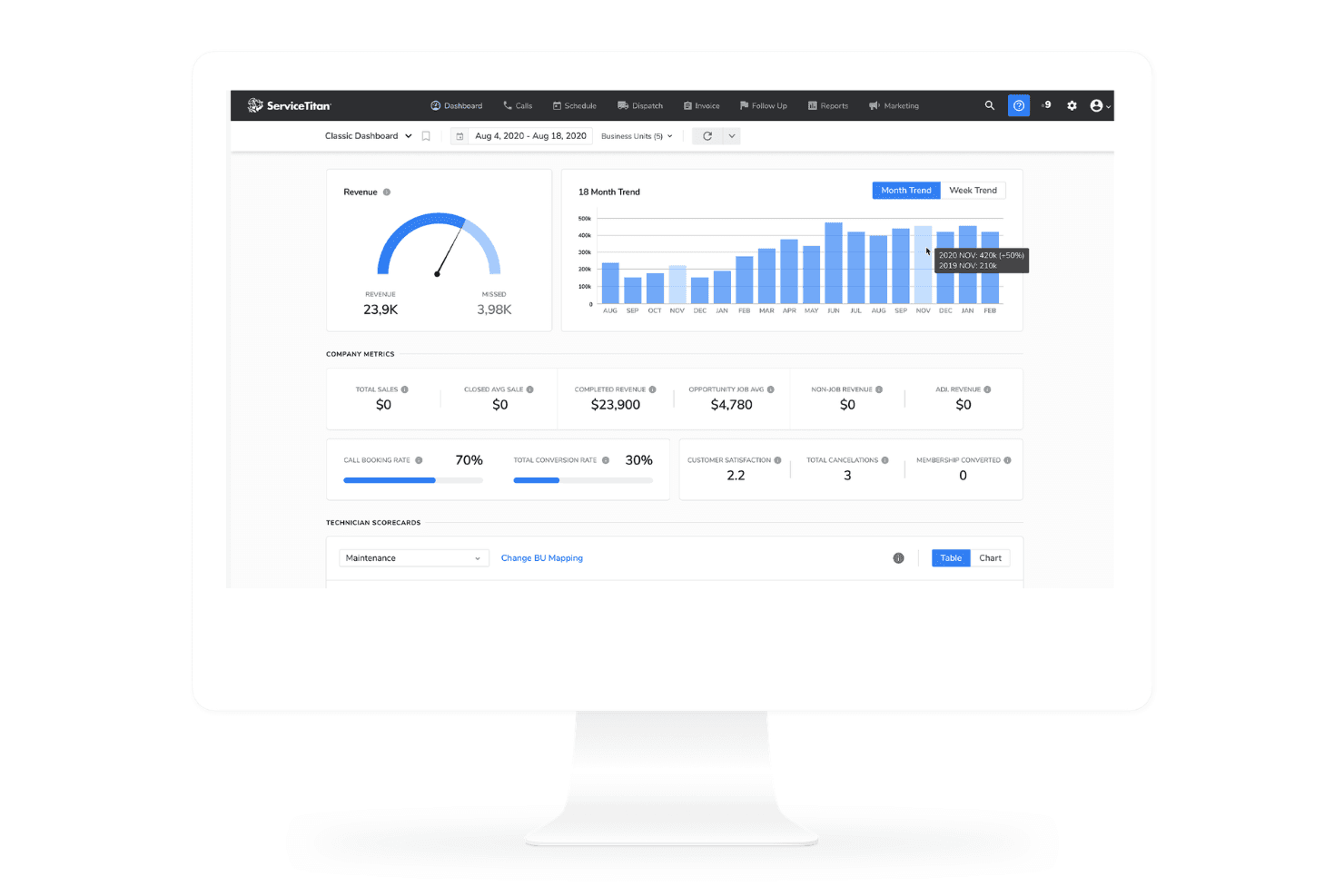
ServiceTitan offers templates and a user-friendly interface that simplifies your team's daily tasks, thanks to intuitive navigation and clear visuals. The drag-and-drop scheduling feature and mobile access make it easy for your team to manage jobs efficiently. While some ServiceTitan users find the learning curve steep, especially for non-technical staff, the comprehensive support and training resources help you get up to speed quickly. Overall, ServiceTitan's design focuses on making your work easier and more efficient.
Integrations
ServiceTitan integrates with a wide range of industry-specific software to help streamline operations for field service businesses. It connects with accounting systems, payment processors, marketing tools, and CRM platforms to keep data synchronized across tools.
These integrations make it easier to automate workflows, reduce manual entry, and improve visibility across departments, from dispatch to invoicing. However, if you want your team to build custom integrations to specific software, they also offer APIs to help you manage it.

ServiceTitan Specs
- API: Yes
- Batch Permissions & Access: Yes
- Budgeting: Yes
- Calendar Management: Yes
- Collaboration Support: Yes
- Contact Management: Yes
- Contact Sharing: Yes
- Customer Management: Yes
- Dashboard: Yes
- Dashboards: Yes
- Data Export: Yes
- Data Import: Yes
- Data Visualization: Yes
- Dependency Tracking: Yes
- Document Sharing: Yes
- Expense Tracking: Yes
- External Integrations: Yes
- File Sharing: Yes
- Gantt Charts: Yes
- Kanban Boards: Yes
- Multi-User: Yes
- Notifications: Yes
- Project Management: Yes
- Resource Management: Yes
- Scheduling: Yes
- Task Scheduling/Tracking: Yes
- Third-Party Plugins/Add-Ons: Yes
- Time Management: Yes
- Travel Management: Yes
- Workflow Management: Yes


