

Avis sur Accelo : avantages, inconvénients, fonctionnalités et tarifs
Accelo se distingue comme un outil polyvalent qui unifie la gestion de projets, la facturation et la communication avec les clients, le rendant idéal pour les entreprises orientées services.

Nous évaluons les outils indépendamment ; les commissions aident à financer nos tests. Consultez notre politique de transparence et notre méthodologie.
Accelo is an accounting software built for professional services firms that need to track billable time, manage client billing, and handle invoicing within the same platform they use to run projects and retainers. If you're choosing between Accelo and FreshBooks, Accelo is the stronger pick when your team needs financial tracking tied directly to client work and service delivery—not just a standalone invoicing tool. It's worth a close look if disconnected billing and project data is making your revenue recognition or client reporting harder than it should be.
Accelo Evaluation Summary
4.4/5
- Pricing upon request
- Free demo available
Pourquoi faire confiance à nos recommandations de logiciels
6,700+
Reviews
20
Industry experts
16+
Evaluation factors
14
Years
Nos avis reflètent notre jugement indépendant — et non un argumentaire de vente. Découvrez comment nous restons transparents.
Pour ce guide, nous avons évalué les outils grâce à des tests pratiques et une recherche indépendante, en notant les outils selon nos critères de sélection.
Nos avis reflètent notre jugement éditorial humain, et non un argumentaire de vente.
Accelo Overview
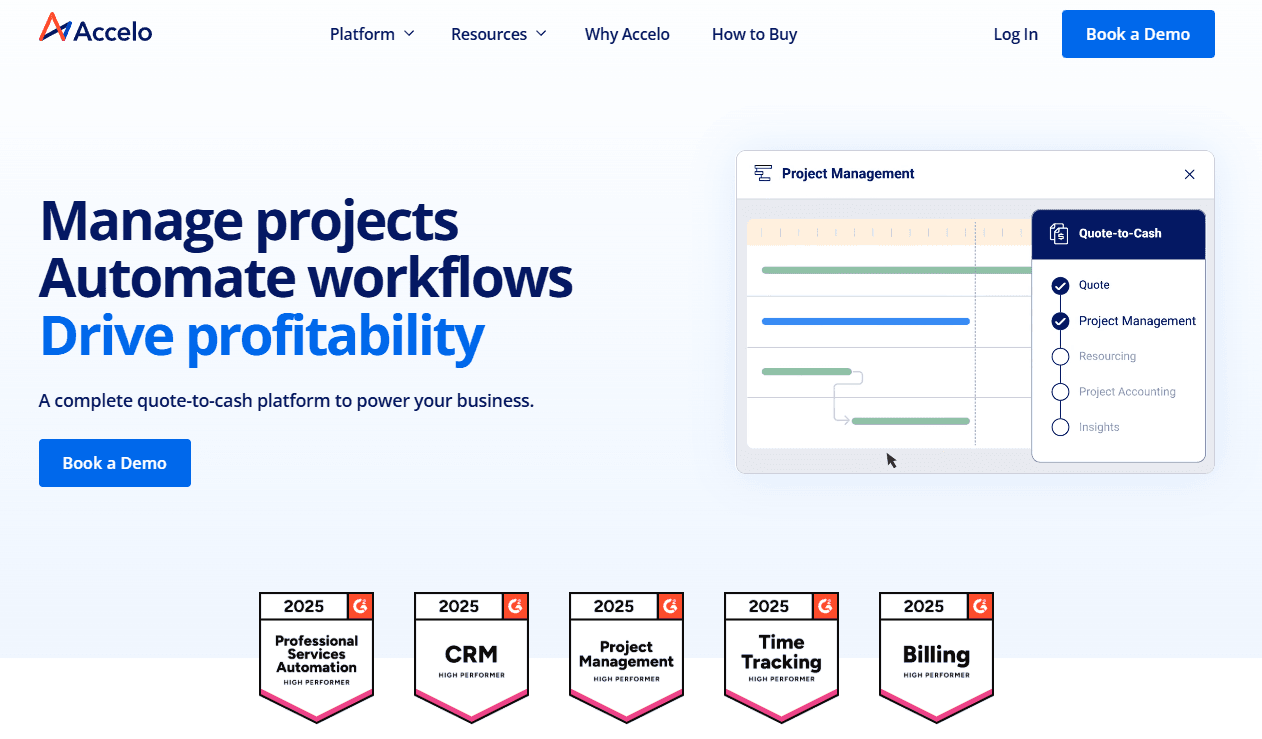
In my opinion, Accelo is a solid choice for service-based and professional services businesses needing integrated project management, task management, and accounting solutions. It excels with standout features like client communication, CRM integration, and billing automation, which many competitors lack. However, its pricing can be a barrier for smaller teams, and the onboarding process requires patience. If your team values strong customer support and an intuitive user interface, Accelo could be the right fit. While it may not suit every budget, its functionality justifies the cost for those who can invest. Consider Accelo if your workspace demands seamless end-to-end project, sales, and financial management.
Pros
- You can easily manage projects and billing in one place.
- The client communication tools keep your team connected.
- Its customer support is responsive and helpful.
Cons
- Your team might be slow in the onboarding process.
- The interface can feel cluttered compared to other tools.
- Some users find the reporting features limited.
Is Accelo Right For Your Needs?
Who Would be a Good Fit for Accelo?
Accelo is a great fit for professional service businesses, such as marketing agencies and IT firms, that need to manage client relationships, projects, and billing all in one place. Its integrated CRM and client communication tools keep your team connected, making it easier to collaborate on client work and streamline workflows. The platform’s strong customer support ensures your team gets help when needed. If your work involves juggling multiple client projects and you need a way to track time and keep everything organized, Accelo can be a valuable workspace solution.
- Marketing AgenciesAccelo helps your team manage campaigns, client relationships, and billing in one place through its interconnected modules.
- IT FirmsIt makes tracking projects, tickets, and client communications seamless for your team while supporting resource management.
- Consulting ServicesYour team can efficiently handle project timelines, forecasting, and invoicing while maintaining clear client communication.
- Small BusinessesAccelo offers you a way to manage projects, sales management, and task management without needing multiple tools.
- Project ManagersYou can track project progress and billing in real time using Accelo’s dashboards and automation tools.
- Client-Focused TeamsIt keeps your team organized with integrated communication and workflow tools tailored for client relationships.
Who Would be a Bad Fit for Accelo?
Accelo may not be suitable for large enterprises that require highly customized accounting or ERP-style automation solutions. If your team needs deep customization and extensive reporting features, Accelo’s capabilities may fall short. It’s also not ideal for businesses focused purely on accounting without workflow or project management needs, as its strength lies in integrated professional services automation. If your work demands advanced financial analytics and complex forecasting, you might find Accelo lacking.
- Large EnterprisesYour team might need more customization and specialized modules than Accelo offers.
- Manufacturing CompaniesAccelo doesn’t focus on the production tracking that your business processes require.
- Retail BusinessesYour team won’t find the point-of-sale features or inventory tracking you need.
- Financial InstitutionsAccelo lacks the advanced analytics and ERP integrations your work depends on.
- Standalone AccountantsYou might not need the project management and workflow automation features that Accelo emphasizes.
- Logistics CompaniesAccelo doesn’t cater to the supply chain tracking your industry demands.
Comment nous testons et évaluons les outils
Nous avons passé des années à construire, affiner et améliorer notre système de test et d’évaluation des logiciels. Notre grille vise à saisir toute la subtilité de la sélection logicielle et les facteurs déterminant l’efficacité d’un outil, en mettant l’accent sur les aspects essentiels du processus de décision. Ci-dessous, vous pouvez voir exactement comment notre test et notre notation fonctionnent selon sept critères. Cela nous permet de fournir une évaluation impartiale des logiciels sur la base des fonctionnalités principales, des fonctionnalités distinctives, de la facilité d’utilisation, de la prise en main, du service client, des intégrations, des avis clients et du rapport qualité/prix.
Fonctionnalité principale (25 % de la note finale)
Le point de départ de notre évaluation est toujours la fonctionnalité principale de l’outil. Dispose-t-il des caractéristiques de base attendues ? Certaines de ces fonctions de base sont-elles réservées aux plans tarifaires supérieurs ? Fondamentalement, nous attendons d’un outil qu’il soit au moins l’égal de ses concurrents en capacités essentielles.
Fonctionnalités Distinctives (25 % de la note finale)
Ensuite, nous évaluons les fonctionnalités rares ou uniques, allant au-delà de la fonctionnalité principale habituellement trouvée dans ce type d’outil. Un score élevé traduit des fonctionnalités spécialisées ou innovantes qui rendent le produit plus rapide, plus efficace, ou apportent une valeur supplémentaire à l’utilisateur. Nous évaluons aussi la facilité d’intégration avec d’autres outils courants de l’écosystème technologique pour étendre les capacités du logiciel. Les outils offrant de nombreuses intégrations natives, des connexions tierces et un accès API pour des intégrations personnalisées obtiennent le meilleur score.
Facilité d’utilisation (10 % de la note finale)
Nous considérons la rapidité et la facilité d’exécution des tâches essentielles avec l’outil. Un logiciel bien conçu, intuitif, proposant des applications mobiles, des modèles et permettant de simplifier des tâches complexes obtient la meilleure note.
Prise en Main (10 % de la note finale)
Nous savons combien il est important d’adopter rapidement une nouvelle plateforme, c’est pourquoi nous évaluons la facilité d’apprentissage et d’utilisation du logiciel avec un minimum de formation. Nous évaluons la rapidité de mise en place d’un nouveau membre d’équipe sans expérience. Un outil ayant un bon score requiert peu voire aucun support pour la prise en main.
Service Client (10 % de la note finale)
Nous évaluons s’il est rapide et facile d’obtenir de l’aide ou de dépanner par téléphone, chat en direct ou base de connaissances. Les outils et entreprises offrant une assistance en temps réel obtiennent le meilleur score, tandis que les chatbots sont moins bien notés.
Avis Clients (10 % de la note finale)
Au-delà de nos propres tests et évaluations, nous prenons en compte le net promoter score fourni par les clients actuels et passés. Nous vérifions leur probabilité de recommander l’outil et d’en refaire le choix pour ses fonctionnalités principales. Un logiciel bien noté se traduit par un net promoter score élevé.
Rapport Qualité/Prix (10 % de la note finale)
Enfin, en tenant compte de tous les autres critères, nous comparons le prix moyen des plans d’entrée de gamme avec les fonctionnalités principales, et le rapport de valeur avec les autres critères d’évaluation. Les logiciels offrant plus pour moins obtiennent la meilleure note.
Core Features
Time Tracking: Accelo lets your team easily log hours spent on projects, ensuring accurate billing. You can track time in real time or manually enter it later, with clear billable versus non-billable distinctions.
Project Management: Manage tasks, deadlines, and resources all in one workspace. This feature keeps your team organized and projects on track with real-time updates and end-to-end visibility.
Invoicing: Create and send invoices directly from Accelo, streamlining billing for professional services. Your team can customize invoices and automate recurring retainers to match your brand.
Client Portal: This feature allows your clients to view project progress, invoices, and communications. It keeps your client relationships transparent and builds trust.
Expense Tracking: You can monitor project expenses and ensure they're within budget. This helps your team maintain financial control and forecast accurately.
Reporting: Generate reports and dashboards to analyze project performance, client communication, and financial health. Your team gains insights into profitability, task efficiency, and overall resource management.

Standout Features
Automated Workflows: Accelo automates repetitive tasks and workflows, saving your team time and reducing errors. You can set up triggers for actions like sending invoices or scheduling notifications.
Client Communication Tools: Keep in touch with your clients through integrated communication features. This ensures everyone stays informed and aligned on project goals across modules.

Ease of Use
Accelo offers a user-friendly interface designed for professional service businesses. While some users mention a steep learning curve initially, the layout is intuitive once you get the hang of it. Dashboards bring essential functions together so you can easily access what you need. Features like automated workflows and time tracking simplify your work, reducing manual effort and improving forecasting accuracy. Overall, Accelo balances functionality with ease of use, making it suitable for teams looking to streamline operations.

Onboarding
Accelo’s onboarding experience is thorough, but it may seem lengthy to some team members. Your support team will find step-by-step guides and tutorials helpful for navigating modules and workflows. While setup takes time, Accelo offers live training and online resources to ease the transition. The training materials ensure your team can quickly adapt and start benefiting from the platform’s automation and CRM capabilities.

Customer Support
Accelo’s customer support stands out with its prompt and helpful responses, ensuring your team gets quick assistance when needed. Users appreciate multiple support channels, including live chat and email, which make reaching out convenient. The support team is knowledgeable and resolves issues efficiently, enhancing your overall user experience. Accelo also provides a comprehensive help center and community forums, giving you additional resources to troubleshoot and learn independently.

Integrations
Accelo integrates with Microsoft 365, Xero, QuickBooks, Continuum, Salesforce, HubSpot, Google Workspace, and various expense management platforms. Accelo also offers a RESTful API and a Forms API for custom integrations, allowing you to connect seamlessly with other applications.

Value for Money
Accelo's pricing reflects its balance between features and cost. Users appreciate the comprehensive tools for project and client management, making it a suitable choice for growing teams. The company encourages potential clients to schedule a discovery call before it shares the pricing for its three main tiers.
- Professional: Adds quote-to-cash management tools.
- Business: Includes retainer and ticket management.
- Advanced: Offers enhanced automation for scaling operations.

Accelo Specs
- API: Yes
- Billing/Invoicing: Yes
- Budgeting: Yes
- CRM Integration: Yes
- Dashboards: Yes
- Data Export: Yes
- Data Import: Yes
- Document Management: No
- Expense Tracking: Yes
- External Integrations: Yes
- Financial Analysis: No
- Forecasting: Yes
- Gantt Charts: Yes
- Inventory Tracking: No
- Multi-Currency: Yes
- Multi-User: Yes
- Notifications: Yes
- Project Management: Yes
- Resource Management: Yes
- Scheduling: Yes
- Status Notifications: Yes
- Task Scheduling/Tracking: Yes
- Time Management: Yes
- Workflow Management: Yes
Accelo FAQs
Accelo Company Overview & History
Accelo, founded in 2011 in Wollongong, Australia, is a professional services automation (PSA) tool designed to enhance operational efficiency for professional services and service-based businesses. The company has expanded globally, with offices in San Francisco and Denver in the United States. Accelo was the recipient of a majority investment by Bow River Capital in February 2024, positioning it for further growth and innovation. With a focus on CRM, client, project, and financial management, Accelo is known for high customer satisfaction and continuous innovation across its cloud-based modules.
Accelo Major Milestones
2011: Accelo was founded in Wollongong, Australia, by launching the AffinityLive Beta.
2015: Rebranded from AffinityLive to Accelo, reflecting a vision to streamline operations for professional services businesses.
2018: Opened a Denver office, expanding its presence in the United States and strengthening its North American operations.
2023: Launched Accelo v4, a major upgrade and a continuous improvement in PSA software.
2024: Acquired by Bow River Capital, expanding global reach and positioning for accelerated growth.