
Avis sur Rippling : Avantages, inconvénients, fonctionnalités et tarification expliqués
Rippling se distingue par l’unification des RH, de l’informatique et de la finance au sein d’une plateforme ERP unique, offrant une automatisation et une flexibilité inégalées, mais pouvant s’avérer complexe pour les petites équipes ou les besoins simples.

Nous évaluons les outils indépendamment ; les commissions aident à financer nos tests. Consultez notre politique de transparence et notre méthodologie.
Rippling is a CFO ERP software that connects payroll, spend management, and workforce data in a single platform. I'd consider it if your finance team needs full visibility into headcount costs and employee spend without stitching together separate HR and finance systems. If you've looked at Workday, Rippling is worth a close comparison, it covers similar ground but is faster to implement and more accessible for mid-market teams that don't need a full enterprise rollout.
Rippling Evaluation Summary
4.9/5
- Upon request
- Free demo available
Pourquoi faire confiance à nos recommandations de logiciels
6,700+
Reviews
20
Industry experts
16+
Evaluation factors
14
Years
Nos avis reflètent notre jugement indépendant — et non un argumentaire de vente. Découvrez comment nous restons transparents.
Pour ce guide, nous avons évalué les outils grâce à des tests pratiques et une recherche indépendante, en notant les outils selon nos critères de sélection.
Nos avis reflètent notre jugement éditorial humain, et non un argumentaire de vente.
Rippling Overview
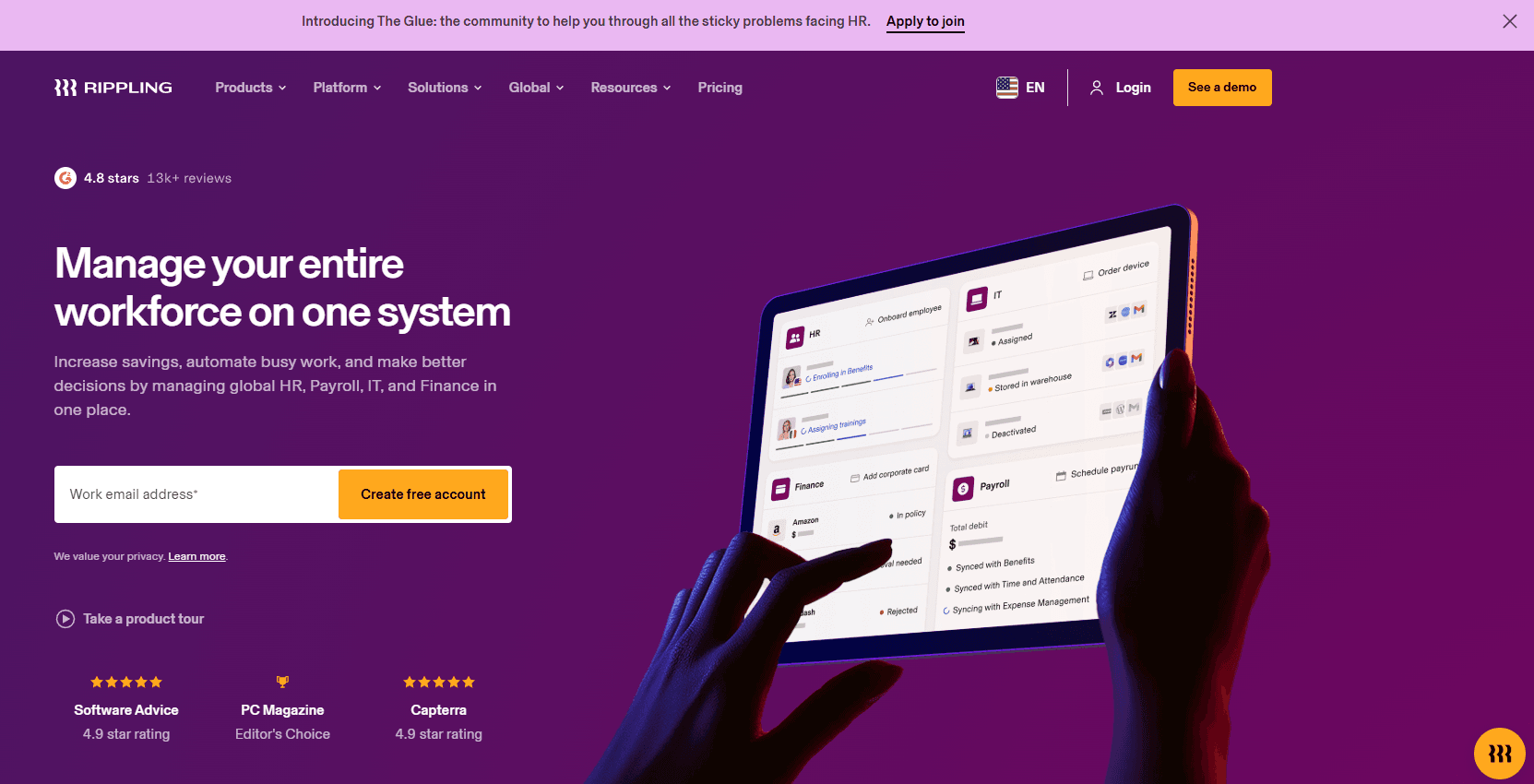
When judging ERP software, Rippling impresses with its unified HR system, IT, and finance modules, intuitive interface, and deep automation. Its modular pricing lets you select only what you need, and integrations cover most business apps.
Compared to others, onboarding is faster and support is responsive, but advanced finance features may lag for complex enterprises. If you’re determining the best fit for a tech-forward, mid-sized company seeking automation and easy scaling, Rippling is a strong contender. For example, IT provisioning and payroll sync in one workflow is rare at this price point.
Pros
- Automates HR, IT, and finance workflows in one platform
- Modular pricing allows you to select only needed features
- Fast onboarding and responsive customer support
Cons
- Advanced finance features are limited for complex needs
- Reporting customization can be restrictive for some users
- Pricing can be high for smaller organizations
Is Rippling Right For Your Needs?
Who Would be a Good Fit for Rippling?
Rippling is best suited for tech-forward, mid-sized businesses and fast-growing companies that need to automate HR processes, IT, and finance processes in one place. Its modular approach, workflow automation, and unified data make it ideal for organizations with distributed teams, compliance needs, or frequent onboarding. Companies with lean HR or IT departments, or those focused on scalability, will benefit from Rippling’s ability to centralize employee data, manage permissions, automate device management, and streamline payroll.
- Tech StartupsRippling automates onboarding, payroll, and device provisioning for rapid growth.
- Remote-First TeamsCentralized HR and IT tools support distributed workforces seamlessly.
- Professional ServicesAutomated compliance and payroll simplify multi-state or global operations.
- Healthcare PracticesIntegrated HR and benefits management help meet strict regulatory needs.
- Finance DepartmentsUnified payroll, expense, and time tracking reduce manual reconciliation.
- HR ManagersAutomated workflows and centralized data ease administrative burdens.
Who Would be a Bad Fit for Rippling?
Rippling may not suit organizations with highly complex finance needs, legacy ERP requirements, or those seeking deep industry-specific modules. Large enterprises with custom reporting demands or manufacturers needing advanced inventory and supply chain management may find Rippling’s finance and operations features lacking. Companies with minimal HR or IT needs, or those prioritizing deep customization, may also find better fits elsewhere.
- Large EnterprisesRippling lacks advanced finance and custom reporting for complex structures.
- Manufacturing FirmsNo built-in inventory or supply chain management modules.
- Retail ChainsLimited POS and inventory integration for high-volume retail operations.
- NonprofitsMay not support specialized grant tracking or fund accounting.
- Construction CompaniesNo project-based accounting or field operations management.
- Small Local BusinessesPricing and feature set may exceed simple HR tasks or payroll needs.
Comment nous testons et évaluons les outils
Nous avons passé des années à construire, affiner et améliorer notre système de test et d’évaluation des logiciels. Notre grille vise à saisir toute la subtilité de la sélection logicielle et les facteurs déterminant l’efficacité d’un outil, en mettant l’accent sur les aspects essentiels du processus de décision. Ci-dessous, vous pouvez voir exactement comment notre test et notre notation fonctionnent selon sept critères. Cela nous permet de fournir une évaluation impartiale des logiciels sur la base des fonctionnalités principales, des fonctionnalités distinctives, de la facilité d’utilisation, de la prise en main, du service client, des intégrations, des avis clients et du rapport qualité/prix.
Fonctionnalité principale (25 % de la note finale)
Le point de départ de notre évaluation est toujours la fonctionnalité principale de l’outil. Dispose-t-il des caractéristiques de base attendues ? Certaines de ces fonctions de base sont-elles réservées aux plans tarifaires supérieurs ? Fondamentalement, nous attendons d’un outil qu’il soit au moins l’égal de ses concurrents en capacités essentielles.
Fonctionnalités Distinctives (25 % de la note finale)
Ensuite, nous évaluons les fonctionnalités rares ou uniques, allant au-delà de la fonctionnalité principale habituellement trouvée dans ce type d’outil. Un score élevé traduit des fonctionnalités spécialisées ou innovantes qui rendent le produit plus rapide, plus efficace, ou apportent une valeur supplémentaire à l’utilisateur. Nous évaluons aussi la facilité d’intégration avec d’autres outils courants de l’écosystème technologique pour étendre les capacités du logiciel. Les outils offrant de nombreuses intégrations natives, des connexions tierces et un accès API pour des intégrations personnalisées obtiennent le meilleur score.
Facilité d’utilisation (10 % de la note finale)
Nous considérons la rapidité et la facilité d’exécution des tâches essentielles avec l’outil. Un logiciel bien conçu, intuitif, proposant des applications mobiles, des modèles et permettant de simplifier des tâches complexes obtient la meilleure note.
Prise en Main (10 % de la note finale)
Nous savons combien il est important d’adopter rapidement une nouvelle plateforme, c’est pourquoi nous évaluons la facilité d’apprentissage et d’utilisation du logiciel avec un minimum de formation. Nous évaluons la rapidité de mise en place d’un nouveau membre d’équipe sans expérience. Un outil ayant un bon score requiert peu voire aucun support pour la prise en main.
Service Client (10 % de la note finale)
Nous évaluons s’il est rapide et facile d’obtenir de l’aide ou de dépanner par téléphone, chat en direct ou base de connaissances. Les outils et entreprises offrant une assistance en temps réel obtiennent le meilleur score, tandis que les chatbots sont moins bien notés.
Avis Clients (10 % de la note finale)
Au-delà de nos propres tests et évaluations, nous prenons en compte le net promoter score fourni par les clients actuels et passés. Nous vérifions leur probabilité de recommander l’outil et d’en refaire le choix pour ses fonctionnalités principales. Un logiciel bien noté se traduit par un net promoter score élevé.
Rapport Qualité/Prix (10 % de la note finale)
Enfin, en tenant compte de tous les autres critères, nous comparons le prix moyen des plans d’entrée de gamme avec les fonctionnalités principales, et le rapport de valeur avec les autres critères d’évaluation. Les logiciels offrant plus pour moins obtiennent la meilleure note.
Core Features
Unified HR Management
Manage onboarding, benefits, time off. performance, and compliance from a single dashboard. All employee data is centralized for easy access and reporting.
Global Payroll
Run payroll for employees and contractors worldwide in minutes. Supports multi-currency payments and local compliance.
IT Device and Access Management
Automate device provisioning and manage app access for new hires. Enforce security policies and track hardware from the same platform.
Spend Management
Control corporate cards, expenses, procurement, and pay stubs in one place. Real-time visibility into company spending helps prevent budget overruns.
Workflow Automation
Trigger complex workflows using any data point across HR, IT, and finance. Automate onboarding, offboarding, and policy enforcement without manual steps.
Custom App Studio
Build custom workflows and applications with no code required. Tailor processes to unique business needs without relying on external developers.
Standout Features
Policy Management Engine
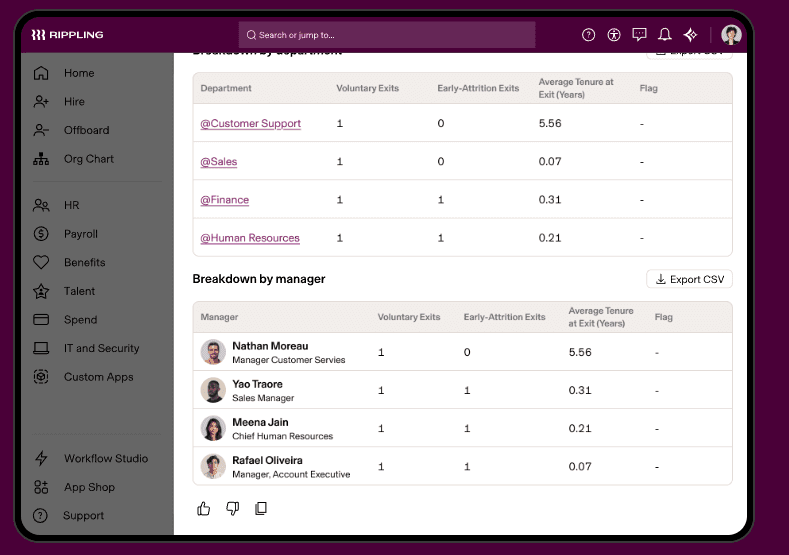
Rippling’s policy engine lets you set granular rules for everything. You can automate enforcement based on role, location, or department, reducing manual oversight and compliance risk.
Unified Analytics Dashboard
The analytics dashboard pulls data from HR, IT, and finance into one customizable view. Users can build cross-functional reports—like headcount vs. spend—without exporting data to external tools.
Ease of Use
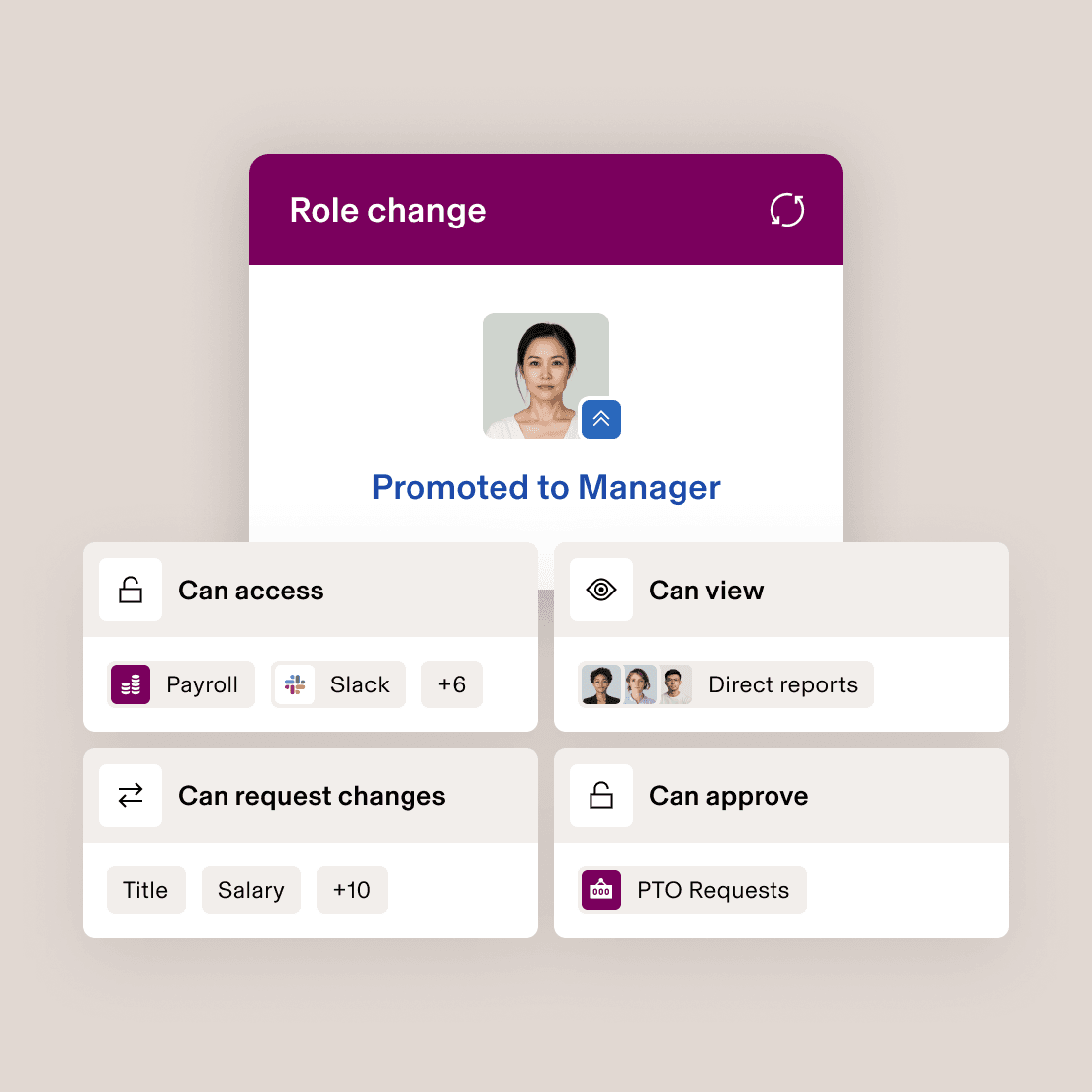
Rippling is widely recognized for its clean, user-friendly interface and logical navigation, making it approachable for both finance and HR teams. Users often highlight how quickly they can onboard employees, automate workflows, and access reports without extensive training.
The platform’s guided setup, in-app help, and centralized dashboard reduce friction, especially for organizations new to ERP Software Systems. However, some users note that advanced features may require extra configuration to fully leverage.
Onboarding
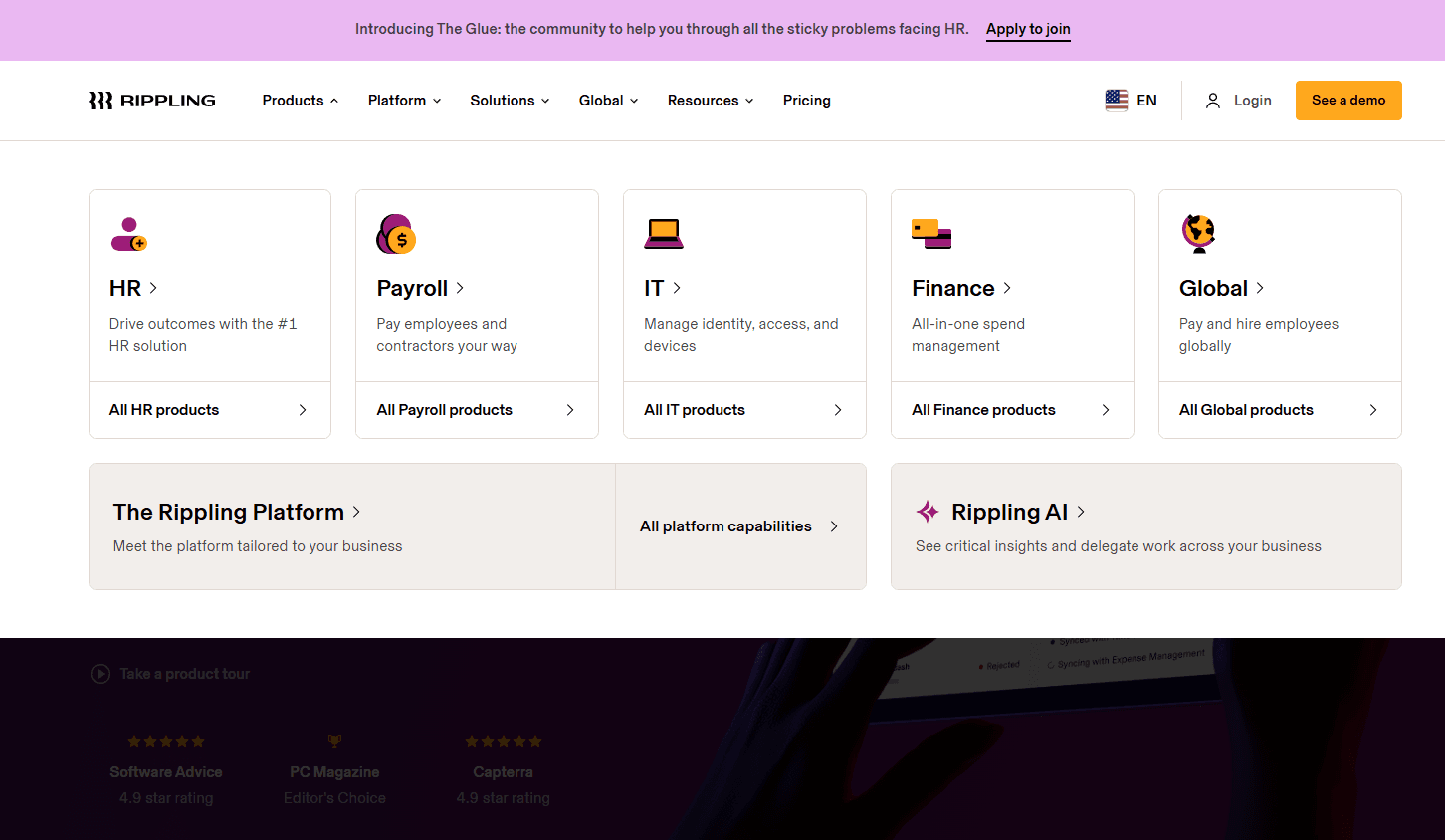
Rippling’s onboarding experience is frequently praised for its speed and clarity, with many users reporting that setup takes hours, not days. The platform guides new users through step-by-step workflows for adding employees, configuring payroll, and setting up devices — entirely avoiding a learning curve.
Extensive help articles, live chat, and onboarding specialists are available, ensuring questions are addressed quickly. This focus on guided setup and responsive support helps teams realize value from Rippling faster than with most ERP Software Systems.
Customer Support
Rippling’s customer support team receives positive feedback for their responsiveness and knowledgeable staff, especially during onboarding and urgent issues. Users appreciate the availability of live chat, email, and a detailed help center, which help resolve most questions quickly.
While some users mention occasional delays during peak periods, the majority find support agents helpful and solutions-oriented. The combination of multiple support channels and clear documentation makes Rippling’s assistance reliable for most ERP Software Systems users.
Integrations
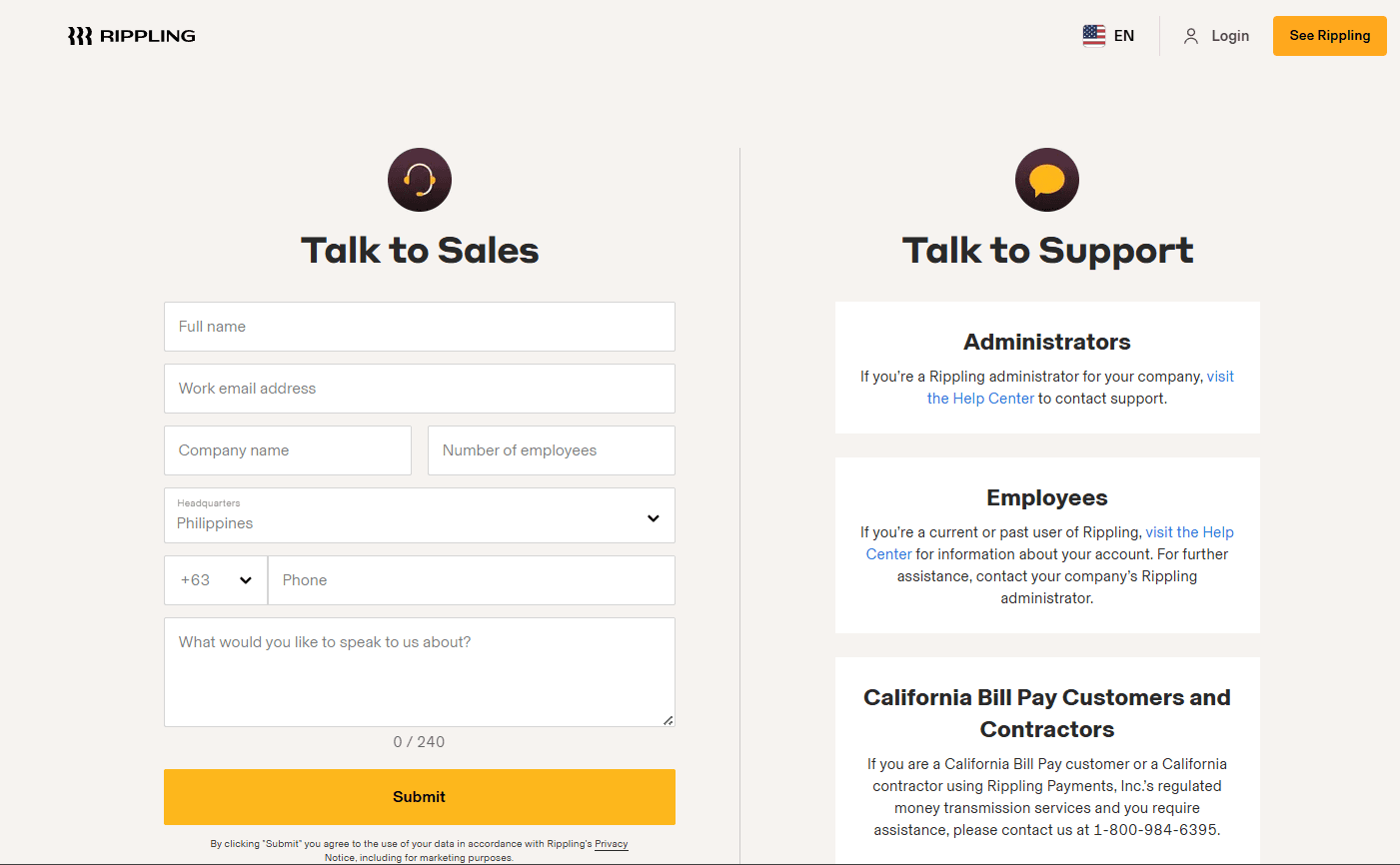
Rippling integrates with Slack, Google Workspace, Microsoft 365, Jira, Zoom, HubSpot, SentinelOne, and Notion, among others.
Rippling also offers an open API and supports custom integrations, allowing you to connect with third-party tools and build your own integrations as needed.
Value for Money
Rippling is often seen as a premium solution, but users feel its modular pricing and breadth of features justify the investment, especially for growing businesses. The ability to pay only for needed modules, combined with automation and unified data, delivers strong value for teams seeking to centralize HR, IT, and finance operations. Pricing isn’t transparent and a custom quote is required, though a free trial is available to assess the features before committing.
- Core Platform: Includes employee management and core HR tools.
- Payroll Module: Adds payroll processing and tax filing.
- Benefits Administration Module: Enables benefits management, enrollment, and compliance.
- Device Management Module: Adds device provisioning and app access controls.
- Expense Management Module: Offers expense tracking, bill pay, and corporate cards.
- Custom Modules: Optional add-ons for advanced analytics, global payroll, and more.
New Product Updates from Rippling
 Opens new window
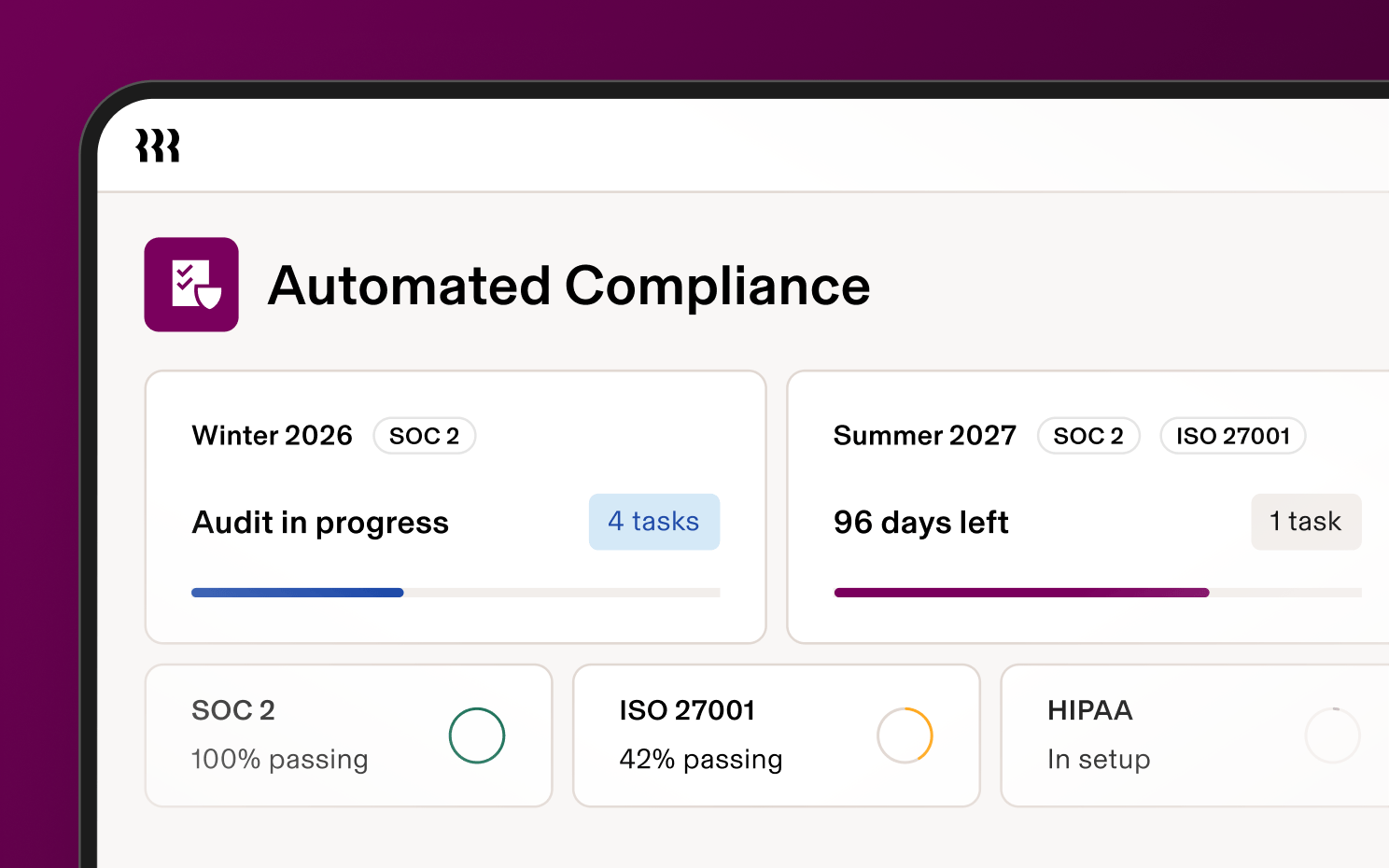
Rippling Expands Automated Compliance With AI Workflows
Rippling updates Automated Compliance with reusable compliance libraries, automated evidence collection, AI-assisted remediation, and built-in audit and trust tools. It currently supports frameworks including SOC 2, ISO 27001, and HIPAA, with additional frameworks planned for later release. Highlights include:
- Multi-Framework Support: Manage multiple compliance programs, including SOC 2, ISO 27001, and HIPAA.
- Reusable Libraries: Reuse policies, controls, evidence monitors, risks, and vendors across frameworks.
- Automated Evidence Collection: Collect evidence from connected Rippling and third-party systems.
- AI-Assisted Remediation: Identify missing evidence, outdated policies, and incomplete monitors and suggest remediation steps.
- Audit Portal: Manage auditor requests and supporting evidence in a dedicated workspace.
- Trust Centers: Publish approved compliance documentation for customers and prospects.
- AI Answer Banks: Use approved compliance context to help respond to security questionnaires.
Visit Rippling’s official site for more details.
Rippling Expands Preferred Carrier Program Integrations
Rippling adds Principal, Beam Benefits, and Sun Life to its Preferred Carrier Program, bringing the total to six participating carriers. The program supports deeper technology integration, operations coordination, service alignment, and product collaboration between Rippling and benefits carriers. Highlights include:
- Principal Integration: Adds Principal to Rippling’s Preferred Carrier Program for benefits administration.
- Beam Benefits Integration: Connects Beam Benefits through Rippling’s preferred carrier framework.
- Sun Life Integration: Adds Sun Life as a supported Preferred Carrier.
- Carrier Data Integration: Supports more connected benefits data flows between Rippling and participating carriers.
- Operations Coordination: Helps coordinate implementation, renewals, and service issues across Rippling and carriers.
Visit Rippling’s official site for more details.
 Opens new window
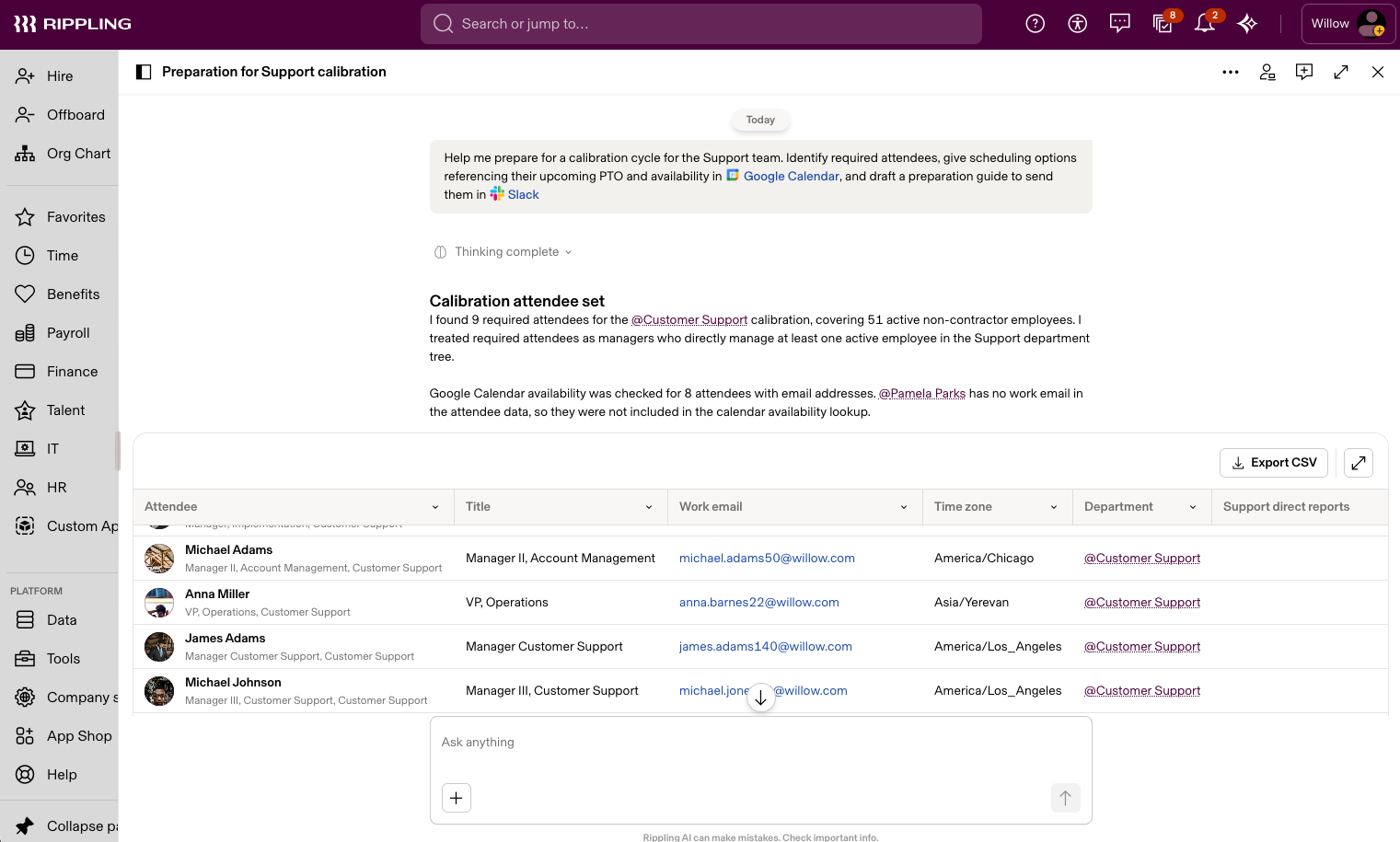
Rippling AI Adds Plugins, Skills, and Automations
Rippling AI adds plugins for approved third-party MCP connections, skills for reusable natural-language instructions, and automations for scheduled or event-based AI workflows. Each capability follows Rippling permissions so employees only access the data and actions they’re allowed to use. Highlights include:
- Plugins: Connect Rippling AI to approved third-party systems and take permitted actions across business tools.
- Skills: Package repeatable instructions, rules, files, and approved actions into reusable AI workflows.
- Automations: Run AI prompts on schedules or triggers from Rippling, email, Slack, or third-party systems.
- Workforce-Aware Access: Apply role, team, reporting line, policies, and permissions automatically as employees change roles.
- Natural-Language Workflow Setup: Describe a process in plain language and let Rippling AI generate the steps, prompts, and triggers.
Visit Rippling’s official site for more details.
 Opens new window
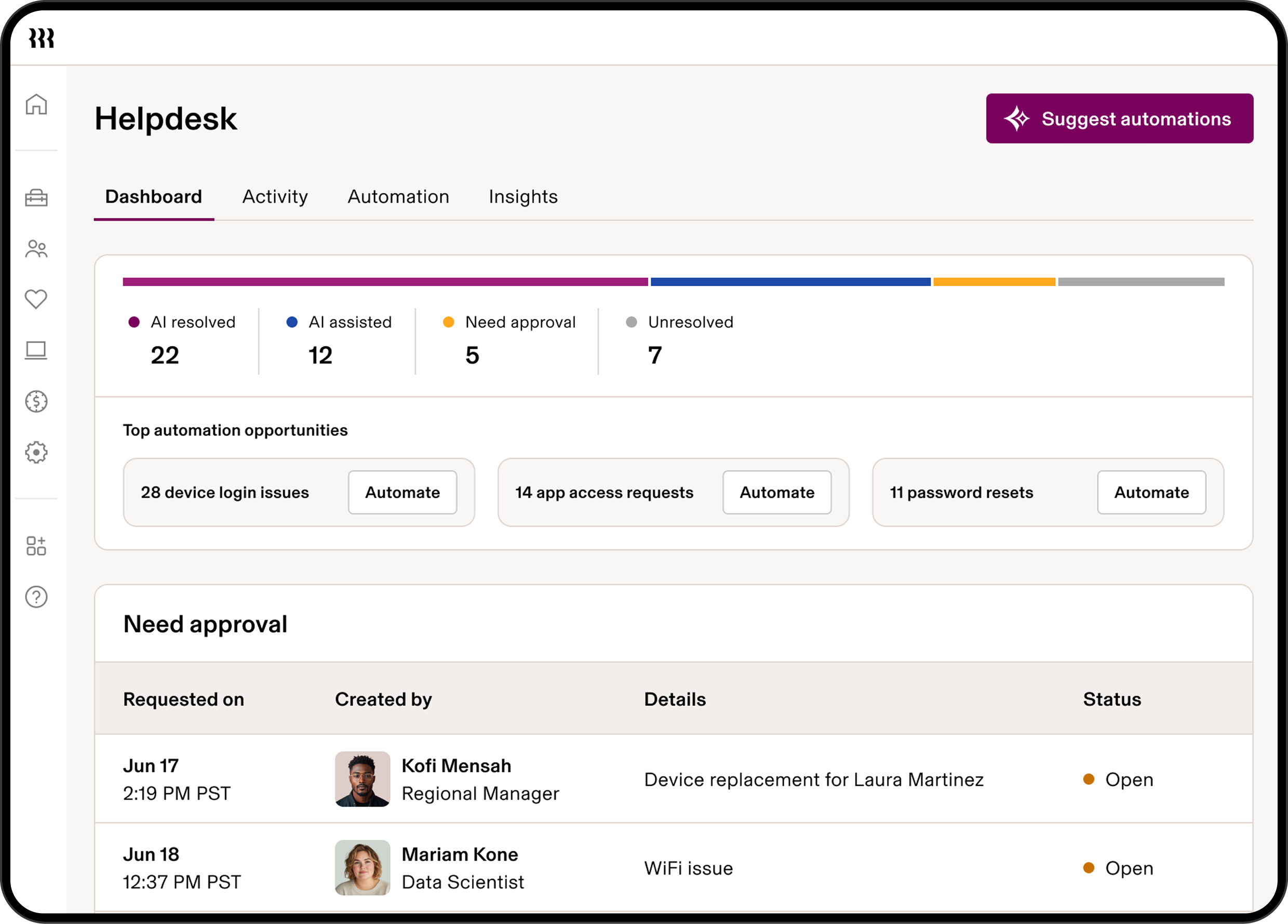
Rippling Introduces Agentic IT Helpdesk
Rippling launches Helpdesk to resolve routine IT requests using employee, policy, app, and device context. It can troubleshoot issues, take supported actions, route approvals, and escalate unresolved requests with context attached. Highlights include:
- Automated Ticket Resolution: Resolves routine requests such as app access, password resets, device lockouts, and replacements.
- Contextual Troubleshooting: Uses employee, device, policy, and app data to determine the next action.
- Approval Routing: Sends actions for approval when required by company policy.
- IT Actions: Supports actions across Rippling IT, including device replacement workflows.
- Contextual Escalation: Escalates unresolved requests with troubleshooting and employee context included.
- Activity Logs: Records requests, actions, resolutions, and escalations for visibility.
Visit Rippling’s official site for more details.
Rippling Adds AI-Powered Procurement Platform
Rippling adds Procurement with specialized AI agents for purchase intake, contract review, vendor security, purchasing, and renewals, alongside automated approvals and real-time spend visibility. The platform connects procurement with HR, IT, and finance data to help teams manage purchases, identify waste, and maintain control throughout the buying process. Highlights include:
- AI Procurement Agents: Automates purchase intake, contract review, vendor security checks, purchasing, and renewal management.
- Automated Approvals: Routes purchase requests based on criteria such as department, seniority, risk level, and vendor type.
- Spend Visibility: Connects cards, bills, expenses, and contracts with the employees and departments behind each purchase.
- Spend Controls: Flags duplicate vendors, invoice mismatches, upcoming renewals, and other potential unnecessary costs.
- Custom AI Agents: Lets teams build and customize agents around their own procurement processes.
Visit Rippling’s official site for more details.
 Opens new window
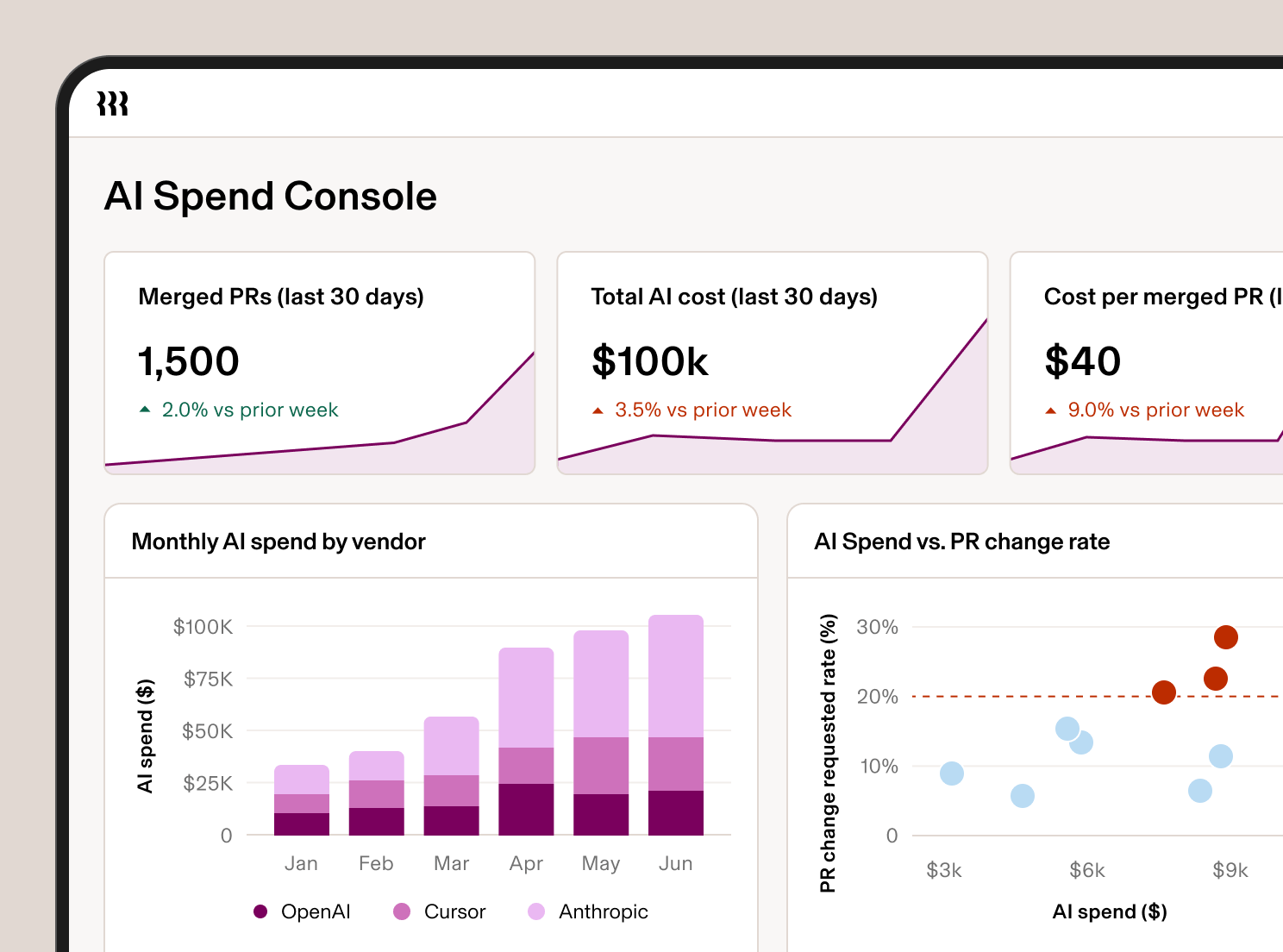
Rippling Adds AI Spend Console for AI Cost Governance
Rippling adds AI Spend Console with team-level spend breakdowns, business metric comparisons, natural-language analysis, and controls for approved model access. The console helps organizations track AI usage by role, team, or department, evaluate whether spend is driving value, and manage access to approved LLMs. Highlights include:
- AI Spend Visibility: Breaks down AI costs by teams, roles, and departments to show what is driving spend.
- Business Outcome Analysis: Connects AI spend with metrics such as performance ratings and pull request volume.
- Permissioned Dashboards: Generates dashboards across connected data while respecting existing Rippling permissions.
- Natural-Language Analysis: Lets users ask follow-up questions and drill into AI usage and spend without SQL.
- Model Access Controls: Supports policies for approved LLM access and routing based on employee attributes.
Visit Rippling’s official site for more details.
Rippling Specs
- 2-Factor Authentication: Yes
- 360 Degree Feedback: Yes
- API: Yes
- Application Tracking: Yes
- Attendance Tracking: Yes
- Batch Permissions & Access: Yes
- Compliance Tracking: Yes
- Dashboard: Yes
- Data Export: Yes
- Data Import: Yes
- Data Visualization: Yes
- Employee Database: Yes
- Employee Engagement: Yes
- Employee Incentive Management: Yes
- Employee Onboarding: Yes
- Employee Training: Yes
- Expense Tracking: Yes
- External Integrations: Yes
- Feedback Management: Yes
- Multi-User: Yes
- Notifications: Yes
- Payroll: Yes
- Performance Appraisal: Yes
- Scheduling: Yes
- Time Management: Yes
- Timesheets: Yes
- Travel Management: Yes
- Vacation & Absence Calendar: Yes
Rippling FAQs
Rippling Company Overview & History
Rippling is a workforce management platform headquartered in San Francisco, California, with additional offices in New York, Austin, London, Dublin, Bengaluru, and Sydney. Founded in 2016 by Parker Conrad, Rippling unifies HR, IT, and finance operations for businesses of all sizes. The company employs over 6,000 people and is known for its strong commitment to R&D and innovative work culture.
Rippling Major Milestones
- 2016: Company founded by Parker Conrad in San Francisco.
- 2017: Official launch of the Rippling platform.
- 2021: Expanded global presence with new offices in Dublin and other international locations.
- 2024: Reached a valuation of $16.8 billion and surpassed 6,000 employees.
- 2025: Reported $570 million in revenue and continued rapid growth in customer base and product offerings.