

Avis sur Sage Expense Management : Avantages, Inconvénients, Fonctionnalités et Tarification
Sage Expense Management se distingue par son interface intuitive et le suivi des dépenses en temps réel, ce qui en fait un choix de premier ordre pour les entreprises à la recherche d'une gestion efficace des dépenses.

Nous évaluons les outils indépendamment ; les commissions aident à financer nos tests. Consultez notre politique de transparence et notre méthodologie.
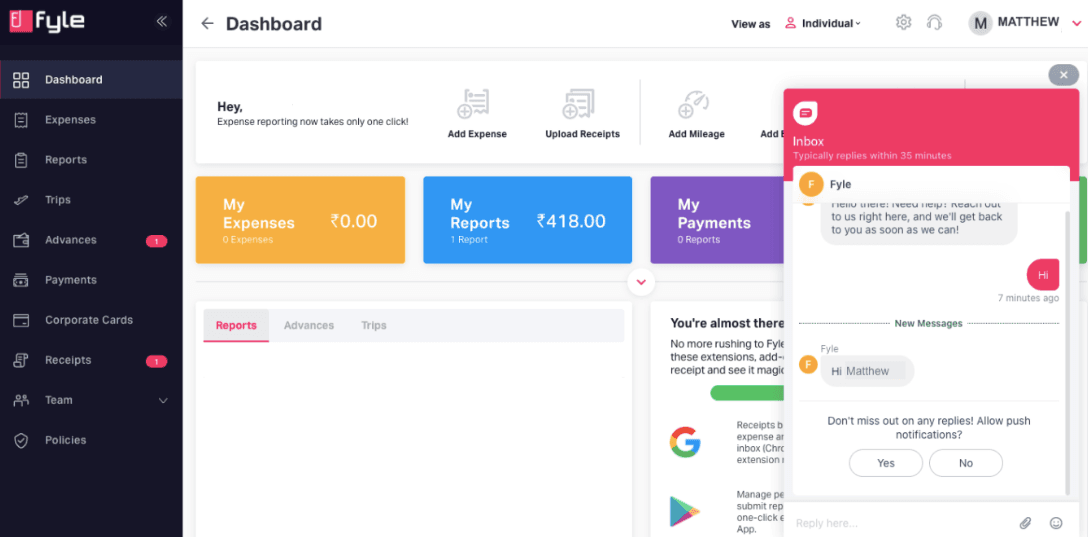
Sage Expense Management (formerly Fyle) is an expense management software for finance teams that need real-time visibility into employee spend. It works with your existing bank-issued credit cards, so you don't need to overhaul your card program to get expenses syncing automatically. Compared to Expensify, it gives finance teams tighter control over expense policy enforcement and more granular transaction-level visibility. That distinction matters most when you're managing spend across a larger workforce.
Sage Expense Management (formerly Fyle) Evaluation Summary
4.6/5
- From $11.99/user/month (billed annually)
- Free demo available
Pourquoi faire confiance à nos recommandations de logiciels
6,700+
Reviews
20
Industry experts
16+
Evaluation factors
14
Years
Nos avis reflètent notre jugement indépendant — et non un argumentaire de vente. Découvrez comment nous restons transparents.
Pour ce guide, nous avons évalué les outils grâce à des tests pratiques et une recherche indépendante, en notant les outils selon nos critères de sélection.
Nos avis reflètent notre jugement éditorial humain, et non un argumentaire de vente.
Sage Expense Management (formerly Fyle) Overview
Sage Expense Management stands out for its intuitive interface and real-time tracking, making it a solid choice for tech-savvy finance teams. While its core features are commendable, onboarding and customer support could be improved compared to competitors.
It's best suited for mid-sized companies that need efficient expense management without complex onboarding. If you're seeking a straightforward tool with essential features, Sage Expense Management is worth considering.
Pros
- You can track expenses in real-time.
- The interface is user-friendly and hassle-free.
- Approval workflows are customizable.
Cons
- Onboarding might be slower than you'd expect.
- Customer support response times can be longer than you'd like.
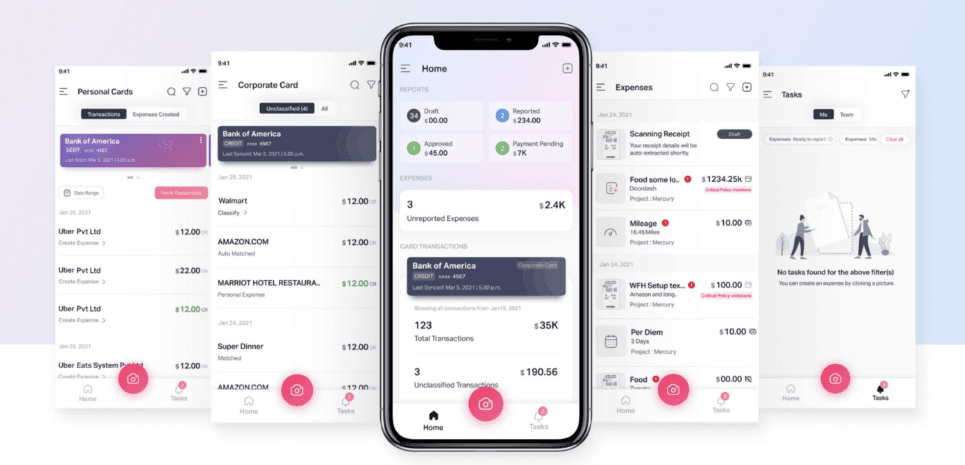
- The mobile app could be more intuitive.
Is Sage Expense Management (formerly Fyle) Right For Your Needs?
Who Would be a Good Fit for Sage Expense Management (formerly Fyle)?
Sage Expense Management is perfect for mid-sized tech firms and service industries that need real-time expense data tracking. If your team values a user-friendly interface and customizable approval workflows, Sage Expense Management's functionalities can enhance your efficiency.
It's especially useful for finance teams that handle frequent expense reports and need quick adaptation without extensive training. With its intuitive design, your team can seamlessly integrate it into daily operations, saving time and reducing manual errors.
- Tech StartupsSage Expense Management's real-time tracking helps you manage rapid growth and frequent expenses without hassle.
- Consulting FirmsYour consultants can easily submit expenses on the go, ensuring timely reimbursements and accurate tracking.
- Marketing DepartmentsSage Expense Management's customizable workflows fit your varied expense approval processes, keeping your campaigns on budget.
- Finance TeamsYou benefit from quick adaptation to Sage Expense Management, reducing training time and enabling you to focus on financial analysis.
- Travel AgenciesSage Expense Management's mobile app ensures your agents can track travel expenses efficiently, even while traveling.
- Healthcare ProvidersYour administrative staff can manage and report expenses efficiently, reducing paperwork and enabling a focus on patient care.
Who Would be a Bad Fit for Sage Expense Management (formerly Fyle)?
Sage Expense Management isn't ideal for large enterprises with complex expense management needs and extensive approval hierarchies. If your team requires advanced reporting features and comprehensive customer support, Fyle might fall short.
Its onboarding process and support response times may not meet the expectations of large organizations that need quick setup and immediate assistance. Additionally, if your work demands a highly intuitive mobile experience, Sage Expense Management's app might not deliver the ease of use you need.
- Large CorporationsCompany size means your complex expense processes may overwhelm Sage Expense Management's capabilities, leading to inefficiencies.
- Retail ChainsSage Expense Management's mobile app might not suit your fast-paced, on-the-go expense tracking needs.
- Manufacturing CompaniesYour detailed reporting requirements could stretch Sage Expense Management's functionality beyond its limits.
- Educational InstitutionsYou may find onboarding too slow for your large faculty and administrative teams.
- Government AgenciesSage Expense Management's customer support might not provide the quick assistance you need for urgent issues.
- NonprofitsYour need for comprehensive support and detailed reporting might not be fully met by Sage Expense Management.
Comment nous testons et évaluons les outils
Nous avons passé des années à construire, affiner et améliorer notre système de test et d’évaluation des logiciels. Notre grille vise à saisir toute la subtilité de la sélection logicielle et les facteurs déterminant l’efficacité d’un outil, en mettant l’accent sur les aspects essentiels du processus de décision. Ci-dessous, vous pouvez voir exactement comment notre test et notre notation fonctionnent selon sept critères. Cela nous permet de fournir une évaluation impartiale des logiciels sur la base des fonctionnalités principales, des fonctionnalités distinctives, de la facilité d’utilisation, de la prise en main, du service client, des intégrations, des avis clients et du rapport qualité/prix.
Fonctionnalité principale (25 % de la note finale)
Le point de départ de notre évaluation est toujours la fonctionnalité principale de l’outil. Dispose-t-il des caractéristiques de base attendues ? Certaines de ces fonctions de base sont-elles réservées aux plans tarifaires supérieurs ? Fondamentalement, nous attendons d’un outil qu’il soit au moins l’égal de ses concurrents en capacités essentielles.
Fonctionnalités Distinctives (25 % de la note finale)
Ensuite, nous évaluons les fonctionnalités rares ou uniques, allant au-delà de la fonctionnalité principale habituellement trouvée dans ce type d’outil. Un score élevé traduit des fonctionnalités spécialisées ou innovantes qui rendent le produit plus rapide, plus efficace, ou apportent une valeur supplémentaire à l’utilisateur. Nous évaluons aussi la facilité d’intégration avec d’autres outils courants de l’écosystème technologique pour étendre les capacités du logiciel. Les outils offrant de nombreuses intégrations natives, des connexions tierces et un accès API pour des intégrations personnalisées obtiennent le meilleur score.
Facilité d’utilisation (10 % de la note finale)
Nous considérons la rapidité et la facilité d’exécution des tâches essentielles avec l’outil. Un logiciel bien conçu, intuitif, proposant des applications mobiles, des modèles et permettant de simplifier des tâches complexes obtient la meilleure note.
Prise en Main (10 % de la note finale)
Nous savons combien il est important d’adopter rapidement une nouvelle plateforme, c’est pourquoi nous évaluons la facilité d’apprentissage et d’utilisation du logiciel avec un minimum de formation. Nous évaluons la rapidité de mise en place d’un nouveau membre d’équipe sans expérience. Un outil ayant un bon score requiert peu voire aucun support pour la prise en main.
Service Client (10 % de la note finale)
Nous évaluons s’il est rapide et facile d’obtenir de l’aide ou de dépanner par téléphone, chat en direct ou base de connaissances. Les outils et entreprises offrant une assistance en temps réel obtiennent le meilleur score, tandis que les chatbots sont moins bien notés.
Avis Clients (10 % de la note finale)
Au-delà de nos propres tests et évaluations, nous prenons en compte le net promoter score fourni par les clients actuels et passés. Nous vérifions leur probabilité de recommander l’outil et d’en refaire le choix pour ses fonctionnalités principales. Un logiciel bien noté se traduit par un net promoter score élevé.
Rapport Qualité/Prix (10 % de la note finale)
Enfin, en tenant compte de tous les autres critères, nous comparons le prix moyen des plans d’entrée de gamme avec les fonctionnalités principales, et le rapport de valeur avec les autres critères d’évaluation. Les logiciels offrant plus pour moins obtiennent la meilleure note.
Core Features
Real-Time Tracking: Track your expenses as they happen, keeping your team updated and on budget. This helps reduce errors and speeds up reporting.
Customizable Approval Workflows: You can set up approval processes that fit your team's needs, making it easier to manage business expenses. This flexibility streamlines your operations.
User-Friendly Interface: Your team can quickly navigate the platform without extensive training, saving time and increasing productivity. Its intuitive design makes adoption easy.
Expense Reporting: Simplifies creating and managing expense reports, reducing manual work and improving accuracy. This lets you focus on more strategic tasks.
Receipt Management: Easily upload receipts and store them with Sage Expense Management, ensuring all your expenses are documented and accessible. This helps in keeping your records organized and simplifies expense reimbursement.
Policy Compliance: It automatically checks expenses against your company's policies, preventing violations and ensuring adherence. This feature helps maintain financial integrity.
Ease of Use
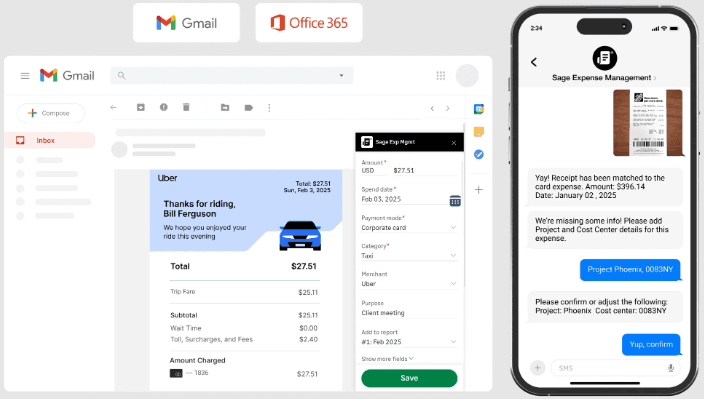
Sage Expense Management offers a user-friendly interface that lets your team navigate with ease, cutting down a lot of time on training. Its straightforward design makes it accessible, but some users find the mobile app less intuitive than expected.
Compared to other options, Fyle's real-time tracking and customizable workflows enhance usability. However, onboarding might take longer, which could be a hurdle if you're looking for immediate setup. Overall, it balances simplicity with essential features, making it a practical choice for many teams.
Integrations
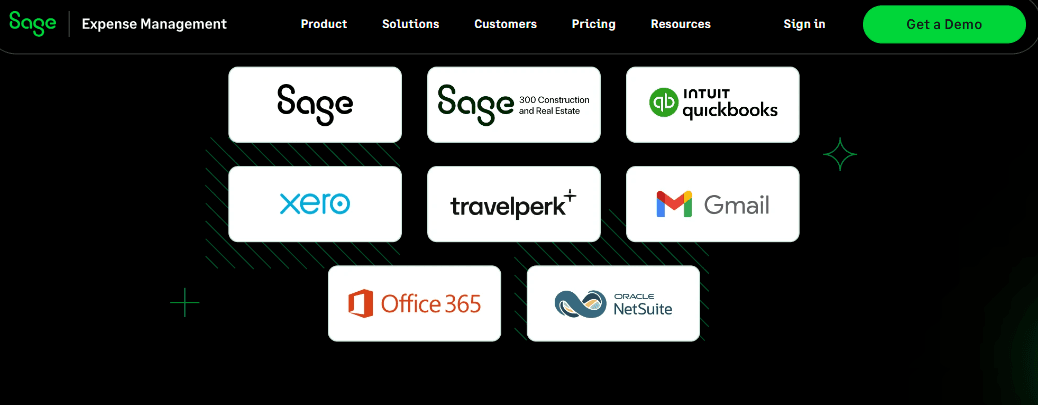
Sage Expense Management offers seamless integration with your accounting software, such as QuickBooks Online, QuickBooks Desktop, Sage Intacct, Xero, NetSuite, Sage 300 CRE, and Sage 50. It also integrates with Gmail, Outlook, Slack, and various HRMS software.
Sage Expense Management offers an API and connects with third-party integration tools to enhance its functionality and adaptability.
New Product Updates from Sage Expense Management (formerly Fyle)
 Opens new window
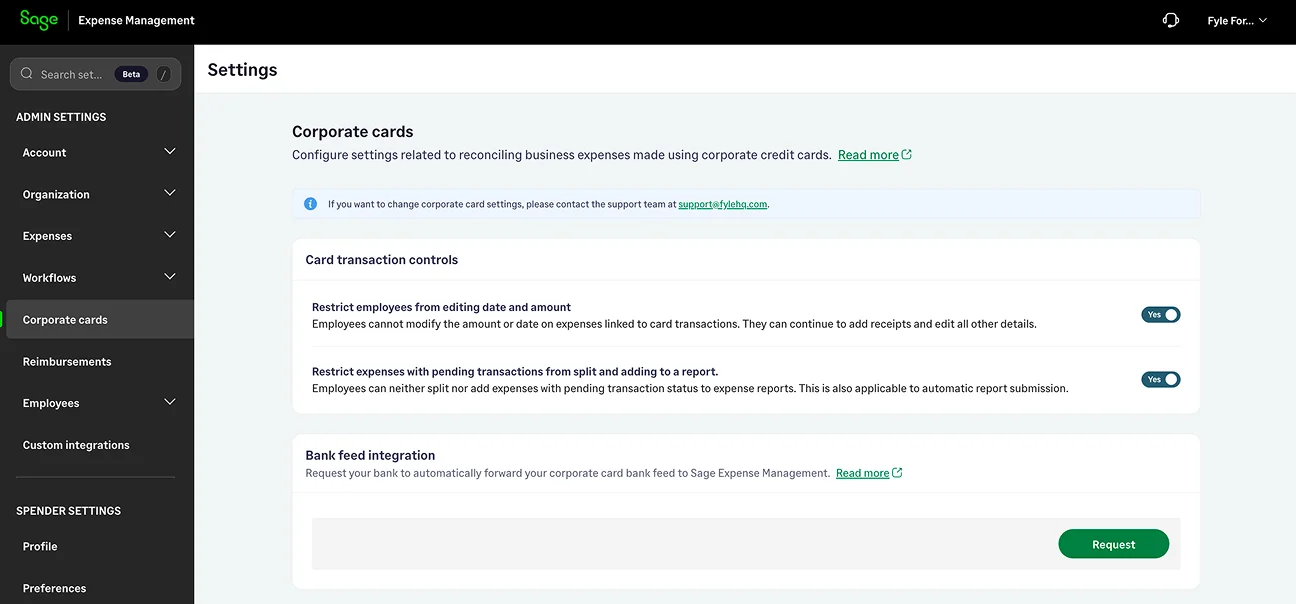
Sage Expense Management Adds Reconciliation and Expense Review Updates
Sage Expense Management launched a new Reconciliation module that automatically matches uploaded card statements with existing expenses, while adding faster editing tools, expanded administrator controls, Copilot support for corporate cards, and email-based two-factor authentication. Highlights include:
- Reconciliation Module: Automatically categorizes uploaded card statement transactions into matched, missing, and review-needed items to simplify reconciliation.
- Inline and Bulk Expense Editing: Lets admins and approvers edit individual expenses directly from list views or update up to 50 expenses at once.
- Expanded Admin Controls: Introduces granular delegate permissions and optional restrictions for editing card-linked expense amounts and dates.
- Copilot for Corporate Cards: Enables admins to ask natural language questions about corporate cards and transactions.
- Email-Based Two-Factor Authentication: Adds an extra layer of account security by requiring a verification code during sign-in for non-SSO users.
Visit Sage Expense Management's official site for more details.
 Opens new window
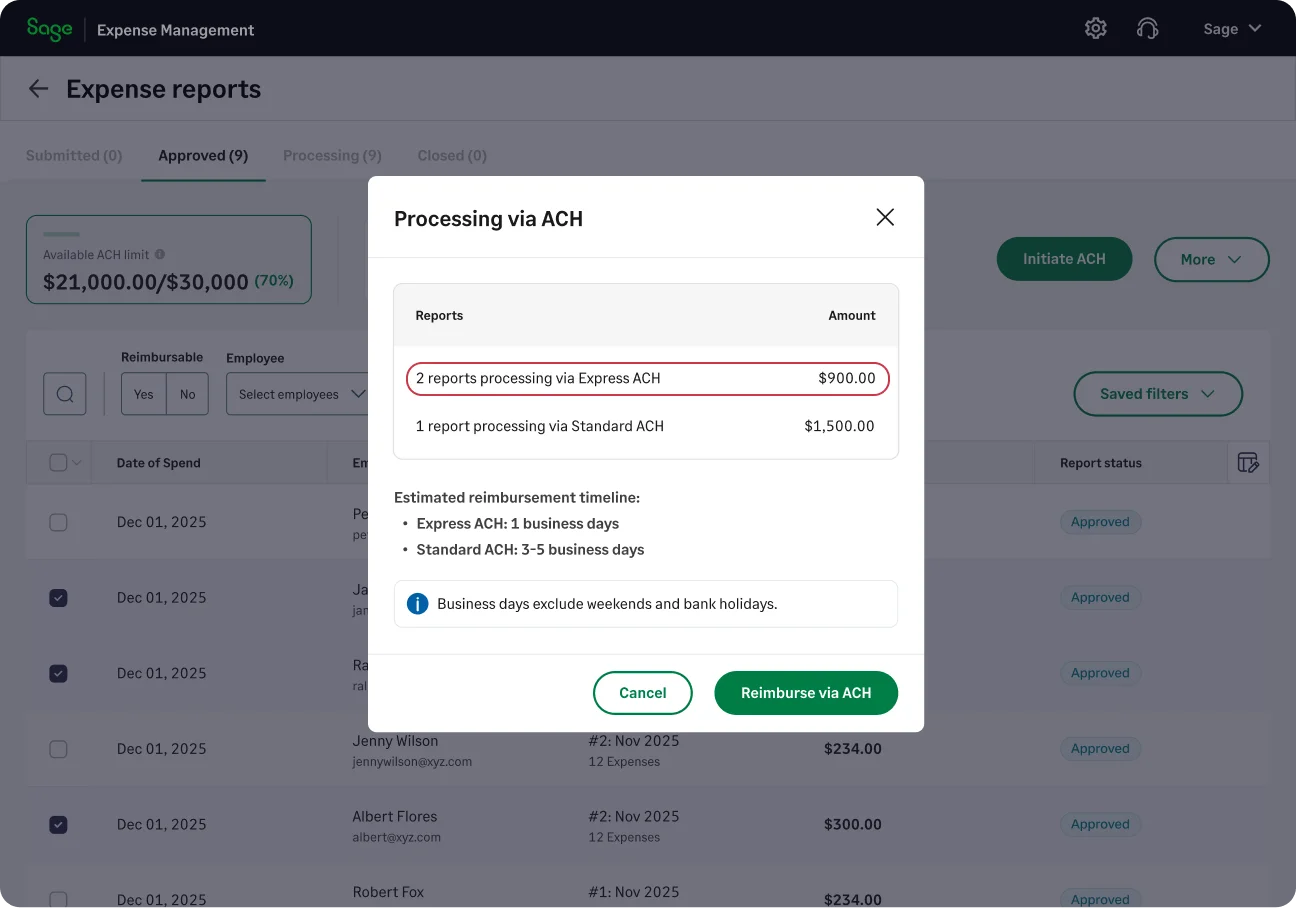
Sage Expense Management Adds Faster Reimbursements and Controls
Sage Expense Management has introduced Express ACH reimbursements, automation updates, budget controls, and mobile and regional settings. These updates help teams reduce manual work, track expenses, and manage reimbursement workflows more efficiently. Highlights include:
- Express ACH Reimbursements: Processes eligible expense reports up to $1,000 within 1–2 business days.
- Automatic Approvals: Approves low-risk expense reports based on predefined rules and conditions.
- Budget Visibility: Gives teams access to budget usage, remaining spend, historical data, exports, and status tracking.
- Automatic Report Submission: Lets admins group and submit expense reports based on payment mode, project, or cost center.
- Mobile Notifications: Sends real-time alerts for expenses, approvals, comments, and reimbursement updates.
- Regional Settings: Allows teams to configure date, time, and currency formats based on regional preferences.
Visit Sage Expense Management’s official site for more details.
Sage Expense Management (formerly Fyle) Specs
- 2-Factor Authentication: Yes
- API: Yes
- Approval Workflows: Yes
- Audit Trail: Yes
- Balance Sheet: Yes
- Billing/Invoicing: Yes
- Budgeting: Yes
- Calendar Management: Yes
- Compliance Tracking: Yes
- Contact Management: Yes
- CRM Integration: Yes
- Custom Reports: Yes
- Customer Management: Yes
- Dashboard: Yes
- Data Export: Yes
- Data Import: Yes
- Data Visualization: Yes
- Document Management: Yes
- Expense Tracking: Yes
- External Integrations: Yes
- Forecasting: Yes
- Inventory Tracking: Yes
- Multi-Currency: Yes
- Multi-User: Yes
- Notifications: Yes
- P&L: Yes
- Risk Assessment: Yes
- SAP Integration: Yes
- Scheduling: Yes
- Supplier Management: Yes
- Workflow Management: Yes


