

Avis sur TaxAct : Avantages, Inconvénients, Fonctionnalités et Tarifs
TaxAct propose une interface conviviale et des tarifs compétitifs, ce qui en fait un excellent choix pour les particuliers à la recherche d'une déclaration d'impôts simple.

Nous évaluons les outils indépendamment ; les commissions aident à financer nos tests. Consultez notre politique de transparence et notre méthodologie.
TaxAct is a tax software for individuals, freelancers, and small business owners who need to file federal and state returns accurately without paying a premium for extra hand-holding. I'd consider it over TurboTax if you're comfortable working through your own return and want a lower-cost option that still handles complex situations like self-employment income, investment activity, and pass-through deductions without cutting corners on coverage.
TaxAct Evaluation Summary
4.4/5
- From $29.99/filing
- Free plan available
Pourquoi faire confiance à nos recommandations de logiciels
6,700+
Reviews
20
Industry experts
16+
Evaluation factors
14
Years
Nos avis reflètent notre jugement indépendant — et non un argumentaire de vente. Découvrez comment nous restons transparents.
Pour ce guide, nous avons évalué les outils grâce à des tests pratiques et une recherche indépendante, en notant les outils selon nos critères de sélection.
Nos avis reflètent notre jugement éditorial humain, et non un argumentaire de vente.
TaxAct Overview
TaxAct is a solid choice for those seeking reliable tax software. Its core features are competitive, making it a viable option for individuals and small businesses. The standout features, like its deduction maximizer, provide additional value, although they don't significantly outshine competitors. You'll find its ease of use quite satisfactory, especially if you're familiar with similar platforms.
Onboarding is straightforward, although it may not be the most intuitive for complete beginners. Customer support is commendable, offering timely assistance. Where TaxAct truly shines is in its affordability, striking a balance between comprehensive features and budget-friendly pricing.
However, if you require extensive integrations or advanced functionalities, other options may be more compelling.
Pros
- Easily import data from previous returns
- Provides a comprehensive deduction finder
- Free phone support for all users
Cons
- Interface is less intuitive than some competitors
- Slow during peak tax season
- Lacks some advanced features found in other tax software
Is TaxAct Right For Your Needs?
Who Would be a Good Fit for TaxAct?
TaxAct is ideal for small businesses and independent tax professionals who need a reliable and cost-effective solution for tax preparation. With features like customizable tax planning tools and easy data import options, it simplifies the tax filing process. The software's ability to handle both business and personal tax returns makes it versatile, and its track record of e-filing over 65 million federal returns since 2000 underscores its reliability.
- Small businessesTaxAct's affordable pay-per-return model and customizable tools make it perfect for small businesses managing their own taxes.
- Independent tax professionalsFor professionals and tax service providers handling multiple clients, TaxAct's Client Manager and multi-user networking are invaluable.
- FreelancersFreelancers benefit from TaxAct's flexibility in managing both business and personal tax prep efficiently. Freelancers can use TaxAct to plan the tax aspect of their personal finance, including business and capital gains. It’s also helpful in managing taxes on retirement income for any senior dependents.
- StartupsStartups can take advantage of TaxAct's low-cost e-filing and access to current tax forms to manage tight budgets.
- Accounting departmentsFor accounting teams, TaxAct offers professional templates and report generation to streamline workflow.
- ConsultantsConsultants, tax experts, and CPAs find value in TaxAct's ability to easily import data and track e-filed returns, saving time and effort when filing business and income taxes and offering tax advice to clients.
Who Would be a Bad Fit for TaxAct?
TaxAct might not be the best choice for large corporations or businesses with complex tax needs. If your company requires intricate tax planning and detailed analytics, TaxAct’s offerings might fall short. The software is primarily tailored for individual filers and small- to medium-sized businesses, so if your work involves extensive financial operations or international tax compliance, you may find its capabilities lacking.
- Large corporationsTaxAct lacks the advanced features needed for the extensive tax planning required by large corporations.
- International businessesIf your business deals with international tax compliance, TaxAct’s feature set doesn’t support multi-currency transactions or foreign tax credits efficiently.
- High-volume accounting firmsFirms handling numerous clients with complex tax situations might find TaxAct inadequate due to its limitations in managing large volumes of data.
- Non-profit organizationsTaxAct doesn’t cater well to the specific tax filing needs of nonprofits, such as Form 990 preparation.
- Manufacturing industriesThe software doesn’t offer the specific tax deductions and credits applicable to manufacturing operations.
- Government agenciesTaxAct isn’t designed for the unique tax requirements and regulations that government agencies must adhere to.
Comment nous testons et évaluons les outils
Nous avons passé des années à construire, affiner et améliorer notre système de test et d’évaluation des logiciels. Notre grille vise à saisir toute la subtilité de la sélection logicielle et les facteurs déterminant l’efficacité d’un outil, en mettant l’accent sur les aspects essentiels du processus de décision. Ci-dessous, vous pouvez voir exactement comment notre test et notre notation fonctionnent selon sept critères. Cela nous permet de fournir une évaluation impartiale des logiciels sur la base des fonctionnalités principales, des fonctionnalités distinctives, de la facilité d’utilisation, de la prise en main, du service client, des intégrations, des avis clients et du rapport qualité/prix.
Fonctionnalité principale (25 % de la note finale)
Le point de départ de notre évaluation est toujours la fonctionnalité principale de l’outil. Dispose-t-il des caractéristiques de base attendues ? Certaines de ces fonctions de base sont-elles réservées aux plans tarifaires supérieurs ? Fondamentalement, nous attendons d’un outil qu’il soit au moins l’égal de ses concurrents en capacités essentielles.
Fonctionnalités Distinctives (25 % de la note finale)
Ensuite, nous évaluons les fonctionnalités rares ou uniques, allant au-delà de la fonctionnalité principale habituellement trouvée dans ce type d’outil. Un score élevé traduit des fonctionnalités spécialisées ou innovantes qui rendent le produit plus rapide, plus efficace, ou apportent une valeur supplémentaire à l’utilisateur. Nous évaluons aussi la facilité d’intégration avec d’autres outils courants de l’écosystème technologique pour étendre les capacités du logiciel. Les outils offrant de nombreuses intégrations natives, des connexions tierces et un accès API pour des intégrations personnalisées obtiennent le meilleur score.
Facilité d’utilisation (10 % de la note finale)
Nous considérons la rapidité et la facilité d’exécution des tâches essentielles avec l’outil. Un logiciel bien conçu, intuitif, proposant des applications mobiles, des modèles et permettant de simplifier des tâches complexes obtient la meilleure note.
Prise en Main (10 % de la note finale)
Nous savons combien il est important d’adopter rapidement une nouvelle plateforme, c’est pourquoi nous évaluons la facilité d’apprentissage et d’utilisation du logiciel avec un minimum de formation. Nous évaluons la rapidité de mise en place d’un nouveau membre d’équipe sans expérience. Un outil ayant un bon score requiert peu voire aucun support pour la prise en main.
Service Client (10 % de la note finale)
Nous évaluons s’il est rapide et facile d’obtenir de l’aide ou de dépanner par téléphone, chat en direct ou base de connaissances. Les outils et entreprises offrant une assistance en temps réel obtiennent le meilleur score, tandis que les chatbots sont moins bien notés.
Avis Clients (10 % de la note finale)
Au-delà de nos propres tests et évaluations, nous prenons en compte le net promoter score fourni par les clients actuels et passés. Nous vérifions leur probabilité de recommander l’outil et d’en refaire le choix pour ses fonctionnalités principales. Un logiciel bien noté se traduit par un net promoter score élevé.
Rapport Qualité/Prix (10 % de la note finale)
Enfin, en tenant compte de tous les autres critères, nous comparons le prix moyen des plans d’entrée de gamme avec les fonctionnalités principales, et le rapport de valeur avec les autres critères d’évaluation. Les logiciels offrant plus pour moins obtiennent la meilleure note.
Core Features
Comprehensive tax forms
With access to all major tax forms, TaxAct ensures you can manage both federal and state taxes efficiently. Whether you're filing a 1040 or dealing with more complex forms, everything's covered.
Deduction and credit maximization
The software helps identify deductions and credits you might qualify for (like child tax credits), potentially increasing your refund. It’s like having a tax advisor who ensures you don’t leave money on the table.
Audit assistance
TaxAct provides audit support tools, helping you understand what to expect if the IRS contacts you. You get peace of mind knowing there’s guidance available during a stressful situation.
Import capabilities
You can import previous tax returns and financial data, simplifying the data entry process. This feature saves you time and minimizes manual entry errors.
Real-time refund status
As you enter your information, see your refund status update in real time. It keeps you informed about how your entries impact your overall tax picture.
Ease of Use
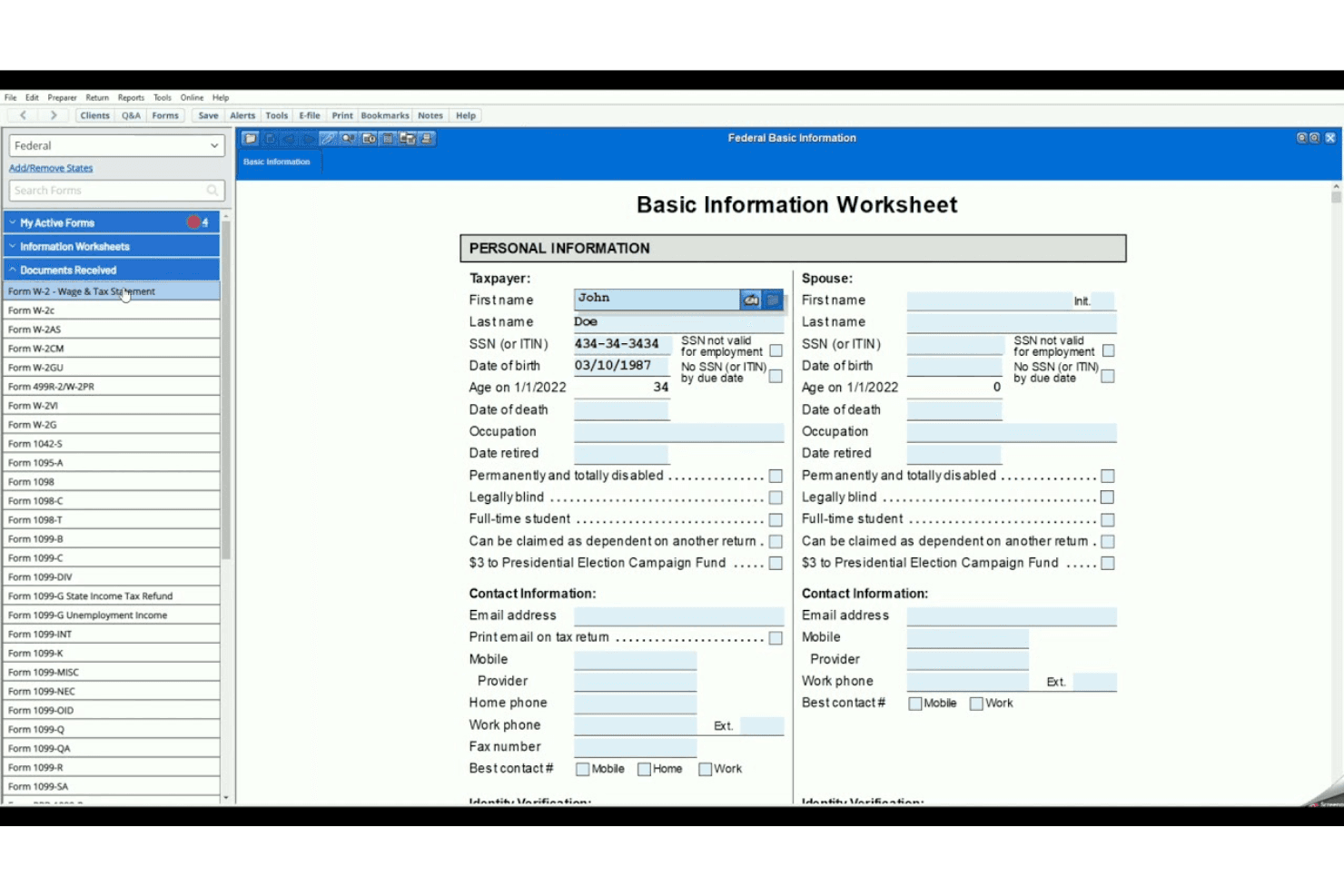
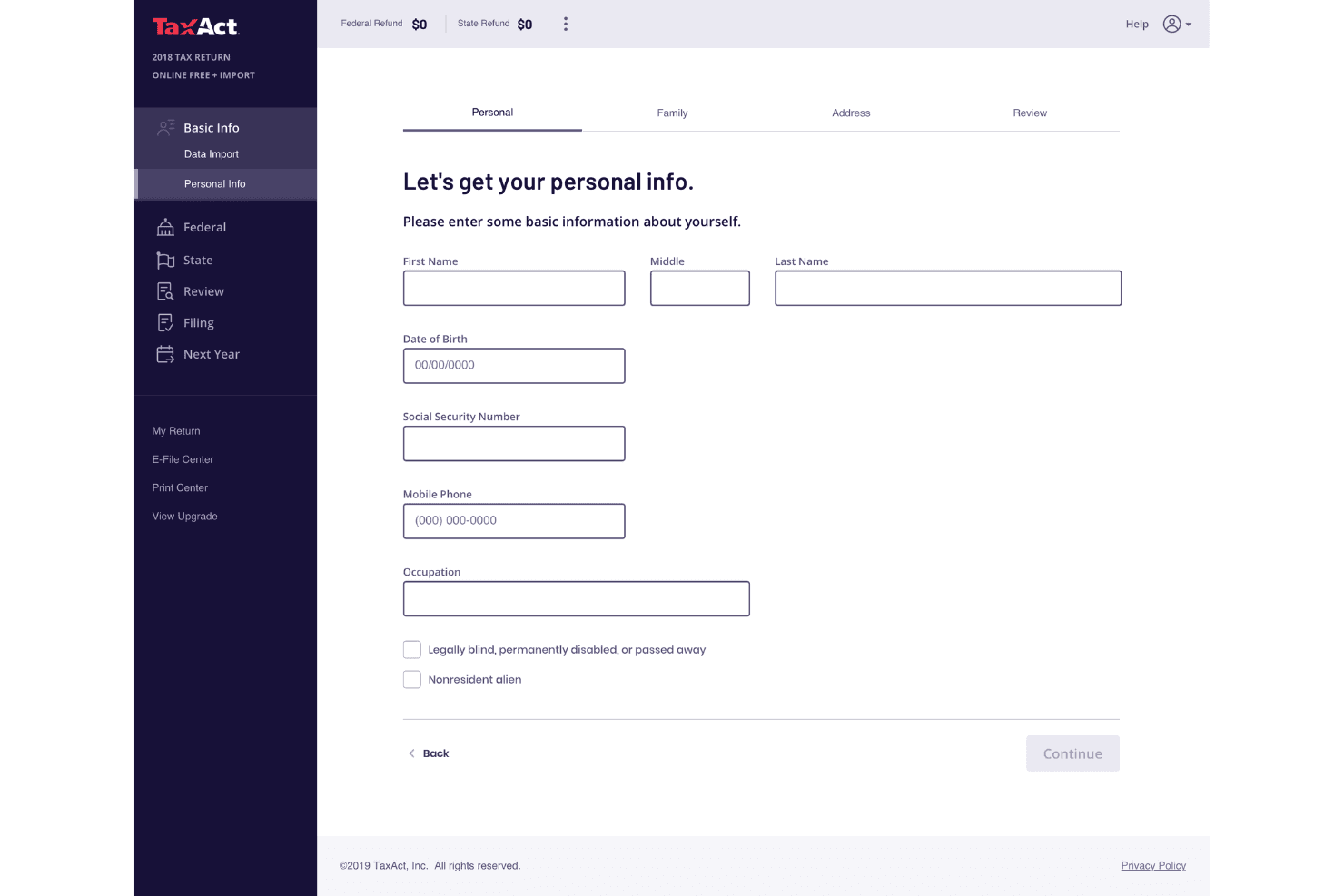
TaxAct is generally user-friendly, making it accessible for most filers. Its straightforward data-entry process and minimal use of tax jargon simplify the experience. You can easily import previous returns and documents, which saves time. The interface is designed to be intuitive, though it lacks some advanced features that competitors offer. Users appreciate the affordability and the option to consult professionals via Xpert Assist. While it doesn't have a mobile app, multi-device access compensates for this limitation.
Integrations
TaxAct offers API solutions to enhance tax preparation efficiency, allowing connections with various third-party tools through cloud applications.
TaxAct Specs
- Accounts Payable: Yes
- Accounts Receivable: Yes
- API: No
- Balance Sheet: Yes
- Billing/Invoicing: Yes
- Budgeting: Yes
- Calendar Management: Yes
- CRM Integration: Yes
- Dashboard: Yes
- Data Export: No
- Data Import: Yes
- Data Visualization: Yes
- Expense Tracking: Yes
- External Integrations: No
- Forecasting: Yes
- General Account Ledger: Yes
- Multi-Currency: Yes
- Multi-User: Yes
- Notifications: No
- P&L: No
- Payroll: No
- Scheduling: Yes
- Tax Management: Yes


