

Recensione Accelo: Pro, Contro, Caratteristiche e Prezzi
Accelo si distingue come uno strumento versatile che unifica la gestione dei progetti, la fatturazione e la comunicazione con i clienti, rendendolo ideale per le aziende orientate ai servizi.

Recensiamo gli strumenti in modo indipendente e le commissioni aiutano a finanziare i nostri test. Consulta la nostra politica sulla trasparenza, la nostra metodologia, oppure suggerisci uno strumento.
Accelo is an accounting software built for professional services firms that need to track billable time, manage client billing, and handle invoicing within the same platform they use to run projects and retainers. If you're choosing between Accelo and FreshBooks, Accelo is the stronger pick when your team needs financial tracking tied directly to client work and service delivery—not just a standalone invoicing tool. It's worth a close look if disconnected billing and project data is making your revenue recognition or client reporting harder than it should be.
Accelo Evaluation Summary
4.4/5
- Pricing upon request
- Free demo available
Perché fidarsi dei nostri consigli sui software
6,700+
Reviews
20
Industry experts
16+
Evaluation factors
14
Years
Le nostre recensioni riflettono il nostro giudizio indipendente, non un discorso di vendita. Scopri come manteniamo la trasparenza.
Per questa guida, abbiamo valutato gli strumenti attraverso test pratici e ricerche indipendenti, assegnando un punteggio agli strumenti in base ai nostri criteri di selezione.
Le nostre recensioni riflettono il nostro giudizio editoriale umano, non un discorso di vendita.
Accelo Overview
In my opinion, Accelo is a solid choice for service-based and professional services businesses needing integrated project management, task management, and accounting solutions. It excels with standout features like client communication, CRM integration, and billing automation, which many competitors lack. However, its pricing can be a barrier for smaller teams, and the onboarding process requires patience. If your team values strong customer support and an intuitive user interface, Accelo could be the right fit. While it may not suit every budget, its functionality justifies the cost for those who can invest. Consider Accelo if your workspace demands seamless end-to-end project, sales, and financial management.
Pros
- You can easily manage projects and billing in one place.
- The client communication tools keep your team connected.
- Its customer support is responsive and helpful.
Cons
- Your team might be slow in the onboarding process.
- The interface can feel cluttered compared to other tools.
- Some users find the reporting features limited.
Is Accelo Right For Your Needs?
Who Would be a Good Fit for Accelo?
Accelo is a great fit for professional service businesses, such as marketing agencies and IT firms, that need to manage client relationships, projects, and billing all in one place. Its integrated CRM and client communication tools keep your team connected, making it easier to collaborate on client work and streamline workflows. The platform’s strong customer support ensures your team gets help when needed. If your work involves juggling multiple client projects and you need a way to track time and keep everything organized, Accelo can be a valuable workspace solution.
- Marketing AgenciesAccelo helps your team manage campaigns, client relationships, and billing in one place through its interconnected modules.
- IT FirmsIt makes tracking projects, tickets, and client communications seamless for your team while supporting resource management.
- Consulting ServicesYour team can efficiently handle project timelines, forecasting, and invoicing while maintaining clear client communication.
- Small BusinessesAccelo offers you a way to manage projects, sales management, and task management without needing multiple tools.
- Project ManagersYou can track project progress and billing in real time using Accelo’s dashboards and automation tools.
- Client-Focused TeamsIt keeps your team organized with integrated communication and workflow tools tailored for client relationships.
Who Would be a Bad Fit for Accelo?
Accelo may not be suitable for large enterprises that require highly customized accounting or ERP-style automation solutions. If your team needs deep customization and extensive reporting features, Accelo’s capabilities may fall short. It’s also not ideal for businesses focused purely on accounting without workflow or project management needs, as its strength lies in integrated professional services automation. If your work demands advanced financial analytics and complex forecasting, you might find Accelo lacking.
- Large EnterprisesYour team might need more customization and specialized modules than Accelo offers.
- Manufacturing CompaniesAccelo doesn’t focus on the production tracking that your business processes require.
- Retail BusinessesYour team won’t find the point-of-sale features or inventory tracking you need.
- Financial InstitutionsAccelo lacks the advanced analytics and ERP integrations your work depends on.
- Standalone AccountantsYou might not need the project management and workflow automation features that Accelo emphasizes.
- Logistics CompaniesAccelo doesn’t cater to the supply chain tracking your industry demands.
Come testiamo e valutiamo gli strumenti
Abbiamo impiegato anni a costruire, perfezionare e migliorare il nostro sistema di test e valutazione dei software. Il nostro schema è progettato per cogliere le sfumature della scelta del software e ciò che rende uno strumento efficace, concentrandosi sugli aspetti critici del processo decisionale. Di seguito puoi vedere esattamente come funzionano i nostri test e le nostre valutazioni in base a sette criteri. Questo ci permette di offrire una valutazione imparziale del software basata su funzionalità di base, caratteristiche distintive, facilità d’uso, onboarding, assistenza clienti, integrazioni, recensioni dei clienti e rapporto qualità-prezzo.
Funzionalità principali (25% del punteggio finale)
Il punto di partenza della nostra valutazione è sempre la funzionalità principale dello strumento. Dispone delle funzionalità base che un utente si aspetterebbe di trovare? Alcune di queste funzionalità sono riservate ai piani a pagamento più elevati? In sostanza, ci aspettiamo che uno strumento sia all’altezza delle capacità minime dei concorrenti.
Caratteristiche distintive (25% del punteggio finale)
Successivamente, valutiamo le caratteristiche distintive che vanno oltre la funzionalità principale normalmente presente negli strumenti di questo tipo. Un punteggio elevato riflette funzionalità specializzate o uniche che rendono il prodotto più rapido, efficiente o offrono valore aggiunto all’utente. Valutiamo inoltre quanto sia semplice integrare il software con altri strumenti tipicamente presenti nello stack tecnologico, per estenderne la funzionalità e l’utilità. Gli strumenti che offrono numerose integrazioni native, connessioni di terze parti e accesso API per creare integrazioni personalizzate ottengono il punteggio migliore.
Facilità d’uso (10% del punteggio finale)
Consideriamo quanto sia rapido e semplice eseguire le attività fondamentali previste dallo strumento. Un software con punteggio elevato è ben progettato, intuitivo da usare, offre app mobile, modelli predefiniti e semplifica operazioni complesse.
Onboarding (10% del punteggio finale)
Sappiamo quanto sia importante l’adozione rapida da parte del team quando si introduce una nuova piattaforma: per questo valutiamo quanto sia facile imparare e utilizzare lo strumento con una formazione minima. Valutiamo la rapidità con cui un membro del team può impostare e iniziare a utilizzare lo strumento senza esperienza pregressa. Le soluzioni con punteggio alto richiedono poco o nessun supporto.
Assistenza clienti (10% del punteggio finale)
Analizziamo quanto sia semplice e veloce ottenere aiuto tramite telefono, live chat o knowledge base. Gli strumenti e le aziende che offrono supporto in tempo reale ottengono i punteggi migliori, mentre i chatbot ricevono i punteggi più bassi.
Recensioni dei clienti (10% del punteggio finale)
Oltre ai nostri test e valutazioni, consideriamo il net promoter score dei clienti attuali e passati. Verifichiamo la probabilità che i clienti scelgano nuovamente lo strumento per le funzionalità di base. Un software con punteggio elevato riflette un net promoter score alto da parte dei clienti vecchi e attuali.
Rapporto qualità-prezzo (10% del punteggio finale)
Infine, considerando tutti gli altri criteri, valutiamo il prezzo medio dei piani base rispetto alle funzionalità principali e agli altri criteri di valutazione. I software che offrono di più, a un costo inferiore, ottengono punteggi migliori.
Core Features
Time Tracking: Accelo lets your team easily log hours spent on projects, ensuring accurate billing. You can track time in real time or manually enter it later, with clear billable versus non-billable distinctions.
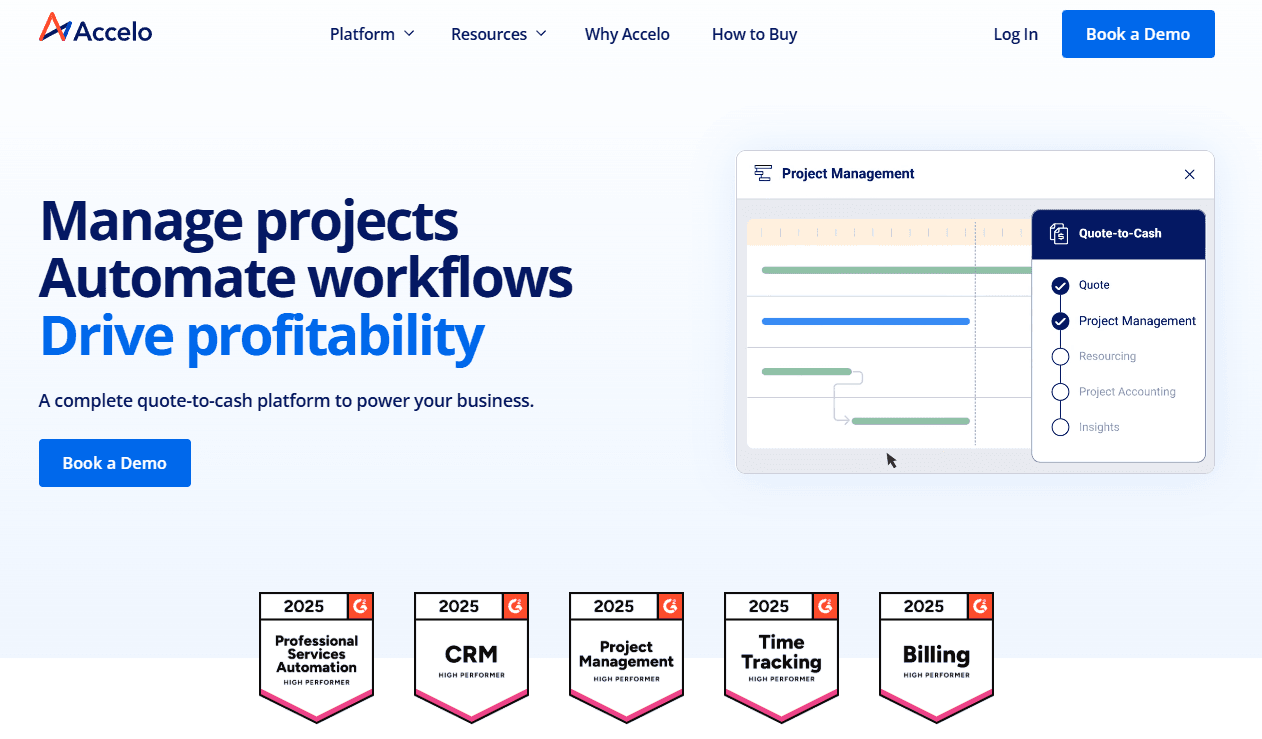
Project Management: Manage tasks, deadlines, and resources all in one workspace. This feature keeps your team organized and projects on track with real-time updates and end-to-end visibility.
Invoicing: Create and send invoices directly from Accelo, streamlining billing for professional services. Your team can customize invoices and automate recurring retainers to match your brand.
Client Portal: This feature allows your clients to view project progress, invoices, and communications. It keeps your client relationships transparent and builds trust.
Expense Tracking: You can monitor project expenses and ensure they're within budget. This helps your team maintain financial control and forecast accurately.
Reporting: Generate reports and dashboards to analyze project performance, client communication, and financial health. Your team gains insights into profitability, task efficiency, and overall resource management.

Standout Features
Automated Workflows: Accelo automates repetitive tasks and workflows, saving your team time and reducing errors. You can set up triggers for actions like sending invoices or scheduling notifications.
Client Communication Tools: Keep in touch with your clients through integrated communication features. This ensures everyone stays informed and aligned on project goals across modules.

Ease of Use
Accelo offers a user-friendly interface designed for professional service businesses. While some users mention a steep learning curve initially, the layout is intuitive once you get the hang of it. Dashboards bring essential functions together so you can easily access what you need. Features like automated workflows and time tracking simplify your work, reducing manual effort and improving forecasting accuracy. Overall, Accelo balances functionality with ease of use, making it suitable for teams looking to streamline operations.

Onboarding
Accelo’s onboarding experience is thorough, but it may seem lengthy to some team members. Your support team will find step-by-step guides and tutorials helpful for navigating modules and workflows. While setup takes time, Accelo offers live training and online resources to ease the transition. The training materials ensure your team can quickly adapt and start benefiting from the platform’s automation and CRM capabilities.

Customer Support
Accelo’s customer support stands out with its prompt and helpful responses, ensuring your team gets quick assistance when needed. Users appreciate multiple support channels, including live chat and email, which make reaching out convenient. The support team is knowledgeable and resolves issues efficiently, enhancing your overall user experience. Accelo also provides a comprehensive help center and community forums, giving you additional resources to troubleshoot and learn independently.

Integrations
Accelo integrates with Microsoft 365, Xero, QuickBooks, Continuum, Salesforce, HubSpot, Google Workspace, and various expense management platforms. Accelo also offers a RESTful API and a Forms API for custom integrations, allowing you to connect seamlessly with other applications.

Value for Money
Accelo's pricing reflects its balance between features and cost. Users appreciate the comprehensive tools for project and client management, making it a suitable choice for growing teams. The company encourages potential clients to schedule a discovery call before it shares the pricing for its three main tiers.
- Professional: Adds quote-to-cash management tools.
- Business: Includes retainer and ticket management.
- Advanced: Offers enhanced automation for scaling operations.

Accelo Specs
- API: Yes
- Billing/Invoicing: Yes
- Budgeting: Yes
- CRM Integration: Yes
- Dashboards: Yes
- Data Export: Yes
- Data Import: Yes
- Document Management: No
- Expense Tracking: Yes
- External Integrations: Yes
- Financial Analysis: No
- Forecasting: Yes
- Gantt Charts: Yes
- Inventory Tracking: No
- Multi-Currency: Yes
- Multi-User: Yes
- Notifications: Yes
- Project Management: Yes
- Resource Management: Yes
- Scheduling: Yes
- Status Notifications: Yes
- Task Scheduling/Tracking: Yes
- Time Management: Yes
- Workflow Management: Yes
Accelo FAQs
Accelo Company Overview & History
Accelo, founded in 2011 in Wollongong, Australia, is a professional services automation (PSA) tool designed to enhance operational efficiency for professional services and service-based businesses. The company has expanded globally, with offices in San Francisco and Denver in the United States. Accelo was the recipient of a majority investment by Bow River Capital in February 2024, positioning it for further growth and innovation. With a focus on CRM, client, project, and financial management, Accelo is known for high customer satisfaction and continuous innovation across its cloud-based modules.
Accelo Major Milestones
2011: Accelo was founded in Wollongong, Australia, by launching the AffinityLive Beta.
2015: Rebranded from AffinityLive to Accelo, reflecting a vision to streamline operations for professional services businesses.
2018: Opened a Denver office, expanding its presence in the United States and strengthening its North American operations.
2023: Launched Accelo v4, a major upgrade and a continuous improvement in PSA software.
2024: Acquired by Bow River Capital, expanding global reach and positioning for accelerated growth.