

Recensione Buxfer: Vantaggi, Svantaggi, Caratteristiche e Prezzi
Buxfer si distingue per la sua interfaccia intuitiva e le potenti capacità di previsione, ideale per gli appassionati di finanza personale che cercano una panoramica completa del budget.

Recensiamo gli strumenti in modo indipendente e le commissioni aiutano a finanziare i nostri test. Consulta la nostra politica sulla trasparenza, la nostra metodologia, oppure suggerisci uno strumento.
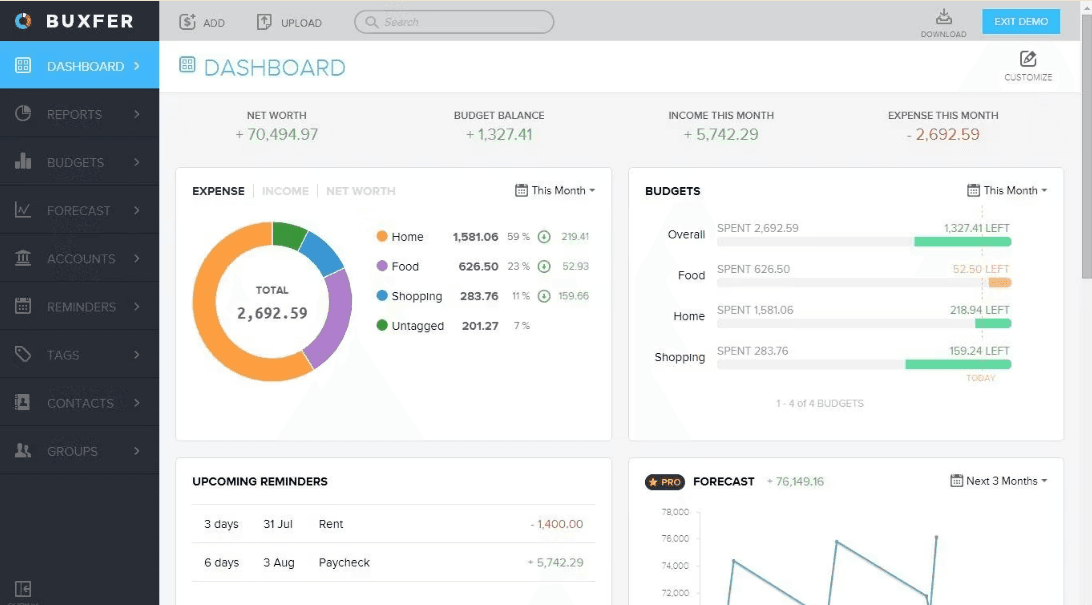
Buxfer is a budgeting and planning software for individuals and households who need to track spending, forecast cash flow, and manage budgets across multiple linked accounts. I'd consider it if you want automated transaction categorization and multi-account visibility without the hands-on budgeting discipline that YNAB requires—Buxfer takes a more passive, tracking-first approach that suits people who want financial awareness without constant manual input.
Buxfer Evaluation Summary
4.5/5
- From $7.99/user/month (billed annually)
- Free app available
Perché fidarsi dei nostri consigli sui software
6,700+
Reviews
20
Industry experts
16+
Evaluation factors
14
Years
Le nostre recensioni riflettono il nostro giudizio indipendente, non un discorso di vendita. Scopri come manteniamo la trasparenza.
Per questa guida, abbiamo valutato gli strumenti attraverso test pratici e ricerche indipendenti, assegnando un punteggio agli strumenti in base ai nostri criteri di selezione.
Le nostre recensioni riflettono il nostro giudizio editoriale umano, non un discorso di vendita.
Buxfer Overview
In my opinion, Buxfer is a solid choice for those seeking a user-friendly budgeting solution and one of the best personal finance software options for individuals wanting real-time visibility across credit cards, investment accounts, and bank accounts. Its standout features, like financial forecasting, set it apart, though it might not match the extensive integration options of competitors like Intuit Quickbooks or YNAB. It is excellent for small businesses and individuals who need straightforward budgeting and bookkeeping without overwhelming complexity. While its onboarding process is smooth, it could improve in customer support and integration flexibility. If your team prioritizes ease of use, clean user experience, and effective financial tracking, Buxfer is worth considering for both financial planning and net worth monitoring.
Pros
- You’ll appreciate the intuitive interface that makes budgeting simple.
- Its detailed financial forecasting helps your team plan effectively.
- You can track expenses with ease, keeping your finances organized.
Cons
- You might find customer support response times lacking.
- Advanced users may feel limited by its customization shortfalls.
- It could offer more flexibility in report generation for your work.
Is Buxfer Right For Your Needs?
Who Would be a Good Fit for Buxfer?
Buxfer is perfect for small businesses, freelancers, and finance teams that need straightforward budgeting tools with solid money management functions. Its intuitive interface makes it easy for you to track expenses and manage finances without hassle. If your team values detailed financial forecasting and effective budget tracking, Buxfer’s features will support your financial goals well. It’s especially useful for those who prefer simple financial software over complex systems.
- FreelancersYou’ll find Buxfer’s expense tracking invaluable for managing your finances with ease, especially through the mobile app and web app.
- Small BusinessesBuxfer offers financial forecasting that helps your team plan budgets effectively and monitor net worth and cash flow.
- Finance DepartmentsYour team can use Buxfer for straightforward budget management, bookkeeping, and financial planning.
- Personal FinanceBuxfer’s user-friendly interface is perfect for individuals managing their own budgets and reviewing their financial app dashboards.
- Non-ProfitsYou can rely on Buxfer for cost-effective financial tracking and reporting across multi-currency accounts.
- StartupsBuxfer supports your need for clear budgeting, syncing of bank accounts, and expense management as you grow.
Who Would be a Bad Fit for Buxfer?
Buxfer might not suit large enterprises or tech-heavy industries that need complex integrations, advanced aggregator tools, or sophisticated accounting software automation. If your team relies on extensive reporting and tailored financial solutions, Buxfer’s limited customization options could be a drawback. Companies needing robust customer support might also find it lacking. It’s best for straightforward budgeting rather than intricate financial systems requiring industry-standard ERP integrations.
- Large CorporationsYour team may find Buxfer’s limited customization inadequate for complex financial needs.
- Tech StartupsBuxfer doesn’t offer the integrations tech-heavy environments often require for seamless operation, even with its API.
- Enterprise Finance TeamsYou need more advanced reporting features than Buxfer provides for detailed financial analysis.
- Manufacturing IndustriesBuxfer lacks the specific functionalities needed for managing large-scale production budgets.
- Retail ChainsYour complex inventory and sales tracking might not align with Buxfer’s simpler budgeting tools.
- Healthcare OrganizationsBuxfer’s limited customer support may not meet the demands of personalized healthcare environments.
Come testiamo e valutiamo gli strumenti
Abbiamo impiegato anni a costruire, perfezionare e migliorare il nostro sistema di test e valutazione dei software. Il nostro schema è progettato per cogliere le sfumature della scelta del software e ciò che rende uno strumento efficace, concentrandosi sugli aspetti critici del processo decisionale. Di seguito puoi vedere esattamente come funzionano i nostri test e le nostre valutazioni in base a sette criteri. Questo ci permette di offrire una valutazione imparziale del software basata su funzionalità di base, caratteristiche distintive, facilità d’uso, onboarding, assistenza clienti, integrazioni, recensioni dei clienti e rapporto qualità-prezzo.
Funzionalità principali (25% del punteggio finale)
Il punto di partenza della nostra valutazione è sempre la funzionalità principale dello strumento. Dispone delle funzionalità base che un utente si aspetterebbe di trovare? Alcune di queste funzionalità sono riservate ai piani a pagamento più elevati? In sostanza, ci aspettiamo che uno strumento sia all’altezza delle capacità minime dei concorrenti.
Caratteristiche distintive (25% del punteggio finale)
Successivamente, valutiamo le caratteristiche distintive che vanno oltre la funzionalità principale normalmente presente negli strumenti di questo tipo. Un punteggio elevato riflette funzionalità specializzate o uniche che rendono il prodotto più rapido, efficiente o offrono valore aggiunto all’utente. Valutiamo inoltre quanto sia semplice integrare il software con altri strumenti tipicamente presenti nello stack tecnologico, per estenderne la funzionalità e l’utilità. Gli strumenti che offrono numerose integrazioni native, connessioni di terze parti e accesso API per creare integrazioni personalizzate ottengono il punteggio migliore.
Facilità d’uso (10% del punteggio finale)
Consideriamo quanto sia rapido e semplice eseguire le attività fondamentali previste dallo strumento. Un software con punteggio elevato è ben progettato, intuitivo da usare, offre app mobile, modelli predefiniti e semplifica operazioni complesse.
Onboarding (10% del punteggio finale)
Sappiamo quanto sia importante l’adozione rapida da parte del team quando si introduce una nuova piattaforma: per questo valutiamo quanto sia facile imparare e utilizzare lo strumento con una formazione minima. Valutiamo la rapidità con cui un membro del team può impostare e iniziare a utilizzare lo strumento senza esperienza pregressa. Le soluzioni con punteggio alto richiedono poco o nessun supporto.
Assistenza clienti (10% del punteggio finale)
Analizziamo quanto sia semplice e veloce ottenere aiuto tramite telefono, live chat o knowledge base. Gli strumenti e le aziende che offrono supporto in tempo reale ottengono i punteggi migliori, mentre i chatbot ricevono i punteggi più bassi.
Recensioni dei clienti (10% del punteggio finale)
Oltre ai nostri test e valutazioni, consideriamo il net promoter score dei clienti attuali e passati. Verifichiamo la probabilità che i clienti scelgano nuovamente lo strumento per le funzionalità di base. Un software con punteggio elevato riflette un net promoter score alto da parte dei clienti vecchi e attuali.
Rapporto qualità-prezzo (10% del punteggio finale)
Infine, considerando tutti gli altri criteri, valutiamo il prezzo medio dei piani base rispetto alle funzionalità principali e agli altri criteri di valutazione. I software che offrono di più, a un costo inferiore, ottengono punteggi migliori.
Core Features
Expense Tracking: Buxfer lets you track your expenses easily, helping you see where your money goes. You can categorize expenses to get a clear picture of spending habits, supporting better money management.
Budget Planning: Set up budgets for different categories and watch your spending against them. This helps your team stick to financial goals and avoid overspending, making it a suitable lightweight budgeting software alternative.
Financial Forecasting: Buxfer provides tools to predict future financial scenarios and forecast cash flow. You can plan better for upcoming expenses and financial commitments.
Bill Reminders: Never miss a payment with Buxfer’s timely bill reminders for credit cards, utilities, and bank accounts.
Account Syncing: Connect all your bank accounts to Buxfer for a unified financial view with real-time bank sync. This feature keeps your data up to date and accurate through cloud-based syncing.
Custom Reports: Generate reports that suit your specific needs with Buxfer. You can analyze your financial data in a way that makes sense for your work.
Ease of Use
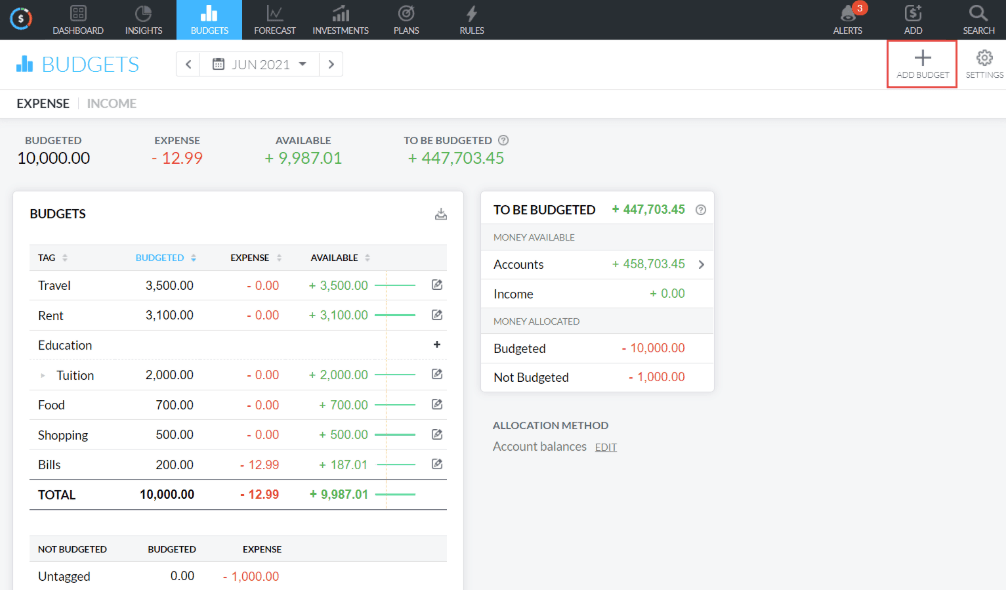
Buxfer is user-friendly, making budgeting easy for you and your team. Its intuitive interface simplifies tasks like tracking expenses and setting budgets. Users often praise its simple setup and the ease of accessing financial information quickly across the mobile app and web app. Buxfer’s layout is clean and organized, which helps you focus on managing finances without unnecessary complications.
Integrations
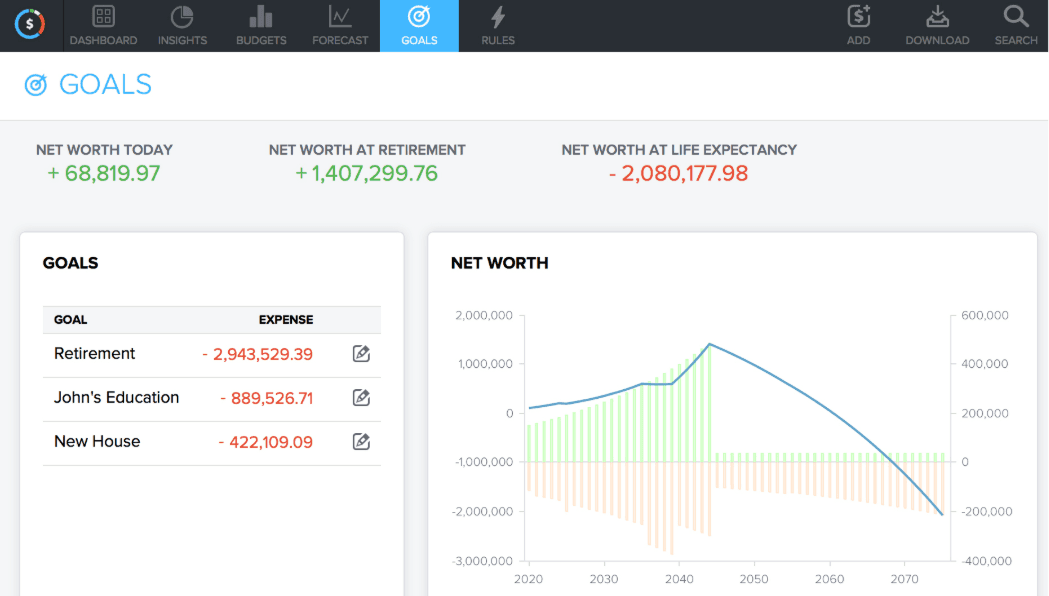
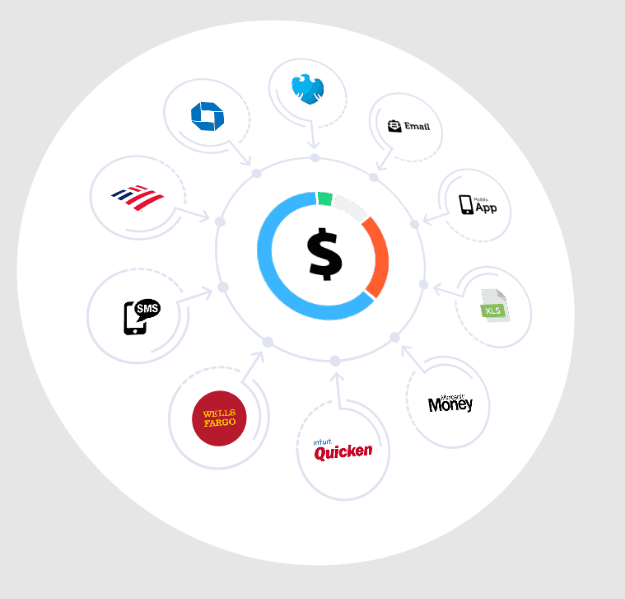
Buxfer integrates with Bank of America, Chase, Citibank, Barclays, Capital One, Discover Card, American Express, and TD Bank. The software supports over 20,000 banks for syncing.
Buxfer also offers an API, allowing for further customization and integration with third-party tools.
Buxfer Specs
- 2-Factor Authentication: No
- Accounts Payable: No
- Accounts Receivable: No
- API: Yes
- Approval Workflows: No
- Balance Sheet: No
- Billing/Invoicing: No
- Budgeting: Yes
- Calendar Management: No
- Comparative Reporting: No
- CRM Integration: No
- Custom Reports: No
- Customer Management: No
- Dashboard: Yes
- Data Export: Yes
- Data Import: Yes
- Data Visualization: No
- Expense Tracking: Yes
- External Integrations: No
- Forecasting: Yes
- General Account Ledger: No
- Historical Data Analysis: No
- Inventory Tracking: No
- Multi-Currency: Yes
- Multi-User: Yes
- Notifications: Yes
- P&L: No
- Payroll: No
- Scenario Planning: No
- Scheduling: No
- Supplier Management: No
- Tax Management: No
- Time Management: No


