

Recensione di Cetec ERP: vantaggi, svantaggi, funzionalità principali e panoramica dei prezzi
Curious if Cetec ERP truly streamlines manufacturing ops or just adds noise? I cut through the fluff and reveal where Cetec ERP shines—and where it’ll test your patience.

Recensiamo gli strumenti in modo indipendente e le commissioni aiutano a finanziare i nostri test. Consulta la nostra politica sulla trasparenza, la nostra metodologia, oppure suggerisci uno strumento.
Cetec ERP is a cloud-based ERP software built for small to mid-sized manufacturers that need quoting, production scheduling, inventory control, MRP, quality, and accounting running inside one system. I'd consider it if you're outgrowing QuickBooks plus spreadsheets and want shop floor visibility without stitching together separate tools. Compared to NetSuite, Cetec ERP is a better fit when you want manufacturing-specific workflows out of the box and flat per-user pricing, rather than a broader business suite that leans on partner customization and tiered module fees to cover the same production needs. Shops doing electronics assembly and similar discrete work get the tightest fit, since financial accounting sits on the same records as the job.
Cetec ERP Evaluation Summary
4.3/5
- From $50/user/month
- 30-day free trial
Perché fidarsi dei nostri consigli sui software
6,700+
Reviews
20
Industry experts
16+
Evaluation factors
14
Years
Le nostre recensioni riflettono il nostro giudizio indipendente, non un discorso di vendita. Scopri come manteniamo la trasparenza.
Per questa guida, abbiamo valutato gli strumenti attraverso test pratici e ricerche indipendenti, assegnando un punteggio agli strumenti in base ai nostri criteri di selezione.
Le nostre recensioni riflettono il nostro giudizio editoriale umano, non un discorso di vendita.
Cetec ERP Overview
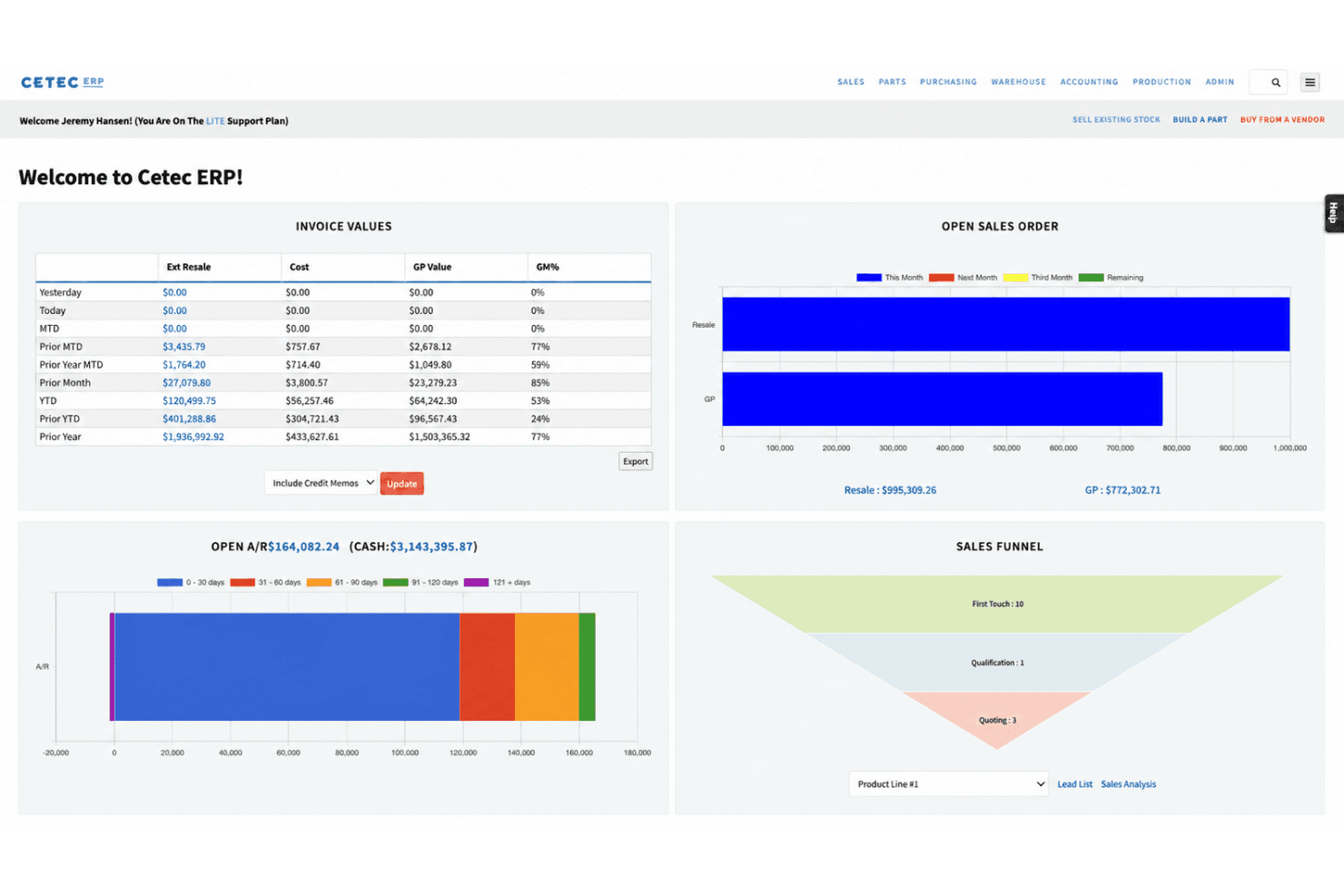
Cetec ERP offers flat per-user pricing, built-in manufacturing features, and real traceability from quoting to invoicing, which makes it an obvious pick if you’re moving away from entry-level accounting tools. I think its deep manufacturing controls, like revision tracking and integrated quality management, are stronger than those in most generic ERP systems. Where it lags is business intelligence—custom reports take work, and the dashboards won’t impress anyone. The interface can feel dated, and onboarding does take commitment, but the functionality outweighs the learning curve for teams who want everything in one system. You’ll get the most value if you need manufacturing workflow coverage out of the box without third-party add-ons.
Pros
- Flat per-user pricing with no hidden module fees
- Deep manufacturing controls like revision and quality tracking
- Strong real-time traceability across quoting to fulfillment
Cons
- Outdated user interface compared to newer ERP platforms
- Limited native reporting and dashboard customization options
- Training and onboarding require significant upfront effort
Is Cetec ERP Right For Your Needs?
Who Would be a Good Fit for Cetec ERP?
Cetec ERP is a good fit for manufacturers and supply chain businesses that need deep shop floor control, strict traceability, and integrated quality management all in one cloud system. Its lower cost, extensive manufacturing modules, and traceability features make it ideal for small to midsize manufacturers, quality managers, and teams that prioritize process oversight. Warehouse management sits in the same system rather than in a separate WMS, which matters if you’re consolidating tools. I think businesses needing advanced inventory, audit trails, or industries under heavy compliance should find the structure and capabilities of Cetec ERP especially valuable.
- Contract ManufacturingCetec ERP supports traceability, work order management, and documentation—key needs for contract manufacturers handling complex jobs.
- Aerospace SuppliersThe system’s audit trails, quality management, and revision controls help aerospace businesses meet tough regulatory and customer requirements.
- Small ManufacturersIts affordable per-user pricing and integrated cloud modules are well-suited for small companies that need detailed production and inventory data.
- Medical Device MakersBuilt-in lot tracking, revision control, and quality management help these businesses address strict compliance mandates.
- Quality Management TeamsIntegrated quality control, audit logging, and documentation tracking help support ISO or customer quality programs.
- Inventory ManagersCetec ERP’s real-time inventory visibility, barcode support, mobile warehousing, and multi-warehouse features address complex stock tracking needs.
Who Would be a Bad Fit for Cetec ERP?
Cetec ERP isn’t suited to service-focused industries, larger enterprises with highly custom processes, or teams needing modern, user-friendly design and deep customization. Retail, project-based service firms, or fast-growing startups needing rapid onboarding could find the interface and structure limiting. If your business depends on frequent customization, lightweight workflows, or managing non-manufacturing operations, Cetec ERP may not align well with your needs.
- Retail ChainsCetec ERP doesn’t focus on retail point-of-sale, multi-store setup, or consumer sales tracking.
- Professional ServicesIt lacks project billing, time tracking, and resource scheduling found in systems designed for consulting or agencies.
- Large EnterprisesHighly complex organizations needing advanced customization, integration, or multi-entity consolidations may outgrow Cetec ERP’s structure.
- Startup TeamsThe dated interface and significant onboarding curve are usually too much for small, fast-paced startup environments.
- NonprofitsCetec ERP doesn’t offer fund accounting, donor management, or grant tracking tools needed for nonprofit financials.
- Field ServicesThe platform doesn’t address dispatch, mobile work order management, or GPS tracking for field service teams.
Come testiamo e valutiamo gli strumenti
Abbiamo impiegato anni a costruire, perfezionare e migliorare il nostro sistema di test e valutazione dei software. Il nostro schema è progettato per cogliere le sfumature della scelta del software e ciò che rende uno strumento efficace, concentrandosi sugli aspetti critici del processo decisionale. Di seguito puoi vedere esattamente come funzionano i nostri test e le nostre valutazioni in base a sette criteri. Questo ci permette di offrire una valutazione imparziale del software basata su funzionalità di base, caratteristiche distintive, facilità d’uso, onboarding, assistenza clienti, integrazioni, recensioni dei clienti e rapporto qualità-prezzo.
Funzionalità principali (25% del punteggio finale)
Il punto di partenza della nostra valutazione è sempre la funzionalità principale dello strumento. Dispone delle funzionalità base che un utente si aspetterebbe di trovare? Alcune di queste funzionalità sono riservate ai piani a pagamento più elevati? In sostanza, ci aspettiamo che uno strumento sia all’altezza delle capacità minime dei concorrenti.
Caratteristiche distintive (25% del punteggio finale)
Successivamente, valutiamo le caratteristiche distintive che vanno oltre la funzionalità principale normalmente presente negli strumenti di questo tipo. Un punteggio elevato riflette funzionalità specializzate o uniche che rendono il prodotto più rapido, efficiente o offrono valore aggiunto all’utente. Valutiamo inoltre quanto sia semplice integrare il software con altri strumenti tipicamente presenti nello stack tecnologico, per estenderne la funzionalità e l’utilità. Gli strumenti che offrono numerose integrazioni native, connessioni di terze parti e accesso API per creare integrazioni personalizzate ottengono il punteggio migliore.
Facilità d’uso (10% del punteggio finale)
Consideriamo quanto sia rapido e semplice eseguire le attività fondamentali previste dallo strumento. Un software con punteggio elevato è ben progettato, intuitivo da usare, offre app mobile, modelli predefiniti e semplifica operazioni complesse.
Onboarding (10% del punteggio finale)
Sappiamo quanto sia importante l’adozione rapida da parte del team quando si introduce una nuova piattaforma: per questo valutiamo quanto sia facile imparare e utilizzare lo strumento con una formazione minima. Valutiamo la rapidità con cui un membro del team può impostare e iniziare a utilizzare lo strumento senza esperienza pregressa. Le soluzioni con punteggio alto richiedono poco o nessun supporto.
Assistenza clienti (10% del punteggio finale)
Analizziamo quanto sia semplice e veloce ottenere aiuto tramite telefono, live chat o knowledge base. Gli strumenti e le aziende che offrono supporto in tempo reale ottengono i punteggi migliori, mentre i chatbot ricevono i punteggi più bassi.
Recensioni dei clienti (10% del punteggio finale)
Oltre ai nostri test e valutazioni, consideriamo il net promoter score dei clienti attuali e passati. Verifichiamo la probabilità che i clienti scelgano nuovamente lo strumento per le funzionalità di base. Un software con punteggio elevato riflette un net promoter score alto da parte dei clienti vecchi e attuali.
Rapporto qualità-prezzo (10% del punteggio finale)
Infine, considerando tutti gli altri criteri, valutiamo il prezzo medio dei piani base rispetto alle funzionalità principali e agli altri criteri di valutazione. I software che offrono di più, a un costo inferiore, ottengono punteggi migliori.
Core Features
Quoting and Order Management
Manufacturing quoting, sales orders, and revisions live in one place. Linked sales management workflows keep every step and version visible to the whole team.
Production Scheduling
Plan, track, and adjust jobs on a built-in scheduling board. Production management runs off visual timelines instead of spreadsheet juggling.
Inventory Control and MRP
Track raw material, WIP, and finished goods in real time to lot or serial number. Inventory management and MRP plan orders straight off the bill of materials.
Quality Management
Quality assurance checks, corrective actions, and traceability from receiving to shipment. NCRs and approval workflows cut mistakes and document compliance.
Revision and Document Control
Attach, manage, and audit product revisions and drawings inside job records. Document management logs every change, so teams work off the right version.
Integrated Accounting
Purchase order, invoicing, payables, and financial reporting in one system. Job and inventory data connect for accurate cost tracking and margin analysis.
Ease of Use
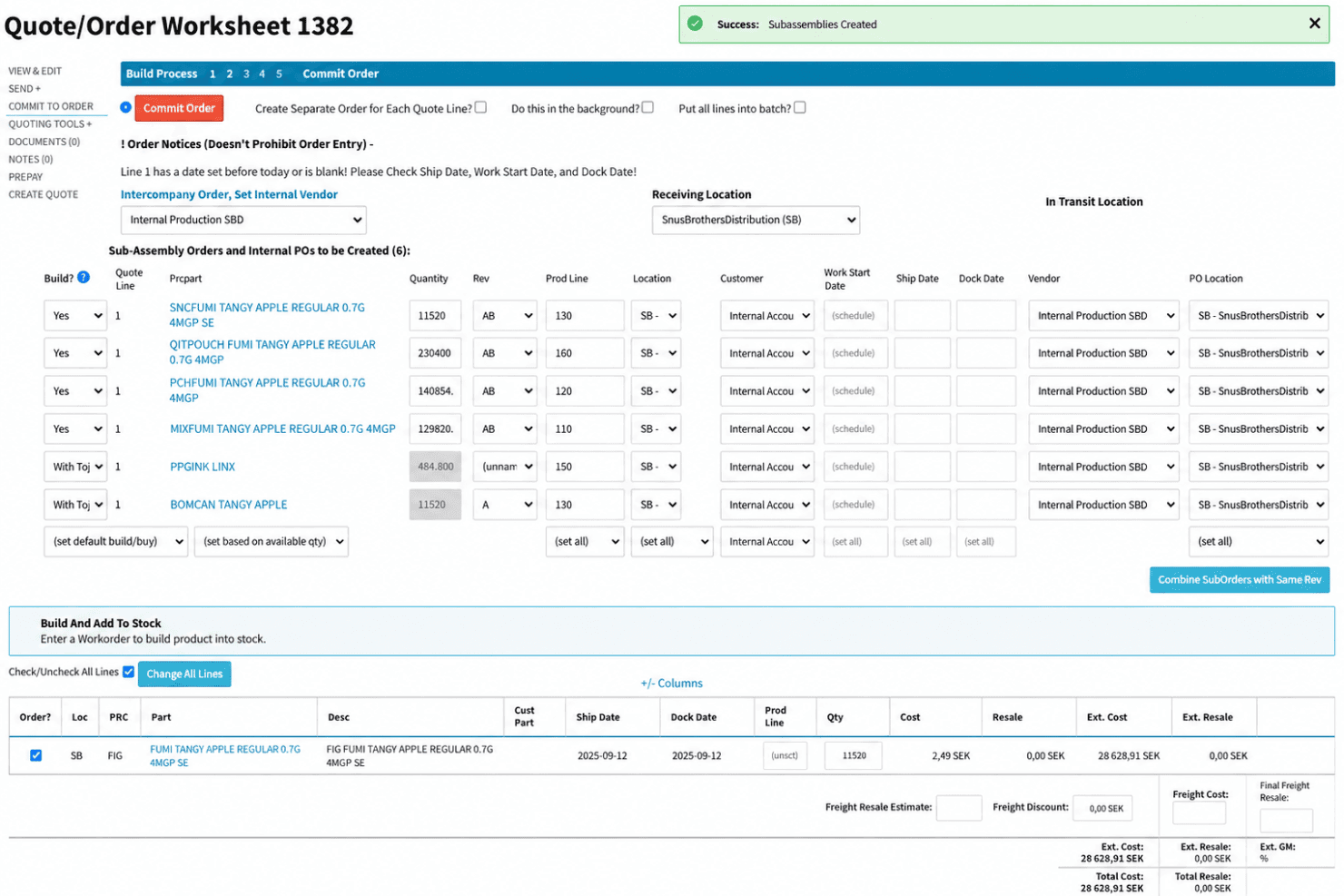
Cetec ERP isn’t the easiest ERP to pick up—the interface feels dated, menus are dense, and building custom reports or dashboards takes some patience. But once you’re past onboarding, the workflows for quoting, scheduling, inventory, and quality management are tightly integrated and logical. Teams who need deep manufacturing features and traceability in one place should find daily use reliable, despite the learning curve.
Integrations
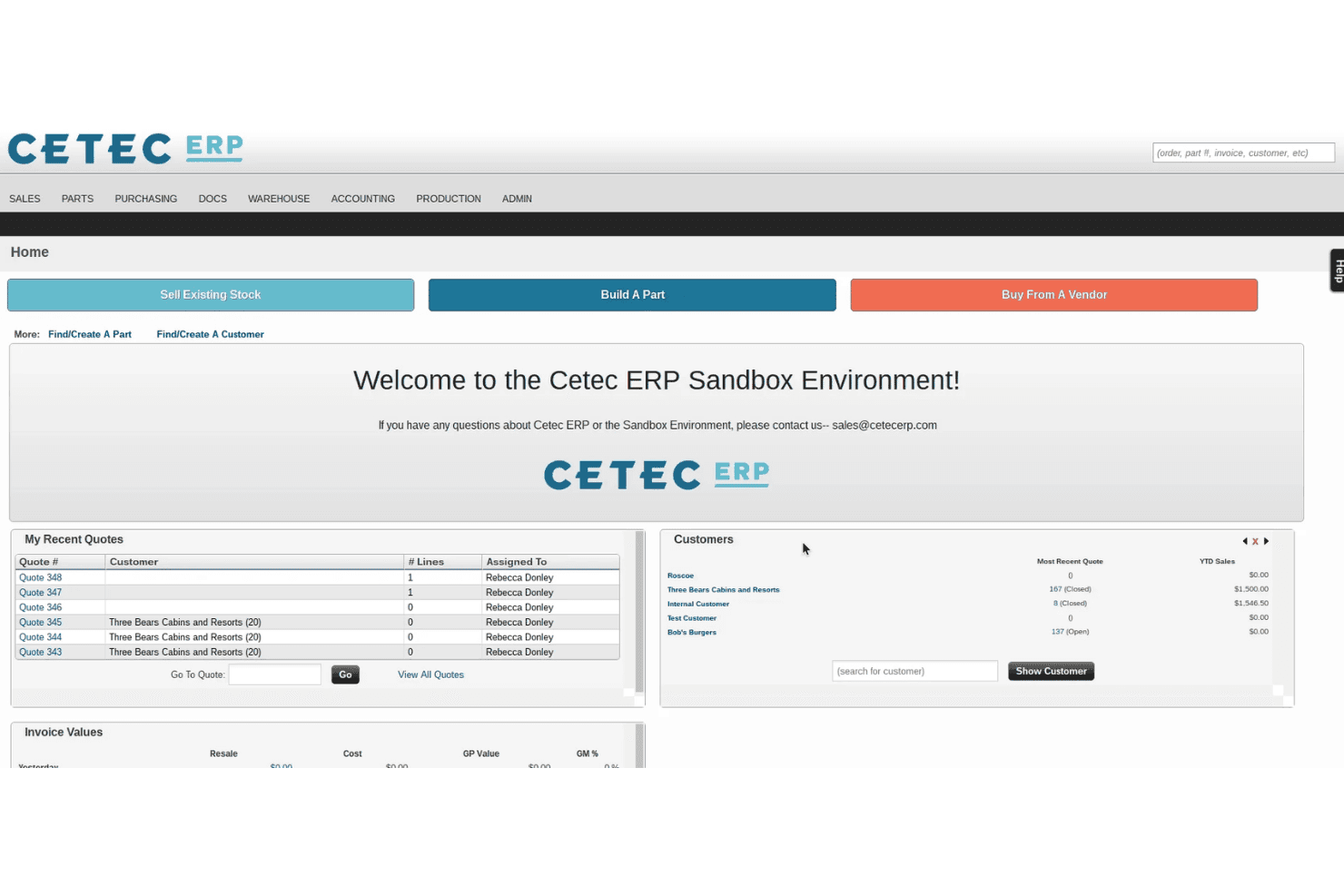
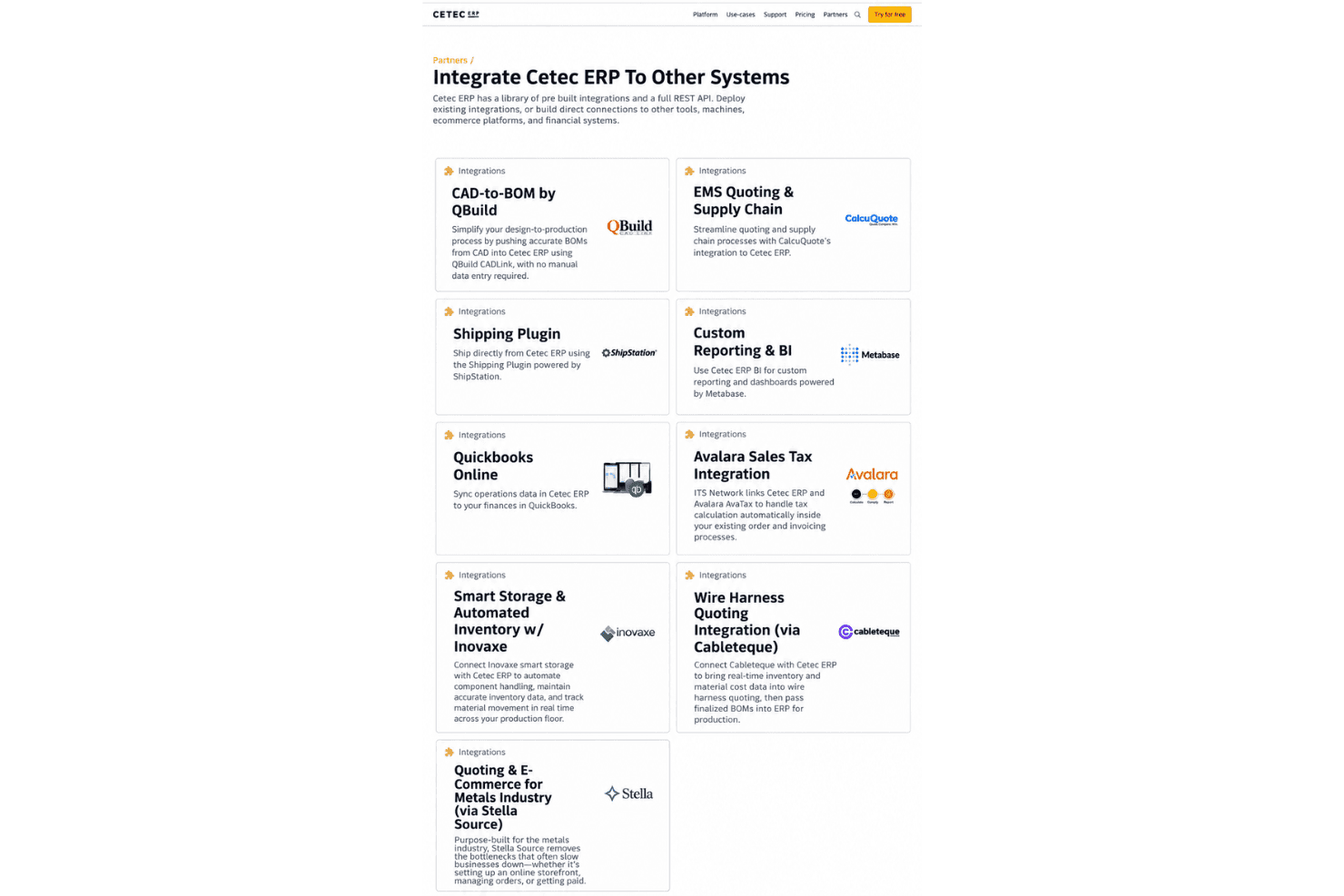
Cetec ERP integrates with QuickBooks Online, Avalara, ShipStation, HubSpot, Microsoft Excel, Zapier, Salesforce, WooCommerce, UPS, and FedEx, among others.
Cetec ERP also offers an open API and supports connections with third-party integration tools like Zapier; the public APIs cover the main record types if you need to build your own.
New Product Updates from Cetec ERP
Cetec ERP Adds Boardera Integration for PCB Quoting
Cetec ERP now sends parts and inventory data directly into Boardera, where teams can analyze BOMs, source components, calculate labor and material costs, and generate PCB quotes. The integration helps estimators use current inventory while keeping their existing costing rules and formulas. Highlights include:
- Live Inventory Data: Use current Cetec ERP parts and inventory information directly in Boardera.
- Faster RFQ Processing: Reduce repeated searches and manual re-entry during PCB quoting.
- PCB Analysis and Costing: Support BOM scrubbing, sourcing, labor and material costing, DFM review, and quote generation.
- Existing Costing Rules: Keep company-specific labor settings, pricing rules, and Excel-based formulas.
- RFQ-to-Order Handoff: Create a more direct path from incoming RFQ to a production-ready order.
Visit Cetec ERP’s official site for more details.
Cetec ERP Introduces A/R Payment Rounding Adjustments
Cetec ERP introduces Raw Applied Total and Rounding Adjustment values on A/R payment pages, along with an Apply action for small precision differences. The workflow helps users reconcile exact invoice balances and prevents payments from being completed until required adjustments are resolved. Highlights include:
- Raw Applied Total: Shows the exact unrounded amount applied across invoices and other payment components.
- Rounding Adjustment: Calculates the small difference between the raw applied total and entered payment value.
- Apply Action: Creates the required write-off or charge to reconcile qualifying rounding differences.
- Completion Safeguards: Prevents payment completion while a non-zero rounding adjustment remains unresolved.
Visit Cetec ERP’s official site for more details.
Cetec ERP Specs
- Accounts Payable: Yes
- Accounts Receivable: Yes
- API: Yes
- Budgeting: Yes
- Calendar Management: Yes
- Compliance Tracking: Yes
- Customer Management: Yes
- Dashboard: Yes
- Data Export: Yes
- Data Import: Yes
- Data Visualization: Yes
- Expense Tracking: Yes
- External Integrations: Yes
- Financial Analysis: Yes
- Forecasting: Yes
- Inventory Tracking: Yes
- Multi-Currency: Yes
- Multi-User: Yes
- Notifications: Yes
- Order Management: Yes
- Payroll: Yes
- Project Management: Yes
- Purchase Orders: Yes
- Resource Management: Yes
- Scheduling: Yes
- Supplier Management: Yes
- Task Scheduling/Tracking: Yes
- Third-Party Plugins/Add-Ons: Yes
- Warehouse Management: Yes
- Workflow Management: Yes


