

Recensione di iManage: Vantaggi, Svantaggi, Caratteristiche e Prezzi
iManage eccelle nel fornire una gestione completa di email e documenti insieme a funzionalità di conformità che rispondono alle esigenze specifiche di studi legali e istituzioni finanziarie.

Recensiamo gli strumenti in modo indipendente e le commissioni aiutano a finanziare i nostri test. Consulta la nostra politica sulla trasparenza, la nostra metodologia, oppure suggerisci uno strumento.
iManage is a financial compliance platform built around document and email management. It's designed for finance and legal teams that need a centralized, auditable record of their work. I'd consider it if your team handles high volumes of sensitive documents and needs version control, access governance, and matter-centric organization. Compared to NetDocuments, iManage offers deeper Microsoft 365 integration and stronger governance controls. That makes it the better pick where document security and compliance oversight are non-negotiable.
iManage Evaluation Summary
4.3/5
- Pricing upon request
- Free demo available
Perché fidarsi dei nostri consigli sui software
6,700+
Reviews
20
Industry experts
16+
Evaluation factors
14
Years
Le nostre recensioni riflettono il nostro giudizio indipendente, non un discorso di vendita. Scopri come manteniamo la trasparenza.
Per questa guida, abbiamo valutato gli strumenti attraverso test pratici e ricerche indipendenti, assegnando un punteggio agli strumenti in base ai nostri criteri di selezione.
Le nostre recensioni riflettono il nostro giudizio editoriale umano, non un discorso di vendita.
iManage Overview
In my opinion, iManage is a solid choice for larger organizations with complex document management and compliance requirements. Its standout features include iManage Work's robust document management and security capabilities, which are crucial for compliance. However, the onboarding process could be more intuitive, especially for smaller teams or those new to such information technology systems. The platform's pricing reflects its enterprise-level features, which might not suit smaller businesses with tighter budgets. Compared to competitors, iManage excels in security and compliance features but falls short in ease of use and onboarding. It's best suited for teams that prioritize comprehensive compliance and document management over simplicity and lower costs.
Pros
- iManage Work offers strong document management capabilities that enhance your team's organization.
- The software provides excellent security features to protect your sensitive financial data.
- iManage's user interface is intuitive, making it easy for your team to adapt quickly.
Cons
- Some users find the initial setup process time-consuming.
- Limited customization options might restrict the degree to which you can tailor the software to your needs.
- Customer support response times can sometimes be slow, which could impact your efficiency.
Is iManage Right For Your Needs?
Who Would be a Good Fit for iManage?
iManage is ideal for legal firms and finance departments that need document management software that enables strong security. If your team handles sensitive information, iManage's security features help protect your data. The intuitive interface supports quick adaptation, which is essential for fast-paced environments. Teams that prioritize organization and data integrity will find that iManage's features align well with their goals.
- Legal Departments and FirmsiManage provides strong legal document management and security, crucial for handling sensitive files.
- Finance DepartmentsThe software's security features safeguard your financial data, ensuring compliance and data integrity.
- Small BusinessesWith its intuitive interface, iManage is easy for your small team to adopt and use efficiently.
- Accounting FirmsiManage allows accounting firms to protect confidential client data and meet specific requirements.
- Corporate ComplianceThe software supports your compliance efforts with document management and audit trails.
- Government DepartmentsiManage helps federal, state, and local government departments manage confidential documents and data securely.
Who Would be a Bad Fit for iManage?
iManage might not suit startups or tech companies that need highly customizable solutions. Its limited options can frustrate teams that need flexibility in their workflows. If your team relies on rapid implementation, the time-consuming setup could be a hindrance. Additionally, if quick customer support is crucial for your operations, iManage's slower response times might not align with your needs.
- StartupsThe limited customization options may not provide the flexibility your agile team needs.
- Tech CompaniesYour need for rapid deployment might conflict with iManage's time-consuming setup process.
- Creative AgenciesThe software's structured document management may not fit your dynamic and creative workflows.
- Large EnterprisesIf quick customer support is critical, iManage's slower response times could impact your operations.
- Retail BusinessesYour fast-paced environment might not benefit from iManage's slower setup and support.
- Marketing TeamsThe rigid structure may not support the creative and flexible nature of your marketing projects.
Come testiamo e valutiamo gli strumenti
Abbiamo impiegato anni a costruire, perfezionare e migliorare il nostro sistema di test e valutazione dei software. Il nostro schema è progettato per cogliere le sfumature della scelta del software e ciò che rende uno strumento efficace, concentrandosi sugli aspetti critici del processo decisionale. Di seguito puoi vedere esattamente come funzionano i nostri test e le nostre valutazioni in base a sette criteri. Questo ci permette di offrire una valutazione imparziale del software basata su funzionalità di base, caratteristiche distintive, facilità d’uso, onboarding, assistenza clienti, integrazioni, recensioni dei clienti e rapporto qualità-prezzo.
Funzionalità principali (25% del punteggio finale)
Il punto di partenza della nostra valutazione è sempre la funzionalità principale dello strumento. Dispone delle funzionalità base che un utente si aspetterebbe di trovare? Alcune di queste funzionalità sono riservate ai piani a pagamento più elevati? In sostanza, ci aspettiamo che uno strumento sia all’altezza delle capacità minime dei concorrenti.
Caratteristiche distintive (25% del punteggio finale)
Successivamente, valutiamo le caratteristiche distintive che vanno oltre la funzionalità principale normalmente presente negli strumenti di questo tipo. Un punteggio elevato riflette funzionalità specializzate o uniche che rendono il prodotto più rapido, efficiente o offrono valore aggiunto all’utente. Valutiamo inoltre quanto sia semplice integrare il software con altri strumenti tipicamente presenti nello stack tecnologico, per estenderne la funzionalità e l’utilità. Gli strumenti che offrono numerose integrazioni native, connessioni di terze parti e accesso API per creare integrazioni personalizzate ottengono il punteggio migliore.
Facilità d’uso (10% del punteggio finale)
Consideriamo quanto sia rapido e semplice eseguire le attività fondamentali previste dallo strumento. Un software con punteggio elevato è ben progettato, intuitivo da usare, offre app mobile, modelli predefiniti e semplifica operazioni complesse.
Onboarding (10% del punteggio finale)
Sappiamo quanto sia importante l’adozione rapida da parte del team quando si introduce una nuova piattaforma: per questo valutiamo quanto sia facile imparare e utilizzare lo strumento con una formazione minima. Valutiamo la rapidità con cui un membro del team può impostare e iniziare a utilizzare lo strumento senza esperienza pregressa. Le soluzioni con punteggio alto richiedono poco o nessun supporto.
Assistenza clienti (10% del punteggio finale)
Analizziamo quanto sia semplice e veloce ottenere aiuto tramite telefono, live chat o knowledge base. Gli strumenti e le aziende che offrono supporto in tempo reale ottengono i punteggi migliori, mentre i chatbot ricevono i punteggi più bassi.
Recensioni dei clienti (10% del punteggio finale)
Oltre ai nostri test e valutazioni, consideriamo il net promoter score dei clienti attuali e passati. Verifichiamo la probabilità che i clienti scelgano nuovamente lo strumento per le funzionalità di base. Un software con punteggio elevato riflette un net promoter score alto da parte dei clienti vecchi e attuali.
Rapporto qualità-prezzo (10% del punteggio finale)
Infine, considerando tutti gli altri criteri, valutiamo il prezzo medio dei piani base rispetto alle funzionalità principali e agli altri criteri di valutazione. I software che offrono di più, a un costo inferiore, ottengono punteggi migliori.
Core Features
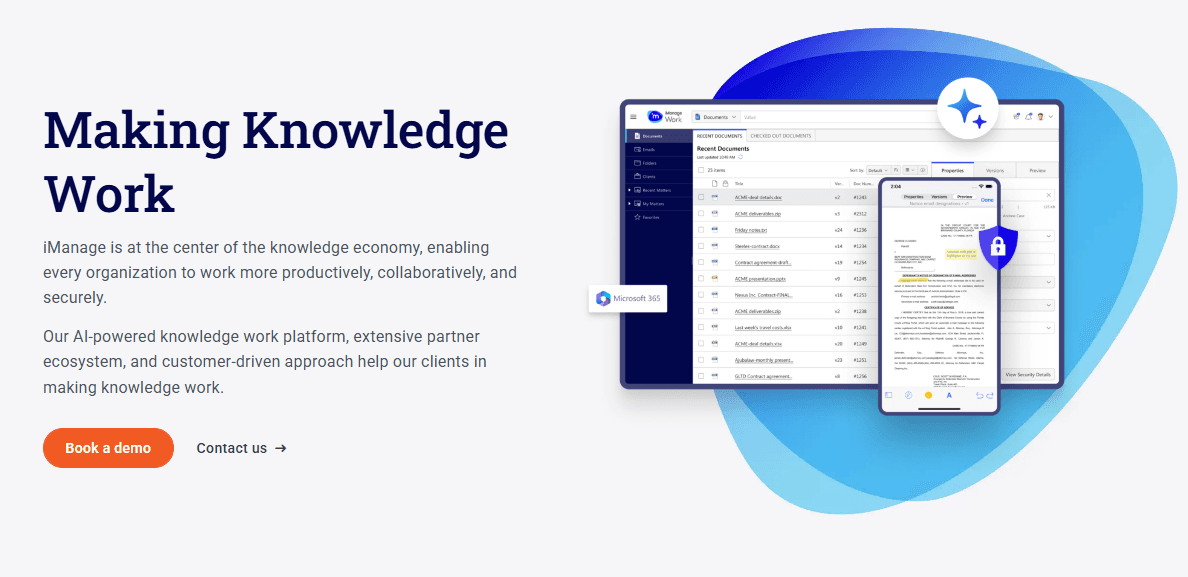
Document Management: iManage helps your team organize and store documents securely. You can access and manage files with ease.
Security Controls: The software provides robust security measures to protect your sensitive data. You can set permissions to control access.
Audit Trails: This feature tracks document changes, so you can see who did what and when. It helps your team maintain compliance.
Version Control: iManage keeps track of document versions, allowing you to revert to previous versions if needed. It ensures your team works with the most current data.
User Access Management: You can manage who has access to specific documents and data. This feature helps your team maintain control over sensitive information.

Ease of Use
iManage is generally user-friendly, with an intuitive interface that helps your team get up to speed quickly. Its straightforward navigation makes accessing documents and managing tasks easy. However, some real users mention the initial setup can be a bit time-consuming. Once everything's in place, though, your team can enjoy a smooth user experience. Compared to other options, iManage's design supports productivity, letting you focus on your work without having to deal with complicated processes.

Integrations
iManage integrates with Microsoft Office 365 (including Email Management for Outlook), Adobe Acrobat, Clio, ServiceNow, and Salesforce.
iManage also provides an API for custom integrations and connects with third-party integration tools to extend its functionality.

iManage Specs
- 2-Factor Authentication: Yes
- API: Yes
- Approval Workflows: Yes
- Audit Trail: Yes
- Batch Permissions & Access: Yes
- Chat: Yes
- Dashboard: Yes
- Data Export: Yes
- Data Import: Yes
- Document Comparison: Yes
- Document Sharing: Yes
- Electronic Signature: Yes
- Email Integration: Yes
- External Integrations: Yes
- File Sharing: Yes
- File Transfer: Yes
- Google Apps Integration: Yes
- History/Version Control: Yes
- Metadata Management: Yes
- Multi-User: Yes
- NDA Management: Yes
- Notifications: Yes
- Password & Access Management: Yes
- Project Management: Yes
- Template Designer: Yes


