

Recensione Minitab: Vantaggi, Svantaggi, Caratteristiche e Prezzi
Minitab eccelle nell'analisi dei dati finanziari grazie alla sua interfaccia intuitiva e ai potenti strumenti statistici, rendendolo una scelta eccellente per le esigenze di dati finanziari del tuo team.

Recensiamo gli strumenti in modo indipendente e le commissioni aiutano a finanziare i nostri test. Consulta la nostra politica sulla trasparenza, la nostra metodologia, oppure suggerisci uno strumento.
Minitab is a statistical analysis software built for teams that need to run quality control studies, process capability analysis, and hypothesis testing without writing code. It's worth considering if your organization runs structured improvement programs like Six Sigma or Lean, where guided statistical workflows matter. I'd choose it over SPSS when your users aren't statisticians; Minitab's interface makes it easier to reach and interpret results without deep technical training.
Minitab Evaluation Summary
4.5/5
- Pricing upon request
- Free trial available
Perché fidarsi dei nostri consigli sui software
6,700+
Reviews
20
Industry experts
16+
Evaluation factors
14
Years
Le nostre recensioni riflettono il nostro giudizio indipendente, non un discorso di vendita. Scopri come manteniamo la trasparenza.
Per questa guida, abbiamo valutato gli strumenti attraverso test pratici e ricerche indipendenti, assegnando un punteggio agli strumenti in base ai nostri criteri di selezione.
Le nostre recensioni riflettono il nostro giudizio editoriale umano, non un discorso di vendita.
Minitab Overview
In my opinion, Minitab excels as a financial data analysis tool with its strong statistical software capabilities and user-friendly interface. It is perfect for use cases like manufacturing and quality control, where precise statistical analysis and data visualization are crucial for decision-making.
While its onboarding process could be smoother, user reviews confirm that Minitab’s customer support is reliable. Compared to other software packages, Minitab offers competitive pricing and valuable functionality, though it might lack some advanced integrations. It's best suited for teams focused on quality improvement and statistical methodologies, offering a solid option for those seeking robust yet approachable statistical analysis tools.
Pros
- Its statistical tools are powerful and easy to use.
- Its intuitive interface allows users to quickly visualize data.
- It offers strong support for quality improvement projects.
Cons
- The onboarding process is a bit challenging.
- It can lack some advanced features found in other tools.
- Your team may need time to get familiar with its full capabilities.
Is Minitab Right For Your Needs?
Who Would be a Good Fit for Minitab?
Minitab is ideal for manufacturing teams and quality improvement departments. Quality control processes in specialized industries like automotive or pharmaceuticals greatly benefit from Minitab's statistical tools and capabilities. Businesses needing process improvement and optimization will benefit from the software’s excellent statistical analysis functionality. End users report benefitting from its user-friendly interface, which simplifies complex data tasks across a range of workflows.
- Manufacturing Quality ControlMinitab’s user-friendly interface helps you analyze data to improve product quality and reduce defects using proven quality control methodology.
- Automotive IndustryYour team can use Minitab's statistical tools to enhance safety and performance testing using advanced statistical studies.
- PharmaceuticalsIt supports your work in ensuring compliance and efficiency in drug development through accurate data handling and exploration.
- Education and ResearchMinitab aids in teaching statistical concepts, be it regression analysis or predictive analytics, as well as conducting data-driven research using professional statistical software.
- Healthcare AnalyticsYour team can leverage Minitab to analyze patient data for better healthcare outcomes using modern data visualization techniques.
- Small to Medium EnterprisesSMEs can use Minitab to implement cost-effective quality improvement strategies using an affordable software package with flexible pricing.
Who Would be a Bad Fit for Minitab?
Minitab might not suit tech startups or creative industries where data analysis needs are minimal or unconventional. If your team relies heavily on advanced data integrations or real-time analytics dashboards, Minitab could fall short. It's not ideal for businesses seeking comprehensive business intelligence platforms with extensive integration capabilities. Your team may find it limiting if it needs advanced features beyond traditional statistical analysis and visualization.
- Tech StartupsStartups might require more flexible and integrated data analytics options than what Minitab offers.
- Creative AgenciesYour work may not benefit from Minitab's statistical tunnel vision if creativity is your main output.
- Retail ChainsRetailers needing real-time sales analytics dashboards might find Minitab's capabilities lacking.
- Large CorporationsBig companies may need more diverse business intelligence tools than Minitab provides.
- Marketing TeamsYour team could need more qualitative data displays than Minitab’s quantitative data tools can offer.
- Logistics CompaniesLogistics firms needing real-time operational analytics might find Minitab insufficient.
Come testiamo e valutiamo gli strumenti
Abbiamo impiegato anni a costruire, perfezionare e migliorare il nostro sistema di test e valutazione dei software. Il nostro schema è progettato per cogliere le sfumature della scelta del software e ciò che rende uno strumento efficace, concentrandosi sugli aspetti critici del processo decisionale. Di seguito puoi vedere esattamente come funzionano i nostri test e le nostre valutazioni in base a sette criteri. Questo ci permette di offrire una valutazione imparziale del software basata su funzionalità di base, caratteristiche distintive, facilità d’uso, onboarding, assistenza clienti, integrazioni, recensioni dei clienti e rapporto qualità-prezzo.
Funzionalità principali (25% del punteggio finale)
Il punto di partenza della nostra valutazione è sempre la funzionalità principale dello strumento. Dispone delle funzionalità base che un utente si aspetterebbe di trovare? Alcune di queste funzionalità sono riservate ai piani a pagamento più elevati? In sostanza, ci aspettiamo che uno strumento sia all’altezza delle capacità minime dei concorrenti.
Caratteristiche distintive (25% del punteggio finale)
Successivamente, valutiamo le caratteristiche distintive che vanno oltre la funzionalità principale normalmente presente negli strumenti di questo tipo. Un punteggio elevato riflette funzionalità specializzate o uniche che rendono il prodotto più rapido, efficiente o offrono valore aggiunto all’utente. Valutiamo inoltre quanto sia semplice integrare il software con altri strumenti tipicamente presenti nello stack tecnologico, per estenderne la funzionalità e l’utilità. Gli strumenti che offrono numerose integrazioni native, connessioni di terze parti e accesso API per creare integrazioni personalizzate ottengono il punteggio migliore.
Facilità d’uso (10% del punteggio finale)
Consideriamo quanto sia rapido e semplice eseguire le attività fondamentali previste dallo strumento. Un software con punteggio elevato è ben progettato, intuitivo da usare, offre app mobile, modelli predefiniti e semplifica operazioni complesse.
Onboarding (10% del punteggio finale)
Sappiamo quanto sia importante l’adozione rapida da parte del team quando si introduce una nuova piattaforma: per questo valutiamo quanto sia facile imparare e utilizzare lo strumento con una formazione minima. Valutiamo la rapidità con cui un membro del team può impostare e iniziare a utilizzare lo strumento senza esperienza pregressa. Le soluzioni con punteggio alto richiedono poco o nessun supporto.
Assistenza clienti (10% del punteggio finale)
Analizziamo quanto sia semplice e veloce ottenere aiuto tramite telefono, live chat o knowledge base. Gli strumenti e le aziende che offrono supporto in tempo reale ottengono i punteggi migliori, mentre i chatbot ricevono i punteggi più bassi.
Recensioni dei clienti (10% del punteggio finale)
Oltre ai nostri test e valutazioni, consideriamo il net promoter score dei clienti attuali e passati. Verifichiamo la probabilità che i clienti scelgano nuovamente lo strumento per le funzionalità di base. Un software con punteggio elevato riflette un net promoter score alto da parte dei clienti vecchi e attuali.
Rapporto qualità-prezzo (10% del punteggio finale)
Infine, considerando tutti gli altri criteri, valutiamo il prezzo medio dei piani base rispetto alle funzionalità principali e agli altri criteri di valutazione. I software che offrono di più, a un costo inferiore, ottengono punteggi migliori.
Core Features
Statistical Analysis Tools: Minitab offers powerful statistical tools that help you analyze data accurately. Your team can quickly perform regression, ANOVA, and more statistical methods using advanced statistical analysis software.
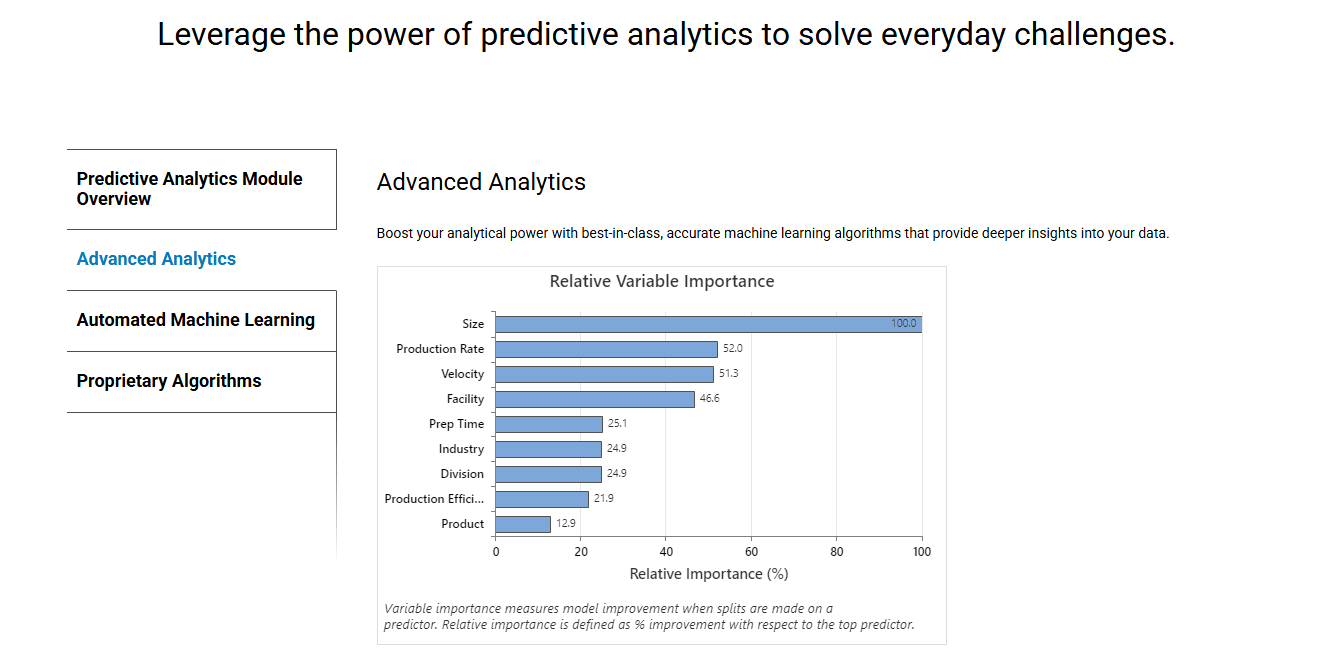
Data Visualization: With Minitab, you can create clear graphs and charts to visualize your data. This module makes your work easier by turning complex data into data-based insights that are easier to grasp.
Quality Improvement Tools: Minitab supports your quality improvement projects with tools like control charts. It helps your team maintain and improve product standards through continuous optimization.
Predictive Analytics: You can use predictive analytics to forecast trends and outcomes. Minitab's machine learning tools help you make informed decisions based on advanced data analytics.
Hypothesis Testing: Minitab provides tools for hypothesis testing, allowing your team to validate assumptions. It ensures your decisions are backed by data.
Design of Experiments (DOE): Your team can design experiments to optimize processes and products. Minitab's DOE tools help you identify key factors affecting your outcomes.
Ease of Use
Minitab is generally user-friendly, making it accessible for those new to statistical analysis. You’ll find its interface intuitive, allowing your team to navigate through its features with ease. While it might take some time to master its full capabilities, the learning curve isn't steep. Compared to other financial data analysis software, Minitab simplifies complex tasks, enabling your team to focus on data-driven decision making without getting bogged down by complicated processes, an important factor in overall user experience.
Integrations
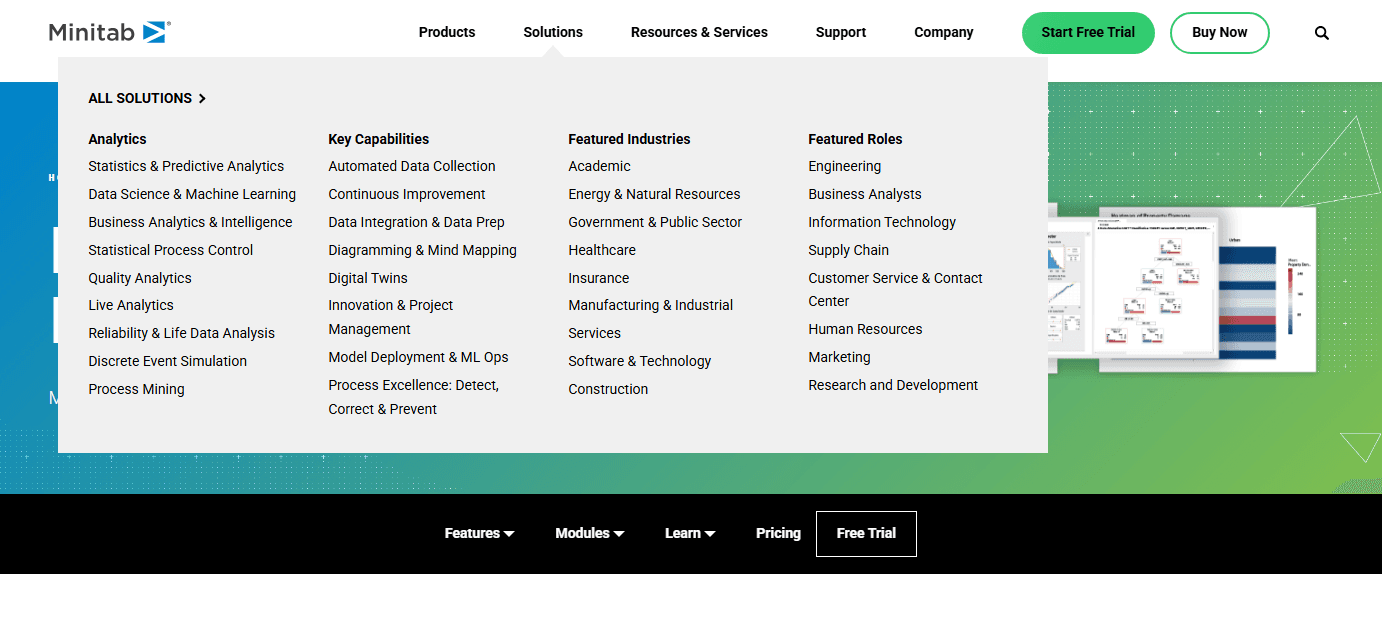
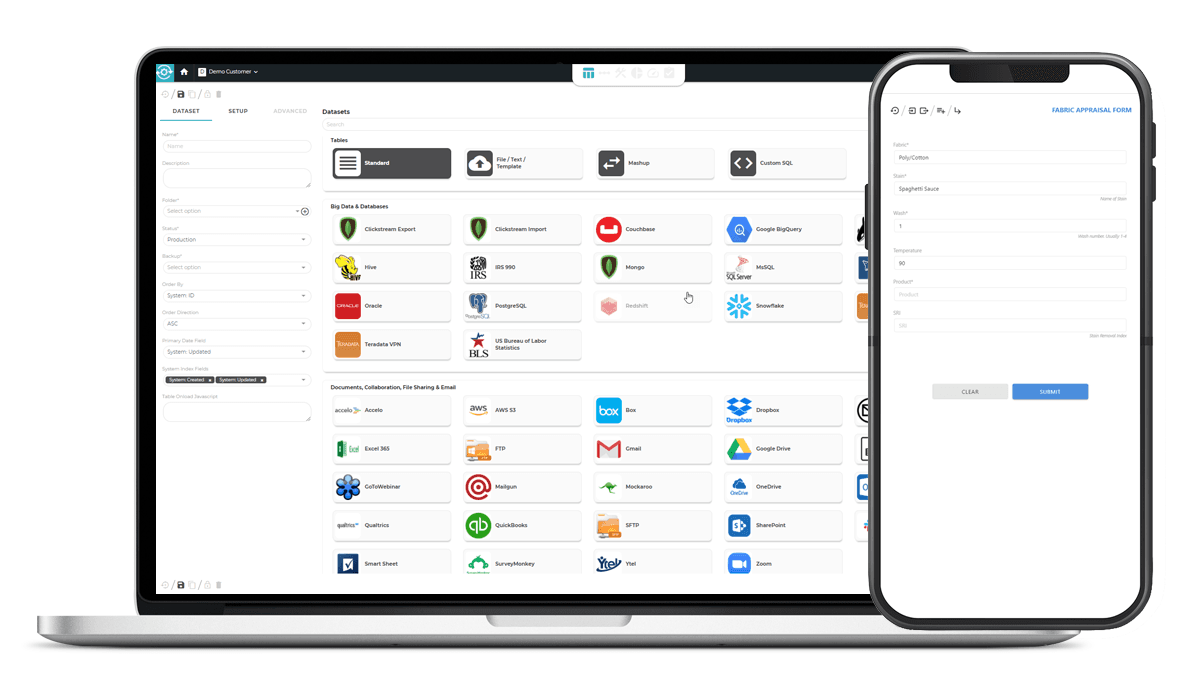
Minitab integrates with MongoDB, Redshift, Microsoft SharePoint and OneDrive, Google Drive, Dropbox, SAP Digital Manufacturing, SmartSheet, Mailgun, and more through Minitab Connect. It also connects with third-party integration tools and offers an API for custom integrations.
Minitab Specs
- 2-Factor Authentication: Yes
- Accounts Payable: No
- Accounts Receivable: No
- API: Yes
- Balance Sheet: No
- Billing/Invoicing: No
- BitCoin: No
- Budgeting: No
- Calendar Management: No
- Contact Management: No
- CRM Integration: Yes
- Customer Management: No
- Dashboard: No
- Data Export: No
- Data Import: Yes
- Data Visualization: Yes
- Expense Tracking: No
- External Integrations: Yes
- Forecasting: Yes
- General Account Ledger: No
- Inventory Tracking: No
- Multi-Currency: No
- Multi-User: No
- Notifications: No
- P&L: No
- PayPal: No
- Payroll: No
- SAP Integration: No
- Stripe: No
- Supplier Management: No
- Tax Management: No


