

Recensione Stessa: Pro, Contro, Caratteristiche e Prezzi
Stessa eccelle nell'offrire una gestione finanziaria intuitiva per i proprietari immobiliari, rendendola una delle migliori scelte per la contabilità immobiliare senza sforzi.

Recensiamo gli strumenti in modo indipendente e le commissioni aiutano a finanziare i nostri test. Consulta la nostra politica sulla trasparenza, la nostra metodologia, oppure suggerisci uno strumento.
Stessa is property management accounting software built for real estate investors who need to track rental income, expenses, and portfolio performance without managing a full property management stack. I'd consider it if you own a small-to-mid-size rental portfolio and want cleaner financial visibility than a spreadsheet offers, but don't need the lease management and maintenance workflows that come with tools like AppFolio. Stessa keeps the focus on the accounting and reporting side, which makes it a more focused fit for investors who manage their own properties and just need the numbers to stay organized.
Stessa Evaluation Summary
4.4/5
- From $12/month (billed annually)
- Free plan available
Perché fidarsi dei nostri consigli sui software
6,700+
Reviews
20
Industry experts
16+
Evaluation factors
14
Years
Le nostre recensioni riflettono il nostro giudizio indipendente, non un discorso di vendita. Scopri come manteniamo la trasparenza.
Per questa guida, abbiamo valutato gli strumenti attraverso test pratici e ricerche indipendenti, assegnando un punteggio agli strumenti in base ai nostri criteri di selezione.
Le nostre recensioni riflettono il nostro giudizio editoriale umano, non un discorso di vendita.
Stessa Overview
In my opinion, Stessa is a solid choice for property owners and small-scale property managers looking for intuitive financial management of their rental property portfolios. It excels in ease of use and offers great value for money, making it appealing for those who want straightforward property accounting and the ability to collect rent without wrestling with complex spreadsheets. However, it may lack some advanced features found in more expensive software, which could be a drawback for large property management firms with complex needs. If you're an individual landlord or manage a small portfolio, Stessa's simplicity and cost-effectiveness make it a smart pick.
Pros
- You can easily track income and expenses with its user-friendly interface.
- Stessa offers automated financial reports that save your team time.
- It provides real-time insights into your property's financial health.
Cons
- You might find its features limited for managing large property portfolios.
- Some users report needing more customization options for reports.
- Customer support response times could be faster for urgent issues.
Is Stessa Right For Your Needs?
Who Would be a Good Fit for Stessa?
Stessa is a great for individual landlords and small property managers who want a simple way to manage rental property finances. If you're managing a few rental properties, Stessa's user-friendly interface and automated financial reports help keep your finances organized without much hassle. Real estate investors who need quick insights into cash flow will find its dashboard useful. The software's ability to track income and expenses efficiently makes it ideal for those who prefer straightforward solutions without the complexity of larger accounting systems.
- Individual LandlordsStessa simplifies rent collection for landlords managing a few properties.
- Small Property ManagersYour team benefits from Stessa's automated reports, saving time on manual calculations.
- Real Estate InvestorsGet real-time insights into your investments' performance with Stessa's intuitive dashboard.
- First-time Property OwnersIf you're new, Stessa's simplicity helps you manage finances without overwhelming you.
- Part-time LandlordsStessa's automation and rent payment features make managing properties feasible.
- Residential PropertiesTrack income and expenses for residential units effortlessly with Stessa's focused tools.
Who Would be a Bad Fit for Stessa?
Stessa isn't ideal for large property management firms or those managing complex portfolios due to its limited advanced features. If your team requires extensive customization or detailed reporting, Stessa might fall short. Commercial property managers might find it lacks the depth needed for non-residential properties. For businesses needing extensive integration functionalities with other systems, Stessa's capabilities may not meet your expectations. Its simplicity, while a strength, can be a limitation for more demanding environments.
- Large Property FirmsManaging extensive portfolios with Stessa is challenging due to its limited advanced features.
- Commercial PropertiesStessa lacks the tools needed for the complexity of managing commercial real estate.
- Enterprise SolutionsYour team might find Stessa's simplicity inadequate for enterprise-level requirements.
- Custom Report NeedsIf you need highly customized reports, Stessa's options might not satisfy your demands.
- Advanced IntegrationsStessa's integration capabilities may not cover your need for extensive system connections.
- Complex PortfoliosHandling diverse properties with Stessa can be difficult due to its straightforward approach.
Come testiamo e valutiamo gli strumenti
Abbiamo impiegato anni a costruire, perfezionare e migliorare il nostro sistema di test e valutazione dei software. Il nostro schema è progettato per cogliere le sfumature della scelta del software e ciò che rende uno strumento efficace, concentrandosi sugli aspetti critici del processo decisionale. Di seguito puoi vedere esattamente come funzionano i nostri test e le nostre valutazioni in base a sette criteri. Questo ci permette di offrire una valutazione imparziale del software basata su funzionalità di base, caratteristiche distintive, facilità d’uso, onboarding, assistenza clienti, integrazioni, recensioni dei clienti e rapporto qualità-prezzo.
Funzionalità principali (25% del punteggio finale)
Il punto di partenza della nostra valutazione è sempre la funzionalità principale dello strumento. Dispone delle funzionalità base che un utente si aspetterebbe di trovare? Alcune di queste funzionalità sono riservate ai piani a pagamento più elevati? In sostanza, ci aspettiamo che uno strumento sia all’altezza delle capacità minime dei concorrenti.
Caratteristiche distintive (25% del punteggio finale)
Successivamente, valutiamo le caratteristiche distintive che vanno oltre la funzionalità principale normalmente presente negli strumenti di questo tipo. Un punteggio elevato riflette funzionalità specializzate o uniche che rendono il prodotto più rapido, efficiente o offrono valore aggiunto all’utente. Valutiamo inoltre quanto sia semplice integrare il software con altri strumenti tipicamente presenti nello stack tecnologico, per estenderne la funzionalità e l’utilità. Gli strumenti che offrono numerose integrazioni native, connessioni di terze parti e accesso API per creare integrazioni personalizzate ottengono il punteggio migliore.
Facilità d’uso (10% del punteggio finale)
Consideriamo quanto sia rapido e semplice eseguire le attività fondamentali previste dallo strumento. Un software con punteggio elevato è ben progettato, intuitivo da usare, offre app mobile, modelli predefiniti e semplifica operazioni complesse.
Onboarding (10% del punteggio finale)
Sappiamo quanto sia importante l’adozione rapida da parte del team quando si introduce una nuova piattaforma: per questo valutiamo quanto sia facile imparare e utilizzare lo strumento con una formazione minima. Valutiamo la rapidità con cui un membro del team può impostare e iniziare a utilizzare lo strumento senza esperienza pregressa. Le soluzioni con punteggio alto richiedono poco o nessun supporto.
Assistenza clienti (10% del punteggio finale)
Analizziamo quanto sia semplice e veloce ottenere aiuto tramite telefono, live chat o knowledge base. Gli strumenti e le aziende che offrono supporto in tempo reale ottengono i punteggi migliori, mentre i chatbot ricevono i punteggi più bassi.
Recensioni dei clienti (10% del punteggio finale)
Oltre ai nostri test e valutazioni, consideriamo il net promoter score dei clienti attuali e passati. Verifichiamo la probabilità che i clienti scelgano nuovamente lo strumento per le funzionalità di base. Un software con punteggio elevato riflette un net promoter score alto da parte dei clienti vecchi e attuali.
Rapporto qualità-prezzo (10% del punteggio finale)
Infine, considerando tutti gli altri criteri, valutiamo il prezzo medio dei piani base rispetto alle funzionalità principali e agli altri criteri di valutazione. I software che offrono di più, a un costo inferiore, ottengono punteggi migliori.
Core Features
Income and Expense Tracking
Easily log and categorize your rental transactions. This keeps tracking income and outgoings clear.
Automated Financial Reports
Generate reports automatically to see your property's financial performance. Your team can quickly understand cash flow and profitability.
Real-time Dashboard
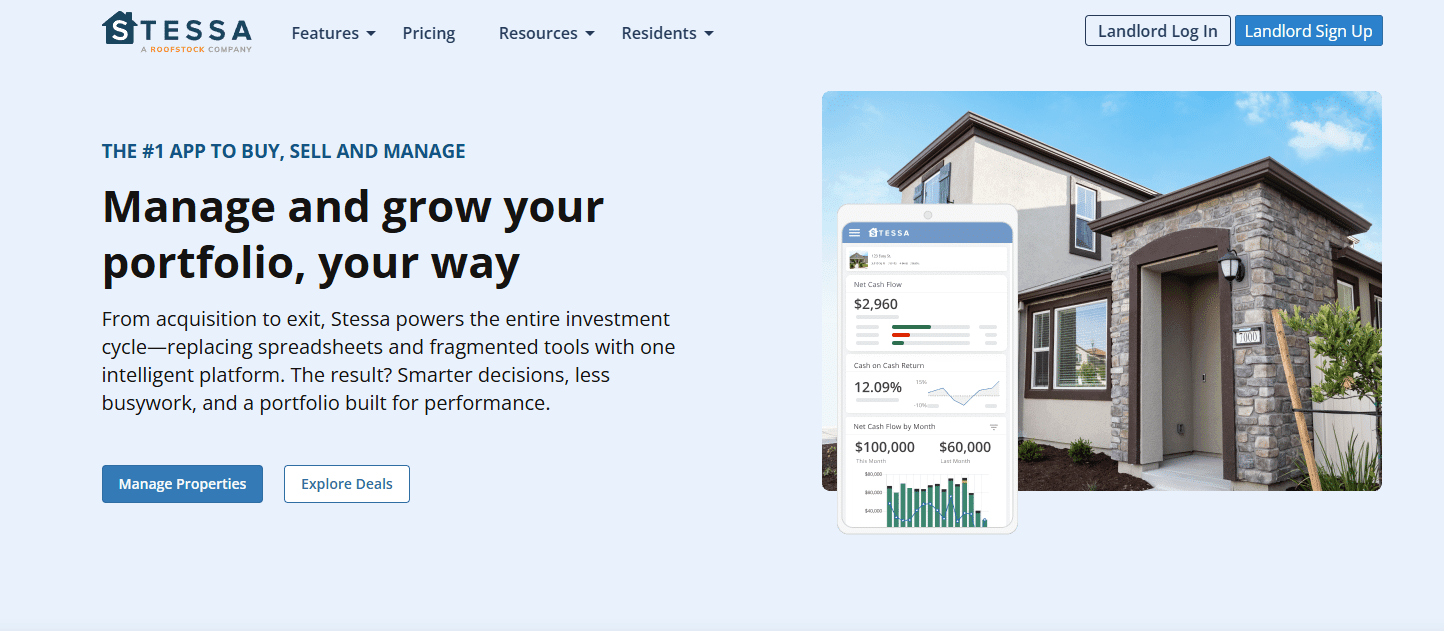
View up-to-date financial metrics on an intuitive dashboard. It offers quick insights into your property's financial health.
Receipt Scanning
Upload and organize expense receipts with ease. This saves you time and keeps your records tidy.
Tax-ready Financials
Prepare for tax time with organized financial data. Stessa simplifies tax filing with accurate, ready-to-use figures.
Mobile Access
Manage your properties on the go with Stessa's mobile app. You can check financials anytime, anywhere.

Ease of Use
Stessa stands out for its simplicity and intuitive design, making it accessible even for beginners who are new to rental property management accounting. You'll find its interface clean and user friendly, with features like automated expense categorization and real-time dashboards enhancing usability.
Users appreciate how quickly they can set up and navigate the software without a steep learning curve — especially those who previously relied on spreadsheets to manage their finances. Its mobile app ensures you can manage your properties anytime, adding to its ease of use.

Integrations
Stessa integrates with AppFolio, Propertyware, and Mynd.
Stessa does not offer a public API and does not support general third-party integration platforms beyond its listed integrations.

Stessa Specs
- 2-Factor Authentication: Yes
- Accounts Payable: Yes
- Accounts Receivable: Yes
- API: No
- Balance Sheet: Yes
- Billing/Invoicing: Yes
- BitCoin: No
- Budgeting: Yes
- Calendar Management: No
- Contact Management: No
- CRM Integration: No
- Customer Management: No
- Dashboard: Yes
- Data Export: Yes
- Data Import: Yes
- Data Visualization: Yes
- Expense Tracking: Yes
- External Integrations: Yes
- Forecasting: No
- General Account Ledger: Yes
- Inventory Tracking: No
- Multi-Currency: No
- Multi-User: Yes
- Notifications: Yes
- P&L: Yes
- PayPal: No
- Payroll: No
- SAP Integration: No
- Stripe: No
- Supplier Management: No
- Tax Management: Yes


