

Recensione di Wrike: Pro, Contro, Funzionalità e Prezzi
Wrike si distingue per la sua interfaccia intuitiva e adattabilità, rendendolo una delle scelte migliori per i team che cercano una gestione dei progetti efficiente tra le opzioni ERP gratuite.

Recensiamo gli strumenti in modo indipendente e le commissioni aiutano a finanziare i nostri test. Consulta la nostra politica sulla trasparenza, la nostra metodologia, oppure suggerisci uno strumento.
Wrike is a free ERP software that brings project tracking, workflow automation, and cross-department visibility into a single platform. It's worth considering if your team needs ERP-adjacent capabilities without a lengthy implementation. I'd especially look at Wrike if tools like Odoo feel too technically demanding to configure and maintain without dedicated IT support—Wrike gives you structured operational oversight with a much lighter setup burden.
Wrike Evaluation Summary
4.3/5
- From $10/user/month (billed annually)
- Free plan + 14-day free trial + free demo available
Perché fidarsi dei nostri consigli sui software
6,700+
Reviews
20
Industry experts
16+
Evaluation factors
14
Years
Le nostre recensioni riflettono il nostro giudizio indipendente, non un discorso di vendita. Scopri come manteniamo la trasparenza.
Per questa guida, abbiamo valutato gli strumenti attraverso test pratici e ricerche indipendenti, assegnando un punteggio agli strumenti in base ai nostri criteri di selezione.
Le nostre recensioni riflettono il nostro giudizio editoriale umano, non un discorso di vendita.
Wrike Overview
In my opinion, Wrike offers a decent set of tools for teams needing all-in-one project management and ERP capabilities. Its integration options, like Salesforce, and customizable dashboards are appealing, but the pricing might be a hurdle for budget-conscious teams. It performs well in task and resource management but can be overwhelming for small businesses with simple needs. Compared to other free ERP software, Wrike is suitable for marketing teams and creative agencies needing detailed project tracking and collaboration features. If you’re judging software based on flexibility and integration, consider Wrike, but weigh its cost against your budget.
Pros
- You can customize dashboards to fit your team's workflow.
- Wrike's task management tools help keep your projects organized.
- You can easily collaborate with team members using Wrike's communication features.
Cons
- The interface can feel cluttered and overwhelming for new users.
- It takes time to learn all of Wrike's features.
- Your team might find the mobile app less intuitive than the desktop version.
Is Wrike Right For Your Needs?
Who Would be a Good Fit for Wrike?
Wrike is a good fit for marketing teams, creative agencies, and project-driven departments that need detailed project tracking and collaboration. If your work involves managing multiple projects with various stakeholders, Wrike's customizable dashboards and task management tools can keep everything organized. Teams that value communication will benefit from its collaboration features, which help streamline discussions and feedback. Wrike's capabilities are particularly useful for industries where project timelines and resource allocation are critical.
- Marketing TeamsWrike helps your team manage campaigns and track progress with its detailed task management.
- Creative AgenciesYour agency can benefit from Wrike’s collaboration features, which facilitate feedback and revisions.
- Project-Based DepartmentsWrike's dashboards let your department manage multiple projects efficiently and keep stakeholders informed.
- Event PlanningIf your work involves complex logistics, Wrike's task tracking and communication tools keep everything on schedule.
- Product DevelopmentWrike supports your team in managing timelines and resources for successful product launches.
- Remote TeamsWrike's communication and collaboration features help your remote team stay connected and productive.
Who Would be a Bad Fit for Wrike?
Wrike isn’t ideal for small businesses or teams with straightforward needs that don’t require complex project management. If your work involves simple tasks without the need for extensive tracking or resource management, Wrike’s features may feel excessive and overwhelming. Additionally, if your team struggles with adopting new technology, Wrike's interface might be too complex and time-consuming to learn. It's not the best fit for organizations looking for a basic, easy-to-use tool.
- Small BusinessesIf your team needs basic task management, Wrike's extensive features might overwhelm rather than help.
- Simple OperationsWrike's complex interface can be unnecessary for operations that don't need detailed project tracking.
- Low-Tech TeamsWrike's learning curve can be steep for teams not comfortable with technology.
- Budget-Conscious DepartmentsIf you’re focused on cost-efficiency, Wrike's advanced features may not justify its expense.
- Single-Person TeamsFor individuals, Wrike's collaboration tools won't offer much value.
- Non-Project RolesRoles without project management needs might find Wrike's features redundant.
Come testiamo e valutiamo gli strumenti
Abbiamo impiegato anni a costruire, perfezionare e migliorare il nostro sistema di test e valutazione dei software. Il nostro schema è progettato per cogliere le sfumature della scelta del software e ciò che rende uno strumento efficace, concentrandosi sugli aspetti critici del processo decisionale. Di seguito puoi vedere esattamente come funzionano i nostri test e le nostre valutazioni in base a sette criteri. Questo ci permette di offrire una valutazione imparziale del software basata su funzionalità di base, caratteristiche distintive, facilità d’uso, onboarding, assistenza clienti, integrazioni, recensioni dei clienti e rapporto qualità-prezzo.
Funzionalità principali (25% del punteggio finale)
Il punto di partenza della nostra valutazione è sempre la funzionalità principale dello strumento. Dispone delle funzionalità base che un utente si aspetterebbe di trovare? Alcune di queste funzionalità sono riservate ai piani a pagamento più elevati? In sostanza, ci aspettiamo che uno strumento sia all’altezza delle capacità minime dei concorrenti.
Caratteristiche distintive (25% del punteggio finale)
Successivamente, valutiamo le caratteristiche distintive che vanno oltre la funzionalità principale normalmente presente negli strumenti di questo tipo. Un punteggio elevato riflette funzionalità specializzate o uniche che rendono il prodotto più rapido, efficiente o offrono valore aggiunto all’utente. Valutiamo inoltre quanto sia semplice integrare il software con altri strumenti tipicamente presenti nello stack tecnologico, per estenderne la funzionalità e l’utilità. Gli strumenti che offrono numerose integrazioni native, connessioni di terze parti e accesso API per creare integrazioni personalizzate ottengono il punteggio migliore.
Facilità d’uso (10% del punteggio finale)
Consideriamo quanto sia rapido e semplice eseguire le attività fondamentali previste dallo strumento. Un software con punteggio elevato è ben progettato, intuitivo da usare, offre app mobile, modelli predefiniti e semplifica operazioni complesse.
Onboarding (10% del punteggio finale)
Sappiamo quanto sia importante l’adozione rapida da parte del team quando si introduce una nuova piattaforma: per questo valutiamo quanto sia facile imparare e utilizzare lo strumento con una formazione minima. Valutiamo la rapidità con cui un membro del team può impostare e iniziare a utilizzare lo strumento senza esperienza pregressa. Le soluzioni con punteggio alto richiedono poco o nessun supporto.
Assistenza clienti (10% del punteggio finale)
Analizziamo quanto sia semplice e veloce ottenere aiuto tramite telefono, live chat o knowledge base. Gli strumenti e le aziende che offrono supporto in tempo reale ottengono i punteggi migliori, mentre i chatbot ricevono i punteggi più bassi.
Recensioni dei clienti (10% del punteggio finale)
Oltre ai nostri test e valutazioni, consideriamo il net promoter score dei clienti attuali e passati. Verifichiamo la probabilità che i clienti scelgano nuovamente lo strumento per le funzionalità di base. Un software con punteggio elevato riflette un net promoter score alto da parte dei clienti vecchi e attuali.
Rapporto qualità-prezzo (10% del punteggio finale)
Infine, considerando tutti gli altri criteri, valutiamo il prezzo medio dei piani base rispetto alle funzionalità principali e agli altri criteri di valutazione. I software che offrono di più, a un costo inferiore, ottengono punteggi migliori.
Core Features
Task Management
You can break down projects into tasks and subtasks, making it easy to assign responsibilities and track progress. Wrike’s task management helps your team stay organized and on schedule.
Time Tracking
Wrike lets you log time spent on tasks, helping you manage your team’s workload and improve productivity. This feature supports accurate billing and resource allocation.
Custom Dashboards
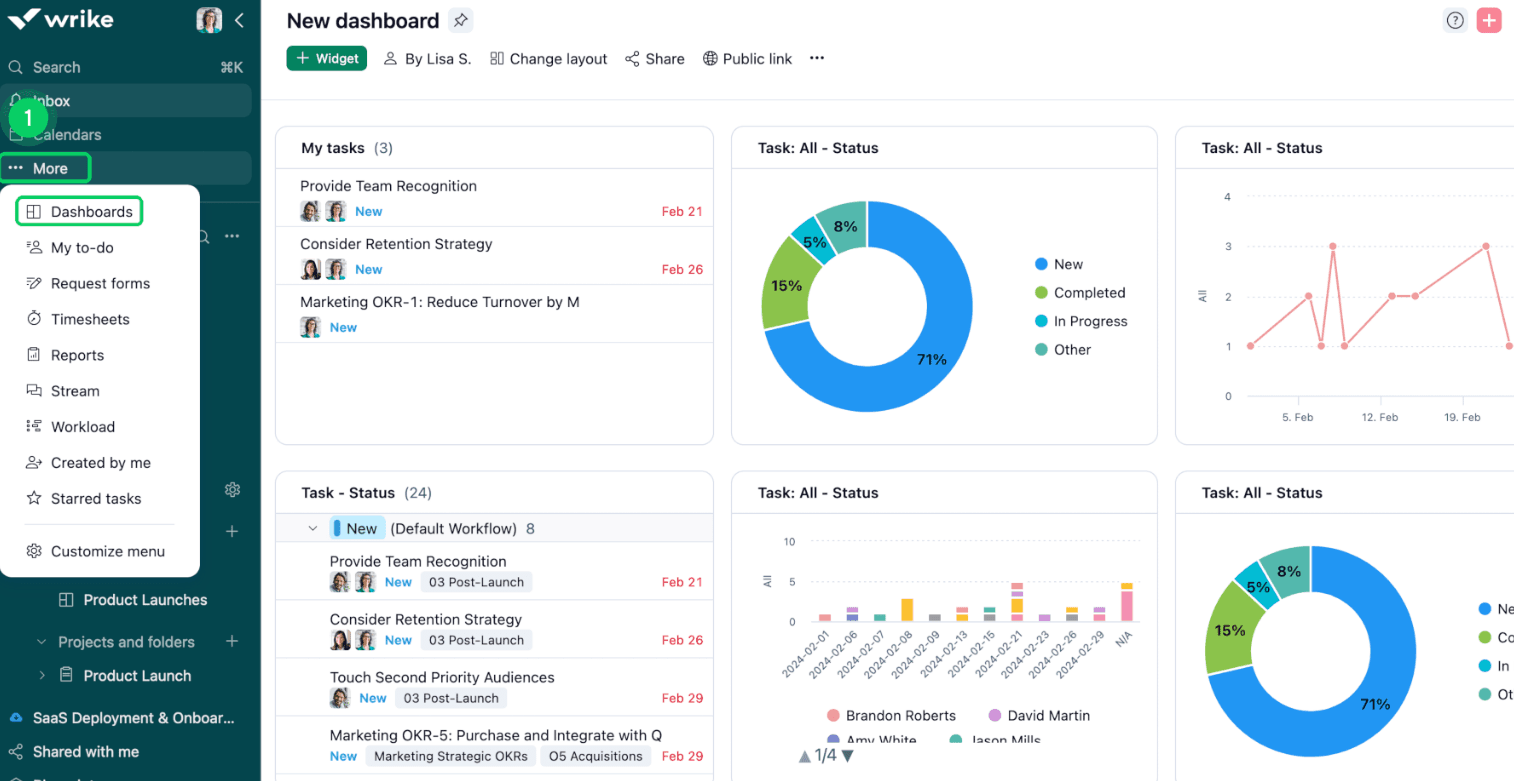
Customize your dashboard to highlight the data that matters most to your team. You can easily monitor project status, receive notifications, and prioritize tasks.
Multiple Project Views
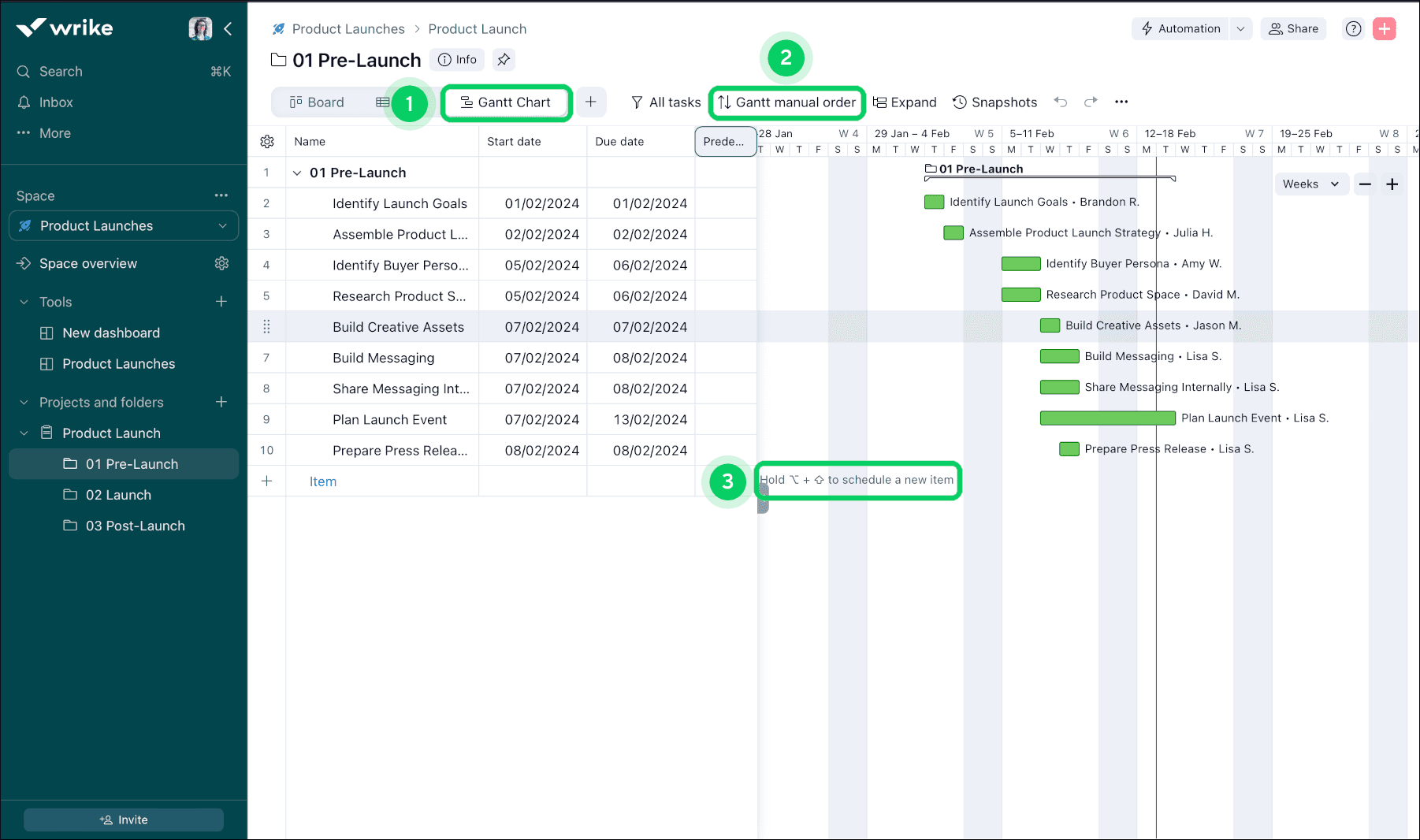
Wrike's Gantt charts and Kanban boards give you a visual timeline of your projects, helping you plan and track tasks. They’re great for seeing dependencies and deadlines at a glance.
File Sharing
You can share files directly within Wrike, making collaboration on documents seamless. This feature keeps your team’s resources centralized and accessible with role-based permissions.
Reporting
Wrike’s real-time reporting tools let you generate insights into your projects, helping you make informed decisions. You can customize reports to show key metrics and performance indicators.
Standout Features
Request Forms
Your team can use request forms to standardize and streamline how work is requested. This feature helps you avoid miscommunication and manage incoming work efficiently.
Proofing and Approval
Wrike's proofing and approval tools let your team review and approve creative work directly within the platform. This feature speeds up feedback loops.

Ease of Use
Wrike’s interface is relatively clean and intuitive. While the customization options and drag-and-drop workflows are powerful, they might overwhelm those unfamiliar with project management tools. If your team invests time in learning its features, Wrike offers valuable tools for project tracking and collaboration. However, the initial learning curve might be steep, especially for small teams or those without dedicated IT support. Despite these challenges, once mastered, Wrike can significantly enhance your team's productivity.
Onboarding
Wrike's onboarding process can be daunting due to its complex interface and multitude of features. While Wrike offers tutorials and guides, your team might still find the initial setup challenging. The time to value can be longer compared to simpler tools, requiring patience and persistence. However, once your team gets accustomed to the system, Wrike's robust project management capabilities can significantly benefit your operations. The available support and resources are helpful, but they demand a proactive approach to learning.
Customer Support
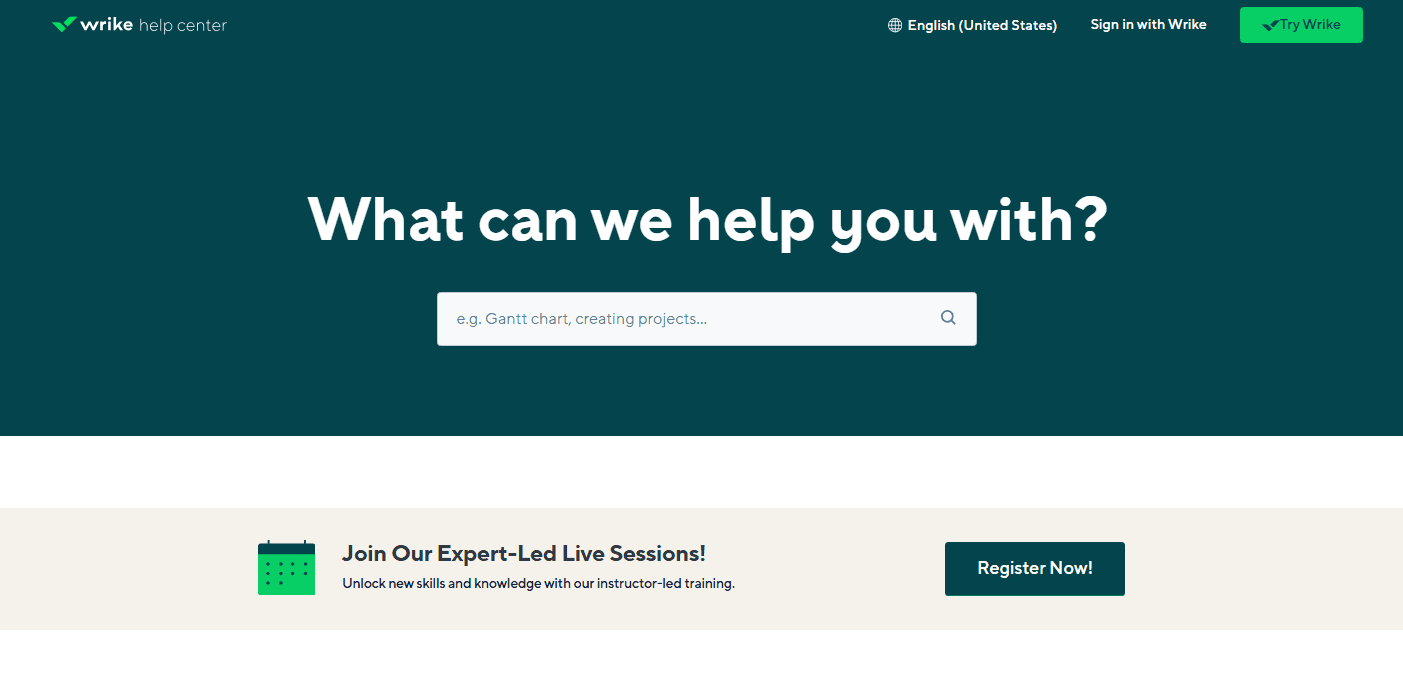
Wrike offers decent customer support, but users might experience delays in response times. If your team needs immediate assistance, this can be frustrating. Wrike provides a range of resources like its comprehensive knowledge base, webinars, and community forums that can help resolve common issues. However, personalized support might not always be readily available. Your team should be prepared to utilize self-help resources and tutorials to navigate challenges, as direct support may not meet all expectations promptly.
Integrations
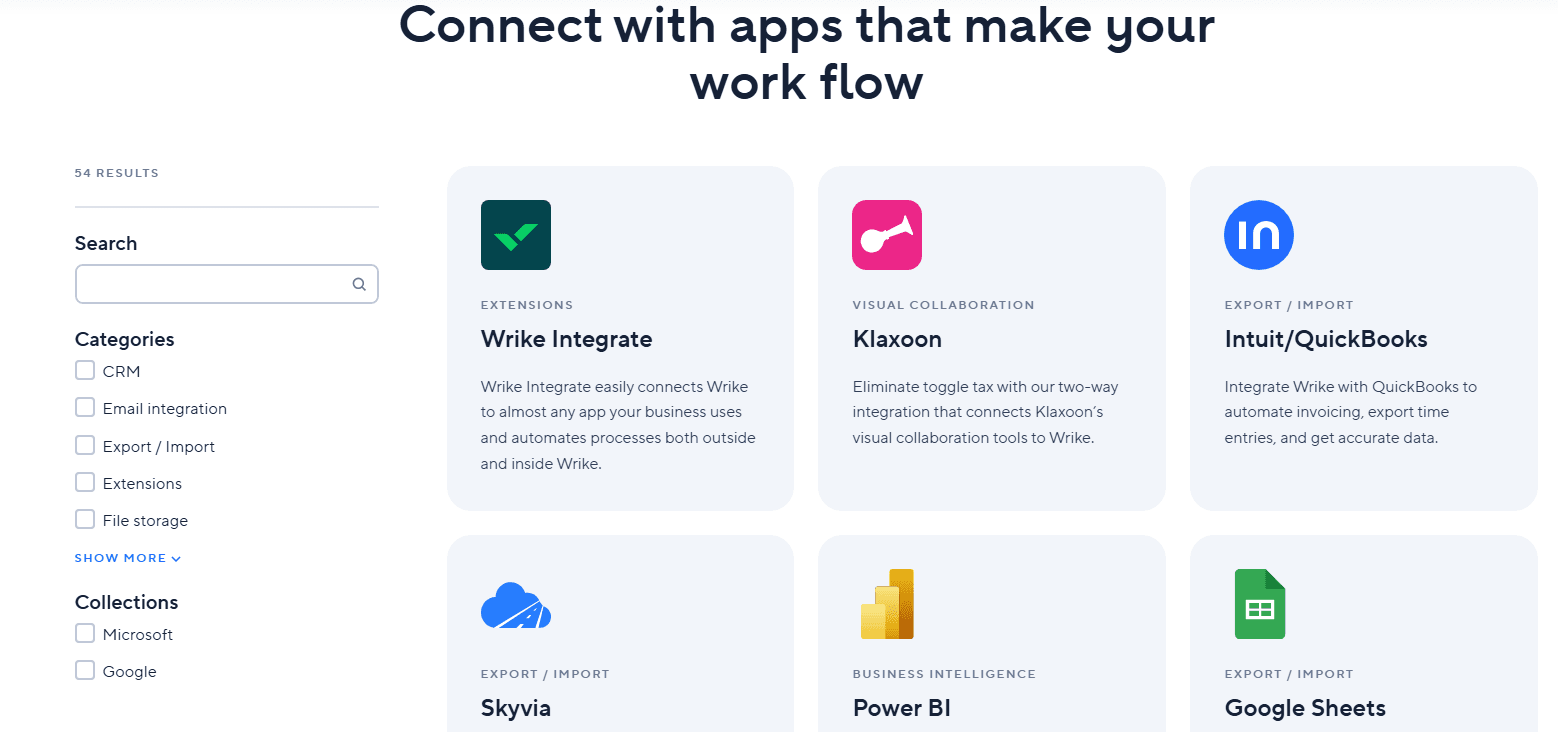
Wrike integrates with Microsoft Teams, Salesforce, Slack, Google Workspace, Dropbox, Box, OneDrive, Adobe Creative Cloud, JIRA, and QuickBooks.
Wrike also offers an API and connects with third-party integration tools to expand its functionality.
Value for Money
Wrike’s pricing offers strong value by letting teams start for free and scale only when they need more power. The Free plan covers essential task management, while paid tiers add automation, AI, and advanced planning tools. With plans starting at $10 per user, Wrike balances affordability with enterprise-grade capabilities, making it cost-effective for growing teams and large organizations alike.
- Free: Includes Web, desktop, and mobile apps, project & task management, and board & table views.
- Team: Adds essential AI features, shareable dashboard, and interactive Gantt charts.
- Business: Adds AI elite feature, templatization features, standard integrations, and workflow customizations.
- Pinnacle: Includes advanced reporting and BI, budgeting, advanced resource and capacity planning, and advanced security and compliance.
- Apex: Includes unlimited whiteboards, 30 million records on Wrike Datahub, and bi-directional integrations with third-party solutions.

Wrike Specs
- API: Yes
- Batch Permissions & Access: Yes
- Budgeting: Yes
- Calendar Management: Yes
- Collaboration Support: Yes
- Contact Management: Yes
- Contact Sharing: No
- Customer Management: No
- Dashboard: Yes
- Dashboards: Yes
- Data Export: Yes
- Data Import: Yes
- Data Visualization: Yes
- Dependency Tracking: Yes
- Document Sharing: Yes
- Expense Tracking: Yes
- External Integrations: Yes
- File Sharing: Yes
- Gantt Charts: Yes
- Kanban Boards: Yes
- Multi-User: Yes
- Notifications: Yes
- Project Management: Yes
- Resource Management: Yes
- Scheduling: Yes
- Task Scheduling/Tracking: Yes
- Third-Party Plugins/Add-Ons: Yes
- Time Management: Yes
- Travel Management: No
- Workflow Management: Yes
Wrike FAQs
Wrike Company Overview & History
Wrike is a project management software company headquartered in San Jose, California, with a workforce of over 1,000 employees. The company is known for its versatile project management solutions that cater to various methodologies like Agile and waterfall. Wrike integrates with numerous third-party applications, enhancing its utility for diverse business needs. Notable clients include major corporations such as Google and Airbnb, which rely on Wrike for efficient project tracking and team collaboration.
Wrike Major Milestones
- 2006: Founded by Andrew Filev.
- 2013: Secured $10 million in Series A funding led by Bain Capital Ventures.
- 2018: Acquired by Vista Equity Partners, a significant private equity firm.
- 2021: Became part of Citrix Systems through acquisition.