

Recensione di Xledger: vantaggi, svantaggi, funzionalità e prezzi spiegati
Cut through the noise: Here’s my inside take on Xledger’s power, pitfalls, and what really sets it apart as an accounting platform worth considering for your business.

Recensiamo gli strumenti in modo indipendente e le commissioni aiutano a finanziare i nostri test. Consulta la nostra politica sulla trasparenza, la nostra metodologia, oppure suggerisci uno strumento.
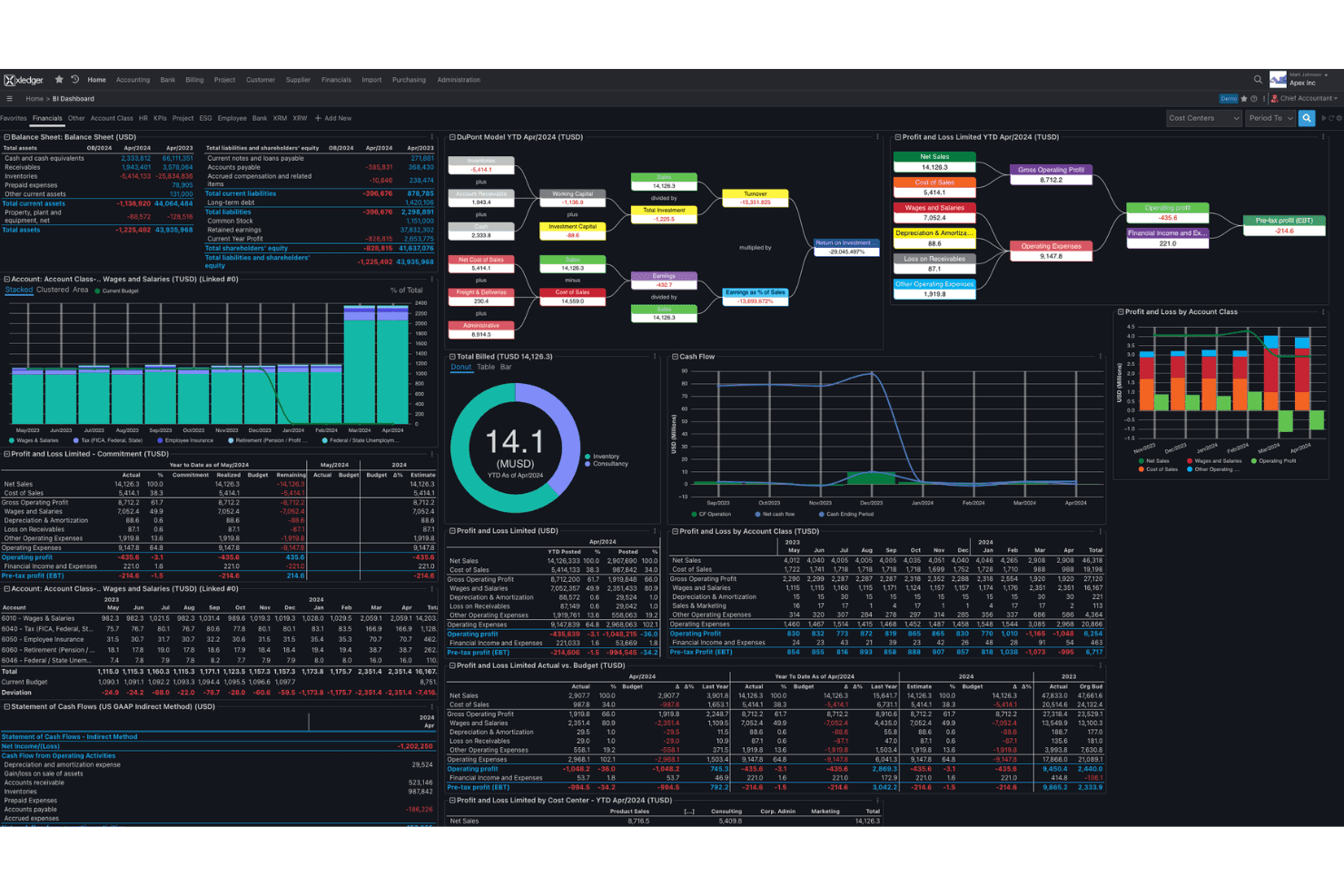
Xledger is a cloud accounting software for mid-sized organizations, nonprofits, and professional services firms that need multi-entity consolidation, project accounting, and automated AP workflows in one system. I'd point you to it if you're outgrowing entry-level bookkeeping tools and want built-in automation, dimensional reporting, and consolidation without the implementation weight of NetSuite or Sage Intacct. It sits in the gap between simple bookkeeping and full-scale financial management suites.
Xledger Evaluation Summary
4.5/5
- Pricing upon request
- Free demo available
Perché fidarsi dei nostri consigli sui software
6,700+
Reviews
20
Industry experts
16+
Evaluation factors
14
Years
Le nostre recensioni riflettono il nostro giudizio indipendente, non un discorso di vendita. Scopri come manteniamo la trasparenza.
Per questa guida, abbiamo valutato gli strumenti attraverso test pratici e ricerche indipendenti, assegnando un punteggio agli strumenti in base ai nostri criteri di selezione.
Le nostre recensioni riflettono il nostro giudizio editoriale umano, non un discorso di vendita.
Xledger Overview
If you’re judging accounting platforms based on multi-entity consolidation, automation, and dimensional reporting, I think Xledger stands out for finance teams outgrowing entry-level tools. Its cloud interface is modern and workflow-centric, but the learning curve can be steep if you need deep customization or legacy integration. From my experience, onboarding is smoother than with big-name enterprise tools, and support is responsive. Across user reviews the overall rating holds up on scalability and support while dipping on setup effort. Pricing can be harder to judge without a quote—worth noting if your budget is tight. I’d suggest Xledger is best for businesses that prioritize unified reporting and automation over an endless list of third-party integrations.
Pros
- Handles complex multi-entity consolidation with built-in tools
- Offers automated AP and bank reconciliation workflows
- Provides customizable, dimensional financial reporting options
Cons
- Requires manual setup for most reporting structures
- Limited offline mobile access for field-based users
- Fewer out-of-the-box regional tax features than peers
Is Xledger Right For Your Needs?
Who Would be a Good Fit for Xledger?
Xledger is a strong choice for organizations managing complex, multi-entity finances, particularly those with experienced accounting teams who need advanced reporting, granular controls, and flexible integrations. I think it’s especially well-suited to companies with demanding compliance requirements or those prioritizing automation across core finance operations. Xledger’s open API, migration support, and tailored configuration options make it a compelling option for data-driven teams who want scalable accounting workflows and deeper control over financial management processes.
- Multi-Entity EnterprisesXledger natively handles multi-company structures, intercompany transactions, and consolidations for businesses spread across different legal entities or geographies.
- Rapidly Growing SaaSHigh-growth SaaS companies benefit from Xledger’s automated workflows and open API, making it easier to scale finance operations and integrate with billing and CRM platforms.
- Nonprofit OrganizationsNonprofits get value from Xledger’s support for fund accounting, grant and donor management, and detailed compliance reporting requirements.
- Finance Shared ServicesCentralized finance teams with multiple business units use Xledger’s granular access controls and reporting to manage different group needs in one system.
- Global Manufacturing FirmsFirms with international subsidiaries leverage Xledger’s multi-currency, compliance, and consolidated reporting features to meet regulatory requirements worldwide.
- FP&A DepartmentsFP&A teams gain from Xledger’s configurable analytics, easy data imports, and real-time dashboards for budgeting/forecasting and strategic planning.
Who Would be a Bad Fit for Xledger?
Xledger isn’t the best fit for small organizations, teams looking for simple bookkeeping tools, or those without dedicated accounting expertise. The learning curve, upfront configuration, and advanced features are likely to overwhelm businesses with basic needs or limited IT resources. If deep inventory management is central to your operation, confirm module coverage before you commit. Lightweight teams and those seeking quick self-service setups should consider more straightforward solutions.
- Small StartupsSmall startups with limited transactions will find Xledger’s setup complexity and breadth of features more than they need.
- FreelancersFreelancers or solo accountants are unlikely to use Xledger’s advanced reporting or workflow automation and will pay for unused capacity.
- Non-Finance TeamsNon-finance managers handling simple bookkeeping may be discouraged by the system’s required accounting knowledge and setup time.
- Local Retail StoresSingle-location retail operations won’t benefit from Xledger’s multi-entity, advanced migration tools, or deep configuration.
- Very Limited BudgetsOrganizations with tight budgets will find Xledger’s higher price point and feature set excessive for their financial needs.
- Entry-Level Bookkeeping UsersTeams switching from a simple bookkeeping tool mainly for simplicity will find the Xledger learning curve steep and configuration-heavy by comparison.
Come testiamo e valutiamo gli strumenti
Abbiamo impiegato anni a costruire, perfezionare e migliorare il nostro sistema di test e valutazione dei software. Il nostro schema è progettato per cogliere le sfumature della scelta del software e ciò che rende uno strumento efficace, concentrandosi sugli aspetti critici del processo decisionale. Di seguito puoi vedere esattamente come funzionano i nostri test e le nostre valutazioni in base a sette criteri. Questo ci permette di offrire una valutazione imparziale del software basata su funzionalità di base, caratteristiche distintive, facilità d’uso, onboarding, assistenza clienti, integrazioni, recensioni dei clienti e rapporto qualità-prezzo.
Funzionalità principali (25% del punteggio finale)
Il punto di partenza della nostra valutazione è sempre la funzionalità principale dello strumento. Dispone delle funzionalità base che un utente si aspetterebbe di trovare? Alcune di queste funzionalità sono riservate ai piani a pagamento più elevati? In sostanza, ci aspettiamo che uno strumento sia all’altezza delle capacità minime dei concorrenti.
Caratteristiche distintive (25% del punteggio finale)
Successivamente, valutiamo le caratteristiche distintive che vanno oltre la funzionalità principale normalmente presente negli strumenti di questo tipo. Un punteggio elevato riflette funzionalità specializzate o uniche che rendono il prodotto più rapido, efficiente o offrono valore aggiunto all’utente. Valutiamo inoltre quanto sia semplice integrare il software con altri strumenti tipicamente presenti nello stack tecnologico, per estenderne la funzionalità e l’utilità. Gli strumenti che offrono numerose integrazioni native, connessioni di terze parti e accesso API per creare integrazioni personalizzate ottengono il punteggio migliore.
Facilità d’uso (10% del punteggio finale)
Consideriamo quanto sia rapido e semplice eseguire le attività fondamentali previste dallo strumento. Un software con punteggio elevato è ben progettato, intuitivo da usare, offre app mobile, modelli predefiniti e semplifica operazioni complesse.
Onboarding (10% del punteggio finale)
Sappiamo quanto sia importante l’adozione rapida da parte del team quando si introduce una nuova piattaforma: per questo valutiamo quanto sia facile imparare e utilizzare lo strumento con una formazione minima. Valutiamo la rapidità con cui un membro del team può impostare e iniziare a utilizzare lo strumento senza esperienza pregressa. Le soluzioni con punteggio alto richiedono poco o nessun supporto.
Assistenza clienti (10% del punteggio finale)
Analizziamo quanto sia semplice e veloce ottenere aiuto tramite telefono, live chat o knowledge base. Gli strumenti e le aziende che offrono supporto in tempo reale ottengono i punteggi migliori, mentre i chatbot ricevono i punteggi più bassi.
Recensioni dei clienti (10% del punteggio finale)
Oltre ai nostri test e valutazioni, consideriamo il net promoter score dei clienti attuali e passati. Verifichiamo la probabilità che i clienti scelgano nuovamente lo strumento per le funzionalità di base. Un software con punteggio elevato riflette un net promoter score alto da parte dei clienti vecchi e attuali.
Rapporto qualità-prezzo (10% del punteggio finale)
Infine, considerando tutti gli altri criteri, valutiamo il prezzo medio dei piani base rispetto alle funzionalità principali e agli altri criteri di valutazione. I software che offrono di più, a un costo inferiore, ottengono punteggi migliori.
Core Features
Multi-Entity Consolidation
Consolidate financials across entities and currencies in one system. Real-time consolidation handles eliminations and group-level reporting, simplifying group close.
Automated Accounts Payable
Invoice capture, approval workflows, and digital payments run automatically. Accounts receivable tracks alongside, with less manual entry for recurring vendors.
Dimensional Financial Reporting
Tag departments, projects, and custom fields on every transaction, beyond the chart of accounts. Ad hoc reports give real time insight by dimension.
Automated Bank Reconciliation
Banking feeds match transactions to your books and flag exceptions for review. Cash management gets faster and mismatches surface early, not at month end.
Project Accounting
Track costs, time, and billing per project, kept separate from the general ledger. Project management sees real-time margins and resource allocation as work runs.
Workflow Automation
Automate approvals, notifications, expense claims, and recurring tasks across procurement and finance. Fewer bottlenecks, and policy compliance at each step.
Ease of Use
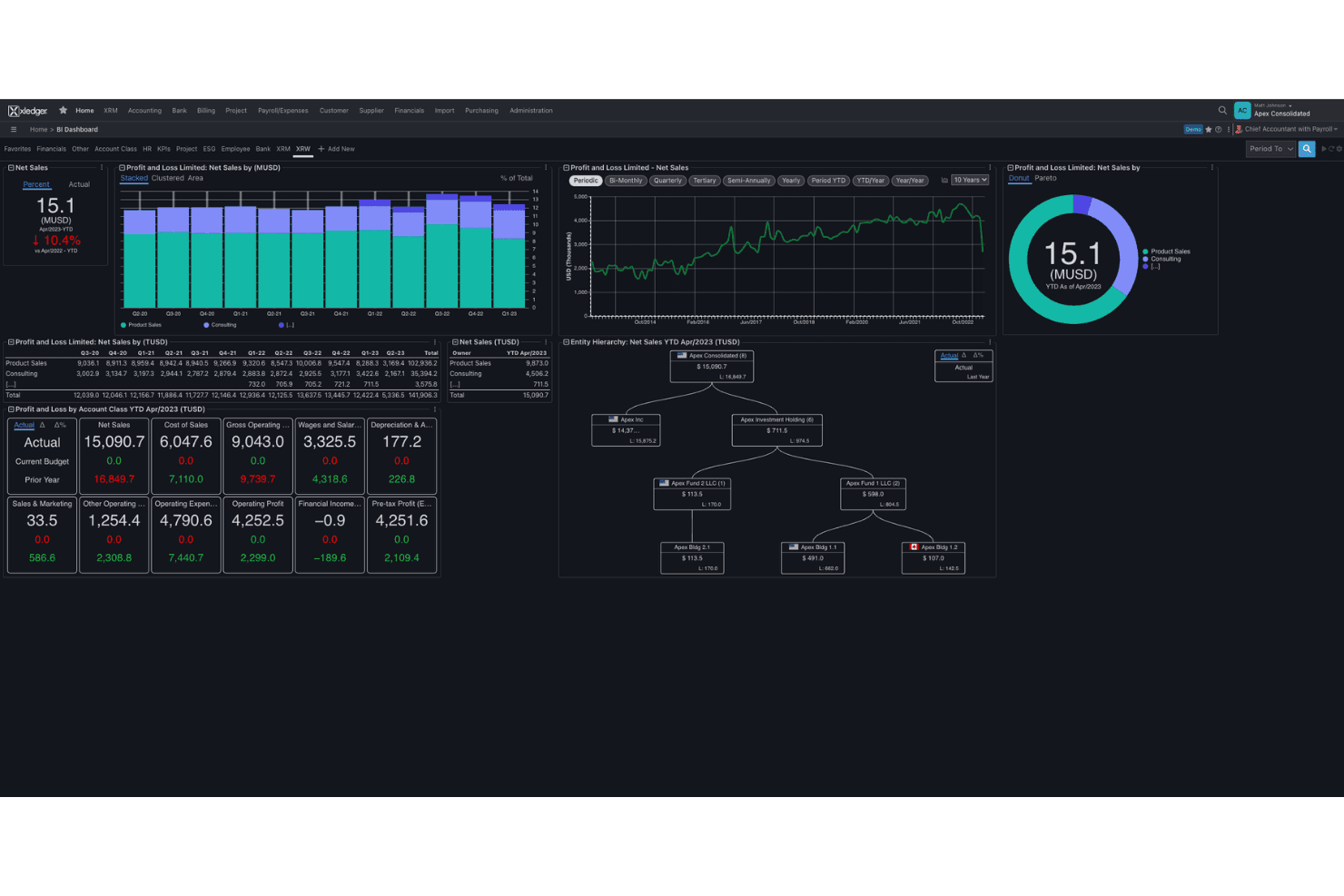
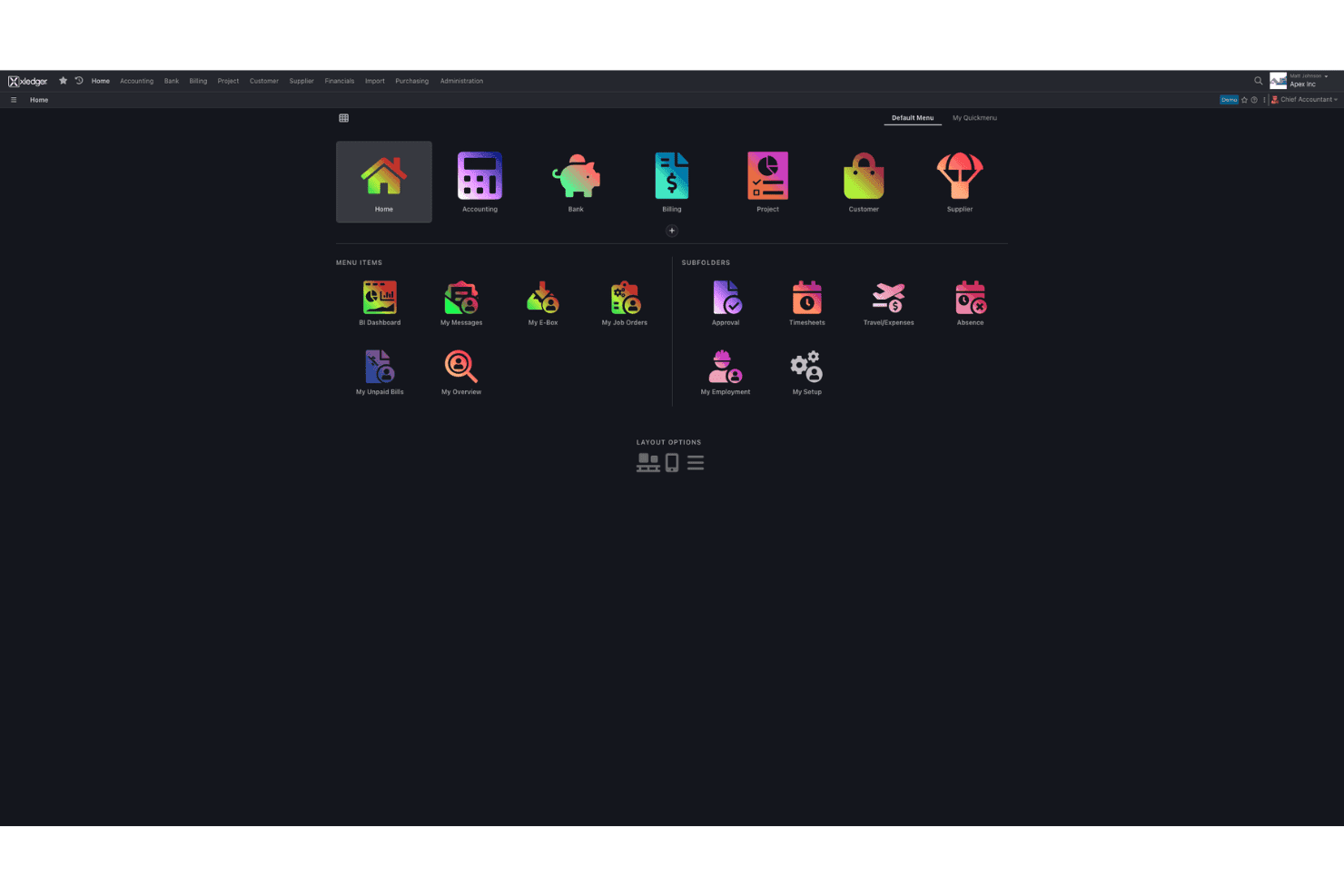
Xledger delivers a modern, workflow-driven interface that helps experienced finance professionals manage complex accounting without getting buried in menus. Most processes are guided and the automation reduces duplicate work, but the setup and reporting tools require time and accounting knowledge to configure. Routine jobs like expense management and approvals are the smoothest part of the system. I think teams who want highly tailored reporting or deep customization will face a learning curve, but day-to-day workflows run smoothly once you’re up and running.
Integrations
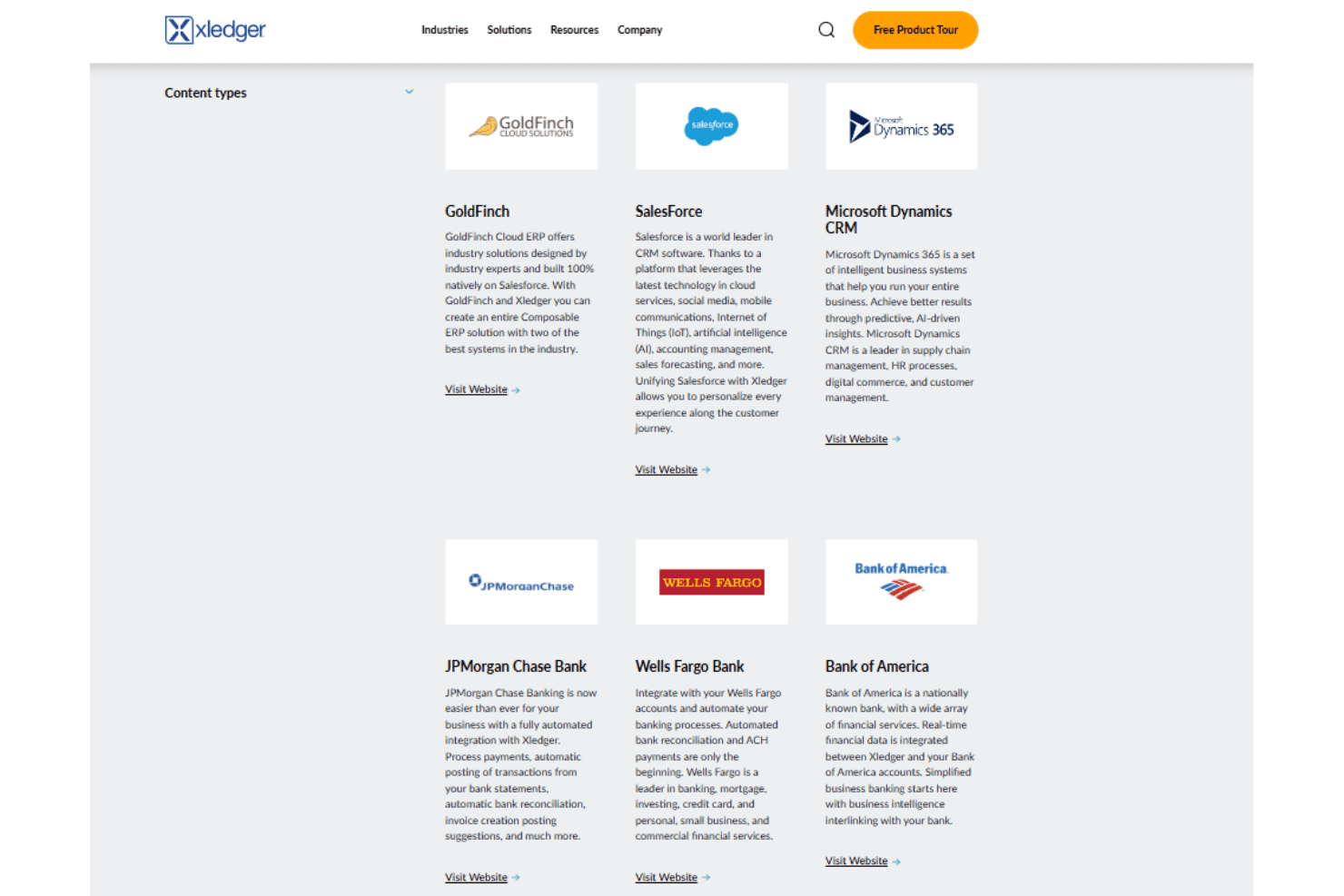
Xledger integrates with Stripe, PayPal, Salesforce, HubSpot, Microsoft Power BI, Google Workspace, ADP, Oracle NetSuite, SAP, and QuickBooks, among others.
Xledger also offers an open API for custom integrations and connects with popular third-party integration tools; if your team standardizes on GraphQL, confirm current endpoint coverage before you build.
Xledger Specs
- 2-Factor Authentication: Yes
- Accounts Payable: Yes
- Accounts Receivable: Yes
- API: Yes
- Balance Sheet: Yes
- Billing/Invoicing: Yes
- BitCoin: Yes
- Budgeting: Yes
- Calendar Management: Yes
- Contact Management: Yes
- CRM Integration: Yes
- Customer Management: Yes
- Dashboard: Yes
- Data Export: Yes
- Data Import: Yes
- Data Visualization: Yes
- Expense Tracking: Yes
- External Integrations: Yes
- Forecasting: Yes
- General Account Ledger: Yes
- Inventory Tracking: Yes
- Multi-Currency: Yes
- Multi-User: Yes
- Notifications: Yes
- P&L: Yes
- PayPal: Yes
- Payroll: Yes
- SAP Integration: Yes
- Stripe: Yes
- Supplier Management: Yes
- Tax Management: Yes


