

Xero er en populær regnskapsprogramvare som tilbyr funksjoner som fakturering, lønn og bankavstemming, noe som gjør den til et verdifullt verktøy for virksomheter som ønsker å håndtere økonomien effektivt. Noen brukere kan imidlertid se etter alternativer på grunn av bestemte funksjonsbegrensninger eller bekymringer knyttet til pris. Her er mine forslag til de beste Xero-alternativene.
Hva er Xero?
Xero er en skybasert regnskapsprogramvare utviklet for å hjelpe små og mellomstore virksomheter med deres behov for økonomistyring. Bedriftseiere, regnskapsførere og bokholdere bruker vanligvis Xero til å håndtere fakturering, bankavstemming og økonomisk rapportering.
Den gir brukerne verktøy for å håndtere økonomien effektivt, sikrer nøyaktig oversikt over inntekter og utgifter samt overholdelse av regnskapsstandarder.
Hvorfor du kan stole på våre programvareanbefalinger
6,700+
Reviews
20
Industry experts
16+
Evaluation factors
14
Years
Teamet vårt har testet og anmeldt programvare siden 2012. Vi er selv økonomiledere, så vi vet hvor vanskelig og hvor viktig det er å velge riktig programvare.
I denne guiden har vi vurdert verktøyene gjennom praktisk testing og uavhengig research og gitt dem poeng ut fra våre utvelgelseskriterier.
Anmeldelsene våre bygger på vår egen redaksjonelle vurdering. De er ikke et salgsargument.
Sammenligningstabell for Xero-alternativer
| Tool | Best For | Trial Info | Price | ||
|---|---|---|---|---|---|
| 1 | Best AI-driven general ledger | Free demo available | Pricing upon request | Website | |
| 2 | Best for Amazon integration | 30-day free trial | From $22.50/month (billed annually) | Website | |
| 3 | Best for project management in agencies | 7-day free trial | From $9/user/month (billed annually) | Website | |
| 4 | Best for user-friendly invoicing and bookkeeping | Free plan available | From $15/month | Website | |
| 5 | Best for privacy-focused accounting solutions | 14-day free trial | From $15/month (billed annually) | Website | |
| 6 | Best for automated bookkeeping for small businesses | 14-day free trial | Pricing upon request | Website | |
| 7 | Best for accounting and inventory management | 15-day free trial | From $20/month | Website | |
| 8 | Best for advanced financial management | Free demo available | From £1,200/month | Website | |
| 9 | Best for automated expense management | 14-day free trial | From $10/month | Website | |
| 10 | Best for free accounting | Free plan available | From $9.95/month | Website |


De beste Xero-alternativene
I denne analysen går jeg gjennom ulike alternativer til Xero og ser nærmere på funksjonene, fordelene og ulempene ved hvert av dem. Jeg viser deg hvilke bruksområder de egner seg best for, slik at du kan finne den perfekte løsningen for virksomhetens behov.
 Best AI-driven general ledger
- Free demo available
- Pricing upon request
Visit WebsiteCustomer Rating:4.9/5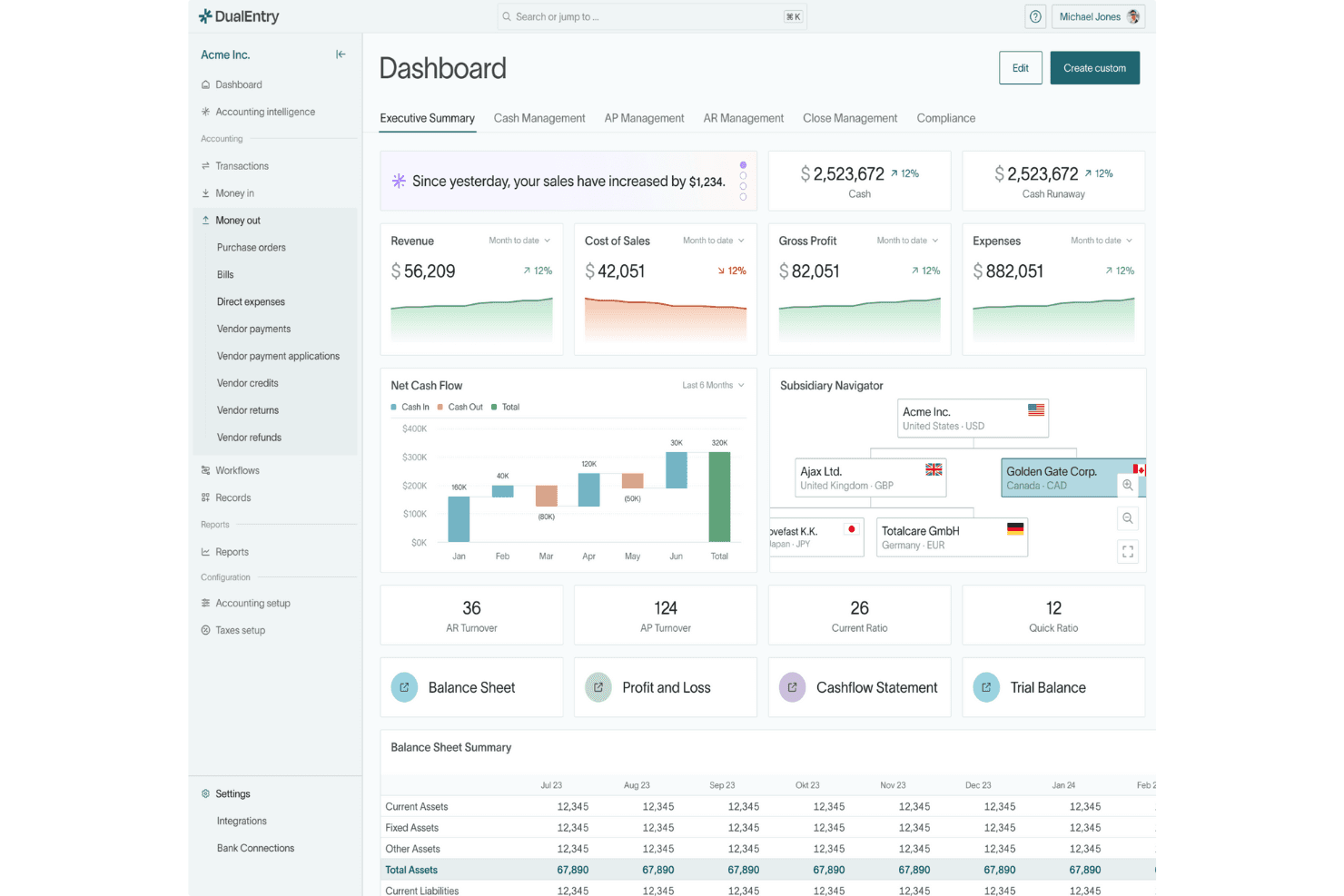
DualEntry centralizes financial KPIs and multi-subsidiary data in one dashboard. DualEntry is an accounting platform for finance teams managing multiple entities, combining general ledger, close, payables, receivables, and reporting to reduce manual work and improve financial visibility.
Who Is DualEntry Best For?
Finance leaders at scaling companies can use DualEntry to bring AI-assisted general ledger workflows into accounting operations across entities.
Why I Picked DualEntry
I picked DualEntry as a Xero alternative for finance teams that need a Best AI-driven general ledger across multiple entities. I like that it combines AI-assisted ledger workflows with close and reporting, so my team can manage entity-level accounting and review financial results in one platform. Its payables and receivables tools also connect operational activity to the ledger.
DualEntry Key Features
- Access controls: Set user permissions by entity and access level.
- Tax calculations: Calculate VAT, GST, and sales tax automatically.
- Audit trail: Trace activity from source records to posted entries.
- Bank reconciliation: Match bank transactions against ledger balances.
DualEntry Integrations
DualEntry lists integrations with Ramp, Brex, Bill.com, SAP Concur, Stripe, Salesforce, HubSpot, Gusto, Deel, and Avalara. It offers a public API for custom integrations and says it connects with 200+ accounting systems and 13,000+ banks.
Pros and Cons
Pros:
- Automated depreciation cuts spreadsheet calculations
- Multi-entity ledger supports consolidated visibility
- AI-assisted reconciliation reduces manual matching
Cons:
- Large datasets can load slowly
- Report filters don't persist across tabs
Learn more about DualEntry: Best for Amazon integration
- 30-day free trial
- From $22.50/month (billed annually)
Visit WebsiteCustomer Rating:4.4/5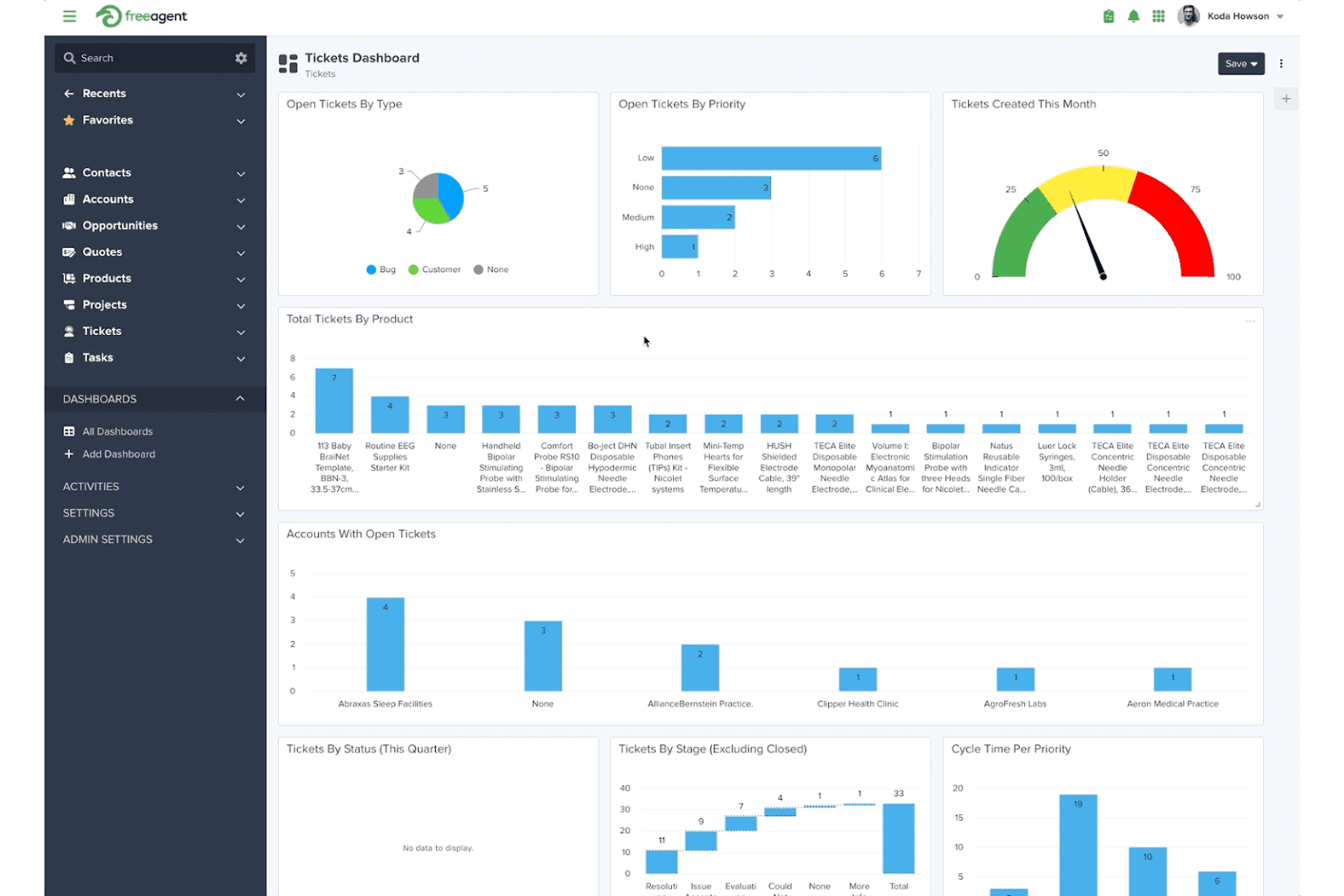
FreeAgent centralizes ticket tracking with priority, type, and product dashboards. For freelancers and small businesses, FreeAgent is accounting software that brings invoicing, expense tracking, and bookkeeping together to help you stay on top of records and cash flow.
Who Is FreeAgent Best For?
FreeAgent suits freelancers and small businesses that sell through Amazon and want to connect marketplace activity with their accounting.
Why I Picked FreeAgent
I picked FreeAgent as a Best Xero Alternatives choice for its “Best for Amazon integration” strength. It imports Amazon sales and associated fees each day, and I like that it records refunds too, helping me reconcile marketplace activity with the books.
FreeAgent Key Features
- Estimates and invoices: Create, send, and track estimates and invoices.
- Time tracking: Record billable time with a stopwatch or timesheets.
- Receipt capture: Upload expense receipts by taking a photo on your phone.
- Dashboard: View cash flow and upcoming tax bills.
FreeAgent Integrations
FreeAgent includes a built-in integration with Amazon UK Seller Central, importing sales, refunds, fees, and disbursements daily. Its documented partner integrations include WooCommerce, Stripe, PayPal, and GoCardless; FreeAgent also supports Zapier and provides an API for custom integrations.
Pros and Cons
Pros:
- Direct filing for VAT and Self Assessment
- Recurring invoices include scheduled payment reminders
- Personalized tax timeline flags upcoming obligations
Cons:
- Reporting offers no custom reports
- Invoice templates offer limited customization
 Best for project management in agencies
- 7-day free trial
- From $9/user/month (billed annually)
Visit WebsiteCustomer Rating:4.6/5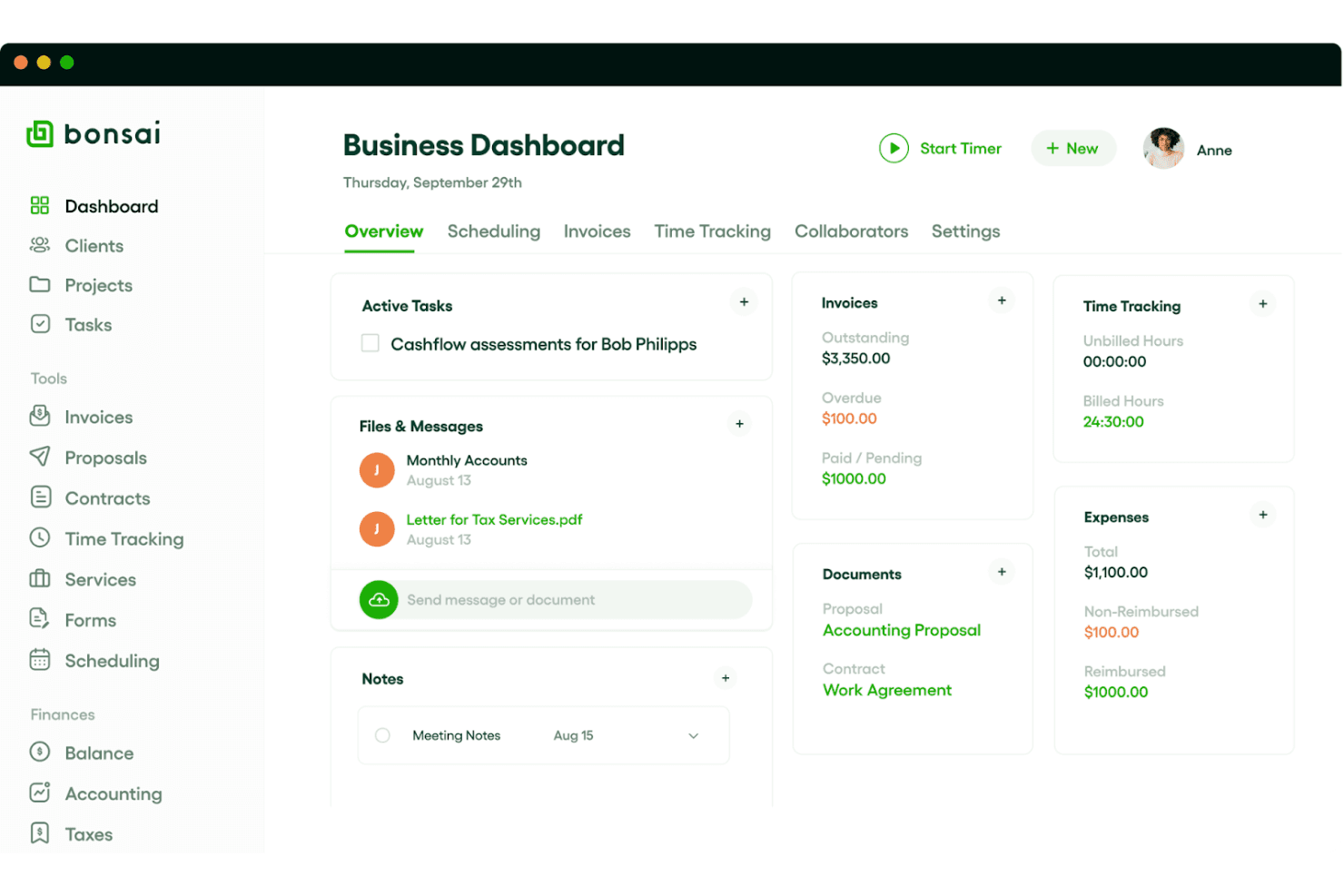
Bonsai centralizes tasks, invoices, and expenses in one dashboard. Bonsai is an agency-focused business management platform that connects project work with time tracking and invoicing, helping teams coordinate client delivery and keep billing details organized.
Who Is Bonsai Best For?
Bonsai suits agency owners and project leads who need a shared way to plan client work and coordinate delivery across a team.
Why I Picked Bonsai
I picked Bonsai as a Xero alternative because it’s “Best for project management in agencies.” I like how teams can organize client projects, track billable time, and connect that work to invoicing. That gives finance teams a clearer way to review project hours before billing clients.
Bonsai Key Features
- Bank sync: Connect bank accounts to import and categorize business expenses.
- Profit and loss reports: Review revenue, expenses, and profit in financial reports.
- Income tracking: Record income alongside expenses in Bonsai.
- Accounting integrations: Connect Bonsai with QuickBooks or Xero.
Bonsai Integrations
Bonsai offers three documented integrations with QuickBooks Online and Xero for invoice syncing, and HiBob for syncing time-off data. It also connects with Zapier and provides an API for custom integrations.
Pros and Cons
Pros:
- Contracts, proposals, and client billing share workflows
- Project budgets clarify agency-level profitability
- Connects tracked project hours directly to invoices
Cons:
- Reporting and permissions constrain larger finance teams
- Bookkeeping lacks payroll and deeper accounting controls
 Best for user-friendly invoicing and bookkeeping
- Free plan available
- From $15/month
Visit WebsiteCustomer Rating:4.6/5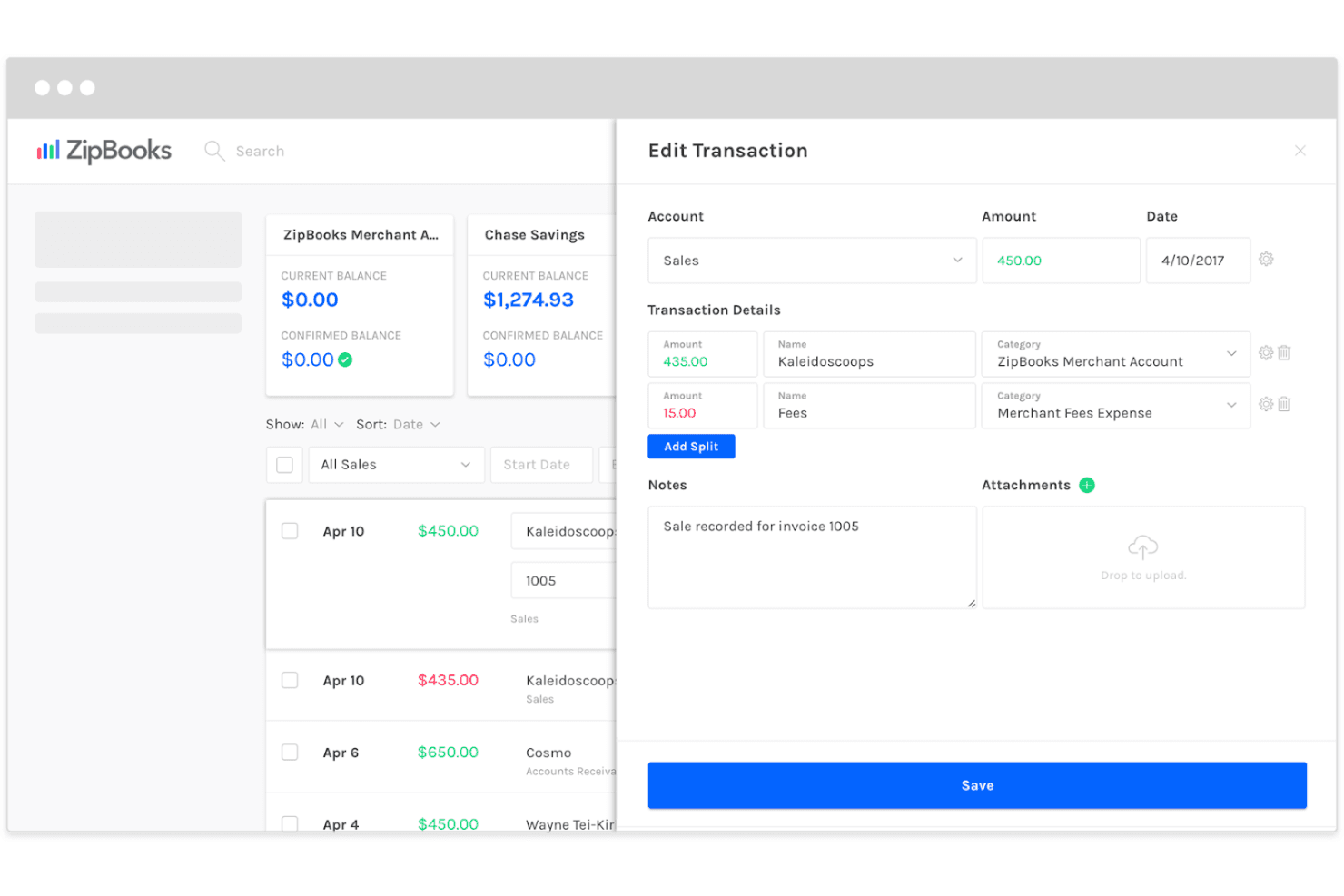
ZipBooks lets users split and categorize transactions with notes. ZipBooks is cloud accounting software for churches and small organizations that helps finance teams track income and expenses, manage invoices, and organize day-to-day bookkeeping.
Who Is ZipBooks Best For?
ZipBooks suits church administrators and treasurers who need a straightforward way to manage invoices and routine bookkeeping.
Why I Picked ZipBooks
I picked ZipBooks for my Xero alternatives shortlist: Best for user-friendly invoicing and bookkeeping. Its cloud accounting tools let church finance staff manage invoices and track income and expenses as part of routine bookkeeping. I like that a treasurer can keep those day-to-day records organized in one place.
ZipBooks Key Features
- Financial reports: Generate income statements, balance sheets, and spending reports.
- Recurring bills: Set up bills to repeat automatically.
- Credit card processing: Accept credit card payments through ZipBooks.
- Team permissions: Manage team access with role-based permissions.
ZipBooks Integrations
ZipBooks supports payments through Square and PayPal, documents a Stripe payment integration, and lists Gusto integration on its pricing page. It also provides an API for custom integrations.
Pros and Cons
Pros:
- Recurring invoices reduce repeat billing work
- Expense tracking covers day-to-day bookkeeping
- Invoice creation and online collection stay simple
Cons:
- No dedicated fund accounting for churches
- Advanced reports offer less analytical depth
Learn more about ZipBooks: Best for privacy-focused accounting solutions
- 14-day free trial
- From $15/month (billed annually)
Visit WebsiteCustomer Rating:4.3/5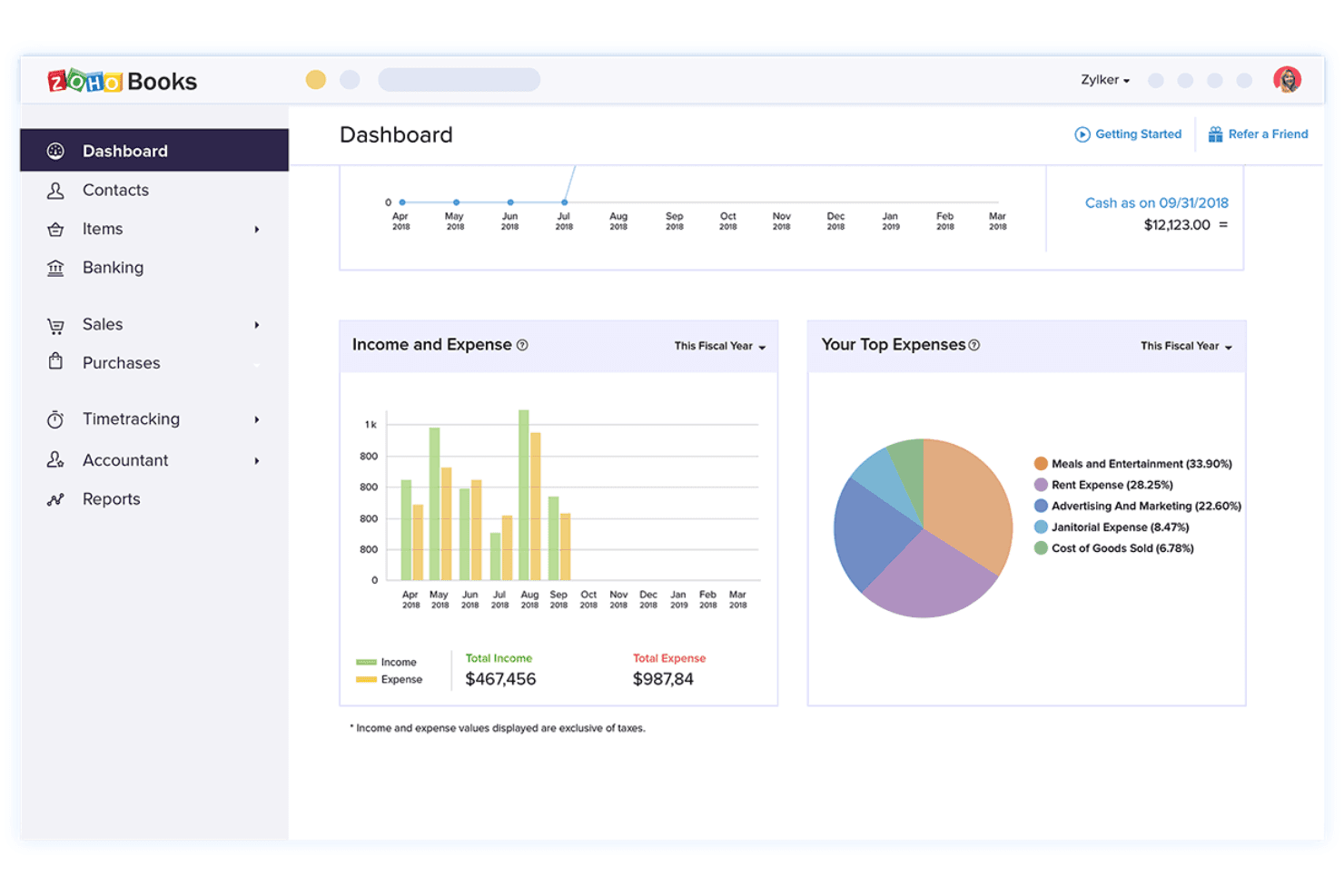
Zoho Books displays income, expenses, and top spending categories at a glance. For small and midsize businesses, Zoho Books brings invoicing, expense tracking, bank reconciliation, and financial reporting together to cut manual bookkeeping and give finance teams clearer cash-flow visibility.
Who Is Zoho Books Best For?
Zoho Books suits small and midsize businesses whose finance teams want accounting software from a privacy-focused vendor.
Why I Picked Zoho Books
I picked Zoho Books as a Xero alternative for its focus on privacy-focused accounting solutions. Encryption at rest and in transit, user roles and permissions, and approval workflows help restrict access to sensitive financial data and control transaction approvals. Those safeguards make its “Best for privacy-focused accounting solutions” positioning concrete.
Zoho Books Key Features
- Invoicing: Create and send invoices, then track their payment status.
- Expense tracking: Record expenses and attach receipts to transactions.
- Bank reconciliation: Match bank statement entries with recorded transactions.
- Financial reports: Generate reports on profit and loss, cash flow, and balance sheets.
Zoho Books Integrations
Zoho Books has native integrations with Zoho CRM, Zoho Expense, Zoho Projects, Zoho Analytics, Stripe, and Square; Google Workspace integration is available through Google Workspace Marketplace. It also provides a REST API for custom integrations.
Pros and Cons
Pros:
- Mobile app supports bills, payments, and reports
- Advanced inventory tracks batches and warehouses
- Role-based permissions limit access to financial records
Cons:
- Report customization falls short for detailed analysis
- Bank feeds can drop or need reauthentication
 Best for automated bookkeeping for small businesses
- 14-day free trial
- Pricing upon request
Visit WebsiteCustomer Rating:4.5/5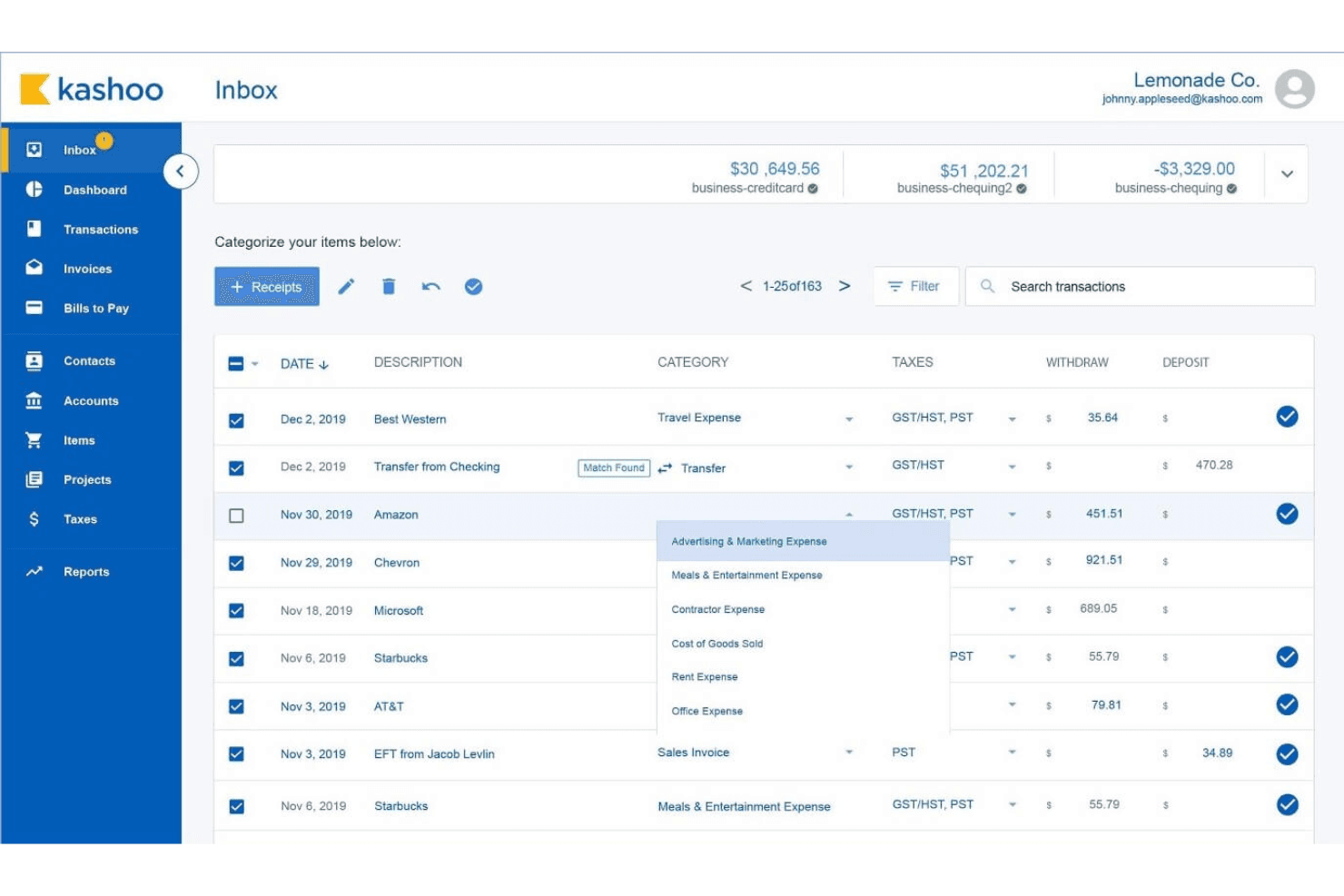
Kashoo lets users categorize and manage transactions from their inbox. For small businesses that need clearer books without a dedicated accounting team, Kashoo brings invoicing, expense tracking, and financial records together in one accounting platform.
Who Is Kashoo Best For?
Kashoo suits small-business owners who want to automate routine bookkeeping and manage invoicing without a dedicated accounting team.
Why I Picked Kashoo
I picked Kashoo as a Xero alternative for automated bookkeeping for small businesses. Its bank-feed sync brings transactions into your books, while expense and bill tracking helps keep routine records current. You can also create invoices and track sales tax in the same ledger.
Kashoo Key Features
- Multi-currency: Record transactions in multiple currencies.
- Inventory tracking: Track items and their inventory details.
- Project tracking: Assign and organize transactions by project.
- Double-entry ledger: Record activity using double-entry bookkeeping.
Kashoo Integrations
Kashoo integrates with Plaid for bank connections, Square, Stripe for invoice payments, and PaymentEvolution for payroll. It also provides an API for custom integrations.
Pros and Cons
Pros:
- Simple ledger suits small-business bookkeeping
- Reconciliation helps keep books current
- Bank feeds cut manual transaction entry
Cons:
- Reports offer limited customization
- Bank-feed sync can duplicate transactions
Learn more about Kashoo: Best for accounting and inventory management
- 15-day free trial
- From $20/month
Visit WebsiteCustomer Rating:4.7/5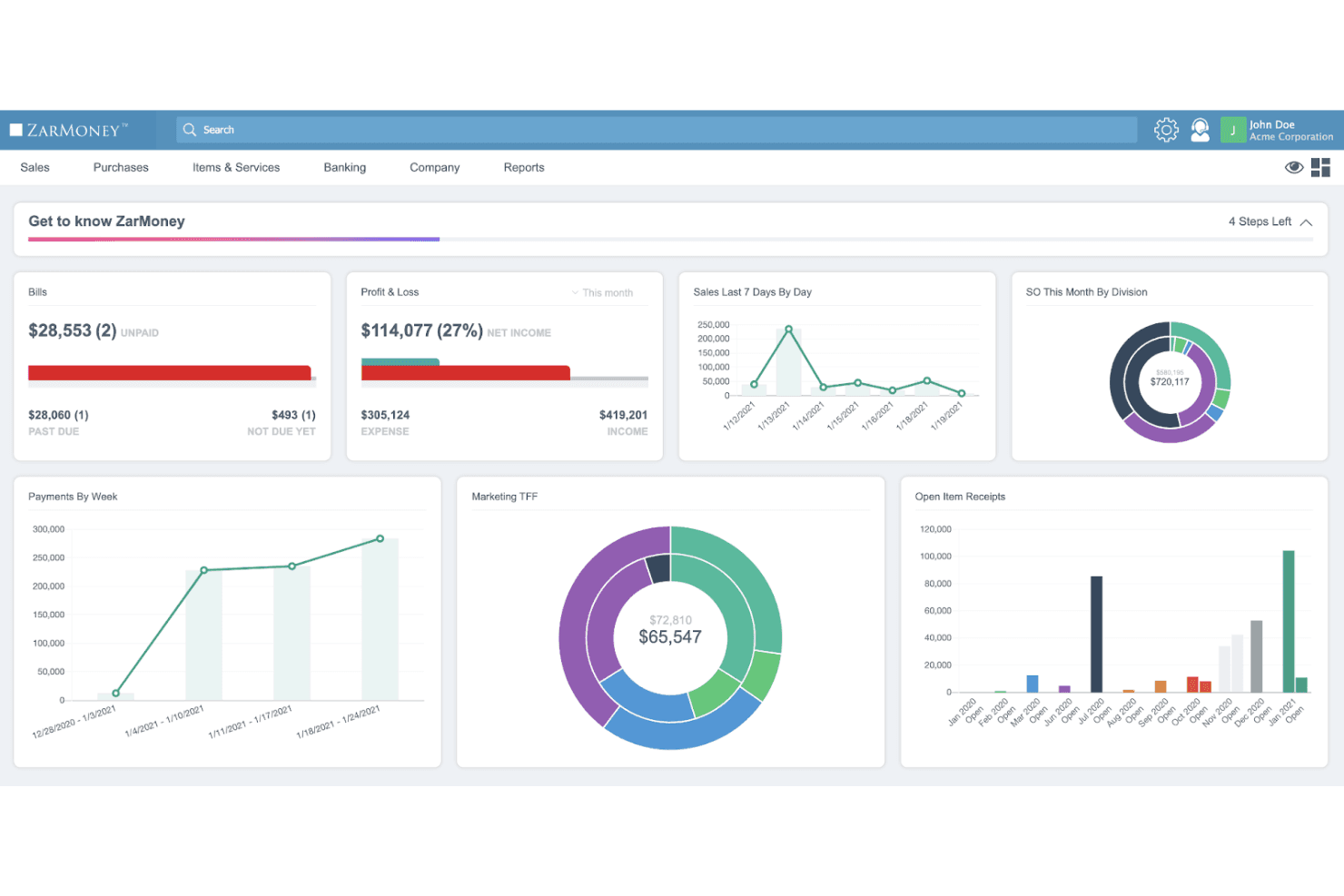
ZarMoney centralizes financial data in a customizable dashboard. ZarMoney is accounting software for small and midsize businesses that need to manage invoices, bills, and financial records alongside daily operations, making it Best for accounting and inventory management.
Who Is ZarMoney Best For?
Owners and finance teams at product-based businesses can use ZarMoney to keep inventory records connected with day-to-day accounting.
Why I Picked ZarMoney
I picked ZarMoney as a Xero alternative for its “Best for accounting and inventory management” focus. Its split view lets me check stock status and history by location, while real-time counts and purchase and sales histories help me trace product movements against financial records.
ZarMoney Key Features
- Invoice creation: Create and send invoices using details from customer records.
- Bill management: Track vendor bills, balances, recurring payments, and payment status.
- Bank reconciliation: Import bank transactions, review them, and reconcile accounts.
- Financial reports: Access more than 40 built-in reports and over 1,000 customizable reports.
ZarMoney Integrations
ZarMoney integrates with Gusto, Stripe, Shopify, PayPal, Authorize.Net, Mailchimp, AutoEntry, and WePay, and connects with Zapier. It also offers an API for custom integrations.
Pros and Cons
Pros:
- Reviewers praise intuitive invoicing and responsive support
- Real-time counts trace sales and purchase histories
- Multi-location stock views connect inventory and accounting
Cons:
- Report customization and dashboard options remain limited
- Inventory adjustments can produce inaccurate reports
Learn more about ZarMoney: Best for advanced financial management
- Free demo available
- From £1,200/month
Visit WebsiteCustomer Rating:4.3/5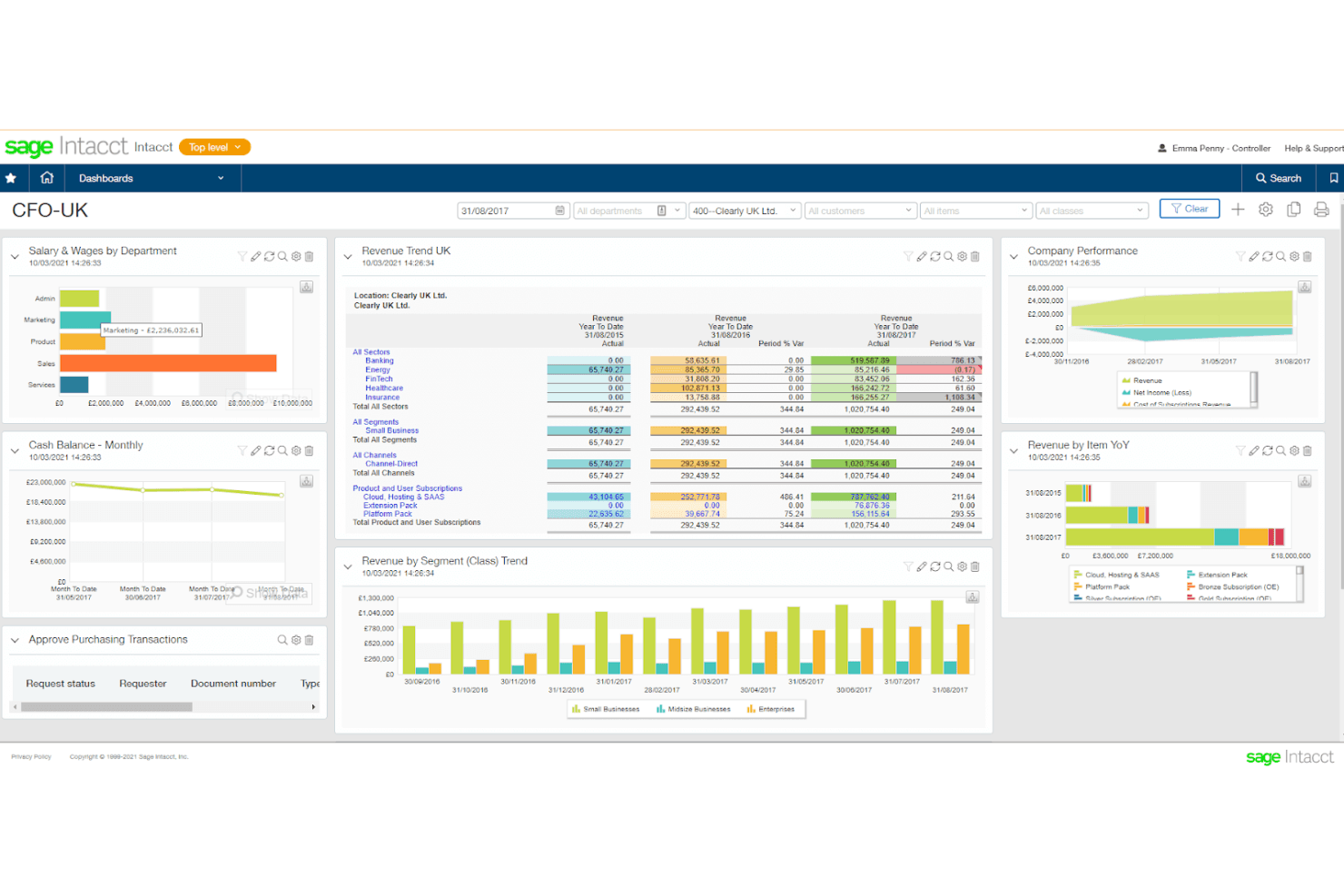
Sage Intacct gives CFOs a real-time financial overview across revenue, wages, and cash. Sage Intacct is cloud accounting software for growing, multi-entity organizations that need to consolidate financial data, manage complex accounting workflows, and give finance teams clearer reporting and control.
Who Is Sage Intacct Best For?
Sage Intacct suits finance leaders at growing organizations who need advanced accounting controls and deeper visibility into financial performance.
Why I Picked Sage Intacct
I picked Sage Intacct as a Xero alternative because it’s built for advanced financial management across growing, multi-entity organizations. I like its multi-entity consolidation and dimensional reporting, which help finance teams compare results across entities, departments, and locations without relying on separate spreadsheets. In practice, that gives me clearer reporting and control as operations expand.
Sage Intacct Key Features
- Accounts payable automation: Creates draft bills, matches them to purchase orders, and routes them for approval.
- Accounts receivable: Supports invoicing and payment collection workflows.
- Cash management: Connects bank data with the general ledger and reporting.
- Purchasing: Supports procure-to-pay workflows.
Sage Intacct Integrations
Sage Intacct lists 350+ integrations in its marketplace, including Ramp, Tipalti, AvidXchange, BILL Spend & Expense, Planful, SAP Concur, Expensify, and BlackLine. Sage also provides a prebuilt Salesforce integration and a Web Services API for custom integrations.
Pros and Cons
Pros:
- Automates AP approvals and journal workflows
- Dimensional reporting reduces spreadsheet-based analysis
- Consolidates finances across multiple entities
Cons:
- Advanced workflows take time to learn
- Custom reports can require specialist help
Learn more about Sage Intacct: Best for automated expense management
- 14-day free trial
- From $10/month
Visit WebsiteCustomer Rating:4.7/5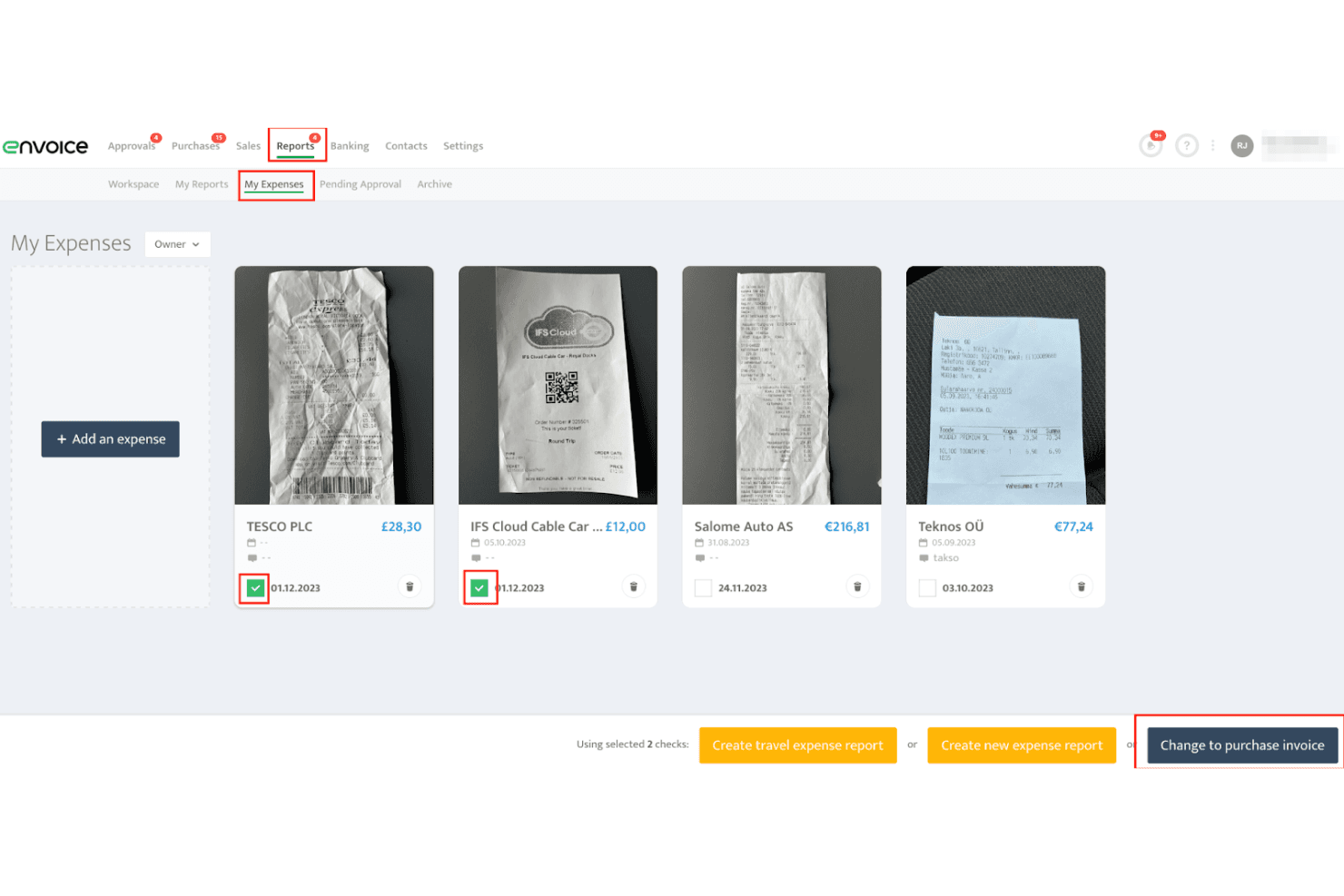
Envoice lets users select and convert receipts into expense reports or invoices. Envoice is a bill and expense management platform for businesses and accounting practices that helps reduce manual data entry, manage approvals, and sync cost records with accounting software.
Who Is Envoice Best For?
Envoice suits finance teams and accounting practices that want to capture, review, and sync business expenses with less manual data entry.
Why I Picked Envoice
I picked Envoice as a Xero alternative for its focus on automated expense management. It uses AI to extract bill and receipt details from photos, forwarded emails, or cloud storage, then suggests accounting codes and tax rates. Employees can submit receipts through its mobile app, while amount-based limits and approval flows help prevent unauthorized costs before records sync to Xero or another ledger.
Envoice Key Features
- Invoicing: Create invoices without opening your accounting software.
- E-invoicing: Send and receive e-invoices through a global network.
- Document archive: Store accounting documents in secure, accessible storage.
- Admin controls: Set who can access your company’s financial information.
Envoice Integrations
Envoice lists 20+ integrations, including Xero, QuickBooks Online, Sage Business Cloud Accounting, Microsoft Dynamics 365 Business Central, ERPLY Books, Briox, Directo, Standard Books, Dropbox, and OneDrive.
Pros and Cons
Pros:
- Employees submit receipts through mobile expense reports
- Multi-step approvals enforce spend limits before sync
- AI extracts receipts and suggests accounting codes
Cons:
- Reviewers report slow document uploads
- Not a full accounting ledger replacement
Learn more about Envoice:
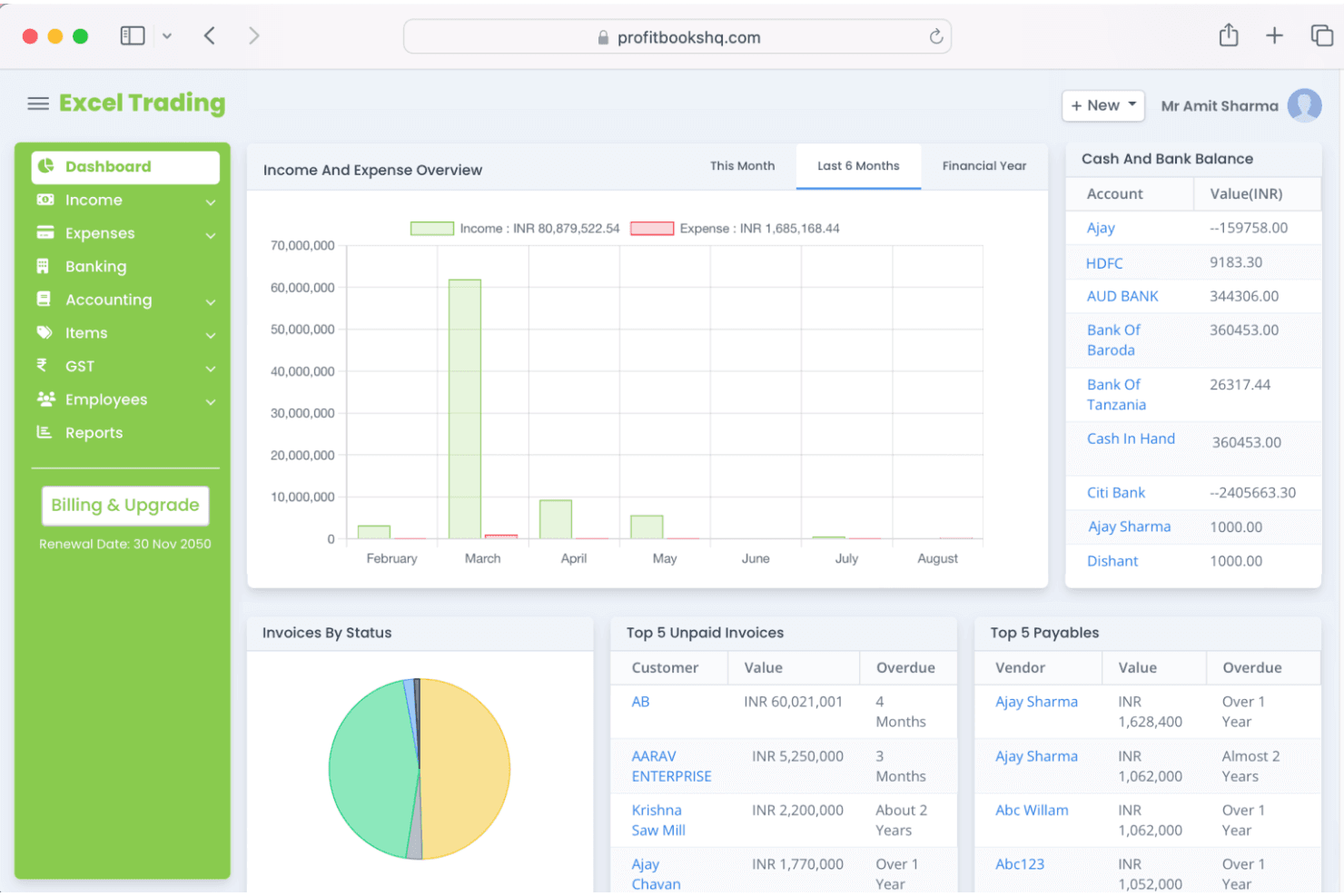
ProfitBooks gives users a real-time financial dashboard with income, expenses, and balances. ProfitBooks is cloud accounting software for small businesses, freelancers, and retailers that brings invoicing, expense tracking, bank reconciliation, and inventory records together to organize day-to-day finances.
Who Is ProfitBooks Best For?
ProfitBooks suits small-business owners who want to start organizing invoices and expenses with a free accounting plan.
Why I Picked ProfitBooks
I picked ProfitBooks as a Xero alternative because it’s best for free accounting, with a free plan for organizing day-to-day finances. I like that a small retailer can track invoices and expenses alongside inventory records without starting with a paid plan.
ProfitBooks Key Features
- Estimates: Create estimates with automatic tax calculations.
- Purchase orders: Create and manage purchase orders for suppliers.
- Vendor payments: Record payments made to vendors.
- Financial and tax reports: Generate more than 45 reports, including tax summaries.
ProfitBooks Integrations
ProfitBooks integrates with Cashfree and Instamojo to add payment links to invoices. It offers API access for custom connections, though its built-in integration selection is smaller than Xero’s.
Pros and Cons
Pros:
- Cash-flow dashboards give quick financial visibility
- Estimates and purchase orders support purchasing workflows
- Inventory and accounting records share one workflow
Cons:
- Report customization and filtering remain limited
- Bank transactions require manual statement imports
Learn more about ProfitBooks:
Andre Xero-alternativer
Nedenfor finner du en liste over flere Xero-alternativer som jeg valgte ut. Selv om de ikke kom med blant de 10 beste, er de fortsatt verdifulle og verdt å undersøke nærmere.
- 11PuzzleBest for dual accounting capabilities
- 12AkauntingBest for open-source financial management
- 13ReckonBest for affordable accounting and payroll services
- 14SlashBest for crypto and fiat currency management
- 15PocketSmithBest for future financial forecasting
- 16HoneyBookBest for project-based businesses and creatives
- 17Odoo AccountingBest for customizable business solutions
- 18WaveBest for freelancers and small businesses
How I Evaluate Xero Alternatives
Whether you're a bookkeeper juggling multiple clients or a founder reconciling bank feeds solo, I evaluate every tool on two levels: the baseline it must hit and what sets it apart.
Core Functionality (Table Stakes For This List)
When I'm selecting tools for my list, I rank each one on a scale from 0 (does not offer the functionality) to 5 (excels in this area) for each core functionality listed below. Then, I calculate the tool's total score into a percentage. Each tool needs to achieve a minimum total score of 75% to be considered for inclusion.
- General Ledger & Double-Entry Bookkeeping: I check whether the platform offers a full chart of accounts, journal entries, and an audit trail—basics like posting adjusting entries at month-end should feel straightforward.
- Invoicing & Accounts Receivable: A good alternative lets you create custom invoices, accept online payments, and automate payment reminders so you're not chasing down outstanding balances manually.
- Bank Feeds & Reconciliation: I evaluate how many banks the tool connects to, how transaction matching works, and whether you can set up rules—like auto-categorizing recurring SaaS subscriptions.
- Accounts Payable & Expense Tracking: From snapping receipt photos to scheduling vendor payments, I look for tools that handle the full AP cycle rather than just basic bill entry.
- Financial Reporting & Tax Compliance: Every tool should generate a P&L, balance sheet, and cash flow statement at minimum, plus support region-relevant tax reports like VAT, GST, or sales tax returns.
- Multi-User Access & Integrations: I evaluate role-based permissions for accountants and collaborators, along with native integrations to payment processors, CRMs, and payroll tools your team already uses.
Once I have a list of tools that meet this criteria, I consider what sets each platform apart.
Differentiating Factors (What Sets Vendors Apart)
Here's how I compare and contrast different vendors:
Standout Features
Integrated payroll is a big differentiator—tools that handle pay runs and tax filings natively save you from stitching together separate systems just to run a monthly payroll cycle. I also evaluate multi-entity and multi-currency support, which matters the moment you open a second location or start invoicing clients abroad. For bookkeepers managing multiple clients, a client collaboration portal with document requests and review workflows can replace a lot of back-and-forth over email.
Beyond Features
Pricing and scalability matter a lot here—I look at whether a freelancer can start on a free or low-cost tier and grow into a mid-market plan without migrating to a new platform entirely. Migration support is another factor I weigh, especially dedicated import tools or guided workflows for moving the chart of accounts and historical data from Xero. I also evaluate the integration ecosystem, because your accounting tool needs to connect to whatever payment processors, ecommerce platforms, and CRMs your business already runs on.
Hvorfor se etter et Xero-alternativ?
Selv om Xero er en verdifull programvare, finnes det flere grunner til at du kan være på utkikk etter et alternativ, for eksempel:
- Prisbekymringer: Xero tilbyr kanskje ikke den prisfleksibiliteten enkelte virksomheter trenger, noe som får dem til å se etter mer kostnadseffektive løsninger.
- Begrensninger i funksjoner: Virksomheter kan ha behov for funksjoner Xero mangler, for eksempel mer avanserte verktøy for økonomistyring eller funksjoner som er tilpasset bestemte bransjer.
- Skaleringsproblemer: Etter hvert som virksomheter vokser, kan de oppleve at Xeros funksjonalitet ikke skalerer effektivt i takt med de økte behovene.
- Kundestøtte: Noen virksomheter kan være misfornøyde med Xeros kundestøtte og se etter alternativer med mer responsiv service.
- Integrasjonsbehov: Virksomheter som er avhengige av ulike programvareapplikasjoner, kan ha behov for regnskapsløsninger med bedre integrasjonsmuligheter enn Xero.
Viktige funksjoner i Xero-alternativer
Her er noen viktige funksjoner i Xero som den alternative programvaren bør kunne gjenskape eller forbedre for å passe godt.
- Fakturering: Opprett og tilpass fakturaer enkelt, og konfigurer automatiske påminnelser for forfalte eller forsinkede betalinger.
- Bankavstemming: Importer kontoutskrifter, kategoriser transaksjoner og avstem leverandørgjeld.
- Utgiftssporing: Overvåk, kategoriser og administrer virksomhetens utgifter i sanntid.
- Lagerstyring: Hold oversikt over lagerbeholdningen og administrer lager på flere steder.
- Flere valutaer: Kan håndtere transaksjoner i flere valutaer med automatiske oppdateringer av valutakurser.
- Lønnshåndtering: Forenkle lønnsbehandlingen, håndter ansattopplysninger, registrer arbeidstimer og sørg for at skatte- og arbeidslovgivningen overholdes.
- Finansiell rapportering: Generer detaljerte økonomiske rapporter for omfattende innsikt i virksomheten.
- Prosjektsporing: Registrer tid, kostnader og fakturerbare timer for bestemte prosjekter for å sikre lønnsomhet og nøyaktig fakturering av kunder.
- Skattehåndtering: Beregn, følg opp og lever skattemeldinger nøyaktig, og overhold lokale skatteregler.
- Mobil tilgang: Fullt funksjonell mobilapp for å administrere virksomhetens økonomi på farten.