

Avaza-recensie: voordelen, nadelen, functies en prijzen
Avaza blinkt uit in het integreren van projectbeheer en onkostenregistratie en biedt uw team een veelzijdige tool voor efficiënte bedrijfsvoering.

We review tools independently, and commissions help fund our testing. See our transparency policy, our methodology, or suggest a tool.
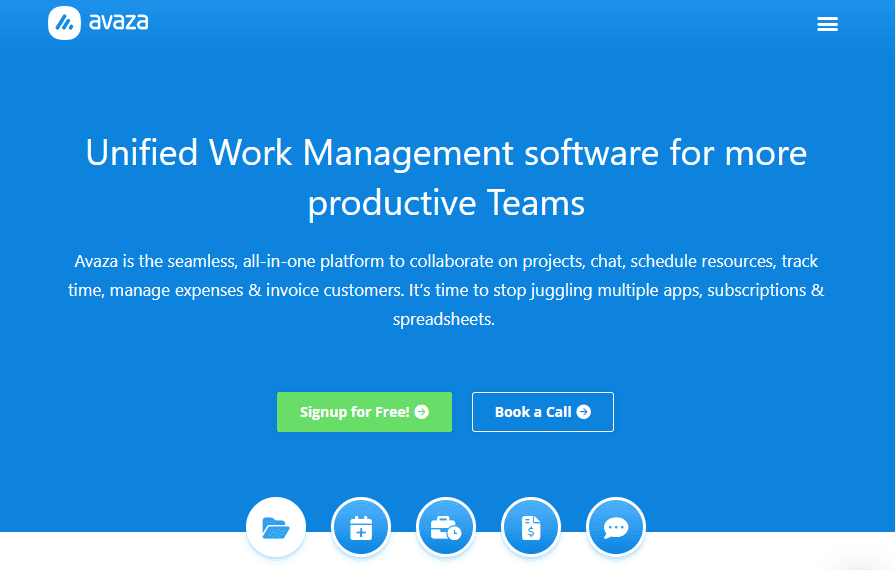
Avaza is an expense management software built for small to mid-sized service businesses that need to track expenses alongside projects, time, and client invoices in one place. I'd consider it over a tool like Expensify if your team needs more than just receipt capture, Avaza connects expenses directly to projects and billable invoices, so you're not stitching together separate tools to get a complete financial picture of each client engagement.
Avaza Evaluation Summary
4.6/5
- From $11.95/month
- Free plan available
Waarom u onze softwareaanbevelingen kunt vertrouwen
6,700+
Reviews
20
Industry experts
16+
Evaluation factors
14
Years
Onze reviews weerspiegelen ons onafhankelijke oordeel — geen verkooppraatje. Ontdek hoe we transparant blijven.
Voor deze gids hebben we tools geëvalueerd met behulp van praktijktests en onafhankelijk onderzoek, waarbij we tools beoordeelden aan de hand van onze selectiecriteria.
Onze reviews weerspiegelen ons menselijke redactionele oordeel, geen verkooppraatje.
Avaza Overview
In my opinion, Avaza is a solid choice for small to medium-sized businesses needing reliable expense management. It's user-friendly and integrates well with project management, which is great for teams needing both functionalities in one tool. Pricing is reasonable, and the customer support is responsive, making it a good value. However, while it excels in core and standout features, some competitors might offer more advanced analytics overall. If your team values ease of use, streamlined project tracking, and dependable support, Avaza is worth considering for your expense management and professional services automation needs. The software interface supports Kanban boards for teams familiar with Trello or Asana. Avaza is a must-have if you require automation, recurring invoices, online payments, and streamlined project management software.
Pros
- You can easily track expenses alongside project management tasks.
- Your team will find the interface intuitive and simple to navigate.
- Avaza offers reliable customer support that promptly addresses issues.
Cons
- Your team might find the reporting features less advanced compared to other tools.
- Some users report limited customization options for certain features.
- You might encounter occasional performance lags with larger data sets.
Is Avaza Right For Your Needs?
Who Would be a Good Fit for Avaza?
Avaza is a great fit for small to medium-sized businesses and creative agencies that need to manage projects and expenses in one place. If your team values ease of use and needs a tool that combines project management with financial tracking, Avaza’s intuitive interface and reliable customer support make it an appealing choice. It's particularly useful for project-based teams, like marketing or consulting, where tracking billable hours, timesheets, and expenses is crucial for profitability.
- Creative AgenciesAvaza's project and expense tracking features help your team manage client projects and budgets seamlessly with real-time visibility.
- Small BusinessesYou’ll find Avaza's user-friendly interface and integrated tools ideal for managing expenses and projects efficiently, especially if you're looking for a free plan that still offers strong functionality.
- ConsultantsAvaza makes it easy to track billable hours, track time, create recurring invoices, and ensure you accurately bill clients.
- Marketing TeamsYour team can track campaign expenses, automate notifications, and follow project progress in one place with Avaza’s integrated tools.
- FreelancersAvaza helps you manage invoices, retainer agreements, track time, and keep your expenses organized with minimal hassle.
- NonprofitsAvaza’s expense tracking and project management capabilities help you manage your budgets and projects effectively, even with small teams.
Who Would be a Bad Fit for Avaza?
Avaza might not be the best choice for large enterprises or businesses in need of advanced analytics and extensive customization. If your team relies heavily on detailed reporting or requires tailored features to fit complex workflows, Avaza's limitations in these areas could hinder your efficiency. Companies in industries with large-scale operations or those needing specialized financial tracking might find Avaza’s capabilities insufficient for their needs.
- Large EnterprisesAvaza's features might not scale well with the complex needs of a large organization.
- Financial ServicesYou might find Avaza's reporting capabilities too basic for detailed financial analysis.
- Manufacturing CompaniesAvaza lacks the advanced inventory and supply chain management features you likely require.
- Custom Software DevelopmentYour team might require more customization options than Avaza offers.
- Healthcare OrganizationsYou might need specialized compliance and reporting features that Avaza doesn't provide.
- Retail ChainsAvaza's functionalities may not support the detailed transaction tracking you require.
Avaza Specs
- 2-Factor Authentication: No
- Accounts Receivable: Yes
- API: Yes
- Balance Sheet: No
- Billing/Invoicing: Yes
- BitCoin: No
- Budgeting: No
- Calendar Management: No
- Contact Management: Yes
- CRM Integration: No
- Customer Management: No
- Dashboard: Yes
- Data Export: Yes
- Data Import: Yes
- Data Visualization: Yes
- Expense Tracking: Yes
- External Integrations: Yes
- Forecasting: Yes
- Inventory Tracking: No
- Multi-Currency: Yes
- Multi-User: Yes
- Notifications: Yes
- P&L: Yes
- Payment Gateway Integration: No
- Payment Processor: No
- PayPal: Yes
- Payroll: No
- SAP Integration: No
- Scheduling: Yes
- Stripe: Yes
- Supplier Management: No
- Tax Management: No


