

Beoordeling van Sage Onkostenbeheer: voordelen, nadelen, functies en prijzen

We review tools independently, and commissions help fund our testing. See our transparency policy, our methodology, or suggest a tool.
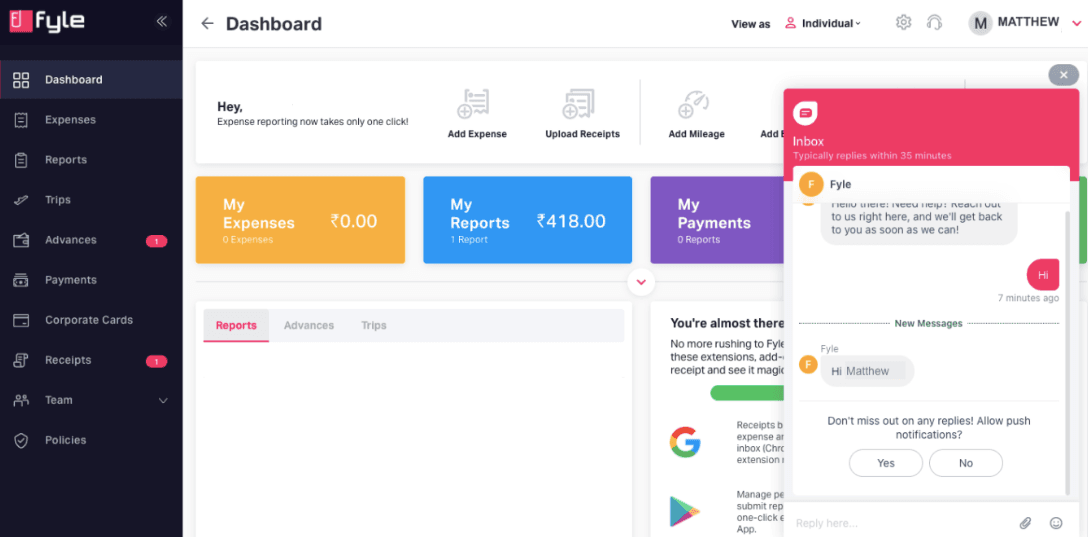
Sage Expense Management (formerly Fyle) is an expense management software for finance teams that need real-time visibility into employee spend. It works with your existing bank-issued credit cards, so you don't need to overhaul your card program to get expenses syncing automatically. Compared to Expensify, it gives finance teams tighter control over expense policy enforcement and more granular transaction-level visibility. That distinction matters most when you're managing spend across a larger workforce.
Sage Expense Management (formerly Fyle) Evaluation Summary
4.6/5
- From $11.99/user/month (billed annually)
- Free demo available
Waarom u onze softwareaanbevelingen kunt vertrouwen
6,700+
Reviews
20
Industry experts
16+
Evaluation factors
14
Years
Onze reviews weerspiegelen ons onafhankelijke oordeel — geen verkooppraatje. Ontdek hoe we transparant blijven.
Voor deze gids hebben we tools geëvalueerd met behulp van praktijktests en onafhankelijk onderzoek, waarbij we tools beoordeelden aan de hand van onze selectiecriteria.
Onze reviews weerspiegelen ons menselijke redactionele oordeel, geen verkooppraatje.
Sage Expense Management (formerly Fyle) Overview
Sage Expense Management stands out for its intuitive interface and real-time tracking, making it a solid choice for tech-savvy finance teams. While its core features are commendable, onboarding and customer support could be improved compared to competitors.
It's best suited for mid-sized companies that need efficient expense management without complex onboarding. If you're seeking a straightforward tool with essential features, Sage Expense Management is worth considering.
Pros
- You can track expenses in real-time.
- The interface is user-friendly and hassle-free.
- Approval workflows are customizable.
Cons
- Onboarding might be slower than you'd expect.
- Customer support response times can be longer than you'd like.
- The mobile app could be more intuitive.
Is Sage Expense Management (formerly Fyle) Right For Your Needs?
Who Would be a Good Fit for Sage Expense Management (formerly Fyle)?
Sage Expense Management is perfect for mid-sized tech firms and service industries that need real-time expense data tracking. If your team values a user-friendly interface and customizable approval workflows, Sage Expense Management's functionalities can enhance your efficiency.
It's especially useful for finance teams that handle frequent expense reports and need quick adaptation without extensive training. With its intuitive design, your team can seamlessly integrate it into daily operations, saving time and reducing manual errors.
- Tech StartupsSage Expense Management's real-time tracking helps you manage rapid growth and frequent expenses without hassle.
- Consulting FirmsYour consultants can easily submit expenses on the go, ensuring timely reimbursements and accurate tracking.
- Marketing DepartmentsSage Expense Management's customizable workflows fit your varied expense approval processes, keeping your campaigns on budget.
- Finance TeamsYou benefit from quick adaptation to Sage Expense Management, reducing training time and enabling you to focus on financial analysis.
- Travel AgenciesSage Expense Management's mobile app ensures your agents can track travel expenses efficiently, even while traveling.
- Healthcare ProvidersYour administrative staff can manage and report expenses efficiently, reducing paperwork and enabling a focus on patient care.
Who Would be a Bad Fit for Sage Expense Management (formerly Fyle)?
Sage Expense Management isn't ideal for large enterprises with complex expense management needs and extensive approval hierarchies. If your team requires advanced reporting features and comprehensive customer support, Fyle might fall short.
Its onboarding process and support response times may not meet the expectations of large organizations that need quick setup and immediate assistance. Additionally, if your work demands a highly intuitive mobile experience, Sage Expense Management's app might not deliver the ease of use you need.
- Large CorporationsCompany size means your complex expense processes may overwhelm Sage Expense Management's capabilities, leading to inefficiencies.
- Retail ChainsSage Expense Management's mobile app might not suit your fast-paced, on-the-go expense tracking needs.
- Manufacturing CompaniesYour detailed reporting requirements could stretch Sage Expense Management's functionality beyond its limits.
- Educational InstitutionsYou may find onboarding too slow for your large faculty and administrative teams.
- Government AgenciesSage Expense Management's customer support might not provide the quick assistance you need for urgent issues.
- NonprofitsYour need for comprehensive support and detailed reporting might not be fully met by Sage Expense Management.
How We Test & Score Tools
We’ve spent years building, refining, and improving our software testing and scoring system. The rubric is designed to capture the nuances of software selection and what makes a tool effective, focusing on critical aspects of the decision-making process.
Below, you can see exactly how our testing and scoring works across seven criteria. It allows us to provide an unbiased evaluation of the software based on core functionality, standout features, ease of use, onboarding, customer support, integrations, customer reviews, and value for money.
Core Functionality (25% of final scoring)
The starting point of our evaluation is always the core functionality of the tool. Does it have the basic features and functions that a user would expect to see? Are any of those core features locked to higher-tiered pricing plans? At its core, we expect a tool to stand up against the baseline capabilities of its competitors.
Standout Features (25% of final scoring)
Next, we evaluate uncommon standout features that go above and beyond the core functionality typically found in tools of its kind. A high score reflects specialized or unique features that make the product faster, more efficient, or offer additional value to the user.
We also evaluate how easy it is to integrate with other tools typically found in the tech stack to expand the functionality and utility of the software. Tools offering plentiful native integrations, 3rd party connections, and API access to build custom integrations score best.
Ease of Use (10% of final scoring)
We consider how quick and easy it is to execute the tasks defined in the core functionality using the tool. High scoring software is well designed, intuitive to use, offers mobile apps, provides templates, and makes relatively complex tasks seem simple.
Onboarding (10% of final scoring)
We know how important rapid team adoption is for a new platform, so we evaluate how easy it is to learn and use a tool with minimal training. We evaluate how quickly a team member can get set up and start using the tool with no experience. High scoring solutions indicate little or no support is required.
Customer Support (10% of final scoring)
We review how quick and easy it is to get unstuck and find help by phone, live chat, or knowledge base. Tools and companies that provide real-time support score best, while chatbots score worst.
Customer Reviews (10% of final scoring)
Beyond our own testing and evaluation, we consider the net promoter score from current and past customers. We review their likelihood, given the option, to choose the tool again for the core functionality. A high scoring software reflects a high net promoter score from current or past customers.
Value for Money (10% of final scoring)
Lastly, in consideration of all the other criteria, we review the average price of entry level plans against the core features and consider the value of the other evaluation criteria. Software that delivers more, for less, will score higher.
Core Features
Real-Time Tracking: Track your expenses as they happen, keeping your team updated and on budget. This helps reduce errors and speeds up reporting.
Customizable Approval Workflows: You can set up approval processes that fit your team's needs, making it easier to manage business expenses. This flexibility streamlines your operations.
User-Friendly Interface: Your team can quickly navigate the platform without extensive training, saving time and increasing productivity. Its intuitive design makes adoption easy.
Expense Reporting: Simplifies creating and managing expense reports, reducing manual work and improving accuracy. This lets you focus on more strategic tasks.
Receipt Management: Easily upload receipts and store them with Sage Expense Management, ensuring all your expenses are documented and accessible. This helps in keeping your records organized and simplifies expense reimbursement.
Policy Compliance: It automatically checks expenses against your company's policies, preventing violations and ensuring adherence. This feature helps maintain financial integrity.
Ease of Use
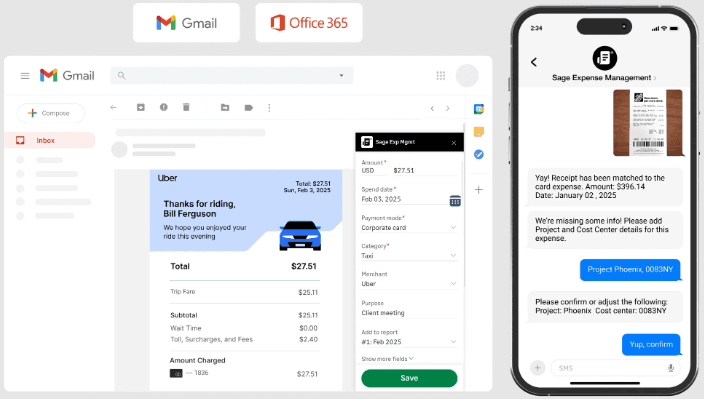
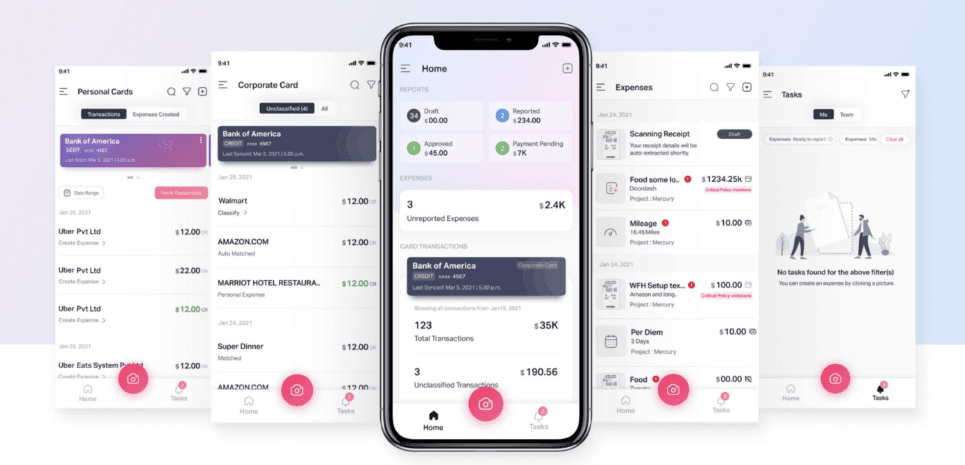
Sage Expense Management offers a user-friendly interface that lets your team navigate with ease, cutting down a lot of time on training. Its straightforward design makes it accessible, but some users find the mobile app less intuitive than expected.
Compared to other options, Fyle's real-time tracking and customizable workflows enhance usability. However, onboarding might take longer, which could be a hurdle if you're looking for immediate setup. Overall, it balances simplicity with essential features, making it a practical choice for many teams.
Integrations
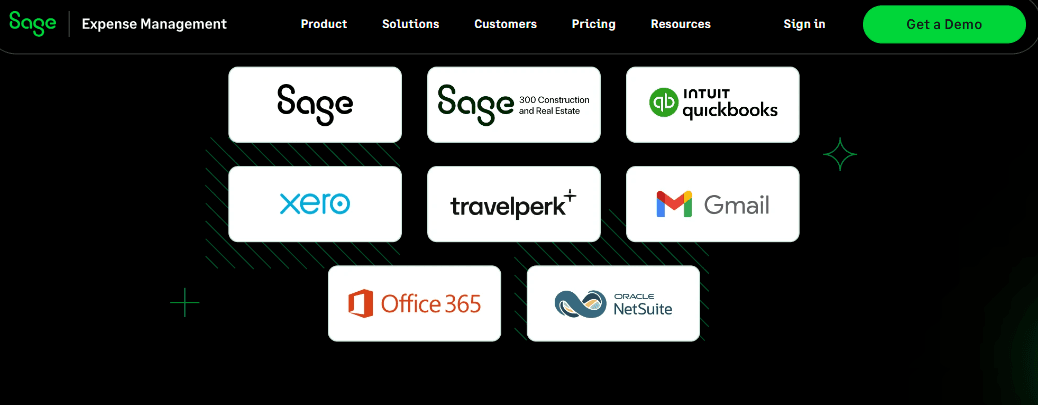
Sage Expense Management offers seamless integration with your accounting software, such as QuickBooks Online, QuickBooks Desktop, Sage Intacct, Xero, NetSuite, Sage 300 CRE, and Sage 50. It also integrates with Gmail, Outlook, Slack, and various HRMS software.
Sage Expense Management offers an API and connects with third-party integration tools to enhance its functionality and adaptability.
Sage Expense Management (formerly Fyle) Specs
- 2-Factor Authentication: Yes
- API: Yes
- Approval Workflows: Yes
- Audit Trail: Yes
- Balance Sheet: Yes
- Billing/Invoicing: Yes
- Budgeting: Yes
- Calendar Management: Yes
- Compliance Tracking: Yes
- Contact Management: Yes
- CRM Integration: Yes
- Custom Reports: Yes
- Customer Management: Yes
- Dashboard: Yes
- Data Export: Yes
- Data Import: Yes
- Data Visualization: Yes
- Document Management: Yes
- Expense Tracking: Yes
- External Integrations: Yes
- Forecasting: Yes
- Inventory Tracking: Yes
- Multi-Currency: Yes
- Multi-User: Yes
- Notifications: Yes
- P&L: Yes
- Risk Assessment: Yes
- SAP Integration: Yes
- Scheduling: Yes
- Supplier Management: Yes
- Workflow Management: Yes


