

ERPNext-beoordeling: voor- en nadelen, functies en prijzen uitgelegd
In mijn carrière heb ik veel ERP-tools gebruikt, waaronder ERPNext. In deze uitgebreide beoordeling vertel ik u meer over het doel, de functies, de voor- en nadelen, de gebruiksvriendelijkheid en meer van deze tool.

We review tools independently, and commissions help fund our testing. See our transparency policy, our methodology, or suggest a tool.
ERPNext is open-source CFO ERP software for finance and operations teams that need full-cycle visibility across accounting, procurement, inventory, and payroll. I'd consider it a strong fit if your organization wants the functional depth of a platform like NetSuite. ERPNext gives you that depth as a self-hosted option without the licensing costs or a large implementation budget.
ERPNext Evaluation Summary
4.2/5
- Pricing upon request
- Free trial available
Waarom u onze softwareaanbevelingen kunt vertrouwen
6,700+
Reviews
20
Industry experts
16+
Evaluation factors
14
Years
Onze reviews weerspiegelen ons onafhankelijke oordeel — geen verkooppraatje. Ontdek hoe we transparant blijven.
Voor deze gids hebben we tools geëvalueerd met behulp van praktijktests en onafhankelijk onderzoek, waarbij we tools beoordeelden aan de hand van onze selectiecriteria.
Onze reviews weerspiegelen ons menselijke redactionele oordeel, geen verkooppraatje.
ERPNext Overview
ERPNext offers a rare mix of flexibility, affordability, and open-source transparency that appeals to finance teams wanting control over their ERP environment. Its modular features and strong customization options make it a top pick for organizations with unique workflows or limited budgets. While its interface and onboarding can feel less polished than some competitors, and support relies heavily on community resources, ERPNext’s pricing and adaptability often outweigh these drawbacks.
It’s best suited for teams comfortable with hands-on configuration and those who value the ability to tailor their ERP to specific business needs, such as manufacturing or multi-entity operations.
Pros
- You can easily customize ERPNext to fit your business needs.
- ERPNext's open-source nature lets your team modify and enhance the software.
- It supports a wide range of industries, making it versatile for your work.
Cons
- You might find the initial setup requires a significant time investment.
- Your team may experience a learning curve with its extensive features.
- You may encounter limited third-party integrations compared to other ERPs.
Is ERPNext Right For Your Needs?
Who Would be a Good Fit for ERPNext?
ERPNext is perfect for small to medium-sized businesses in industries like retail, manufacturing, and services. If your team values customization and the ability to tweak software to fit your unique processes, ERPNext is ideal. Its open-source nature allows you to make adjustments without hefty costs. For example, a manufacturing company can customize workflows to match production schedules, while a retail business can tailor inventory management. ERPNext’s versatility means it can adapt to your specific industry needs.
- Retail BusinessesERPNext’s inventory management helps you track stock levels and manage orders efficiently.
- Manufacturing CompaniesERPNext allows you to customize production workflows to match your manufacturing processes.
- Service ProvidersYou can use ERPNext’s project management features to streamline your service delivery.
- Educational InstitutionsERPNext’s student management features support enrollment, attendance, and grading efficiently.
- Healthcare FacilitiesERPNext offers patient management and billing solutions that fit healthcare needs.
- Non-Profit OrganizationsERPNext’s donation tracking and volunteer management tools help streamline operations.
Who Would be a Bad Fit for ERPNext?
If your business relies heavily on specific third-party integrations, ERPNext might not be the best fit. Large enterprises with complex systems and those needing extensive integration with niche software could face challenges. For example, businesses requiring deep integration with proprietary systems or specialized software may find ERPNext’s integration capabilities limited. Additionally, if your team isn’t prepared for a significant learning curve or lacks the time for customization, ERPNext’s robust features might overwhelm rather than assist.
- Large EnterprisesERPNext might struggle with the complexity and scale of large enterprises needing intricate integrations.
- Highly Regulated IndustriesIndustries with strict compliance requirements might find ERPNext lacks specialized regulatory features.
- Tech-Dependent TeamsTeams that rely on niche software integrations might face limitations with ERPNext’s integration options.
- Finance-Specific FirmsERPNext’s general accounting features might not meet the advanced needs of finance-specific firms.
- Logistics CompaniesLogistics companies requiring specialized tracking and routing features may find ERPNext lacking.
- High-Growth StartupsStartups rapidly scaling might find ERPNext’s setup and customization time-consuming.
How We Test & Score Tools
We’ve spent years building, refining, and improving our software testing and scoring system. The rubric is designed to capture the nuances of software selection and what makes a tool effective, focusing on critical aspects of the decision-making process.
Below, you can see exactly how our testing and scoring works across seven criteria. It allows us to provide an unbiased evaluation of the software based on core functionality, standout features, ease of use, onboarding, customer support, integrations, customer reviews, and value for money.
Core Functionality (25% of final scoring)
The starting point of our evaluation is always the core functionality of the tool. Does it have the basic features and functions that a user would expect to see? Are any of those core features locked to higher-tiered pricing plans? At its core, we expect a tool to stand up against the baseline capabilities of its competitors.
Standout Features (25% of final scoring)
Next, we evaluate uncommon standout features that go above and beyond the core functionality typically found in tools of its kind. A high score reflects specialized or unique features that make the product faster, more efficient, or offer additional value to the user.
We also evaluate how easy it is to integrate with other tools typically found in the tech stack to expand the functionality and utility of the software. Tools offering plentiful native integrations, 3rd party connections, and API access to build custom integrations score best.
Ease of Use (10% of final scoring)
We consider how quick and easy it is to execute the tasks defined in the core functionality using the tool. High scoring software is well designed, intuitive to use, offers mobile apps, provides templates, and makes relatively complex tasks seem simple.
Onboarding (10% of final scoring)
We know how important rapid team adoption is for a new platform, so we evaluate how easy it is to learn and use a tool with minimal training. We evaluate how quickly a team member can get set up and start using the tool with no experience. High scoring solutions indicate little or no support is required.
Customer Support (10% of final scoring)
We review how quick and easy it is to get unstuck and find help by phone, live chat, or knowledge base. Tools and companies that provide real-time support score best, while chatbots score worst.
Customer Reviews (10% of final scoring)
Beyond our own testing and evaluation, we consider the net promoter score from current and past customers. We review their likelihood, given the option, to choose the tool again for the core functionality. A high scoring software reflects a high net promoter score from current or past customers.
Value for Money (10% of final scoring)
Lastly, in consideration of all the other criteria, we review the average price of entry level plans against the core features and consider the value of the other evaluation criteria. Software that delivers more, for less, will score higher.
Core Features
Accounting and Finance
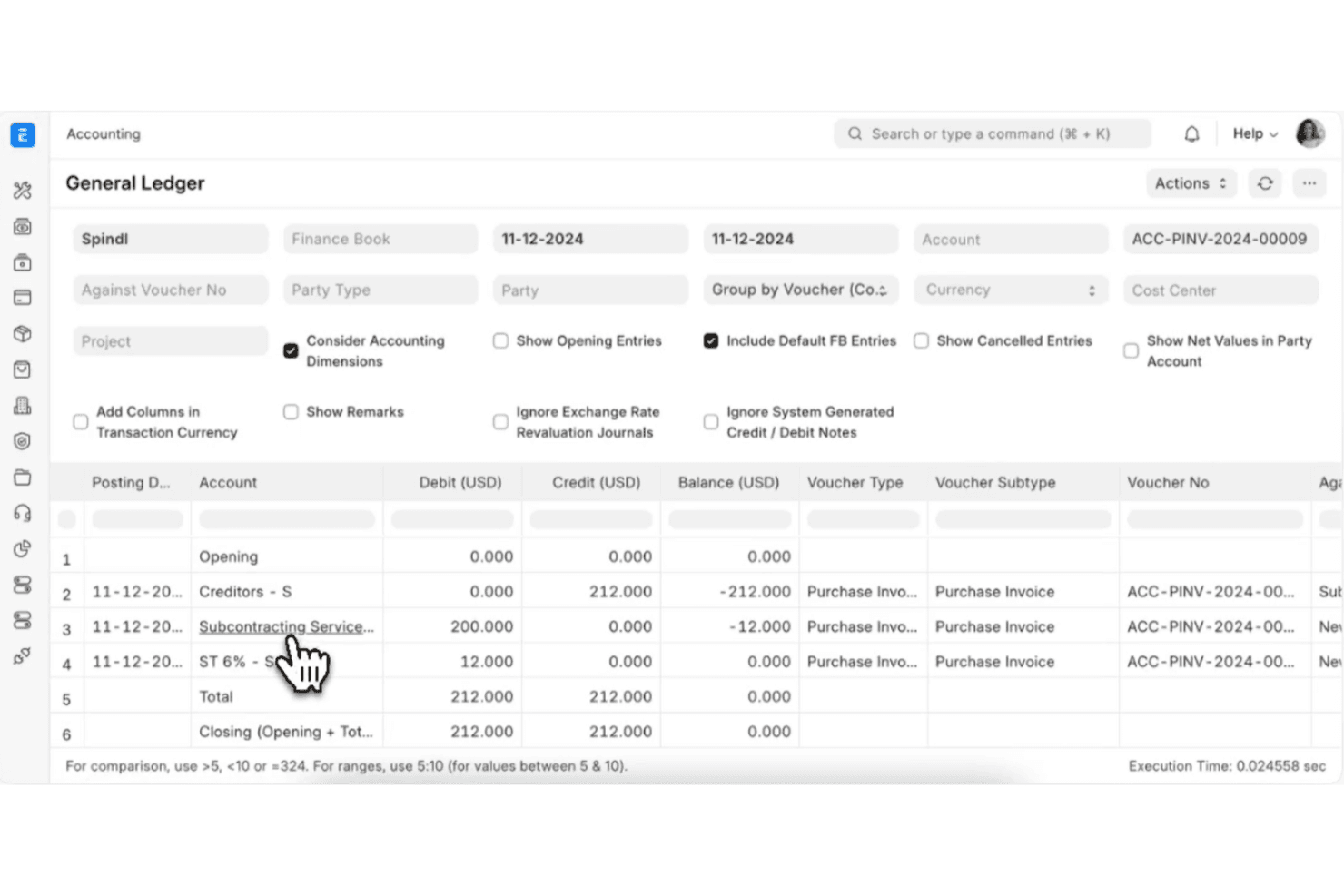
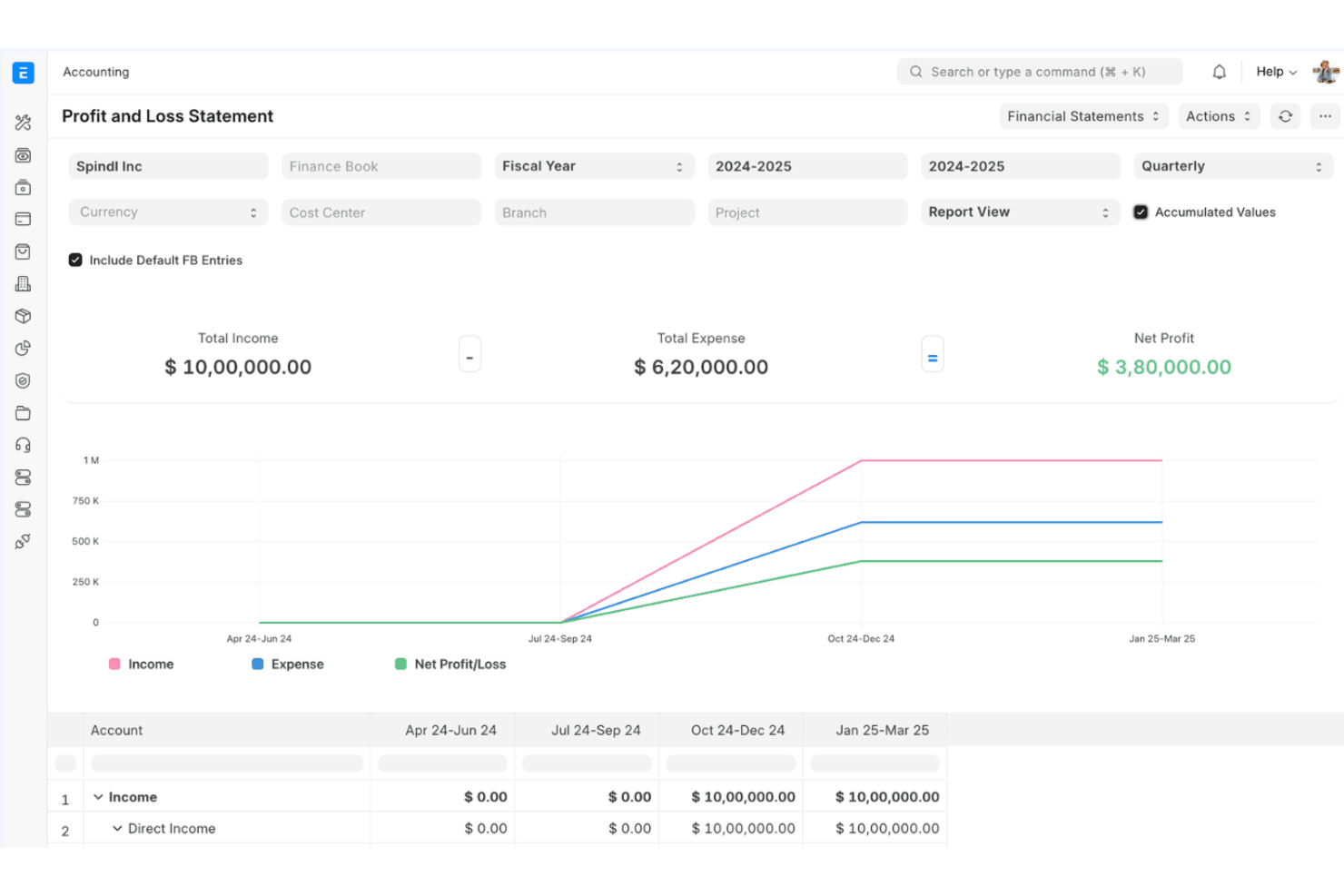
Manage general ledger, accounts payable, receivable, and automated bank reconciliation. Multi-currency support and real-time financial reporting help teams stay audit-ready.
Inventory Management
Track stock levels, warehouse transfers, and batch or serial numbers. Automated reorder points and valuation methods support complex inventory needs.
Manufacturing Module
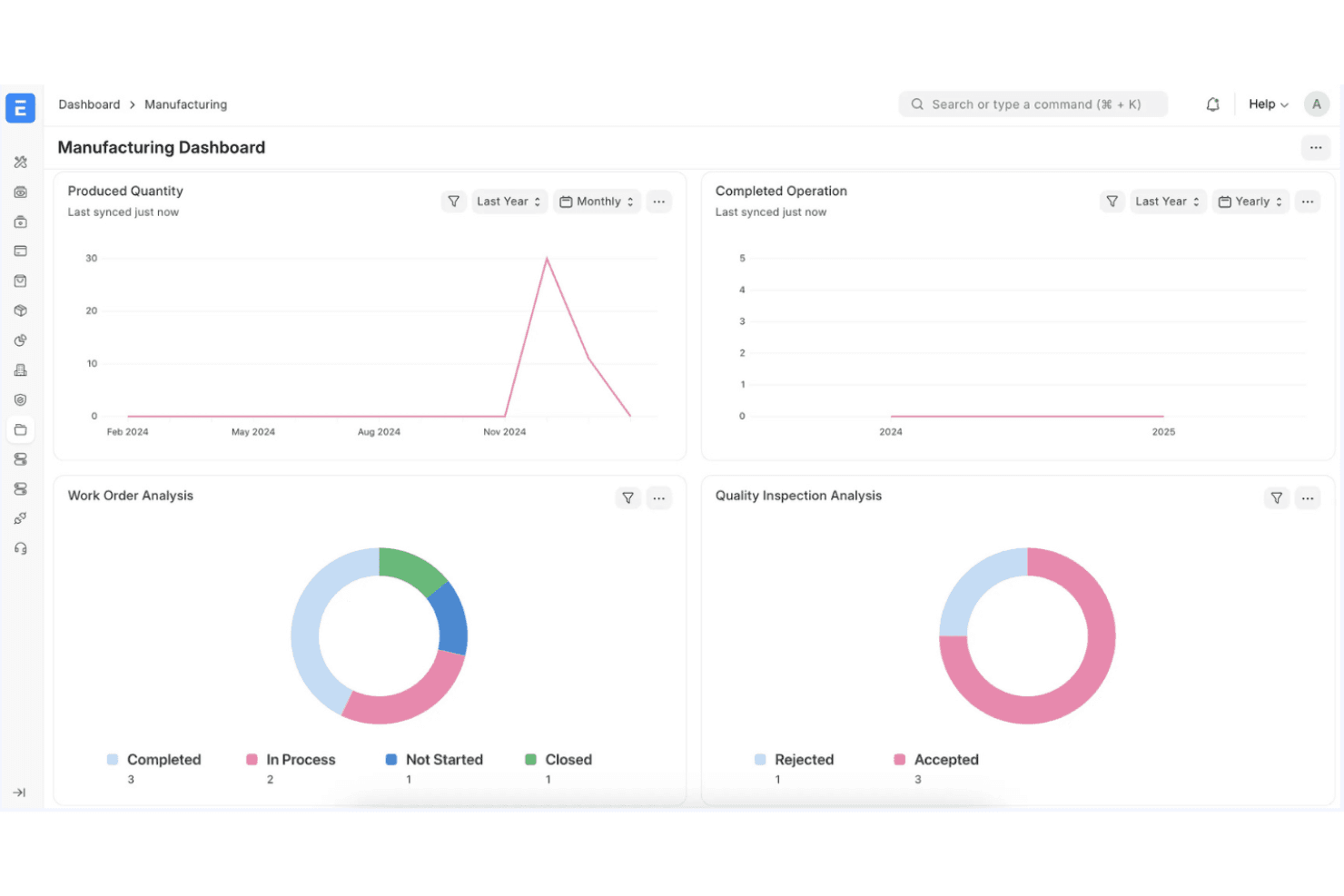
Handle bill of materials, work orders, and production planning from a single dashboard. Shop floor tracking and job cards help optimize manufacturing workflows.
HR and Payroll
Manage employee records, attendance, payroll, and leave policies in one place. Built-in payroll processing supports compliance with local tax rules.
Sales and Purchase Management
Create and track quotations, sales orders, purchase orders, and supplier invoices. Automated workflows streamline approvals and document management.
Project Management
Plan, assign, and monitor tasks, milestones, and budgets for multiple projects. Integrated timesheets and cost tracking connect project work to financials.
Ease of Use
ERPNext’s interface is functional but can feel less intuitive than other ERP software, especially for new users or non-technical teams. Navigation relies on a modular layout, which some users find overwhelming at first. Documentation and in-app guidance are improving, but setup and advanced configuration often require technical skills. Users who value flexibility and are comfortable with hands-on learning will appreciate the control ERPNext offers, but others may face a steeper onboarding process.
Integrations
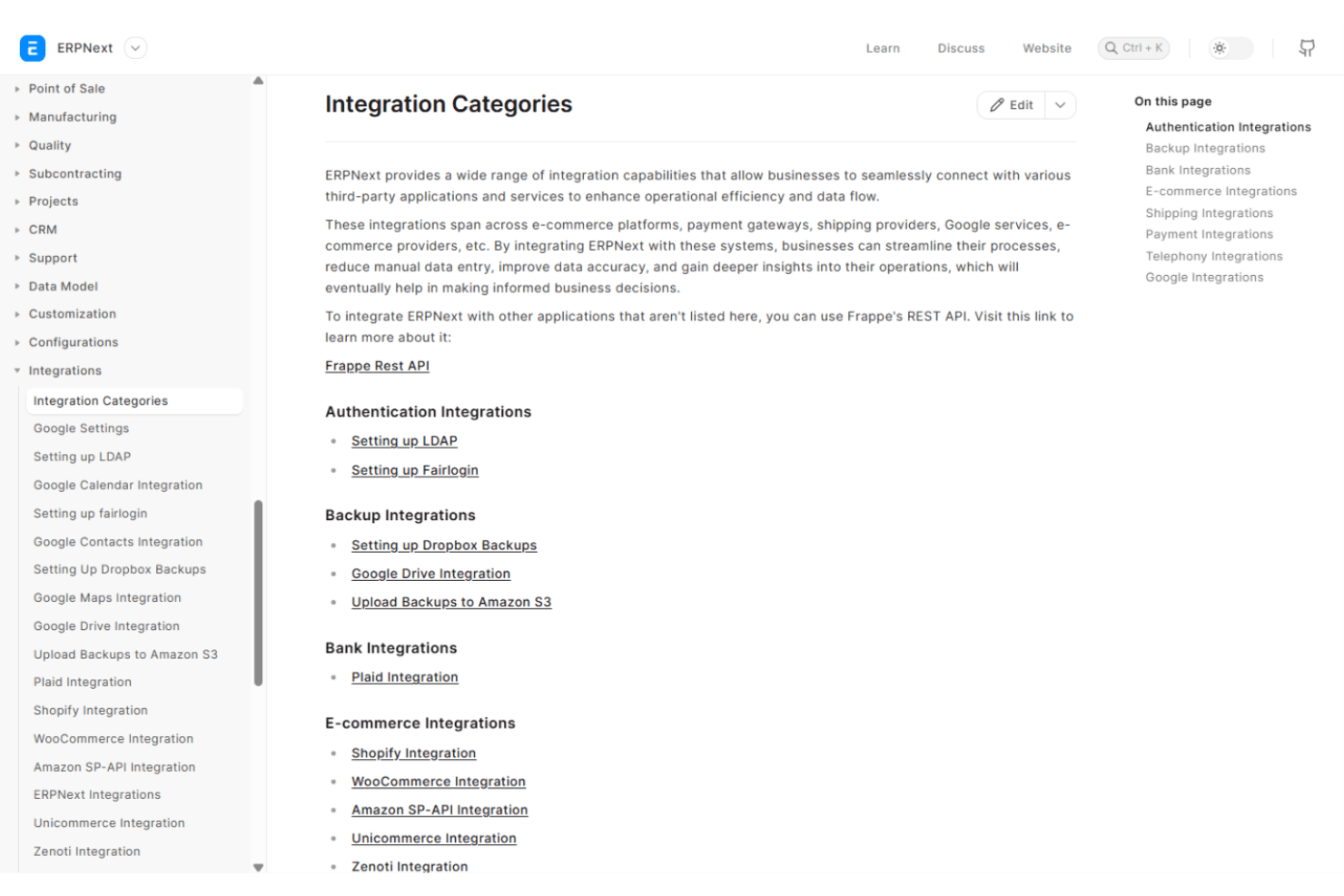
ERPNext integrates with PayPal, Stripe, Amazon Web Services, Google Drive, Dropbox, Slack, Shopify, WooCommerce, LDAP, and SMS gateways, among others.
ERPNext also offers a REST API and can connect with third-party integration tools for custom workflows.
ERPNext Specs
- Accounts Payable: Yes
- Accounts Receivable: Yes
- API: Yes
- Budgeting: Yes
- Calendar Management: Yes
- Compliance Tracking: No
- Customer Management: Yes
- Dashboard: Yes
- Data Export: Yes
- Data Import: Yes
- Data Visualization: Yes
- Expense Tracking: Yes
- External Integrations: Yes
- Financial Analysis: No
- Forecasting: No
- Inventory Tracking: Yes
- Multi-Currency: Yes
- Multi-User: Yes
- Notifications: Yes
- Order Management: Yes
- Payroll: Yes
- Project Management: Yes
- Purchase Orders: No
- Resource Management: Yes
- Scheduling: Yes
- Supplier Management: Yes
- Task Scheduling/Tracking: Yes
- Third-Party Plugins/Add-Ons: Yes
- Warehouse Management: No
- Workflow Management: Yes


