

Minitab-beoordeling: voordelen, nadelen, functies en prijzen
Minitab blinkt uit in financiële gegevensanalyse dankzij de intuïtieve interface en krachtige statistische hulpmiddelen, waardoor het een uitstekende keuze is voor de financiële gegevensbehoeften van je team.

We review tools independently, and commissions help fund our testing. See our transparency policy, our methodology, or suggest a tool.
Minitab is a statistical analysis software built for teams that need to run quality control studies, process capability analysis, and hypothesis testing without writing code. It's worth considering if your organization runs structured improvement programs like Six Sigma or Lean, where guided statistical workflows matter. I'd choose it over SPSS when your users aren't statisticians; Minitab's interface makes it easier to reach and interpret results without deep technical training.
Minitab Evaluation Summary
4.5/5
- Pricing upon request
- Free trial available
Waarom u onze softwareaanbevelingen kunt vertrouwen
6,700+
Reviews
20
Industry experts
16+
Evaluation factors
14
Years
Onze reviews weerspiegelen ons onafhankelijke oordeel — geen verkooppraatje. Ontdek hoe we transparant blijven.
Voor deze gids hebben we tools geëvalueerd met behulp van praktijktests en onafhankelijk onderzoek, waarbij we tools beoordeelden aan de hand van onze selectiecriteria.
Onze reviews weerspiegelen ons menselijke redactionele oordeel, geen verkooppraatje.
Minitab Overview
In my opinion, Minitab excels as a financial data analysis tool with its strong statistical software capabilities and user-friendly interface. It is perfect for use cases like manufacturing and quality control, where precise statistical analysis and data visualization are crucial for decision-making.
While its onboarding process could be smoother, user reviews confirm that Minitab’s customer support is reliable. Compared to other software packages, Minitab offers competitive pricing and valuable functionality, though it might lack some advanced integrations. It's best suited for teams focused on quality improvement and statistical methodologies, offering a solid option for those seeking robust yet approachable statistical analysis tools.
Pros
- Its statistical tools are powerful and easy to use.
- Its intuitive interface allows users to quickly visualize data.
- It offers strong support for quality improvement projects.
Cons
- The onboarding process is a bit challenging.
- It can lack some advanced features found in other tools.
- Your team may need time to get familiar with its full capabilities.
Is Minitab Right For Your Needs?
Who Would be a Good Fit for Minitab?
Minitab is ideal for manufacturing teams and quality improvement departments. Quality control processes in specialized industries like automotive or pharmaceuticals greatly benefit from Minitab's statistical tools and capabilities. Businesses needing process improvement and optimization will benefit from the software’s excellent statistical analysis functionality. End users report benefitting from its user-friendly interface, which simplifies complex data tasks across a range of workflows.
- Manufacturing Quality ControlMinitab’s user-friendly interface helps you analyze data to improve product quality and reduce defects using proven quality control methodology.
- Automotive IndustryYour team can use Minitab's statistical tools to enhance safety and performance testing using advanced statistical studies.
- PharmaceuticalsIt supports your work in ensuring compliance and efficiency in drug development through accurate data handling and exploration.
- Education and ResearchMinitab aids in teaching statistical concepts, be it regression analysis or predictive analytics, as well as conducting data-driven research using professional statistical software.
- Healthcare AnalyticsYour team can leverage Minitab to analyze patient data for better healthcare outcomes using modern data visualization techniques.
- Small to Medium EnterprisesSMEs can use Minitab to implement cost-effective quality improvement strategies using an affordable software package with flexible pricing.
Who Would be a Bad Fit for Minitab?
Minitab might not suit tech startups or creative industries where data analysis needs are minimal or unconventional. If your team relies heavily on advanced data integrations or real-time analytics dashboards, Minitab could fall short. It's not ideal for businesses seeking comprehensive business intelligence platforms with extensive integration capabilities. Your team may find it limiting if it needs advanced features beyond traditional statistical analysis and visualization.
- Tech StartupsStartups might require more flexible and integrated data analytics options than what Minitab offers.
- Creative AgenciesYour work may not benefit from Minitab's statistical tunnel vision if creativity is your main output.
- Retail ChainsRetailers needing real-time sales analytics dashboards might find Minitab's capabilities lacking.
- Large CorporationsBig companies may need more diverse business intelligence tools than Minitab provides.
- Marketing TeamsYour team could need more qualitative data displays than Minitab’s quantitative data tools can offer.
- Logistics CompaniesLogistics firms needing real-time operational analytics might find Minitab insufficient.
How We Test & Score Tools
We’ve spent years building, refining, and improving our software testing and scoring system. The rubric is designed to capture the nuances of software selection and what makes a tool effective, focusing on critical aspects of the decision-making process.
Below, you can see exactly how our testing and scoring works across seven criteria. It allows us to provide an unbiased evaluation of the software based on core functionality, standout features, ease of use, onboarding, customer support, integrations, customer reviews, and value for money.
Core Functionality (25% of final scoring)
The starting point of our evaluation is always the core functionality of the tool. Does it have the basic features and functions that a user would expect to see? Are any of those core features locked to higher-tiered pricing plans? At its core, we expect a tool to stand up against the baseline capabilities of its competitors.
Standout Features (25% of final scoring)
Next, we evaluate uncommon standout features that go above and beyond the core functionality typically found in tools of its kind. A high score reflects specialized or unique features that make the product faster, more efficient, or offer additional value to the user.
We also evaluate how easy it is to integrate with other tools typically found in the tech stack to expand the functionality and utility of the software. Tools offering plentiful native integrations, 3rd party connections, and API access to build custom integrations score best.
Ease of Use (10% of final scoring)
We consider how quick and easy it is to execute the tasks defined in the core functionality using the tool. High scoring software is well designed, intuitive to use, offers mobile apps, provides templates, and makes relatively complex tasks seem simple.
Onboarding (10% of final scoring)
We know how important rapid team adoption is for a new platform, so we evaluate how easy it is to learn and use a tool with minimal training. We evaluate how quickly a team member can get set up and start using the tool with no experience. High scoring solutions indicate little or no support is required.
Customer Support (10% of final scoring)
We review how quick and easy it is to get unstuck and find help by phone, live chat, or knowledge base. Tools and companies that provide real-time support score best, while chatbots score worst.
Customer Reviews (10% of final scoring)
Beyond our own testing and evaluation, we consider the net promoter score from current and past customers. We review their likelihood, given the option, to choose the tool again for the core functionality. A high scoring software reflects a high net promoter score from current or past customers.
Value for Money (10% of final scoring)
Lastly, in consideration of all the other criteria, we review the average price of entry level plans against the core features and consider the value of the other evaluation criteria. Software that delivers more, for less, will score higher.
Core Features
Statistical Analysis Tools: Minitab offers powerful statistical tools that help you analyze data accurately. Your team can quickly perform regression, ANOVA, and more statistical methods using advanced statistical analysis software.
Data Visualization: With Minitab, you can create clear graphs and charts to visualize your data. This module makes your work easier by turning complex data into data-based insights that are easier to grasp.
Quality Improvement Tools: Minitab supports your quality improvement projects with tools like control charts. It helps your team maintain and improve product standards through continuous optimization.
Predictive Analytics: You can use predictive analytics to forecast trends and outcomes. Minitab's machine learning tools help you make informed decisions based on advanced data analytics.
Hypothesis Testing: Minitab provides tools for hypothesis testing, allowing your team to validate assumptions. It ensures your decisions are backed by data.
Design of Experiments (DOE): Your team can design experiments to optimize processes and products. Minitab's DOE tools help you identify key factors affecting your outcomes.
Ease of Use
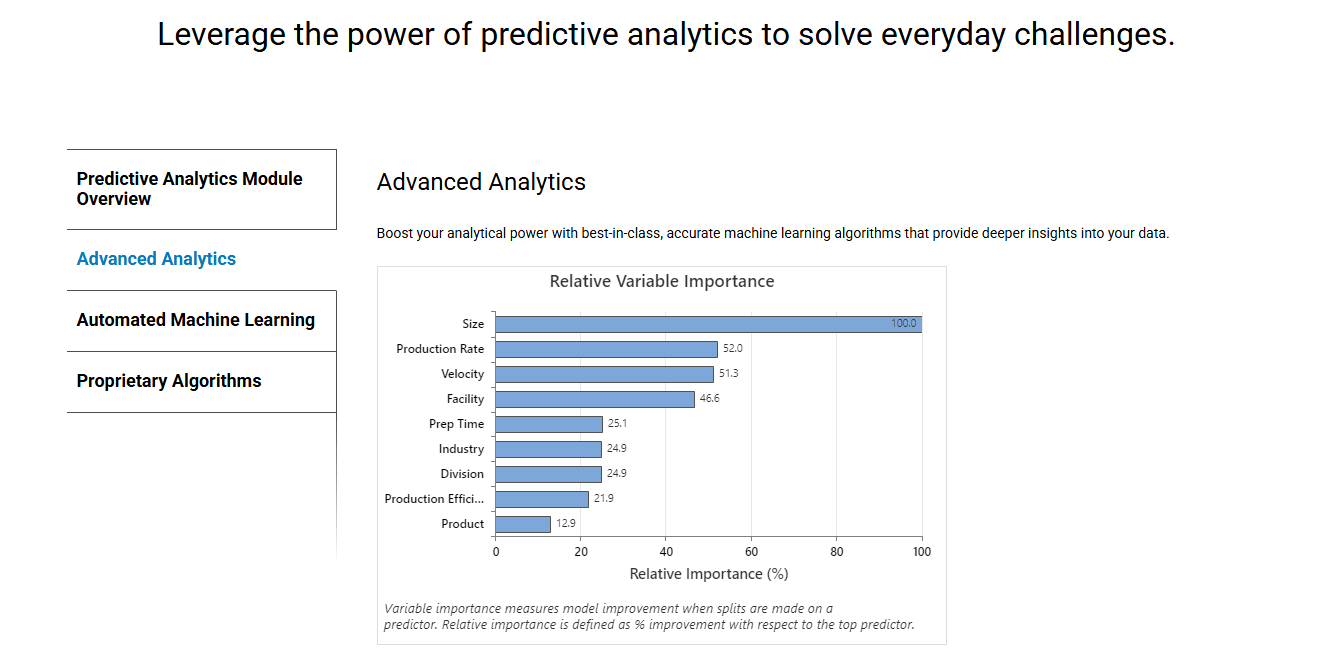
Minitab is generally user-friendly, making it accessible for those new to statistical analysis. You’ll find its interface intuitive, allowing your team to navigate through its features with ease. While it might take some time to master its full capabilities, the learning curve isn't steep. Compared to other financial data analysis software, Minitab simplifies complex tasks, enabling your team to focus on data-driven decision making without getting bogged down by complicated processes, an important factor in overall user experience.
Integrations
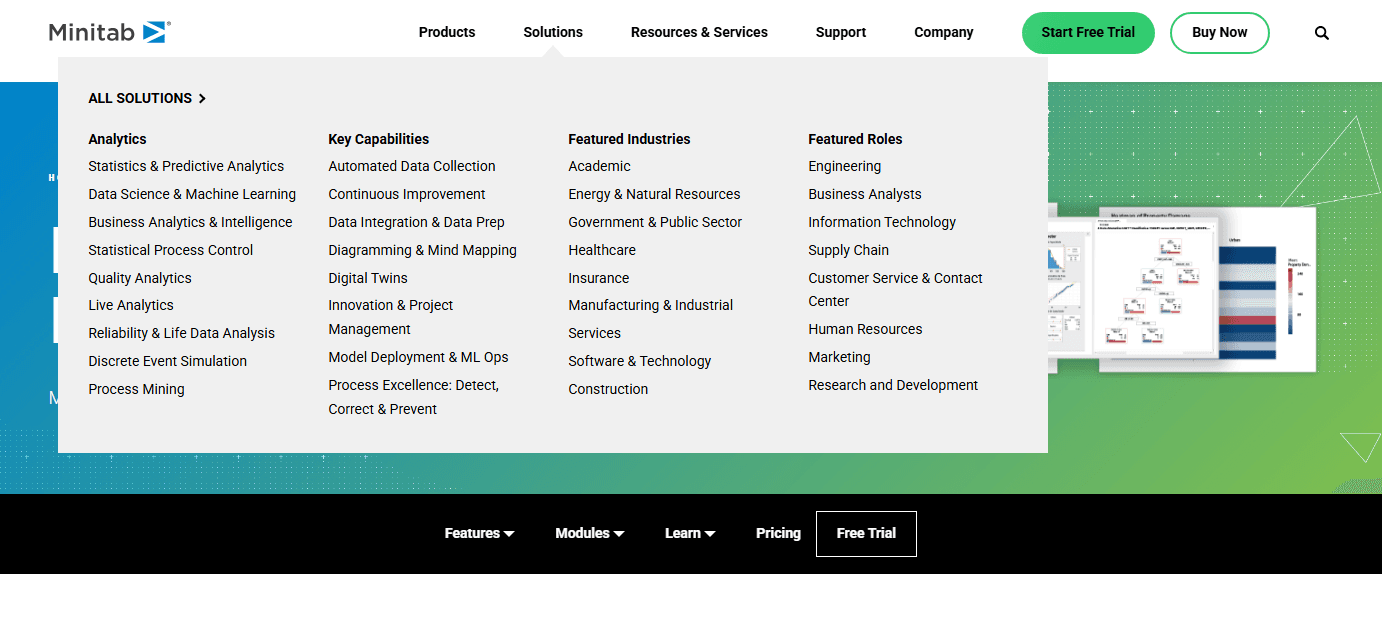
Minitab integrates with MongoDB, Redshift, Microsoft SharePoint and OneDrive, Google Drive, Dropbox, SAP Digital Manufacturing, SmartSheet, Mailgun, and more through Minitab Connect. It also connects with third-party integration tools and offers an API for custom integrations.
Minitab Specs
- 2-Factor Authentication: Yes
- Accounts Payable: No
- Accounts Receivable: No
- API: Yes
- Balance Sheet: No
- Billing/Invoicing: No
- BitCoin: No
- Budgeting: No
- Calendar Management: No
- Contact Management: No
- CRM Integration: Yes
- Customer Management: No
- Dashboard: No
- Data Export: No
- Data Import: Yes
- Data Visualization: Yes
- Expense Tracking: No
- External Integrations: Yes
- Forecasting: Yes
- General Account Ledger: No
- Inventory Tracking: No
- Multi-Currency: No
- Multi-User: No
- Notifications: No
- P&L: No
- PayPal: No
- Payroll: No
- SAP Integration: No
- Stripe: No
- Supplier Management: No
- Tax Management: No


