

Enquanto diretor financeiro, enfrenta desafios como gerir custos, melhorar a eficiência e garantir a conformidade. O software ERP pode ser uma grande ajuda, mas o SAP ERP pode não ser a melhor opção para todos. Talvez procure mais flexibilidade, funcionalidades específicas do seu setor ou uma solução mais económica.
Com base na minha experiência, encontrar a alternativa ERP certa pode transformar a forma como gere as suas operações. Testei e analisei inúmeras opções de software para fornecer informações imparciais sobre as melhores alternativas ao SAP ERP.
Neste artigo, apresento-lhe as minhas principais alternativas ao SAP, destacando as suas funcionalidades únicas e a forma como podem responder às necessidades específicas da sua empresa. Quer trabalhe na indústria transformadora, na distribuição ou noutro setor, existe um ERP adequado para si.
O que é o SAP ERP?
O SAP ERP é um software ERP concebido para integrar vários processos empresariais em todo o ecossistema de uma organização. É habitualmente utilizado por profissionais de finanças, gestores de operações e outros executivos de grandes empresas que precisam de simplificar as operações e melhorar a tomada de decisões. As funcionalidades de gestão financeira, otimização da cadeia de abastecimento e análise ajudam a gerir custos, aumentar a eficiência e garantir a conformidade. De forma geral, o SAP ERP disponibiliza uma plataforma unificada para gerir operações empresariais complexas.
Tabela de comparação das alternativas ao SAP ERP
Esta tabela de comparação resume os detalhes de preços das minhas principais escolhas de alternativas ao SAP ERP.
Score legend (out of 5)
- Excellent4.5–5
- Good4–4.4
- Average3–3.9
- Below average2–2.9
- Poor1–1.9
Sorted by: Default
| Tool | Starting Price | Website | |||||||
|---|---|---|---|---|---|---|---|---|---|
Best for AI-powered insights | 3.8 out of 5 | 4 | 4 | 4 | 4 | 4 | 3 | $210/user/month Not available | Website |
Best for small to medium businesses | 3.8 out of 5 | 3 | 4 | 4 | 4 | 4 | 4 | Pricing upon request Free demo available | Website |
Best for financial management automation | 4.2 out of 5 | 4 | 5 | 4 | 3 | 4 | 5 | £1,200/month Free demo available | Book Demo |
Best for flexible ERP deployments | 4.3 out of 5 | 4 | 5 | 4 | 5 | 4 | 4 | Pricing upon request Free demo available | Website |
Best for manufacturing and distribution | 4.0 out of 5 | 4 | 4 | 4 | 4 | 5 | 3 | Pricing upon request Free demo available | Website |
Best for AI-driven applications | 3.8 out of 5 | 3 | 4 | 4 | 4 | 4 | 4 | Pricing upon request Free demo available | Website |
Best for asset lifecycle management | 3.5 out of 5 | 3 | 3 | 4 | 4 | 4 | 3 | Pricing upon request Free demo available | Website |
Best for industry-specific solutions | 3.7 out of 5 | 3 | 4 | 3 | 4 | 4 | 4 | Pricing upon request Free demo available | Website |
Best for manufacturing integration | 3.8 out of 5 | 3 | 4 | 4 | 4 | 4 | 4 | Pricing upon request Not available | Website |
Best for open-source flexibility | 3.7 out of 5 | 3 | 4 | 4 | 4 | 4 | 3 | $5/month Free plan + 14-day trial available | Website |


Why Trust Our Software Recommendations
6,700+
Reviews
20
Industry experts
16+
Evaluation factors
14
Years
Our team has been testing and reviewing software since 2012. As finance leaders ourselves, we know how difficult—and important—it is to choose the right software.
For this guide, we evaluated tools using hands-on testing and independent research, scoring tools using our selection criteria.
Our reviews reflect our human editorial judgment, not a sales pitch.
Análises das melhores alternativas ao SAP ERP
Seguem-se os meus resumos detalhados das melhores alternativas ao SAP ERP que entraram na minha lista restrita. As minhas análises apresentam uma visão detalhada das principais funcionalidades, vantagens e desvantagens, integrações e casos de utilização ideais de cada ferramenta, para o ajudar a encontrar a melhor opção para si.
 Best for AI-powered insights
- Not available
- From $210/user/month (billed annually)
Visit WebsiteCustomer Rating:4.6/5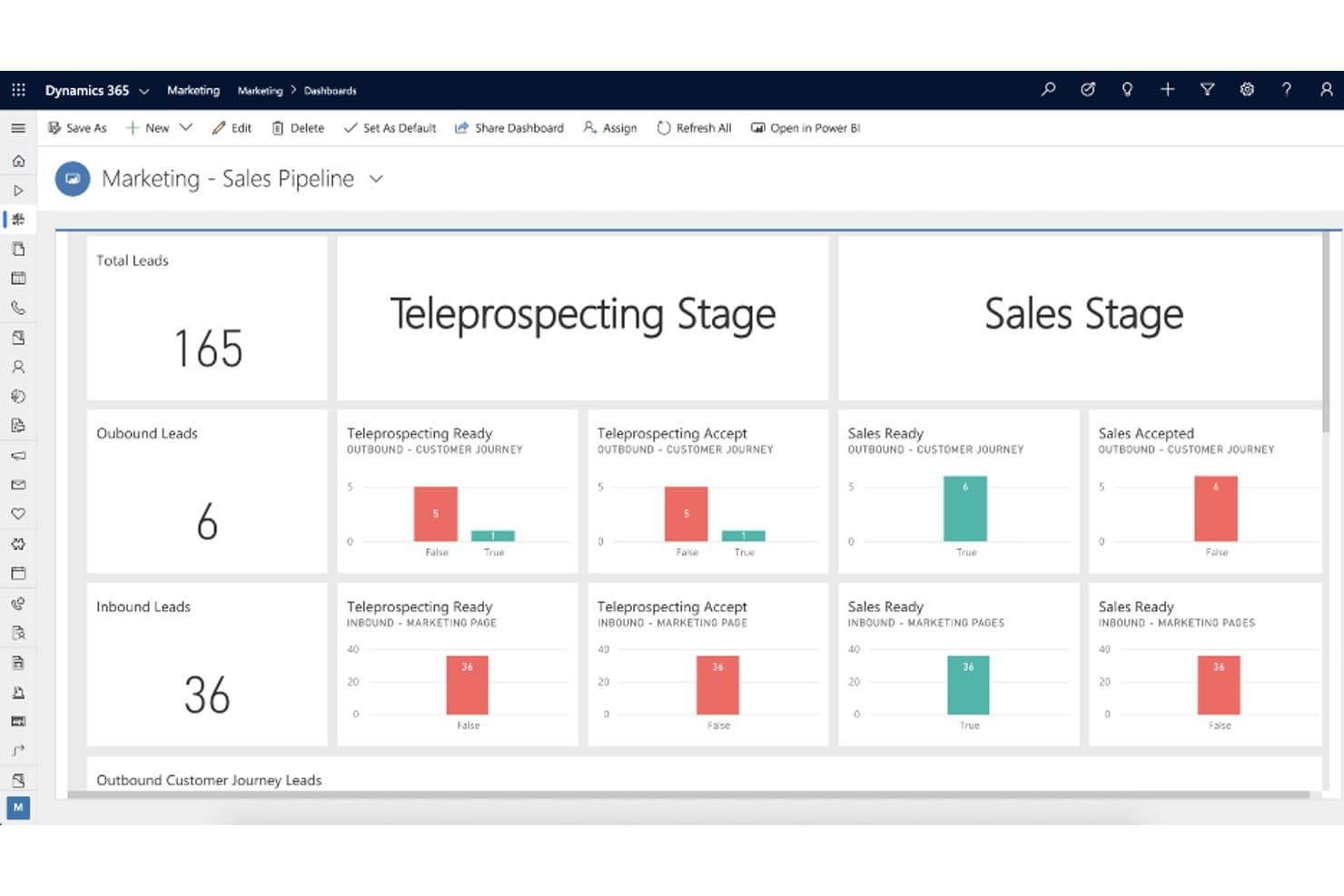
Dynamics 365 Marketing dashboard tracking leads through teleprospecting and sales stages. Microsoft Dynamics 365 Business Central is a cloud ERP built for small and midsize businesses that connects finance, inventory, purchasing, sales, and operations in one system—with embedded AI tools that help finance teams close faster, forecast smarter, and reduce manual work.
Who Is Microsoft Dynamics 365 Best For?
Microsoft Dynamics 365 Business Central is a strong fit for small and midsize businesses that are already invested in the Microsoft ecosystem and want finance, inventory, and operations in one place.
Why I Picked Microsoft Dynamics 365
I picked Microsoft Dynamics 365 Business Central because its embedded Copilot AI doesn't just surface data—it actively works through it, using cash-flow forecasting to project your financial position and a Payables Agent that captures, matches, and routes invoices without manual handling. I also love that bank reconciliation runs through Copilot, which meaningfully compresses month-end close cycles.
Microsoft Dynamics 365 Key Features
- Multi-company consolidation: Transfer general-ledger entries from multiple companies—across different charts of accounts, fiscal years, and currencies—into a single consolidated company.
- Supply planning engine: Net demand against supply and generate replenishment proposals, including vendor orders, warehouse transfers, and production orders, based on inventory and forecasts.
- Recurring billing: Create billing proposals from contract lines and generate invoices or credit memos, with filtering and grouping by contract, partner, or invoice recipient.
- Power BI and Excel integration: Connect Business Central data directly to Power BI dashboards or export to Excel for bulk editing and publish changes back to the system.
Microsoft Dynamics 365 Integrations
Microsoft Dynamics 365 offers native integrations across Microsoft 365, Power BI, Power Automate, Copilot Studio, and Dynamics 365 apps, plus Shopify and B2Brouter. It supports REST APIs, OData, SOAP, Envestnet Yodlee bank feeds, and thousands of AppSource marketplace add-ons.
Pros and Cons
Pros:
- Multi-company reporting supports varied currencies
- Finance and inventory share one system
- Copilot supports cash-flow forecasting and reconciliation
Cons:
- Implementation can require partner support
- No named SAP migration pathway
Learn more about Microsoft Dynamics 365: Best for small to medium businesses
- Free demo available
- Pricing upon request
Visit WebsiteCustomer Rating:4.4/5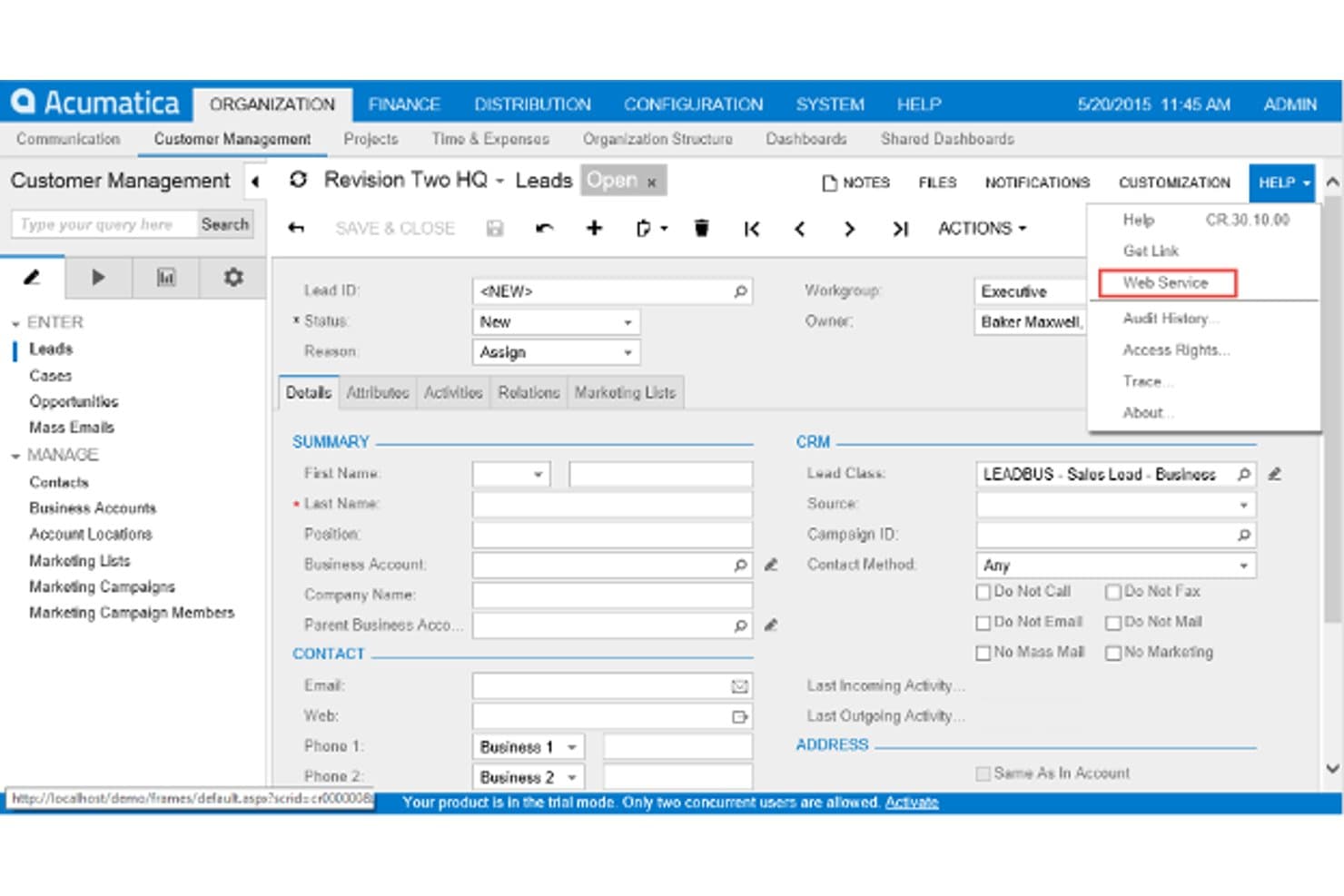
Acumatica's Customer Management module, showing a lead record with its details and the Help menu open. Acumatica is a cloud ERP built for small and midsize businesses that need to unify financials, inventory, supply chain, and operations in one system without paying per-seat licensing fees.
Who Is Acumatica Best For?
Acumatica is a strong fit for growing small and midsize businesses that need to unify financials, inventory, and operations across multiple entities without paying per-user fees.
Why I Picked Acumatica
I picked Acumatica as one of the best SAP ERP alternatives for small to medium businesses because its consumption-based licensing model means you're not paying per seat as your team grows. I especially like how its single-database architecture unifies financials, inventory, and operations across unlimited related companies in one tenant, so there's no data chasing across disconnected systems. Its AI anomaly detection actively flags unusual patterns in sales margins, purchase costs, and production variances before they become bigger problems.
Acumatica Key Features
- Multi-entity financial management: Manage accounting and reporting across an unlimited number of related companies within a single tenant, with shared customers, vendors, and chart of accounts.
- Role-based access control: Set granular permissions at the field level, with SSO, MFA, and IP filtering to enforce data security across users and entities.
- Low-code workflow configuration: Tailor approval workflows, alerts, dashboards, and data models without writing code, using built-in no-code tools.
- REST and SOAP API access: Connect third-party applications using web service endpoints and web hooks, with edition-tiered connection and throughput limits.
Acumatica Integrations
Acumatica offers native commerce connectors for Amazon, BigCommerce, and Shopify, plus 131 Marketplace integrations, including REPAY and Workforce Go! Payroll. REST and SOAP APIs and webhooks support custom integrations.
Pros and Cons
Pros:
- Configurable workflows support changing midmarket processes
- Improves inventory visibility and fulfillment coordination
- Unifies finance and operations across related entities
Cons:
- SAP migrations depend on partner-led reimplementation
- Reporting often needs configuration or add-ons
Learn more about Acumatica: Best for financial management automation
- Free demo available
- From £1,200/month
Visit WebsiteCustomer Rating:4.3/5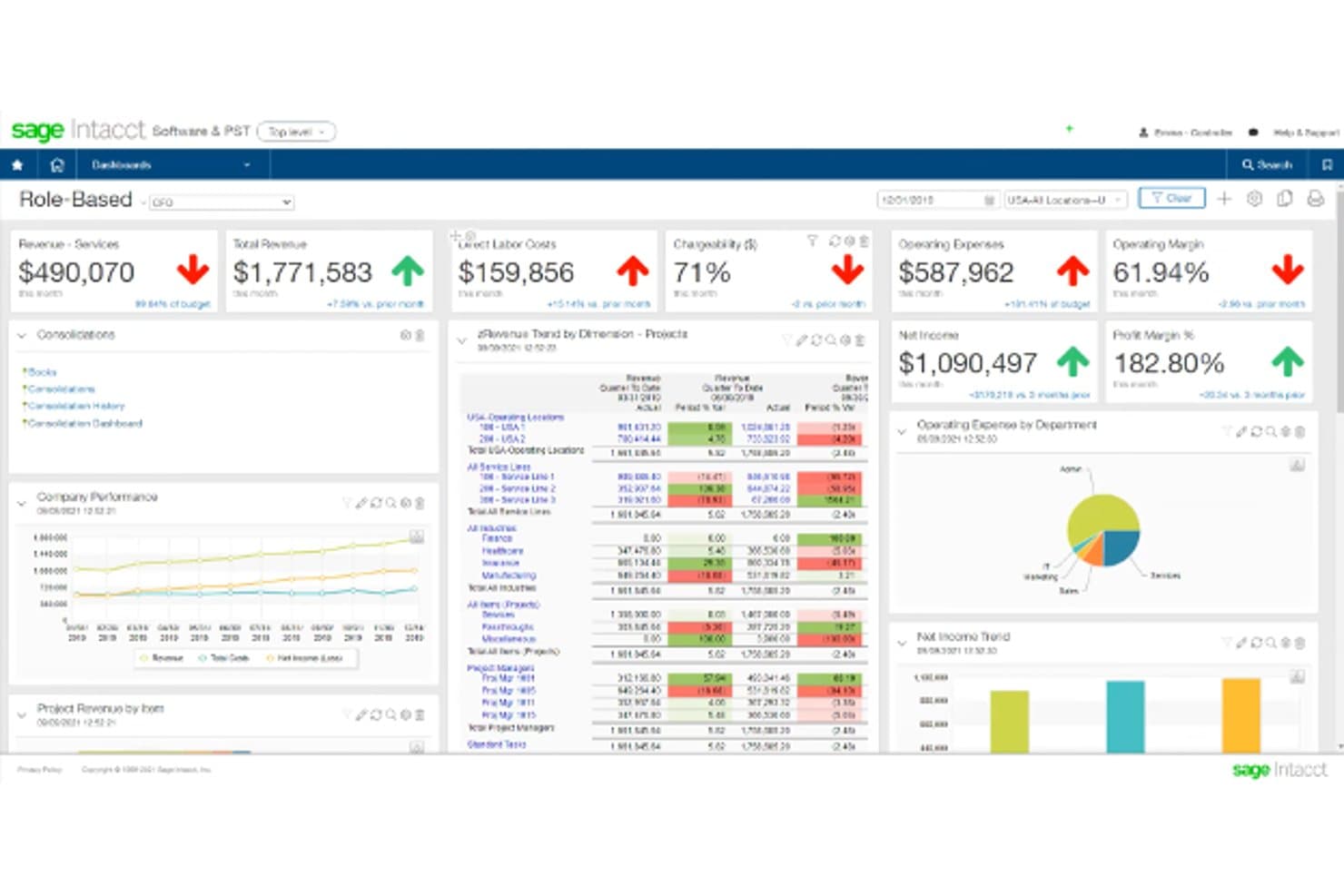
Sage Intacct role-based dashboard with revenue, expenses, and net income KPIs and trend tables. Sage Intacct is a cloud financial management platform built for mid-sized and growing businesses that need to move beyond entry-level accounting tools into multi-entity consolidation, dimensional reporting, and AI-powered finance workflows.
Who Is Sage Intacct Best For?
Sage Intacct is a strong fit for mid-sized and growing businesses whose finance teams have outgrown entry-level accounting tools and need multi-entity consolidation, dimensional reporting, and AI-driven financial workflows.
Why I Picked Sage Intacct
I've included Sage Intacct in my top picks because its AI-driven finance agents genuinely change how month-end close and AP workflows operate. The AP Automation agent learns from your approval patterns to handle vendor matching, coding, and duplicate detection automatically. The Financial Assurance agent flags unusual journal entries against historical patterns in real time, so my team catches anomalies before they become audit issues rather than after.
Sage Intacct Key Features
- Multi-entity consolidation: Automates multi-level consolidations across entities with configurable elimination rules, currency translation, and non-controlling-interest calculations.
- Dimensional General Ledger: Tags transactions with custom dimensions like department, location, or project for multi-dimensional financial analysis and drill-down reporting.
- Subscription and usage billing: Supports tiered, usage-based, milestone, and recurring billing across 300+ scenarios with built-in ASC 606/IFRS 15 revenue recognition.
- Salesforce real-time sync: Connects Salesforce customer and contract data to Sage Intacct financials in real time, keeping billing templates and subscription schedules in the financial system.
Sage Intacct Integrations
Sage Intacct offers 350+ marketplace integrations, including a native Salesforce integration for customer, order, invoicing, and billing data. It also supports custom connections through its REST API and Intacct MCP Server.
Pros and Cons
Pros:
- AI agents flag unusual journals early
- Automated consolidations reduce manual close work
- Dimensional reporting clarifies entity-level performance
Cons:
- Complex reports can require trial and error
- No documented SAP migration tooling
Learn more about Sage Intacct: Best for flexible ERP deployments
- Free demo available
- Pricing upon request
Visit WebsiteCustomer Rating:4.1/5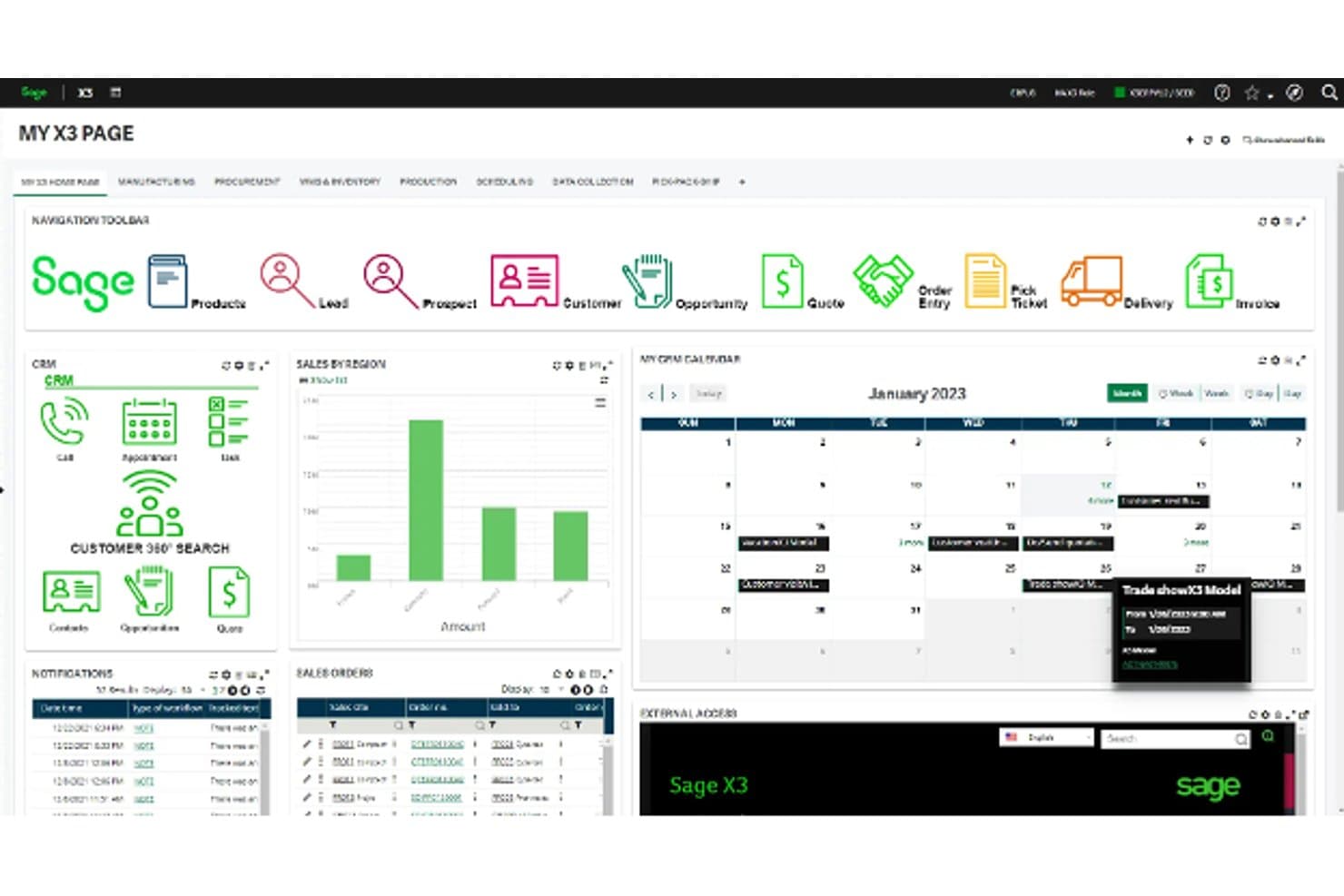
The Sage X3 home dashboard brings CRM, sales orders, notifications and calendar into one customizable view. Sage X3 is a mid-to-large enterprise ERP that unifies finance, supply chain, and production management in one platform, making it a strong fit for product-centric businesses that need real-time visibility across operations, multi-entity reporting, and the flexibility to run on-premises or in the cloud.
Who Is Sage X3 Best For?
Sage X3 is a strong fit for mid-to-large product-centric businesses running multi-entity, multi-site operations that need finance, supply chain, and production data unified in a single system.
Why I Picked Sage X3
I've included Sage X3 in my top picks because deployment flexibility is genuinely rare at this level of ERP depth. You can run it in the cloud or on-premises, which matters when you're replacing SAP in an environment with specific infrastructure requirements. What I appreciate most is that finance, supply chain, and production share a unified data architecture, so a purchase order raised in procurement is immediately visible in the GL without any manual reconciliation. Sage Copilot adds real-time alerts on delays and exceptions across all three domains.
Sage X3 Key Features
- Multi-entity financial reporting: Manage and report across multiple companies, countries, and currencies from a single system.
- Accounts payable automation: Sage AI extracts supplier invoice data, creates pre-populated approval drafts, and flags duplicate invoices.
- Low-code workflow configuration: Configure screens, business rules, and approval workflows using low-code tools without custom development.
- Production management: Track bills of materials, shop-floor operations, work-in-progress, and quality control in a connected production module.
Sage X3 Integrations
Marketplace integrations include Planful, Prophix, Phocas Analytics, Datalinx Warehouse Manager, ProcessWeaver Integrated Shipping, and Sage E-Commerce. Sage X3 also supports REST, SOAP, GraphQL, and SDK-based custom integrations.
Pros and Cons
Pros:
- Multi-company reporting supports complex operations
- Cloud or on-premises deployment preserves choice
- Finance and operations share live records
Cons:
- Legacy data conversion demands substantial preparation
- Custom reports can require developer support
Learn more about Sage X3: Best for manufacturing and distribution
- Free demo available
- Pricing upon request
Visit WebsiteCustomer Rating:4.1/5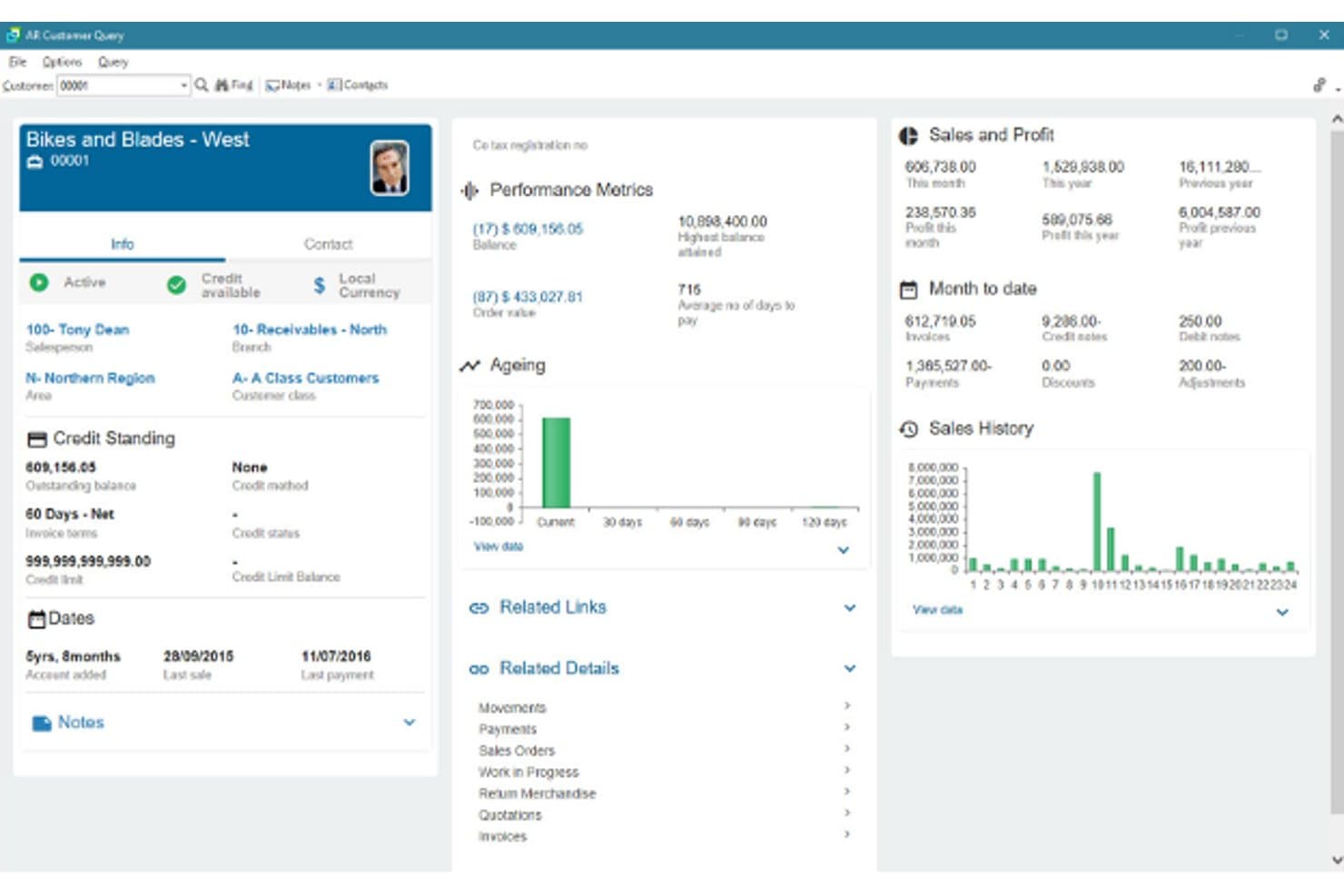
SYSPRO's All Customer Query screen summarising a customer's credit, ageing, sales and profit at a glance. SYSPRO is an ERP built specifically for manufacturing and distribution businesses, unifying finance, inventory, supply chain, and production operations in a single system.
Who Is SYSPRO Best For?
SYSPRO is a strong fit for mid-sized manufacturers and distributors that need deep production, inventory, and supply chain capabilities alongside core financials in one system.
Why I Picked SYSPRO
I picked SYSPRO because it's built from the ground up for manufacturing and distribution, which makes it a genuinely compelling SAP alternative if that's your industry. I particularly like how its MRP module connects demand from live sales orders and forecasts directly to production scheduling, capacity planning, and purchase-order recommendations. Its General Ledger also posts transactions automatically from inventory movements, work-in-progress, and procurement, so finance and operations are always working from the same numbers.
SYSPRO Key Features
- General Ledger with subledger reconciliation: Automatically posts transactions from accounts payable, accounts receivable, inventory, work in progress, and sales orders, with built-in reconciliation and drill-down audit trails.
- IDEAL implementation methodology: A five-phase structured rollout covering gap analysis, prototype builds, data migration testing, user acceptance testing, and first-month-end support after go-live.
- Syspro Torque AI agents: Deploys AI agents that monitor operations and execute actions across procurement, inventory, planning, and finance based on your business rules.
- Role-based security with electronic signatures: Provides granular access controls, configurable password policies, MFA, SSO integration, and re-authentication-required electronic signatures for compliance-sensitive workflows.
SYSPRO Integrations
SYSPRO offers marketplace integrations with TRAILD, Credit Hound, System1A, Zap, GeoRep, and WMS Connect for AP automation, credit control, analytics, mobile access, and ecommerce extensions. It supports custom integrations through e.net, OData, WCF services, and an SDK.
Pros and Cons
Pros:
- Ledger connects inventory and WIP transactions
- MRP links demand to production plans
- Manufacturing workflows fit distributors
Cons:
- Reports and Excel exports need work
- Accounting may not satisfy finance specialists
Learn more about SYSPRO: Best for AI-driven applications
- Free demo available
- Pricing upon request
Visit WebsiteCustomer Rating:3.9/5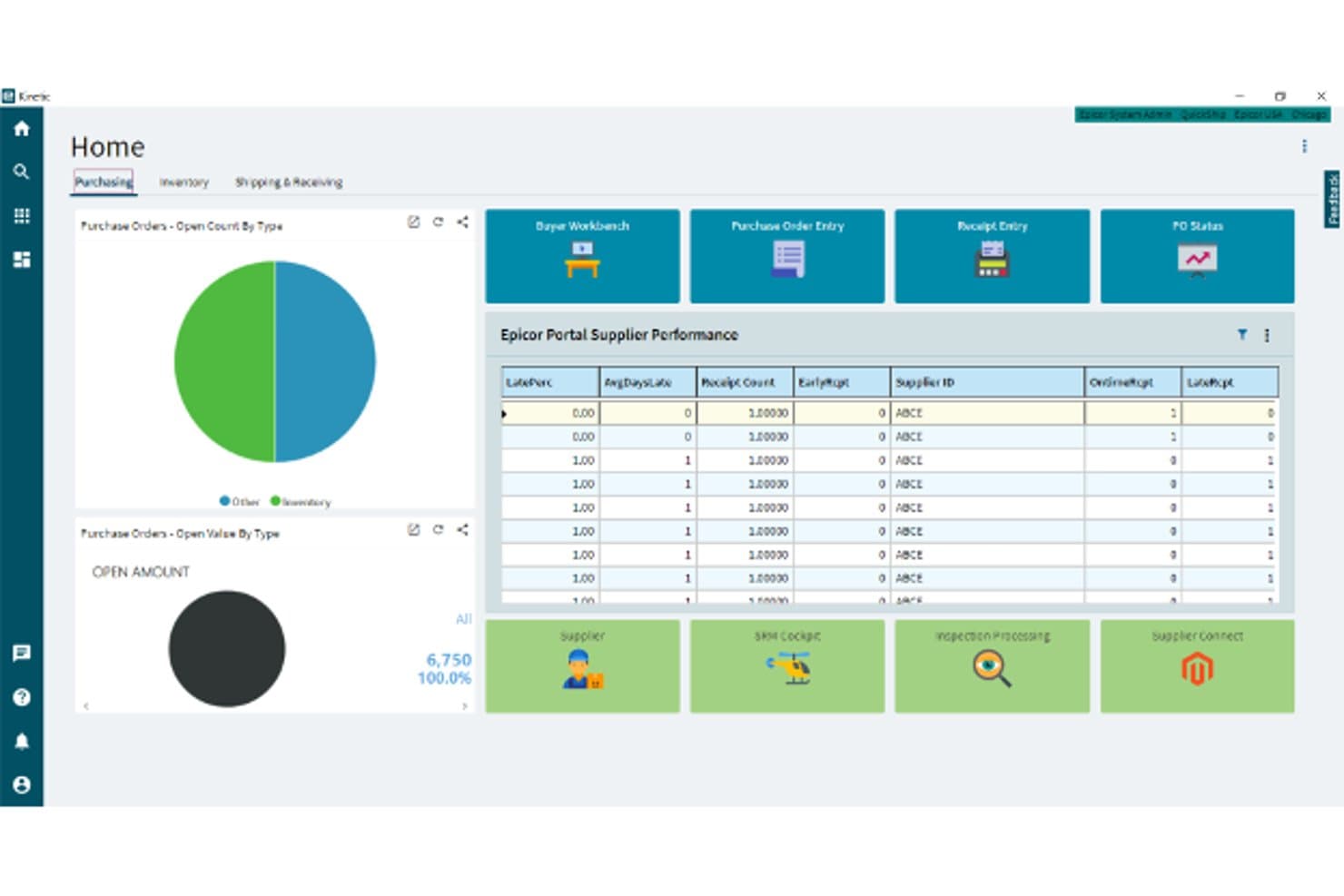
Epicor's Purchasing home dashboard with purchase order charts and supplier performance tracking. Epicor Kinetic is a cloud-based ERP built for manufacturers and distributors that unifies finance, production, inventory, and supply chain in one system—making it a strong fit for midmarket and growing enterprises looking to move beyond fragmented legacy platforms.
Who Is Epicor Best For?
Epicor Kinetic is a strong fit for midmarket manufacturers and distributors that need a single system connecting finance, production, and supply chain.
Why I Picked Epicor
I picked Epicor as one of the best because its AI capabilities go deeper than most ERP platforms I've seen, particularly with Epicor Prism, which embeds AI directly into RFQ workflows to automate supplier communications and push quotes toward orders faster. Epicor Kinetic also layers in AI-powered manufacturing analysis and digital twin modeling, so production decisions aren't just reactive. That combination of embedded AI across both financial and operational workflows is what earns it a spot here.
Epicor Key Features
- Multi-entity financial consolidation: Kinetic supports multiple companies, books, currencies, and sites, with intercompany transactions and continuous or periodic consolidation across on-premises and cloud-deployed systems.
- Kinetic Application Studio: A visual designer that lets you configure screens, fields, and workflows without changing source code, with customizations designed to stay upgrade-safe.
- Epicor Ascend data migration: An AI-guided data conversion program that extracts, maps, and prepares data from legacy ERP systems, with over 60 pre-designed import templates and custom template options.
- Country-specific functionality packages: Localized compliance packs covering regional tax handling, electronic invoicing, payment instruments, and local reporting, available across the Americas, EMEA, and APAC.
Epicor Integrations
Epicor documents hundreds of EDI integrations, including SAP, Oracle E-Business Suite, Microsoft Dynamics, NetSuite, Shopify, Amazon, eBay, and Walmart Marketplace. Kinetic also provides REST and OData v4 APIs for custom integrations.
Pros and Cons
Pros:
- Embedded AI supports supplier quotes and production analysis
- Multi-entity consolidation supports complex financial operations
- Manufacturing workflows connect finance, inventory, and production
Cons:
- Custom reporting can require specialist support
- SAP-specific migration mappings aren’t documented
Learn more about Epicor: 7Best for asset lifecycle management
IFS
- Free demo available
- Pricing upon request
Visit WebsiteCustomer Rating:4/5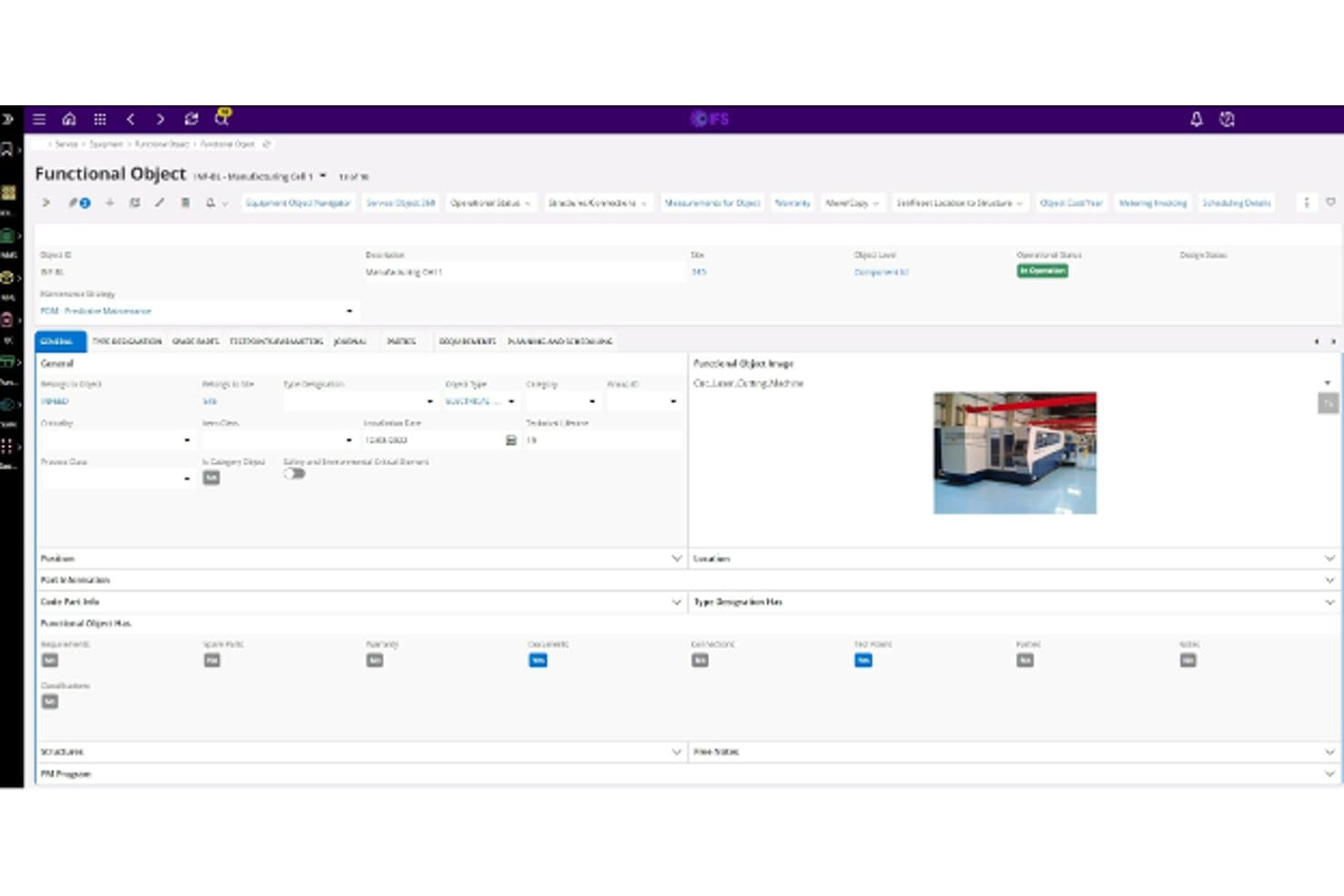
IFS asset management screen showing a functional object record with its general data and equipment image. IFS Cloud ERP is an enterprise platform built for asset-intensive industries like aerospace, energy, and manufacturing, unifying finance, supply chain, maintenance, and operations on a single data model.
Who Is IFS Best For?
IFS Cloud ERP is purpose-built for asset-intensive industries like aerospace, energy, and manufacturing, where operations, maintenance, and finance need to run on a single platform.
Why I Picked IFS
I picked IFS as one of the best SAP alternatives because it's purpose-built for asset-intensive industries where ERP and asset lifecycle management can't live in separate systems. IFS Cloud ERP connects EAM, field service, and core finance on a single data model, so an aerospace or energy operation can track an asset from acquisition through maintenance, MRO, and disposal without reconciling data across platforms. I also appreciate the dedicated SAP ECC6 migration accelerator, which gives teams a structured path off legacy SAP with industry-specific migration services for sectors like Aerospace & Defense and Energy & Utilities.
IFS Key Features
- Embedded Industrial AI: IFS Cloud embeds AI across ERP workflows to deliver forecasting, anomaly detection, and optimization recommendations.
- Role-based permissions and audit logging: The platform lets your team configure segregation-of-duties rules and automatically logs user actions, approvals, and configuration changes.
- Bi-annual evergreen releases: IFS Cloud updates on a twice-yearly release cycle, so your system stays current without major upgrade projects.
- European Restricted Access Services: Organizations in the EU, EFTA, and UK can opt into data-residency controls that restrict access to cloud, consulting, and support services within those regions.
IFS Integrations
IFS Cloud supports integrations with SAP environments through an open API model and provides REST APIs for custom connections. Native integration count and specific data flows are not clearly documented.
Pros and Cons
Pros:
- Includes a dedicated SAP migration accelerator
- Tracks multi-site inventory and bill revisions
- Connects finance with shop-floor operations
Cons:
- Approval routines need manual configuration
- Complex migrations can require customization rework
Learn more about IFS :
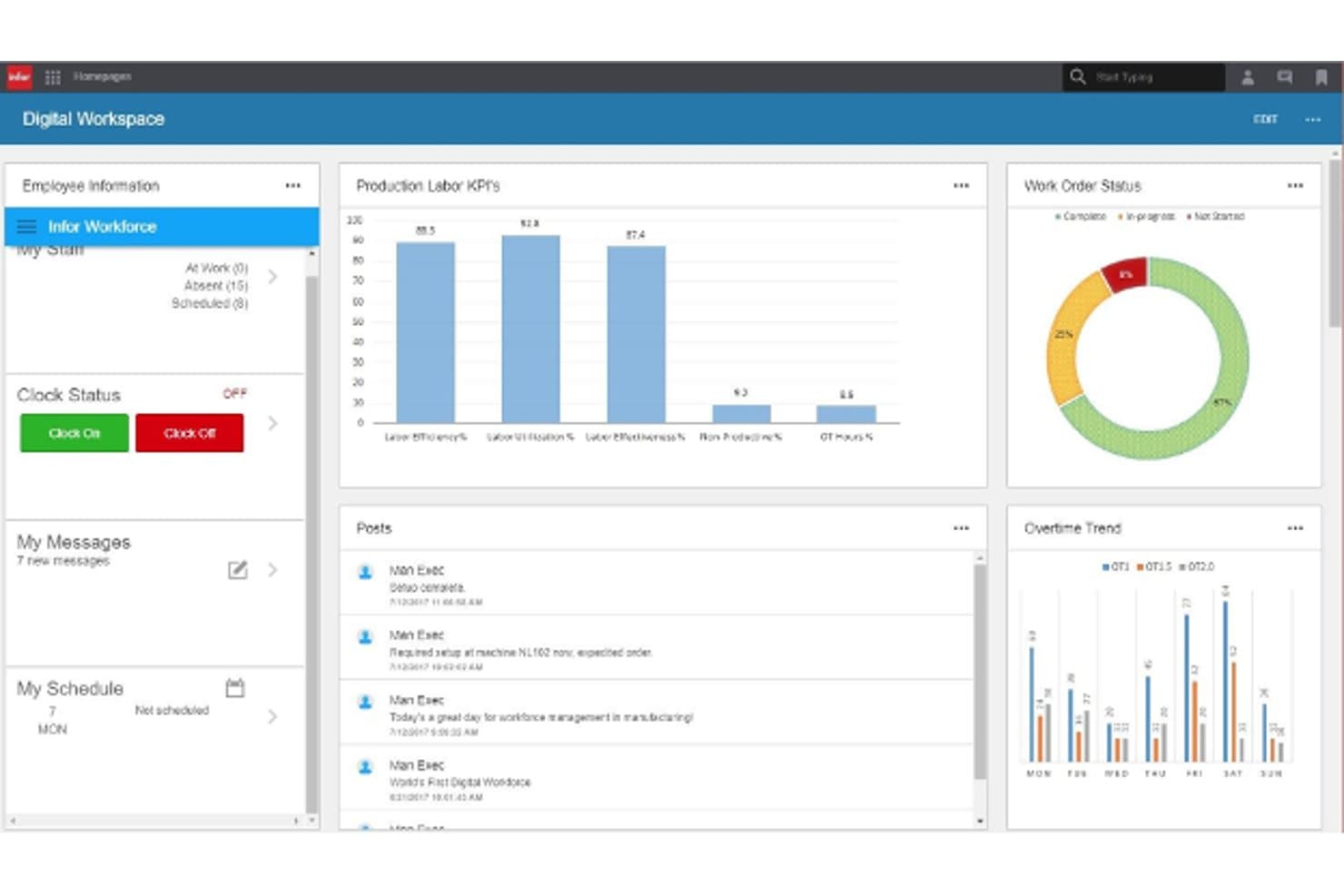
Infor Digital Workspace dashboard with production labor KPIs, work order status and overtime trends. Infor M3 is a cloud ERP built for mid-market and enterprise manufacturers and distributors, covering financials, supply chain, production, and inventory in a single system designed around the specific demands of industries like food and beverage, chemicals, and industrial manufacturing.
Who Is Infor Best For?
Infor M3 is a strong fit for mid-market and enterprise manufacturers and distributors in industries like food and beverage, chemicals, and industrial manufacturing that need an ERP built around their specific operational processes.
Why I Picked Infor
I picked Infor M3 because it's one of the few ERP platforms built from the ground up around specific industries rather than adapted to fit them. Where SAP requires significant customization to match the nuances of food and beverage or chemical manufacturing, M3 ships with Industry Process Catalogs that include preconfigured workflows and best practices for those exact verticals. I also appreciate that its multi-company, multi-site architecture handles 74 countries from a single instance, covering multi-currency financials and local regulations without bolted-on workarounds.
Infor M3 Key Features
- M3 Analytics: Provides prebuilt data models, dashboards, and reports across finance, procurement, production, warehouse, and sales domains.
- Outbound business object documents (BODs): Publishes financial, customer, supplier, product, inventory, and logistics data to connected systems via structured document events.
- Role-based workspaces: Delivers task-focused, customizable interfaces tailored to specific user roles across finance, operations, and supply chain.
- Infor Leap migration program: A fixed-fee, fixed-timeline cloud migration path for existing M3 customers that maps customizations and standardizes on preconfigured industry processes.
Infor Integrations
Infor offers marketplace integrations with Microsoft Dynamics CRM, Salesforce, and Shopify for M3. It also provides APIs and outbound BODs for financial, customer, supplier, product, inventory, and logistics data, though no total integration count is published.
Pros and Cons
Pros:
- Multi-company accounting supports global operations
- Finance connects with production and inventory
- Industry workflows fit manufacturing and distribution
Cons:
- Complex setup can require costly consultants
- Dated screens can slow new users
Learn more about Infor:
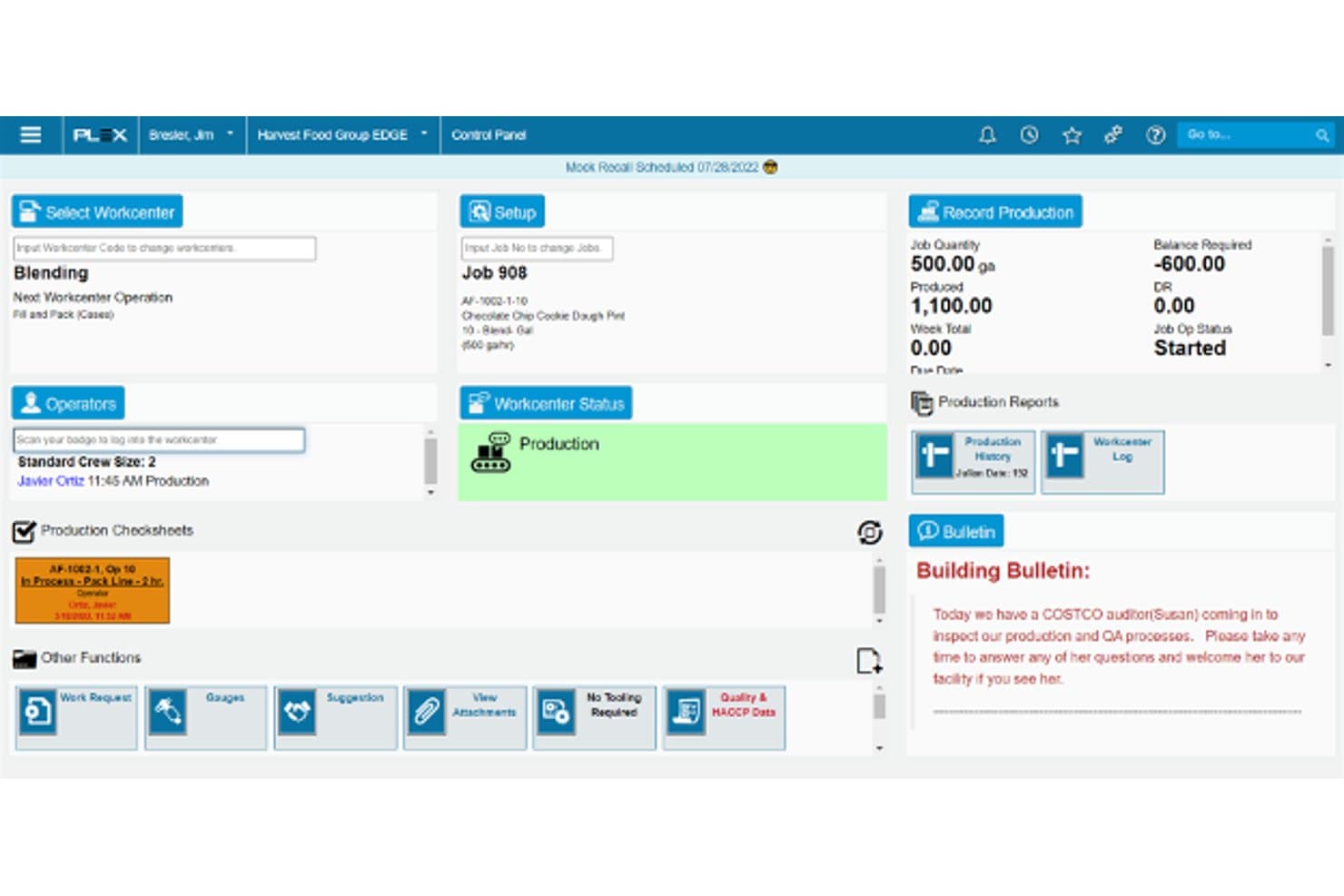
The Plex ERP workcenter dashboard tracks jobs, operators, production status and quality tasks on the shop floor. Plex ERP is a cloud-based manufacturing ERP that unifies finance, supply chain, production, and quality management in a single platform, making it a strong fit for mid-market and enterprise manufacturers that need real-time visibility across multiple plants.
Who Is Plex ERP Best For?
Plex ERP is a strong fit for mid-market and enterprise manufacturers that need a single cloud system connecting shop-floor operations directly to finance and supply chain.
Why I Picked Plex ERP
I picked Plex ERP because it's one of the few cloud ERP systems that connects the shop floor directly to finance, making it a natural fit for manufacturers moving away from SAP. I love that inter-plant inventory transfers happen in real time and feed directly into consolidated financial reporting, so there's no lag or duplicate entry between operational and accounting records. Its integrated MES also lets you standardize production execution across multiple plants while tracking lot traceability and quality data in the same system.
Plex ERP Key Features
- Multi-entity financial consolidation: Automatically consolidates financials across business entities using monthly average exchange rates for revenue and expenses and spot rates for balance-sheet accounts.
- Self-service supplier portal: Gives suppliers secure access to purchase orders, forecasts, delivery commitments, invoices, and collaborative quality or engineering-change workflows.
- Automated purchasing workflows: Manages regular, blanket, and spot-buy purchase orders with automated approvals and order sharing via EDI, email, or the supplier portal.
- Role-based security controls: Lets administrators configure and enforce tenant-level access policies, with single sign-on and event management and monitoring included.
Plex ERP Integrations
Plex ERP documents integrations with ADP, Paychex, and Avalara. It also supports REST/JSON, SOAP, ODBC, and EDI APIs for custom connections.
Pros and Cons
Pros:
- Multi-plant manufacturing supports SAP replacement
- Shop-floor traceability connects inventory and quality
- Real-time plant-to-finance visibility
Cons:
- Cloud outages can interrupt plant operations
- Screen-heavy workflows require substantial training
Learn more about Plex ERP:
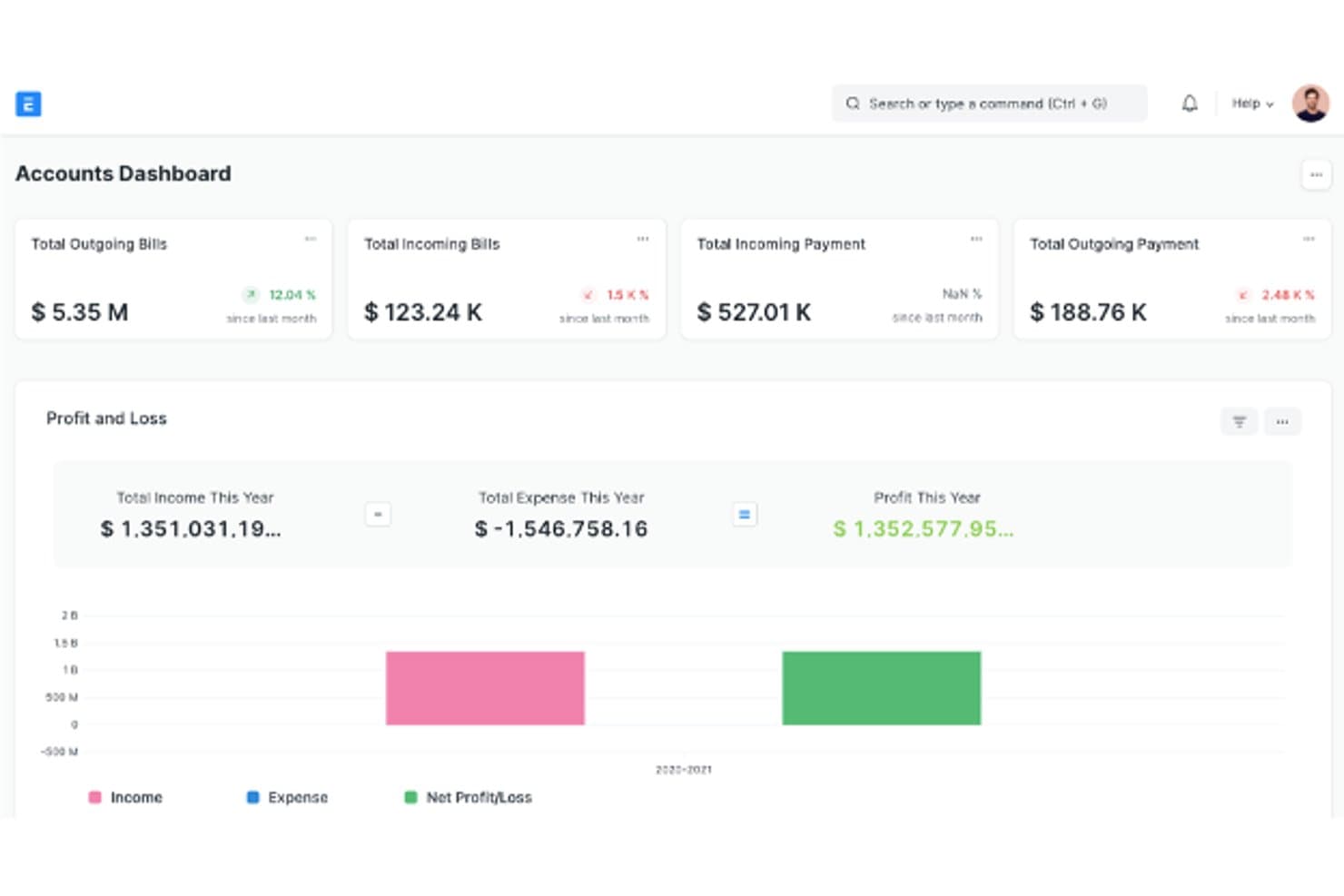
The Accounts Dashboard summarizing bills, payments, and profit and loss in one view. ERPNext is an open-source ERP built by Frappe that covers accounting, procurement, inventory, manufacturing, and CRM in one system—making it a strong fit for cost-conscious businesses that want SAP-level functionality without per-user licensing fees.
Who Is ERPNext Best For?
ERPNext is a strong fit for cost-conscious small and mid-sized businesses that want broad ERP functionality without per-user licensing fees.
Why I Picked ERPNext
I've included ERPNext in my top picks because the open-source model genuinely changes the cost equation: the software itself is free, and you pay for hosting rather than per-user licenses. What I appreciate most is that accounting, procurement, inventory, and manufacturing all share a common ledger, so stock movements post automatically to the GL without manual reconciliation. The low-code customization layer also lets you reshape workflows, fields, and approval rules without touching external developers.
ERPNext Key Features
- Role-based permissions manager: Configure access rights by role and document type, down to individual DocType fields, with separate permission levels for field groups.
- Multi-level approval workflows: Build conditional approval chains with document-field-based transition rules, such as value thresholds that route a purchase order to a specific approver.
- Legacy data migration guide: Map and prepare accounts, currencies, parties, tax codes, and identifiers from your old system before importing opening balances and outstanding invoices.
- REST API and webhooks: Access, create, update, and delete business records via auto-generated REST endpoints and trigger external systems on document events like submission or cancellation.
ERPNext Integrations
ERPNext has 398 marketplace apps, including WooCommerce, DATEV, Google Sheets, banking tools, and payment gateways such as Stripe and PayPal. Its REST API and webhooks support custom integrations with external systems.
Pros and Cons
Pros:
- Self-hosting gives teams deployment control
- Custom workflows adapt to business processes
- Shared ledger connects inventory and accounting
Cons:
- Setup and upgrades can require technical expertise
- Group reports require manual intercompany eliminations
Learn more about ERPNext:
Outras alternativas ao SAP ERP
Eis algumas alternativas adicionais ao SAP ERP que não entraram na minha lista restrita, mas que vale a pena conhecer:
- 11Versa Cloud ERPBest for inventory-centric design
- 12Focus ERPBest for automation and user-friendliness
- 13WorkdayBest for human capital management
- 14Priority SoftwareBest for mid-sized businesses
- 15OdooBest for open-source customization
- 16NetSuiteBest for cloud-based financials
How I Evaluate SAP ERP Alternatives
I split my evaluation into two layers: the baseline every SAP replacement must have—like a full GL, multi-entity support, and core ERP modules—and what sets the best options apart.
Core Functionality (Table Stakes For This List)
When I'm selecting tools for my list, I rank each one on a scale from 0 (does not offer the functionality) to 5 (excels in this area) for each core functionality listed below. Then, I calculate the tool's total score into a percentage. Each tool needs to achieve a minimum total score of 75% to be considered for inclusion.
- General Ledger & Core Accounting: I check for a full double-entry GL with AP, AR, and journal management—things like automated bank reconciliation and dimensional tagging across departments.
- Financial Reporting & Consolidation: Each platform should generate GAAP/IFRS-compliant statements and consolidate across entities, with intercompany eliminations handled automatically.
- Integrated ERP Modules: A true SAP alternative needs modules beyond accounting. I look for procurement, inventory, order management, or supply chain built into the same platform.
- Multi-Entity & Multi-Currency Support: Global teams need automated FX revaluation and localized tax handling. I evaluate how each tool manages subsidiaries across different jurisdictions.
- Budgeting, Planning & Forecasting: I look for native FP&A tools—budget vs. actuals tracking, scenario modeling, and rolling forecasts—rather than requiring a separate third-party planning app.
- Compliance & Audit Controls: Proper audit trails, role-based access, and segregation of duties matter here. I evaluate how each tool supports frameworks like SOX and regional e-invoicing mandates.
Once I have a list of tools that meet this criteria, I consider what sets each platform apart.
Differentiating Factors (What Sets Vendors Apart)
Here's how I compare and contrast different vendors:
Standout Features
AI-driven automation is a big differentiator. I look for tools that can auto-match invoices, flag anomalies, or predict cash flow without manual spreadsheet work. Continuous close tools also matter—platforms like Sage Intacct and Oracle NetSuite offer task orchestration and reconciliation automation that can shrink month-end close from weeks to days. Industry-specific editions are worth evaluating too, since pre-built charts of accounts and workflows for manufacturing or professional services mean less configuration upfront.
Beyond Features
Total cost of ownership is one of the first things I evaluate. SAP's licensing and maintenance structure is notoriously complex, so I compare how transparent each alternative's pricing model is over a three-to-five year horizon. Implementation timelines matter just as much—I check whether a vendor offers SAP-specific migration tools or certified partners who've handled these transitions before. Ecosystem fit rounds out the picture. Connectors to CRMs, tax engines like Avalara or Vertex, and open APIs determine how well a platform slots into your existing stack.
Por que procurar uma alternativa ao SAP ERP?
Embora o SAP ERP seja uma boa opção de software ERP, há vários motivos pelos quais alguns utilizadores procuram soluções alternativas. Pode estar à procura de uma alternativa ao SAP ERP porque…
- Precisa de uma opção mais económica
- A sua equipa considera-o demasiado complexo
- Precisa de um melhor apoio ao cliente
- Não dispõe de funcionalidades específicas do seu setor
- Precisa de opções de personalização mais simples
- A sua empresa é demasiado pequena para o SAP ERP
Se alguma destas situações lhe parece familiar, veio ao lugar certo. A minha lista inclui várias opções de software ERP mais adequadas para equipas que enfrentam estes desafios com o SAP ERP e procuram soluções alternativas.
Principais funcionalidades do SAP ERP
Eis algumas das principais funcionalidades do SAP ERP, para o ajudar a comparar as soluções de software alternativas:
- Gestão financeira: Ajuda a sua equipa a gerir transações financeiras e relatórios com facilidade.
- Gestão da cadeia de abastecimento: Consolida os processos de aprovisionamento, inventário e logística.
- Gestão de recursos humanos: Apoia a gestão dos dados dos funcionários, o processamento salarial e o recrutamento.
- Gestão das relações com os clientes: Melhora o atendimento ao cliente e os processos de vendas através da organização dos dados dos clientes.
- Análise e relatórios: Fornece informações e visualização de dados para uma tomada de decisões fundamentada.
- Gestão de projetos: Ajuda a planear, executar e supervisionar projetos de forma eficiente.
- Gestão da conformidade: Garante o cumprimento dos regulamentos e normas do setor.
- Gestão da produção: Otimiza os calendários de produção e as operações.
- Vendas e distribuição: Facilita o processamento de encomendas e a gestão de entregas.
- Gestão de aprovisionamento: Simplifica as tarefas de compras e de gestão de fornecedores.