

Botkeeper-recension: Fördelar, nackdelar, funktioner och priser
Botkeeper utmärker sig inom AI-driven bokföring och erbjuder ditt team en unik kombination av automatisering och mänsklig expertis för effektiv ekonomihantering.

We review tools independently, and commissions help fund our testing. See our transparency policy, our methodology, or suggest a tool.
Botkeeper is an AI accounting software built for accounting firms that need to automate bookkeeping across a large client book. It combines AI with human oversight to handle transaction coding, reconciliations, and financial reporting at scale. I'd consider it over something like Pilot if your firm wants to deliver bookkeeping services under your own brand—Botkeeper is designed to work behind the scenes for accounting firms, not as a direct-to-business service.
Botkeeper Evaluation Summary
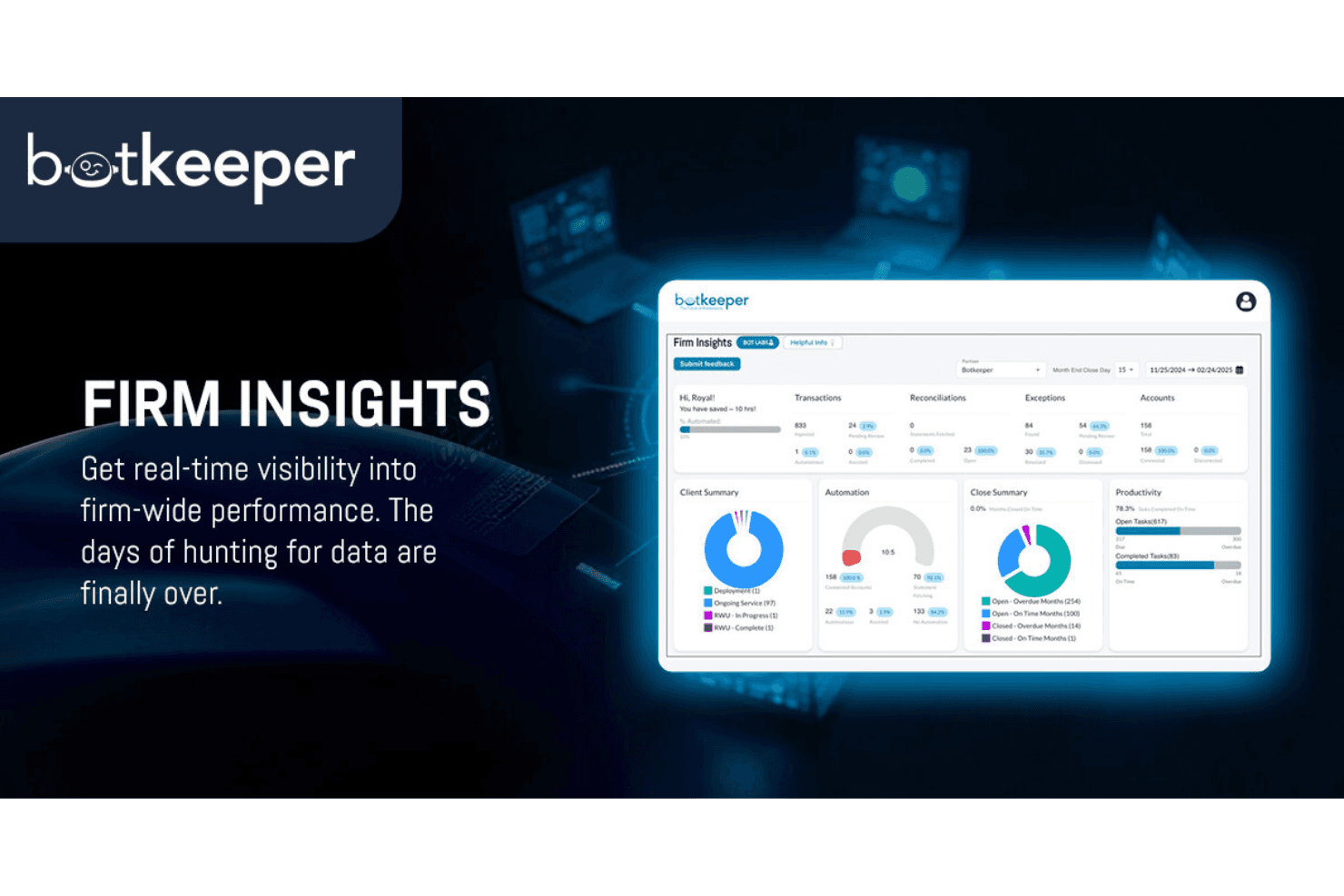
4.4/5
- From $69/license/month
- Free plan available
Varför du kan lita på våra programvarurekommendationer
6,700+
Reviews
20
Industry experts
16+
Evaluation factors
14
Years
Våra recensioner speglar vårt oberoende omdöme — inte ett säljbudskap. Läs mer om hur vi förblir transparenta.
För den här guiden utvärderade vi verktyg genom praktisk testning och oberoende research, och betygsatte verktygen enligt våra urvalskriterier.
Våra recensioner speglar vårt mänskliga redaktionella omdöme, inte ett säljbudskap.
Botkeeper Overview
In my opinion, Botkeeper is a solid choice for small to medium-sized businesses and accounting firms seeking efficient finance automation. Its AI-driven bookkeeping and human expertise set it apart, though some might find the pricing steep. Compared to others, it excels in accuracy and support, but could improve on integrations. It's best suited for teams that need precise bookkeeping without a hefty manual workload, especially when dealing with time-consuming reconciliations or accounts payable processes.
Pros
- You get accurate bookkeeping with AI and human expertise.
- Your team can save time by automating repetitive tasks.
- You receive quality support to help resolve issues quickly.
Cons
- You might find the interface less intuitive than some competitors.
- Your team may face a steep learning curve during onboarding.
- You could experience limited customization options.
Is Botkeeper Right For Your Needs?
Who Would be a Good Fit for Botkeeper?
Botkeeper is a great fit for small to medium-sized businesses and accounting firms that need efficient bookkeeping without hiring more full-time staff or skilled accountants. If your team struggles with time-consuming manual data entry or bank reconciliation work, Botkeeper's AI-driven bookkeeping can save you time and increase accuracy. It’s especially useful for businesses that need reliable financial reports and real-time insights without the hassle of managing every detail manually.
- Small BusinessesBotkeeper helps your small business by automating bookkeeping, freeing up time to focus on growth while keeping bank statements and credit card reconciliations accurate.
- Accounting FirmsYour accounting firm can benefit from Botkeeper's AI accuracy, reducing errors and improving client satisfaction through streamlined workflow and categorizing tools.
- Retail IndustryIn retail, Botkeeper manages high transaction volumes efficiently, keeping your financial records and financial statement data up to date.
- StartupsStartups can use Botkeeper to handle bookkeeping tasks, allowing you to focus on innovation and scaling without relying on a full-time provider.
- FreelancersFreelancers get organized financial records without needing to spend time on bookkeeping tasks such as journal entries and accrual adjustments.
- E-commerceE-commerce businesses can track sales and expenses effortlessly with Botkeeper’s automated features and artificial intelligence capabilities.
Who Would be a Bad Fit for Botkeeper?
Botkeeper might not be ideal for large enterprises needing extensive customization and complex integrations. If your team relies on highly tailored financial processes and needs software that integrates seamlessly with a wide range of existing systems, Botkeeper's limited customization options could be a drawback. It is also less suited for businesses that require deep industry-specific features, as it focuses on general bookkeeping automation rather than specialized real estate or healthcare workflows.
- Large CorporationsYour large corporation may find Botkeeper lacking in customization and integration options for complex financial systems.
- Manufacturing IndustryManufacturing businesses might need more industry-specific features that Botkeeper doesn't offer.
- Financial InstitutionsIf you're in banking or finance, Botkeeper may not meet your regulatory and compliance needs.
- NonprofitsNonprofits often require specialized reporting features that Botkeeper doesn't provide.
- Healthcare ProvidersHealthcare providers may need more detailed billing and coding features than Botkeeper offers.
- Global EnterprisesGlobal enterprises might find Botkeeper's capabilities insufficient for handling multi-currency and multi-location complexities.
How We Test & Score Tools
We’ve spent years building, refining, and improving our software testing and scoring system. The rubric is designed to capture the nuances of software selection and what makes a tool effective, focusing on critical aspects of the decision-making process.
Below, you can see exactly how our testing and scoring works across seven criteria. It allows us to provide an unbiased evaluation of the software based on core functionality, standout features, ease of use, onboarding, customer support, integrations, customer reviews, and value for money.
Core Functionality (25% of final scoring)
The starting point of our evaluation is always the core functionality of the tool. Does it have the basic features and functions that a user would expect to see? Are any of those core features locked to higher-tiered pricing plans? At its core, we expect a tool to stand up against the baseline capabilities of its competitors.
Standout Features (25% of final scoring)
Next, we evaluate uncommon standout features that go above and beyond the core functionality typically found in tools of its kind. A high score reflects specialized or unique features that make the product faster, more efficient, or offer additional value to the user.
We also evaluate how easy it is to integrate with other tools typically found in the tech stack to expand the functionality and utility of the software. Tools offering plentiful native integrations, 3rd party connections, and API access to build custom integrations score best.
Ease of Use (10% of final scoring)
We consider how quick and easy it is to execute the tasks defined in the core functionality using the tool. High scoring software is well designed, intuitive to use, offers mobile apps, provides templates, and makes relatively complex tasks seem simple.
Onboarding (10% of final scoring)
We know how important rapid team adoption is for a new platform, so we evaluate how easy it is to learn and use a tool with minimal training. We evaluate how quickly a team member can get set up and start using the tool with no experience. High scoring solutions indicate little or no support is required.
Customer Support (10% of final scoring)
We review how quick and easy it is to get unstuck and find help by phone, live chat, or knowledge base. Tools and companies that provide real-time support score best, while chatbots score worst.
Customer Reviews (10% of final scoring)
Beyond our own testing and evaluation, we consider the net promoter score from current and past customers. We review their likelihood, given the option, to choose the tool again for the core functionality. A high scoring software reflects a high net promoter score from current or past customers.
Value for Money (10% of final scoring)
Lastly, in consideration of all the other criteria, we review the average price of entry level plans against the core features and consider the value of the other evaluation criteria. Software that delivers more, for less, will score higher.
Core Features
Automated Bookkeeping
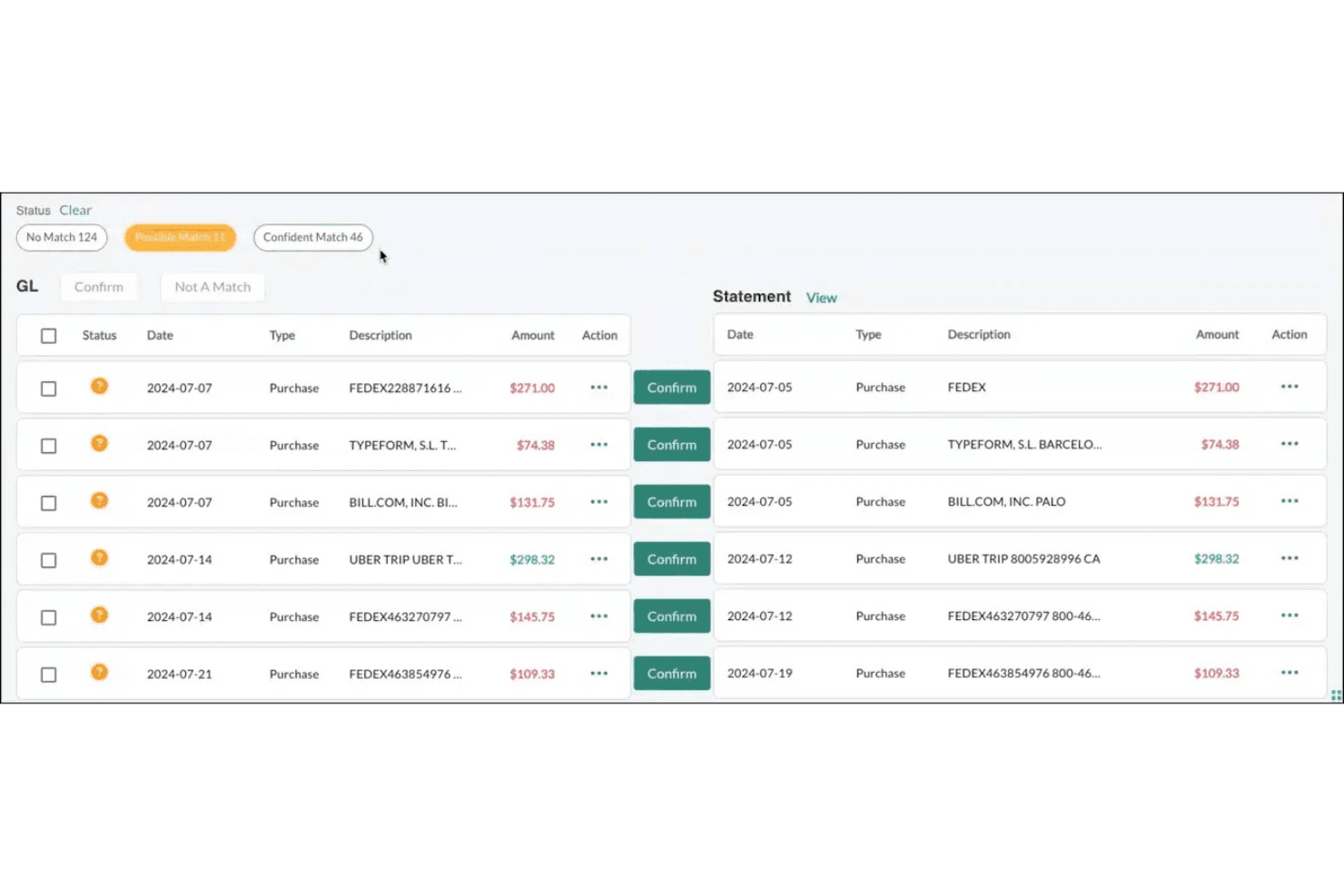
Botkeeper uses AI and machine learning to handle daily bookkeeping tasks, reducing errors and saving time. It captures receipts, automatically categorizes transactions, and processes bank reconciliation within the botkeeper platform.
Financial Reporting
You get detailed, customizable financial reports to help you make informed decisions. Access real-time data to track your business's financial health.
Expense Tracking
Track and manage expenses effortlessly with Botkeeper's intuitive platform. It simplifies monitoring and categorizing your team's expenses, improving overall functionality.
Payroll Management
Botkeeper streamlines your payroll process, ensuring your team gets paid accurately and on time. It handles tax calculations and deductions seamlessly while integrating cleanly with your general ledger.
Data Security
Botkeeper prioritizes your data’s safety, using encryption and secure access controls. You can trust that your financial information is protected.
Ease of Use
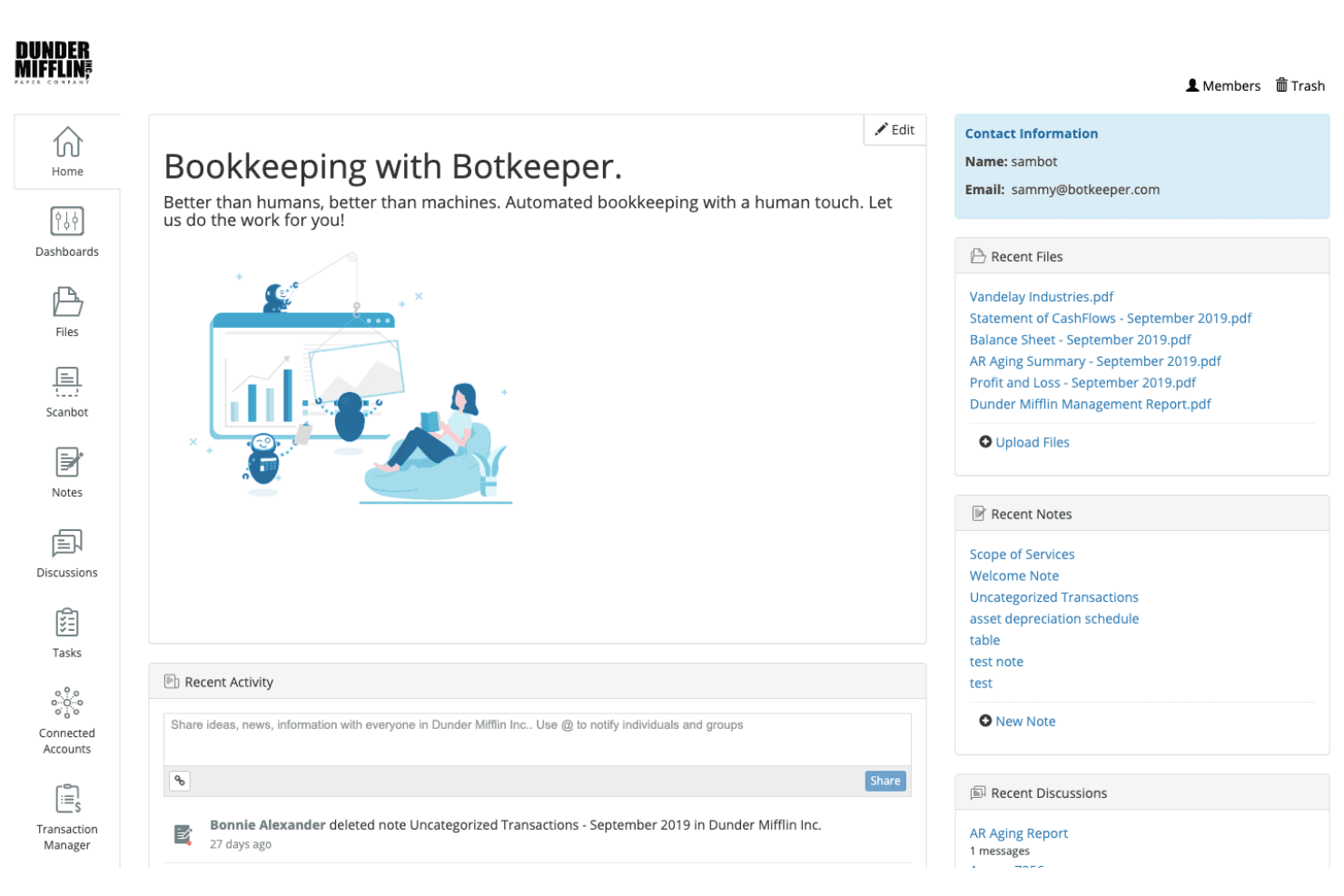
Botkeeper is fairly user-friendly, but you might find the interface a bit less intuitive than some other finance software. It offers a clean layout, making it easy to navigate for basic tasks. However, your team might face a sharp learning curve initially, especially if they're new to automated bookkeeping. Once you get the hang of it, Botkeeper simplifies your financial management with its automated features and AI-powered insights, making your work more efficient.
Integrations
Botkeeper integrates with QuickBooks Online and Xero. The company’s Smart Connect creates a direct link to over 4600 financial institutions. Botkeeper also provides an API and connects with third-party integration tools.
Botkeeper Specs
- API: Yes
- Calendar Management: No
- Contact Management: No
- Dashboards: No
- Data Export: No
- Data Import: Yes
- Document Management: No
- External Integrations: Yes
- Multi-User: Yes
- Notifications: No
- Payment Gateway Integration: No
- Scheduling: No
- Workflow Management: No


