

Recension av Salesforce CRM: Fördelar, nackdelar, funktioner och priser
Salesforce CRM utmärker sig genom sina omfattande anpassnings- och integrationsmöjligheter, vilket gör det idealiskt för komplexa redovisningsbehov, men det kan vara överväldigande för mindre företag.

We review tools independently, and commissions help fund our testing. See our transparency policy, our methodology, or suggest a tool.
Salesforce CRM is an accounting CRM built for finance and accounting teams that need to connect client relationship data with pipeline tracking, revenue reporting, and financial workflows. I'd consider it if your team has moved past what HubSpot CRM can offer, specifically, if you need deeper customization, more granular reporting, and the ability to integrate with a broader financial tech stack without hitting a ceiling.
Salesforce CRM Evaluation Summary
4.2/5
- From $25/user/month
- 30-day free trial
Varför du kan lita på våra programvarurekommendationer
6,700+
Reviews
20
Industry experts
16+
Evaluation factors
14
Years
Våra recensioner speglar vårt oberoende omdöme — inte ett säljbudskap. Läs mer om hur vi förblir transparenta.
För den här guiden utvärderade vi verktyg genom praktisk testning och oberoende research, och betygsatte verktygen enligt våra urvalskriterier.
Våra recensioner speglar vårt mänskliga redaktionella omdöme, inte ett säljbudskap.
Salesforce CRM Overview
If you're judging accounting CRM software on customization, integration, and reporting, Salesforce CRM consistently comes out ahead. Its flexible workflows and deep analytics let you tailor processes to your firm's needs, while the AppExchange ecosystem covers nearly any integration you'll want. Pricing can be steep, and onboarding takes time, but the interface is intuitive once set up. I think it's best for teams who want to build a CRM around their accounting processes, not the other way around—especially those with complex requirements or rapid growth plans.
Pros
- Advanced reporting and analytics for financial tracking.
- Highly customizable workflows for accounting processes.
- Strong audit trail and compliance features.
Cons
- Pricing increases quickly with advanced features.
- Initial setup and configuration can be complex.
- Native accounting functions require third-party add-ons.
Is Salesforce CRM Right For Your Needs?
Who Would be a Good Fit for Salesforce CRM?
Salesforce CRM is a strong choice for organizations that need advanced customization, detailed reporting, and scalable workflows to manage complex accounting and client relationships. It's one of the more powerful crm solutions available for teams with dedicated IT support, high compliance needs, or multi-entity operations—delivering real value through its automation, audit trails, and analytics. This makes the salesforce platform especially useful for industries with strict regulatory requirements or fast growth.
- Large Accounting FirmsHandles multi-entity management and complex client structures with ease.
- Financial ServicesSupports compliance, audit trails, and detailed client segmentation.
- Enterprise-Level CorporationsScales with high transaction volumes and custom workflow needs.
- Consulting AgenciesCustomizes project billing, invoicing, lead management, and client communications.
- CFOs in Regulated IndustriesOffers strong controls and documentation for audit-readiness.
- Multi-Department OrganizationsCentralizes customer data and automates cross-team collaboration.
Who Would be a Bad Fit for Salesforce CRM?
Salesforce CRM is less suitable for smaller businesses, teams with limited budgets, or those seeking out-of-the-box accounting features without heavy customization. If your team needs a simple, plug-and-play CRM system or lacks IT resources for setup and maintenance, you may find Salesforce CRM overwhelming or cost-prohibitive.
- Small BusinessesSetup complexity and cost outweigh basic accounting needs.
- Solo AccountantsToo feature-heavy for single-user workflows and simple tracking.
- Startups with Tight BudgetsPricing and required add-ons can strain limited resources.
- Nonprofits with Simple NeedsOverkill for basic donor or member management tasks.
- Teams Without IT SupportCustomization and maintenance require technical expertise.
- Firms Wanting Built-In AccountingNative accounting features are limited and need third-party apps.
How We Test & Score Tools
We’ve spent years building, refining, and improving our software testing and scoring system. The rubric is designed to capture the nuances of software selection and what makes a tool effective, focusing on critical aspects of the decision-making process.
Below, you can see exactly how our testing and scoring works across seven criteria. It allows us to provide an unbiased evaluation of the software based on core functionality, standout features, ease of use, onboarding, customer support, integrations, customer reviews, and value for money.
Core Functionality (25% of final scoring)
The starting point of our evaluation is always the core functionality of the tool. Does it have the basic features and functions that a user would expect to see? Are any of those core features locked to higher-tiered pricing plans? At its core, we expect a tool to stand up against the baseline capabilities of its competitors.
Standout Features (25% of final scoring)
Next, we evaluate uncommon standout features that go above and beyond the core functionality typically found in tools of its kind. A high score reflects specialized or unique features that make the product faster, more efficient, or offer additional value to the user.
We also evaluate how easy it is to integrate with other tools typically found in the tech stack to expand the functionality and utility of the software. Tools offering plentiful native integrations, 3rd party connections, and API access to build custom integrations score best.
Ease of Use (10% of final scoring)
We consider how quick and easy it is to execute the tasks defined in the core functionality using the tool. High scoring software is well designed, intuitive to use, offers mobile apps, provides templates, and makes relatively complex tasks seem simple.
Onboarding (10% of final scoring)
We know how important rapid team adoption is for a new platform, so we evaluate how easy it is to learn and use a tool with minimal training. We evaluate how quickly a team member can get set up and start using the tool with no experience. High scoring solutions indicate little or no support is required.
Customer Support (10% of final scoring)
We review how quick and easy it is to get unstuck and find help by phone, live chat, or knowledge base. Tools and companies that provide real-time support score best, while chatbots score worst.
Customer Reviews (10% of final scoring)
Beyond our own testing and evaluation, we consider the net promoter score from current and past customers. We review their likelihood, given the option, to choose the tool again for the core functionality. A high scoring software reflects a high net promoter score from current or past customers.
Value for Money (10% of final scoring)
Lastly, in consideration of all the other criteria, we review the average price of entry level plans against the core features and consider the value of the other evaluation criteria. Software that delivers more, for less, will score higher.
Core Features
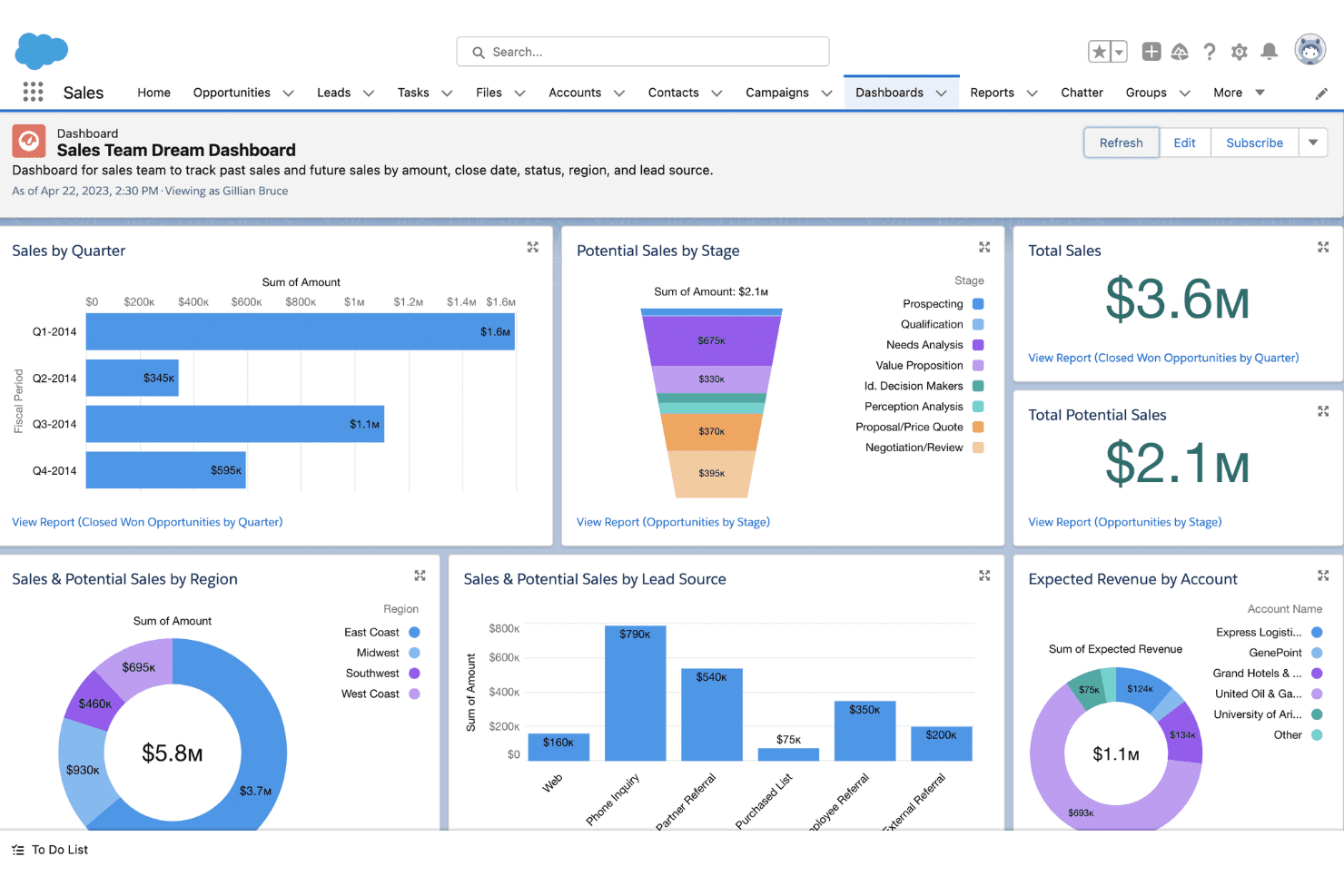
Customizable Dashboards
Build real-time financial dashboards tailored to your KPIs. Use drag-and-drop tools to visualize revenue, receivables, and pipeline data.
Automated Workflow Rules
Configure triggers for invoice approvals, payment reminders, and notifications. Reduce manual tasks and streamline accounting processes.
Opportunity and Pipeline Management
Track deals, proposals, and renewals with detailed financial forecasting. Monitor your sales pipeline and prioritize high-value clients.
Audit Trail and Compliance Tracking
Log every change to client records and transactions for audit-readiness. Meet regulatory requirements with detailed activity histories.
Document Management
Store contracts, invoices, and financial statements securely in client records. Access and share documents directly from the CRM system.
Advanced Reporting and Analytics
Generate custom reports and analyze trends across clients or periods. Drill down into revenue, expenses, and outstanding balances.

Ease of Use
Salesforce CRM offers a clean, modern interface, but its depth and customization options can feel overwhelming at first—especially for accounting teams without dedicated admins. Many users say the platform becomes intuitive after initial setup, thanks to customizable dashboards and guided workflows. However, configuring features like workflow automation and reporting often requires training or IT support, so it's best suited for teams ready to invest time in onboarding.
Integrations
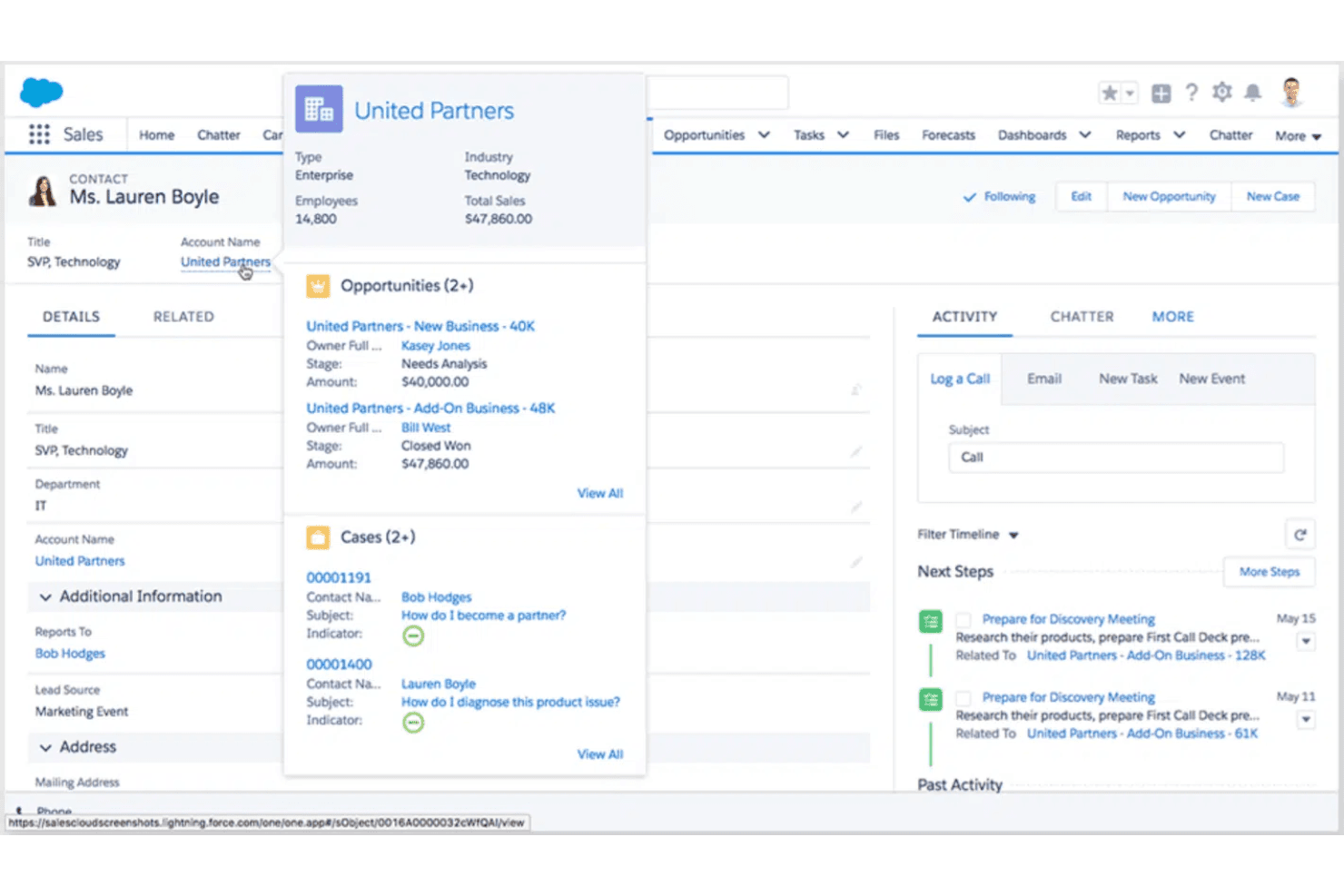
Salesforce CRM integrates with QuickBooks, Jira, Slack, Microsoft Outlook, Google Workspace, and Dropbox, among others.
Salesforce CRM also offers a robust API and connects with third-party integration tools for custom workflows.

New Product Updates from Salesforce CRM
 Opens new window
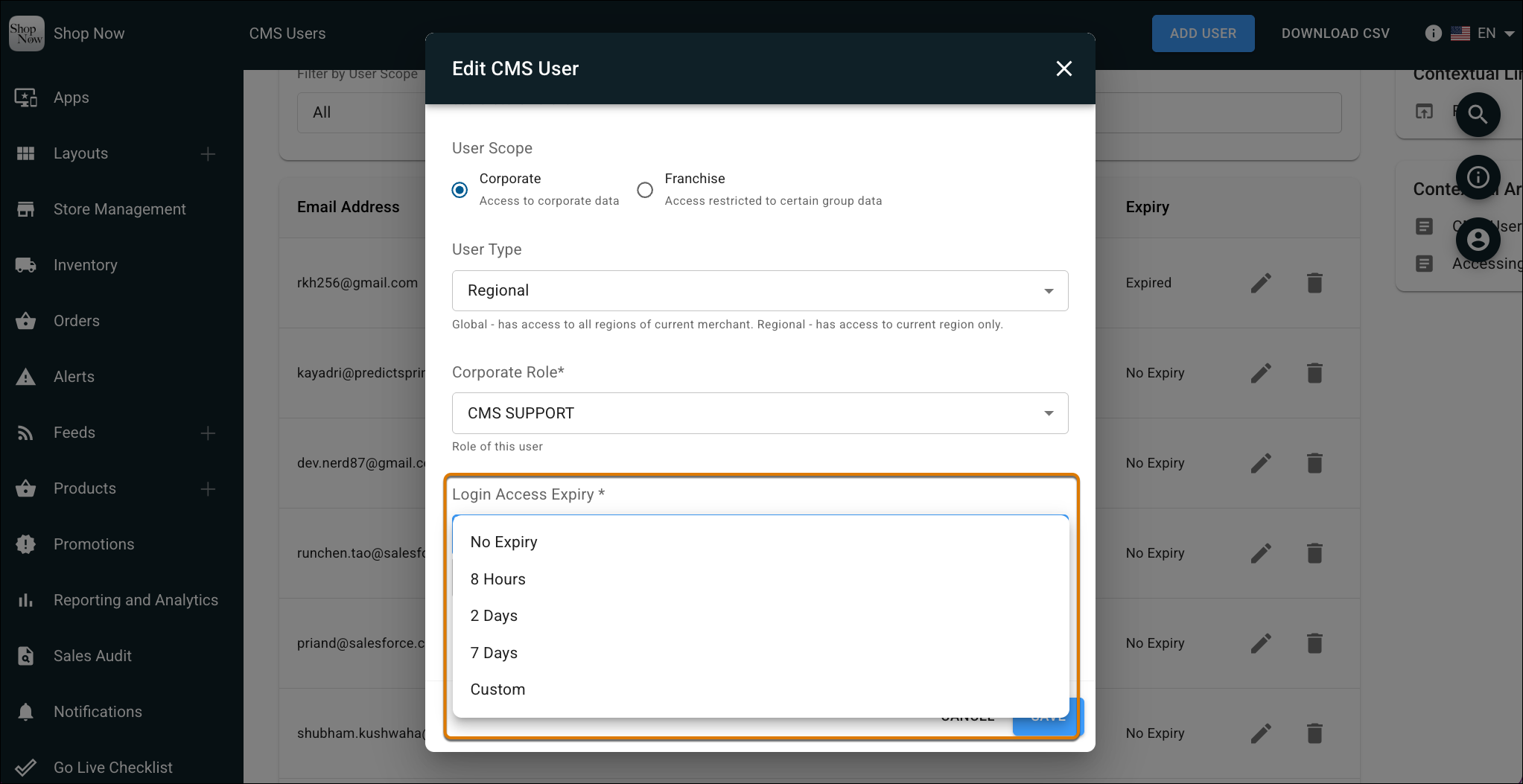
Salesforce CRM Adds Automated CMS Access Expiration
Salesforce CRM lets admins set a Login Access Expiry period for Point of Sale CMS users so access is revoked automatically after a set time. The update also adds a view-only CMS support role for troubleshooting without granting full access. Highlights include:
- Automated Access Expiration: Revoke CMS access automatically after a defined period.
- View-Only Support Role: Give support users troubleshooting access without full permissions.
- Reduced Manual Cleanup: Avoid manually tracking and removing temporary CMS accounts.
Visit Salesforce CRM’s official site for more details.
Salesforce CRM Adds WhatsApp Read Receipts
Salesforce CRM has added visibility into WhatsApp message read receipts so service teams can tell when a customer has viewed a message. This helps agents time follow-ups better and manage conversations with more confidence. Highlights include:
- Read Status: See when customers have viewed WhatsApp messages in the Service Console.
- Customer Confirmation: Show customers the standard double blue check when reps read their messages.
- Optional Setup: Enable read receipts for supported Enhanced WhatsApp channels when needed.
Visit Salesforce’s official site for more details.
Salesforce CRM Form Builder Adds Conditional Fields
Salesforce CRM Form Builder can now display fields only when specific conditions are met and remove dependent data when answers change. Forms support up to 50 visibility rules with dependencies nested two levels deep. Highlights include:
- Conditional Fields: Shows or hides fields based on user responses.
- Visibility Rules: Supports up to 50 rules per form.
- Nested Dependencies: Allows conditional logic up to two levels deep.
- Dynamic Updates: Removes dependent data when earlier answers change.
- Flexible Forms: Reduces the need to maintain separate forms for different audiences.
Visit Salesforce CRM’s official site for more details.
Salesforce CRM Adds Agentforce Vibes Analytics to DevOps Center
Salesforce CRM adds Agentic Development analytics for Agentforce Vibes in DevOps Center, including granular model usage data. Developer-Level Insights can also show individual user analytics during the Developer Preview. Highlights include:
- Agentic Development Dashboard: Tracks Agentforce Vibes activity across connected orgs.
- Model Usage Analytics: Provides more detailed visibility into model usage.
- Developer-Level Insights: Shows individual user analytics when enabled.
- DevOps Center Analytics: Makes usage data available from the Analytics page.
- Developer Preview: Agentic Development and Developer-Level Insights remain in preview.
Visit Salesforce CRM’s official site for more details.
 Opens new window
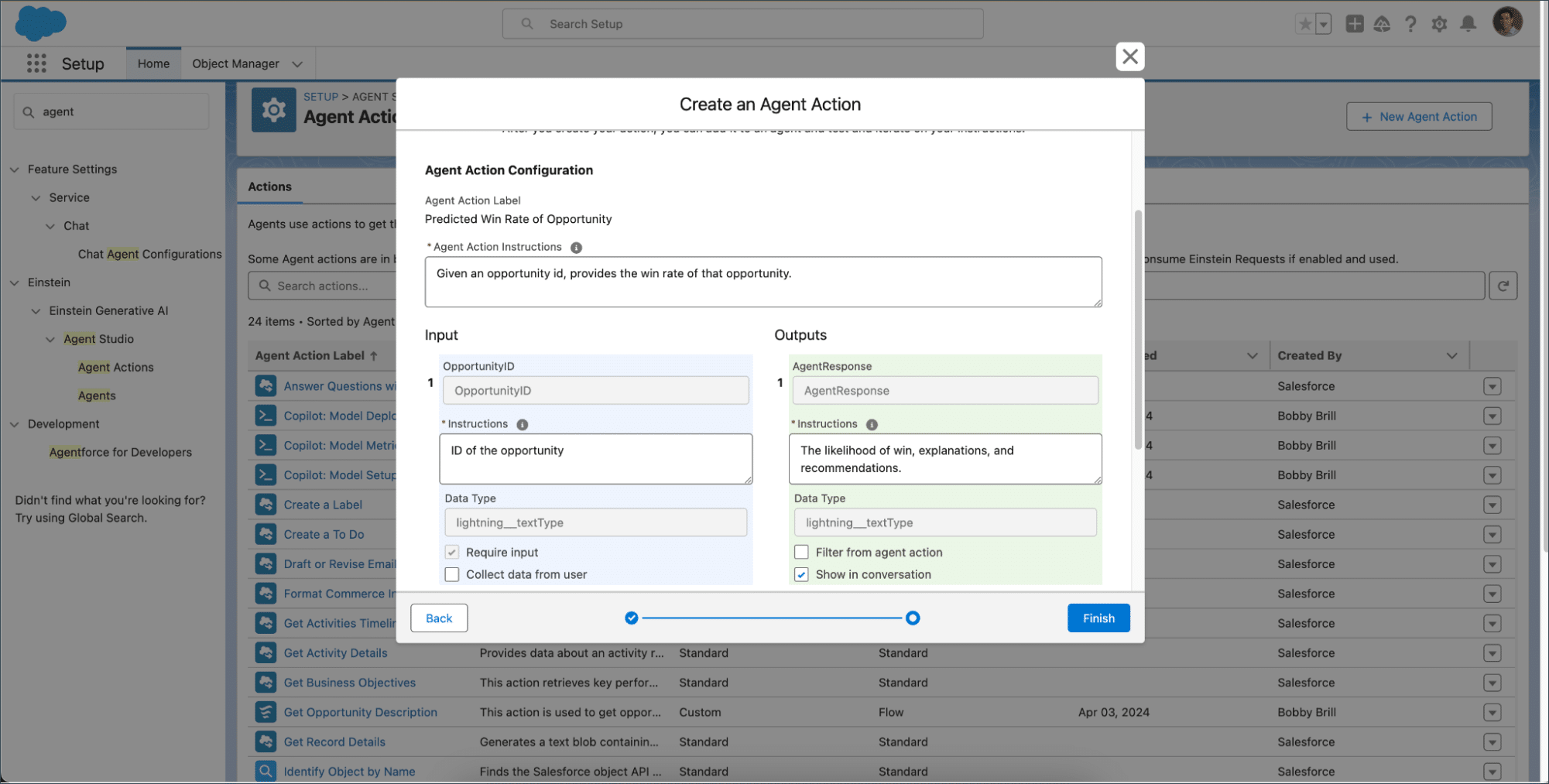
Salesforce CRM Adds Connection-Based Agent Action Formatting
Salesforce lets Agentforce format action outputs differently for each connection using Agent Script. Teams can also return structured JSON or end reasoning after an action with show_and_return. Highlights include:
- Connection-Based Formatting: Applies specific output formats to individual Agentforce connections.
- Adaptive Responses: Uses predefined response formats for supported channels.
- JSON Output: Returns structured action data directly to connected systems.
- Channel Consistency: Keeps action responses predictable across messaging and web experiences.
- Show and Return: Lets an agent send a response and stop reasoning after an action.
Visit Salesforce CRM’s official site for more details.
Salesforce CRM Adds Agent Access Controls in Agentforce Builder
Salesforce CRM adds an Agent Access page in Agentforce Builder for managing permissions and record access. This helps admins control Employee agent availability and Service agent access from one settings area. Highlights include:
- Employee Agent Access: Lets admins manage permission sets and profiles that determine who can use an Employee agent.
- Service Agent Permissions: Allows admins to control what a Service agent user can access.
- Record Access Controls: Manages the records available to Service agents.
Visit Salesforce’s official site for more details.
Manage the Sales Data Kit Independently in Marketing Cloud Next
Salesforce CRM adds a dedicated Sales Data Kit section in Marketing Cloud Next with on-demand deployment and independent update controls. This gives admins more flexibility to manage the Sales Data Kit separately from required marketing data kits. Highlights include:
- Optional Deployment: Lets admins choose if and when to deploy the Sales Data Kit.
- Independent Updates: Allows Sales Data Kit updates to be managed separately from other data kits.
- Dedicated Management: Provides a separate setup section to deploy the kit, check its status, and apply updates.
Visit Salesforce’s official site for more details.
 Opens new window
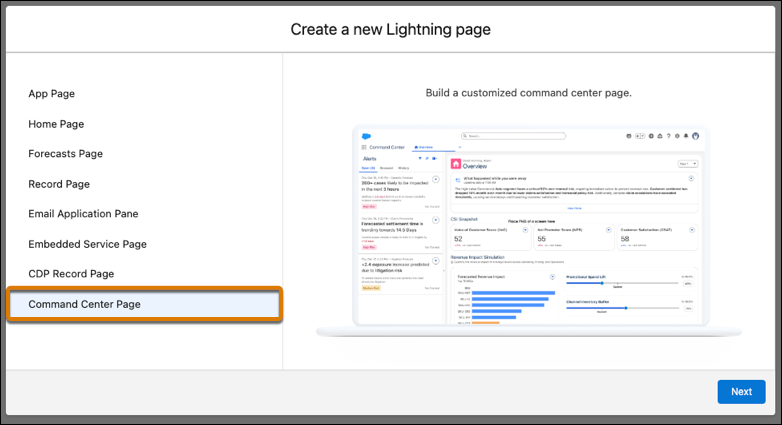
Salesforce CRM Introduces Command Center Page Type
Salesforce CRM has added a new Command Center Page type that helps teams tailor Command Center experiences by role and audience. This improves relevance and usability by letting admins deliver the right layout and content to the right users without duplicating work across multiple setups. Highlights include:
- Command Center Page Type: Create dedicated Command Center pages in Lightning App Builder.
- User-Group Page Assignments: Assign different Command Center pages to specific user groups.
- Profile-Based Customization: Customize page experiences based on user profiles.
- Grid Layouts: Build flexible page layouts using grid-based templates.
Visit Salesforce CRM's official site for more details.
Salesforce Blocks Apex Anonymous Code Execution from Managed Packages
Salesforce adds a security update that prevents managed packages from using session IDs to execute anonymous Apex code in subscriber organizations. Developers must instead define Apex classes within package metadata or use supported mechanisms for interacting with subscriber code, improving security, traceability, and governance. Highlights include:
- Blocked Anonymous Apex Execution: Prevent managed packages from executing anonymous Apex code using session IDs.
- Stronger Security Controls: Ensure managed package code follows versioning, logging, and access control requirements.
- Developer Guidance: Use packaged Apex classes or supported integration methods, such as shared global interfaces and
Type.forName(), instead of anonymous Apex execution.
Visit Salesforce's official site for more details.
 Opens new window
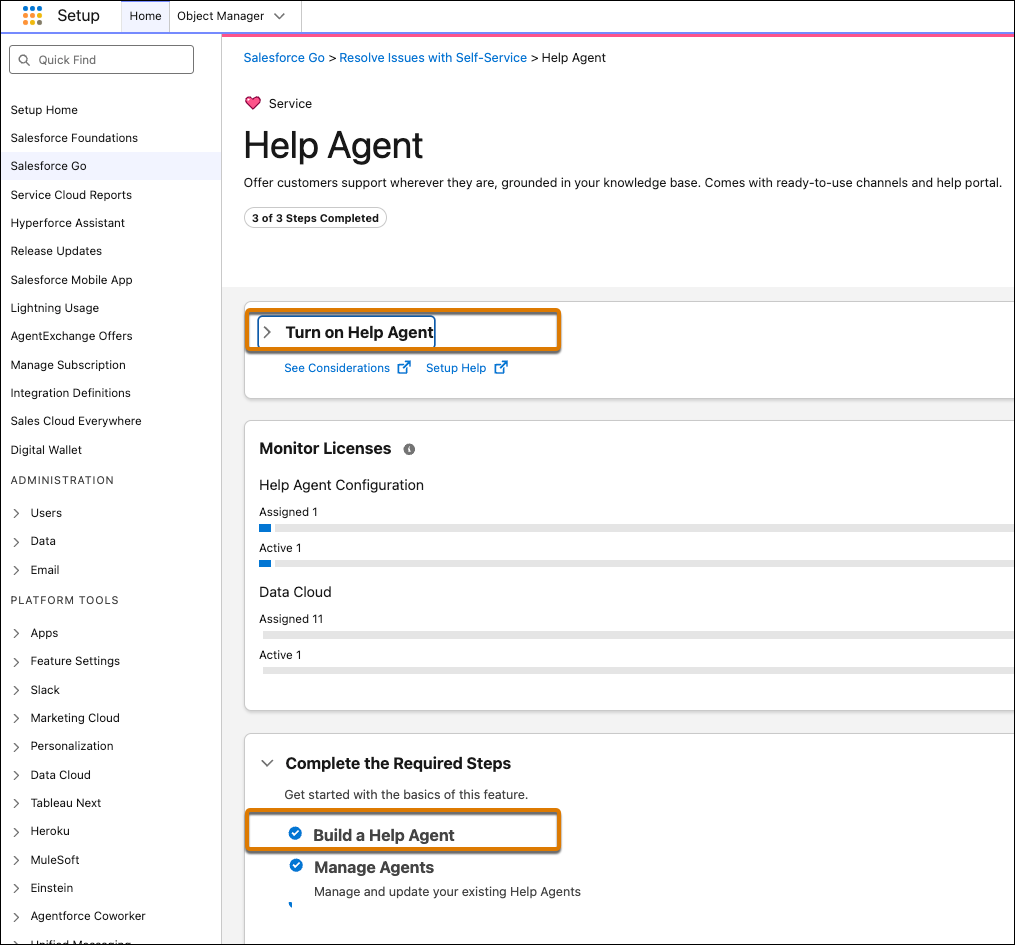
Salesforce Adds Quick Service Agent Configuration for Help Agents
Salesforce has added Quick Service Agent Configuration to simplify how teams create and deploy AI-powered Help Agents. This update helps businesses automate customer support setup and make AI assistance available across multiple service channels.
Visit Salesforce CRM’s official site for more details.
Salesforce CRM Specs
- 2-Factor Authentication: Yes
- API: Yes
- Calendar Management: Yes
- Call Tracking: Yes
- Campaign Management: Yes
- Click-to-Dial: Yes
- Contact Management: Yes
- Contact Sharing: Yes
- Custom Data Forms: Yes
- Customer Management: Yes
- Dashboard: Yes
- Data Export: Yes
- Data Import: Yes
- Data Visualization: Yes
- Email Integration: Yes
- External Integrations: Yes
- File Sharing: Yes
- File Transfer: Yes
- Google Apps Integration: Yes
- Lead Management: Yes
- Lead Scoring: Yes
- Marketing Automation: No
- Mobile App: Yes
- Multi-User: Yes
- Notifications: Yes
- Pipeline Management: Yes
- Sales Automation: Yes
- Scheduling: Yes
- Social-Media Integration: No
- Task Scheduling/Tracking: Yes
- Third-Party Plugins/Add-Ons: Yes


