

10 Best Bitrix24 Alternatives for Growing Teams in 2026

Best Bitrix24 Alternatives Shortlist


A strong Bitrix24 alternative offers flexible customer relationship management features, reliable integrations, and tools that adapt to your team’s workflow. If you’re searching for a replacement, you likely need a CRM suite that matches Bitrix24’s breadth—without its limitations around customization, usability, or support. The right alternative should help you manage contacts, automate sales processes, and support collaboration through features like file sharing, file storage, docs, and built-in project management software with checklists, resource management, and support for workflows like Scrum. You’ll also find options that include free versions, flexible paid plans, and even open-source solutions built for scalable growth. In this list, you’ll find top Bitrix24 alternatives for 2026 to help you compare options and make a confident, informed decision for your organization.
What Is Bitrix24?
Bitrix24 is a cloud-based CRM suite that combines contact management, sales automation, project collaboration, and communication tools in one platform. It’s designed for businesses that want to centralize customer data, manage sales pipelines, and coordinate team activities. Bitrix24 also offers features like task tracking, document sharing, and built-in telephony, making it a popular choice for organizations seeking an all-in-one solution for customer relationship and workflow management.
Bitrix24 Alternatives Comparison Table
This comparison table summarizes pricing details for my top Bitrix24 alternative selections:
| Tool | Best For | Trial Info | Price | ||
|---|---|---|---|---|---|
| 1 | Best for unified sales and support tools | Free plan + free demo available | From $13.79/user/month (billed annually) | Website | |
| 2 | Best for low-code process customization | 14-day free trial | From $40/user/month (billed annually) | Website | |
| 3 | Best for integrated marketing automation | Free plan available | From $20/user/month | Website | |
| 4 | Best for multichannel communication tracking | 14-day free trial | From $25/user/month | Website | |
| 5 | Best for complex multinational operations | Free demo available | Pricing upon request | Website | |
| 6 | Best for extensive third-party integrations | 30-day free trial | From $25/user/month | Website | |
| 7 | Best for visual sales pipeline management | 14-day free trial available | From $14/user/month (billed annually) | Website | |
| 8 | Best for simple user onboarding | 30-day free trial + free demo available | From $15/user/month | Website | |
| 9 | Best for advanced enterprise resource planning | 30-day free trial available | From $50/user/month (billed annually) | Website | |
| 10 | Best for GDPR-focused data management | Free demo available | From €71/month (billed annually) | Website |
Why Trust Our Software Recommendations
Our team has been testing and reviewing software since 2012. As finance leaders ourselves, we know how difficult—and important—it is to choose the right software.
For this guide, we evaluated tools using hands-on testing and independent research, scoring tools using our selection criteria.
Our reviews reflect our human editorial judgment, not a sales pitch.
Best Bitrix24 Alternatives Reviews
Below are my detailed summaries of the Bitrix24 alternatives that made it onto my shortlist. My reviews offer a detailed look at the features, best use cases, and integrations of each platform to help you find the best one for you.
Best for unified sales and support tools
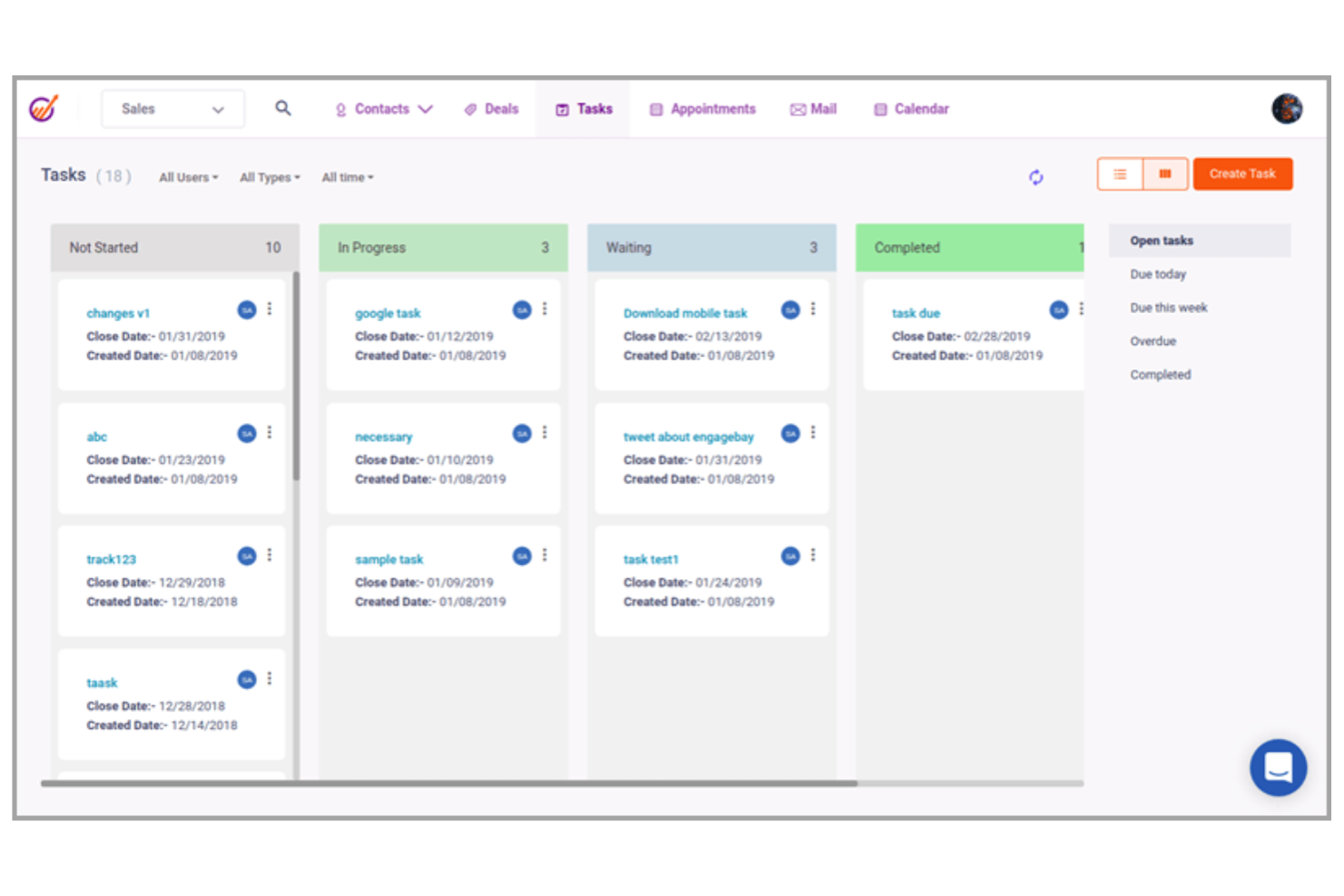
If you’re looking for a CRM suite that brings sales and support together in one place, EngageBay is worth considering. It’s designed for small and midsize businesses that want to manage customer relationships, marketing, and help desk functions from a single platform. Unlike Bitrix24, EngageBay offers a unified workspace where your team can handle sales pipelines, email campaigns, and customer support tickets without switching tools.
Why EngageBay Is a Good Bitrix24 Alternative
EngageBay stands out for teams that want to manage both sales and support from a single platform. I picked EngageBay because it combines CRM, marketing automation, and help desk tools in one unified suite. You can track deals, run email campaigns, and resolve customer tickets without toggling between separate systems. This all-in-one approach makes it easier to keep your customer data and communications organized compared to Bitrix24.
EngageBay Key Features
Some other features in EngageBay that are worth noting include:
- Contact Management: Store, segment, and update customer records in a centralized database.
- Appointment Scheduling: Let customers book meetings directly through integrated calendar tools.
- Live Chat Widget: Add real-time chat support to your website for instant customer engagement.
- Landing Page Builder: Create and publish custom landing pages without needing to code.
EngageBay Integrations
Integrations include Shopify, Zapier, Stripe, WooCommerce, BigCommerce, Slack, Twilio, Asana, Salesforce, and more.
Pros and Cons
Pros:
- Email marketing with templates and drip campaigns
- Built-in live chat and help desk tools
- Unified dashboard for CRM, marketing, and support
Cons:
- Support response times can be inconsistent
- Mobile app is limited compared to web version

Creatio
Best for low-code process customization
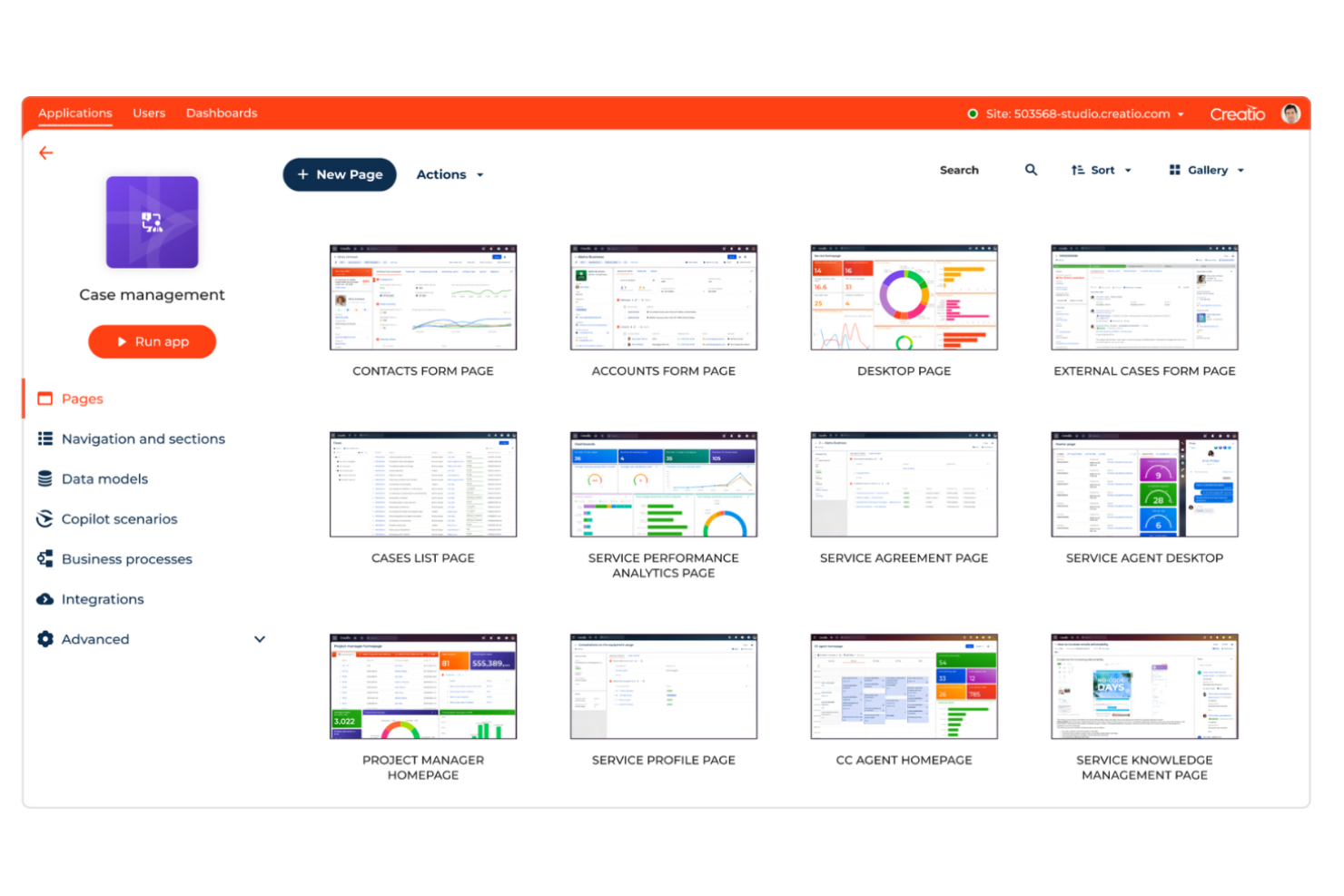
If you need a CRM that adapts to your business processes, Creatio puts low-code customization front and center. It’s a strong fit for midsize and enterprise teams that want to design, automate, and update workflows without heavy IT involvement. With its visual process designer, you can tailor sales, marketing, and service operations far beyond what Bitrix24’s standard modules allow.
Why Creatio Is a Good Bitrix24 Alternative
For teams that want to shape their CRM around unique business processes, Creatio stands out with its low-code process customization. I appreciate how the visual process designer lets you build, modify, and automate workflows without writing code. You can create custom objects, set up conditional logic, and adjust approval paths to match your exact requirements. This flexibility makes Creatio a strong choice for organizations that find Bitrix24’s process automation too rigid or limited.
Creatio Key Features
Some other features that make Creatio appealing to CRM buyers include:
- Omnichannel Communication Tools: Manage customer interactions across email, phone, chat, and social media from a single interface.
- Sales Forecasting: Generate sales forecasts using built-in analytics and customizable dashboards.
- Case and Service Management: Track, assign, and resolve customer service cases with automated routing and escalation.
- Document Management: Store, share, and collaborate on documents directly within the CRM platform.
Creatio Integrations
Integrations include Mapsly, Power BI, Zapier, Apollo.io, Landingi, Workato, and more.
Pros and Cons
Pros:
- Omnichannel communication across email, phone, chat
- Visual automation supports complex processes
- Low-code designer enables fast workflow customization
Cons:
- Interface can feel cluttered
- Setup requires significant IT involvement

HubSpot
Best for integrated marketing automation
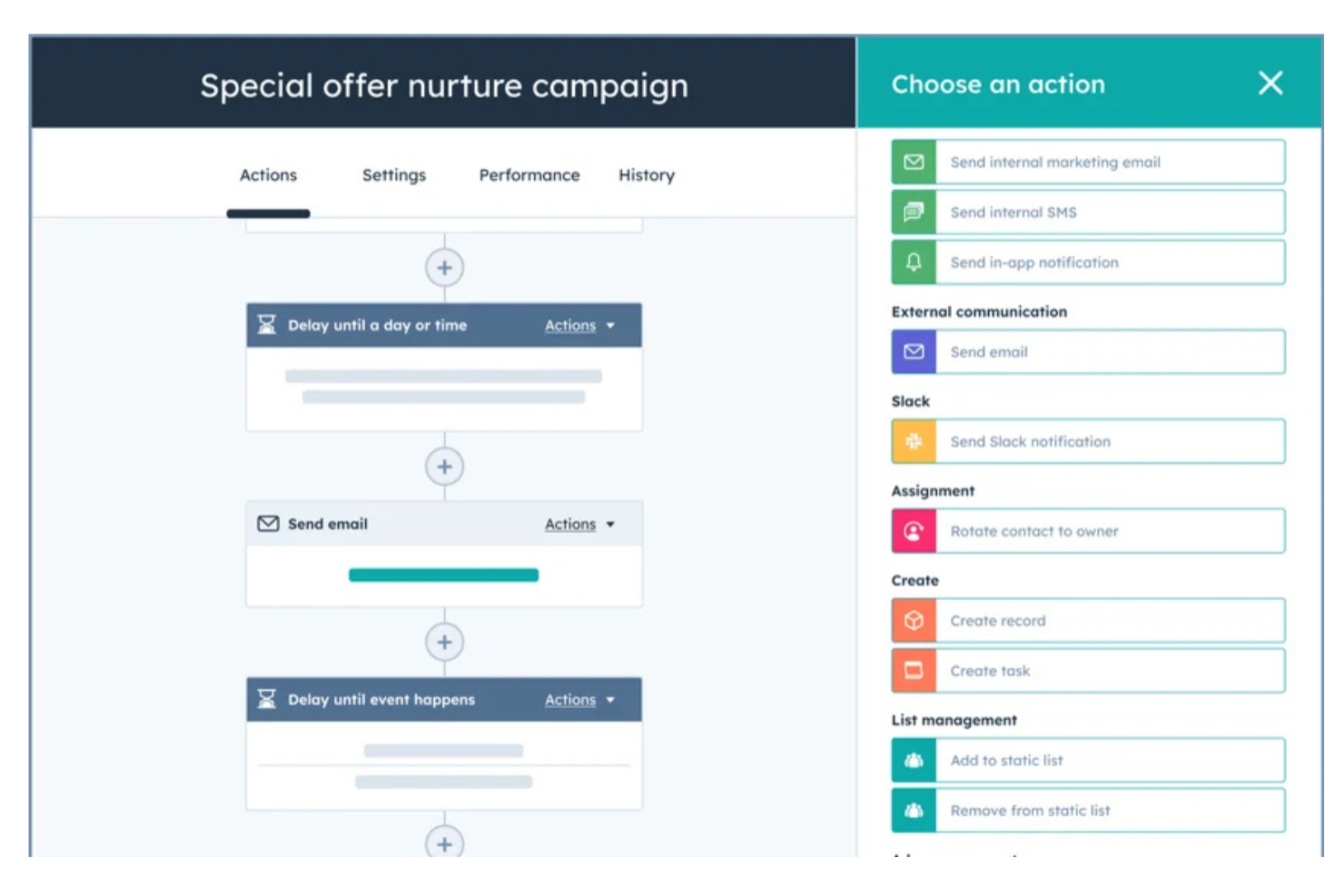
If you’re looking for a CRM suite that brings marketing, sales, and customer service together, HubSpot is worth considering. It’s especially appealing to finance teams and businesses that want integrated marketing automation and a unified view of customer interactions. Unlike Bitrix24, HubSpot’s all-in-one platform lets you automate campaigns, track leads, and manage pipelines without juggling multiple disconnected tools.
Why HubSpot Is a Good Bitrix24 Alternative
What sets HubSpot apart for me is its integrated marketing automation, which goes far beyond what Bitrix24 offers. HubSpot’s marketing hub lets you build automated email campaigns, score leads, and nurture prospects directly within your CRM. I appreciate how you can track every customer touchpoint and trigger workflows based on real-time engagement. For finance professionals who want to align marketing and sales efforts without switching between platforms, HubSpot’s automation tools make it a strong alternative.
HubSpot Key Features
Some other features in HubSpot that finance teams and CRM buyers may find useful include:
- Deal Pipeline Management: Visualize, track, and update deals as they move through customizable sales stages.
- Contact and Company Records: Store detailed information and activity history for every contact and company in your database.
- Task and Activity Tracking: Assign, schedule, and monitor tasks and follow-ups for your team within the platform.
- Knowledge Base: Build and manage a searchable library of articles and FAQs to support both customers and internal teams.
HubSpot Integrations
Integrations include Salesforce, Claude, Gmail, Zoom, Slack, Google Chat, Microsoft Teams, and more.
Pros and Cons
Pros:
- Visual pipeline for easy deal tracking
- Built-in email marketing automation
- Unified marketing, sales, and service tools
Cons:
- Data export is limited on lower plans
- Workflow automation can be restrictive

Kommo
Best for multichannel communication tracking
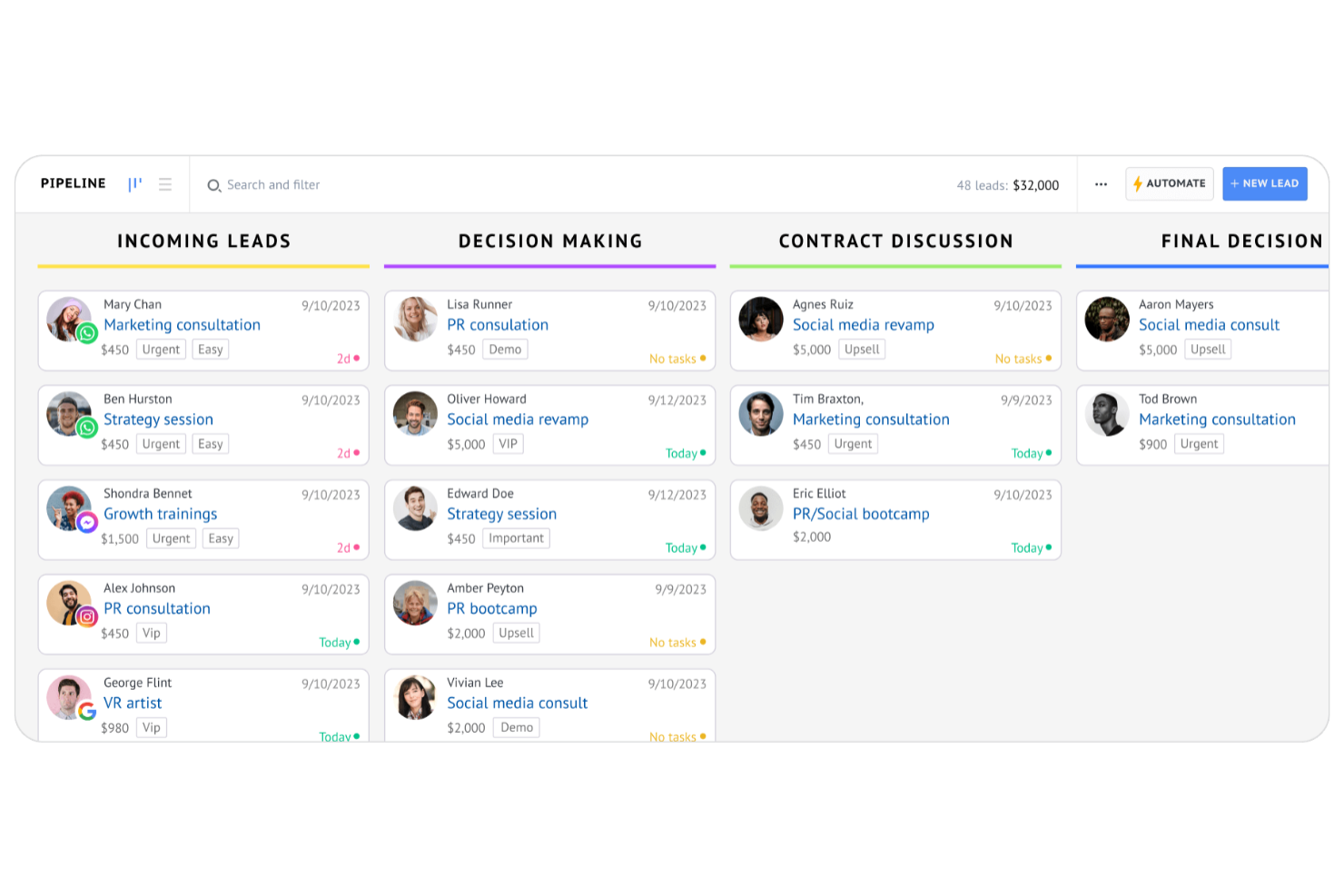
For teams that need to manage conversations across multiple channels, Kommo offers a CRM suite built for unified communication tracking. It’s especially useful for sales and support teams juggling WhatsApp, email, social media, and live chat in one place. Unlike Bitrix24, Kommo brings all your customer interactions into a single timeline, making it easier to follow every conversation thread.
Why Kommo Is a Good Bitrix24 Alternative
If your team needs to track conversations across several channels without losing context, Kommo is built for that purpose. I picked Kommo because it brings together WhatsApp, Facebook Messenger, email, and live chat into a single, unified timeline for each contact. This makes it much easier to see the full history of every customer interaction, no matter where the conversation started. For businesses that rely on multichannel communication, Kommo offers a focused solution that Bitrix24 doesn’t match as closely.
Kommo Key Features
Some other features in Kommo that CRM buyers may want to consider include:
- Sales Pipeline Visualization: View and manage deals in a drag-and-drop pipeline interface.
- Lead Capture Forms: Create customizable web forms to collect leads directly into the CRM.
- Task and Reminder System: Set follow-up tasks and reminders linked to specific contacts or deals.
- Automated Chatbots: Deploy chatbots to handle initial customer inquiries on messaging channels.
Kommo Integrations
Integrations include Mailchimp, Calendly, Zapier, Make, Typeform, LinkedIn, WeChat, Twilio, Zendesk, Google Analytics, Google Drive, and more.
Pros and Cons
Pros:
- Lead capture forms for websites
- Built-in chatbots for automation
- Multichannel inbox for all conversations
Cons:
- Workflow automation is less flexible
- Fewer project management tools than Bitrix24
SAP CRM
Best for complex multinational operations
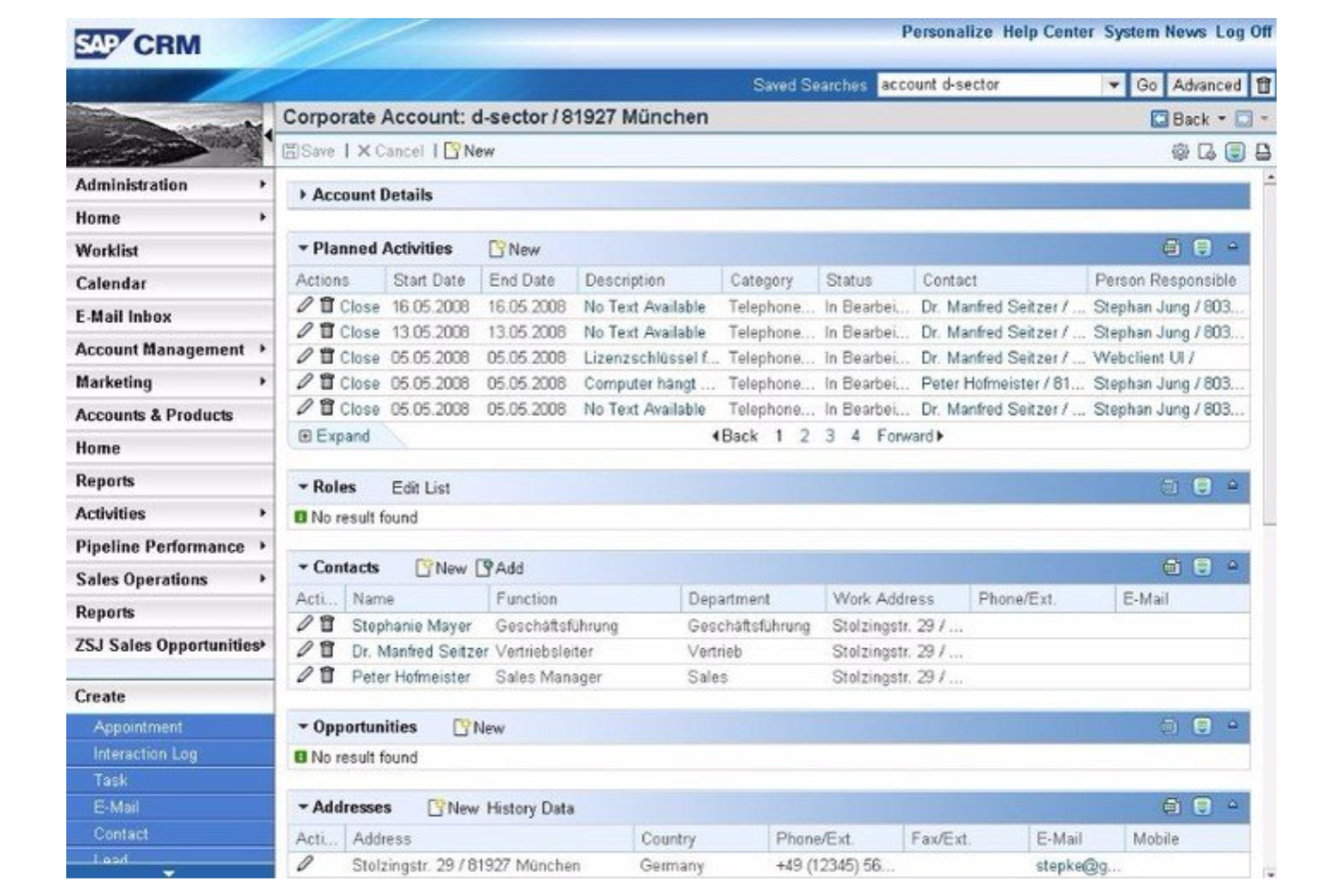
Global enterprises managing complex, multi-country operations often look to SAP for their CRM needs. This suite is built for organizations that require advanced compliance, localization, and integration with large-scale ERP systems. Unlike Bitrix24, SAP offers deep support for multinational workflows, regulatory requirements, and industry-specific processes.
Why SAP CRM Is a Good Bitrix24 Alternative
For organizations operating across multiple countries and regulatory environments, SAP stands out as a CRM suite built for complexity. Its advanced localization features help teams manage tax, language, and compliance requirements in each region. I appreciate how SAP’s CRM integrates with its ERP and supply chain modules, supporting end-to-end business processes on a global scale. If you need a solution that can handle multinational operations and industry-specific compliance, SAP offers capabilities that go far beyond what Bitrix24 provides.
SAP CRM Key Features
Some other features in SAP that CRM buyers may want to consider include:
- AI-Powered Sales Forecasting: Use predictive analytics to estimate future sales performance and identify trends.
- Customer Service Ticketing: Manage and track customer support requests through a centralized ticketing system.
- Marketing Campaign Management: Plan, execute, and monitor marketing campaigns directly within the CRM.
- Partner Relationship Management: Collaborate with external partners and distributors using dedicated tools for joint sales and marketing activities.
SAP CRM Integrations
Integrations include QuickBooks Online, Outlook, Salesforce, Pipedrive, Plaid, and more.
Pros and Cons
Pros:
- Supports industry-specific workflows
- Advanced security with granular access controls
- Handles complex global compliance requirements
Cons:
- Updates require system-wide testing
- Customization needs SAP consultants

Best for extensive third-party integrations
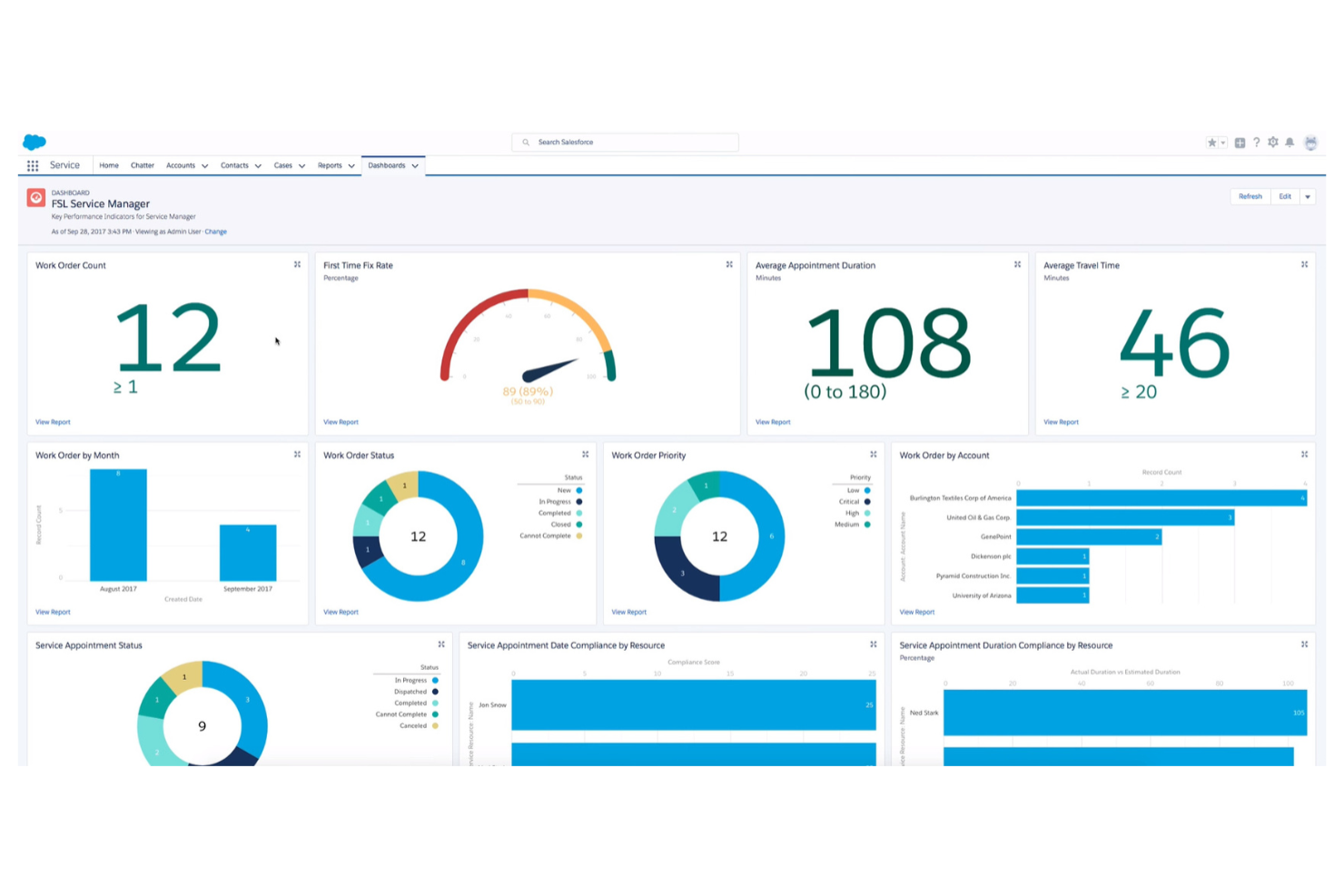
Salesforce is a top choice for organizations that need a CRM suite with deep integration capabilities. It’s especially appealing to businesses with complex tech stacks or those that rely on connecting sales, marketing, and support tools from multiple vendors. Unlike Bitrix24, Salesforce offers an extensive marketplace of third-party apps, making it easy to tailor the platform to your team’s unique workflows.
Why Salesforce Is a Good Bitrix24 Alternative
For teams that need a CRM suite to connect with a wide range of business tools, Salesforce stands out for its integration ecosystem. I picked Salesforce because its AppExchange marketplace offers thousands of pre-built apps for everything from marketing automation to accounting and analytics. The platform’s open API also lets you build custom integrations to fit unique business processes. If your organization depends on connecting multiple systems, Salesforce provides more flexibility and options than Bitrix24.
Salesforce Key Features
Some other features in Salesforce that are worth highlighting include:
- Opportunity Management: Track deals, stages, and related activities in a centralized workspace.
- Lead Scoring: Automatically prioritize leads based on custom criteria and engagement.
- Customizable Reports and Dashboards: Build tailored visualizations to monitor sales performance and pipeline health.
- Workflow Automation: Set up rules to automate approvals, notifications, and routine sales processes.
Salesforce Integrations
Integrations include Jira, LinkedIn, QuickBooks, Mailchimp, DocuSign, Google Workspace, Slack, Dropbox, ActiveCampaign, and more.
Pros and Cons
Pros:
- Extensive APIs support custom solutions
- Custom dashboards track sales and service metrics
- Granular permissions for data access control
Cons:
- Requires dedicated admin for maintenance
- Advanced features need premium plans

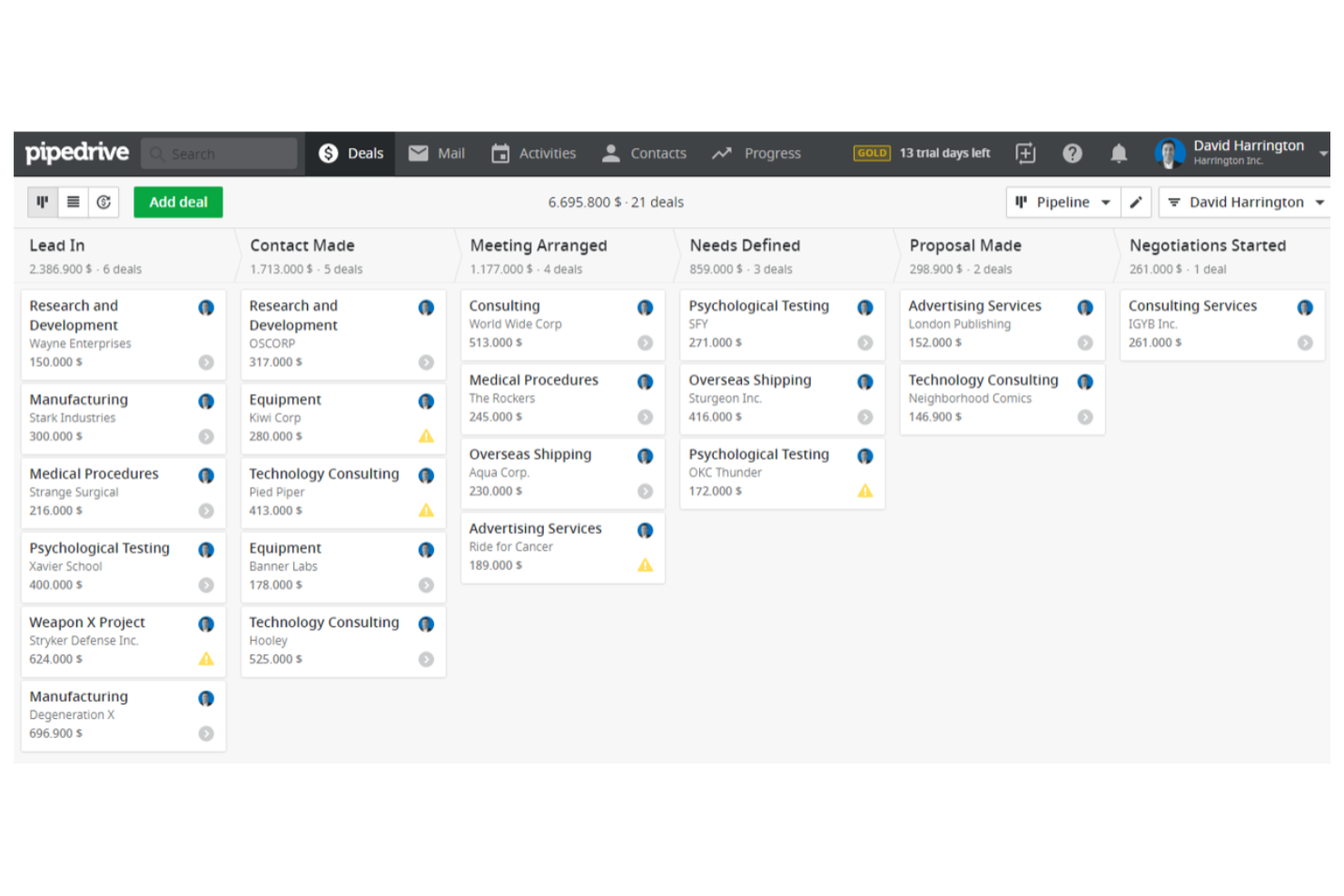
Sales-focused teams who want a clear, visual way to manage deals often turn to Pipedrive. This CRM suite is designed for professionals who need to track opportunities, forecast revenue, and keep sales activities organized in one place. Unlike Bitrix24, Pipedrive’s drag-and-drop pipeline view, similar to Kanban boards, makes it easy to see deal progress and prioritize follow-ups at a glance.
Why Pipedrive Is a Good Bitrix24 Alternative
If you’re looking for a CRM suite that puts visual sales pipeline management front and center, Pipedrive is a strong choice. Its drag-and-drop pipeline lets you move deals between stages and spot bottlenecks quickly. I like how you can customize pipeline stages to match your sales process and set up automated reminders for follow-ups. For teams that want a clear, actionable view of their sales funnel, Pipedrive offers a focused alternative to Bitrix24’s broader feature set.
Pipedrive Key Features
Some other features in Pipedrive that CRM buyers may want to know about include:
- Email Integration: Connect your email account to send, receive, and track messages directly within Pipedrive.
- Activity Calendar: Schedule and view meetings, calls, and tasks in a centralized calendar.
- Lead Inbox: Collect and organize incoming leads before adding them to your main pipeline.
- Custom Fields: Add custom data fields to deals, contacts, and organizations to capture information specific to your business.
Pipedrive Integrations
Integrations include JustCall, Zapier, Slack, Google Meet, Microsoft Teams, Asana, Trello, DocuSign, and more.
Pros and Cons
Pros:
- Custom fields support detailed data tracking
- Sales automation reduces manual tasks
- Visual pipeline simplifies deal tracking
Cons:
- No built-in telephony without integrations
- Project management features are limited
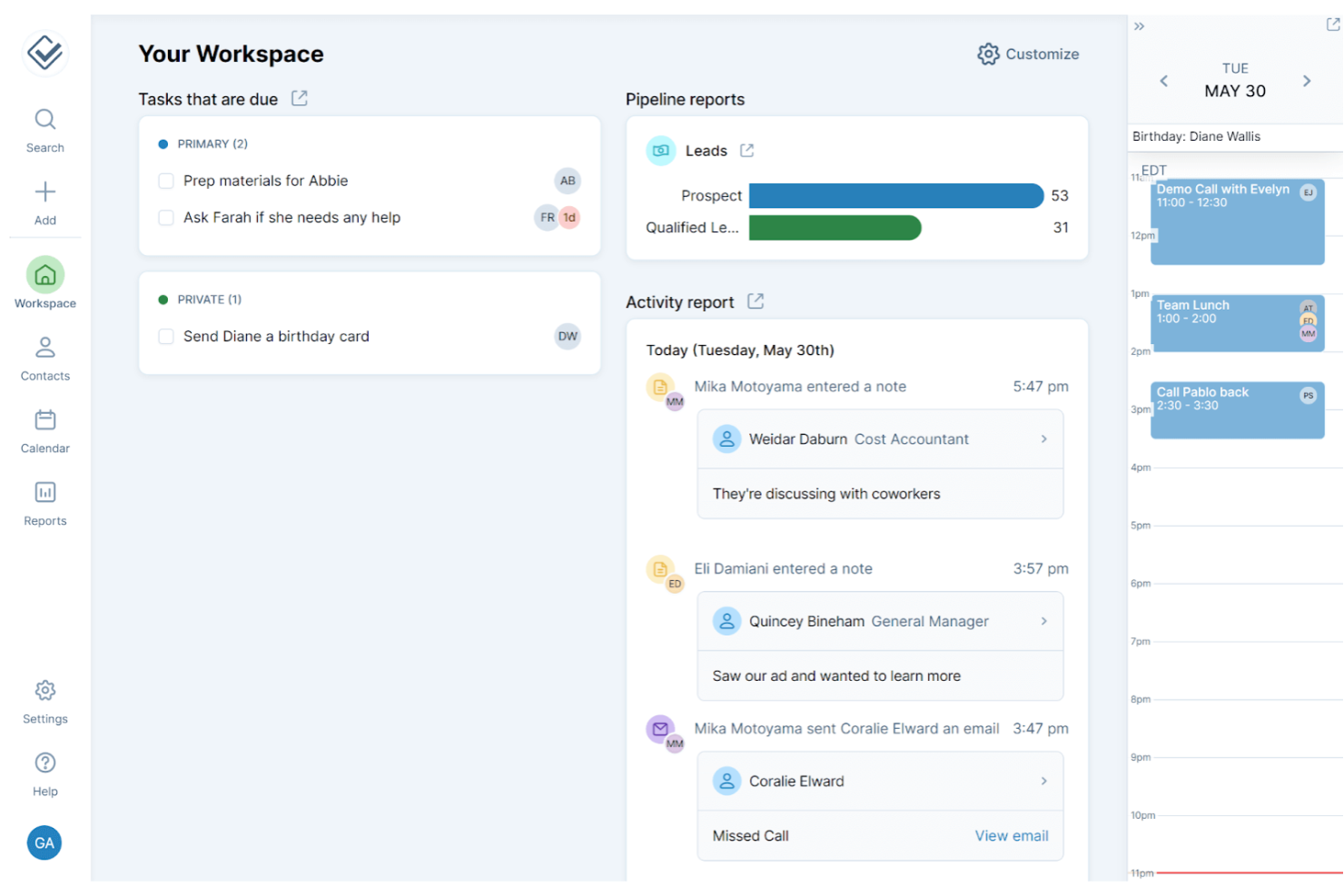
For teams that want a CRM without the clutter, Less Annoying CRM keeps things refreshingly simple. It’s built for small businesses and solo professionals who need straightforward contact management and pipeline tracking, without the complexity of larger platforms like Bitrix24. The tool’s clean interface and guided onboarding help new users get up and running quickly, making it easy to adopt across your team.
Why Less Annoying CRM Is a Good Bitrix24 Alternative
If you want a CRM that’s quick for new users to pick up, Less Annoying CRM is designed with simple onboarding in mind. I like that it offers step-by-step setup guides and built-in tutorials, so your team can start managing contacts and pipelines right away. The dashboard is uncluttered, and every feature is explained in plain language, which helps reduce confusion for first-time users. This focus on simplicity makes it a strong choice for small businesses that find Bitrix24’s setup overwhelming.
Less Annoying CRM Key Features
Some other features that make Less Annoying CRM appealing include:
- Calendar and Task Management: Schedule meetings, set reminders, and track tasks directly within the CRM.
- Custom Fields: Add and organize custom data fields to fit your business needs.
- Lead Reporting: View simple reports to track leads and sales progress over time.
- Email Logging: Log emails to contacts by BCCing a unique address, keeping communication records in one place.
Less Annoying CRM Integrations
Integrations include Zapier, Mailchimp, Canvass, CallHippo, Google Forms, JustCall, Google Calendar, Crankwheel, and more.
Pros and Cons
Pros:
- Email logging keeps communication history
- Custom fields for tailored data tracking
- Simple contact and pipeline management
Cons:
- No built-in telephony or call tracking
- No built-in project management tools
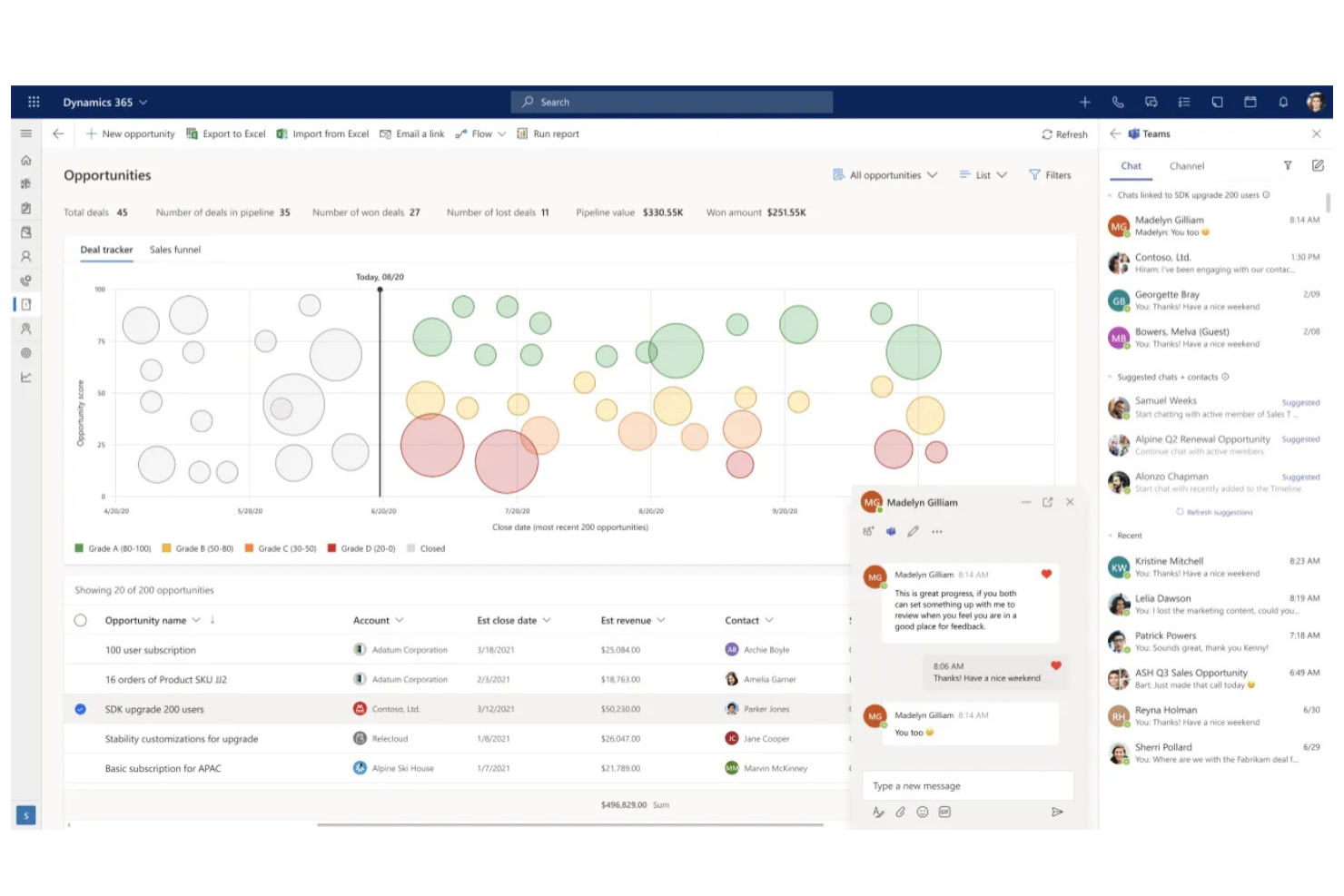
Microsoft Dynamics 365 brings together CRM and ERP capabilities in a single, unified platform. It’s a strong fit for finance professionals and enterprises that need advanced resource planning, deep process automation, and integration with Microsoft’s ecosystem. If your organization manages complex operations or requires customizable workflows beyond what Bitrix24 offers, Dynamics 365 can help you centralize data and streamline business processes.
Why Microsoft Dynamics 365 Is a Good Bitrix24 Alternative
For organizations that need more than basic CRM, Microsoft Dynamics 365 stands out with its advanced enterprise resource planning capabilities. I picked it as a Bitrix24 alternative because it combines sales, finance, and operations management in one platform, making it easier to align business processes. Features like real-time financial reporting and automated workflow design help finance teams manage complex requirements. If you’re looking for a solution that supports both CRM and ERP needs, Dynamics 365 offers a level of depth that Bitrix24 doesn’t match.
Microsoft Dynamics 365 Key Features
Some other features in Microsoft Dynamics 365 that may interest finance professionals include:
- Customer Insights: This feature lets you unify customer data from multiple sources and build detailed customer profiles for targeted engagement.
- Sales Forecasting: Use predictive analytics to generate sales forecasts and identify trends directly within your CRM dashboard.
- Case Management: Track, assign, and resolve customer service cases with built-in ticketing and escalation workflows.
- Mobile App: Access CRM data, update records, and manage tasks from anywhere using the dedicated mobile application.
Microsoft Dynamics 365 Integrations
Integrations include Microsoft Teams, Outlook, SharePoint, Power BI, Excel, OneDrive, Microsoft Word, and more.
Pros and Cons
Pros:
- Real-time analytics with Power BI
- Highly customizable modules for industries
- Advanced automation for business workflows
Cons:
- Limited built-in marketing automation
- Some features need extra Microsoft licenses

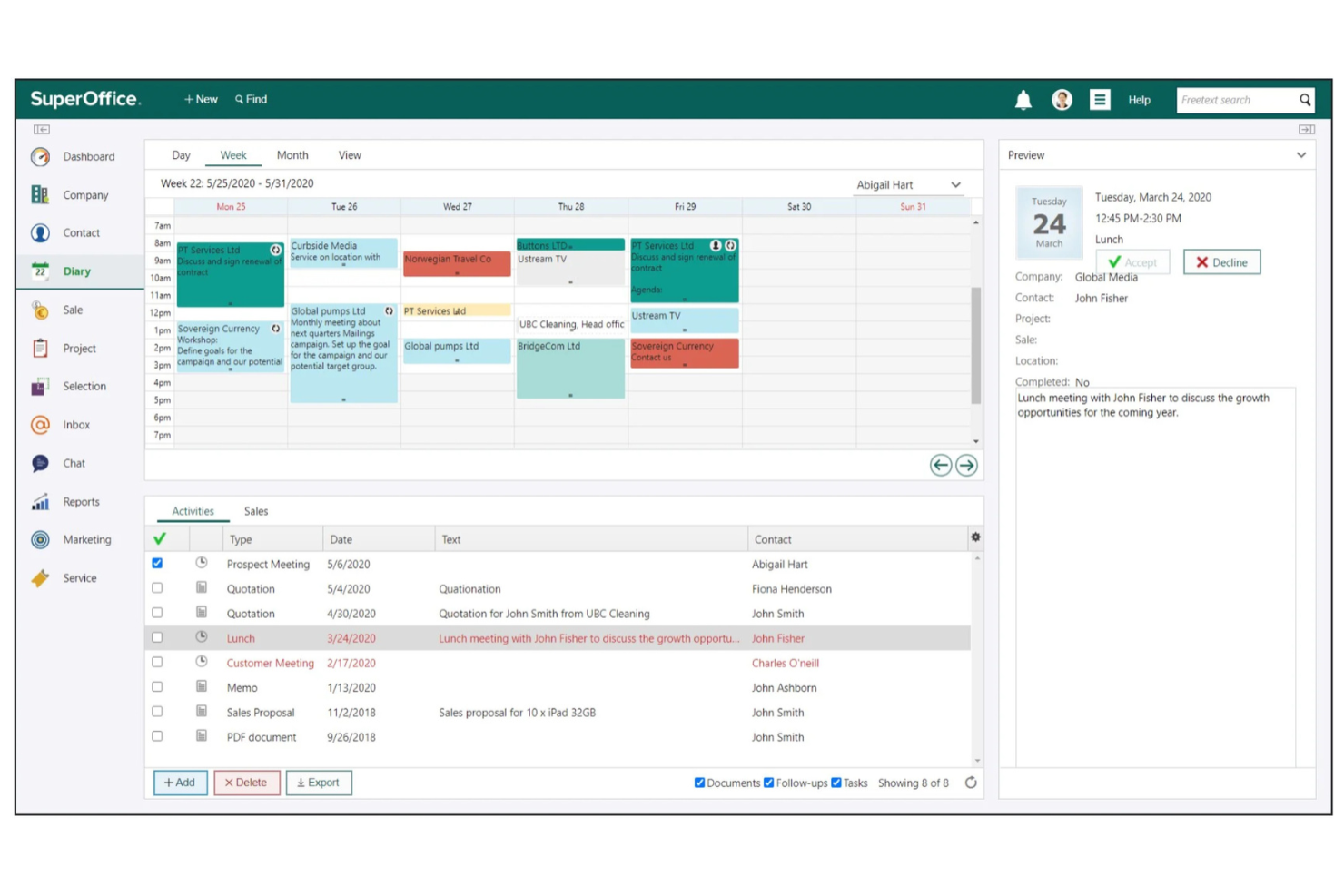
If your business needs a CRM suite with a strong focus on data privacy and compliance, SuperOffice CRM is worth a closer look. It’s designed for organizations that must manage customer data in line with GDPR and other strict regulations. SuperOffice CRM stands apart from Bitrix24 by offering built-in tools for consent management, data access requests, and secure data handling.
Why SuperOffice CRM Is a Good Bitrix24 Alternative
When strict data privacy and GDPR compliance are top priorities, SuperOffice CRM offers capabilities that set it apart from Bitrix24. I picked SuperOffice CRM because it includes built-in consent management, making it easier to track and document customer permissions. The platform also provides automated tools for handling data access and deletion requests, which helps businesses stay compliant with evolving regulations. If your organization needs a CRM suite that puts data protection at the center, SuperOffice CRM is a strong alternative.
SuperOffice CRM Key Features
Some other features in SuperOffice CRM that CRM buyers may want to consider include:
- Sales Pipeline Management: Track deals, stages, and activities in a visual sales pipeline.
- Email Integration: Connect with Outlook or Gmail to manage customer emails directly within the CRM.
- Document Management: Store, organize, and share customer-related documents securely.
- Mobile CRM App: Access customer data and manage tasks from any mobile device.
SuperOffice CRM Integrations
Integrations include Zapier, Microsoft Teams, Trello, WordPress, SalesScreen, SuperNotes, and more.
Pros and Cons
Pros:
- Document management for customer files
- Visual pipeline for deal tracking
- Built-in GDPR compliance tools
Cons:
- Workflow automation is less flexible
- Reporting is limited for advanced analytics
Other Bitrix24 Alternatives
Here are some additional Bitrix24 alternatives that didn’t make it onto my shortlist, but are still worth checking out:
- monday CRM
For team collaboration features
- Zoho CRM
For customizable workflow automation
- Zendesk Sell
For integrated call and email tracking
- Scoro
For project and billing integration


How I Evaluate Bitrix24 Alternatives
I split evaluation into two layers: baseline requirements like CRM and project tracking that any alternative must cover, and differentiators—like accounting integrations—that matter for finance teams.
Core Functionality (Table Stakes For This List)
When I'm selecting tools for my list, I rank each one on a scale from 0 (does not offer the functionality) to 5 (excels in this area) for each core functionality listed below. Then, I calculate the tool's total score into a percentage. Each tool needs to achieve a minimum total score of 65% to be considered for inclusion.
- CRM & Pipeline Management: I check whether you can build custom deal stages for engagements like tax prep, audit, and advisory—and whether forecasting tools surface revenue by service line.
- Task & Project Management: Each tool gets evaluated on how well it handles recurring workflows like month-end close, with support for dependencies, templates, and multiple views.
- Team Collaboration Tools: I look for built-in chat, video calls, and activity feeds so your finance team can discuss client issues without bouncing between apps.
- Document Management: Secure file storage with version control and granular permissions matters here—especially for teams sharing engagement letters and financials with clients.
- Time Tracking & Billing: I evaluate whether you can log hours against specific clients or projects and generate invoices directly, which is essential for billable-hour practices.
- Accounting Software Integrations: Native connections to tools like QuickBooks, Xero, and Sage get priority, along with open API access for syncing financial data across your stack.
Once I have a list of tools that meet this criteria, I consider what sets each platform apart.
Differentiating Factors (What Sets Vendors Apart)
Here's how I compare and contrast different vendors:
Standout Features
Workflow automation is a big one—I look for no-code builders that let you automate recurring sequences like AP approval chains or month-end close checklists. A client portal also adds real value, giving accounting clients a secure space to upload source documents and review deliverables without email back-and-forth. I also evaluate custom reporting dashboards that surface finance-specific KPIs like AR aging, realization rates, and project profitability without requiring a separate BI tool.
Beyond Features
Compliance and data security matter when you're handling sensitive financial records. I check for SOC 2 Type II certification, role-based access controls, and audit trails that track every change to client data. Pricing transparency is another factor I evaluate closely—many Bitrix24 switchers cite unexpected add-on costs as a pain point, so I look at how storage, users, and premium features affect total cost over time. Scalability also counts, especially for growing firms that need to expand from a solo practice to a multi-office setup without migrating platforms.
Why Look For a Bitrix24 Alternative?
While Bitrix24 is a good choice of CRM tools suite, there are a number of reasons why some users seek out alternative solutions. You might be looking for a Bitrix24 alternative because…
- You need more advanced workflow customization options
- Your team finds the interface cluttered or overwhelming
- You require stronger native integrations with industry-specific tools
- You want more transparent or flexible pricing plans
- Your business operates in regions with limited Bitrix24 support
If any of these sound like you, you’ve come to the right place. My list contains several CRM tool suite options that are better suited for teams facing these challenges with Bitrix24 and looking for alternative solutions.
Bitrix24 Key Features
Here are some of the key features of Bitrix24, to help you contrast and compare what alternative solutions offer:
- Visual sales pipeline management
- Built-in telephony and call tracking
- Task and project management tools
- Document sharing and collaboration
- Automated lead capture and assignment
- Omnichannel contact center for customer support
- Customizable CRM fields and workflows
- Employee intranet and internal chat
- Time tracking and attendance management
- Integration with popular email and calendar platforms