

Multi-currency accounts let your business hold, send, and receive payments in different currencies from a single hub—taking the friction out of global finance. If you’re searching for the best multi-currency accounts, you probably want better control over FX costs, faster cross-border payments, and real-time visibility into your balances worldwide.
This list gets straight to the platforms built for CFOs and finance teams with international operations. I’ll walk you through solutions that integrate with your finance systems, help you manage FX risk, and bring your global cash management onto one dashboard—so you can actually focus on strategic decisions, not just payments and reconciliation.
Why Trust Our Software Recommendations
6,700+
Reviews
20
Industry experts
16+
Evaluation factors
14
Years
Our team has been testing and reviewing software since 2012. As finance leaders ourselves, we know how difficult—and important—it is to choose the right software.
For this guide, we evaluated tools using hands-on testing and independent research, scoring tools using our selection criteria.
Our reviews reflect our human editorial judgment, not a sales pitch.
Multi-Currency Accounts Comparison Table
Compare pricing and specs, side by side, for the multi-currency accounts that made it onto my shortlist:
| Tool | Best For | Trial Info | Price | ||
|---|---|---|---|---|---|
| 1 | Best for marketplace sellers paying global contractors | Not available | Pricing upon request | Website | |
| 2 | Best for embedded multi-currency infrastructure | Not available | Pricing upon request | Website | |
| 3 | Best for FX hedging within a global account | Free plan + free trial available | From $75/month | Website | |
| 4 | Best for enterprise FX hedging across 60+ currencies | Not available | Pricing upon request | Website | |
| 5 | Best for European treasury with ERP integration | 45-day free trial | From €19/month | Website | |
| 6 | Best for enterprise FX hedging and ERP sync | Free demo available | Pricing upon request | Website | |
| 7 | Best for batch payouts across 120+ countries | Free plan + free demo available | From $12/user/month | Website | |
| 8 | Best for enterprise-scale multi-currency infrastructure | Not available | Pricing upon request | Website | |
| 9 | Best for interbank FX with treasury hedging tools | Free plan available | From $9.99/month | Website | |
| 10 | Best for mid-market FX rates at scale | Free demo available | Pricing upon request | Website |


Best Multi-Currency Accounts Reviews
Below are my detailed summaries of the best multi-currency accounts that made it onto my shortlist. My reviews offer a detailed look at the features, best use cases, and pricing of each platform to help you find the best one for you.
 Best for marketplace sellers paying global contractors
- Not available
- Pricing upon request
Visit WebsiteCustomer Rating:3.2/5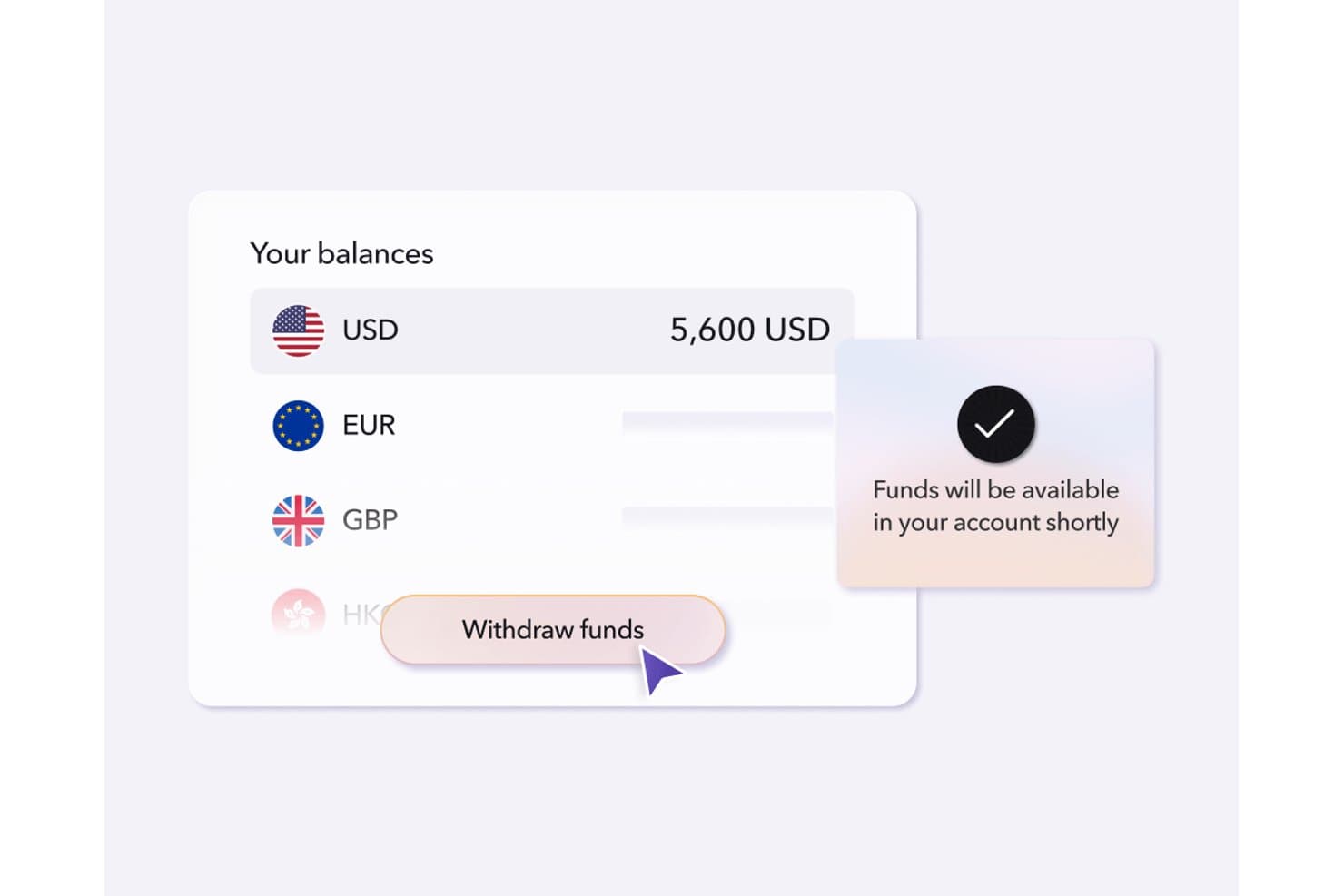
Payoneer lets users manage and withdraw multi-currency balances in one place. Payoneer is a cross-border payments platform that lets you hold balances in 10 currencies, collect payments via local receiving accounts in 13 currencies, and send mass payouts to recipients in 190+ countries across 70+ currencies.
Who Is Payoneer Best For?
Payoneer is a natural fit for marketplace sellers and businesses running large contractor or affiliate networks across multiple countries.
Why I Picked Payoneer
Payoneer earns its spot on my shortlist because of how well it handles high-volume payouts to global contractor and affiliate networks. I particularly like the Mass Payouts feature, which lets you disburse payments to recipients across 190+ countries via CSV upload or API, with built-in tax form collection (W-8, W-9, 1099, and 1042 filing) baked into the same workflow. Marketplace sellers running large contractor networks will also appreciate the local receiving accounts in 13 currencies, which let you collect payments like a local entity without setting up foreign subsidiaries.
Payoneer Key Features
- Smart FX target-rate auto-conversion: Set a target exchange rate and Payoneer automatically converts your balance when the market hits it, so you're not watching rates manually.
- Multi-currency corporate cards: Issue unlimited virtual and physical Mastercards funded directly from your Payoneer balances in USD, EUR, GBP, CAD, or JPY, with per-card spend limits and freeze controls.
- VAT payment support: Pay VAT authorities across multiple countries directly from your Payoneer account without needing separate local banking arrangements.
- Automated payee KYC: Payoneer handles identity verification for new payees in 25 languages using biometric ID checks, so you can onboard contractors globally without managing that compliance step yourself.
Payoneer Integrations
Payoneer offers native integrations with QuickBooks, Xero, and Zoho Books, plus connections to 100+ marketplaces, including Amazon, eBay, and Walmart. Its Payment API supports custom payout and payee-management integrations.
Pros and Cons
Pros:
- Target FX rate auto-conversion available
- Local account details in 13 currencies
- Mass payouts in 190+ countries supported
Cons:
- No mid-market FX or hedging options
- Reported account freezing and payment delays
Learn more about Payoneer: Best for embedded multi-currency infrastructure
- Not available
- Pricing upon request
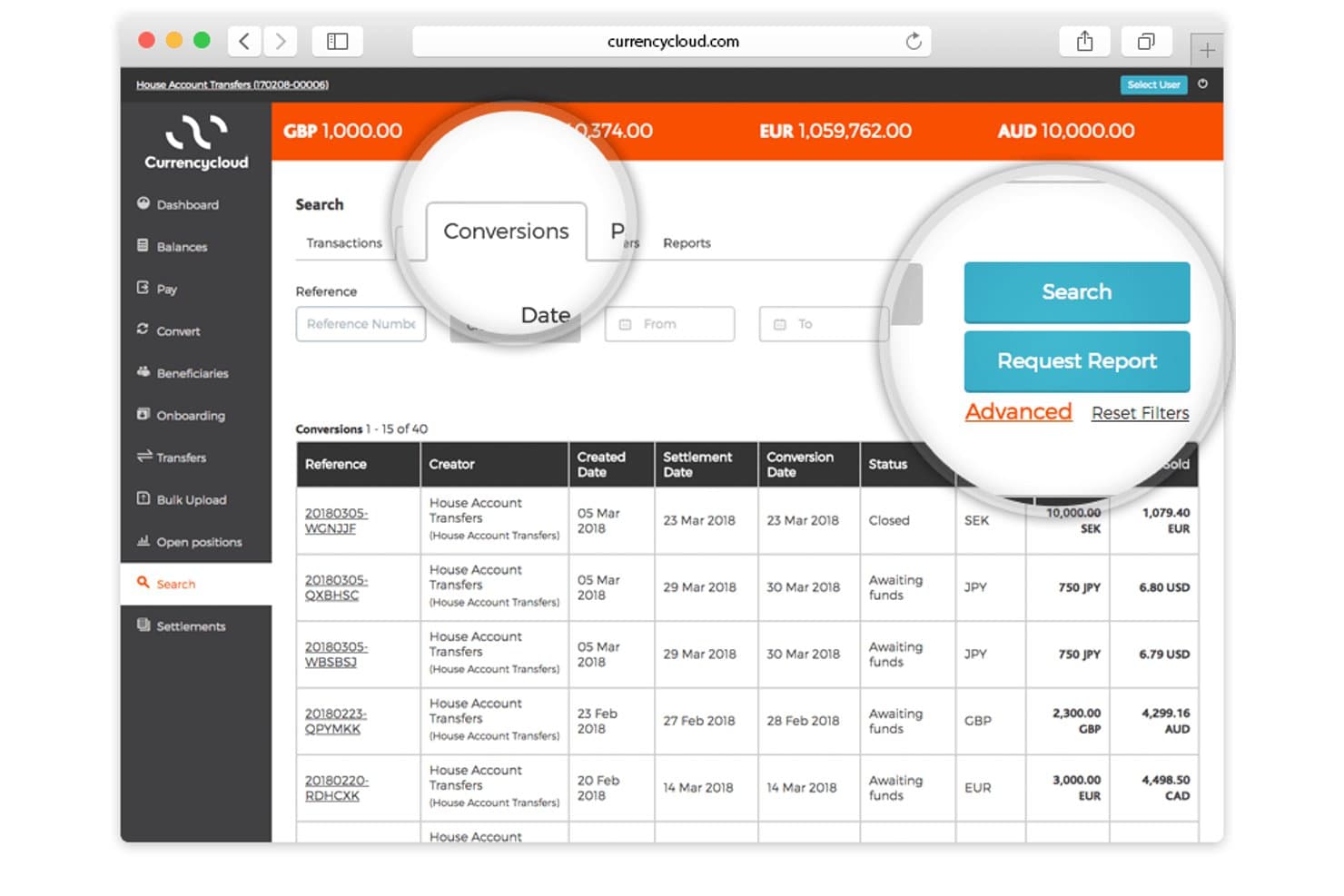
Currency Cloud lets users search and filter currency conversions by date and reference. Currencycloud is an API-first, embedded multi-currency infrastructure platform that supports holding balances in 35+ currencies, issuing named IBANs in 33 currencies, cross-border payments to 180+ countries, and FX conversion with forward contracts of up to 12 months.
Who Is Currencycloud Best For?
Currencycloud is a strong fit for fintechs, banks, and financial institutions with developer resources that need to embed multi-currency payment infrastructure into their own platforms.
Why I Picked Currencycloud
I've included Currencycloud in my top picks because it's genuinely the infrastructure layer that powers multi-currency operations at scale. What sets it apart is Currencycloud Spark's ability to issue named IBANs in 33 currencies, so businesses can receive funds locally in markets like the US, UK, EU, Singapore, and Mexico without routing everything through a single base currency. I also rate the forward contract feature highly: locking in exchange rates for up to 12 months is a real treasury tool for managing FX exposure on predictable outflows.
Currencycloud Key Features
- Batch payment processing: Send payments to multiple beneficiaries in bulk via API or Currencycloud Direct, supporting payroll, vendor, and marketplace disbursement workflows.
- Configurable FX markup: Set custom FX markups at the sub-account level, with markup profits aggregated to the house account and reconciled as monthly commissions.
- White-label UI via Currencycloud Direct: Deploy a brandable, ready-made interface for international payment operations without building full custom API infrastructure.
- Confirmation of Payee validation: Verify beneficiary account details before sending payments using Confirmation of Payee (UK) and Verification of Payee (EU) to reduce misdirected transfers.
Currencycloud Integrations
Native integrations are not publicly listed. Currencycloud supports custom connectivity through its REST API, webhooks, push notifications, CSV exports, and Currencycloud Direct.
Pros and Cons
Pros:
- Batch payments supported via API
- Forward contracts for FX hedging
- Named IBANs in 33 currencies
Cons:
- Customer support reviews are consistently poor
- No native accounting software integrations
Learn more about Currency Cloud:
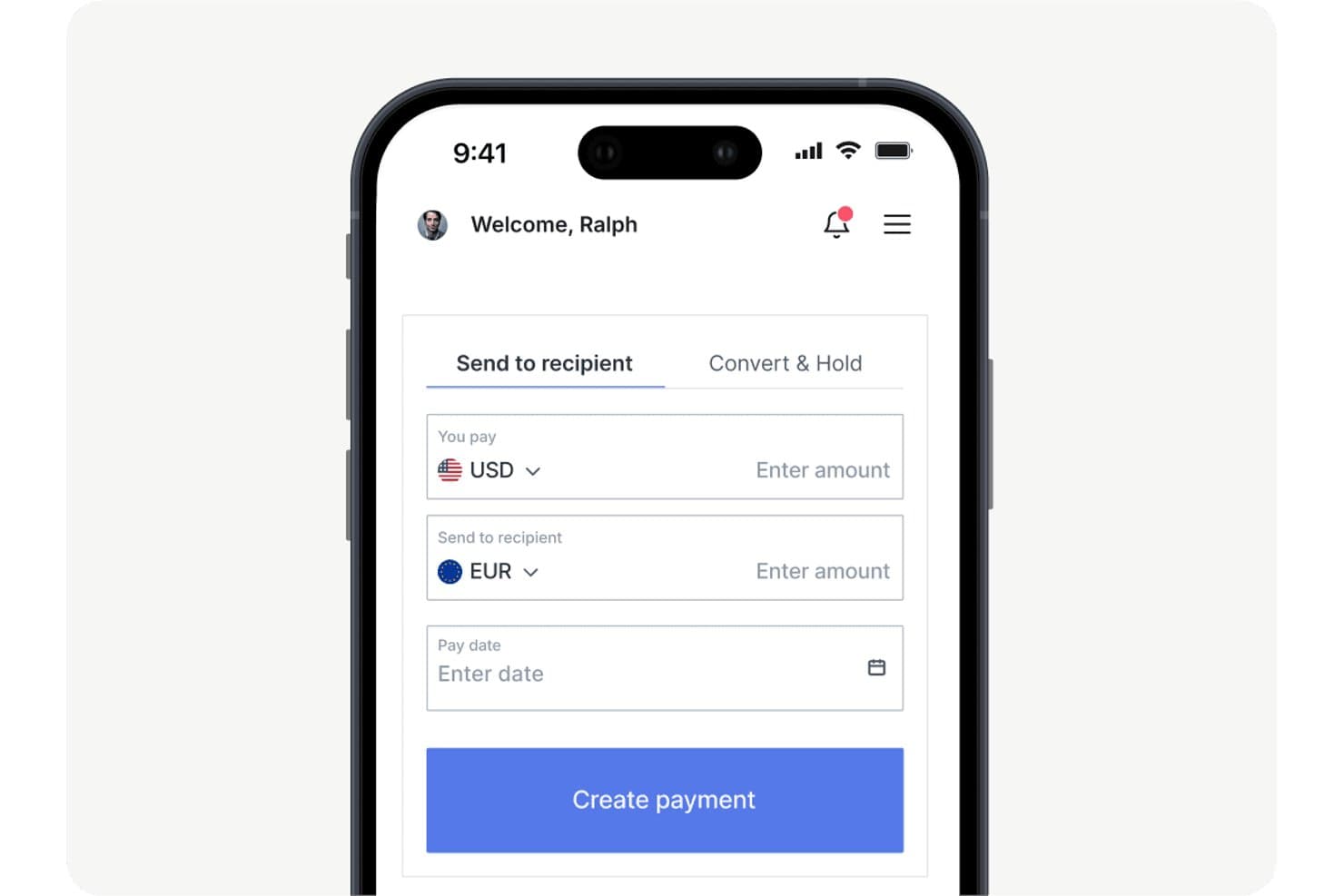
OFX lets users send money internationally with currency conversion. OFX is a multi-currency business account that combines multi-currency holding in 30+ currencies, cross-border payments to 170+ countries, FX hedging tools, corporate cards, and AP automation.
Who Is OFX Best For?
OFX is a strong fit for treasury managers and finance teams that need to actively manage FX risk alongside their cross-border payments.
Why I Picked OFX
I picked OFX as one of the best because it's the only multi-currency account on my shortlist that puts FX hedging tools front and center alongside everyday payments. I use Forward Contracts to lock in rates up to 12 months out, which matters when you're budgeting cross-border costs against volatile currencies. Limit Orders let me set a target rate and convert automatically when the market hits it, without watching screens all day.
OFX Key Features
- Multi-currency corporate cards: Issue unlimited physical and virtual cards tied directly to your multi-currency balances, with no foreign transaction fees and 1% cashback on everyday spend.
- Batch payments: Upload a CSV to pay up to 500 recipients across 170+ countries in 30+ currencies, with one-click bulk approval via built-in approval workflows.
- AP and bill automation: Capture invoices via OCR, auto-code them with AI, and route them through approval workflows with two-way sync to QuickBooks Online or Xero.
- 24/7 FX specialist access: Reach a live human FX specialist by phone or email around the clock, with dedicated account managers available on Full Suite and Custom plans.
OFX Integrations
OFX offers two native integrations, QuickBooks Online and Xero, plus marketplace integrations with Amazon and eBay. Its RESTful Payments API includes sandbox access for custom integrations.
Pros and Cons
Pros:
- Multi-currency cards with spend controls
- 24/7 access to human FX specialists
- FX hedging tools built into business account
Cons:
- FX rate margins not visible pre-login
- Limited local account details for collections
Learn more about OFX: Best for enterprise FX hedging across 60+ currencies
- Not available
- Pricing upon request
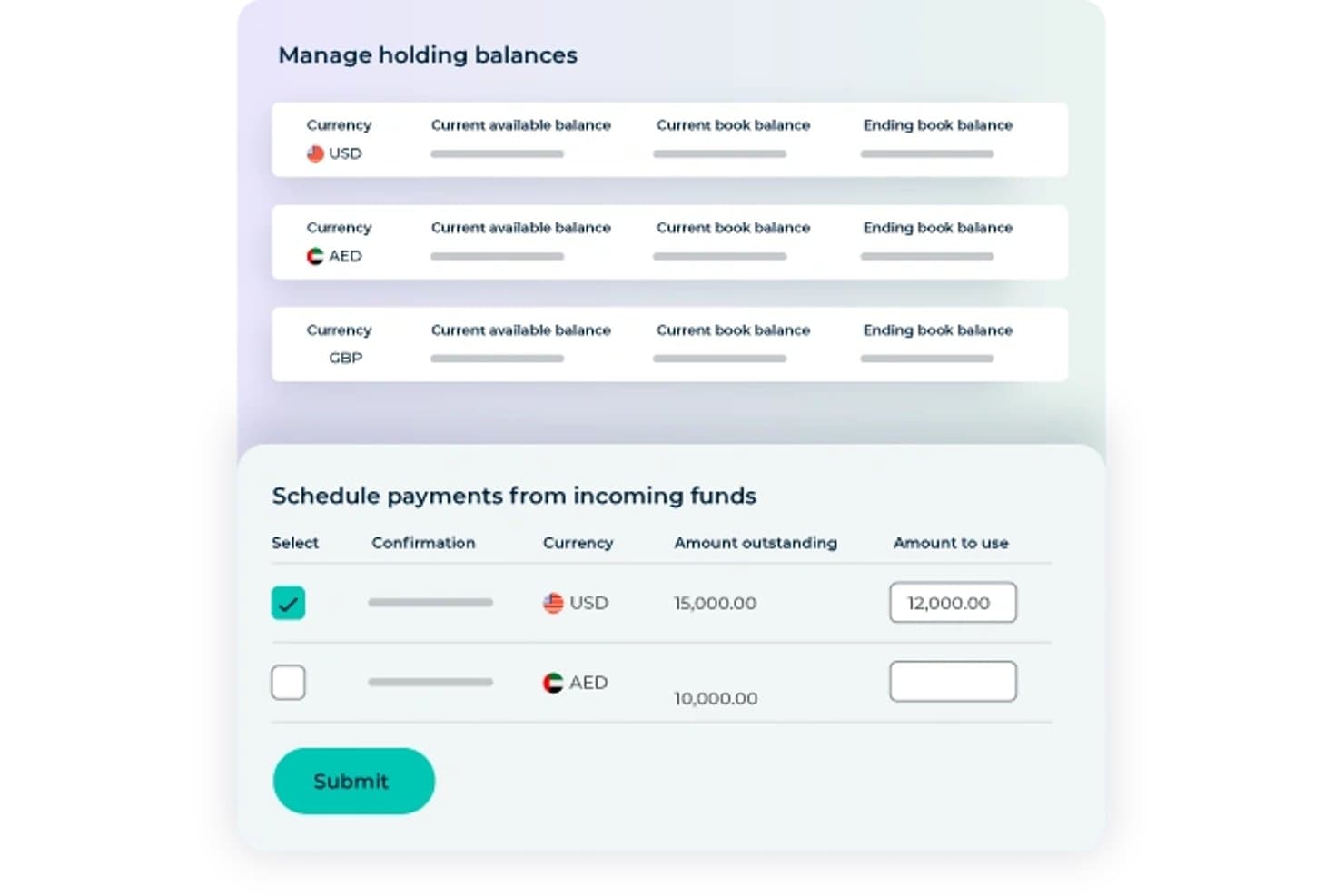
Convera lets users schedule payments from incoming multi-currency funds. Convera is a cross-border payments platform that lets businesses hold balances in 60+ currencies, send payments to 200+ countries, and manage FX exposure through forward contracts, options, swaps, and market orders.
Who Is Convera Best For?
Convera is a strong fit for treasury and finance teams at mid-to-large enterprises that need to actively manage FX exposure across multiple currencies, not just send and receive payments.
Why I Picked Convera
I've included Convera in my top picks because it's the only non-bank provider I know of that pairs 60+ currency holdings with a full FX hedging suite: forward contracts in 44 currencies lockable up to two years out, vanilla and structured options, and rate-triggered market orders that execute automatically when your target rate is hit. If your treasury team is managing supplier payments across volatile currency corridors, that combination is genuinely hard to replicate elsewhere at this scale.
Convera Key Features
- Bulk payment uploads: Submit up to 10,000 payment lines in a single CSV or XML file for high-volume AP runs, payroll cycles, or vendor disbursements.
- SWIFT GPI tracking: Monitor payments in real time across the full payment chain, with automated status alerts and proof-of-payment reporting.
- Multi-team approval workflows: Configure role-based user access, maker-checker controls, and audit trails across teams and entities for payment and FX conversion sign-off.
- Alternative payment method collection: Accept inbound payments via Klarna, AliPay, WeChat Pay, UnionPay, and other local methods across 230+ countries and territories.
Convera Integrations
Convera supports native integrations with Piteco TMS, GTreasury, and SAP Concur. It also offers REST APIs, webhooks, and CSV/XML file uploads for custom connections to ERP, accounting, treasury, AP, and payroll systems.
Pros and Cons
Pros:
- Handles high-volume cross-border payments
- Hold 60+ currencies without forced conversion
- Full FX hedging tools for enterprises
Cons:
- No corporate cards linked to balances
- FX rate spreads are not transparent
Learn more about Convera:
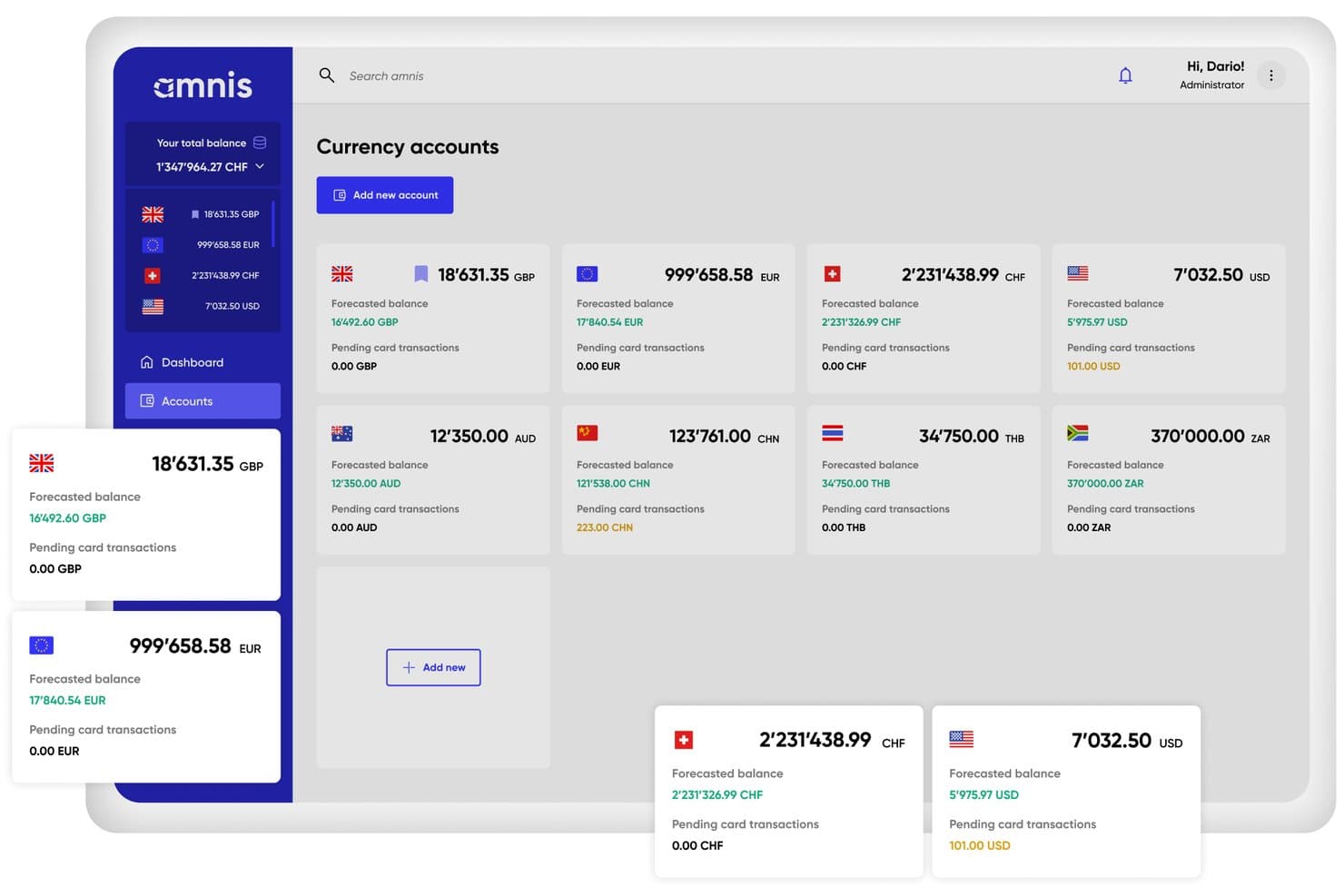
Amnis displays multiple currency account balances in one dashboard. Amnis is a multi-currency business account platform that lets you hold 20+ currencies, make cross-border payments to 200+ countries, manage FX with forward contracts and limit orders, and connect to ERP systems like SAP, NetSuite, and Xero.
Who Is Amnis Best For?
Amnis is a strong fit for European finance teams managing cross-border treasury operations who need deep ERP connectivity alongside multi-currency payment and FX tools.
Why I Picked Amnis
I've included Amnis in my top picks because it's built specifically for European treasury teams that need both multi-currency payment infrastructure and deep ERP connectivity in one place. I particularly like how it supports forward contracts and limit orders alongside 20+ currency holdings, so your team can hedge exposure without switching platforms. Native connections to SAP, NetSuite, and DATEV mean multi-currency transactions sync directly into your existing reporting environment.
Amnis Key Features
- Balance cashback: Amnis pays interest on safeguarded foreign currency balances held in EUR, USD, GBP, and CZK accounts.
- Payment AI: Upload invoices as PDFs or images and Amnis automatically extracts supplier details, IBAN, amount, currency, and due date for your review before payment.
- Unlimited multi-currency debit cards: Issue unlimited physical and virtual debit cards across all plans, with 0% FX fees on card transactions in supported currencies.
- Cash management automation rules: Configure up to 25 automated rules for FX execution, reconciliation, and fund movement, with rule limits scaling by plan tier.
Amnis Integrations
Amnis offers integrations with NetSuite, SAP, Xero, Odoo, Exact Online, DATEV, bexio, Abacus, and PayPal. It also provides a read/write REST API, webhooks, H2H/SFTP, and an MCP server for custom connectivity.
Pros and Cons
Pros:
- Native ERP integration with SAP and NetSuite
- Transparent FX markups with sub-0.5% rates
- Unlimited multi-currency virtual and physical cards
Cons:
- Limited SWIFT payments on basic plans
- EEA-only onboarding restricts global eligibility
Learn more about Amnis: Best for enterprise FX hedging and ERP sync
- Free demo available
- Pricing upon request
Visit WebsiteCustomer Rating:4.6/5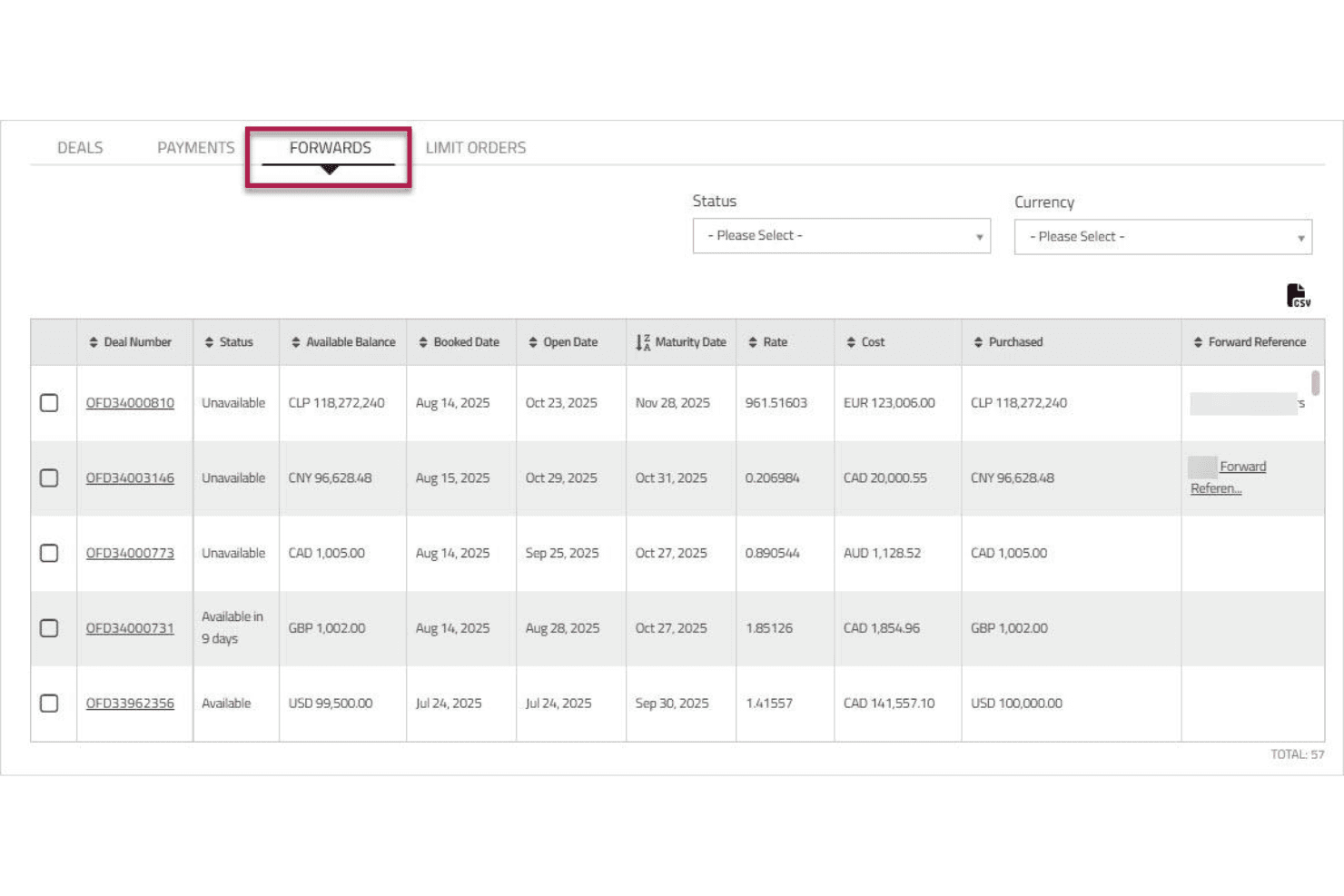
Corpay lets users track and manage forward currency contracts in one view. Corpay Cross-Border is a multi-currency accounts and cross-border payments platform that lets businesses hold balances in 25 currencies, send payments to 200+ countries, manage FX exposure through spot, forward, and options contracts, and sync transactions with 180+ ERP systems.
Who Is Corpay Best For?
Corpay Cross-Border is a strong fit for enterprise finance teams that need to manage FX exposure through hedging instruments while syncing multi-currency transactions with complex ERP environments.
Why I Picked Corpay
I picked Corpay as one of the best because its FX risk management toolkit goes well beyond basic spot conversion. I've used the Risk Visualizer to map open currency exposures in real time, then locked in rates using forward contracts or options strategies before a payment run. That combination of hedging instruments, paired with two-way sync across 180+ ERPs including a certified NetSuite SuiteApp, makes Corpay the clearest fit for enterprise treasury teams managing multi-currency exposure at scale.
Corpay Key Features
- Named accounts with unique IBANs: Hold and receive funds in your business's name with a dedicated IBAN or account number per currency, without opening local bank accounts abroad.
- Batch payment processing: Upload bulk payment files to execute mass vendor, payroll, or contractor disbursements across 145+ currencies in a single run.
- AI-powered OCR invoice capture: Extract header and line-item data from invoices automatically, feeding cross-border payables directly into your AP workflow.
- Configurable multi-level approval workflows: Set approval rules by vendor, invoice amount, department, or entity, with role-based permissions to enforce payment controls.
Corpay Integrations
Corpay supports 180+ ERP and accounting integrations, including NetSuite, Sage Intacct, QuickBooks Online, Microsoft Dynamics 365, SAP, and Xero. Its Cross-Border RESTful API and webhooks support custom payment and reconciliation workflows.
Pros and Cons
Pros:
- Real-time multi-currency ledger visibility
- Advanced FX risk management with hedging contracts
- Named IBANs support local currency collection
Cons:
- Named accounts not supported in all regions
- FX pricing not published for enterprise users
Learn more about Corpay: Best for batch payouts across 120+ countries
- Free plan + free demo available
- From $12/user/month
Visit WebsiteCustomer Rating:4.4/5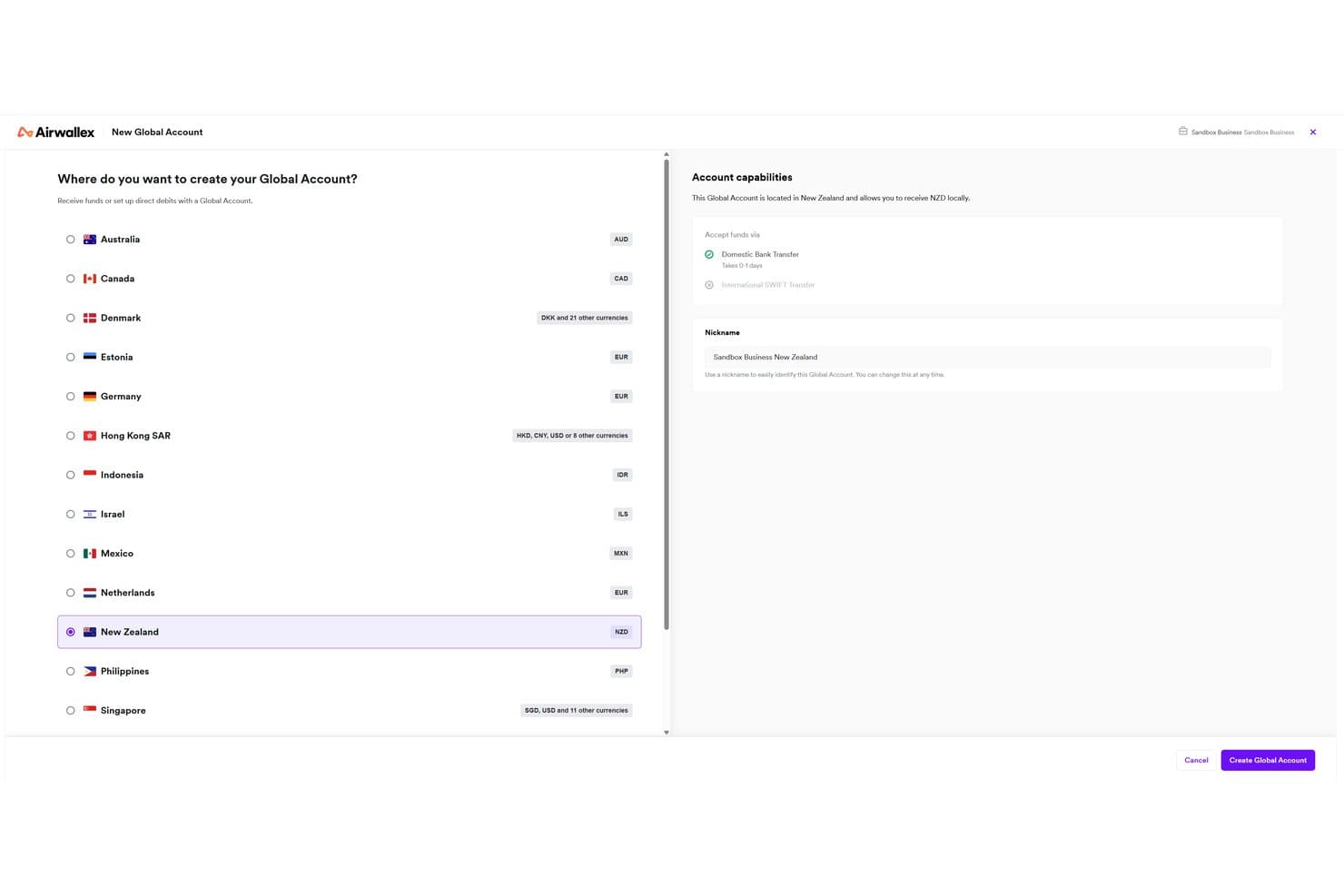
Airwallex lets users open global accounts in multiple countries and currencies. Airwallex is a multi-currency business account platform that lets you hold balances in 20+ currencies, collect funds via local account details in 16+ countries, convert FX at interbank-based rates, and send batch payments to 120+ countries.
Who Is Airwallex Best For?
Airwallex is a strong fit for finance teams at high-growth companies that manage vendor payments, payroll, or marketplace disbursements across multiple countries at once.
Why I Picked Airwallex
I picked Airwallex as one of the best because its Batch Transfers feature lets you pay up to 1,000 recipients across 120+ countries in a single file upload, which is genuinely rare at this scale. I also like that outbound local transfers go through local payment rails rather than SWIFT, so recipients get paid faster and without the $15–$25 SWIFT fee eating into each transaction. Pair that with a fully programmable Payouts API, and high-volume disbursements like vendor runs or contractor payroll become repeatable, automated workflows.
Airwallex Key Features
- Multi-currency wallets: Hold balances in 20+ currencies simultaneously without forced auto-conversion to a base currency.
- FX rate alerts: Set target rates on specific currency pairs and receive instant notifications when market rates hit your specified level.
- Approval workflows: Configure multi-condition approval rules by amount, department, entity, or payment type to control spend across your team.
- Yield on USD balances: Earn up to 3.49% APY on uninvested USD funds held in your account, with no lock-up period.
Airwallex Integrations
Airwallex offers native integrations with Xero, QuickBooks, NetSuite, Microsoft Dynamics 365 Business Central, Sage, Odoo, Shopify, and WooCommerce. It also supports custom connections through REST APIs and Zapier.
Pros and Cons
Pros:
- Customizable multi-condition approval workflows
- Holds 20+ currencies without forced conversion
- Batch payouts to 1,000 recipients worldwide
Cons:
- No dedicated forward contracts for US businesses
- Account freezes reported with little communication

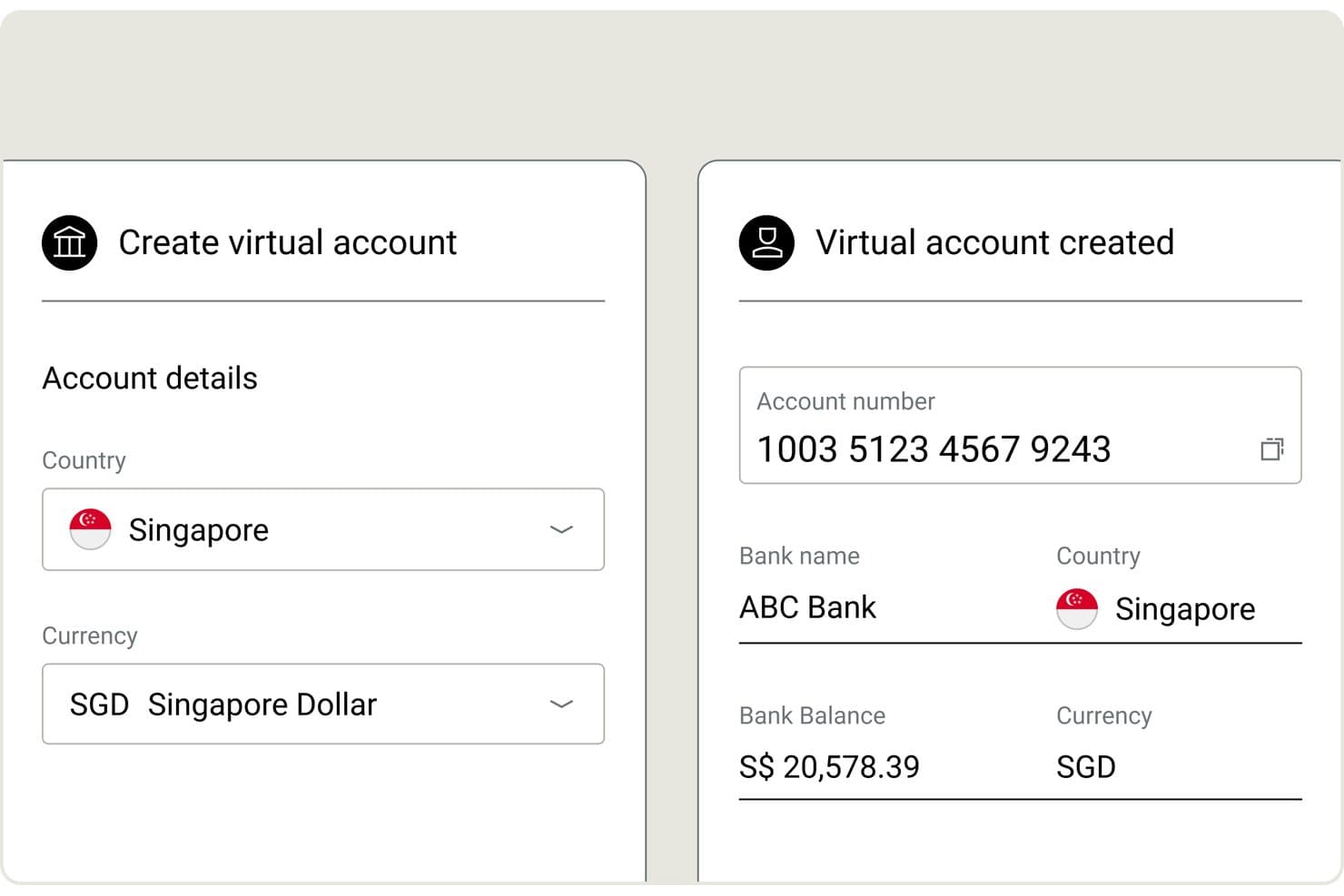
Nium lets users create virtual accounts in SGD with instant details. Nium is a B2B payments infrastructure platform built for enterprises, banks, and embedded finance providers, offering multi-currency account holding across 100+ currencies, cross-border payouts to 190+ countries, local account details in 20+ currencies, FX conversion at interbank rates, batch payouts, and virtual and physical card issuance.
Who Is Nium Best For?
Nium is a strong fit for enterprises, banks, and fintech platforms that need to embed multi-currency payment infrastructure at scale rather than access a ready-made account interface.
Why I Picked Nium
I've included Nium in my top picks because it operates at a scale most multi-currency account providers simply can't match: 100+ currencies held natively, payouts to 190+ countries, and 40+ regulatory licenses covering the FCA, MAS, and more. I particularly like the 24-hour FX rate lock across 125+ currencies, which lets treasury teams fix costs before running cross-border payroll without touching a forward contract. The no-code Batch Payouts feature adds maker/checker approval workflows and partial-batch processing, so large multi-currency disbursements don't require custom development to govern properly.
Nium Key Features
- Local virtual account numbers (VANs): Receive funds via local payment rails in 20+ currencies—including SEPA, ACH, Faster Payments, and FAST—without an in-country banking presence.
- Programmable FX rules: Define when and how currency conversions trigger by currency, counterparty, or transaction type, so funds aren't auto-converted at receipt.
- USDC stablecoin support: Hold treasury balances in USDC and fund cross-border payouts or payroll in stablecoin via Coinbase and Circle integrations.
- SWIFT GPI tracking: Monitor SWIFT transactions end-to-end in real time, with full payment status visibility throughout the transaction lifecycle.
Nium Integrations
Native integrations are not publicly listed. It supports custom integrations through its REST API and webhooks, plus connectivity with SWIFT, Visa, Mastercard, Coinbase, and Circle.
Pros and Cons
Pros:
- Enables batch payouts with maker/checker workflow
- Offers 24-hour FX rate lock
- Holds 100+ currencies with no forced conversion
Cons:
- Lacks native accounting software integrations
- No self-serve account onboarding available
Learn more about Nium: Best for interbank FX with treasury hedging tools
- Free plan available
- From $9.99/month
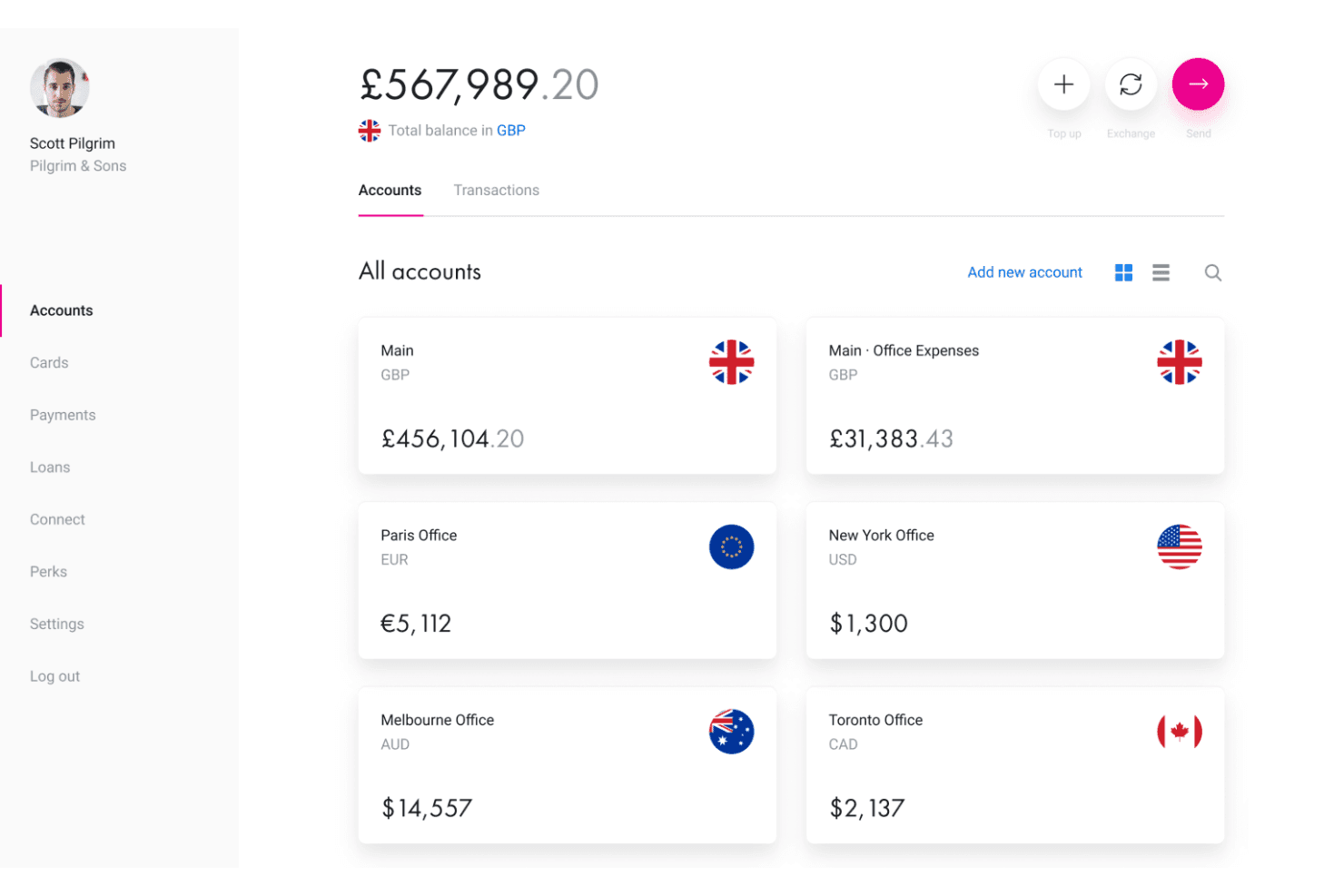
Revolut Business lets users manage multi-currency accounts across global offices. Revolut Business is a multi-currency business account that lets you hold balances in 25–35+ currencies, send payments to 100+ countries, issue corporate cards, manage FX conversions at interbank rates, and hedge currency exposure with forward contracts and limit orders.
Who Is Revolut Business Best For?
Revolut Business is a strong fit for finance and treasury teams that actively manage currency exposure and need hedging tools like forward contracts and limit orders alongside their multi-currency accounts.
Why I Picked Revolut Business
Revolut Business earns its spot on my shortlist because of how seriously it treats FX risk management, which most multi-currency account providers treat as an afterthought. I particularly like the combination of interbank-rate conversions within monthly allowances and the ability to lock in rates up to two years out using FX Forwards. Layer in limit and stop orders that trigger conversions automatically at a target rate, and treasury teams get real hedging tools, not just a currency wallet.
Revolut Business Key Features
- Bulk payment processing: Send payments to up to 1,000 recipients in a single batch, useful for payroll runs and multi-vendor disbursements.
- Multi-level approval workflows: Set maker-checker rules and role-based permissions to control who can authorize payments and FX conversions.
- Corporate card controls: Issue virtual and physical cards with per-card spending limits, category restrictions, and instant freeze/unfreeze via the app.
- Accounting integrations: Sync transactions automatically with Xero, QuickBooks, NetSuite, Sage, Dynamics 365, and 10+ other platforms.
Revolut Business Integrations
Revolut Business offers 45+ native integrations, including Xero, QuickBooks, Sage, Microsoft Dynamics 365, Zoho Books, FreshBooks, and Odoo. It also provides a Business API, webhook support, Make, and Zapier.
Pros and Cons
Pros:
- Bulk payments up to 1,000 recipients
- Hold 25–35+ currencies without forced conversion
- Interbank FX rates with limit and stop orders
Cons:
- FX forwards unavailable for US businesses
- Recurring account freezes and fund holds reported
Learn more about Revolut Business: Best for mid-market FX rates at scale
- Free demo available
- Pricing upon request
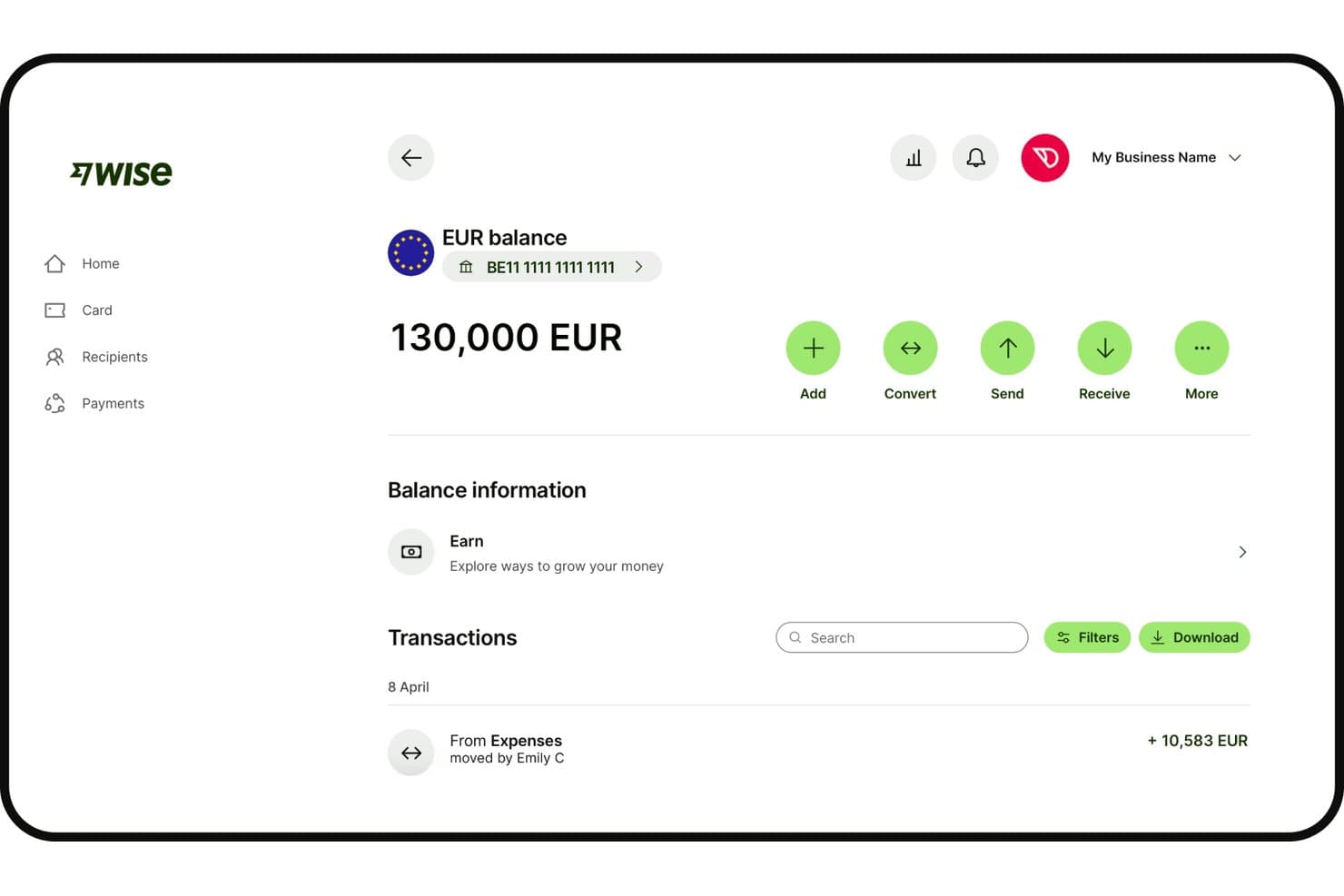
Wise Business displays EUR balance with multi-currency account details. Wise Business is a multi-currency account platform that lets you hold 40+ currencies, send payments to 160+ countries, collect funds via local account details in 10 regions, and sync transactions with your accounting stack through native and bank feed integrations.
Who Is Wise Business Best For?
Wise Business is a strong fit for finance teams at mid-market companies that run high-volume cross-border payments across multiple currencies and need clean accounting integration without paying bank-level FX markups.
Why I Picked Wise Business
Wise Business earns its spot on my shortlist because it passes payments through at the true mid-market rate, with fees starting from 0.23% and no hidden FX markup baked into the exchange rate. I've used BatchTransfer to push up to 1,000 international payee payments in a single CSV upload, which is a real advantage when running cross-border contractor payroll or marketplace disbursements at volume. Volume discounts kick in above $25,000 per conversion, so the rate advantage compounds as your payment runs scale.
Wise Business Key Features
- Multi-currency balance holding: Hold 40+ currencies simultaneously in a single account with full balance segregation and no automatic conversion between currencies.
- Role-based approval workflows: Assign Viewer, Payer, or Admin roles to team members and configure multi-level payment approvals before transactions execute.
- Opt-in interest on balances: Earn variable APY on USD, GBP, and EUR balances with instant access to funds, backed by pass-through FDIC insurance via JPMorgan Chase.
- Open API with sandbox environment: Automate recurring payments, payroll runs, and invoice disbursements via a REST API with full sandbox access for pre-live integration testing.
Wise Business Integrations
Wise Business offers native integrations with Xero, QuickBooks, and FreeAgent, plus bank-feed connections to 16 listed platforms, including NetSuite, Sage, Microsoft Dynamics 365, and DATEV. Its REST API includes a sandbox for custom integrations.
Pros and Cons
Pros:
- Batch pay up to 1,000 recipients
- Holds 40+ currencies with segregated balances
- No hidden markup on FX conversion
Cons:
- Account freezes reported in some reviews
- No forward contracts or FX hedging
Learn more about Wise Business:
Other Multi-Currency Accounts
Here are some additional multi-currency accounts that didn’t make it onto my shortlist, but are still worth checking out:
- 11WorldFirstBest for global e-commerce currency collection
- 12PayhawkBest for ERP-connected multi-currency spend management
- 13StripeBest for payment-led multi-currency settlement
- 14TipaltiBest for AP-driven global vendor disbursements
- 15AspireBest for SEA-based teams managing multi-currency ops
- 16iBanFirstBest for FX hedging with a dedicated specialist
- 17InstaremBest for APAC-anchored cross-border batch payouts
- 18Equals MoneyBest for UK treasury teams hedging in 35+ currencies
How I Evaluate Multi-Currency Accounts
I split my evaluation into baseline criteria—like holding 30+ currencies, local account details, and ERP sync—and differentiators like FX hedging tools, batch payment scale, and approval workflows.
Core Functionality (Table Stakes For This List)
When I'm selecting tools for my list, I rank each one on a scale from 0 (does not offer the functionality) to 5 (excels in this area) for each core functionality listed below. I then calculate the tool's total score into a percentage, using 65% as a benchmark to help assess its overall fit for the list.
- Multi-currency holding: I check how many currencies you can hold natively without forced conversion, and whether balances stay segregated so your treasury team controls when and how FX conversions happen.
- Local account details: Having IBANs, ACH routing numbers, or SWIFT details in-country matters for collecting payments like a local entity. I evaluate the breadth of countries and formats each platform supports.
- FX conversion and rates: I look for transparent, mid-market or near-mid-market rates with clearly disclosed markups, plus tools like forward contracts or rate alerts that give finance teams more control over hedging.
- Cross-border payments: The range of supported currencies, payment rails, and batch payment capabilities all factor in. Platforms that route through local rails instead of defaulting to SWIFT tend to deliver faster, cheaper transfers.
- Accounting integrations: I evaluate native connections to major accounting and ERP systems like QuickBooks, Xero, NetSuite, and Sage, focusing on whether multi-currency transactions sync automatically for reconciliation.
- Regulatory and security compliance: Licensing across key jurisdictions, fund safeguarding, and certifications like SOC 2 or PCI DSS signal the kind of operational trust a CFO expects before onboarding a treasury platform.
Once I have a list of tools that meet the criteria, I consider what sets each platform apart.
Differentiating Factors (What Sets Vendors Apart)
Here's how I compare and contrast different vendors:
Standout Features
Approval workflows matter a lot here. I look for multi-level maker-checker controls and role-based permissions that align with SOX requirements—especially when payments and conversions are initiated across distributed teams. Batch payment support is another separator. Some platforms handle bulk runs of thousands of payees in a single file, which is essential for scaling contractor payroll or marketplace disbursements. I also evaluate real-time FX alerts and forward contracts, since locking target rates on planned outflows can meaningfully reduce currency exposure between budget cycles.
Beyond Features
Fee transparency matters more than headline rates. I check whether FX markups are disclosed against the mid-market rate and whether correspondent bank deductions on SWIFT payments erode the value of outbound transfers. Regulatory licensing is just as important—I confirm each platform's coverage across the jurisdictions your business operates in, since gaps mean you can't legally hold or move funds there. I also evaluate ERP fit, specifically whether connectors to systems like NetSuite or Sage Intacct handle automatic multi-currency revaluation and gain/loss posting, not just transaction sync.
How to Choose a Multi-Currency Account
Figuring out which multi-currency account fits your business comes down to matching your operational needs with the platform’s payments, FX, and integration capabilities:
| If your priority is... | Look for... |
|---|---|
| If your priority is...Automating accounting and ERP workflows | Look for...Native integrations that sync multi-currency transactions |
| If your priority is...Minimizing FX markups and hidden fees | Look for...Transparent mid-market FX rates with published markups |
| If your priority is...Settling global supplier or contractor runs | Look for...Batch payout capabilities and support for local rails |
| If your priority is...Managing global balances without forced FX | Look for...Segregated currency wallets and controlled conversion tools |
| If your priority is...Enabling local currency collections | Look for...In-country IBAN, ACH, or local account details |
How to Vet Your Shortlist
- Run a reconciliation test: Connect the account to your ERP or accounting system and sync 20+ multi-currency transactions to confirm automation.
- Request a rate breakdown: Ask for an FX deal sheet showing the mid-market rate, markup, and final settlement rate for at least three recent trades.
- Trial a batch payout: Submit a bulk payout file with 10+ payees in at least three currencies to verify batch workflow and compliance checks.
- Get licensing documentation: Request up-to-date regulatory licenses and certifications (like SOC 2 or regional e-money licenses).
- Trade-off—specialists vs. scalability: Decide between platforms built for treasury control (ERP sync, granular permissions) and those geared for fast, high-volume payments (marketplace/contractor payouts at scale).
What are Multi-Currency Accounts?
Multi-currency accounts are financial accounts that let you hold, receive, and send funds in multiple currencies from a single platform. They’re used by businesses to manage payments, collections, and balances across different countries—without needing to convert currencies automatically. These accounts help you control foreign exchange costs, improve cash visibility, and simplify reconciliation when operating with global suppliers, customers, or contractors.
Features
When selecting multi-currency accounts, keep an eye out for the following key features:
- Multi-currency holding: Hold, manage, and track balances in dozens of currencies without forced conversions. This lets your team decide when to convert funds based on your budget, payment timing, and FX strategy.
- Local account details: Get local bank information—like IBANs, ACH routing numbers, or SWIFT codes—for multiple countries. This gives you the ability to collect payments and send transfers as if you have a physical banking presence in those regions.
- Transparent FX conversion: Access clear, mid-market or near-mid-market exchange rates, with transparent markups shown before you convert. This helps you manage currency conversion costs and audit your foreign currency expenses.
- Batch payment support: Initiate mass payouts to suppliers, contractors, or employees in different currencies through a single file or workflow. This feature is essential for scaling global payroll, marketplace payouts, or vendor payments.
- Native accounting integrations: Sync transactions automatically with ERP or accounting systems such as QuickBooks, Xero, NetSuite, or Sage. This streamlines reconciliation and reduces manual data entry or risk of errors.
- Regulatory compliance and fund safeguarding: Platforms should be licensed in every region where they operate, and funds should be held in safeguarded or segregated accounts. This compliance reduces financial risk and ensures you are always working within legal boundaries.
- Approval workflows and permissions: Set granular, multi-step approval processes for payments and currency conversions. This control helps align with SOX or internal audit standards, especially with distributed or cross-border teams.
- Real-time cash visibility: Monitor balances, inflows, outflows, and FX positions across all currencies from one dashboard. This live view helps you optimize working capital and proactively manage liquidity.
- Customizable FX tools: Use rate alerts, forward contracts, or scheduled conversions to manage currency exposure. These tools allow you to lock in rates or automate conversions according to your spending forecasts.
- Flexible payment rails: Send and receive funds via local routes, not just SWIFT, minimizing transfer fees and speeding up settlements when moving money internationally. This makes cross-border payments both faster and cheaper.
Common AI Features
Beyond the standard multi-currency account features listed above, many of these solutions are incorporating AI with features like:
- AI-driven fraud detection: Uses machine learning to analyze transaction patterns and flag suspicious activity in real time, helping your team reduce the risk of unauthorized transfers or account breaches.
- Automated FX rate optimization: Continuously monitors global currency markets and recommends the best times to convert funds, so you can minimize FX costs without manual tracking.
- Predictive cash flow analytics: Leverages historical transaction data and external market signals to forecast future cash positions across currencies, giving you early warnings about potential liquidity gaps.
- Smart reconciliation assistants: Apply natural language processing and pattern recognition to match incoming and outgoing payments with invoices and accounting records, reducing manual reconciliation work.
- AI-powered compliance monitoring: Scans transactions for regulatory red flags and evolving sanctions lists, alerting your team to potential compliance issues before they escalate.
- Personalized insights and alerts: Delivers tailored recommendations and notifications based on your business’s transaction history, helping you spot trends, anomalies, or savings opportunities across your global accounts.
Benefits
Implementing multi-currency accounts provides several benefits for your team and your business. Here are a few you can look forward to:
- Improved cash visibility: Get a real-time view of your global currency balances, inflows, and outflows in one dashboard.
- Flexible foreign exchange control: Decide when to convert currencies using features like segregated wallets, rate alerts, or forward contracts, not just with automatic conversions.
- Reduced transaction and FX costs: Minimize unnecessary FX markups and avoid hidden fees through transparent, mid-market pricing and access to local payment rails.
- Faster and cheaper global payments: Use local bank details and payment routes to settle cross-border transactions more quickly and at lower costs than relying solely on SWIFT.
- Automated accounting and ERP sync: Cut down on manual reconciliation with native integrations that bring multi-currency transactions into your accounting or ERP system automatically.
- Enhanced security and regulatory confidence: Meet compliance requirements and reduce risk by working with platforms licensed in key jurisdictions and featuring enterprise-grade safeguard controls.
- Greater payment control and governance: Set up layered approval workflows and granular permissions to support SOX compliance and secure distributed payment operations.
Costs and Pricing
Selecting multi-currency accounts requires an understanding of the various pricing models and plans available. Costs vary based on features, team size, add-ons, and more. The table below summarizes common plans, their average prices, and typical features included in multi-currency accounts:
Plan Comparison Table for Multi-Currency Accounts
| Plan Type | Average Price | Common Features |
|---|---|---|
| Plan TypeFree Plan | Average Price$0 | Common FeaturesBasic multi-currency holding, limited payment options, basic reporting, and access to standard support channels. |
| Plan TypePersonal Plan | Average Price$5–$15/month | Common FeaturesMulti-currency wallets, basic FX conversion, ACH and SWIFT transfers, and email support. |
| Plan TypeBusiness Plan | Average Price$25–$75/month | Common FeaturesMultiple user access, batch payment support, local account details, mid-market FX rates, accounting integrations, and approval workflows. |
| Plan TypeEnterprise Plan | Average Price$100–$300/month | Common FeaturesAdvanced permissions, SOX-aligned controls, API access, dedicated account manager, custom integrations, and enhanced security and compliance tools. |
Multi-Currency Accounts FAQs
Here are some answers to common questions about multi-currency accounts:
How do multi-currency accounts handle foreign exchange rates?
Multi-currency accounts typically use real-time or near-real-time FX rates sourced from market data, but the actual rate you get can include a platform markup. Always ask your provider for a breakdown that shows the mid-market rate, their markup, and the final settlement rate. This helps you budget more accurately and avoid surprises when converting large amounts.
Can I make local payments from a multi-currency account?
Yes, most multi-currency accounts let you make local payments using in-country details like IBANs or ACH routing numbers. This means you can pay vendors, contractors, or suppliers as if your business had a presence in that country, which often reduces transfer time and costs compared to cross-border SWIFT transfers.
What kind of ERP and accounting integrations should I expect?
Look for multi-currency accounts that offer native integrations with leading accounting platforms like QuickBooks, Xero, NetSuite, or Sage. The best ones sync multi-currency transactions directly, automate revaluations, and help with gain/loss posting. Always run a reconciliation test before committing, especially if you have complex finance workflows.
Are there limitations on the currencies or countries supported?
Yes, every provider has a different list of supported currencies and countries for holding, sending, and receiving funds. Check their current lists to confirm they support the currencies and countries your business needs. Some may offer dozens of options, while others focus narrowly on key markets.
How secure and compliant are multi-currency account platforms?
Reputable multi-currency account platforms invest in regulatory compliance—look for e-money licenses, SOC 2, PCI DSS, and regional certifications. Funds should be held in safeguarded or segregated accounts. Ask for up-to-date documentation to ensure your treasury operations stay legally compliant and reduce financial risk.